-
-
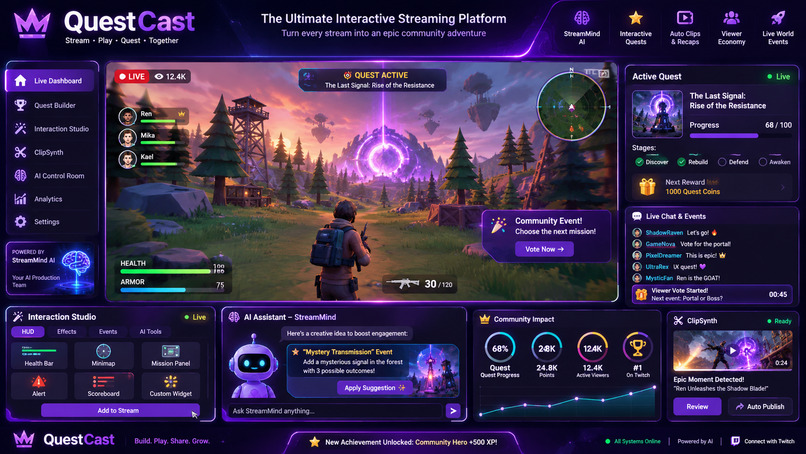
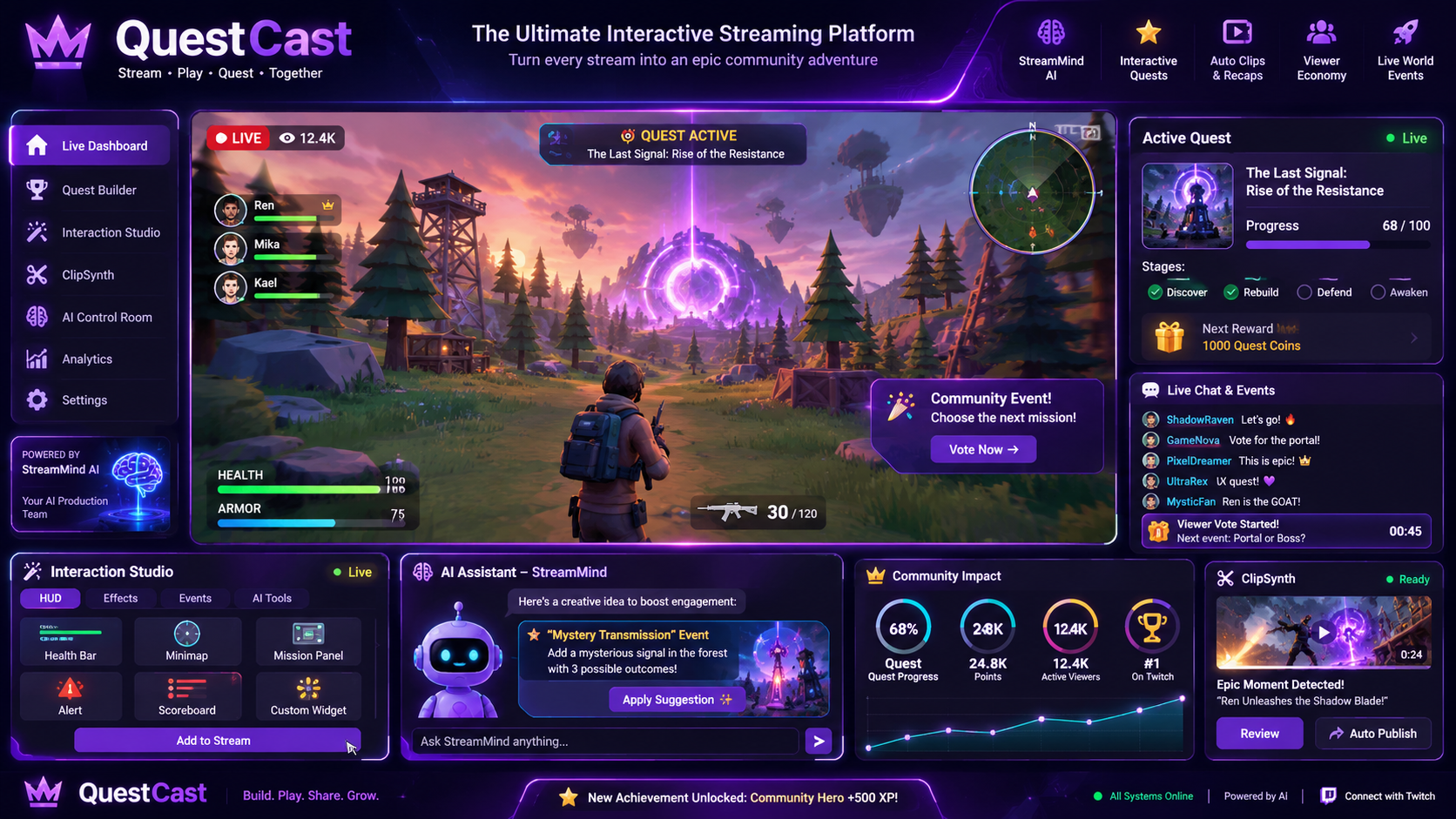
The Streaming frontend
-
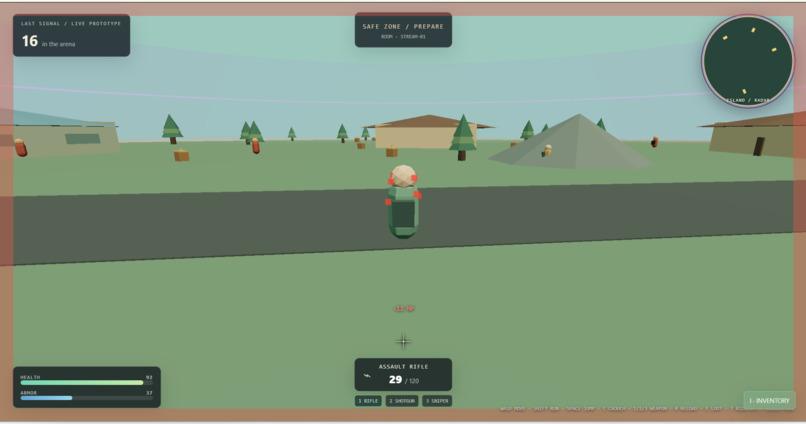
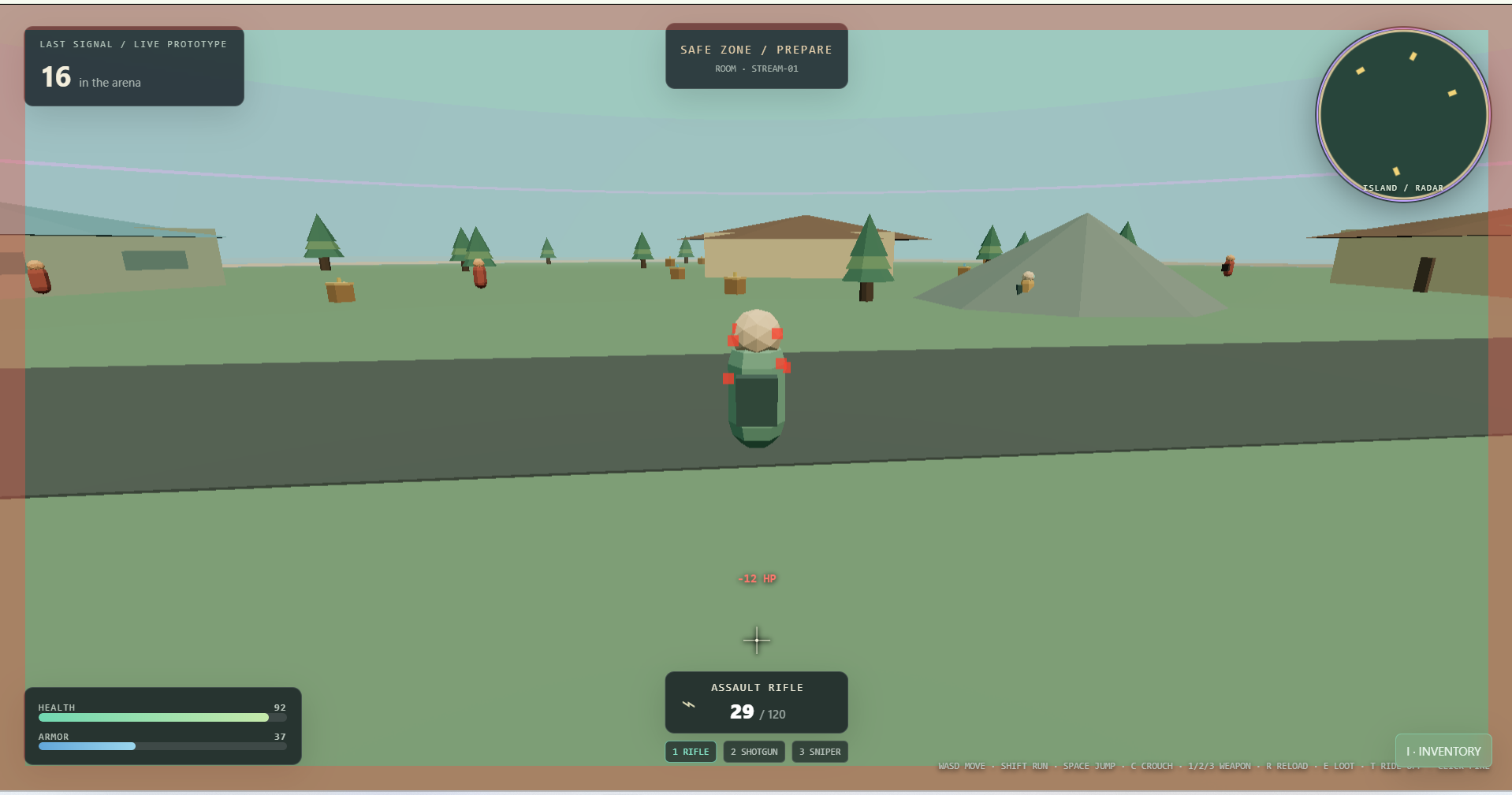
The Fun Games Simulations
-
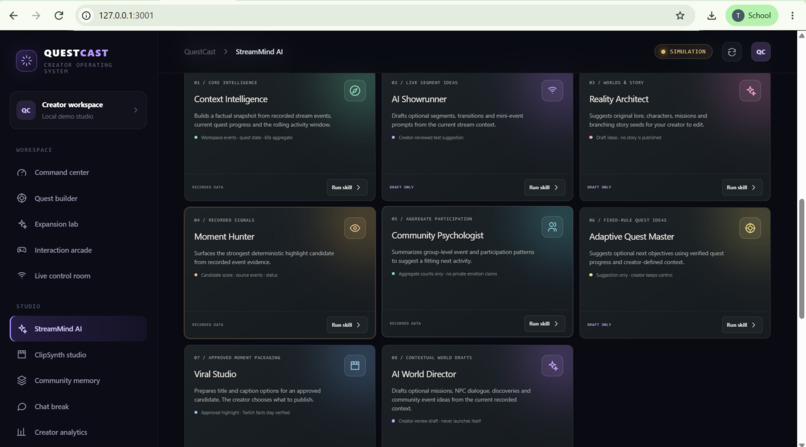
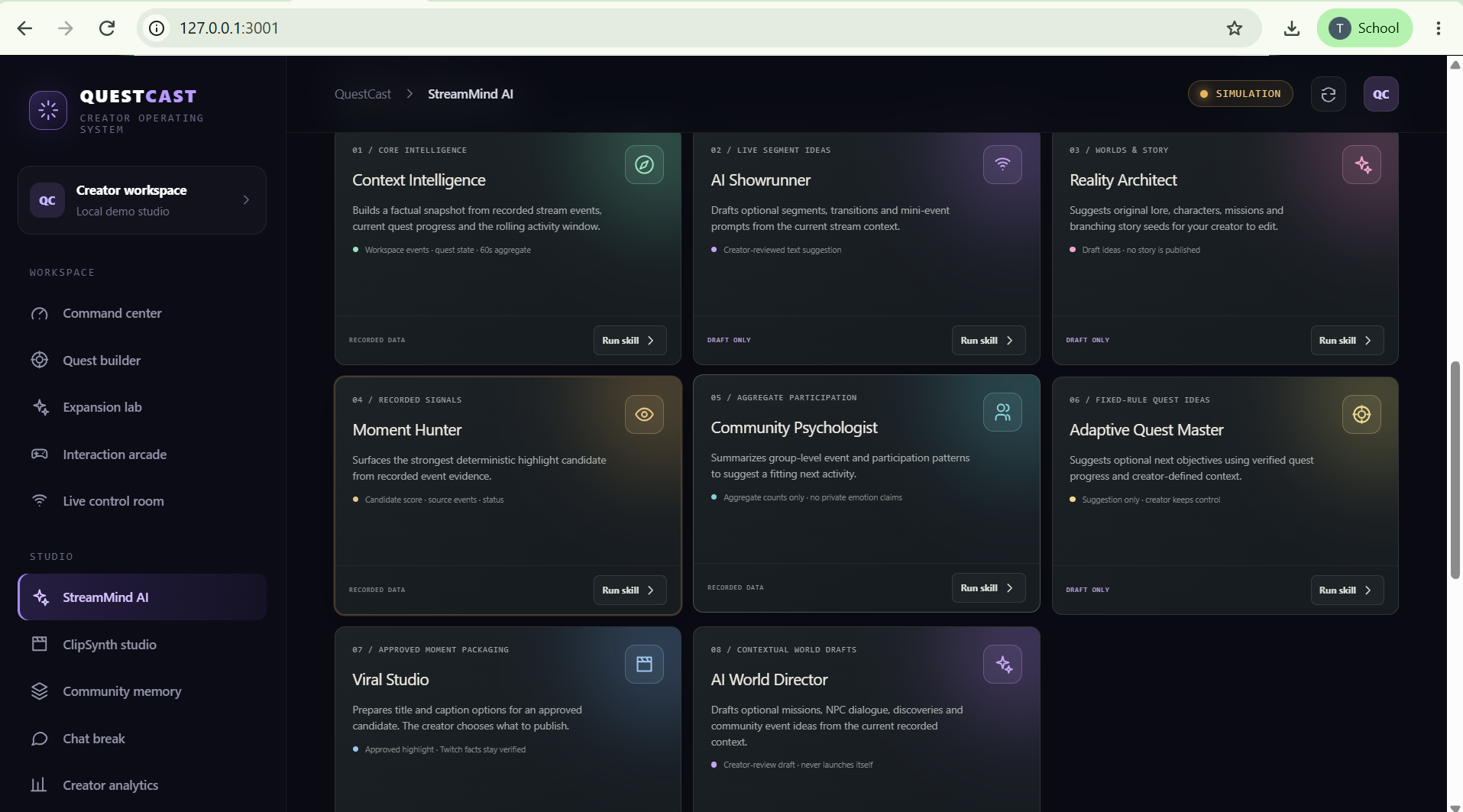
other features
-
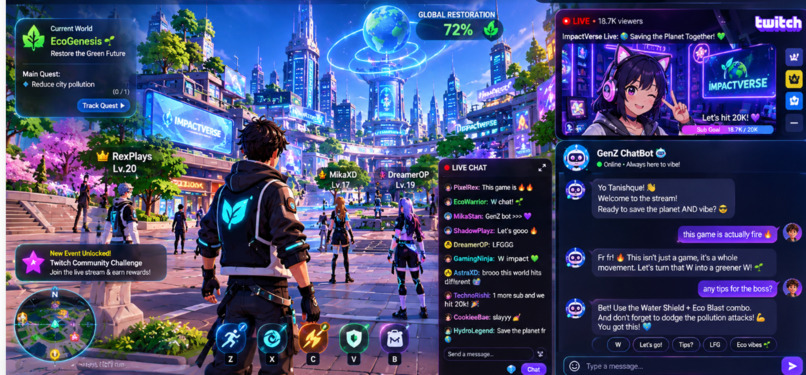
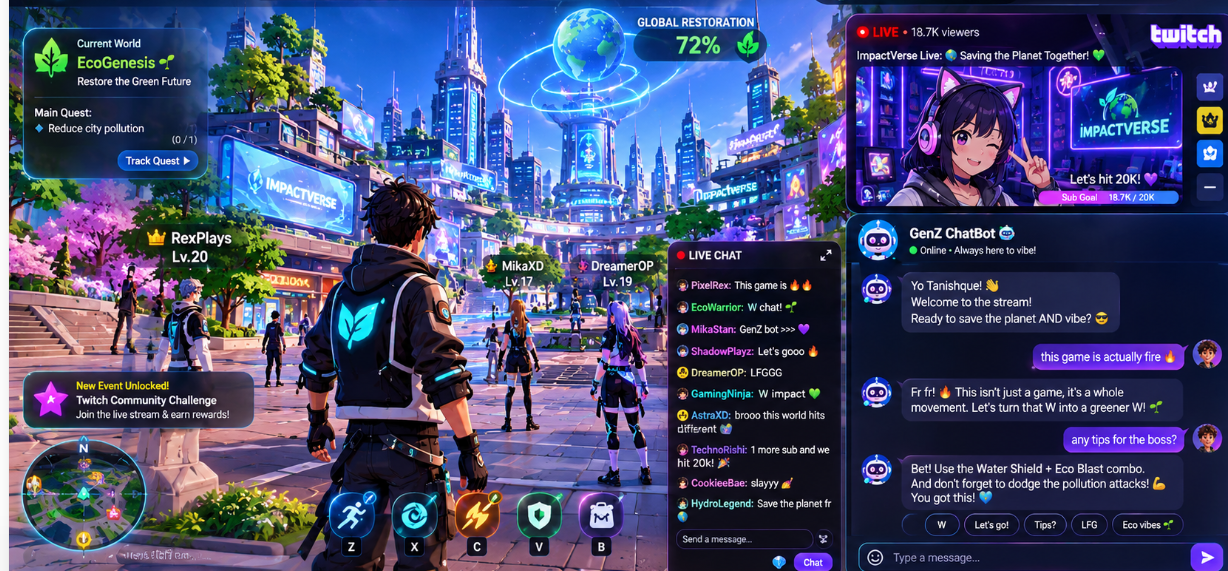
GenZ chatbot for interactions
About the project
I started QuestCast because I wanted Twitch streams to feel like something the community participates in, not just something they watch. When a streamer steps away or a match slows down, viewers can lose momentum. I imagined giving them shared quests, polls, chat activities, and a lightweight arena so the community can keep playing together.
I built QuestCast as a creator dashboard with a Twitch integration path, community features, StreamMind, and a browser-based arena prototype. The dashboard and backend use React, TypeScript, Python, and FastAPI. Streamers can configure Twitch OAuth so QuestCast can request permission to access supported channel data and events. StreamMind is designed to summarize permitted chat activity and suggest ways to invite more participation. The arena is a sandbox game prototype; it does not control a player’s external game.
I used OpenAI Codex throughout development to help shape the interface, implement features, connect the frontend and backend, and troubleshoot setup issues. I treated Codex as a coding partner: I described the experience I wanted, reviewed the generated work, and iterated when the app or local setup did not behave as expected.
The biggest challenge was making all the pieces work together. Twitch authorization depends on the correct developer-app settings, redirect URL, environment variables, and matching local web addresses. I also learned that an app displaying “Live Mode” does not by itself mean a Twitch account is connected; the OAuth flow and granted permissions must succeed. On the AI side, I wanted suggestions to be grounded in permitted chat activity and keep the streamer in control, rather than inventing viewer sentiment or taking actions automatically.
Building QuestCast taught me to think beyond the feature itself: permissions, connection status, error handling, and clear setup instructions matter just as much as the interface. My goal is to keep improving it into a practical toolkit that helps streamers turn quiet moments into shared community moments.
QuestCast is a Twitch community and creator toolkit. Its current project write-up lists these features:
- Creator command center for channel status, activity, quests, and creator tools.
- StreamQuest for community objectives, participation, and progress tracking.
- Twitch integration through OAuth and EventSub, with separate Simulation and Live modes.
- StreamMind AI for opt-in chat-topic summaries, engagement suggestions, a rotating prompt card, and spoken reviews.
- Gen Z chat companion for slang definitions with !slang and short answers with !genz .
- Chat Break with creator-reviewed polls and meme activities for streamer breaks.
- Community Meme Studio where viewers make caption memes, submit them for review, and react to published memes with !meme . The most-reacted-to meme can appear in the OBS finale.
- Last Signal multiplayer arena, a browser-based 3D sandbox with community votes on events.
- ClipSynth for highlight candidates, creator review, optional title/caption suggestions, and Twitch clip workflows.
- Community Memory and analytics for milestones, quest outcomes, and recorded activity.
- BotGuard for surfacing suspicious-account signals for human review.
- Community feedback for streamer and viewer ratings/comments.
- OBS browser-source overlay for stream quests, polls, milestones, and the meme finale #Inspiration I wanted to help streamers keep their communities involved during quiet moments, breaks, or slower parts of a stream. That idea grew into QuestCast: a creator toolkit where viewers can take part in shared activities instead of only watching. #What it does QuestCast combines a creator dashboard, Twitch integration, AI-assisted engagement tools, community activities, and a multiplayer browser arena.The players can create their own game too via codex.
Creators can set community quests and track progress from recorded events and server-defined rules. StreamMind can summarize permitted chat topics and suggest ways to invite participation. Its live chat coach is opt-in and can speak a rolling review using browser speech.
During breaks, viewers can ask the Gen Z chat companion for a slang definition with !slang or ask a short question with !genz . It uses a built-in glossary, optional OpenAI Responses API answers, and cooldowns; it responds only when asked.
The Meme Studio lets viewers create and download caption memes from original templates on a shareable public page. Submissions wait for creator review. During an active Chat Break, the creator can approve and publish a meme to Twitch chat. Viewers react with !meme , and the meme with the most unique reactions is revealed on the OBS overlay at the end of the break. Reactions are an engagement proxy, not measured impressions or views.
QuestCast also includes ClipSynth for creator-reviewed highlight candidates, Community Memory and analytics, BotGuard for human-reviewed moderation signals, community feedback, and an OBS browser-source overlay.
The Last Signal arena is a browser-based multiplayer sandbox with 3D gameplay, player movement, vehicles, and community votes on world events. Twitch viewers can vote on an open event with !vote A or !vote B. The arena does not control external games.
QuestCast separates SIMULATION from LIVE mode. The simulator works without Twitch credentials. Live features require a configured Twitch application, successful OAuth, appropriate permissions, and verified EventSub delivery
How we built it
I built the dashboard with React, TypeScript, and Vite, and the backend with Python and FastAPI. Twitch OAuth, API access, and EventSub provide the integration path for account authorization and supported channel events. The arena uses browser-based 3D, with a Node.js multiplayer server prototype. Docker Compose brings the services together for local development. I used OpenAI Codex to help implement features, refine the interface, and troubleshoot.
Challenges we ran into
The Game creator section by ai codex fails for some complex games we need to have a deep neural integrated network for it . Another challenge was keeping AI suggestions grounded in available chat activity and leaving decisions in the streamer’s hands.
Accomplishments that we're proud of
Brought Twitch-connected creator tools, community quests, StreamMind, chat activities, and a multiplayer arena into one local-first project. Built a public Meme Studio where viewers can create memes, submit them for creator review, and react to published entries. Connected meme reactions to a timed OBS finale while clearly describing reactions as an engagement proxy. Added an opt-in Gen Z chat companion with a built-in slang glossary and optional OpenAI-powered replies. Kept arena gameplay server-authoritative and separate from external games. Made a local simulator available without Twitch credentials and added setup guidance for trying the project. Used visible simulation labels, creator approval, and verified Twitch events to clarify how live features work.
What we learned
We learned that a good integration needs more than a working button: setup instructions, permission handling, connection status, and useful errors are part of the experience. We also learned to keep AI recommendations grounded and to make sure streamers remain in control.
What's next for QuestCast
Next, we want to make setup easier for creators, and improve the arena and community activities. We also want to evaluate StreamMind’s suggestions with streamers and viewers before expanding its capabilities.
Built with Codex
OpenAI Codex helped shape QuestCast’s game loop and data boundaries, build the TypeScript client and server integrations, implement server-side voting rules, connect Twitch OAuth and EventSub chat, and develop the StreamMind, Gen Z chat companion, Meme Studio, and OBS finale workflows. Codex also helped refine the interface and setup documentation. The repository includes the source and local simulator so judges can explore the project without Twitch credentials.
Built With
- api
- docker-compose
- express.js
- fastapi
- node.js
- openai-codex
- openai-compatible
- python
- react
- socket.io
- three.js
- twitch
- twitch-eventsub
- twitch-oauth
- typescript
- vite

