Inspiration
Traditional computer networking education relies on dry 2D topology diagrams, black-and-white CLI text consoles, and abstract packet capture hex dumps. Beginners, students, and certification candidates often struggle to visualize:
- How physical cables (Cat6 copper vs. single-mode fiber) connect to physical switchports.
- How packets actually traverse multi-hop paths through VLANs, Spanning Tree root bridges, and NAT overload firewalls.
- What happens in 3D space when a link fails or a DDoS attack hits the network perimeter.
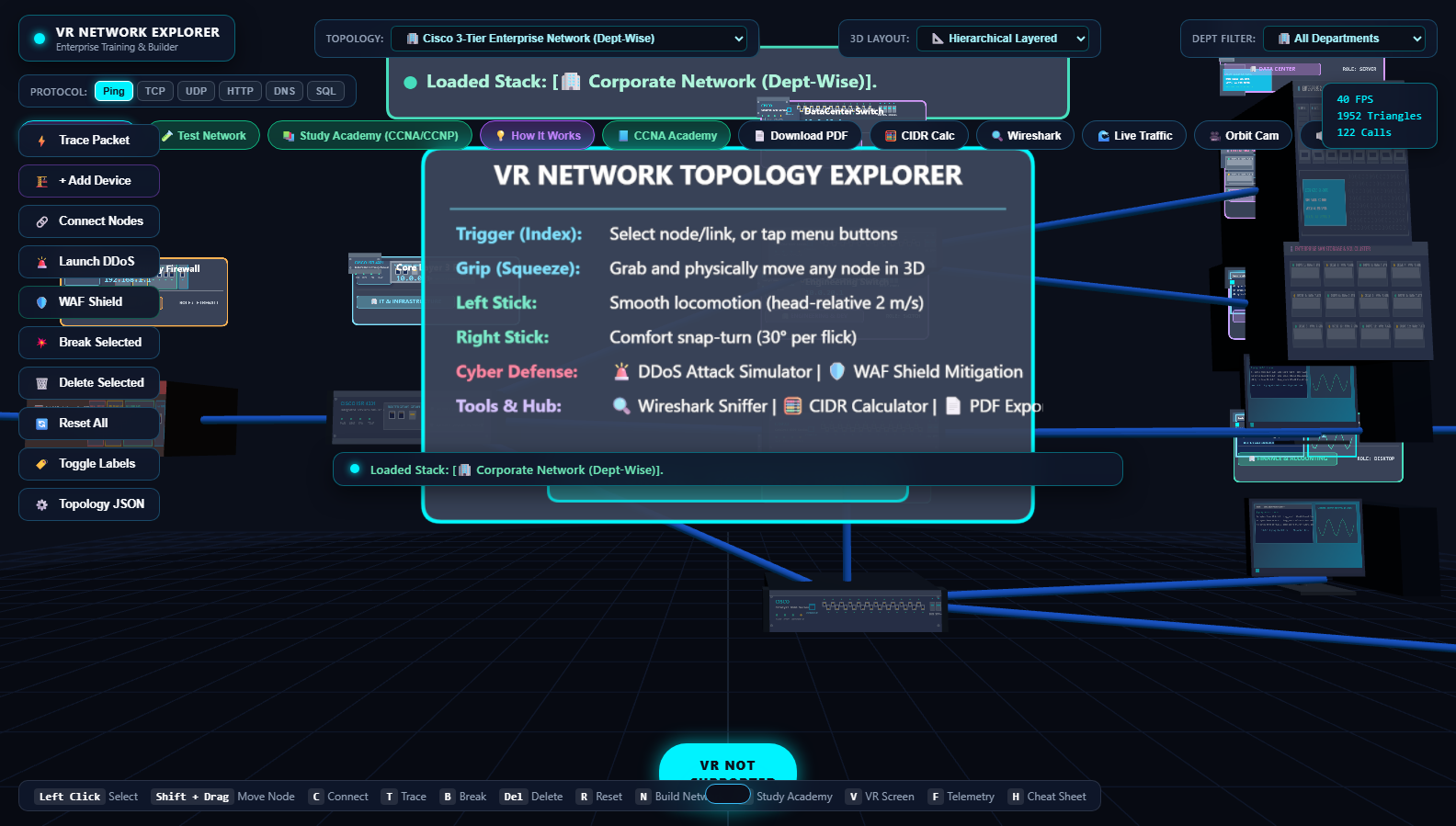
Quest NetVR transforms invisible radio waves, light pulses, and binary packets into tangible, interactive 3D spatial environments. On the Meta Quest headset, engineers and students can walk through enterprise architectures, rewire cables, simulate live pings, and master networking visually from start to finish.
What it does
Quest NetVR is a comprehensive, zero-build WebXR Network Engineering Suite and Certification Academy running directly inside the Meta Quest Browser:
- Photorealistic 3D Hardware Models & Faceplates: Walk up to Cisco Catalyst switches, ISR routers, next-generation firewalls, wireless APs, and server racks with port-level LED indicators and cabling visuals (RJ-45 copper & LC fiber duplex).
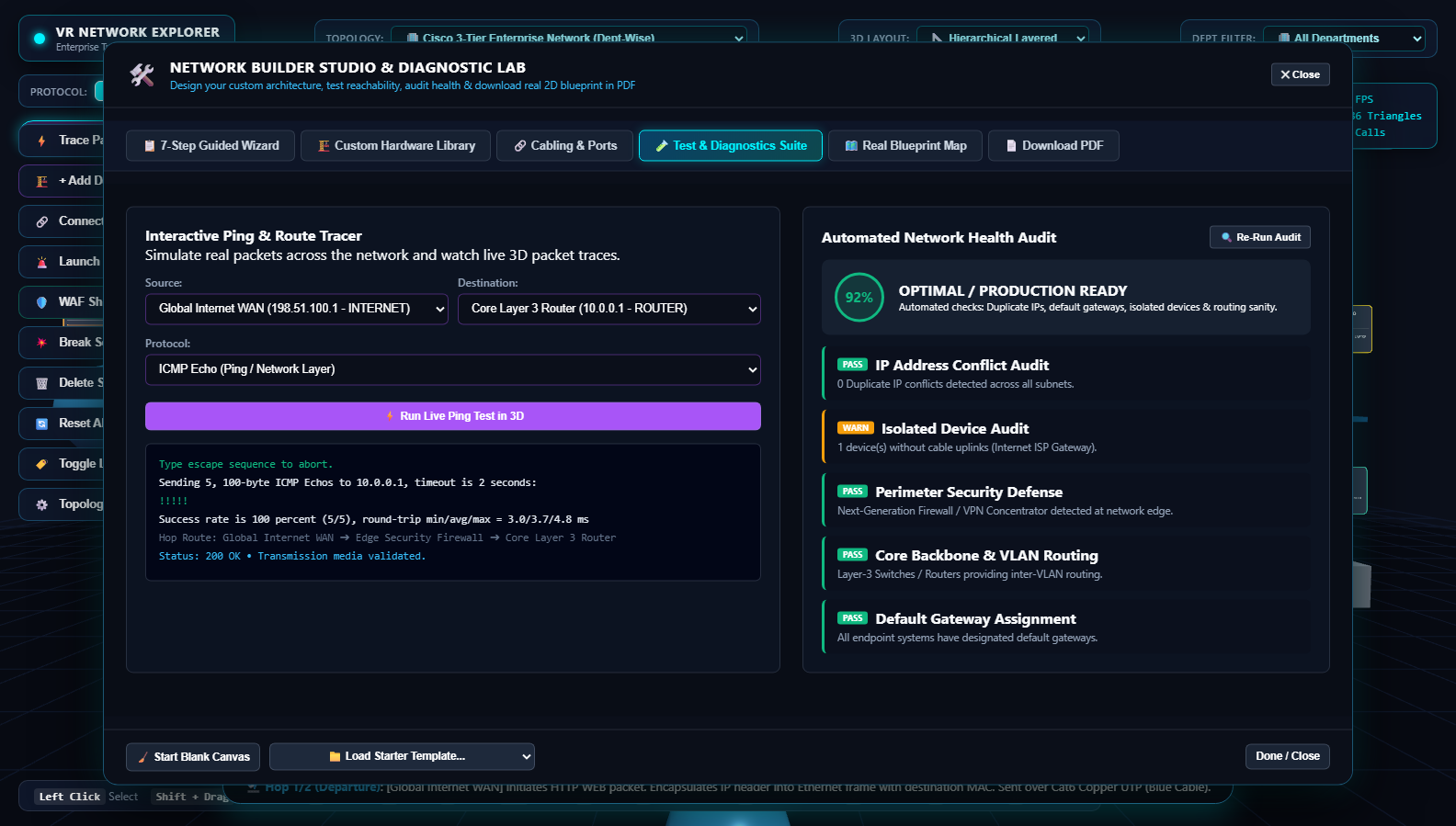
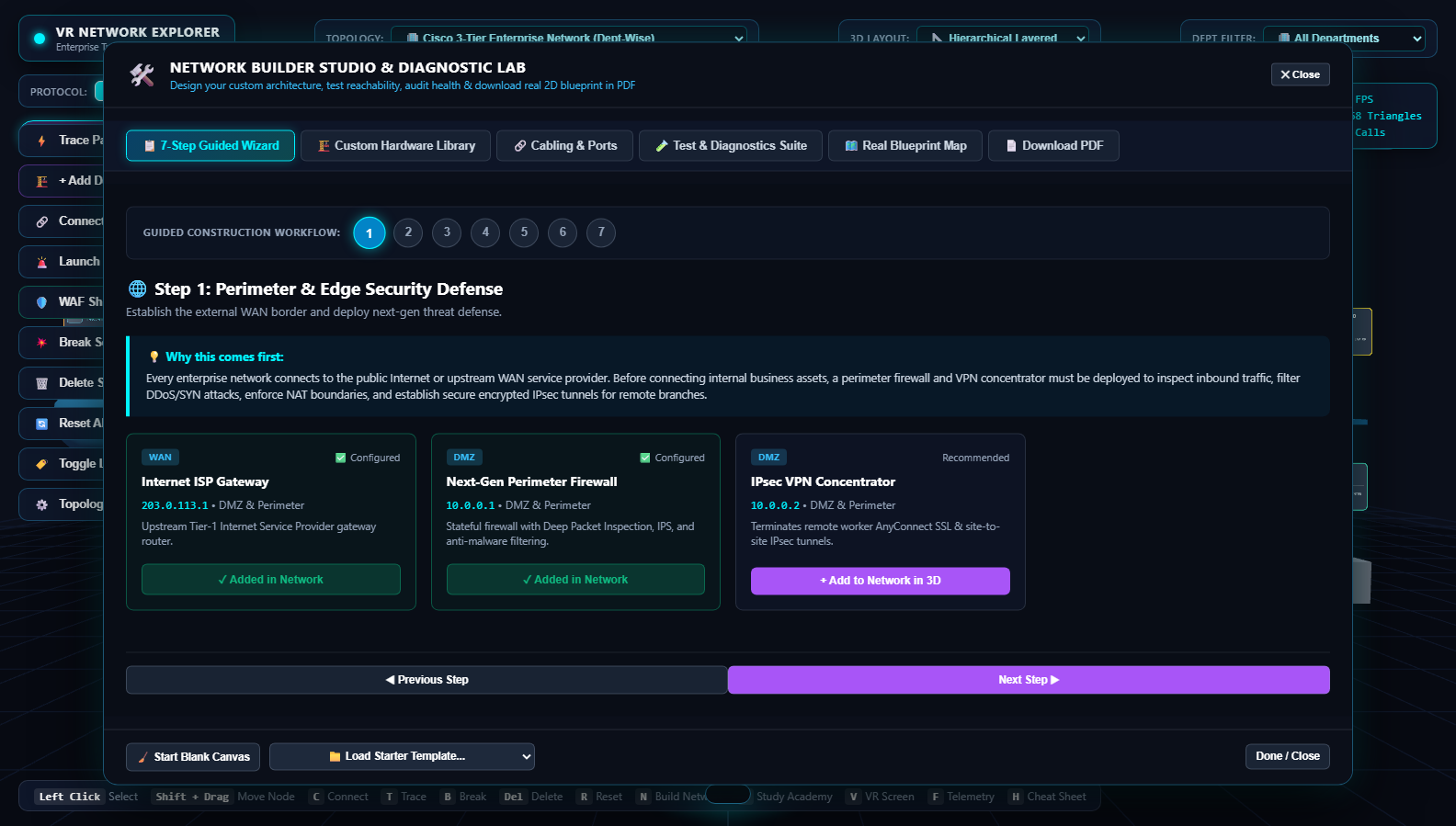
- Interactive 7-Step Network Builder Studio: Design custom topologies from scratch, assign subnets, connect uplinks, and validate architectural sanity.
- Live Cisco CLI Ping & 5-Point Health Diagnostics: Simulate ICMP echo requests hop-by-hop with animated packet particles, TTL countdowns, and latency telemetry.
- Interactive Wireshark-Lite Packet Sniffer: Inspect real-time Ethernet, IP, TCP/UDP, and application layer protocol headers in spatial 3D.
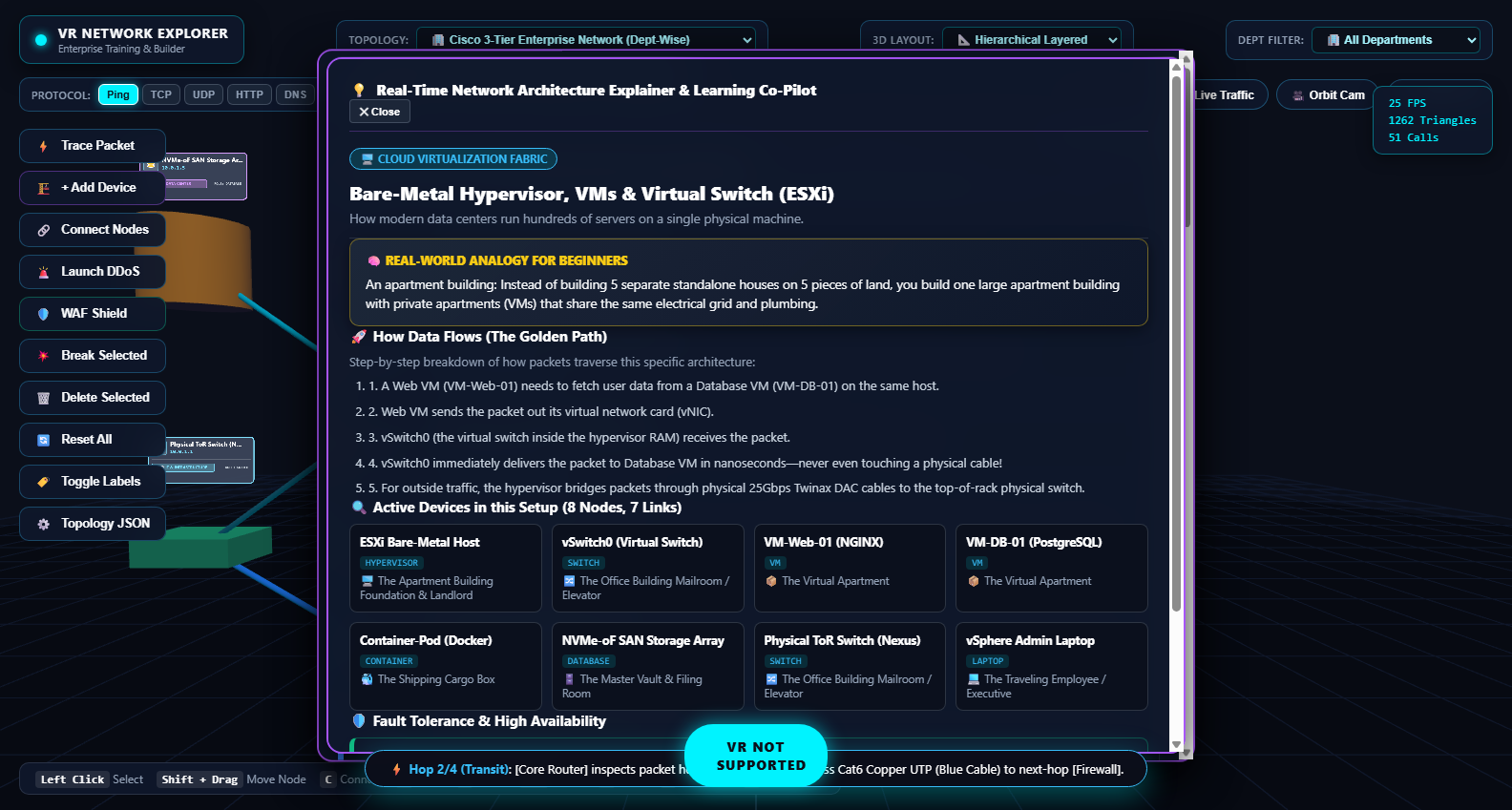
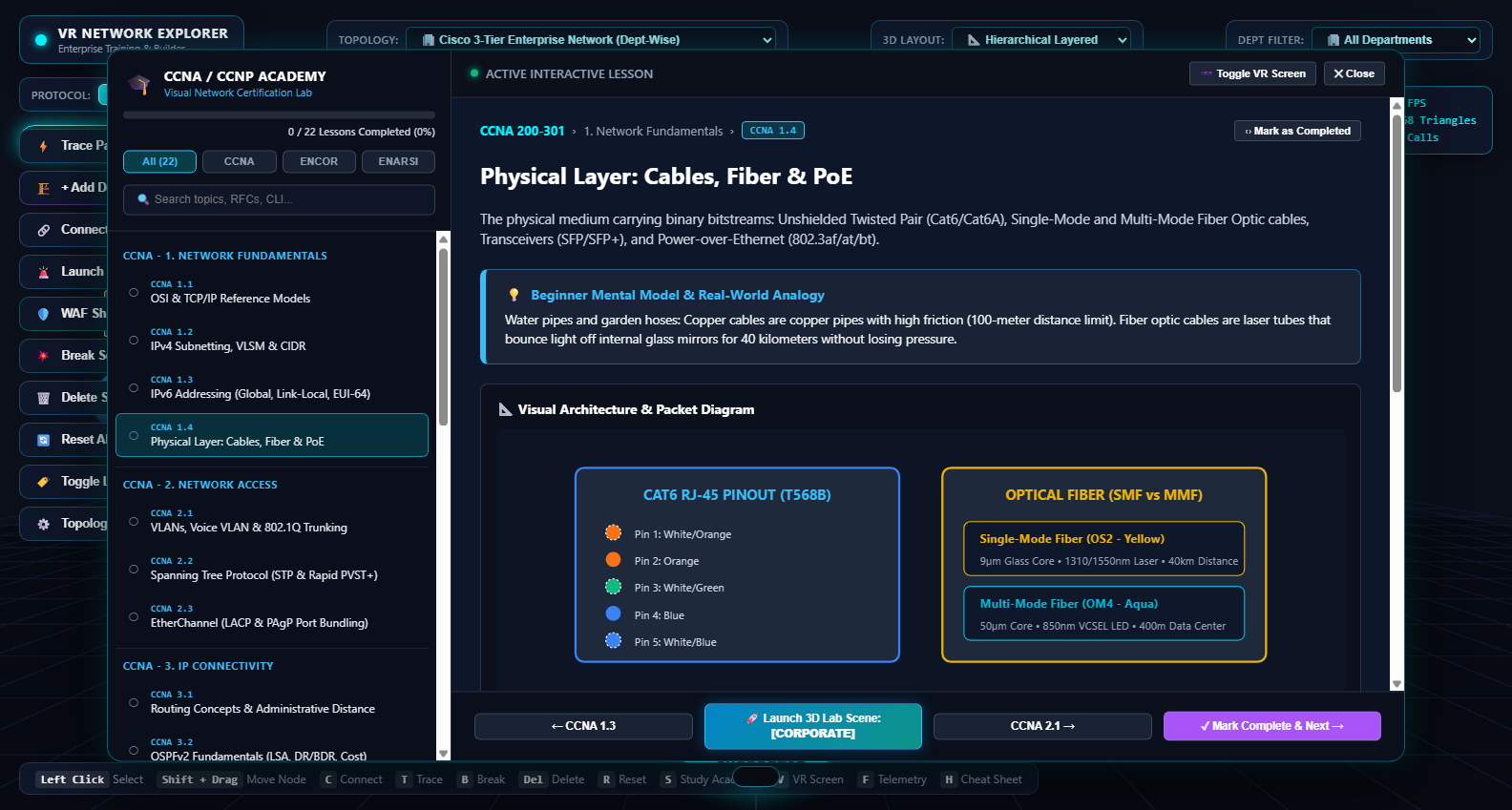
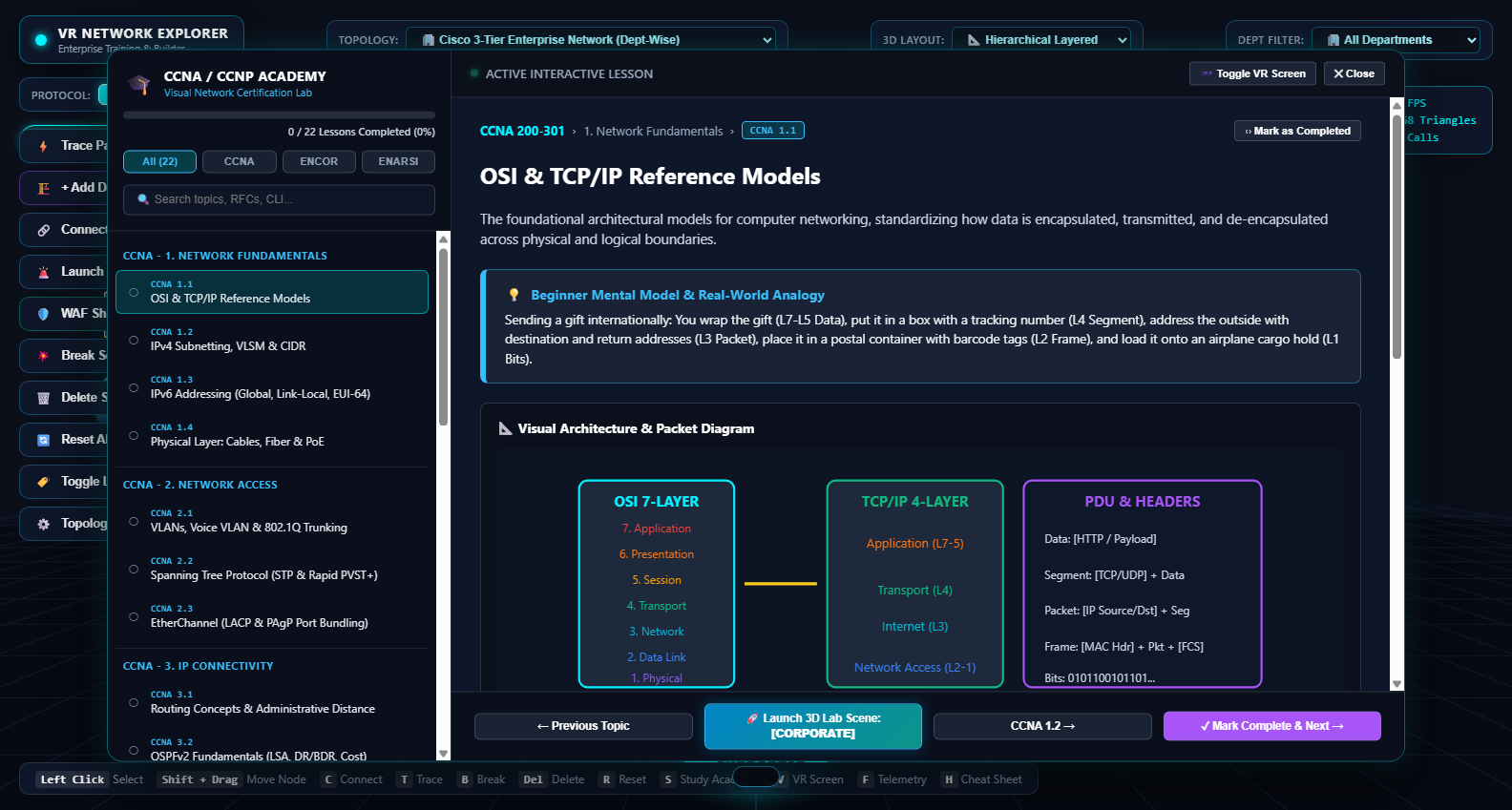
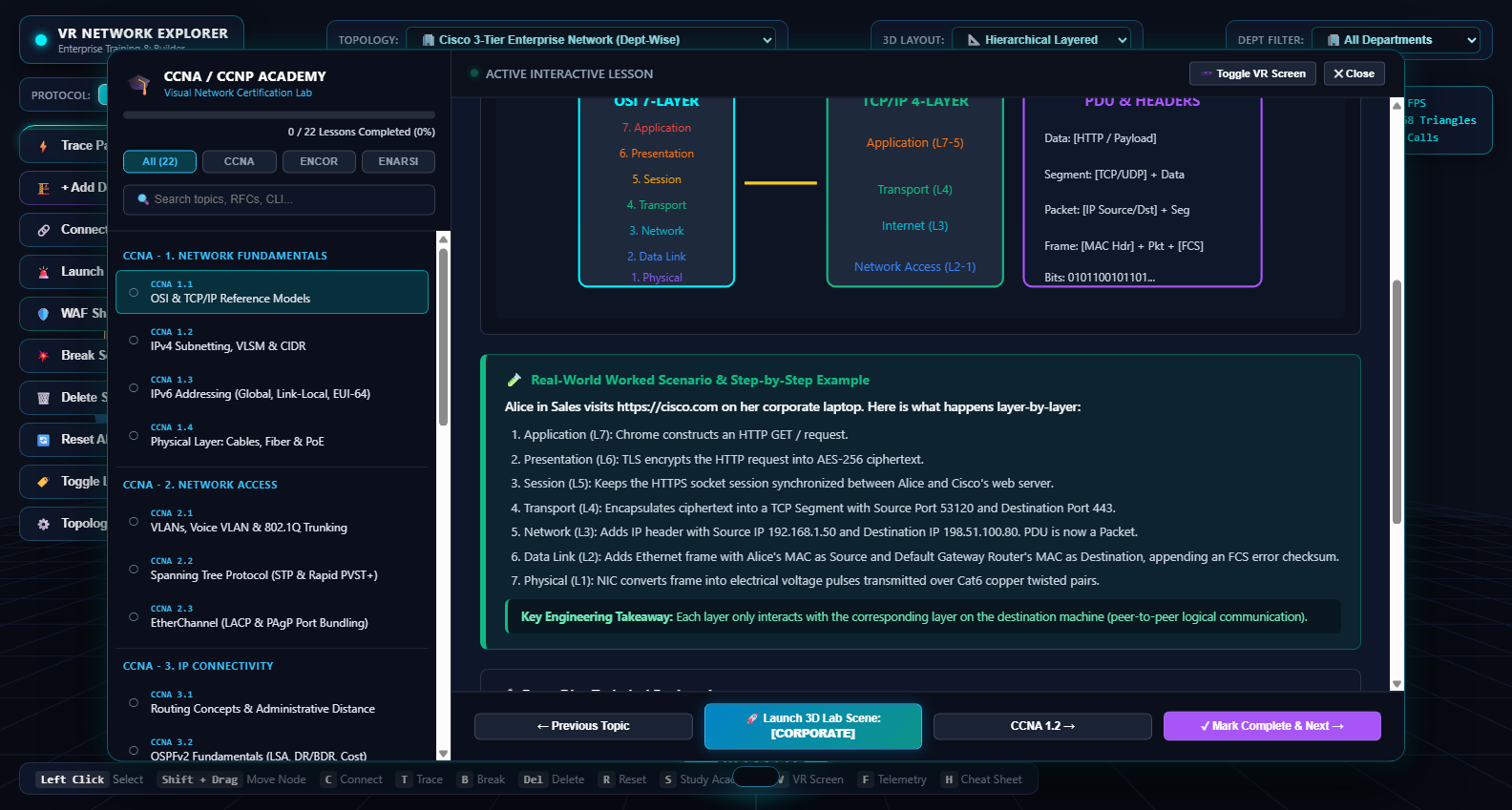
- Topic-Wise Certification Academy (CCNA & CCNP): In-world VR classroom billboards covering 66 technical lessons across CCNA (200-301), CCNP ENCOR (350-401), and CCNP ENARSI (300-410).
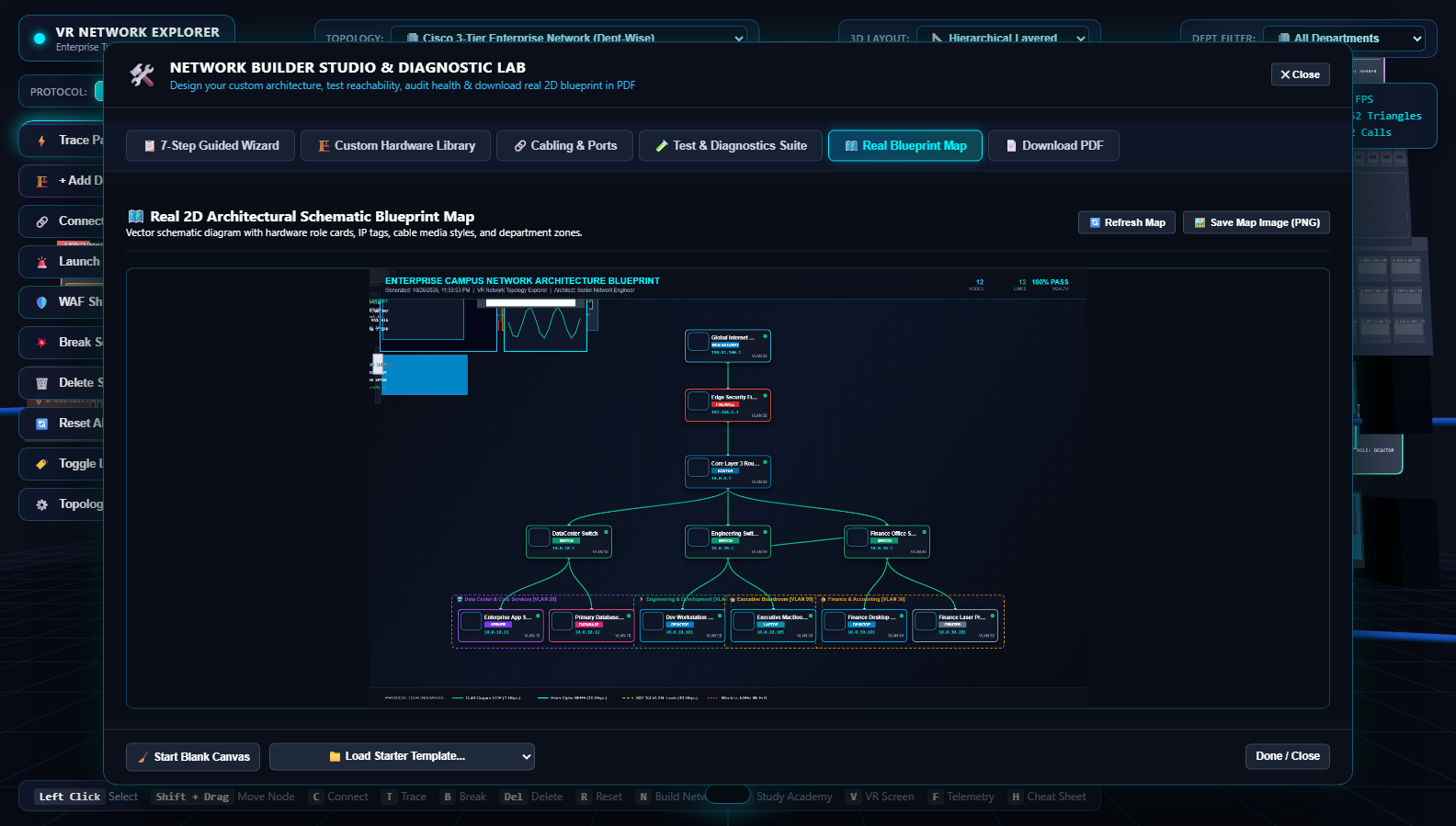
- 2D Schematic Blueprint Map & 4-Page PDF Exporter: Export Visio-grade 2D network schematics and publication-ready documentation directly from VR.
- 23 Pre-Built Enterprise Topologies: 3-Tier Hierarchical Campus, Data Center Spine-Leaf, Dual HSRP Core, DMVPN Phase 3, SD-WAN, and Multi-Area OSPF.
How we built it
- Pure WebXR Architecture: Zero build step, zero native app store installation hurdles. Built to run instantly inside the Meta Quest Browser on Quest 2, Quest 3, and Quest Pro.
- Three.js (r160): Custom procedural geometry shaders, instanced link rendering, and optimized lighting pipelines tuned to maintain a solid 72/90 FPS in mobile VR.
- WebXR Device API: Full dual 6DOF Touch Controller raycasting, telekinesis grabbing, thumbstick locomotion, and spatial UI menus.
- Web Audio API: Spatial 3D directional soundscape featuring ambient datacenter server rack fan hums, fiber optic pulses, and CLI confirmation clicks.
- HTML5 Canvas & jsPDF: In-browser vector engine generating publication-grade 2D architectural blueprint maps and 4-page PDF Bills of Materials (BOM).
Challenges we ran into
- Mobile VR Performance Optimization: Rendering dense enterprise network fabrics with hundreds of active nodes and particle streams without frame drops on standalone mobile VR chipsets. We solved this by using custom procedural instanced meshes and dynamic level-of-detail (LOD) billboards.
- VR UI Usability & Text Legibility: Reading technical IP subnets and CLI terminal text in VR can strain the eyes. We engineered dynamic billboard orientation algorithms and high-contrast, high-DPI canvas textures to ensure crystal-clear text readability at any viewing distance.
Accomplishments that we're proud of
- Created a 100% web-native WebXR experience that requires zero installation or sideloading—just open the URL in the Meta Quest Browser and tap "Enter VR".
- Built a library of 23 realistic topologies and a full 66-lesson CCNA/CCNP curriculum academy.
- Developed an in-browser 4-Page PDF documentation exporter that turns user-built 3D networks into real enterprise architectural handover documents.
What we learned
- Spatial interaction patterns for technical and enterprise tools in WebXR.
- How physical 3D metaphors (cables, pulsing lights, physical faceplates) accelerate comprehension of complex networking protocols compared to traditional 2D textbooks.
What's next for Quest NetVR
- Multi-User Collaborative VR Rooms: Allowing remote engineering teams and instructors to troubleshoot complex network outages together in the same virtual room.
- Live Network Telemetry (SNMP / Streaming gRPC): Ingesting real-world enterprise switch metrics to turn Quest NetVR into a real-time 3D Virtual Network Operations Center (NOC).
- Hand Tracking Cable Patching: Physical hand gestures for plugging Cat6 and fiber patch cables directly into switch ports.
Built With
- cisco
- css3
- html5
- javascript
- jspdf
- networking
- three.js
- web-audio-api
- webxr

Log in or sign up for Devpost to join the conversation.