-
-
-
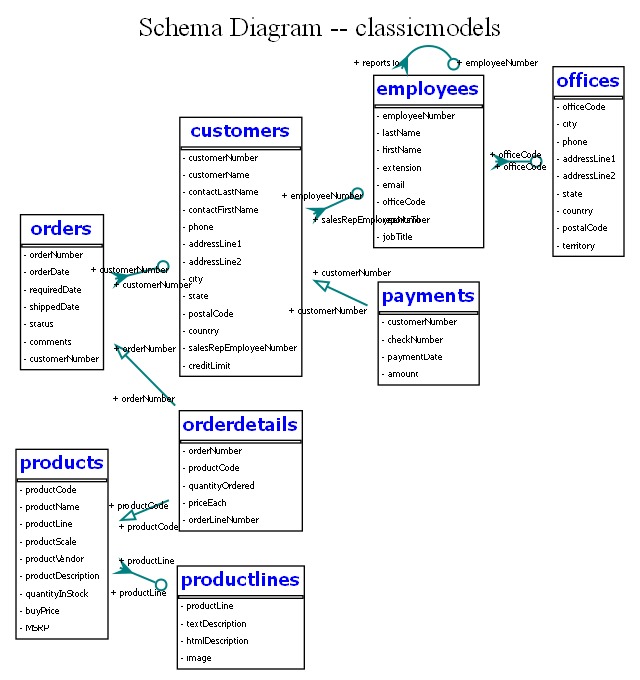
Schema Diagram
-
Problem Statement
-
Schema Diagram generated by QueryVision
-
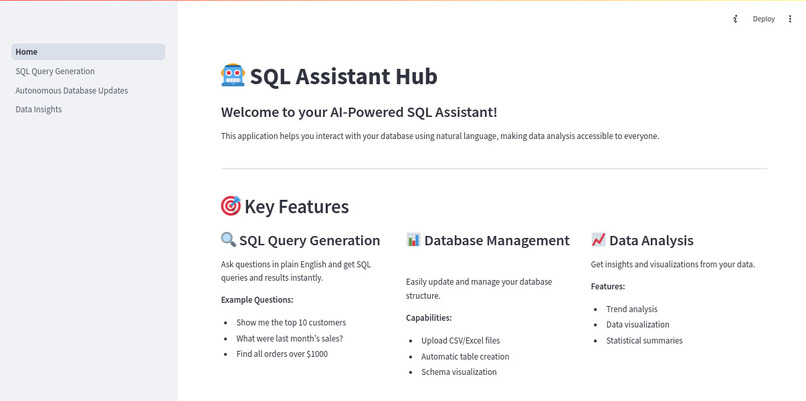
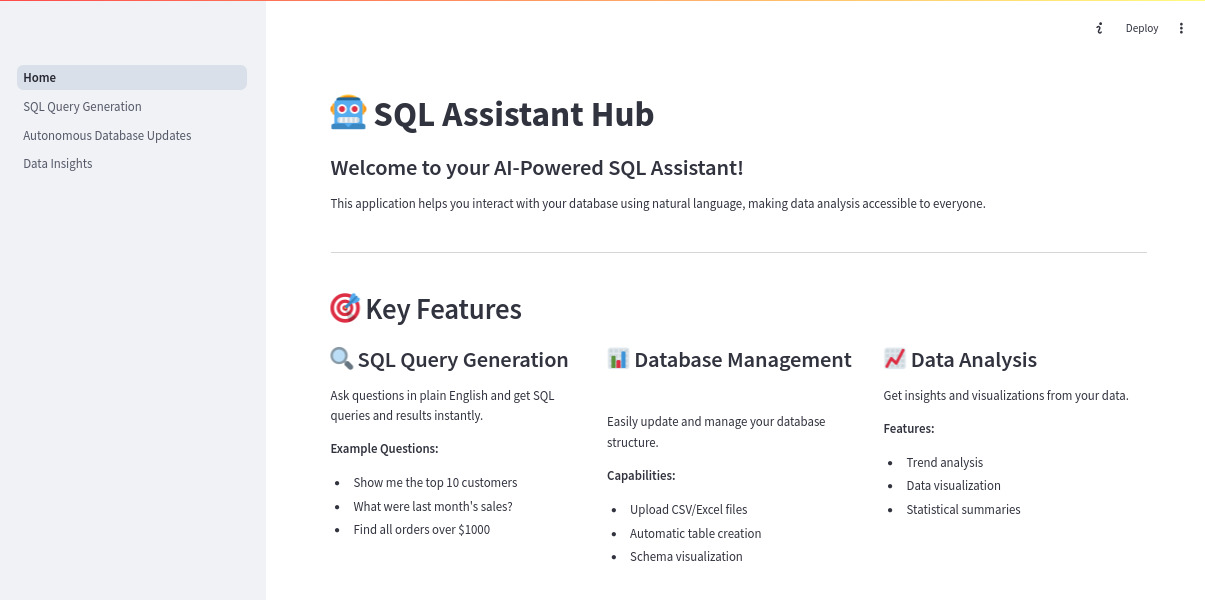
QueryVision portal
-
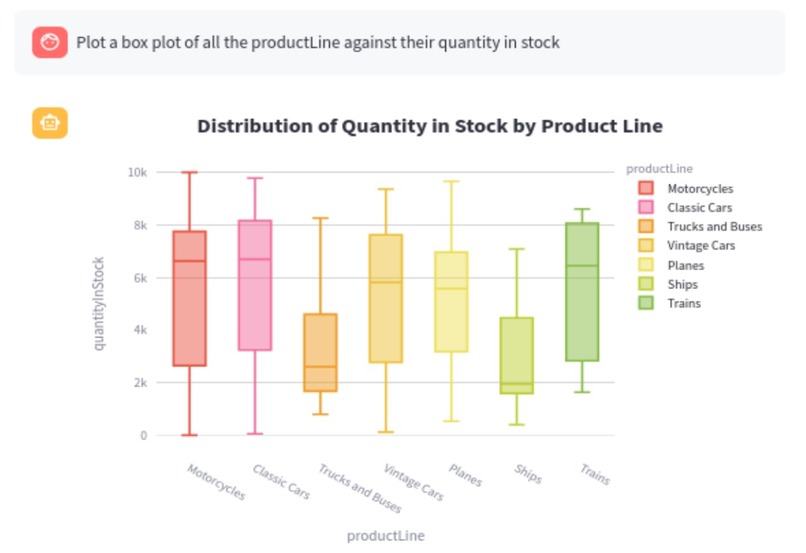
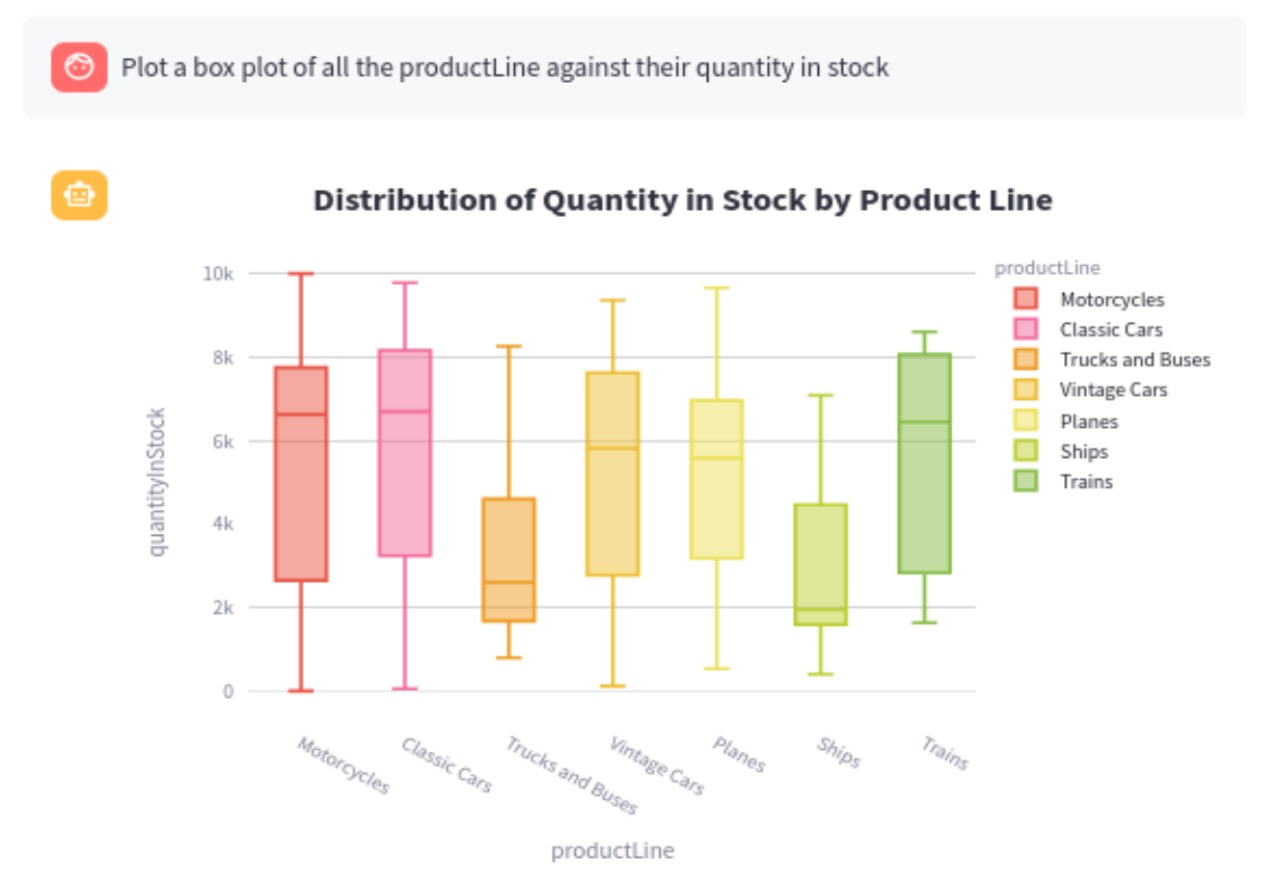
Sample plot of the visualization tool
-
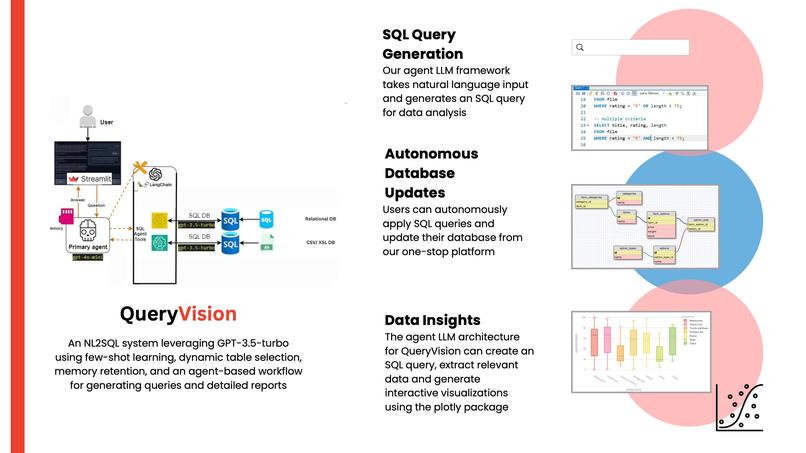
Technical Details
Inspiration
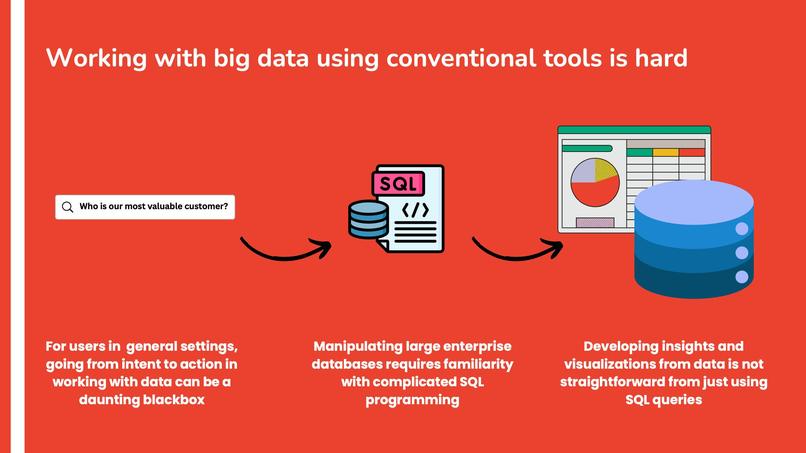
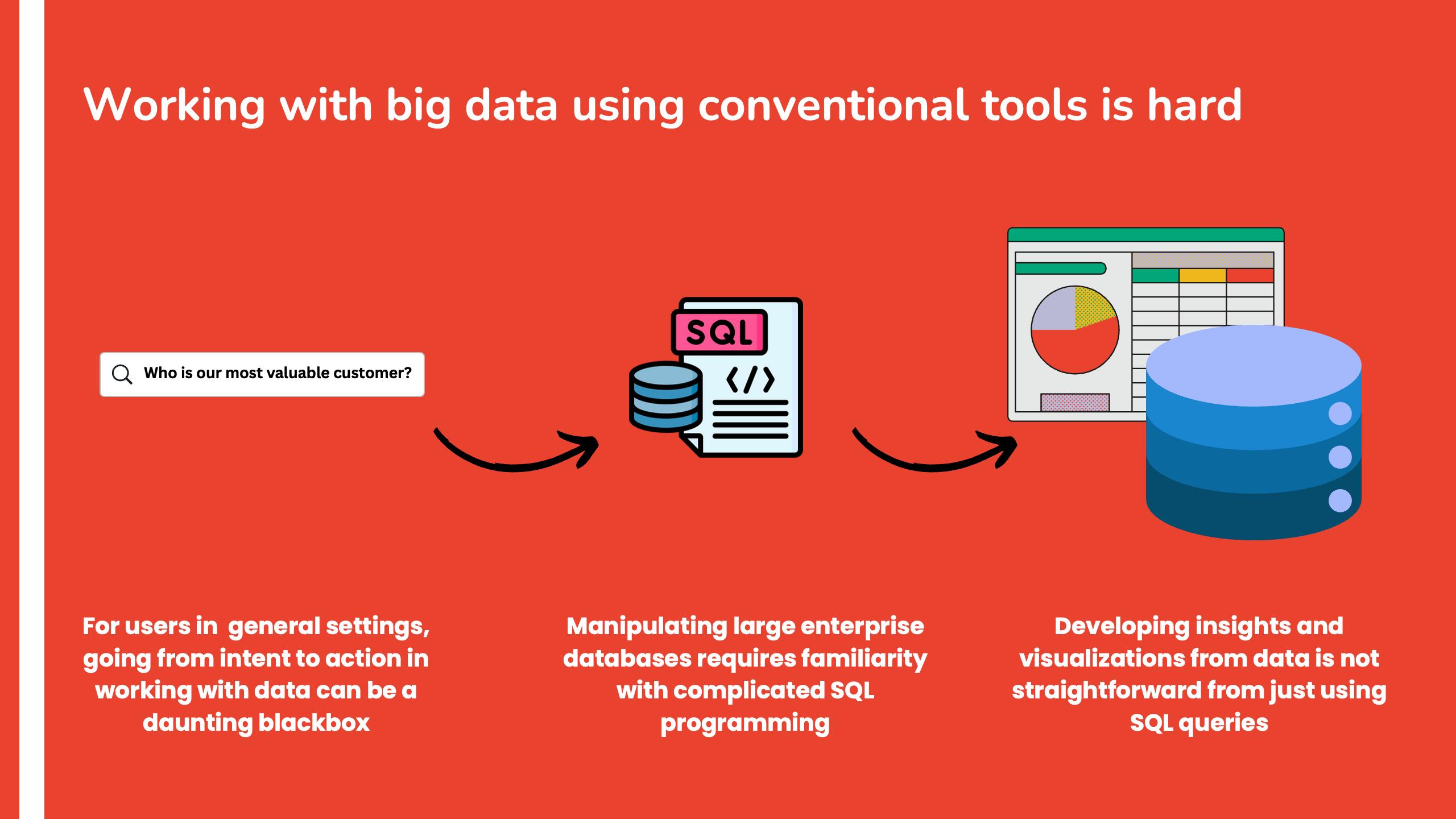
The idea for QueryVision stemmed from the need to bridge the gap between technical and non-technical users when interacting with databases, especially in business contexts. Often, users find themselves limited by the complexities of querying and understanding enterprise database structures. Doing useful visualizations on this data is not trivial and going from intent to action requires extensive technical expertise. Our goal was to create an intuitive solution that simplifies database management meanwhile providing powerful insights through automatic visualizations and easy-to-use tools.
What it does
QueryVision is an end-to-end automated database management and visualization tool that empowers users, from technical experts to non-technical individuals, to seamlessly interact with SQL databases. Key features include:
- SQL Query Generation and Validation: The system generates accurate SQL queries based on user queries, validates them, and returns the appropriate results.
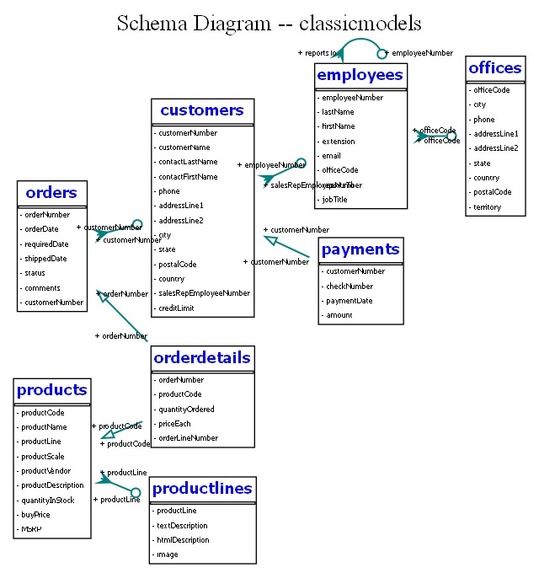
- Live Schema Visualization: Users can easily visualize their database schema and gain a deeper understanding of the data structure.
- Database Modifications: Users can automatically populate the database using CSVs, update database entries, and perform other modification operations with ease.
- Intelligent Visualization: The system leverages a fine-tuned model to suggest the most effective visualizations based on the user's data, providing valuable insights without requiring in-depth knowledge of database or data visualization concepts.
- Technical Insights: The system also offers technical insights by automatically analyzing the database schema and results, and the relationships between data points.
How we built it
The development of QueryVision involved several key steps:
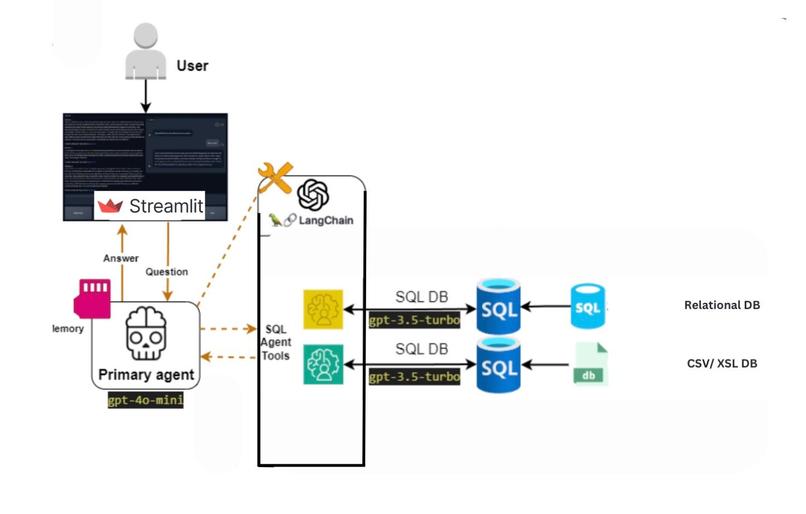
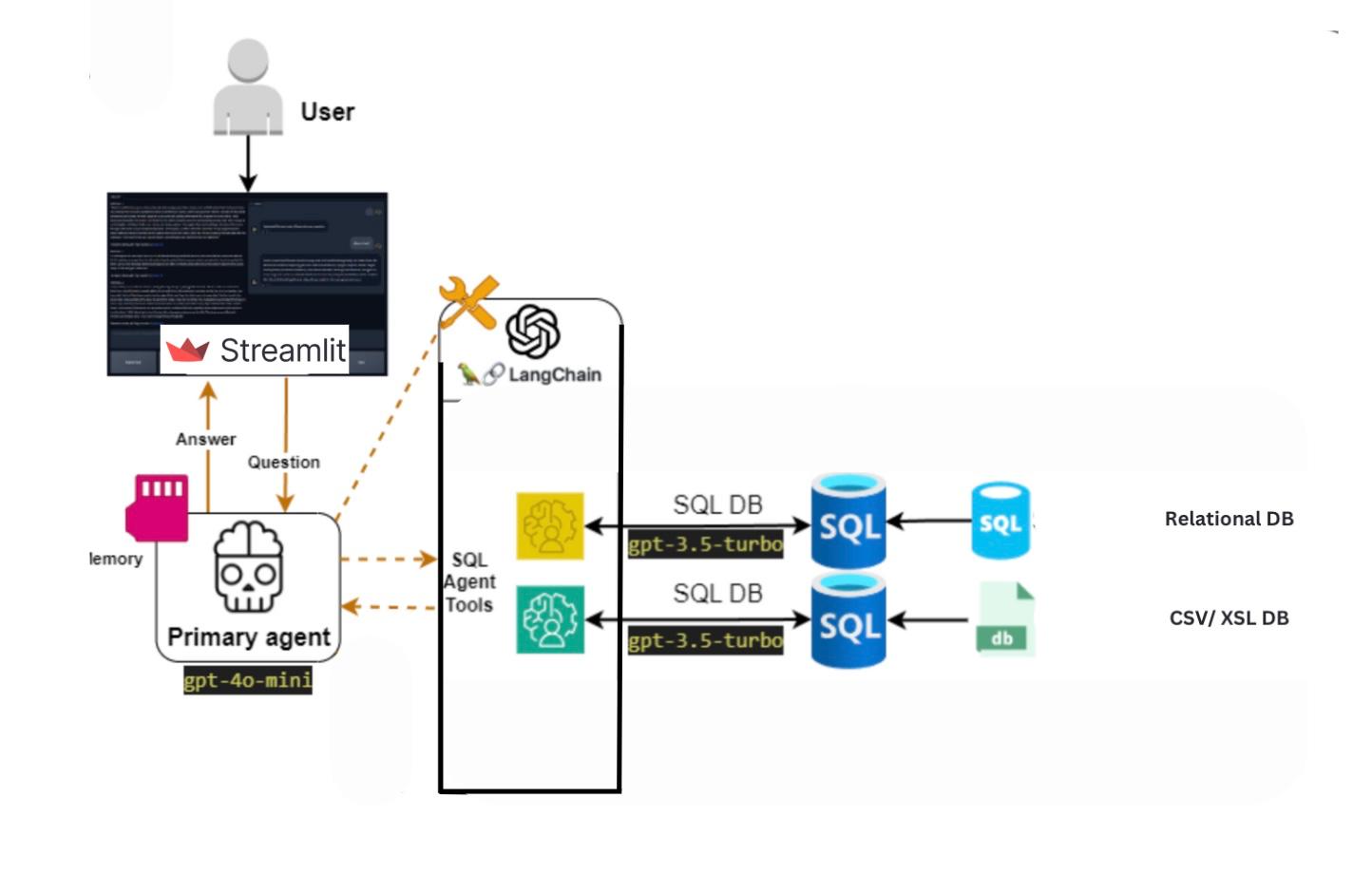
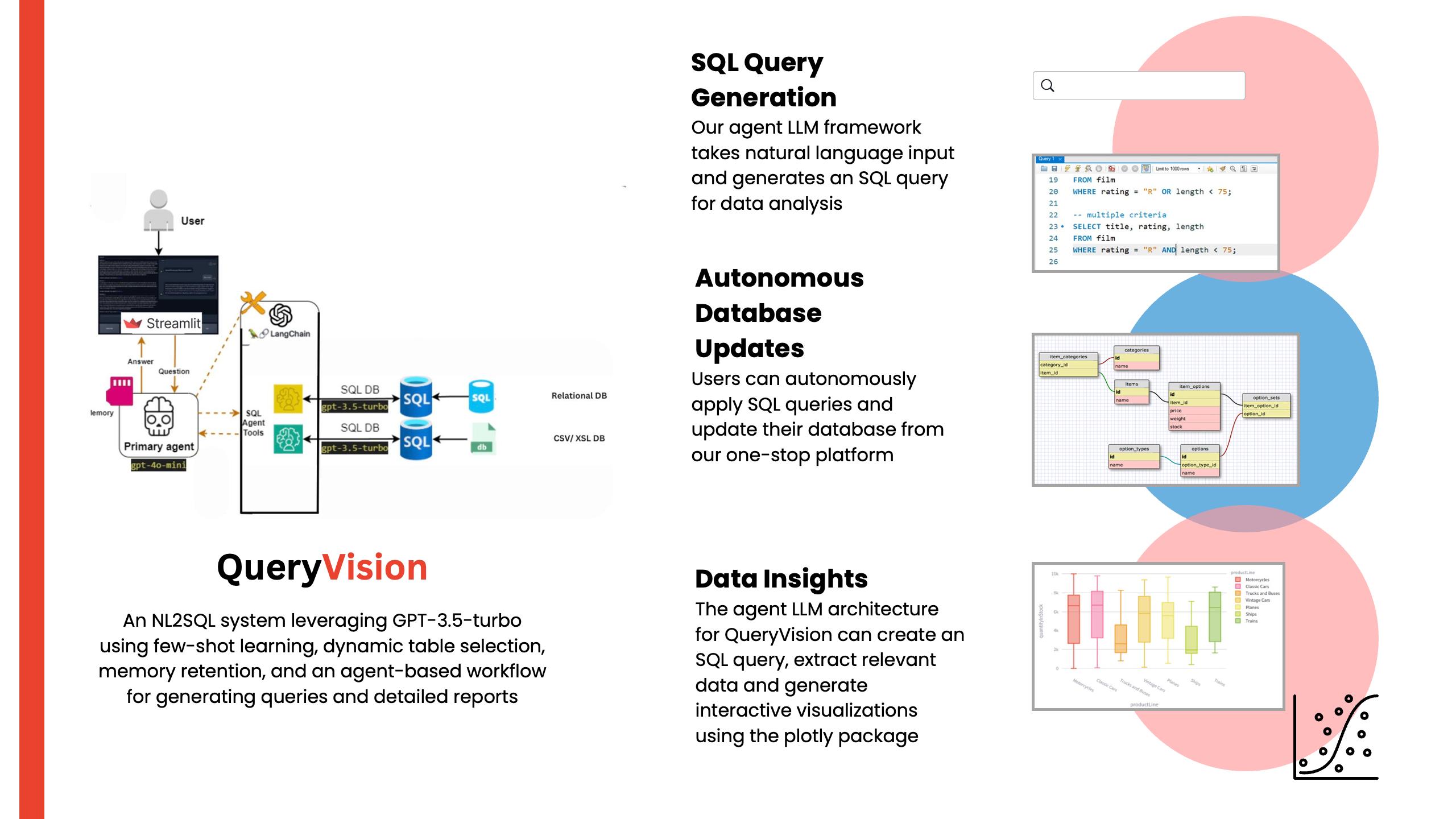
- Model Development: Initially, a single model was used to generate SQL queries and provide insights. However, to improve accuracy and efficiency, we shifted to a multi-model approach using a retrieval-augmented generation (RAG) technique. Each agent has their specific task in the system, eg. Senior Database Developer, Senior Data Analyst or Data Visualization Expert. This enabled better task-specific results, as each model was fine-tuned for a particular task. We used few shot prompting to further improve performance.
- Schema Visualization: The system automatically generates a visual representation of the database schema, helping users easily understand the structure and relationships between tables. This dynamic visualization updates in real-time, allowing users to quickly grasp complex database designs without needing deep technical knowledge.
- Database Interaction: The model was integrated with a system that interacts directly with SQL databases. It supports various database operations like querying, schema listing, and automatic population using CSVs making the process much faster.
- Visualization Integration: A crucial part of the project was incorporating intelligent visualizations. The model identifies the most relevant visualization type, and which data to plot for a given query result, providing users with clear and actionable insights. The visualizations are done using various python libraries and those along with the insights are presented to the user.
- Error Handling and Retry Mechanism: To ensure the model does not hallucinate or return incorrect results, a robust retry mechanism was added to handle failures gracefully and provide accurate output. SQL Queries have no scope for error, so the model has multiple hooks like
list_schema,list_tables,run_sqlwhere it gains context and validates its query before returning to the user.
Challenges we ran into
- SQL Query Accuracy: Ensuring that the automatically generated SQL queries were accurate and contextually correct for a wide variety of user queries was a significant challenge.
- Model Hallucination: We had to implement measures to prevent the model from hallucinating irrelevant or incorrect outputs, which could lead to data inconsistencies.
- Visualization Accuracy: Selecting the most relevant visualization for different types of queries and data sets was difficult, as the model needed to understand both the nature of the data and the user's objectives.
- Scaling and Performance: Handling large databases and ensuring the system could scale efficiently while maintaining quick response times presented performance-related challenges.
- Fine tuning SQL Model: Fine-tuning the model to ensure it understood the context of the database structure and user queries was a complex process. The challenge was making sure the model not only generated accurate queries but also adapted to varying levels of user expertise.
Accomplishments that we're proud of
- Accurate SQL Query Generation: Successfully developed a system that generates highly accurate SQL queries based on user inputs, improving database accessibility for all users. The system has automatic retry strategy in case of errors so it is able to generate accurate results.
- Incorporating running the SQL Queries: Our LLM models are not hallucinating any data and actually run the sql queries on a local MySQL database.
- Effective Visualization Suggestions: We are proud of the model’s ability to suggest the most appropriate visualizations for diverse data sets, enabling non-technical users to gain powerful insights.
- Multi-Model Approach: Shifting to a multi-model setup significantly improved the system’s accuracy and efficiency, ensuring that the right model is applied to the right task.
What we learned
- Importance of Task-Specific Models: Using a multi-model approach allowed for much more accurate task-specific solutions. This experience highlighted the power of fine-tuning and tailoring models for specific functionalities.
- Balancing Accuracy and Performance: Striking the right balance between accuracy and performance was key. We learned the importance of efficient error handling and system optimization to ensure smooth user experience.
- User-Centric Design: The project taught us how to build tools that cater to users with varying technical expertise. The key is creating intuitive interfaces while providing powerful backend functionality.
- LLM Use and Programming: It was the first time using LLMs and streamlit for the majority of our team, making it a steep learning curve for all of us.
What's next for QueryVision
- Extended Database Support: We plan to extend support for even more types of databases, including NoSQL databases, to provide a broader range of users with seamless database management capabilities.
- Additional Visualization Types: New types of visualizations will be added to accommodate different data insights and further improve the platform's versatility.
- Incorporating Fine-Tuned Models: We aim to continuously improve the accuracy and context understanding of our models, making them even more adept at providing precise and insightful responses.
- User Feedback Integration: We will incorporate user feedback to further enhance the user interface and ensure that the tool remains accessible and valuable for all users.

Log in or sign up for Devpost to join the conversation.