-
-
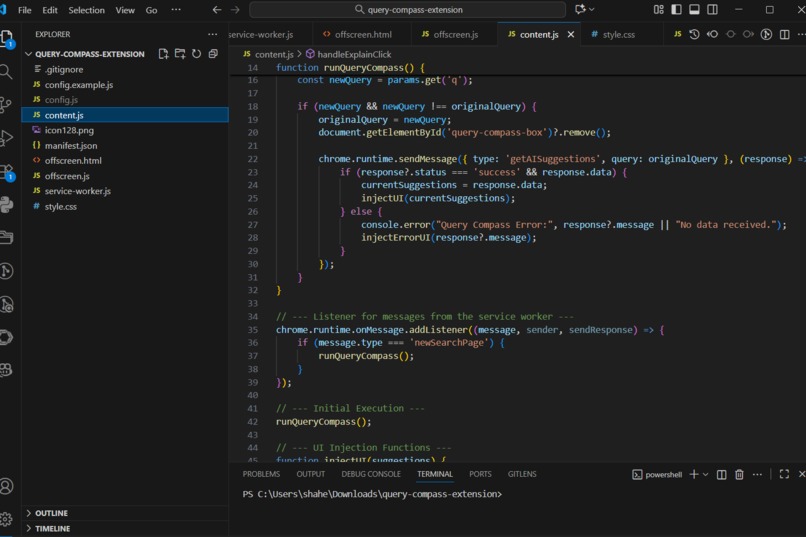
Code
-
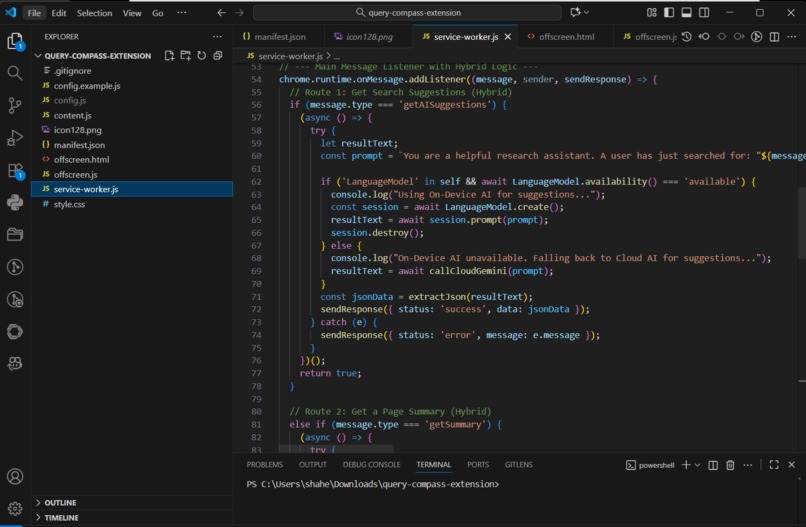
Code
-
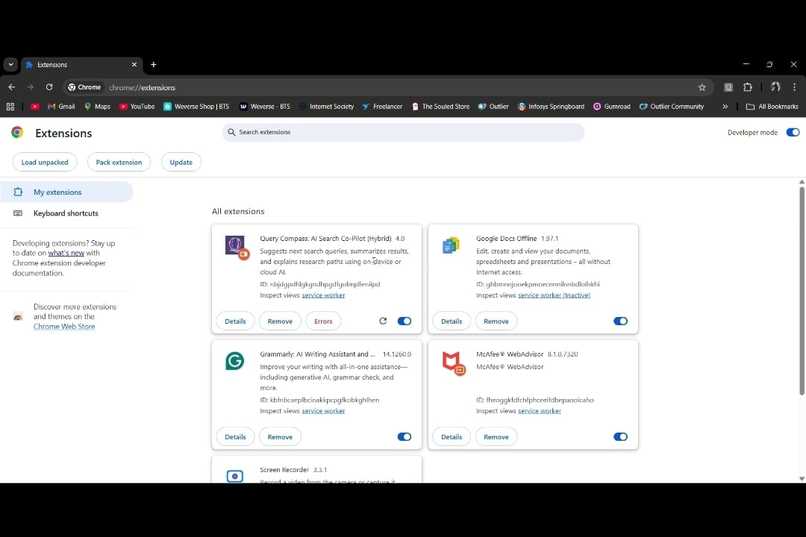
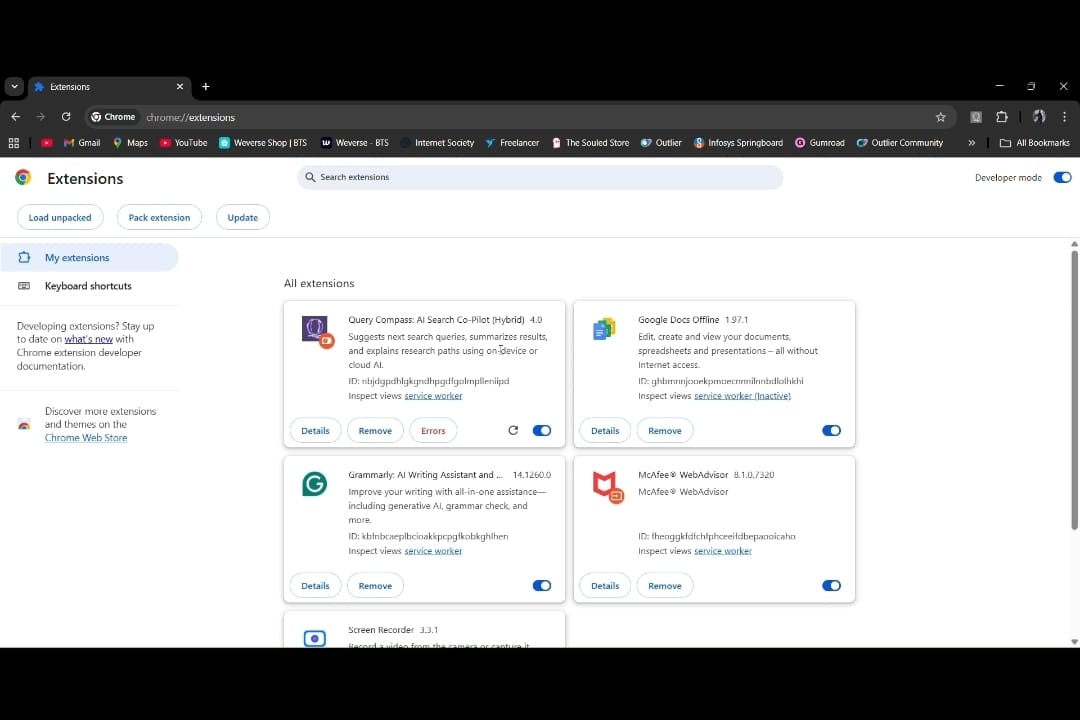
Extension
-
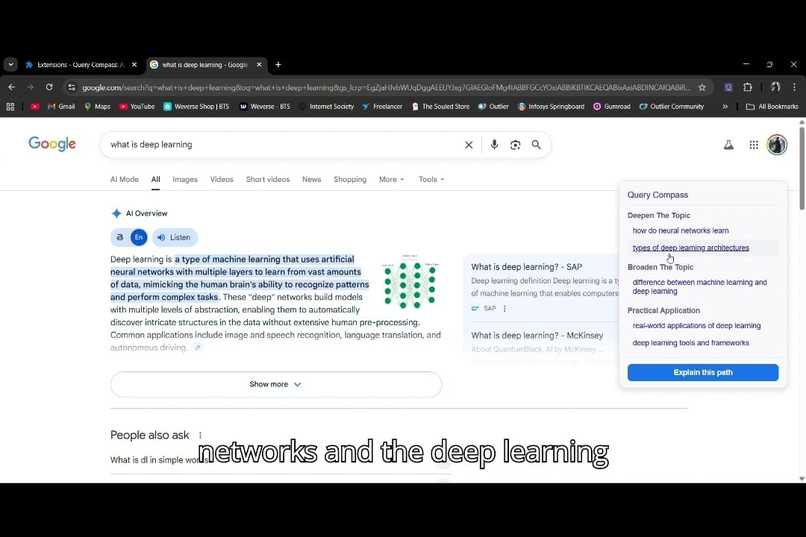
Search Query 1
-
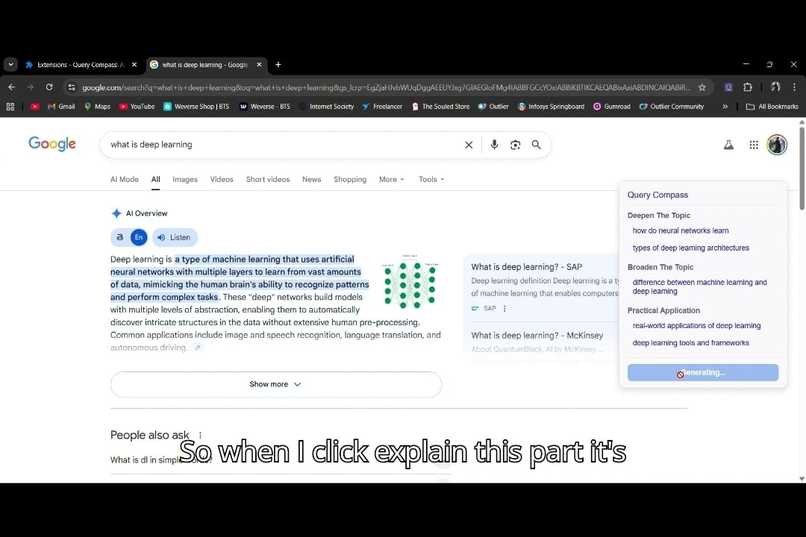
Click "Explain The Path"
-
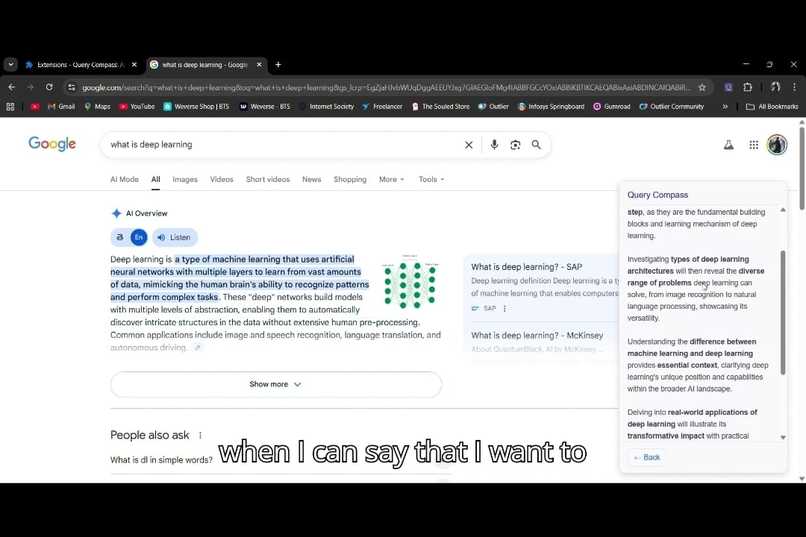
The summary of the links, what each link entails
-
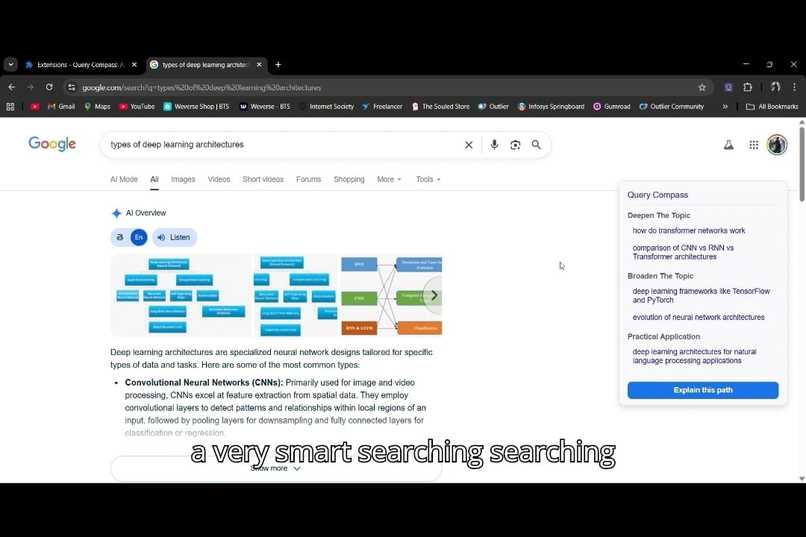
Click a link you want to follow up, and go to the next search
-
Query Compass

Inspiration
The inspiration for Query Compass came from a simple observation: searching is a journey, not a destination. While major search engines are adding AI-generated answers, these often try to end the search. I wanted to build a tool that does the opposite: a tool that acts as a research co-pilot, encouraging and guiding the user's natural curiosity.
I was particularly inspired by the theme of the Chrome Built-in AI Challenge: moving AI from the cloud to the client. The idea of a search assistant that respects user privacy by processing data on-device was a powerful motivator. I envisioned a tool that could enhance the world's most popular search engine without ever needing to send a user's research patterns to a server.
What it does
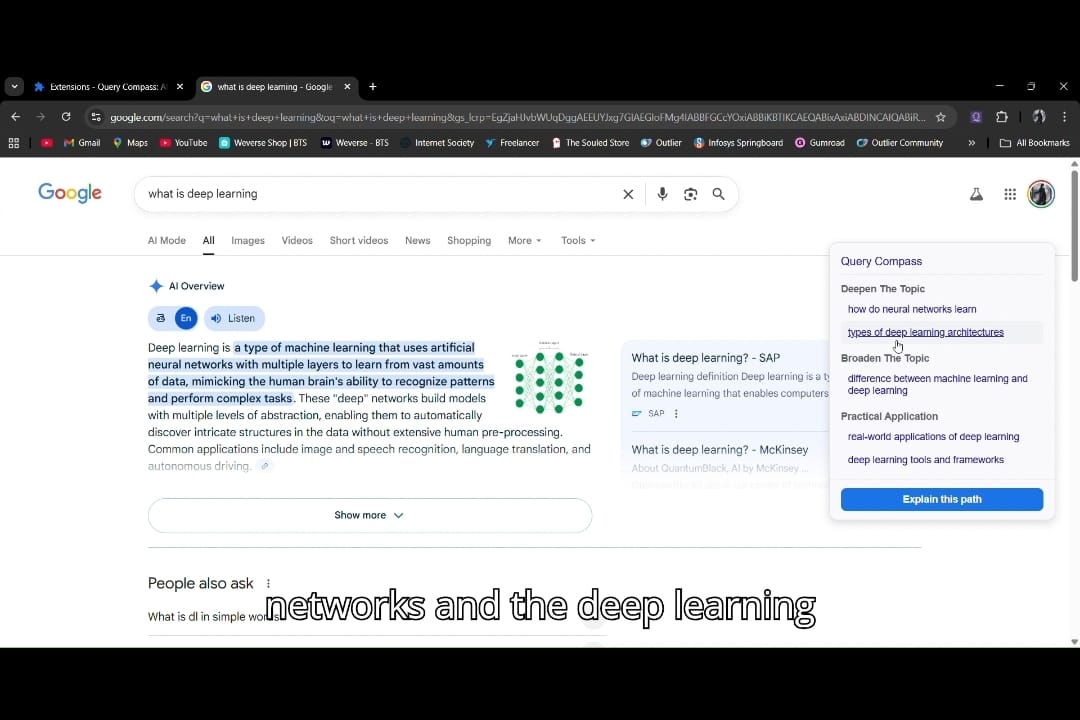
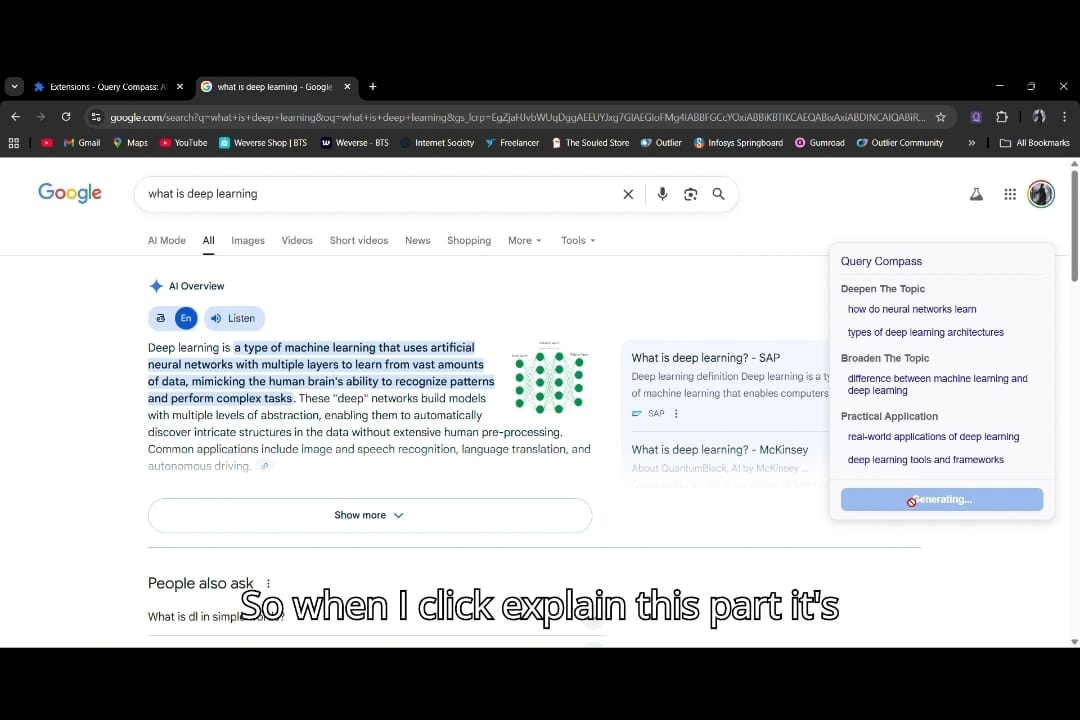
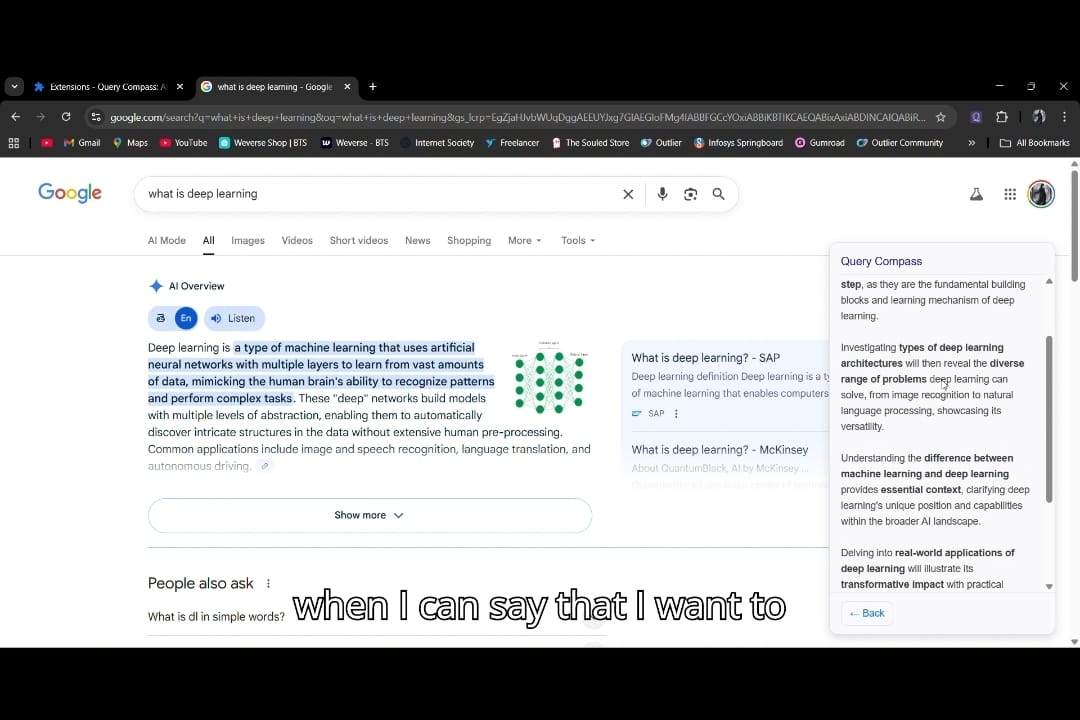
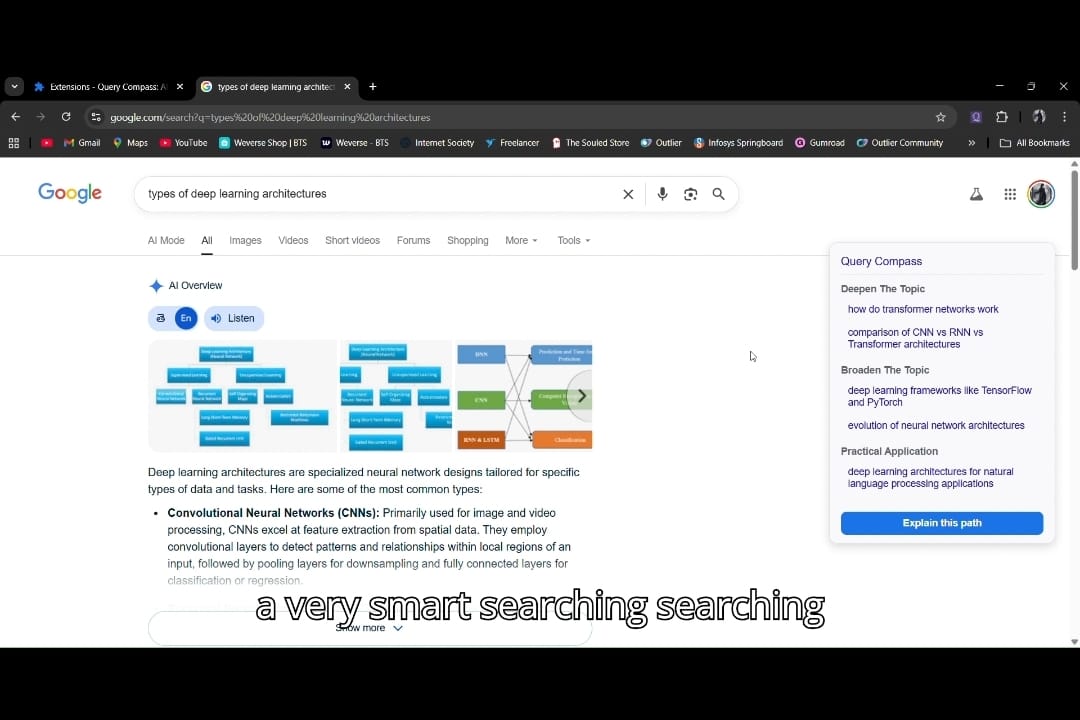
Query Compass is a Chrome Extension that seamlessly integrates into the Google search results page, transforming it into a dynamic research environment. It's a suite of AI-powered tools in a single, non-intrusive sidebar:
Intelligent Next-Step Suggestions: It analyzes your query and proactively suggests categorized follow-up searches, helping you "Deepen the Topic," "Broaden the Topic," or find "Practical Applications."
On-Demand Summaries: Before you even click a link, you can get a concise, AI-generated summary of its content. This saves time and ensures you only navigate to the most relevant pages.
Contextual Explanations: It can generate a clear explanation of why the suggested topics are logical next steps, helping you build a better mental model of the subject you're researching.
Most importantly, Query Compass is built on a privacy-first, hybrid AI strategy. It defaults to using the on-device Gemini Nano for maximum privacy and speed. Still, it intelligently falls back to a cloud API to ensure a consistent, high-quality experience for all users, regardless of their hardware.
How I built it
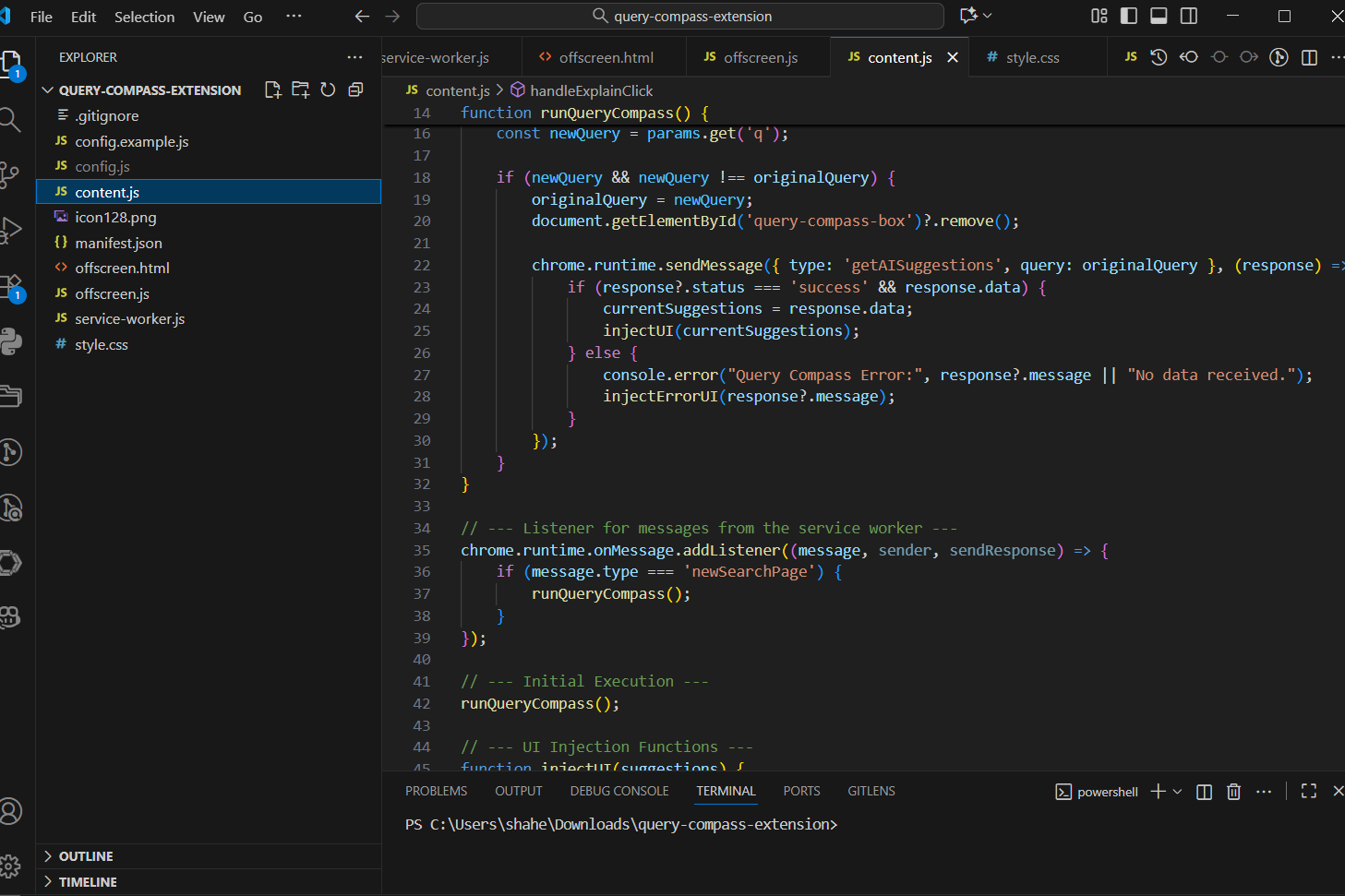
Query Compass is a Manifest V3 Chrome Extension built with a lean and efficient stack: vanilla JavaScript (ES6 Modules), HTML5, and CSS3.
My core architectural decision was the client-first, hybrid AI model:
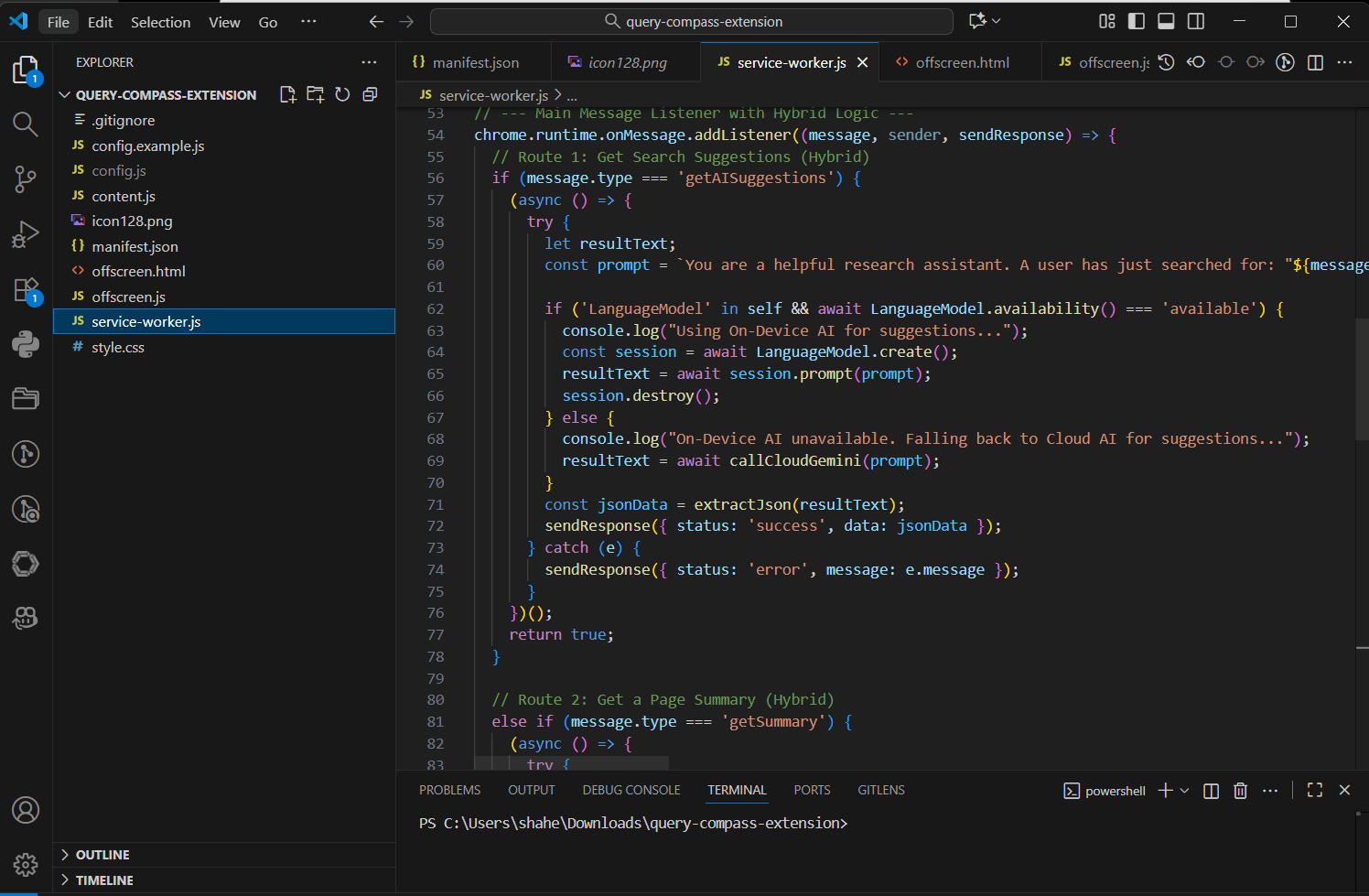
On-Device Core: The extension is fundamentally architected to use the Chrome Built-in AI suite. It makes calls to the LanguageModel (Prompt API), Summarizer API, and Writer API as its primary choice. A background service worker manages the state and orchestrates these calls.
Cloud Fallback: I built a detection layer that checks for the availability of the on-device models using LanguageModel.availability(). If this check fails (due to hardware limitations or other environmental factors), the service worker automatically reroutes the request to a fallback function that calls the Google Gemini Developer API. This ensures the extension is universally functional.
Dynamic UI: A content script dynamically injects the UI onto the Google search page. I built a small state management system to handle UI changes, such as switching between the "suggestions" and "explanation" views. A dedicated listener in the service worker (chrome.tabs.onUpdated) detects new searches within the same tab, messaging the content script to reset and fetch new data, creating a fluid, single-page-app-like experience.
Challenges I ran into
This project was a fantastic learning experience in navigating cutting-edge, experimental technology. My biggest challenges were:
The Hardware Hurdle: My primary development machine did not meet the hardware requirements for on-device Gemini Nano. This initially seemed like a major blocker, but it became my greatest opportunity. It forced me to deeply consider the competition's suggestion and build a robust hybrid AI architecture, which is now the project's standout feature.
A Moving Target: Working with experimental APIs meant dealing with a rapidly evolving landscape. I had to debug issues ranging from outdated API names in documentation (chrome.ai vs. LanguageModel), shifting cloud model names for the API (gemini-pro vs. gemini-1.5-flash vs. gemini-2.5-flash), and deprecated manifest keys (offscreen), which taught me the importance of relying on direct API feedback and documentation.
Wrangling AI Responses: The AI didn't always return perfectly structured JSON. Early versions of the extension would break on malformed responses. This led me to develop a more resilient JSON extraction function that uses regular expressions to find and parse the valid JSON block from the AI's raw text response, making my application far more stable.
Accomplishments that I'm proud of
Successfully Implementing the Hybrid AI Model: I'm incredibly proud of turning my biggest challenge, the hardware limitation, into my biggest strength. The seamless fallback from on-device to cloud AI makes Query Compass a truly robust and accessible application.
Building a Complete, Polished Product: I didn't just build a demo. I built a complete end-to-end experience with a clean UI, intuitive state management (like the "Back" button and the UI resetting on new searches), and robust error handling.
Creating a Genuinely Useful Tool: I have been using Query Compass in my own daily work, and it has tangibly improved my research workflow. Building something that I am excited to use every day is a huge accomplishment.
What I learned
The Future is Hybrid: On-device AI is a game-changer for privacy and speed, but a hybrid approach is essential for building inclusive and accessible AI-powered applications in the real world.
Defensive Programming is Key for AI: You can't always trust an AI to return perfectly structured data. Building resilient parsers and having fallback logic is crucial for creating stable applications.
User Experience is Paramount: An AI feature is only as good as its interface. I learned that hiding complexity and providing a fluid, intuitive UI, like making the explanation text scrollable and adding a "Back" button, is just as important as the underlying AI technology.
What's next for Query Compass: Your AI-Powered Search Co-Pilot
I am incredibly excited about the future of Query Compass! My roadmap includes:
User Customization: Allowing users to add their own custom prompts and suggestion categories.
Multi-Engine Support: Expanding beyond Google to enhance other search engines like DuckDuckGo and Bing.
Deeper Page Interaction: Integrating more built-in APIs to allow users to ask follow-up questions about the content of a summarized article.
Session History: Giving users the ability to save their "research paths" to revisit their discovery journey later.
Built With
- chrome
- chrome-built-in-prompt-api
- chrome-built-in-summarizer-api
- chrome-built-in-writer-api
- chrome-extension-manifest-v3
- css3
- google-gemini-developer-api
- html5
- javascript
- language-model
- promptapi
- summarizerapi
- writerapi

Log in or sign up for Devpost to join the conversation.