-
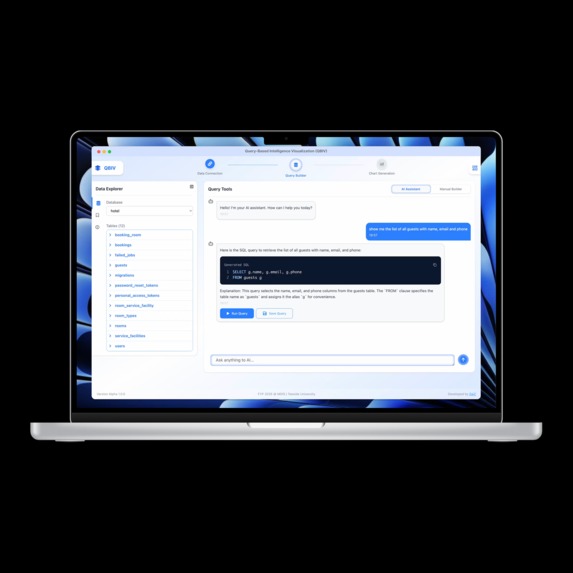
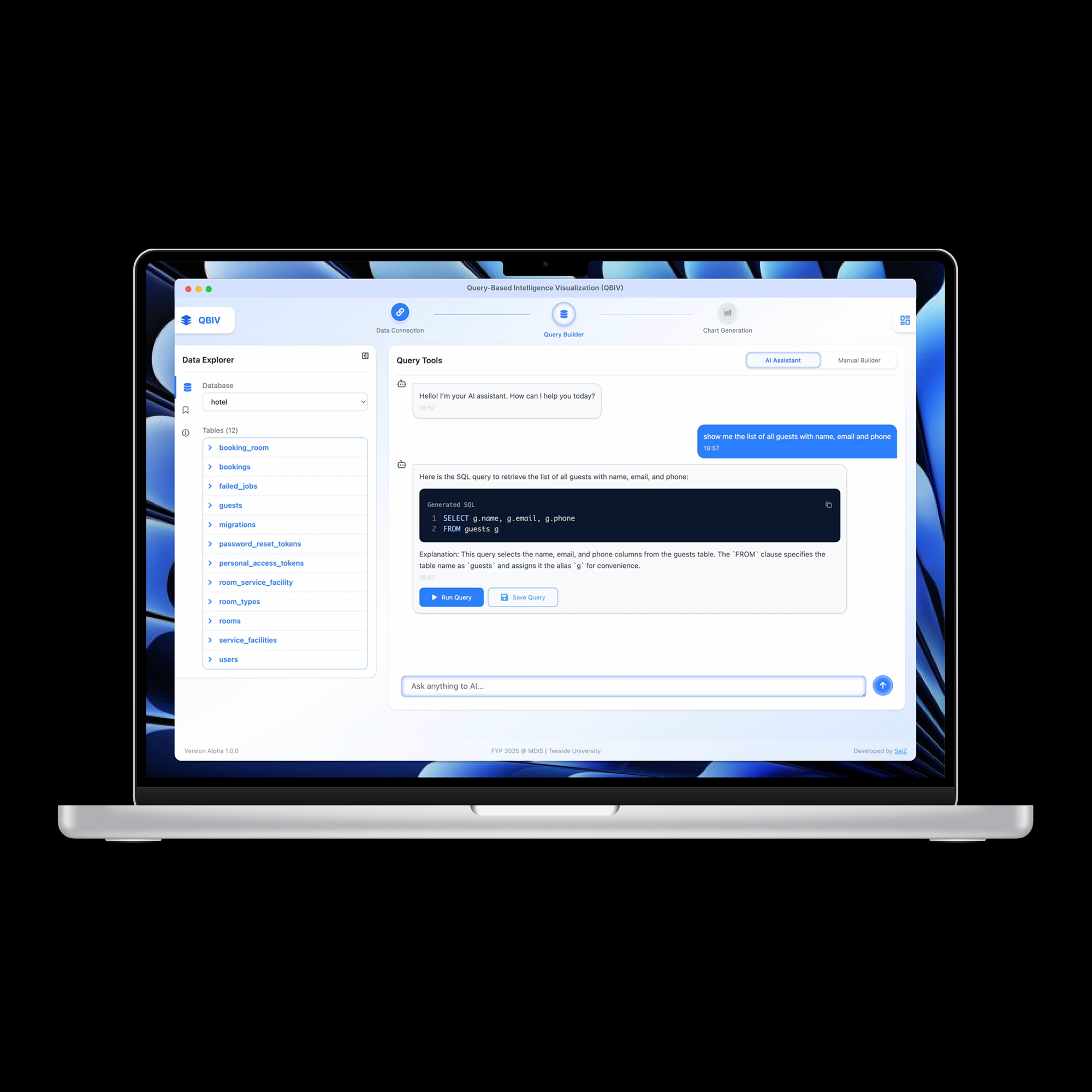
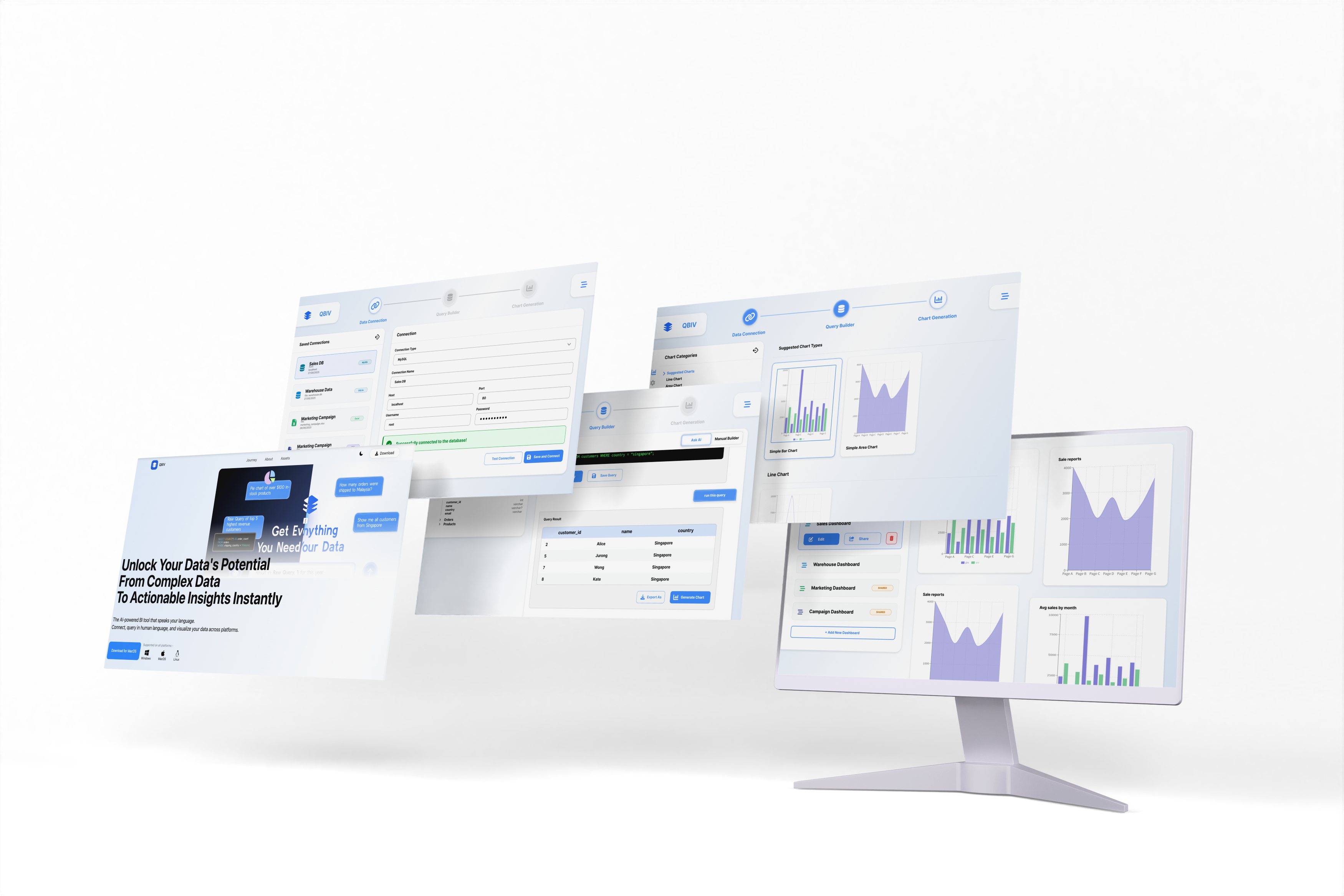
Sample Interface
-
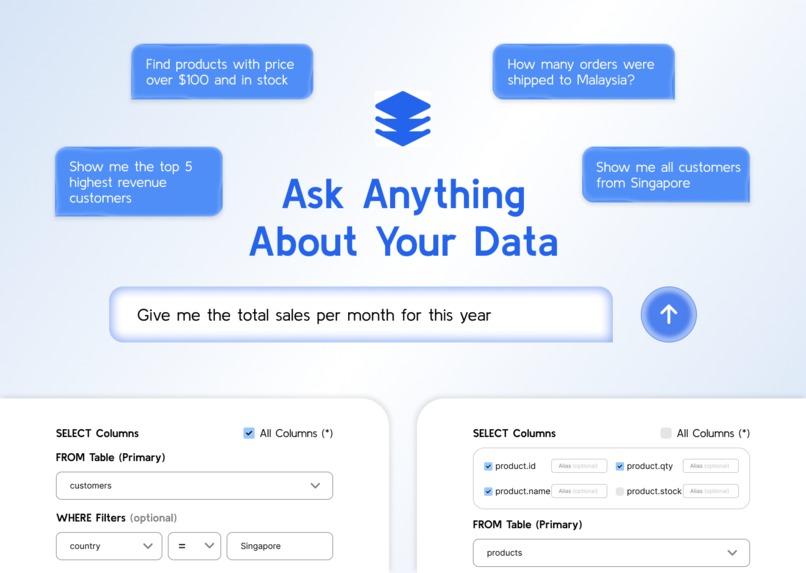
Thumbnail Image
-
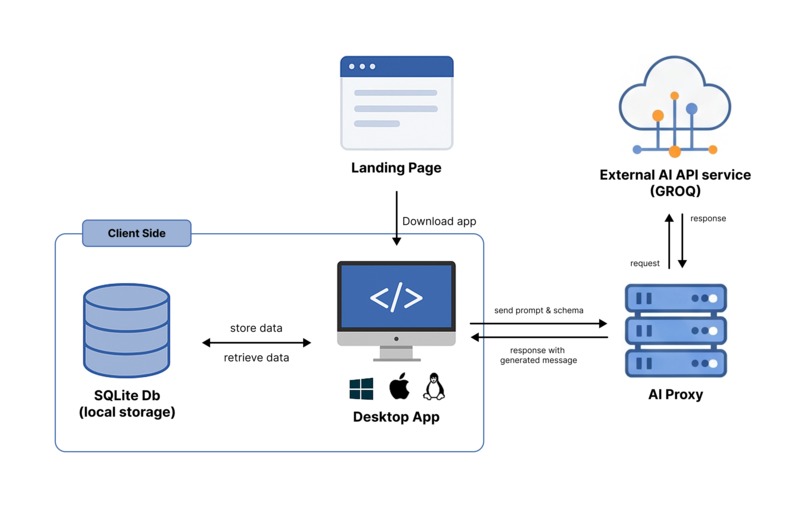
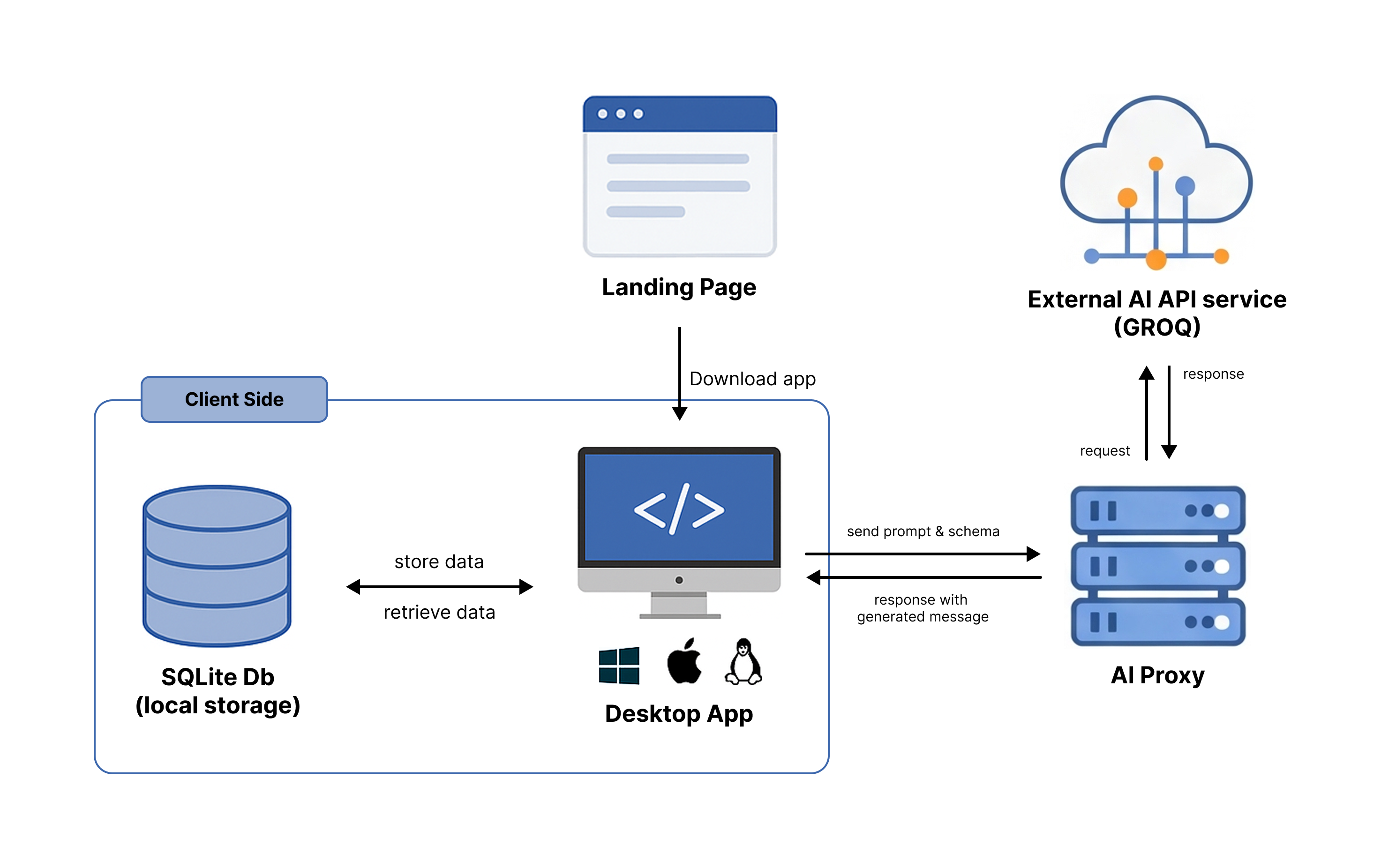
Overview Diagram of Artefacts
-
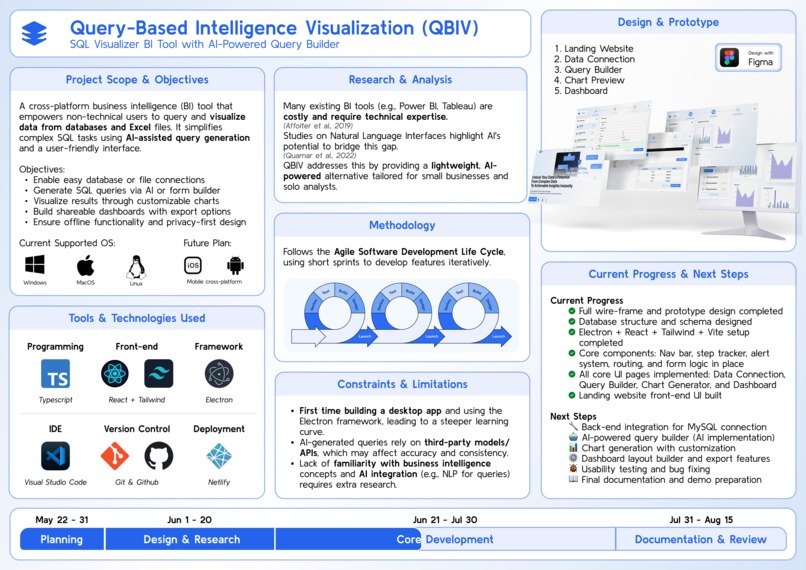
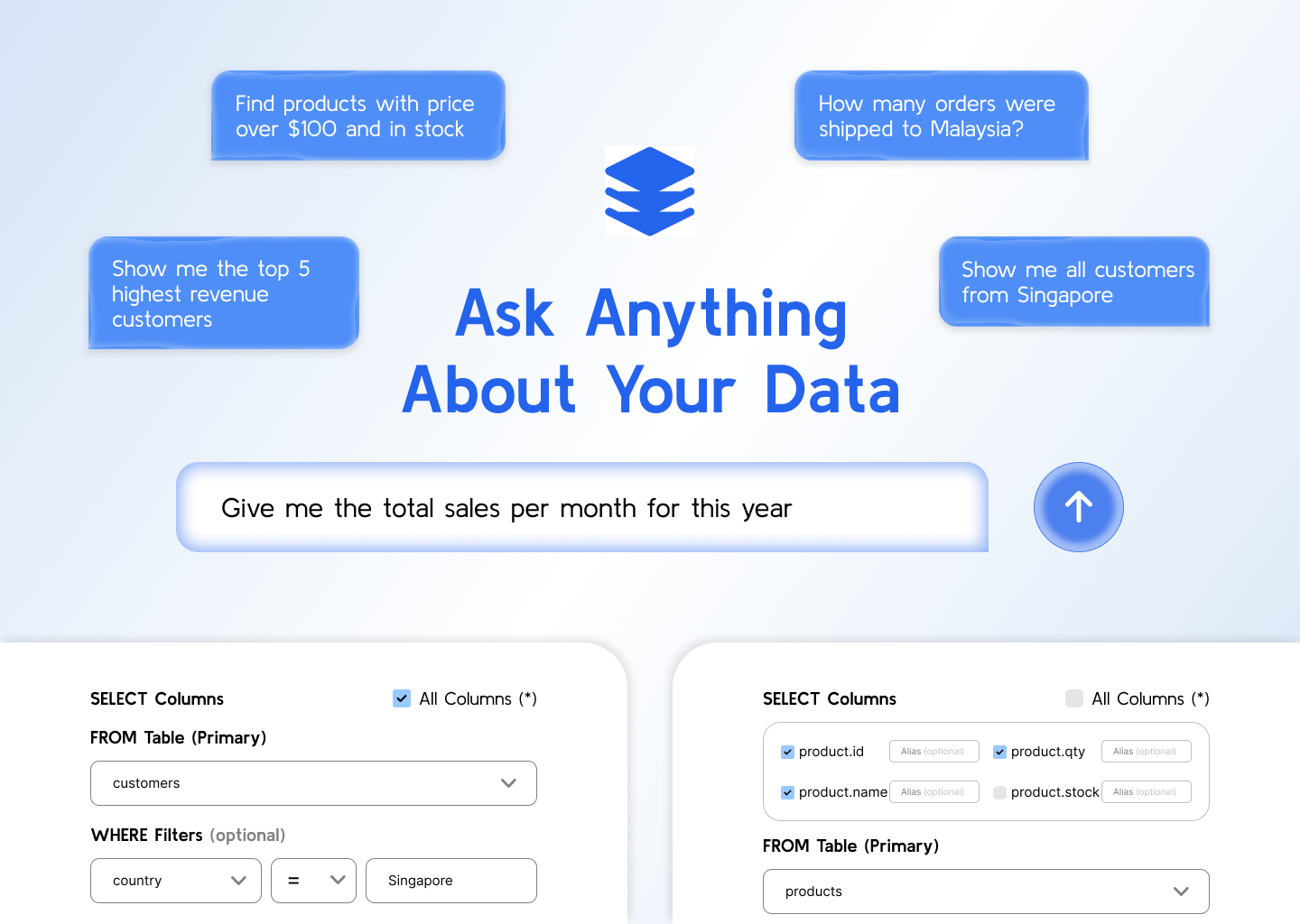
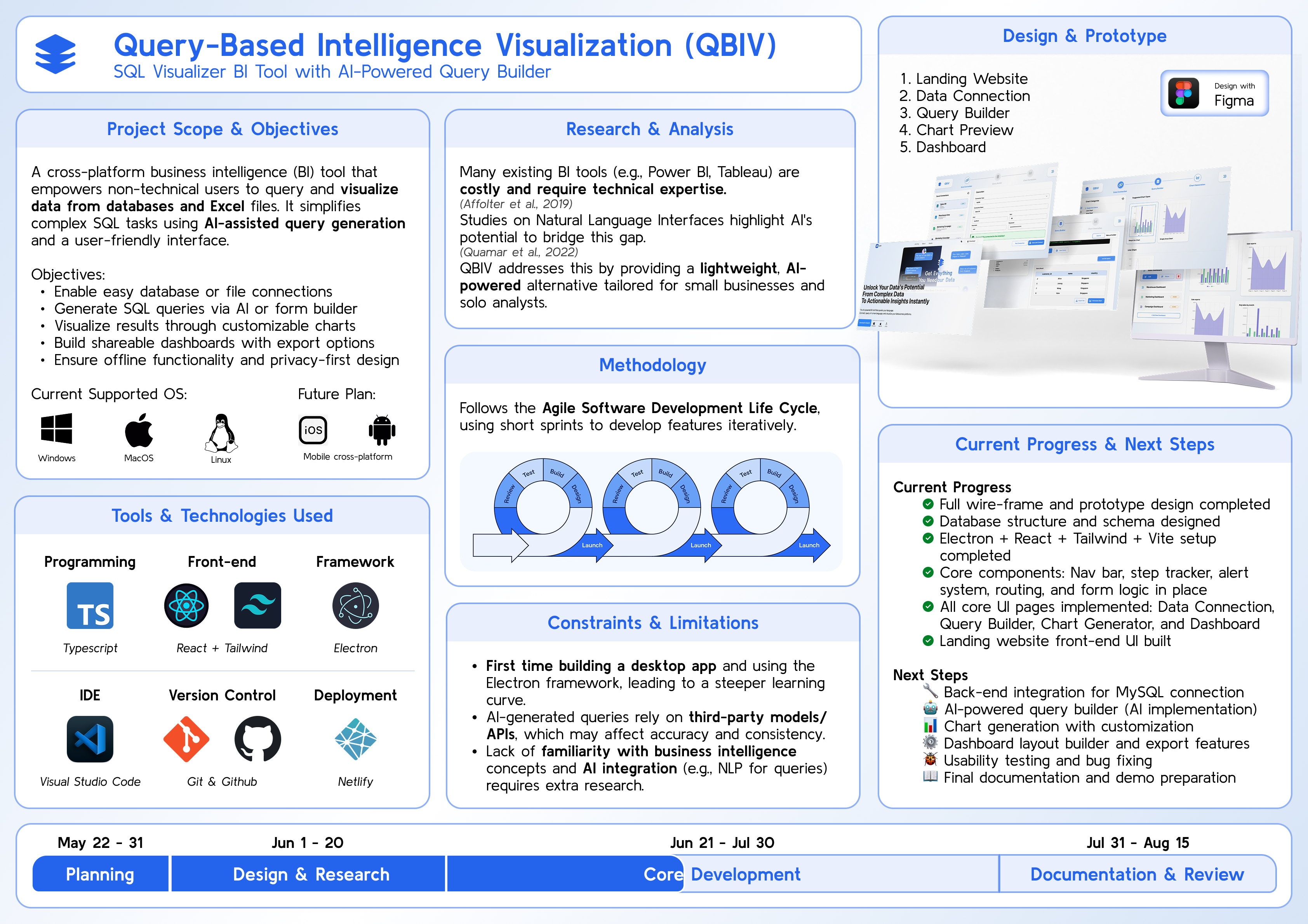
Proposal Poster
-
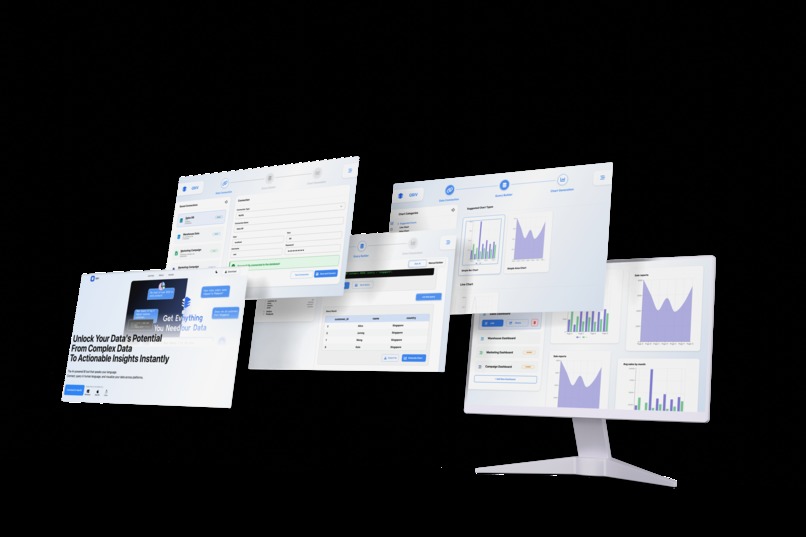
UI Mockup
QBIV – Query-Based Intelligence Visualization
AI-Powered SQL Visualizer for Everyone
Version: Alpha v1.0.0
🧠 Overview
QBIV is a cross-platform business intelligence (BI) desktop app built for non-technical users and small teams. It enables users to query structured data from databases using natural language or form-based SQL, then visualize the results in rich, interactive charts and dashboards.
🚀 Features
- 🔌 Easy connect to MySQL database
- 🤖 AI Query Builder: Natural language to SQL
- 🧱 Form-Based SQL Builder: Build SQL queries using interactive form controls (checkboxes, dropdowns, inputs) — no need to write code
- 📊 Chart Generator: Bar, line, area, and pie charts
- 📋 Dashboard System: Save, arrange, and share charts
- 🔒 Offline-First: Works offline for almost all features (only the AI-powered SQL generation requires internet)
- 🌐 Cross-Platform: Runs on Windows, macOS, and Linux
📷 UI/UX Prototype
🧪 Interactive Prototype
🔗 Links
- 🌍 Landing Website: qbiv.netlify.app
Latest version: v1.0.0
| Platform | Installer |
|---|---|
| 🪟 Windows | Download .exe |
| 🍎 macOS (M1/M2) | Download .dmg |
| 🐧 Linux (AppImage) | Download .AppImage |
| 🐧 Linux (Debian) | Download .deb |
🛠️ Tech Stack
| Layer | Tech |
|---|---|
| Frontend | React + Tailwind CSS |
| Backend | Electron + SQLite |
| Language | TypeScript |
| Charting | Recharts |
| Build | Vite |
| Tools | Figma, GitHub, Canva, Netlify |
✅ Full Setup Guide for QBIV (Main App + AI Proxy)
Make sure you have:
- Node.js ≥ 18
- npm ≥ 9
1. Clone and Set Up the AI Proxy First
The AI proxy acts as a local server that converts natural language prompts to SQL via Groq API.
# Clone the AI proxy repo
git clone https://github.com/sai-zack-dev/qbiv-ai-proxy.git

cd qbiv-ai-proxy

# Install dependencies
npm install

# Create .env file
cp .env.example .env
Then open .env and fill in:
GROQ_API_KEY=your-real-api-key-here
🔑 How to get a Groq API Key:
- Go to https://console.groq.com/keys (you need to sign in).
- Click “Create Key”.
- Copy the key and paste it into the
.envfile underGROQ_API_KEY.
2. Run the AI Proxy Server
After setting the key:
node index.js
This will start the proxy on http://localhost:3000.
3. Clone and Set Up the Main QBIV App
# In another terminal tab or window
git clone https://github.com/sai-zack-dev/query-based-intelligence-visualization.git

cd query-based-intelligence-visualization

# Install dependencies
npm install

# Create a .env file
cp .env.example .env
Update .env in the main app:
AI_API_BASE=http://localhost:3000
4. Start the Main Electron App
npm run dev
🧠 Notes
- Your Electron app will use
process.env.AI_API_BASEto send prompts to the AI proxy. - The proxy securely calls Groq API with your
GROQ_API_KEY.
🌱 Future Plans
- 🌐 Web app version (Laravel + React)
- 📱 Mobile app for viewing dashboards (React Native + Expo)
- ☁️ Cloud sync for dashboards & team collaboration
- 🔐 Role-based sharing & multi-user workspaces
- 🌍 Multi-language UI support
- 🧠 Fine-tuned AI for better schema-based query generation
📋 Poster and Slides
Presentation Slides: canva.qbiv
👨💻 Author / Developer
Sai Zay Linn Htet BSc (Hons) Cybersecurity and Networks Teesside University @ MDIS Singapore
- 🌐 Portfolio: saiz-portfolio
🐙 GitHub: @sai-zack-dev
📧 Email: [email protected]
Built With
- electron
- react
- recharts
- sqlite
- tailwind
- typescript
- vite

Log in or sign up for Devpost to join the conversation.