-
-
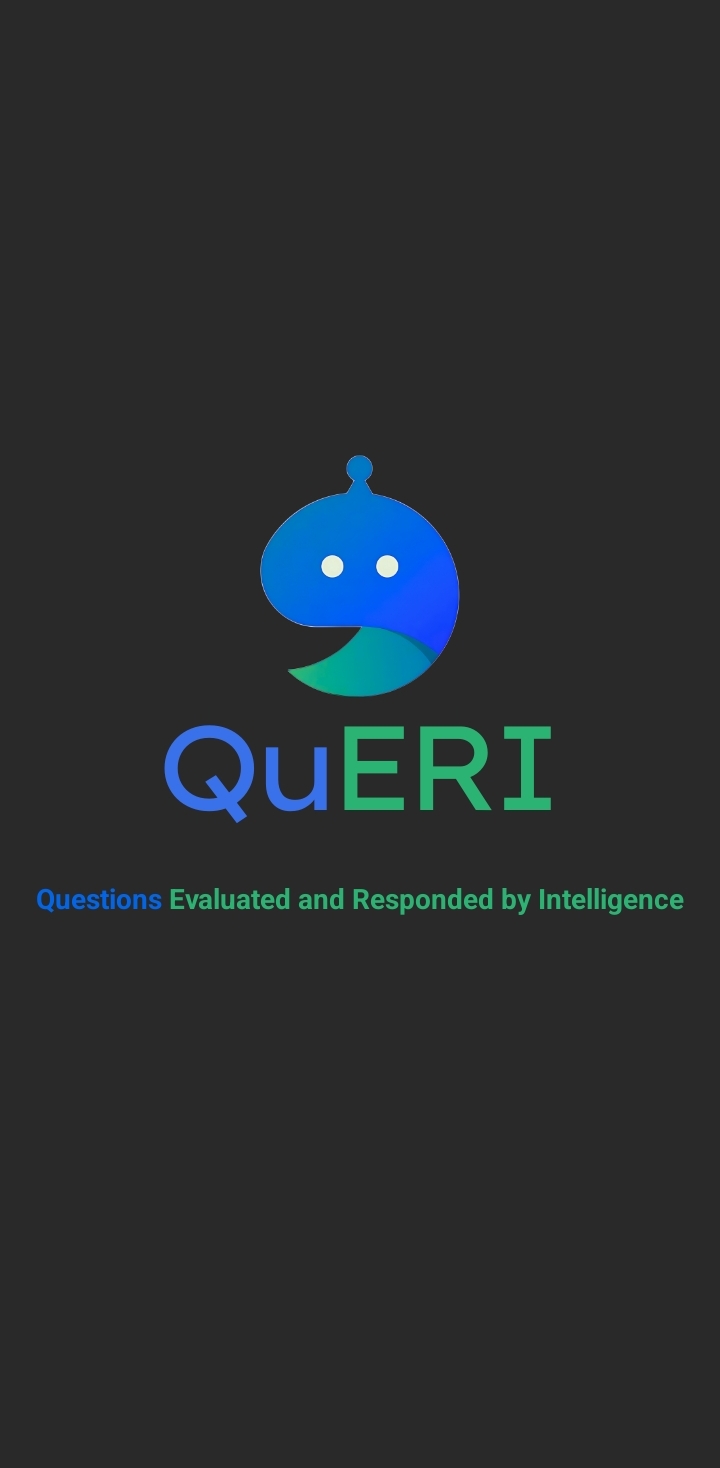
This is the entry page of the app, it is basically a splashscreen which shows the logo, name and the meaning of the name.
-

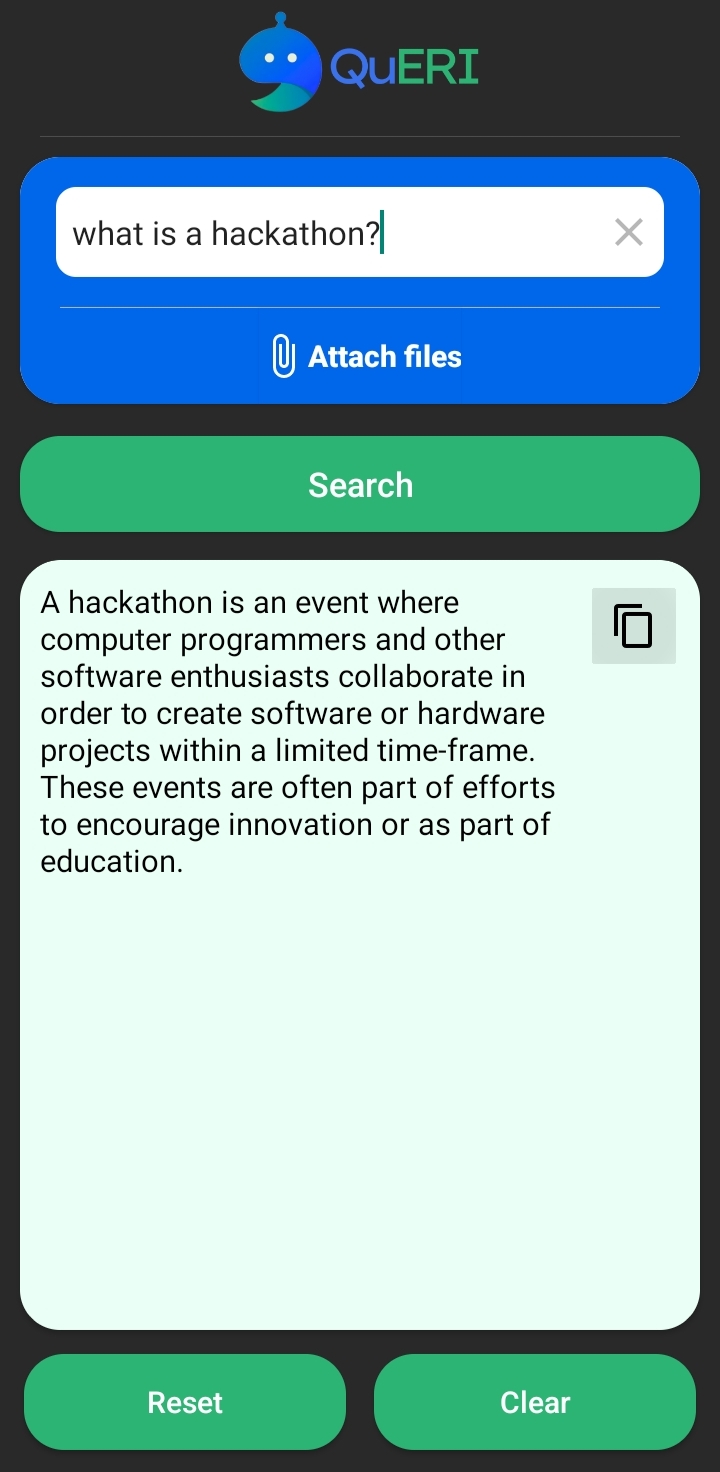
This is the home page of the app, here you can ask the questions to the AI, also you can upload the image and ask the relevant questions.
-
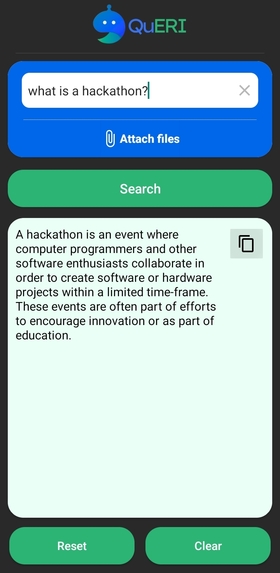
This is the output screen, as the AI is giving the output for this question "What is hackathon ?".
-
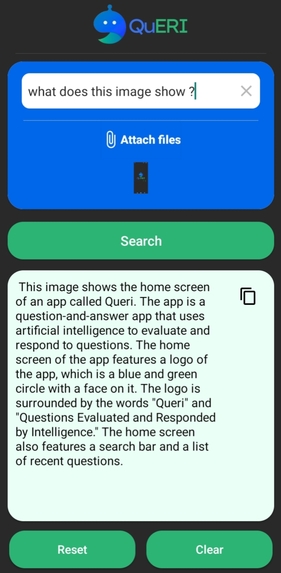
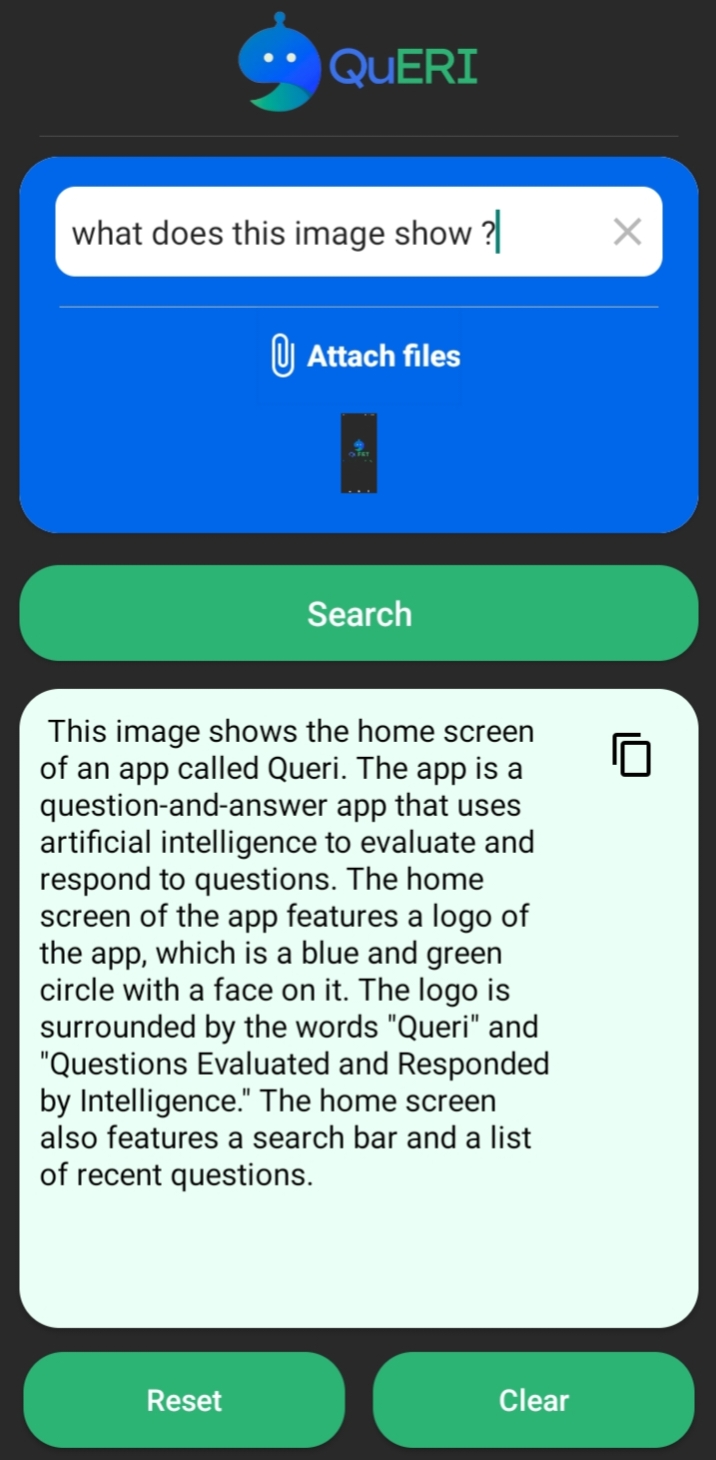
This is the output screen when we give any image as the input as ask the relevent question.
-
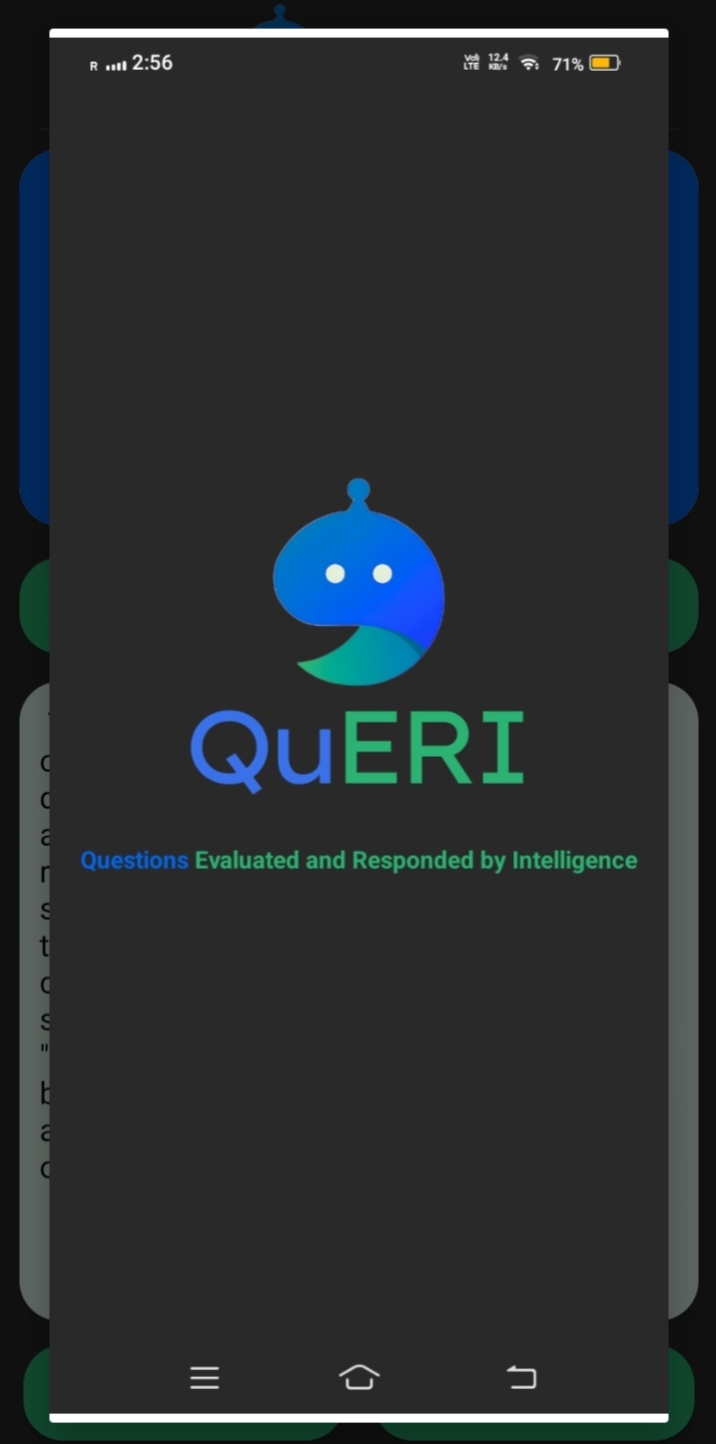
We can also preview the uploaded image by clicking on it.

QuERi - Questions Evaluated and Responded by Intelligence
Overview
I developed QuERI - an AI android application using Gemini API in kotlin that provides answers based on user queries. This application also supports image uploads for related questions and enables users to copy the output for use elsewhere, also it has many functionalities.
Inspiration
Passion for Technology: My enthusiasm for technology, particularly artificial intelligence and mobile development, could have motivated me to explore and create innovative projects like the AI applications.
Problem-Solving Drive: My innate curiosity and desire to tackle challenges may led me to identify the opportunity to leverage AI and API integration to address real-world problems or enhance user experiences.
Learning and Growth: As a passionate Android developer, my aspiration to continuously improve my skills and knowledge might have inspired me to undertake projects that push my boundaries and expand my expertise, such as building an AI app.
Desire for Innovation: The drive to contribute to the advancement of technology and create something novel and impactful could have served as a strong inspiration for embarking on the journey of developing an AI app with unique features and functionalities.
User-Centric Approach: My commitment to creating solutions that cater to the needs and preferences of users might have inspired me to develop a conversational AI app that provides personalized assistance and enhances user interactions.
Influence from Role Models: I may have been inspired by mentors, college seniors, industry leaders, or influential figures in the fields of AI, mobile development, or entrepreneurship, whose work and achievements motivated me to pursue similar endeavors.
Social Impact: The potential to positively impact people's lives by providing access to information, assistance, or entertainment through innovative technologies like AI apps could have inspired me to embark on this project with the goal of making a meaningful difference.
Overall, my inspiration for developing the AI app project likely stems from a combination of my passion for technology, in field of android development, drive for learning and growth, desire to innovate, and aspiration to create value for users and society.
What it does
- Question Answering: Users can input questions, and the app provides relevant answers using Gemini API.
- Image Upload: Users can upload images and ask questions related to the image.
- Output Copy: Users can copy the output to the clipboard for further use.
- functionalities: It has different functionalities like you can clear button to clear the output, reset button to reset the whole screen, etc.
How we built it
Project Setup: Initialized a new Android project in Android Studio.
UI Design: Designed the user interface for the app, including text input, image upload, and output display areas.
Backend Logic: Implemented the logic for processing user inputs, making API requests, and displaying responses.
Gemini API Integration: Integrated the Gemini API for question answering and image recognition functionalities.
Testing and Debugging: Tested the application thoroughly to ensure proper functionality and resolved any bugs encountered during testing.
Optimization: Optimized the application for performance and responsiveness, ensuring a smooth user experience.
Accomplishments that we're proud of
Successful Implementation: My successfully implemented a fully functional AI app that integrates with the Gemini API, enabling users to ask questions, upload images, and receive relevant responses.
Innovative Features: I developed innovative features such as image recognition and output copying, enhancing the app's capabilities and user experience.
Learning and Growth: Throughout the project, I deepened my knowledge of Kotlin and Android Studio, honing my skills as an Android developer and gaining valuable experience in API integration and mobile app development.
Problem-Solving Skills: My effectively tackled various challenges and bugs encountered during the development process, demonstrating my ability to troubleshoot issues and find creative solutions.
User Satisfaction: Feedback from users indicates that the app is useful, intuitive, and meets their needs, demonstrating the value it provides to its audience.
Continuous Improvement: My actively sought feedback, iterated on the project, and implemented enhancements based on user suggestions and my own insights, showcasing my commitment to continuous improvement and delivering a high-quality product.
Positive Impact: The AI app has made a positive impact by providing valuable information and assistance to users, contributing to their productivity, knowledge acquisition, or entertainment.
Recognition and Validation: My project received recognition from peers, mentors, or the community, validating my efforts.
What I learned
- In-depth Kotlin Knowledge: Working extensively with Kotlin in Android Studio enhanced my understanding of the language's features and functionalities.
- Android Studio Mastery: Building the project in Android Studio improved my proficiency in utilizing various tools and resources provided by the IDE.
- Problem-solving Skills: Tackling new challenges and debugging issues strengthened my problem-solving abilities and enriched my skill set.
- API Integration: Integrating the Gemini API required understanding API documentation and implementing network requests effectively.
What's next for QuERI
Natural Language Understanding (NLU):
- Implement advanced natural language processing techniques to enhance the app ability to understand and respond to user queries more accurately.
- Integrate a pre-trained language model to provide more contextually relevant responses.
Multimodal Integration:
- Extend image recognition capabilities to support recognizing and processing various types of media, such as videos and audio files.
- Explore integrating other APIs or services for additional functionalities, such as sentiment analysis for text inputs or object detection in images.
Personalization and User Profiles:
- Implement user profiles to store preferences and past interactions, allowing for personalized responses and recommendations.
- Introduce user feedback mechanisms to collect input and improve the app performance over time through machine learning algorithms.
Expanded Knowledge Base:
- Continuously update and expand the app knowledge base by integrating with external databases, knowledge graphs, or web scraping techniques.
- Implement a content management system (CMS) to easily manage and update the app responses and information.
Voice and Speech Recognition:
- Integrate speech-to-text and text-to-speech functionality to enable users to interact with the app through voice commands and responses.
- Explore voice assistant platforms like Google Assistant or Amazon Alexa for wider accessibility and integration.
Cross-Platform Compatibility:
- Develop versions of the app for other platforms such as iOS, web browsers, or smart home devices to reach a broader audience.
- Ensure consistent user experience and feature parity across different platforms through responsive design and adaptive layouts.
Enhanced User Interaction:
- Implement interactive elements such as buttons, cards, and carousels to provide more engaging and dynamic conversations.
- Introduce conversational UI design patterns and animations to make interactions with the app feel more natural and intuitive.
Performance Optimization:
- Optimize network requests and API interactions to minimize latency and improve response times, especially for image processing tasks.
- Implement caching mechanisms to store frequently accessed data locally and reduce the need for repeated API calls.
Security and Privacy Measures:
- Enhance security protocols to protect user data and ensure compliance with privacy regulations such as GDPR or CCPA.
- Implement encryption and data anonymization techniques to safeguard sensitive information exchanged during interactions.
By incorporating these enhancements, the AI app project can evolve into a more versatile and sophisticated tool, capable of providing personalized and intelligent assistance across various domains and platforms.
Uses of QuERI
- Instant Responses: Users can quickly get answers to frequently asked questions without having to wait for human assistance.
- Efficient Information Access: Users can easily retrieve information on a wide range of topics, from product details to company policies.
- Conversational Interface: The chatbot engages users in natural language conversations, enhancing the user experience and making information retrieval intuitive and user-friendly.
- Personalized Recommendations: By analyzing user preferences and past interactions, the chatbot can offer personalized recommendations tailored to individual needs.
- Workflow Integration: Seamlessly integrate the chatbot with existing systems and workflows, allowing for smooth task execution and data synchronization.
- Error Reduction: By automating repetitive tasks, the chatbot minimizes the risk of human error, ensuring accuracy and consistency in task execution.
- Learning Assistance: Students and professionals can use the chatbot as a learning companion, accessing educational resources, tutorials, and study materials on various subjects.
- Interactive Learning: Engage in interactive quizzes, simulations, and exercises to reinforce learning and deepen understanding of complex concepts.
- On-Demand Tutoring: Receive instant help with homework, assignments, or exam preparation from the comfort of your device, eliminating the need for physical tutoring sessions.
Challenges we ran into
- API Authentication: Configuring authentication for accessing the Gemini API securely required careful implementation to ensure data privacy and security.
- Image Recognition: Implementing image recognition functionality posed challenges in processing and interpreting uploaded images accurately.
- Error Handling: Handling errors and exceptions gracefully to provide meaningful feedback to users during API interactions was crucial for enhancing user experience.
UI/UX Design: Designing an intuitive and user-friendly interface that seamlessly integrates text input, image upload, and output display components required thoughtful consideration and iteration.
Entertaining Conversations: Interact with the chatbot for entertainment purposes, engaging in witty banter, jokes, trivia quizzes, and interactive storytelling. Personality Customization: Customize the chatbot's personality and tone to suit different user preferences, creating a personalized and engaging conversational experience. Interactive Games: Enjoy a variety of interactive games and activities within the chatbot interface, providing hours of entertainment and engagement for users of all ages.
Despite these challenges, overcoming them contributed to my growth as a developer and enhanced the quality of the final product.
Built With
- android
- android-studio
- api
- application
- gemini
- google-cloud
- java
- kotlin


Log in or sign up for Devpost to join the conversation.