-
-
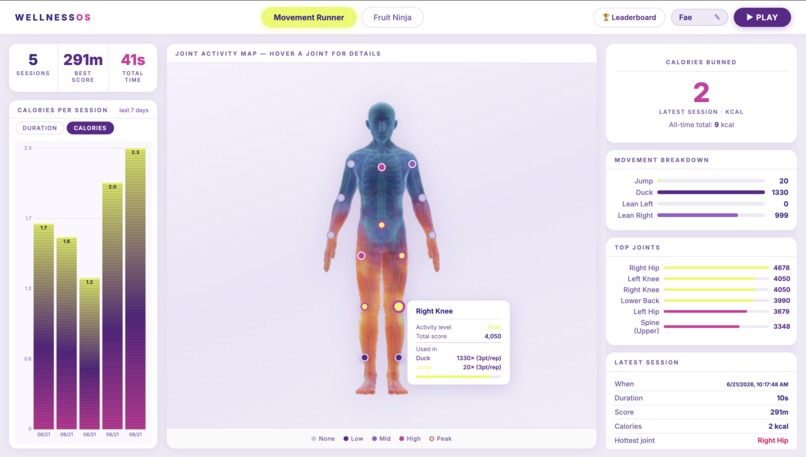
The wellness dashboard showing joint activity heatmap, movement breakdown, session stats, and calorie tracking across all gameplay sessions.
-
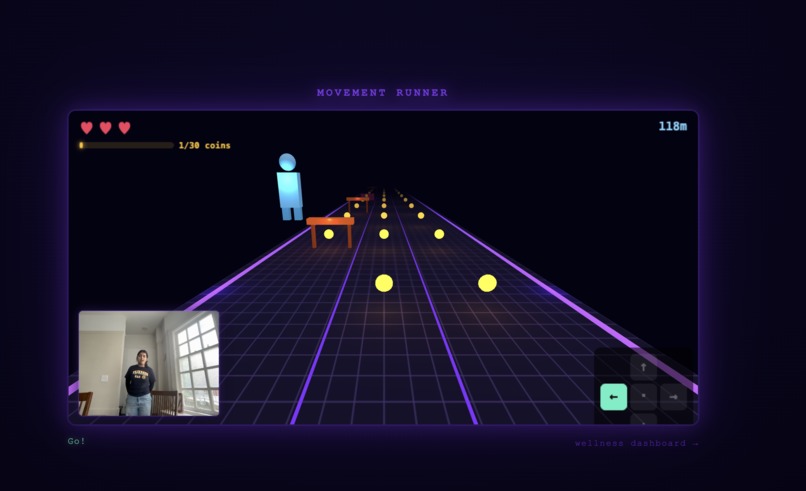
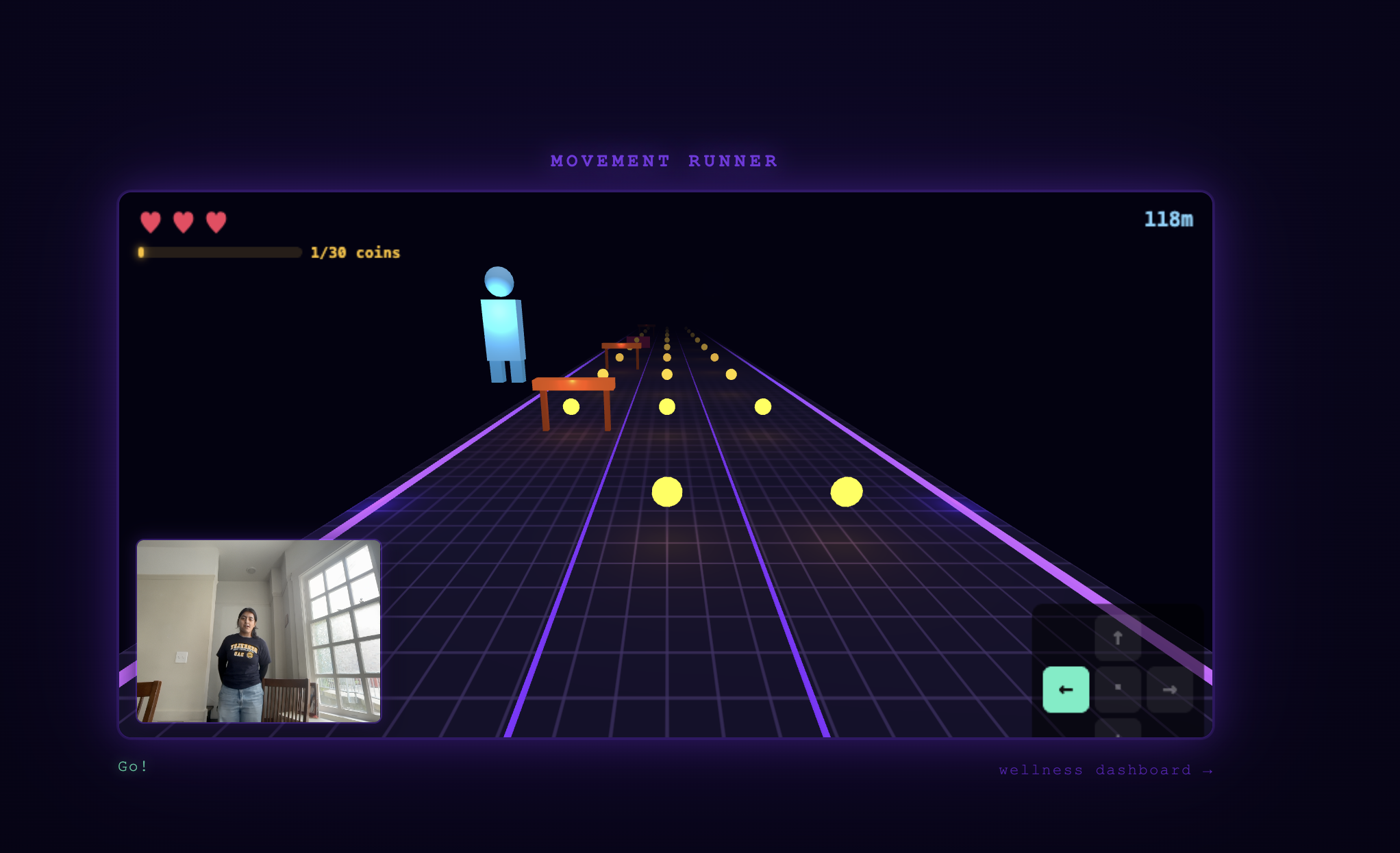
Movement Runner: dodge obstacles in real time using only your body.
-
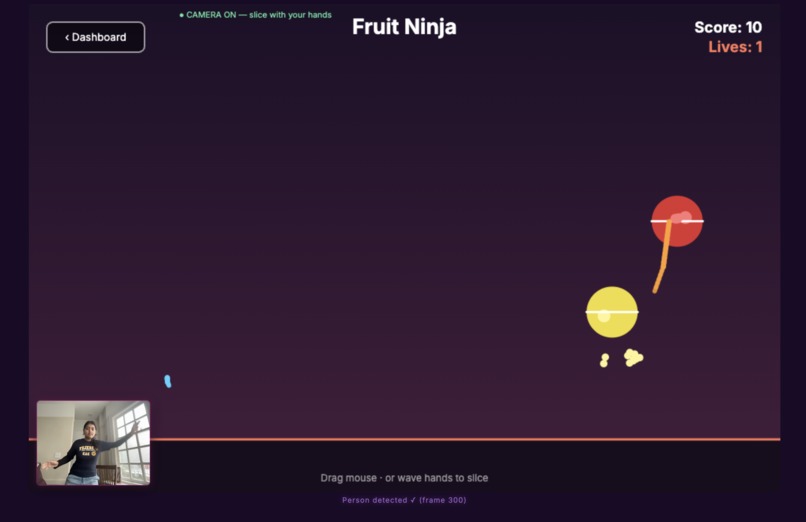
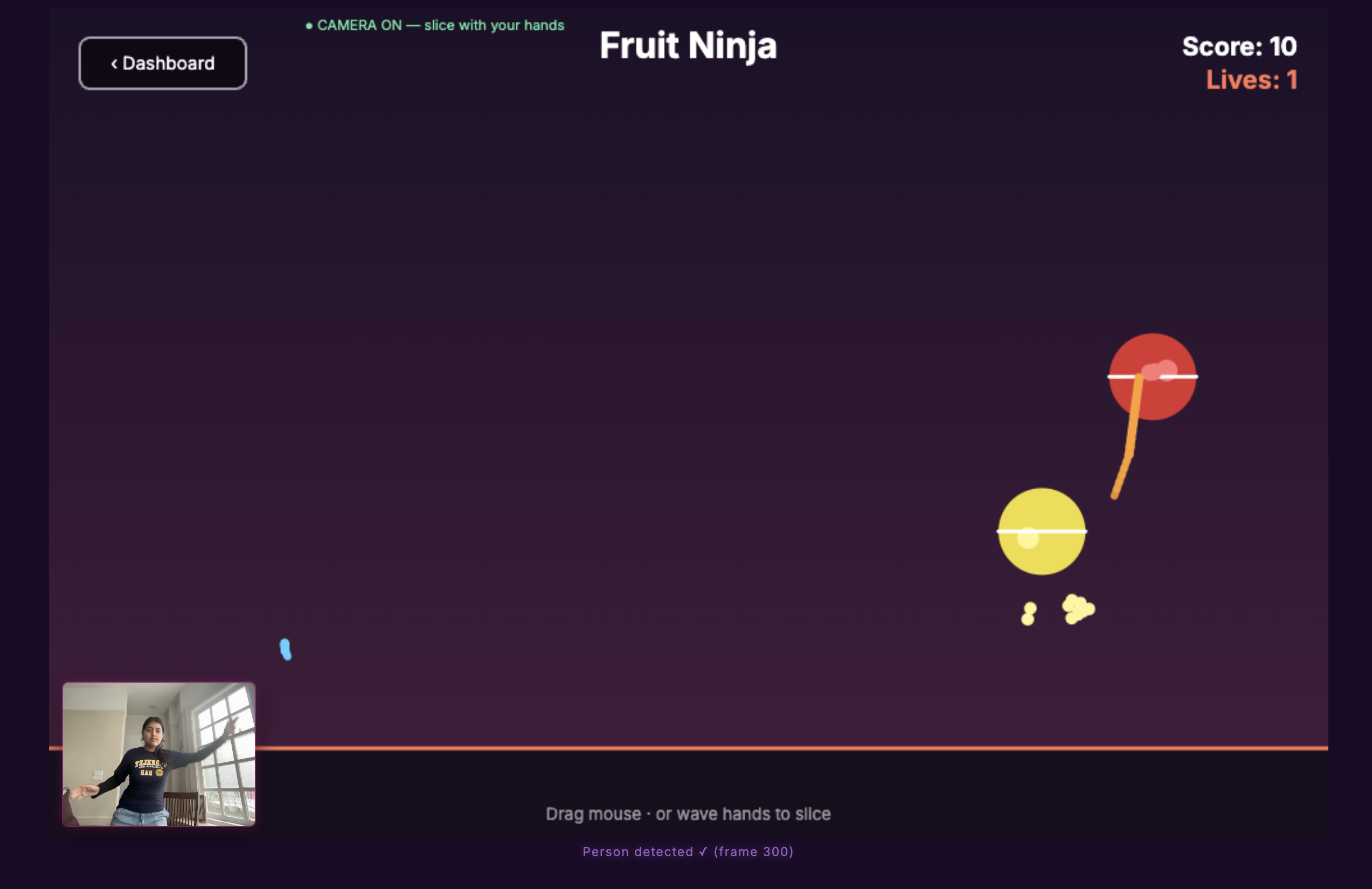
Fruit Ninja: slice fruit by swinging your wrists in front of the camera.
Inspiration
We are CS students. We live on our laptops, we breathe deadlines, and "go for a walk" has never once made it onto our to-do list.
And honestly? We are not alone. A lot of people want to move more but the motivation just is not there, especially when your screen is right there and the gym is not.
So we asked: what if working out felt less like a chore and more like a game you are already hooked on? That question became QuasiQinetic.
(also yes, we built this with 2 humans and 2 AIs. the contributors tab on our GitHub says it all.)
The opportunity is real too. Corporate wellness, gamified fitness, and physical therapy are all growing markets. QuasiQinetic needs no extra hardware, just a webcam you already own, which is a big differentiator over things like Ring Fit or VR fitness. And because it runs in the browser, the distribution friction is basically zero. This makes it accessible far beyond CS students, including the elderly, individuals with mobility issues or disabilities, and busy working parents looking for a bit of movement during the day. The path to more games, more exercise types, and B2B corporate wellness deals is a natural one from here.
What it does
QuasiQinetic is a browser-based wellness app that uses your webcam and real-time pose detection to turn your body into a game controller. Just you and your webcam.
- Movement Runner is a 3D endless runner where you physically jump, duck, and lean to dodge obstacles. No keyboard needed. Your body is the controller.
- Fruit Ninja is exactly what it sounds like. Swing your wrists in front of the camera to slice fruit. Each hand leaves its own glowing trail (cyan for left, orange for right). It is more of a workout than it sounds.
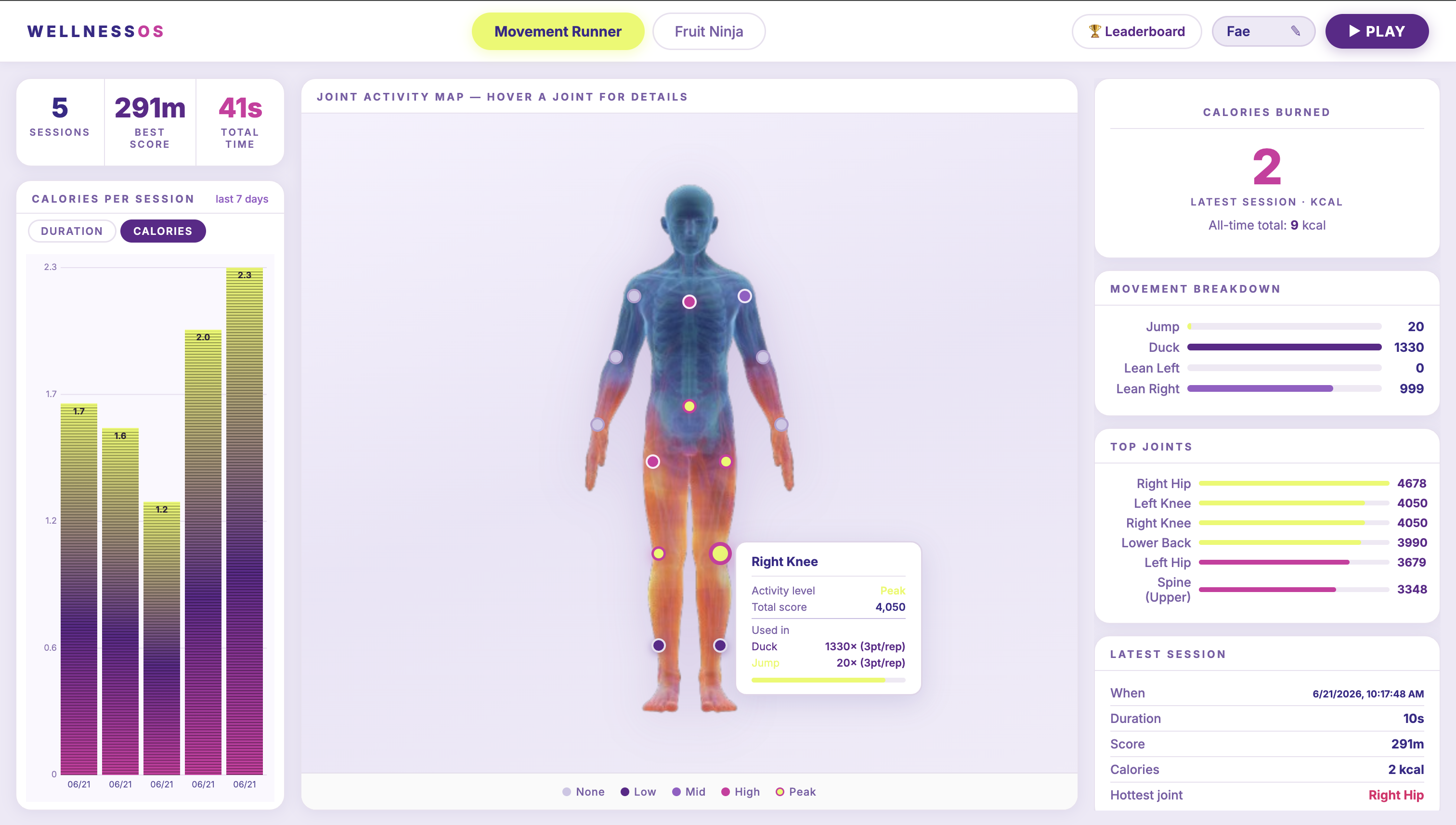
- The Wellness Dashboard tracks every session, shows you a joint activity heatmap on a body diagram, charts calories burned over time, and has a leaderboard so you can absolutely destroy your friends.
How we built it
| Layer | Tech |
|---|---|
| Pose detection | MediaPipe Tasks Vision (PoseLandmarker, VIDEO mode) |
| 3D runner | Three.js (WebGL) |
| Fruit Ninja + HUD | Canvas 2D |
| Frontend build | Vite (multi-page: dashboard, runner, fruit ninja) |
| Observability | Arize Phoenix (ML prediction logging) + Sentry (error tracking) |
| Session storage | localStorage (web) + JSON file (Python desktop version) |
The game loop and pose detection run fully decoupled. MediaPipe fires its callback asynchronously whenever a new frame is ready, while requestAnimationFrame drives the game at display refresh rate. A shared state object bridges the two, keeping the game smooth even when inference lags.
For lean detection we used a Schmitt trigger zone so small body sways do not accidentally trigger direction changes. For Fruit Ninja, each wrist maps to canvas coordinates with a mirrored x-axis and interpolates 5 points per frame to catch fast slices that would otherwise skip clean through the fruit.
Challenges we ran into
Session recording never saved. The runner transitions from playing to dead inside runner.update(). We were checking the phase before calling update, so the transition was always missed by exactly one frame. By the time the next frame ran, both before and after were already dead, so the save condition never fired. Fixing the order of operations (check after update, not before) was a surprisingly deep rabbit hole for a one-line bug.
WebGL context conflicts. MediaPipe creates a WebGL context on the video element internally, which clashes with Three.js grabbing its own context on the same canvas. We spent a long time debugging this before realising Chrome's hardware acceleration was turned off, which was masking the real issue entirely. Once we enabled it, WebGL worked but we still needed a Proxy wrapper to intercept getContext calls and route them correctly between MediaPipe and Three.js.
Making pose classification actually feel good. Raw landmark coordinates are noisy. We added a smoothing layer (PoseHistory) that averages the last N frames before passing to the classifier. This dramatically reduced jitter and false positives. The difference between "frustrating" and "fun" was basically just this one change.
Accomplishments that we are proud of
- Real-time body tracking at 60 fps in the browser, no installs required
- A Fruit Ninja port faithful enough that people immediately know how to play, with dual wrist trails and proper arc physics
- A joint heatmap that actually tells you something useful: which parts of your body worked hardest across all your sessions
- Getting two games, a dashboard, pose tracking, ML observability, and error monitoring shipped in one hackathon weekend (with two AIs helping, but still)
What we learned
- How to architect a real-time game loop that is decoupled from an async ML inference pipeline
- The subtleties of MediaPipe's landmark coordinate system and how to map it cleanly to game space
- That the scariest bugs are the ones where nothing errors. Things just silently do not work.
- Always check the basics first. We spent hours debugging WebGL before realising Chrome had hardware acceleration turned off.
- That two AIs can actually ship real features. Devin and Claude each had different strengths and knowing when to use which one was its own skill.
What's next for QuasiQinetic
- A FastAPI + SQLite backend so leaderboards and session history sync across devices and between friends (not just on one laptop)
- More exercise modes targeting different muscle groups: sit-ups, push-ups, squats, lunges, each with their own game mechanic
- Personalised difficulty that adapts to your fitness level over time
- A mobile-friendly mode using the front camera on your phone
Sentry, Devin, and Claude
Sentry handles error tracking on the frontend. Any uncaught exception during a game session gets captured automatically with full context, so we know exactly what broke and when without having to reproduce it manually.
Devin was our second AI teammate. To give you a sense of what that looked like in practice: Fae spent roughly half the hackathon getting the Movement Runner up and running with Claude. Devin then built the Python Fruit Ninja game in about 10 minutes. Both approaches worked, they just felt very different. Claude was more of a conversation and learning process, making every decision together. Devin was more like sending a task and getting a pull request back.
Claude was the other AI teammate, and the one we worked with most closely. Claude handled the core architecture of the Movement Runner, the wellness dashboard, the Fruit Ninja web port, session tracking, the leaderboard, and most of the debugging. The experience felt less like using a tool and more like having a senior engineer in the room who could explain every decision, catch subtle bugs, and keep the whole system coherent across a long build session.

Log in or sign up for Devpost to join the conversation.