-
-
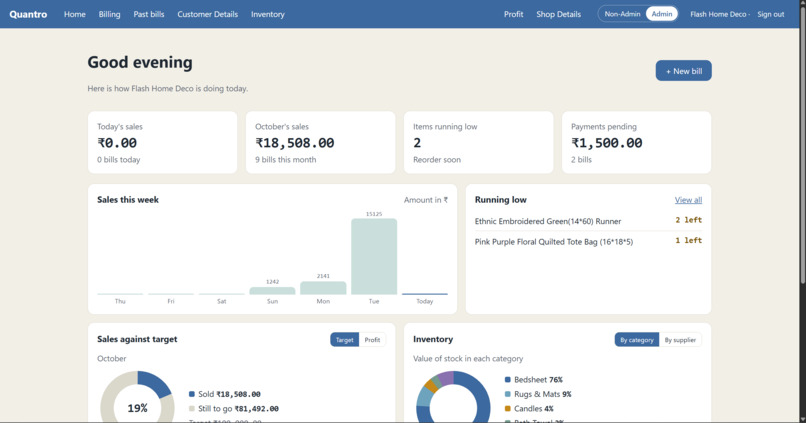
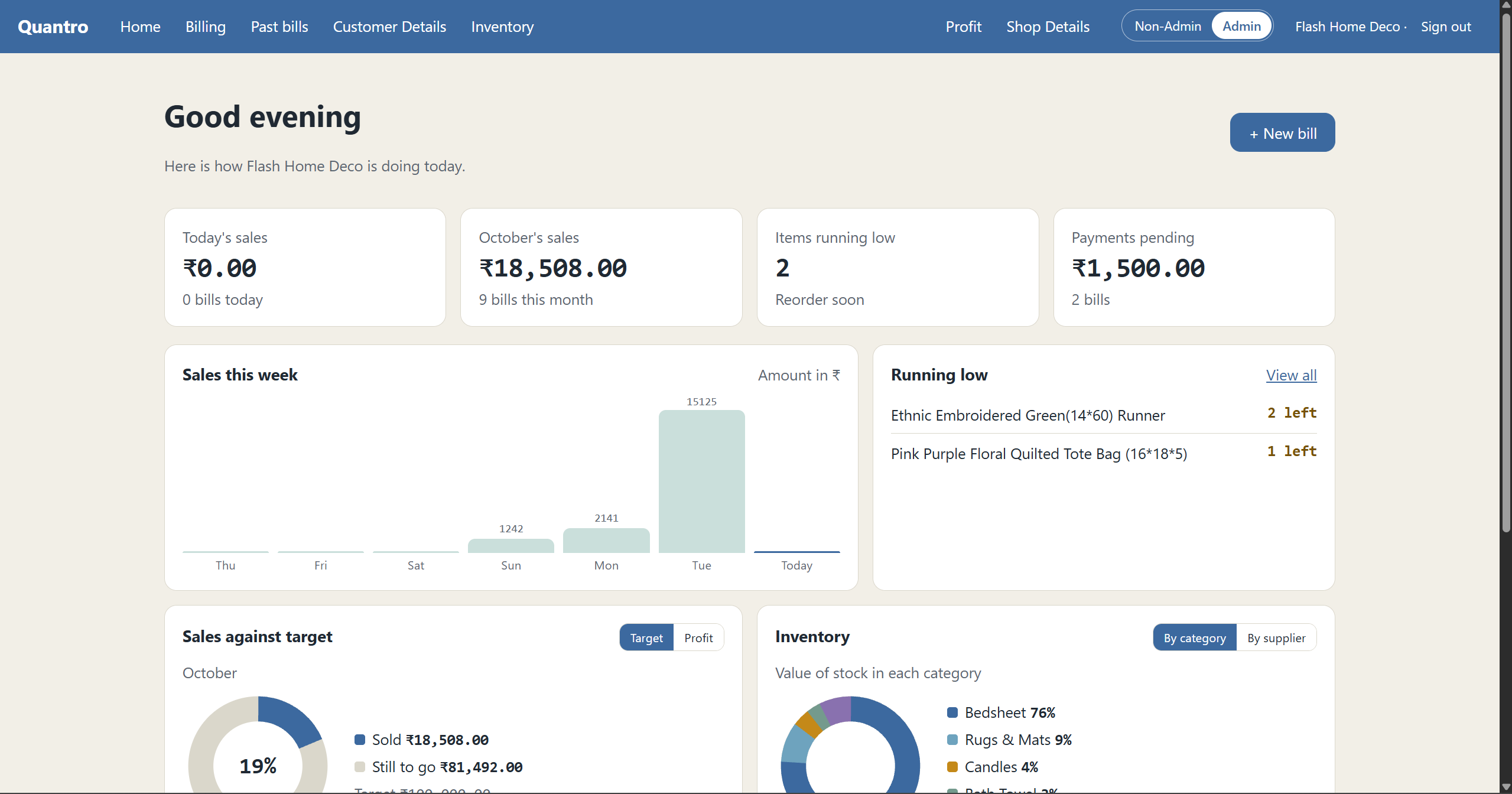
Home 1: Dashboard snapshot: today’s and October’s sales, low-stock items, pending payments, a weekly sales chart and a running-low list.
-
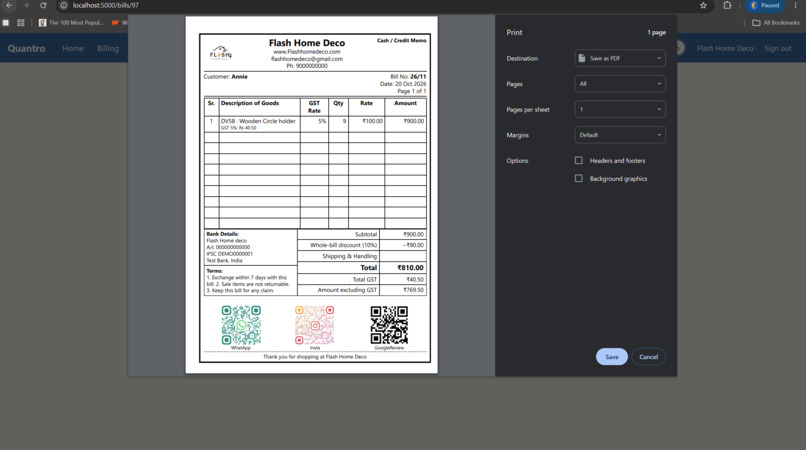
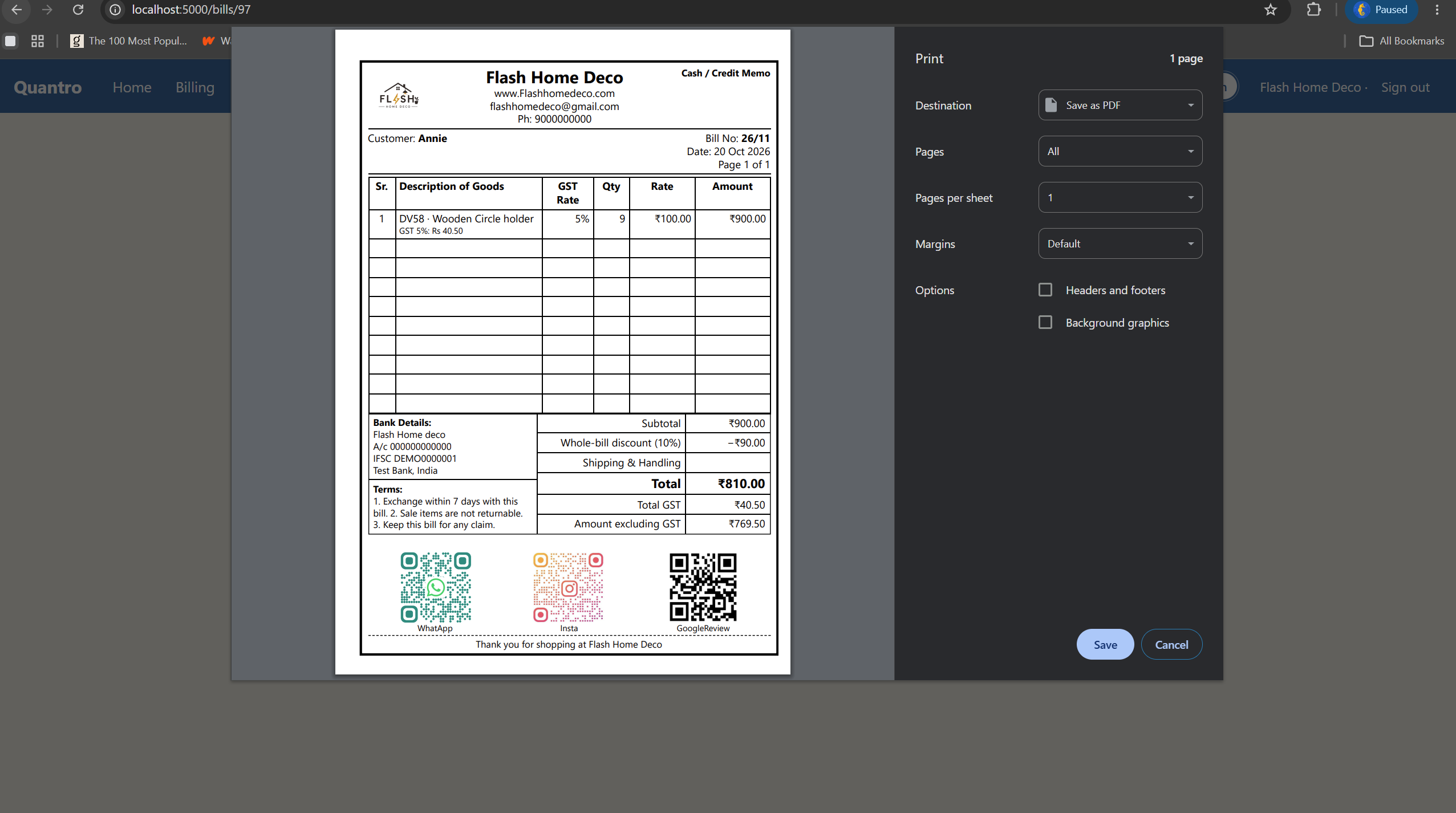
Printed Bill Copy: Print-ready cash memo with logo, GST details, totals, bank info, terms and QR codes for WhatsApp, Instagram and reviews.
-
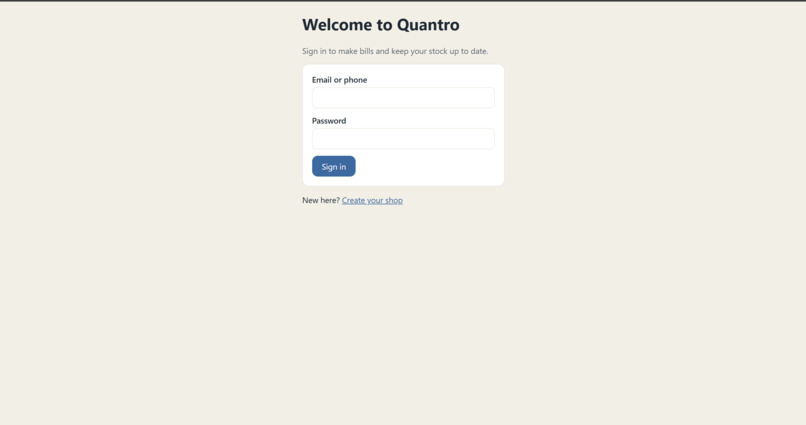
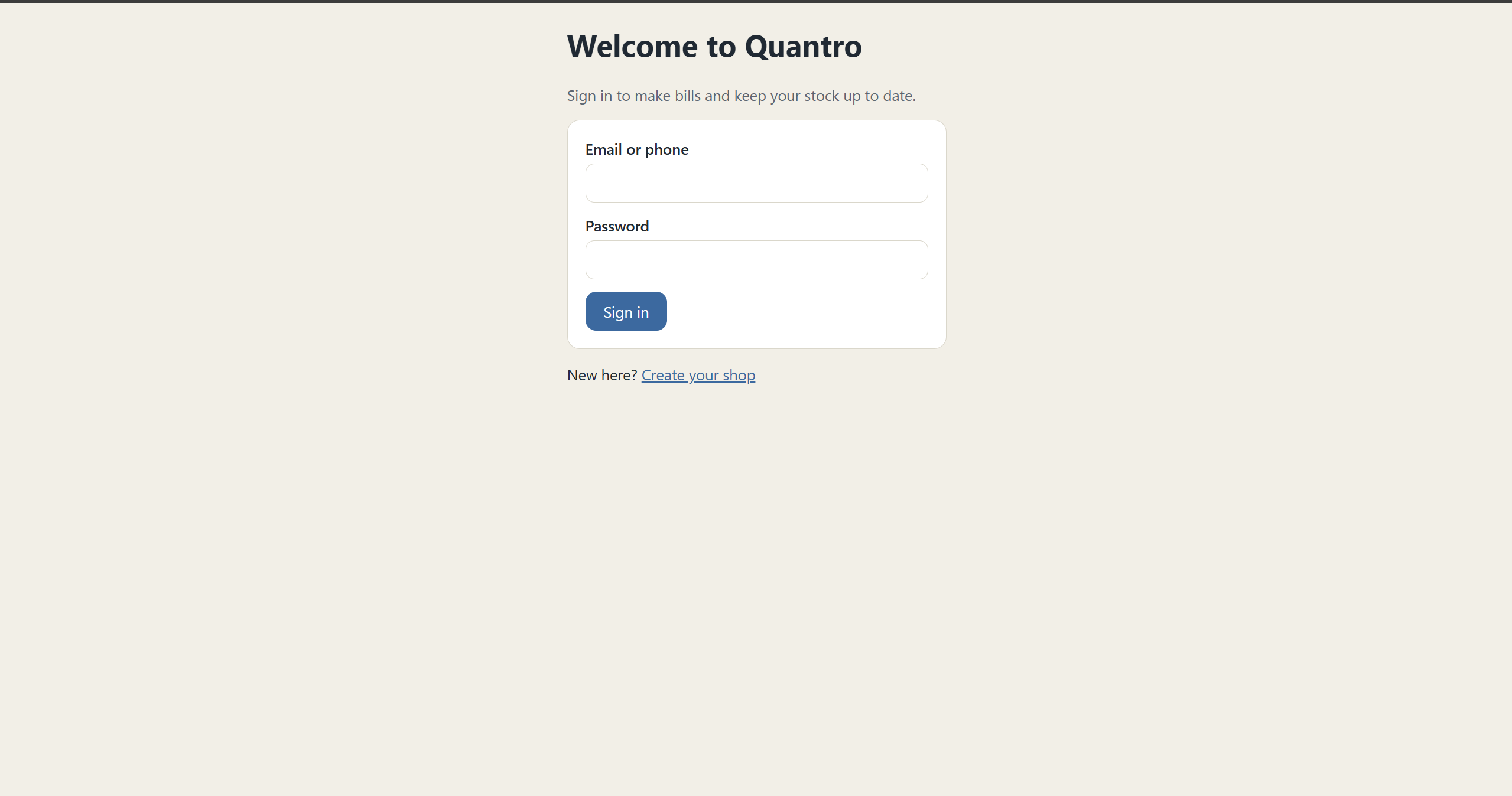
Login Page: A clean sign-in screen for Quantro with email or phone and password, plus a link to create your shop.
-
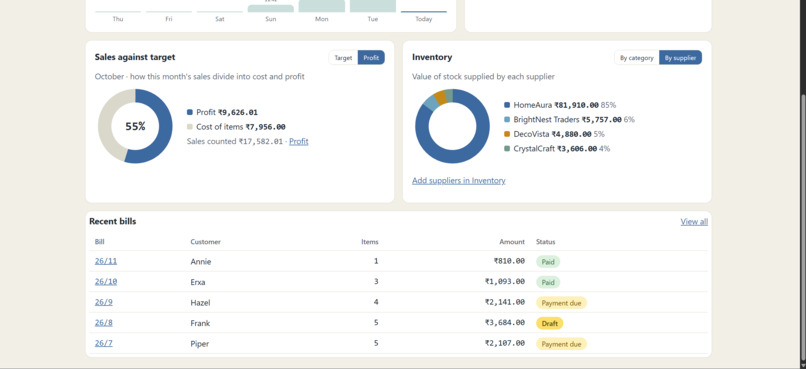
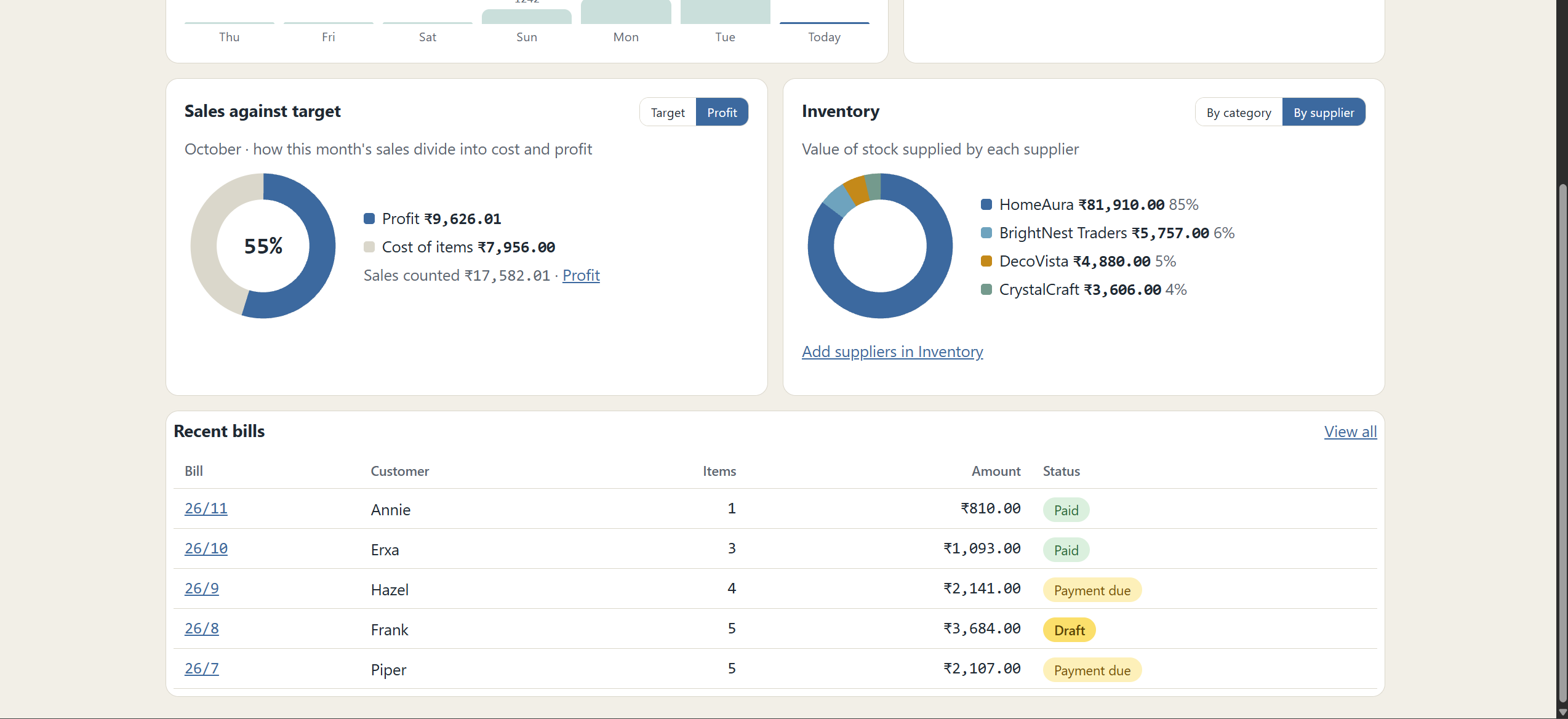
Home 2: See profit versus cost, supplier-wise stock value and recent bills with Paid, Payment due or Draft status at a glance.
-
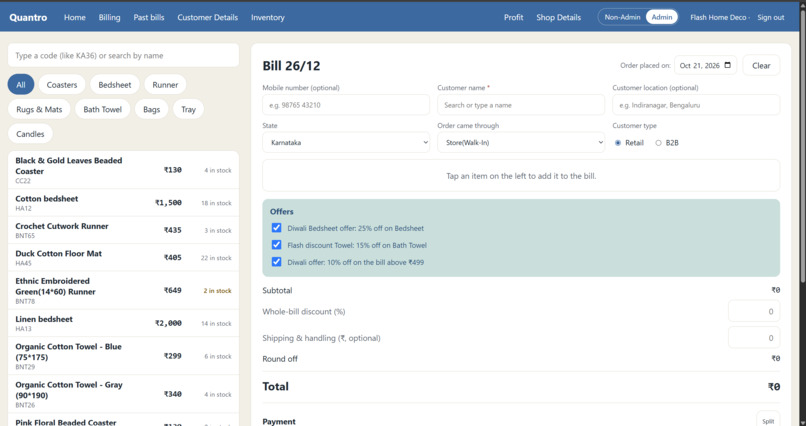
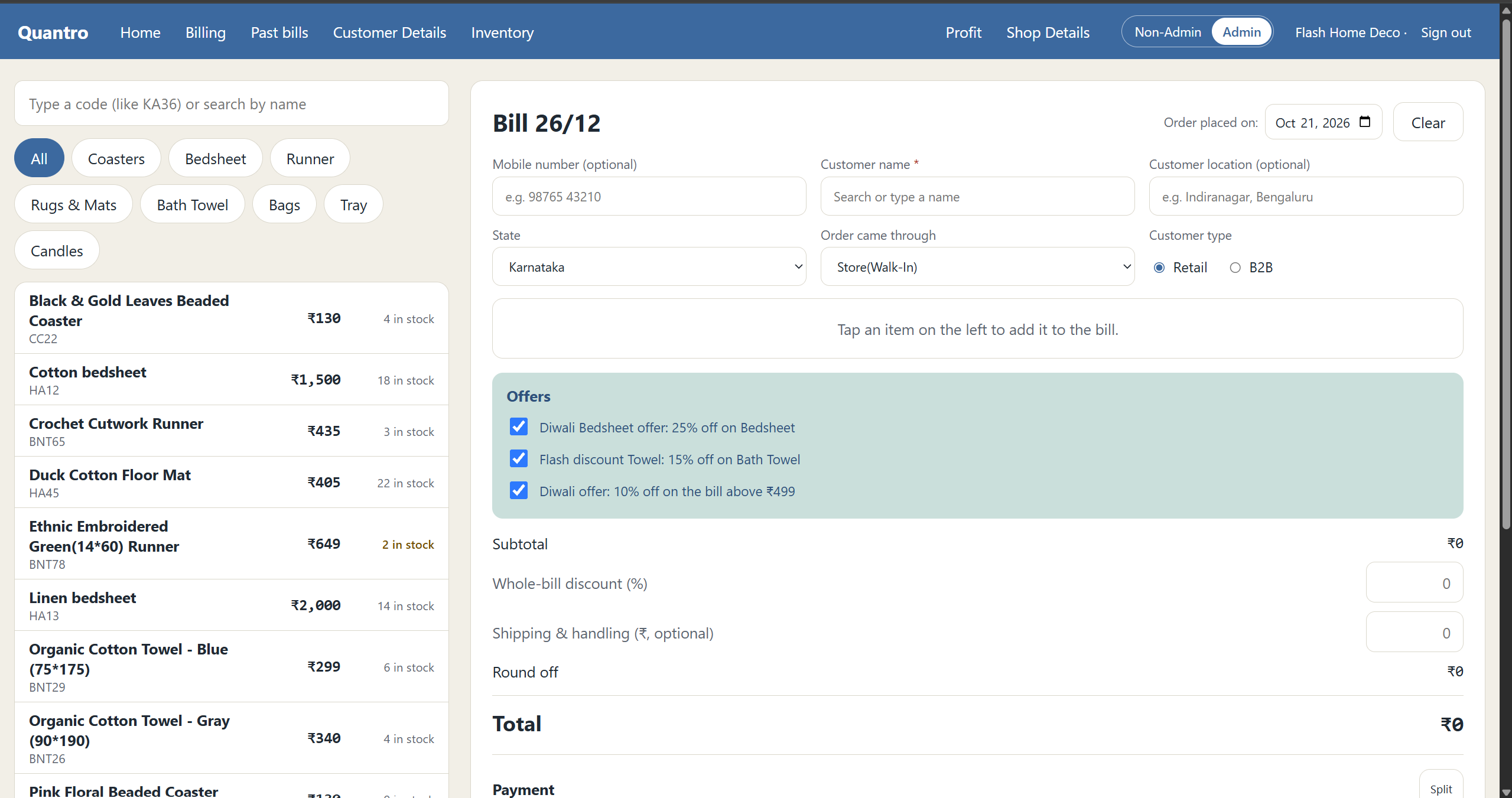
Billing: Create bills fast: search items, add customer details, auto-apply offers, set discounts and shipping, and pick the payment method.
-
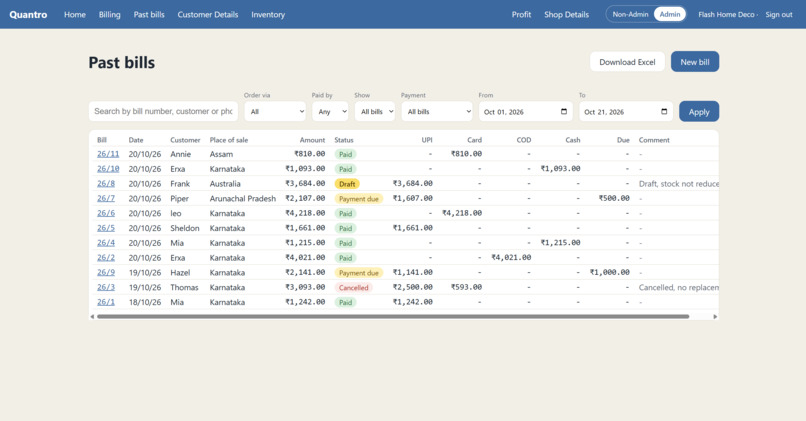
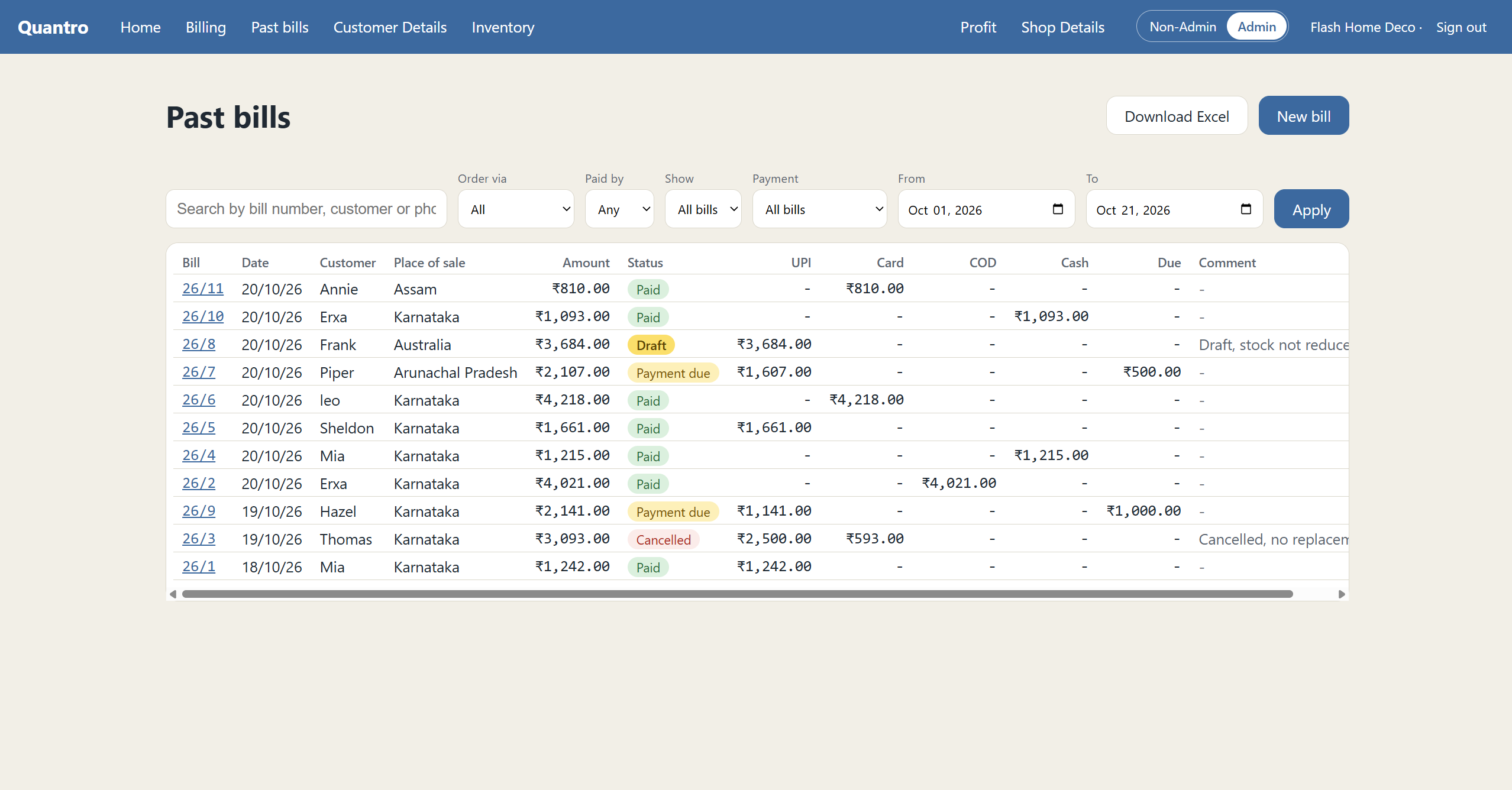
Past Bills: Browse all bills with filters, status, payment split (UPI, Card, COD, Cash), dues and comments. Export it all to Excel.
-
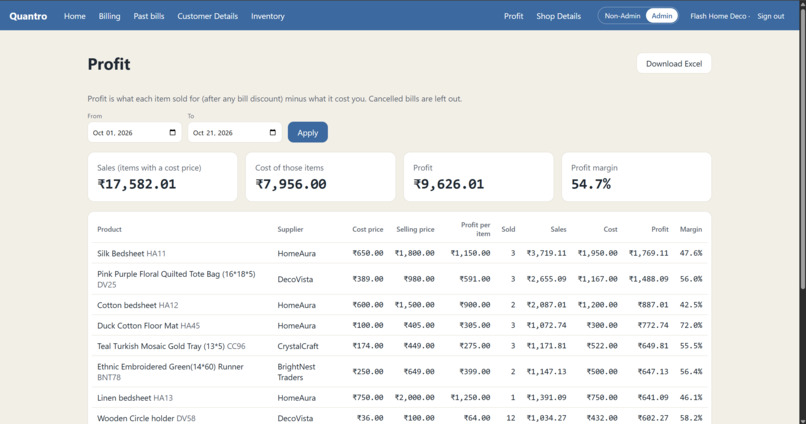
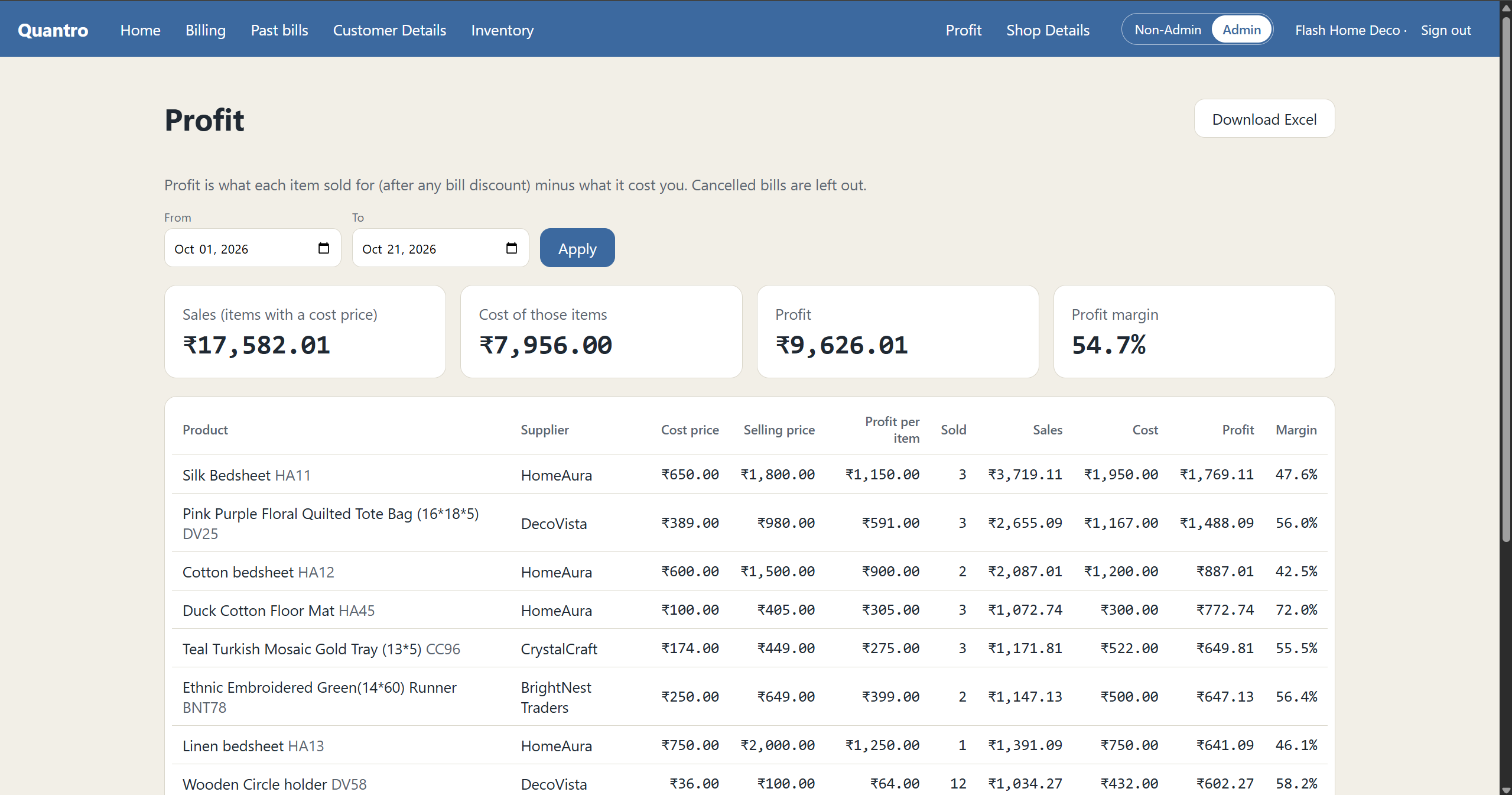
Profit: Check sales, cost, profit and margin for any date range, with item-wise profit details. Download the report as Excel.
-
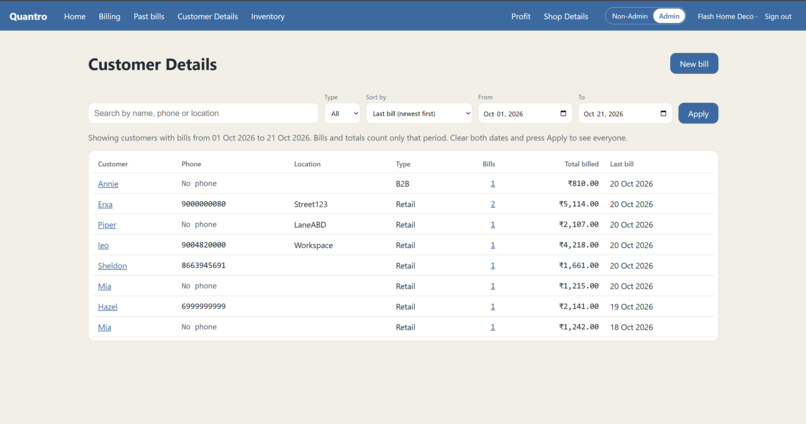
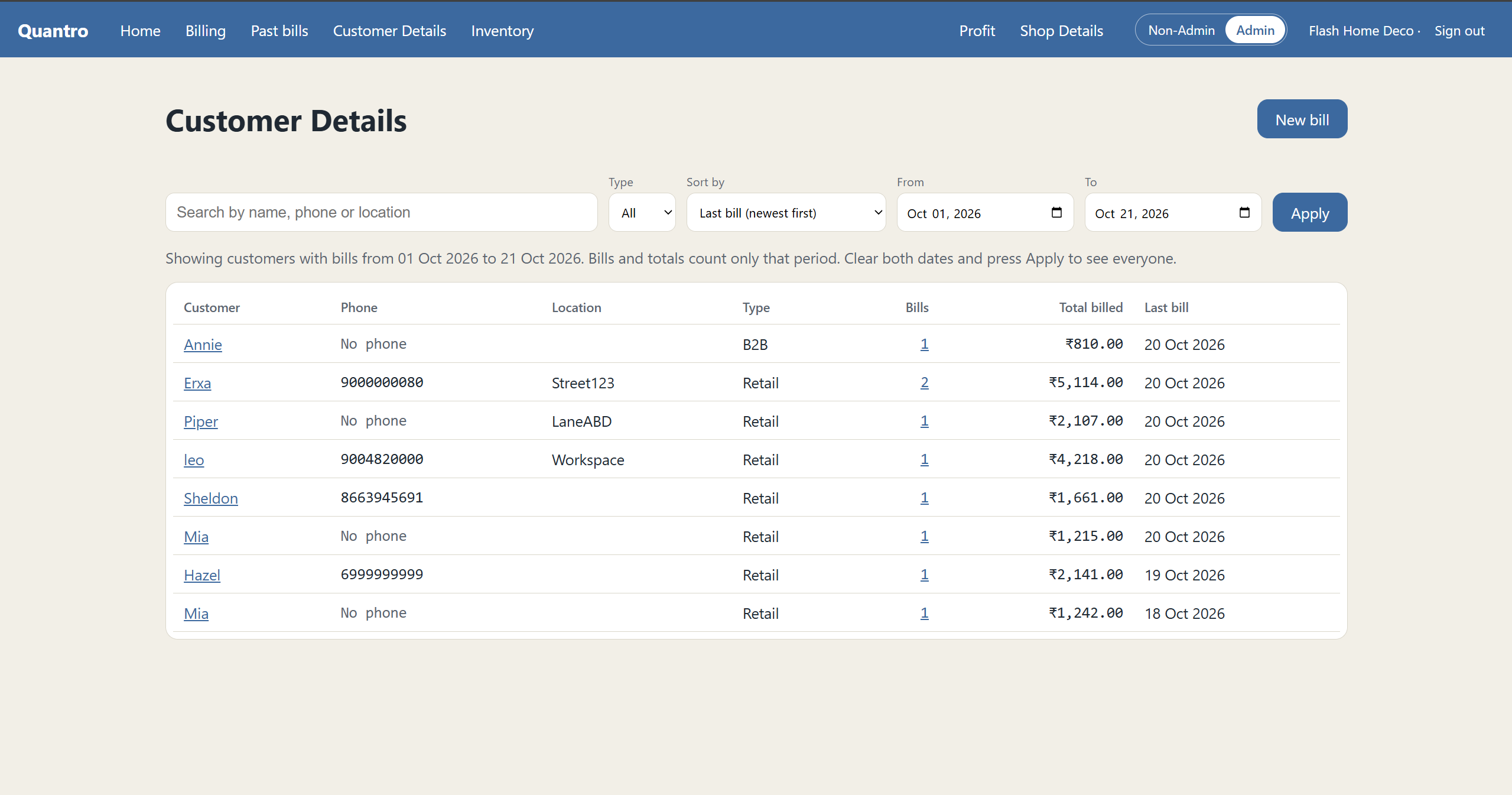
Customer Details: Track customers with phone, location, type, bill count, total billed and last bill date. Filter by date and sort easily.
-
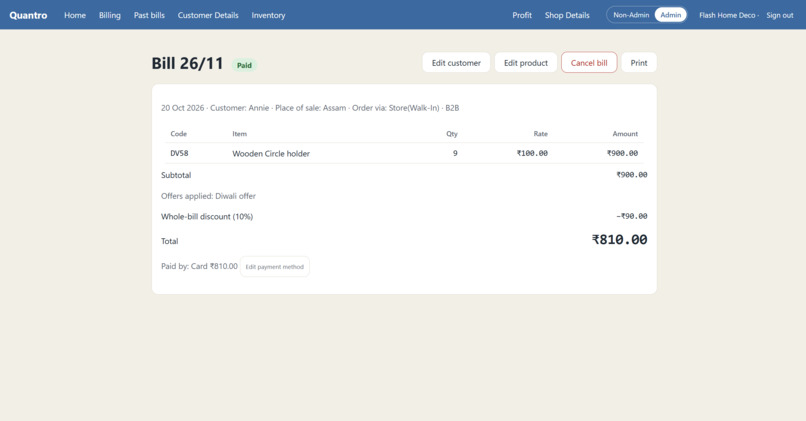
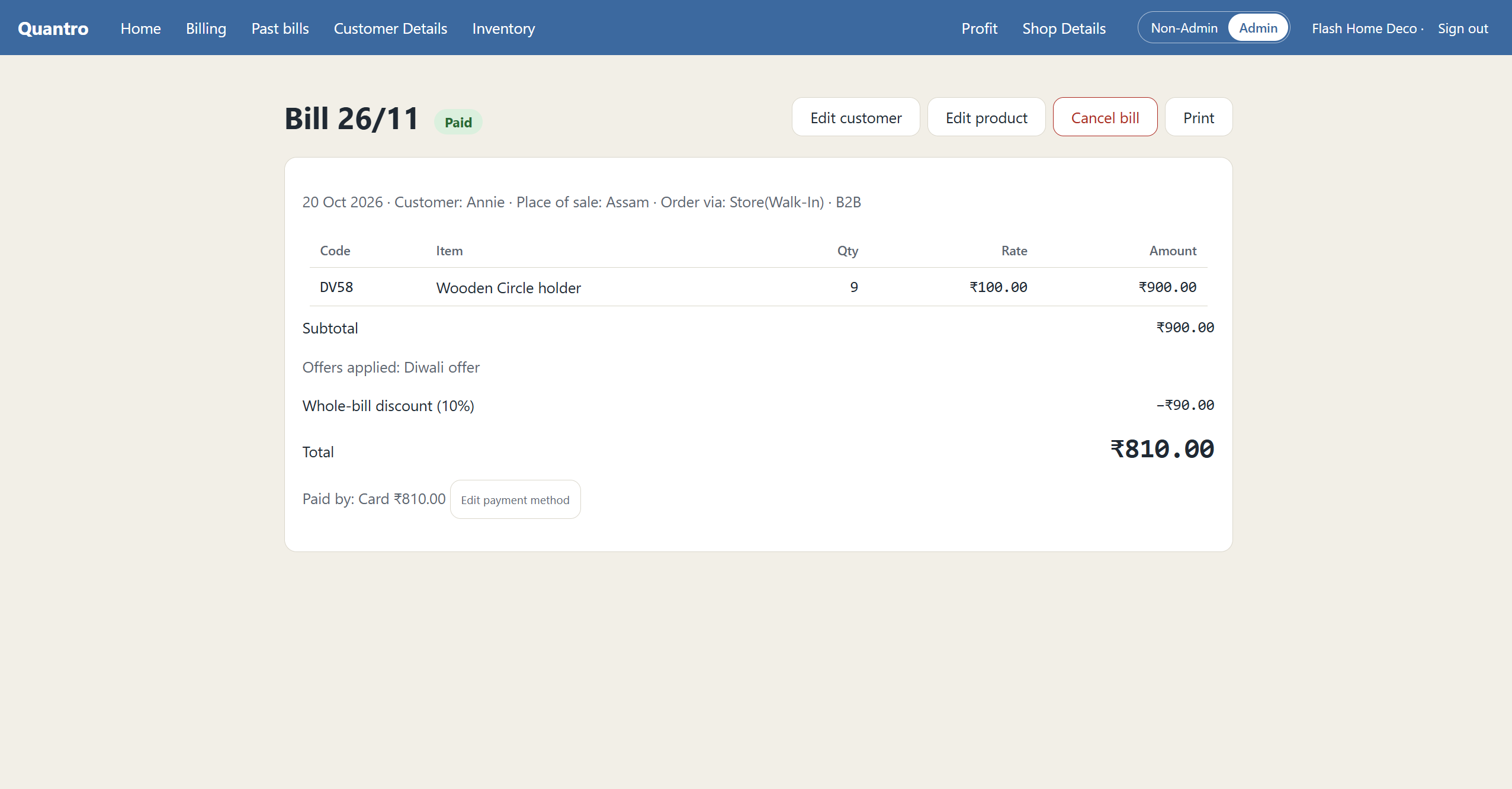
Bill: Bill 26/11 shows Wooden Circle holders, a 10% Diwali discount and ₹810 paid by card, with options to edit, cancel or print.
-
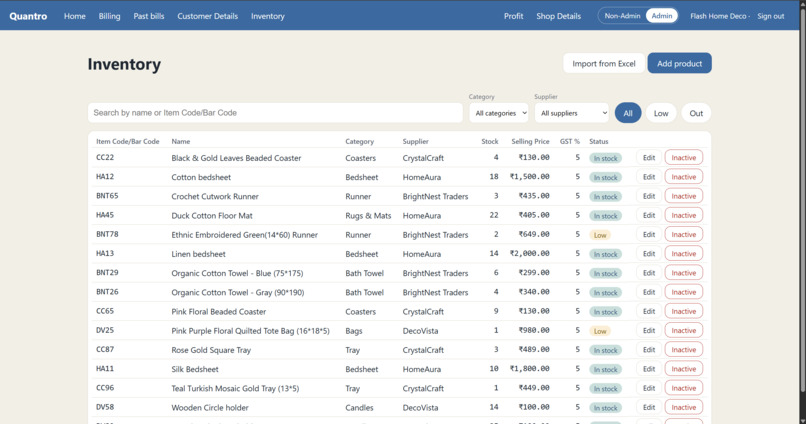
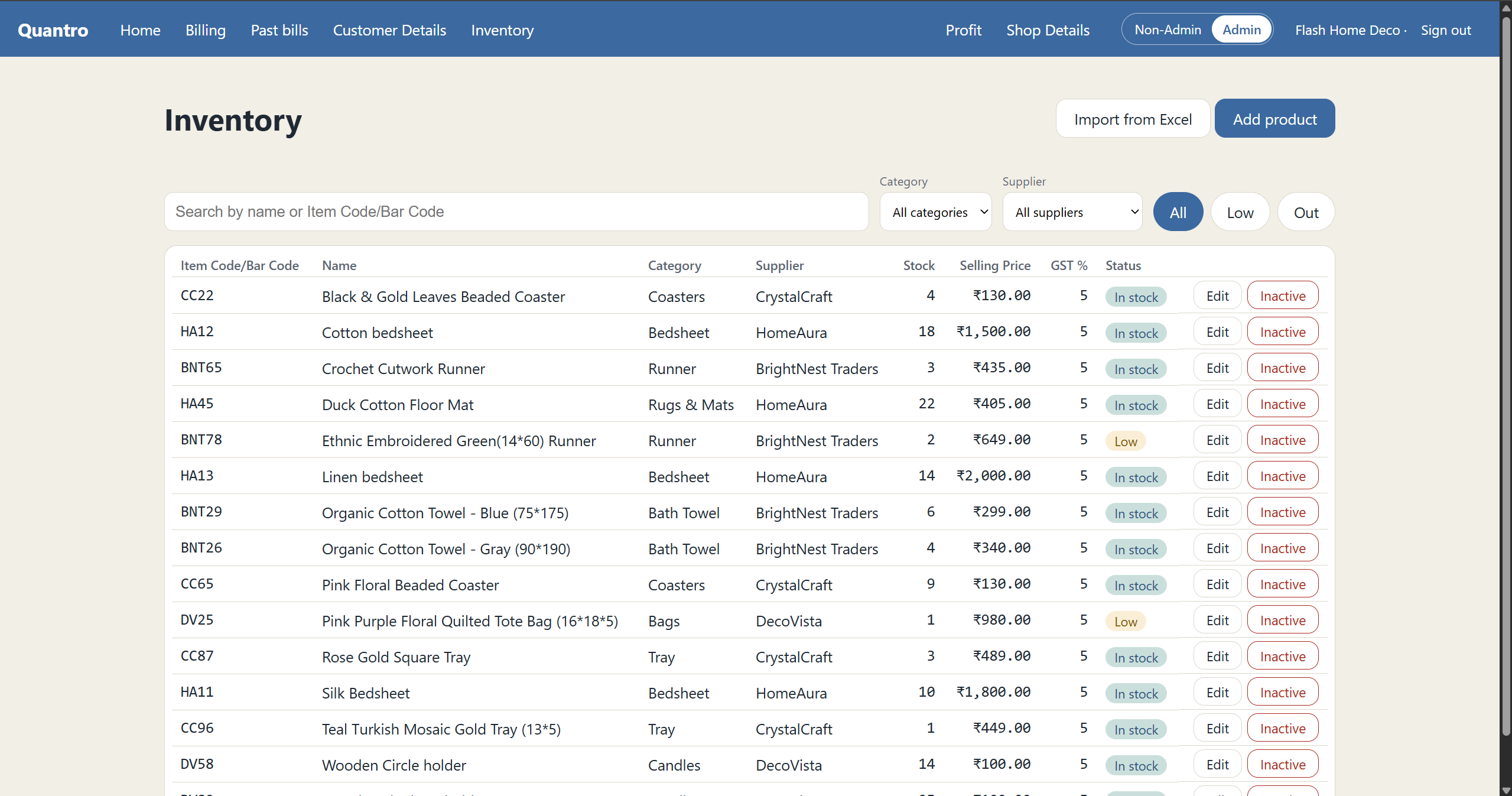
Inventory: View all products with code, category, supplier, stock, price and GST. Filter by Low or Out, edit items or mark them inactive.
-
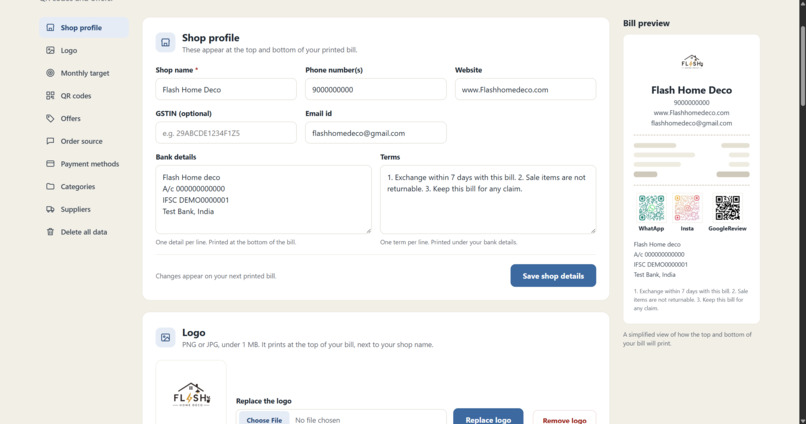
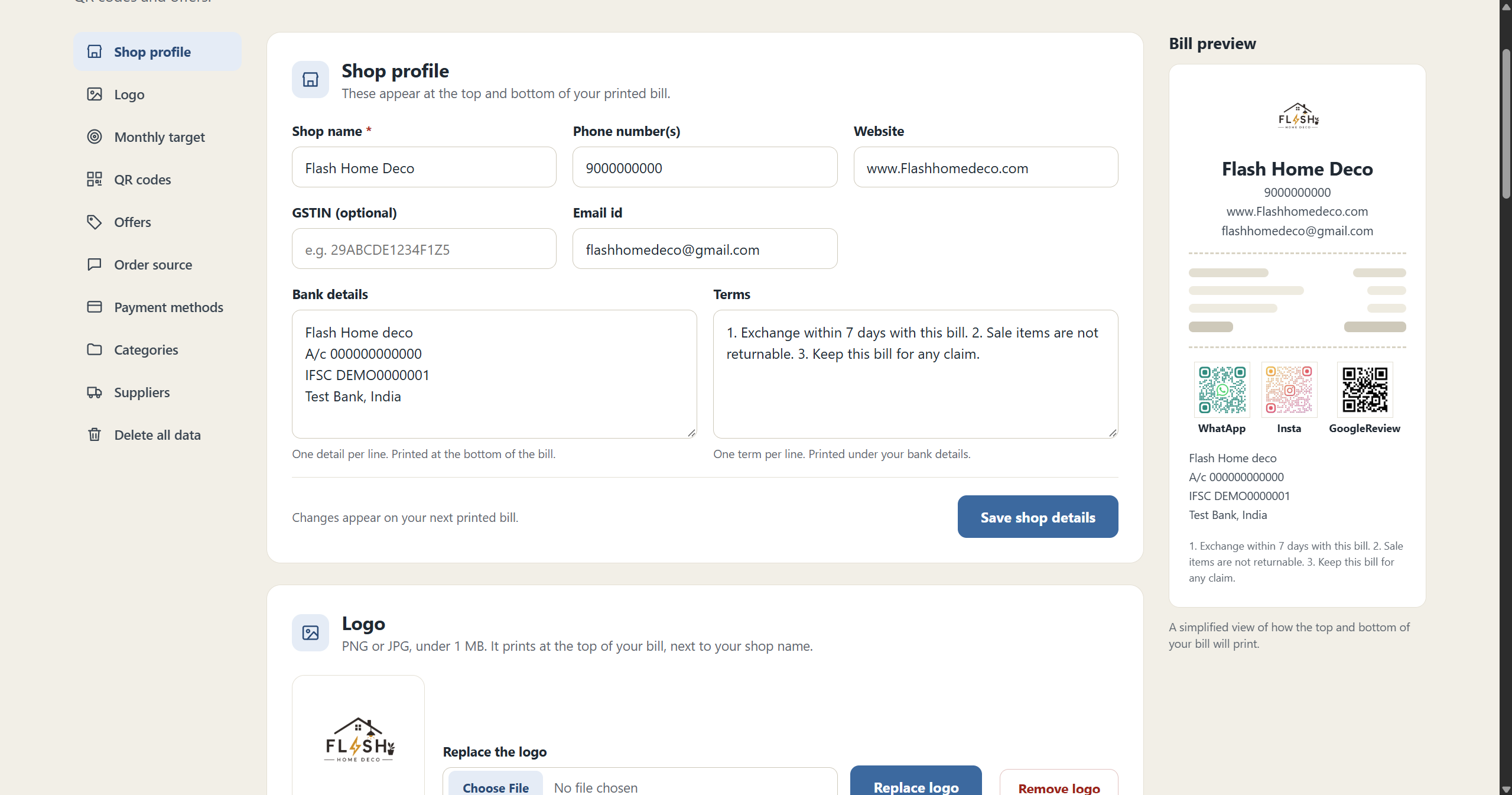
Shop Details 1: Edit shop name, contact, GSTIN, bank details and terms, and see a live bill preview. Logo and QR codes are managed here too.
-
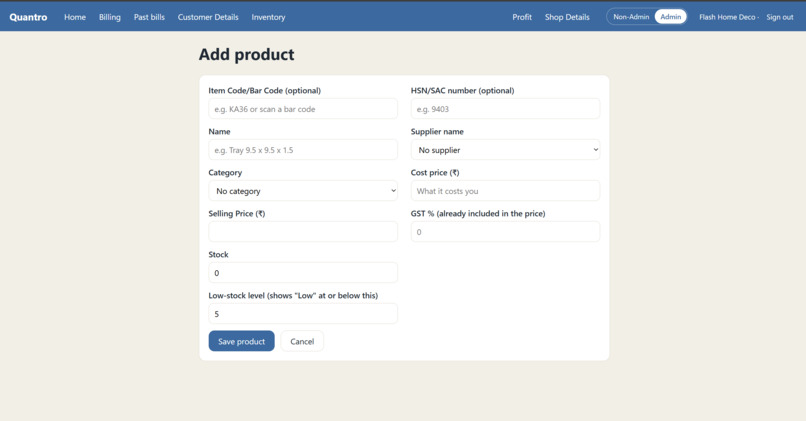
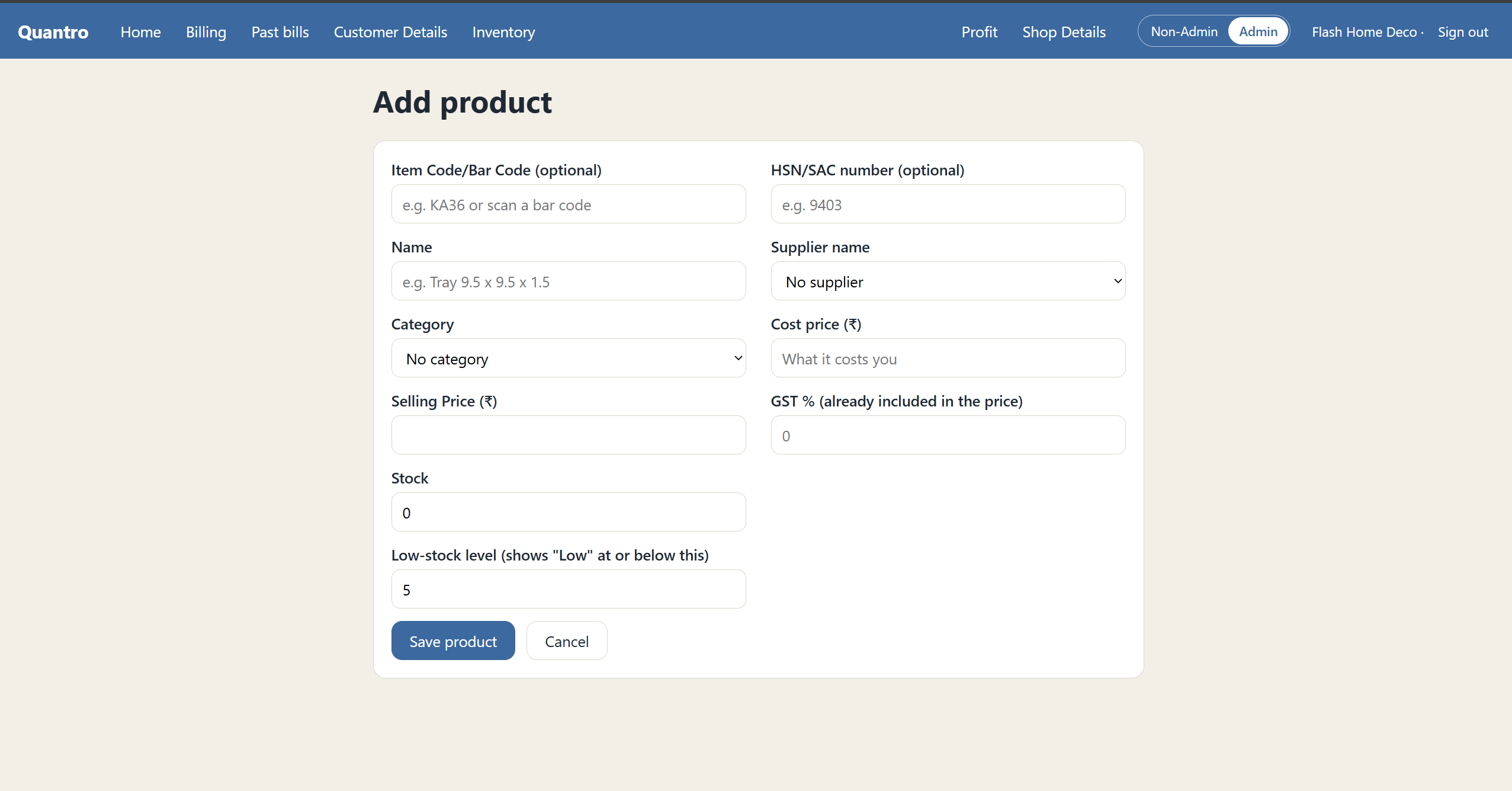
Add Products: Add new items with code, HSN, category, supplier, cost, selling price, GST %, stock and a low-stock alert level.
-
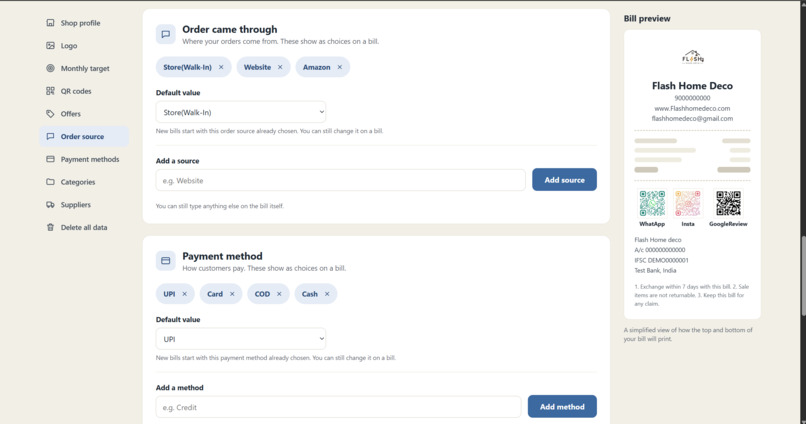
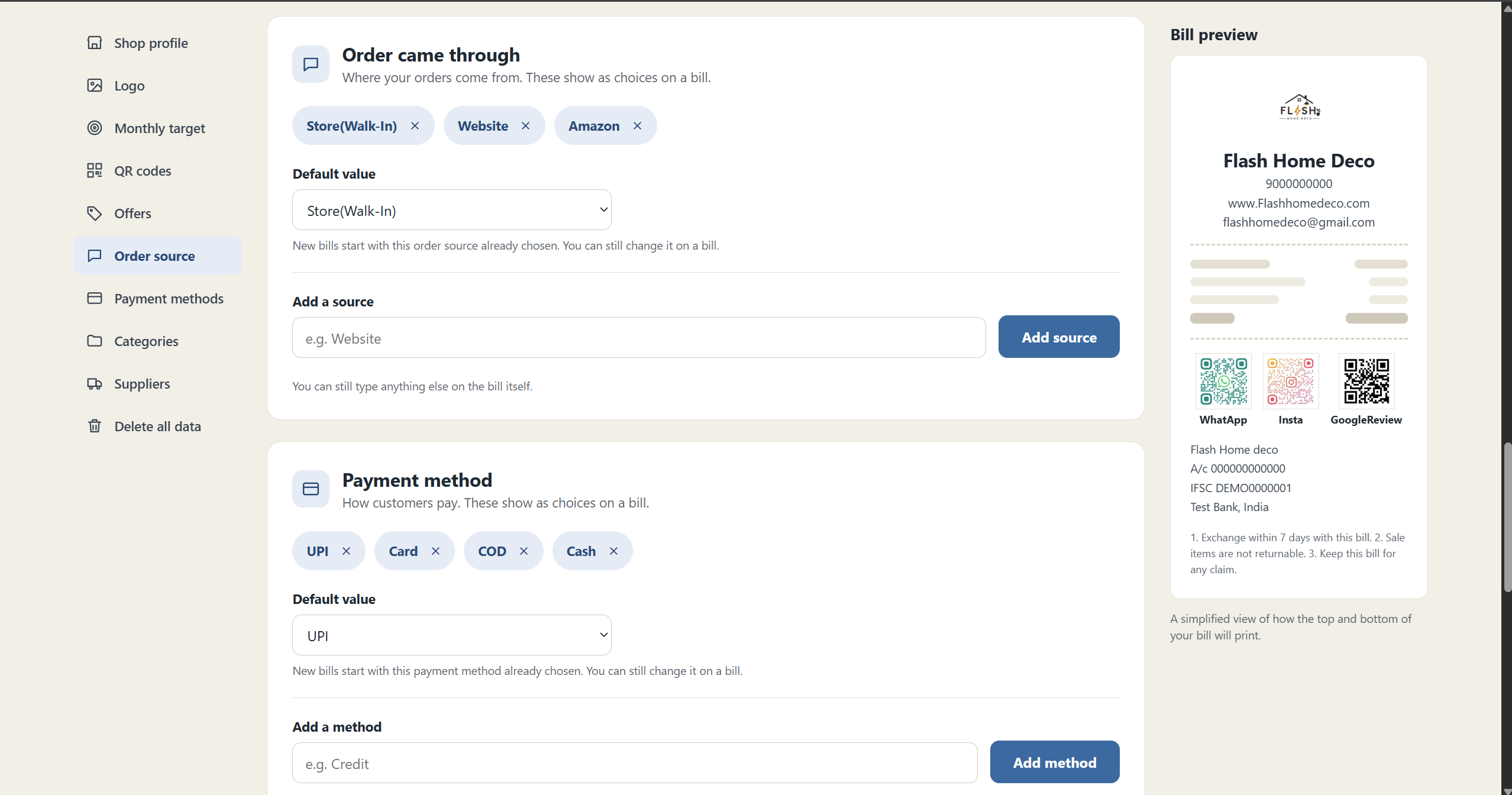
Shop Details 2: Customize order sources and payment methods with default values, shown as choices on every bill you create.
Inspiration
My mom runs a small shop, and I've seen how much work goes into managing everything manually — bills, stock, customer details, and figuring out how much she actually made at the end of the month. I wanted to build something that could make her day a little easier, without making her learn some complicated accounting software.
Two things stood out to me: creating bills for every sale can become repetitive and time-consuming, and figuring out the month's total sales, expenses, and profits can be a hassle. Keeping these records organised is also important when it comes to filing taxes. That inspired me to build Quantro, a simple billing and inventory management system designed to help small business owners generate bills quickly, keep track of their stock, and get a clear summary of their monthly business performance.
What it does
Quantro is a billing and inventory management app built for small shop owners who want to manage their business without the extra hassle.
- Quick and easy billing: Add products, apply discounts, select a payment method, and print an A5 bill with the shop's logo, bank details, GST, QR codes, and other necessary details. Bills can also be saved as drafts without affecting stock until they're finalised.
- Automatic stock updates: Once a bill is finalised, the stock updates automatically. The app also prevents sales from being completed when there's not enough stock available.
- Low-stock alerts: Get notified when products fall below their minimum stock levels, helping shop owners restock essential items before they run out.
- Flexible discounts: Apply offers to individual products or the entire bill, with category exclusions to avoid giving the same item multiple discounts.
- Customer insights:Maintain customer records and access their previous bills to identify loyal and high-value customers based on their purchase history, helping shop owners better understand their customers.
- Simpler inventory management: Import products from Excel, filter them by supplier or category, and edit product details easily. The import process also checks for missing categories and duplicate item codes.
- 360° business insights: Keep track of customers and their previous bills, monitor monthly sales targets on the Home page, and check profits after accounting for GST and product costs.
How I built it
Quantro uses Python and Flask for the backend, SQLite for the database, and HTML, CSS, and JavaScript for the frontend. We also used pytest to test the app. I used Claude Code and the Devpost skill pack as development tools while building Quantro. I first worked on defining the app's requirements and planning its features, then developed the different components iteratively, testing and refining them along the way to make sure they worked together as intended.
Challenges I ran into
- Getting the bill printing right: Making the A5 printout look like an actual shop bill, with the header and footer on every page and the totals appearing only on the last page, took some work.
- Getting the database right: Every customer, product code, and bill needed a unique identity. Initially, customers were matched by name, which caused problems when two customers had the same name.
- Handling GST: We needed to show GST on the printed bill and make sure it was accounted for correctly when calculating profit.
- Making discounts work together: Product-level and whole-bill discounts had to work without accidentally discounting the same item twice.
What I am proud of
- Building a working app that takes you from login all the way to billing, inventory management, and profit tracking.
- Getting the printed bill to look familiar to shop owners who are used to paper bills.
- Making Excel imports catch common errors before they mess up the inventory.
- Adding category exclusions for whole-bill discounts to make offers more flexible.
What I learnt
One of my biggest takeaways was that building an app isn't just about getting the features to work. You also have to think about how people will actually use them. Working with an AI coding tool taught me to be more specific with my instructions, break bigger tasks into smaller ones, and test changes instead of assuming everything works. I also learned the importance of good database design — two people having the same name shouldn't mean the app treats them as the same customer.
What's next for Quantro
There's still a lot I'd like to add to Quantro:
- Smarter pricing: Use product names and categories to help suggest selling prices and provide market price comparisons when the cost price is entered.
- Supplier price history: Track how supplier prices change over time to make comparisons easier.
- Customer loyalty offers: Offer discounts to customers who have placed more than eight orders.
- Regional language support: Make the app accessible to shop owners who are more comfortable using their own language.
- Staff access: Let shop owners create accounts for their shops and give employees access only to the features they need.


Log in or sign up for Devpost to join the conversation.