Inspiration
Every student knows the drill. You're stuck on a topic — say, quantum tunneling — and the learning process turns into a scavenger hunt across a dozen tabs. You Google the concept and skim a Wikipedia article for the theory. Then you jump to YouTube for a video that actually shows what's happening. Then you hunt for a diagram to make sense of the flow. Then you open PhET Colorado to play with a simulation and feel the variables move. Then you try to find an image that clicks. And somewhere in between, you quiz yourself — if you even remember to.
I lived this loop myself. For a single topic, I'd open five or six different platforms, each doing one thing well but none doing them together. The friction wasn't just time — it was cognitive. Every context switch pulled me out of the learning flow. I'd lose the thread between the theory I just read and the simulation I was trying to interpret.
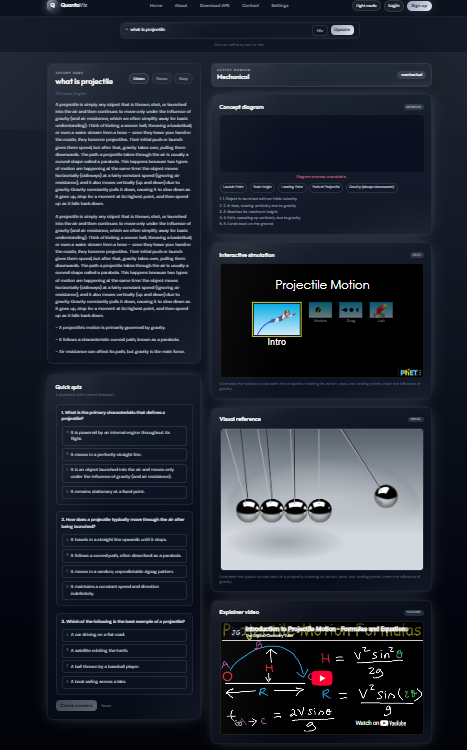
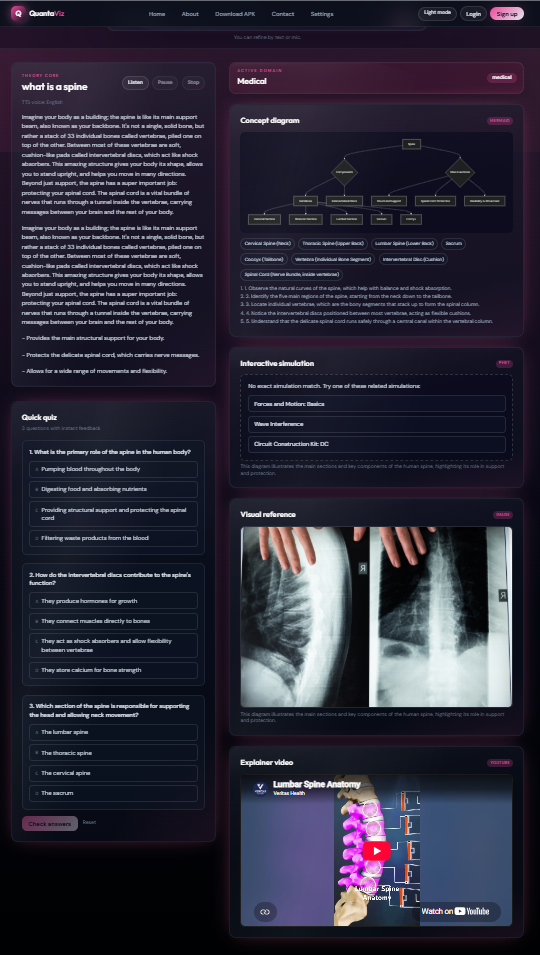
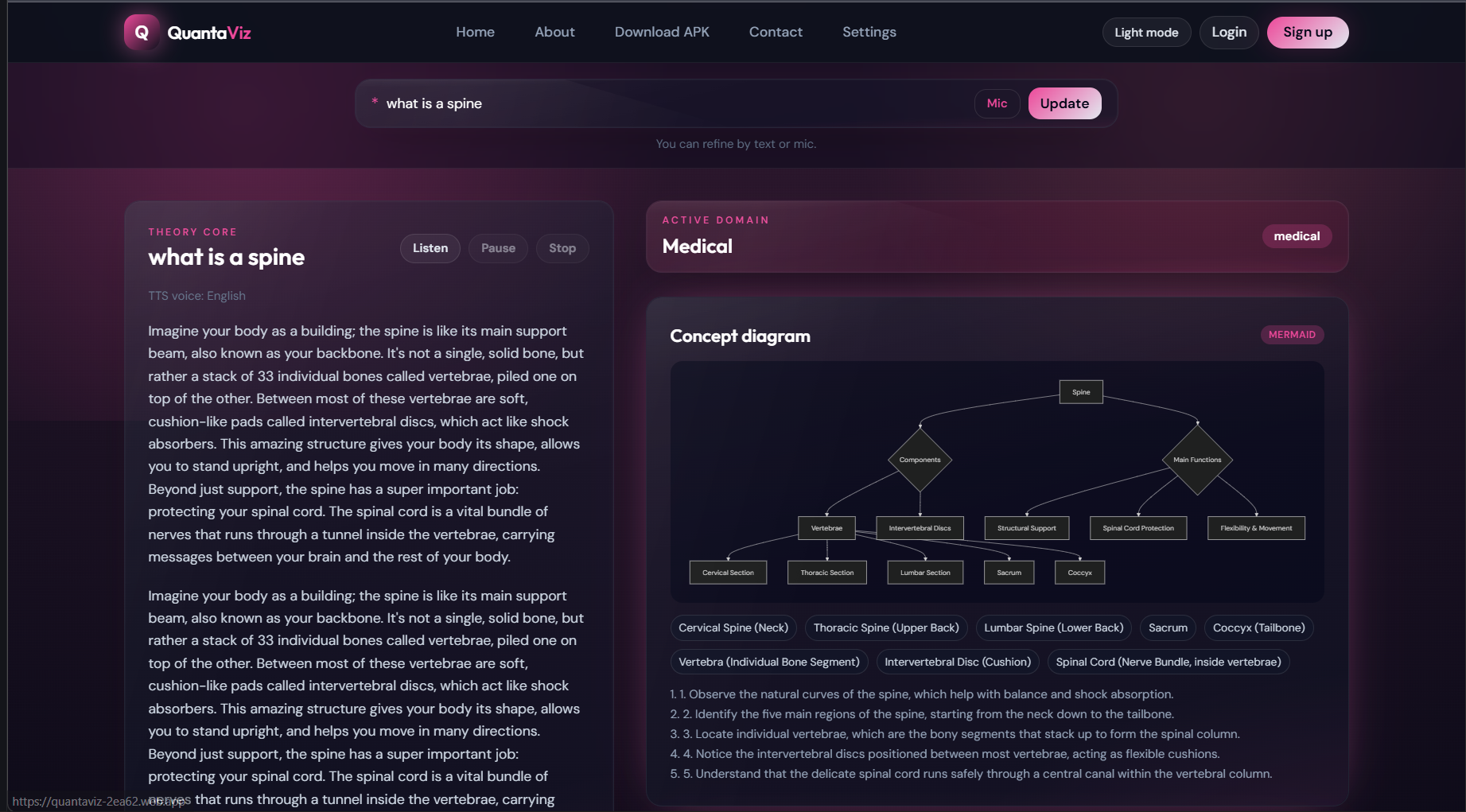
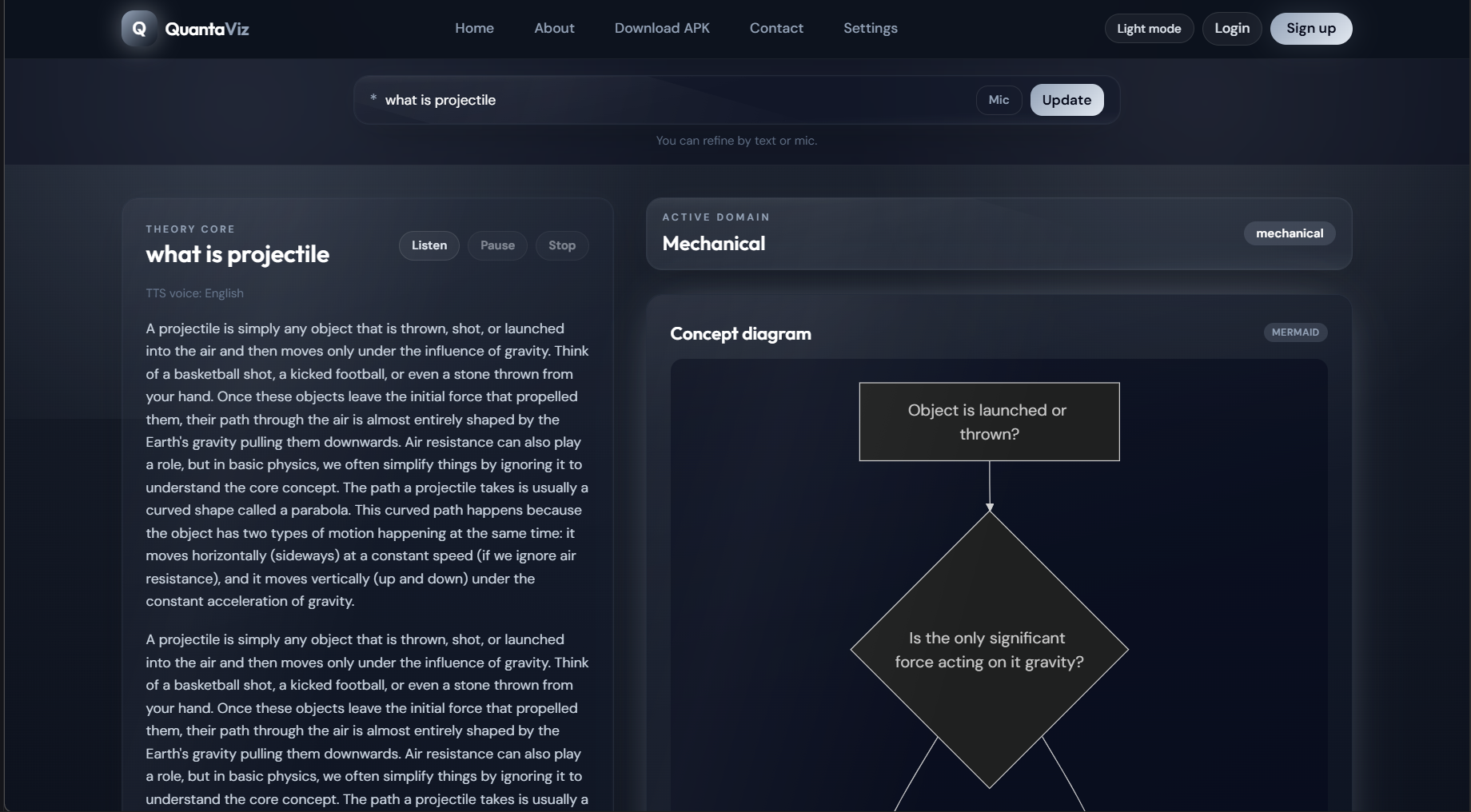
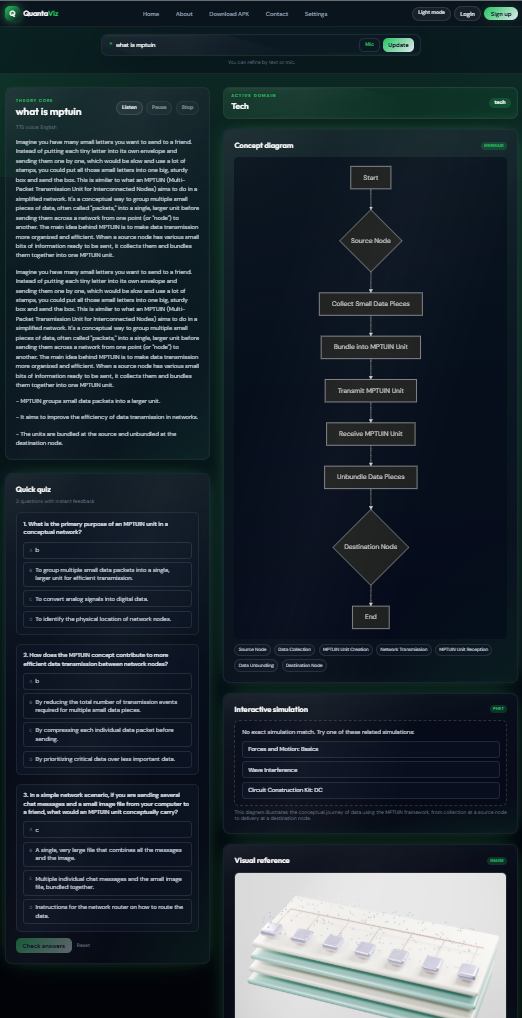
That frustration became the core question behind QuantaViz: What if one search could assemble every format a student needs — theory, diagrams, 3D visuals, interactive simulations, videos, images, and quizzes — on a single page, adapted to the subject?
What it does
QuantaViz started as a personal frustration with fragmented learning and became a platform that puts theory, diagrams, 3D, simulations, videos, images, and quizzes behind a single search bar. The goal was simple: one topic in, everything a student needs out — themed, safe, and adaptive.
How we built it
Architecture Overview QuantaViz is a full-stack application with a React frontend, a FastAPI backend, and Firebase for auth, database, and hosting. Frontend (React 19 + Vite + Tailwind CSS) The frontend is the heart of the app. When a user searches a topic, several things happen in parallel and in sequence:
Domain detection — A keyword-weighted scoring engine (domainDetector.js) classifies the query into one of 12 domains. Strong keyword matches score $5$ points each; weak matches score $2$. The highest-scoring domain wins, and if nothing clears zero, it defaults to "General."
AI generation — conceptApi.js builds a structured prompt that instructs the AI to return strict JSON with an explanation (2 paragraphs + 3 bullets), a Mermaid flowchart, a visual type (diagram / animation / simulation / none), visual metadata, and 3 quiz questions. It calls Gemini first, and falls back to Groq (Llama 3.1) if Gemini fails or returns unparseable output.
Normalization — The raw AI response goes through a normalization pipeline that ensures the explanation has the right structure (padding short paragraphs from a sentence pool), fixes quiz answer alignment (matching the answer field to one of the four options), validates the domain against an allowlist, and checks quiz topical relevance.
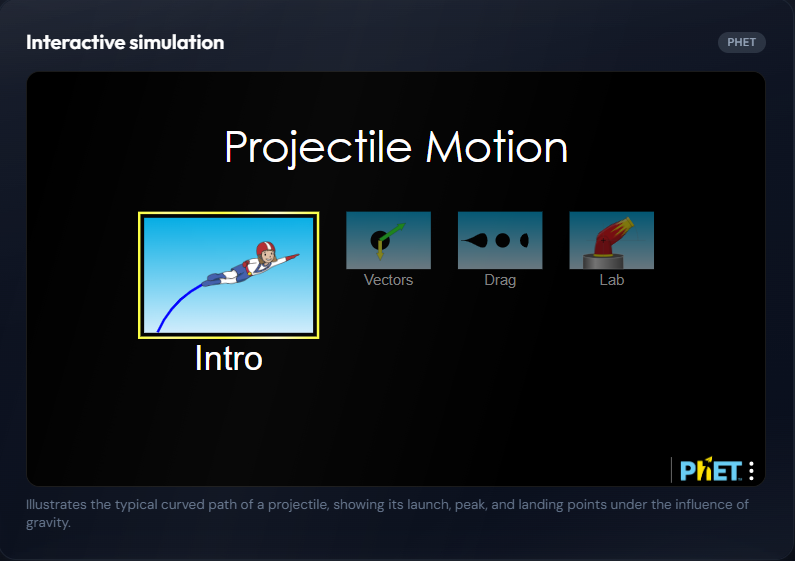
Media fetching — mediaApis.js fires three parallel requests: YouTube Data API for an explainer video, Pexels API for a relevant image (with domain-specific query hints like adding "microscope" for biology or "circuit" for electrical), and NASA's APOD API for space/astronomy topics specifically.
Theming — ThemeContext.jsx reads the active domain from domainCatalog.json and injects CSS custom properties (--qv-accent, --qv-accent-soft, --qv-accent-glow, --qv-domain-surface, --qv-domain-aura) into the document root. The entire page — accents, gradients, button colors, background aura — re-themes instantly as the domain changes.
3D scene selection — Model3DPanel.jsx parses the visual description for keywords and picks a Three.js scene mode: atom (icosahedron), orbit (torus knot), motion (capsule with oscillation), or energy (sphere). Each mode has its own rotation, scaling, and position animation driven by useFrame.
Backend (FastAPI + Python) The backend ( main.py ) mirrors the frontend's AI logic for cases where server-side generation is preferred. It exposes a single GET /generate?topic=... endpoint that:
Runs the same unsafe-query detection (keywords + regex) Builds the same structured prompt Calls Gemini then Groq with fallback Parses and normalizes the JSON response Returns a validated payload or a rejection/error payload Authentication & Persistence (Firebase) Google Auth via Firebase — users can sign in with Google to persist their data Firestore — stores search history and quiz progress per user, plus contact form submissions Local activity store — for unauthenticated users, search history is kept in localStorage Firebase Hosting — the production build deploys to Firebase Hosting with SPA rewrites and long-term asset caching Deployment The build pipeline is a single script:
bash
npm run build && firebase deploy --only hosting Vite builds the React app into dist/, and Firebase Hosting serves it as a SPA with all routes rewriting to index.html. A sync:phet script refreshes the PhET simulations index from source when needed.
Challenges we ran into
- AI Output Reliability The biggest challenge wasn't calling the AI — it was trusting the response. LLMs would sometimes return quizzes about study skills instead of the topic, wrap JSON in markdown code fences, return visual_data as a string instead of an object, or provide quiz answers that didn't match any of the four options.
I solved this with a multi-stage normalization pipeline:
extractJsonBlock() strips code fences and does brace-depth counting to extract the first valid JSON object normalizePayload() validates and coerces every field — domain against an allowlist, visual_type against known values, quiz options padded to exactly 4, answer matched to an option (and injected if missing) isTopicRelevantQuizItem() filters out generic questions and checks keyword overlap, with a fallback to a synthesized topic-specific quiz
- Simulation Matching Accuracy Naive substring matching produced terrible results — searching "wave" would return the first simulation with "wave" anywhere in its title, ignoring relevance. I iterated through several approaches:
Attempt 1: Simple includes() matching — too many false positives Attempt 2: Tokenized matching with whole-word boundaries — better, but missed synonyms (e.g., "velocity" should match "motion" sims) Attempt 3 (final): Multi-signal scoring with synonym expansion, bigrams, phrase boosts, intent overrides, and confidence thresholds. The key insight was adding a coverage ratio $\left(\frac{\text{token hits}}{\text{total tokens}}\right)$ and requiring both a minimum score and minimum coverage before returning a direct match, otherwise falling back to suggestions.
Safe Content Filtering Without an External API I didn't want to depend on a third-party moderation API, so I built a dual-layer filter: a keyword set for obvious terms across six categories, plus regex patterns for grammatical variants (e.g., "how do I kill someone" vs. just "kill"). The patterns are normalized (lowercased, punctuation stripped) and checked sequentially. This isn't perfect, but it catches the common cases and runs instantly on both client and server.
Cross-Provider JSON Compatibility Gemini and Groq return responses in different envelope structures. Gemini wraps text in candidates[0].content.parts[0].text, while Groq uses choices[0].message.content. They also handle response_format differently. I abstracted each provider behind a callGemini() / callGroq() function that returns raw text, and a shared extractJsonBlock() + JSON.parse() pipeline handles the rest.
3D Scene Relevance Without a 3D Model Library I didn't have the resources to build or source topic-specific 3D models. Instead, Model3DPanel infers a scene mode from keywords in the visual description — "atom" / "electron" triggers an icosahedron, "orbit" / "planet" triggers a torus knot, "velocity" / "motion" triggers an oscillating capsule, and everything else gets a breathing sphere. It's abstract, but it gives every topic a dynamic, domain-colored 3D element without requiring a model pipeline.
Accomplishments that we're proud of
What we learned
Building QuantaViz taught me several lessons that went beyond what I expected:
LLM output is unreliable by default, so you have to engineer around it. I learned that simply asking an LLM for "a quiz" produces generic, off-topic questions about study habits instead of the actual subject. I built a topic-relevance validator that checks whether each quiz question actually mentions the topic or its core terms, and if the AI-generated quiz fails that check, the system synthesizes a topic-specific quiz from the explanation text itself. The lesson: don't trust AI output — verify it.
Theming should be data-driven, not hardcoded. Rather than writing CSS conditionals for 12 domains, I built a domainCatalog.json that maps each domain (medical, chemistry, quantum, mechanical, etc.) to a full color palette — accent, glow, surface, and even background aura gradients — applied via CSS custom properties. One file, twelve moods, zero conditionals in components.
Search ranking is its own discipline. Matching a free-text topic like "how does a projectile move" to the right PhET simulation required me to build a mini search engine — tokenization, stemming, synonym expansion, bigram scoring, phrase boosts, and intent overrides. I learned that naive string matching fails badly, and that a multi-signal scoring approach with confidence thresholds dramatically improves relevance.
Safety has to be layered. A single keyword filter misses edge cases. I combined keyword lists with regex patterns for six categories (violence, self-harm, illegal, adult, hate, dangerous) on both the client and the backend, so unsafe queries are caught and rejected gracefully before any AI call is made.

Log in or sign up for Devpost to join the conversation.