-
-
-
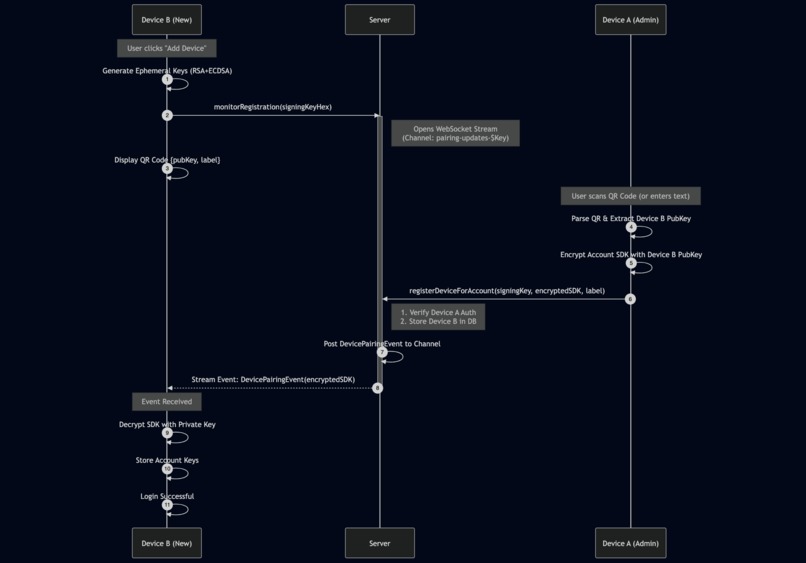
add device flow for cross platform e2ee sync using Serverpod web sockets
-
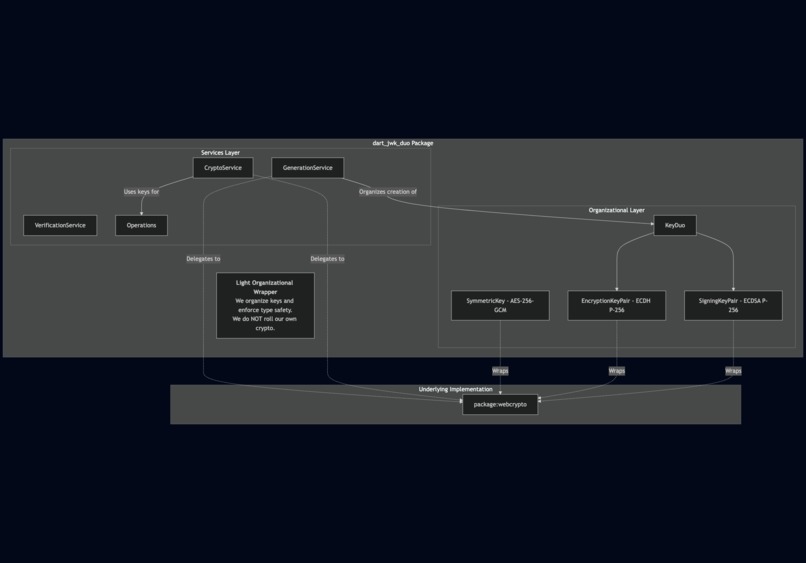
gpg-inspired JWK packaging enabling e2ee client side using flutter
-
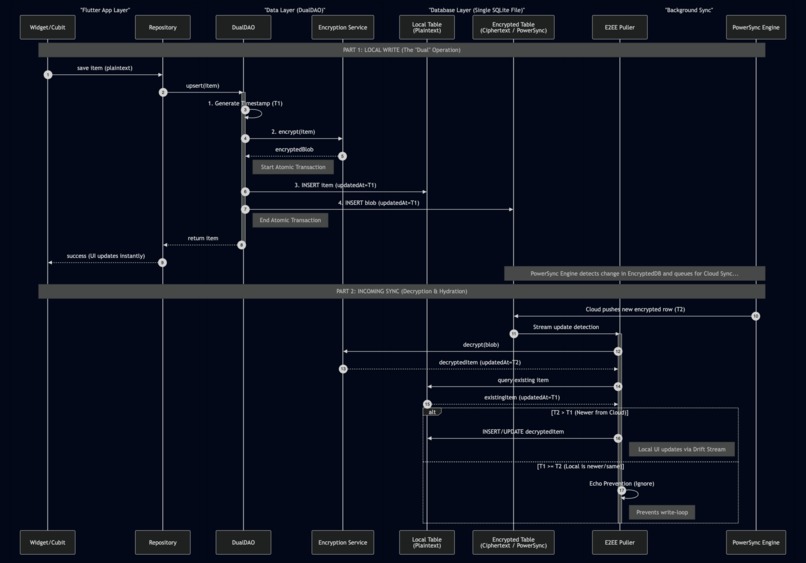
e2ee sync flow between Flutter, Serverpod, and Powersync in dart
-
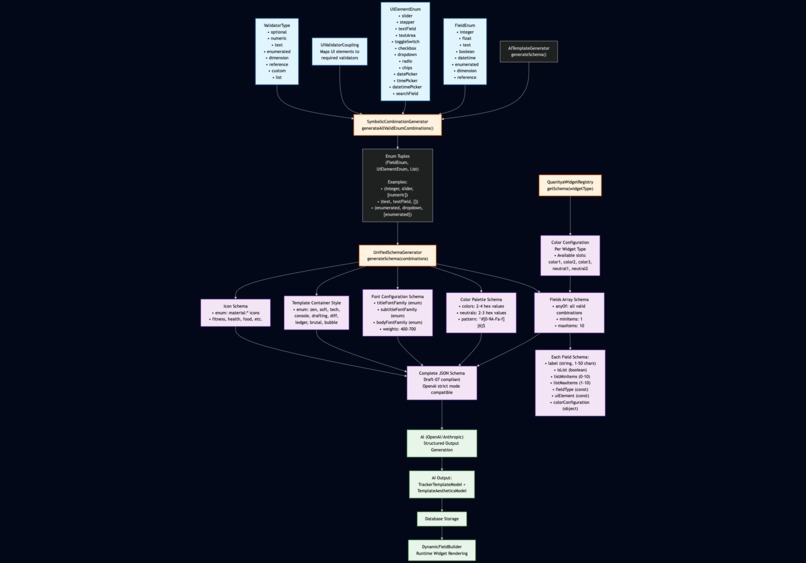
programmatic generation of json schema to enable llm structured output
-
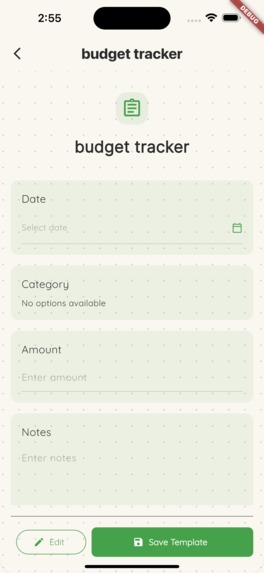
ai generated budget tracker template
-
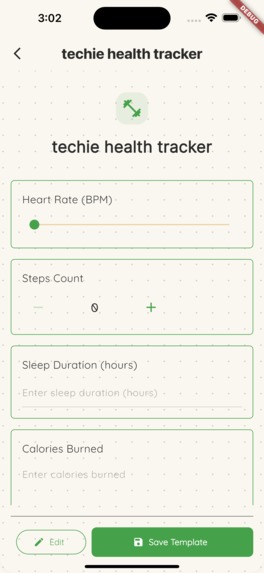
ai generated health tracker template
-
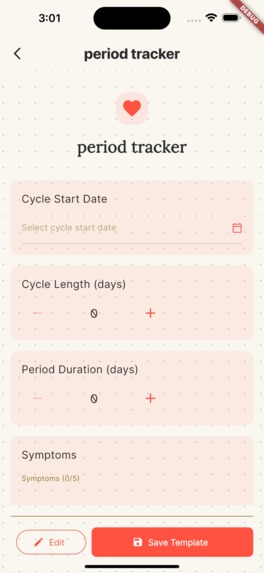
ai generated period tracker template
-
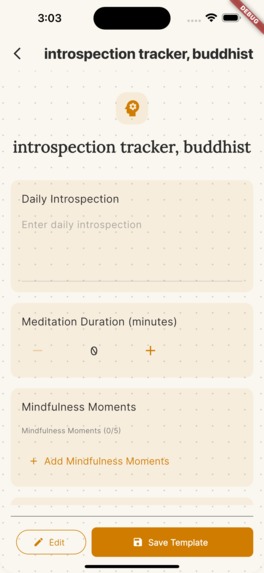
ai generated introspection tracker template
-
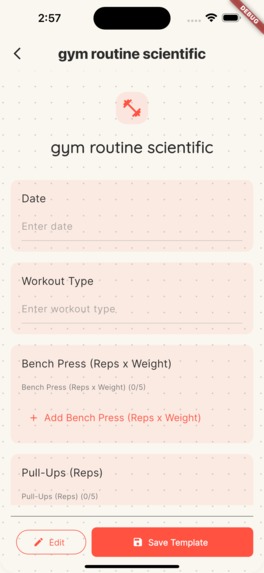
ai generated gym tracker template
-
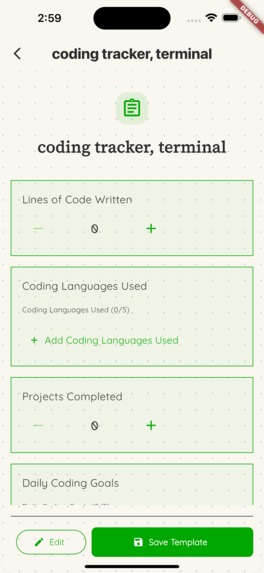
ai generated coding tracker template
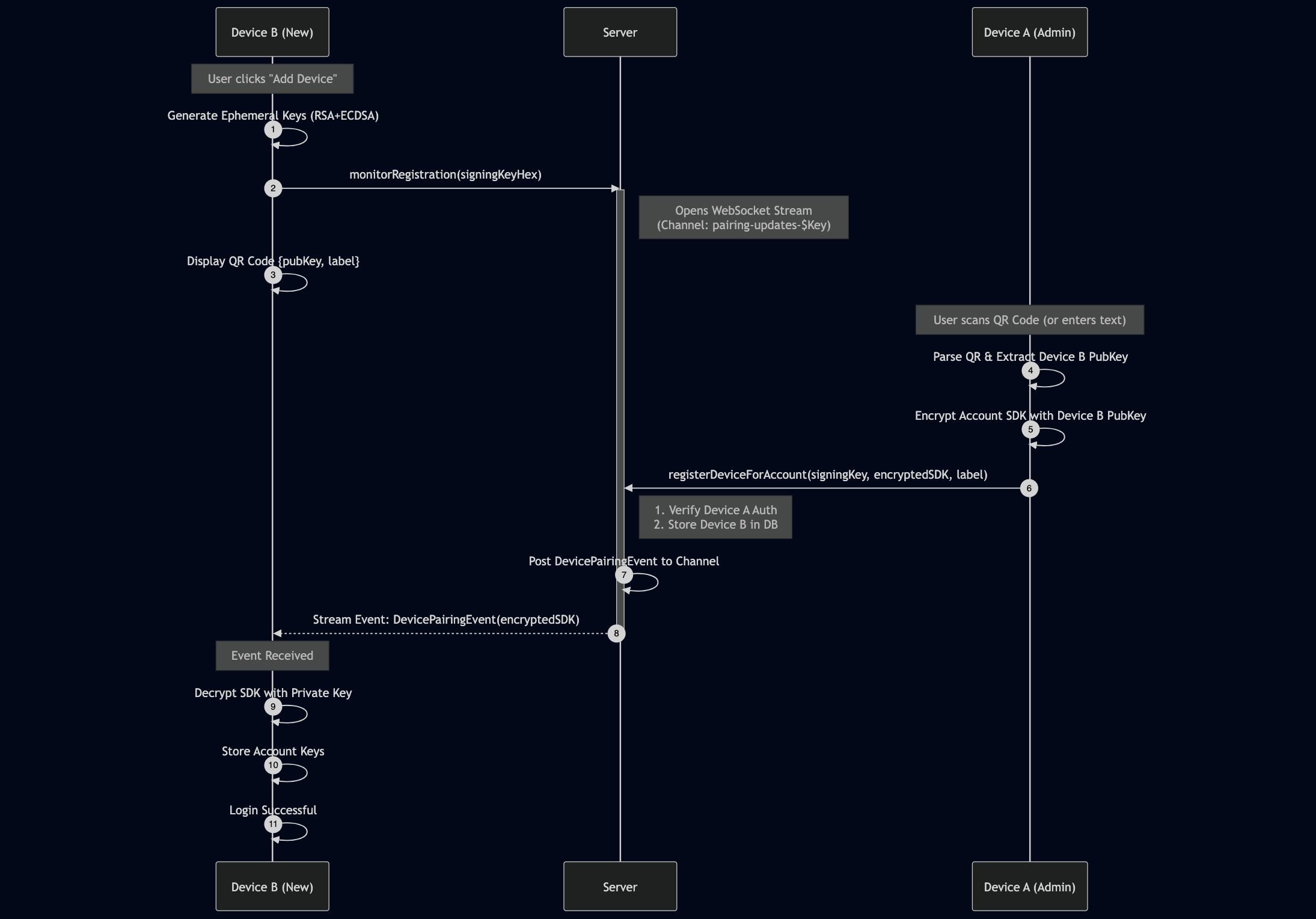
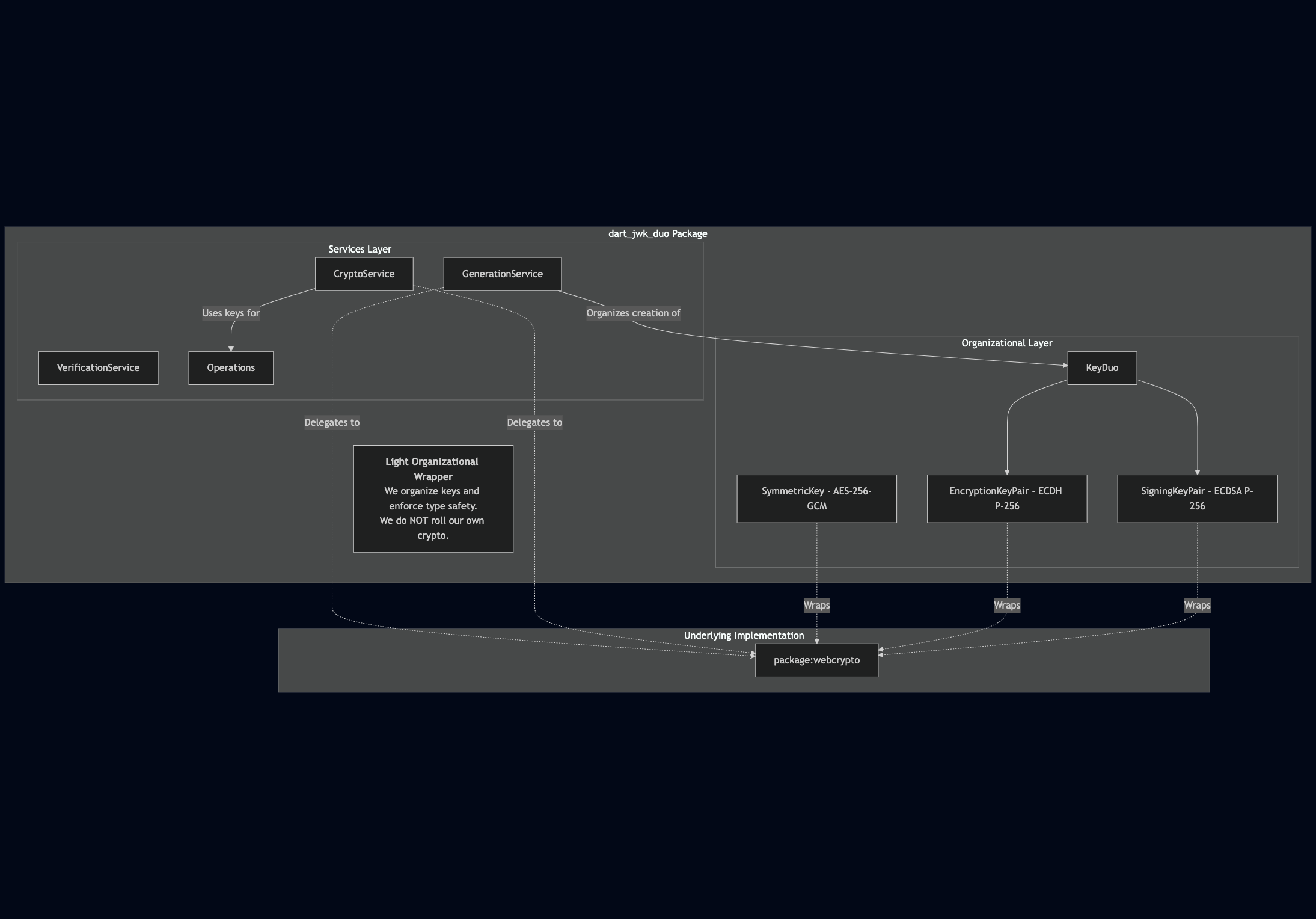
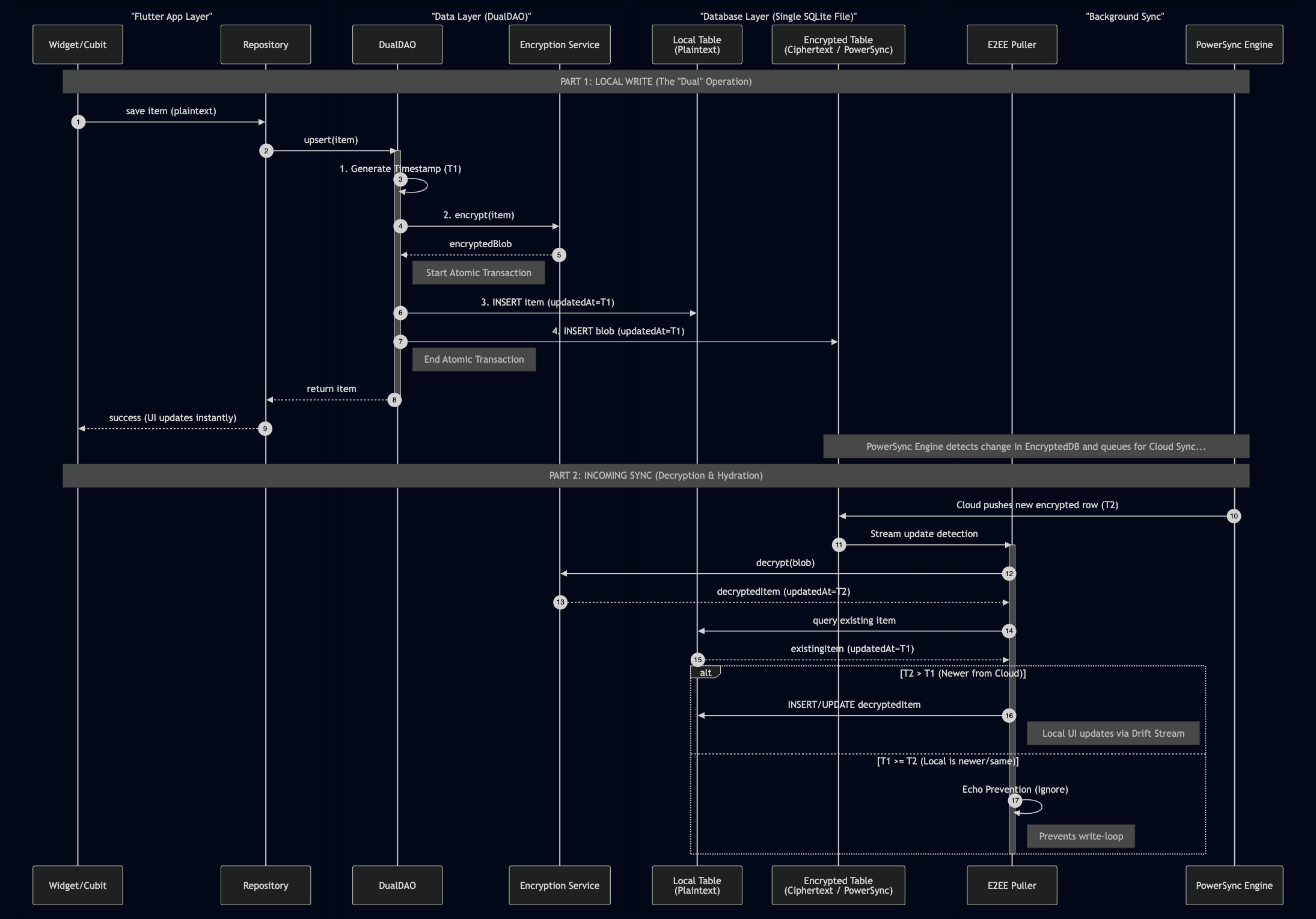
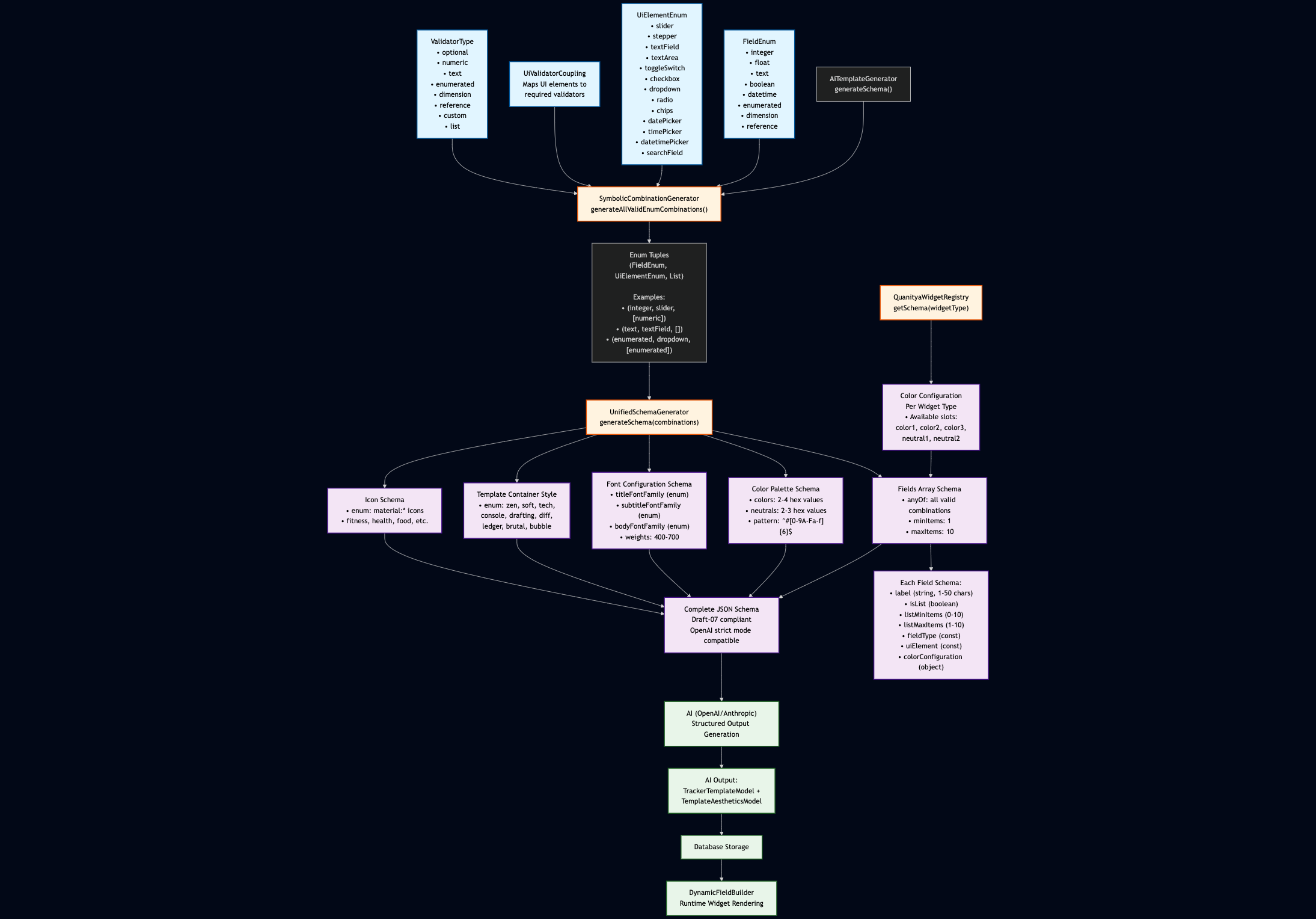
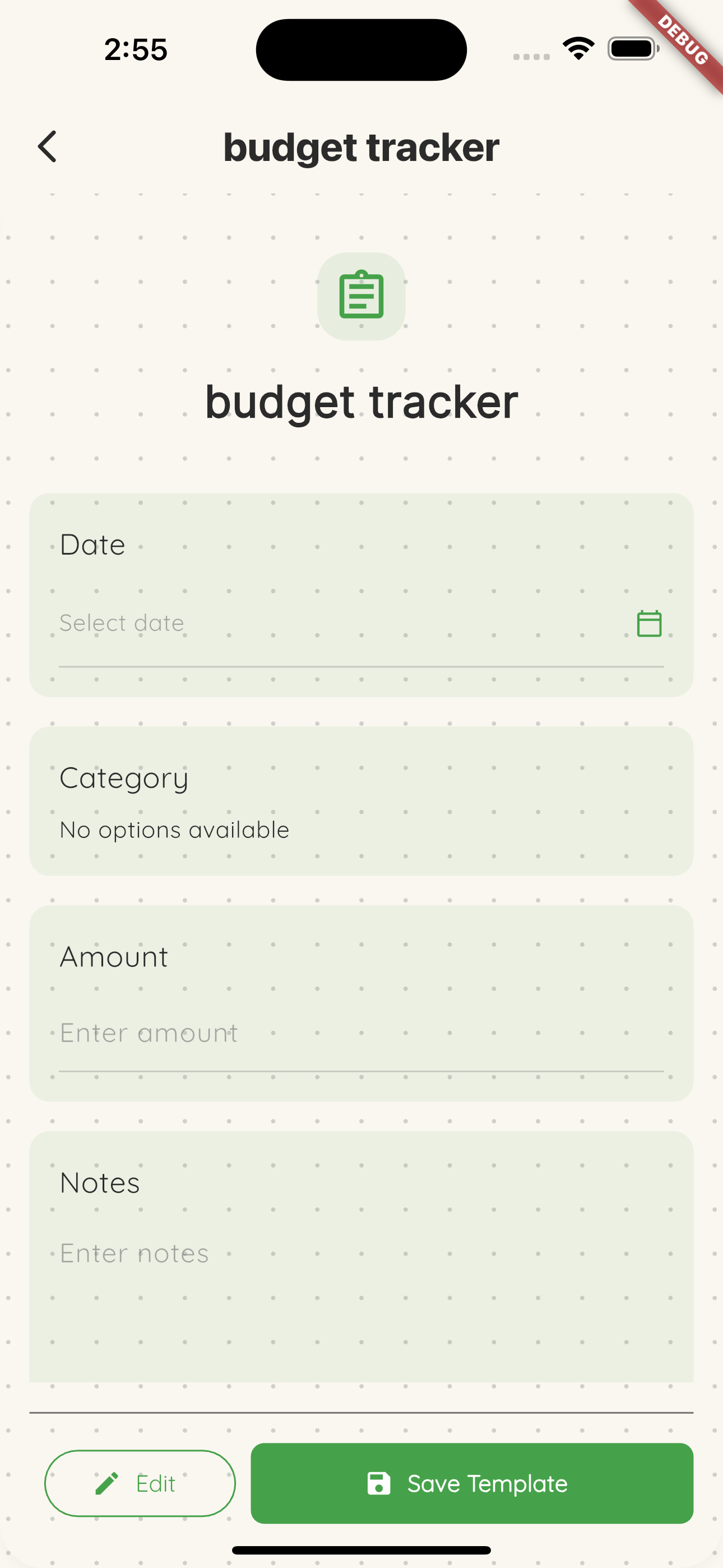
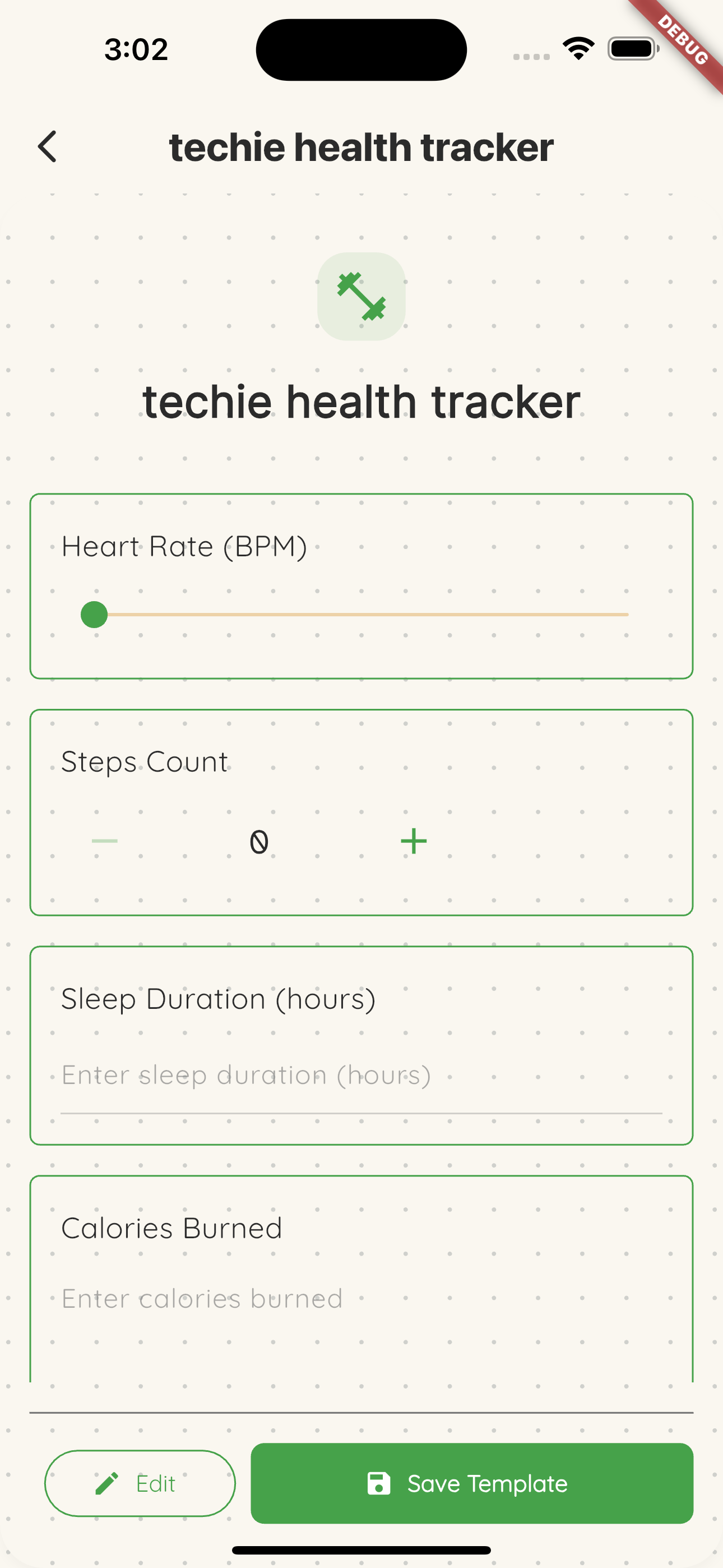
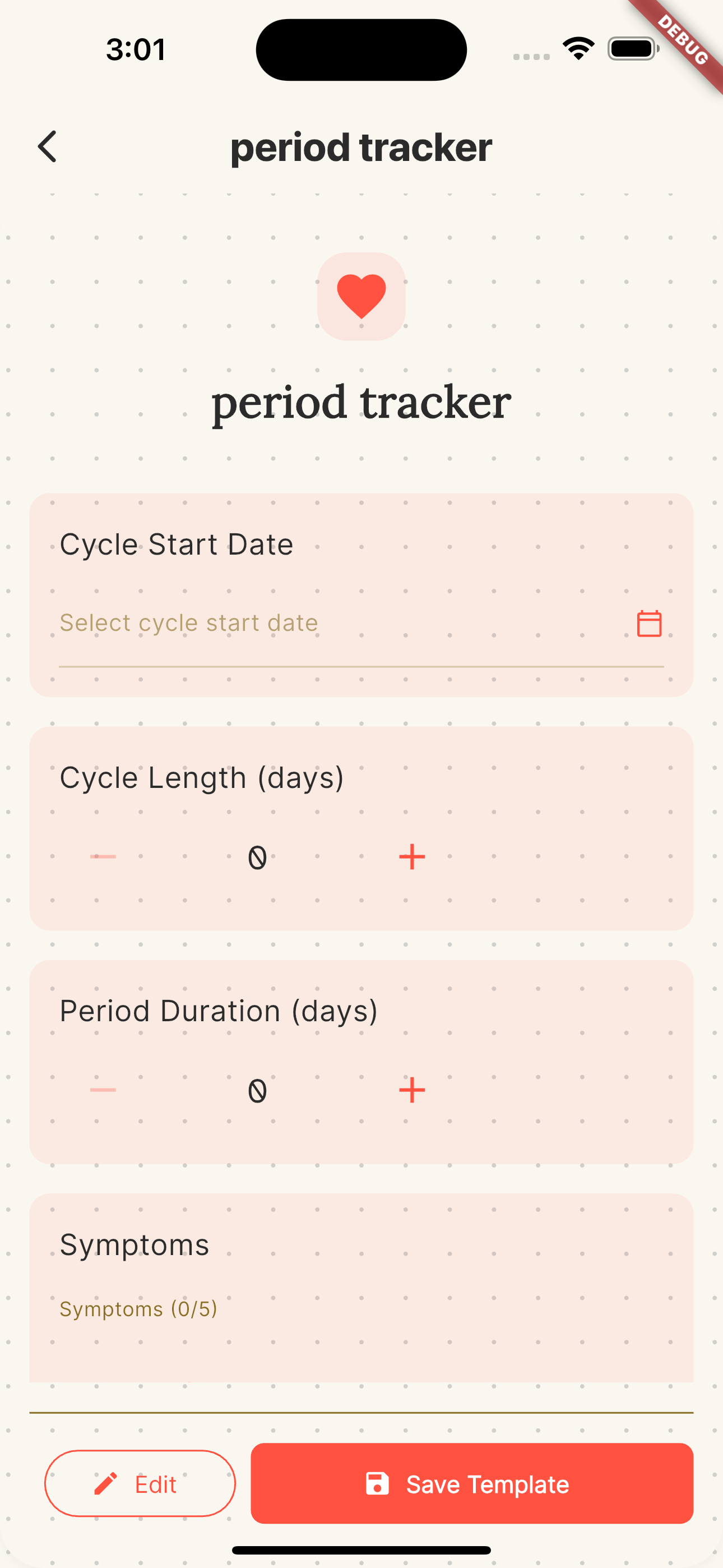
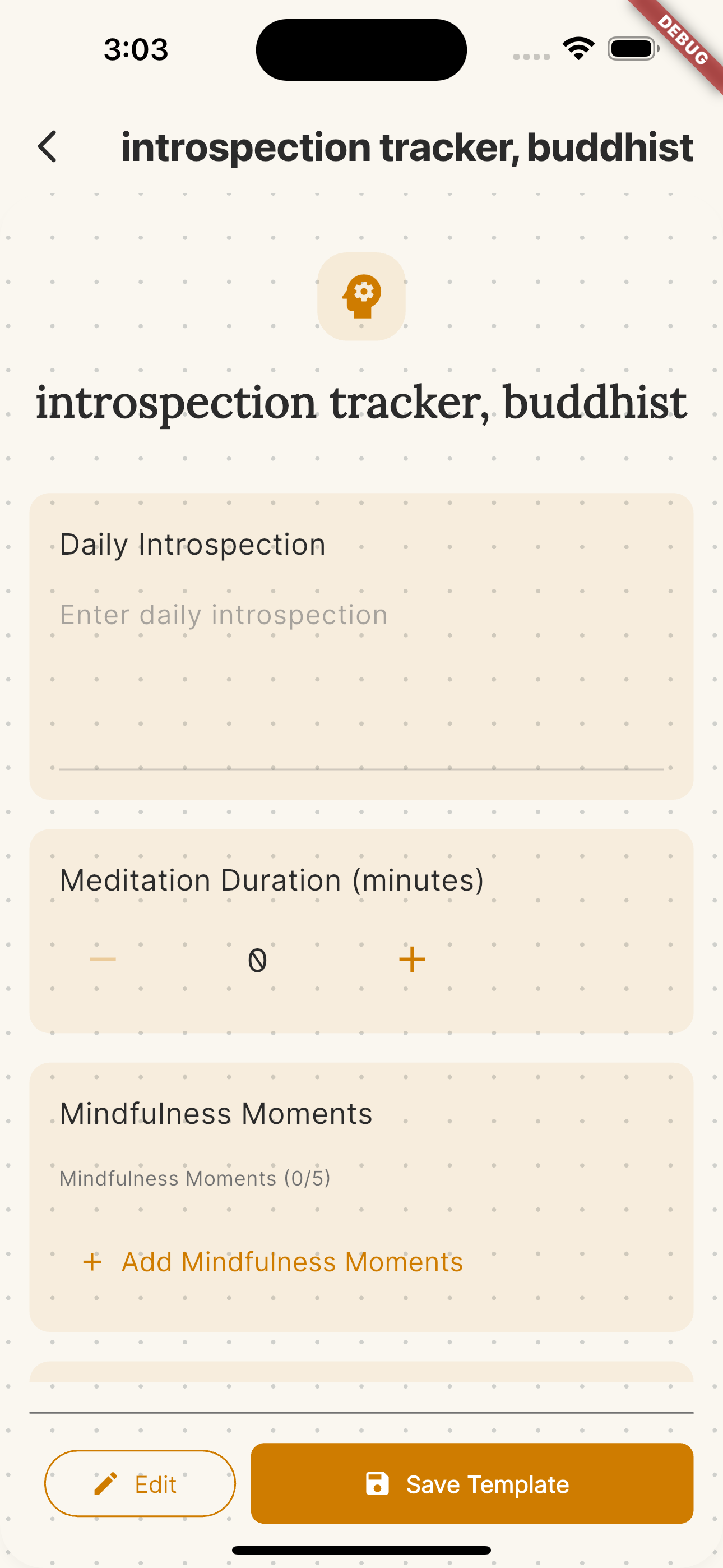
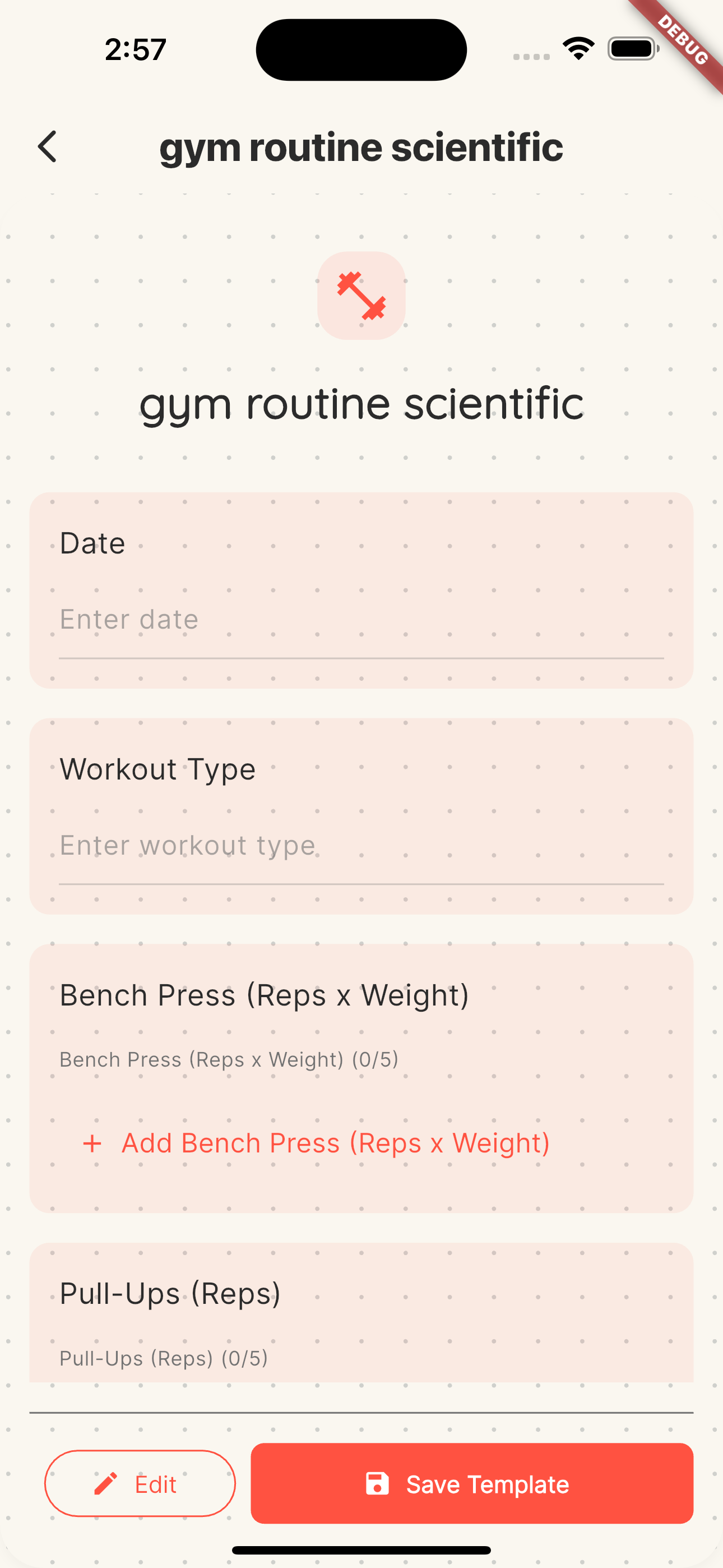
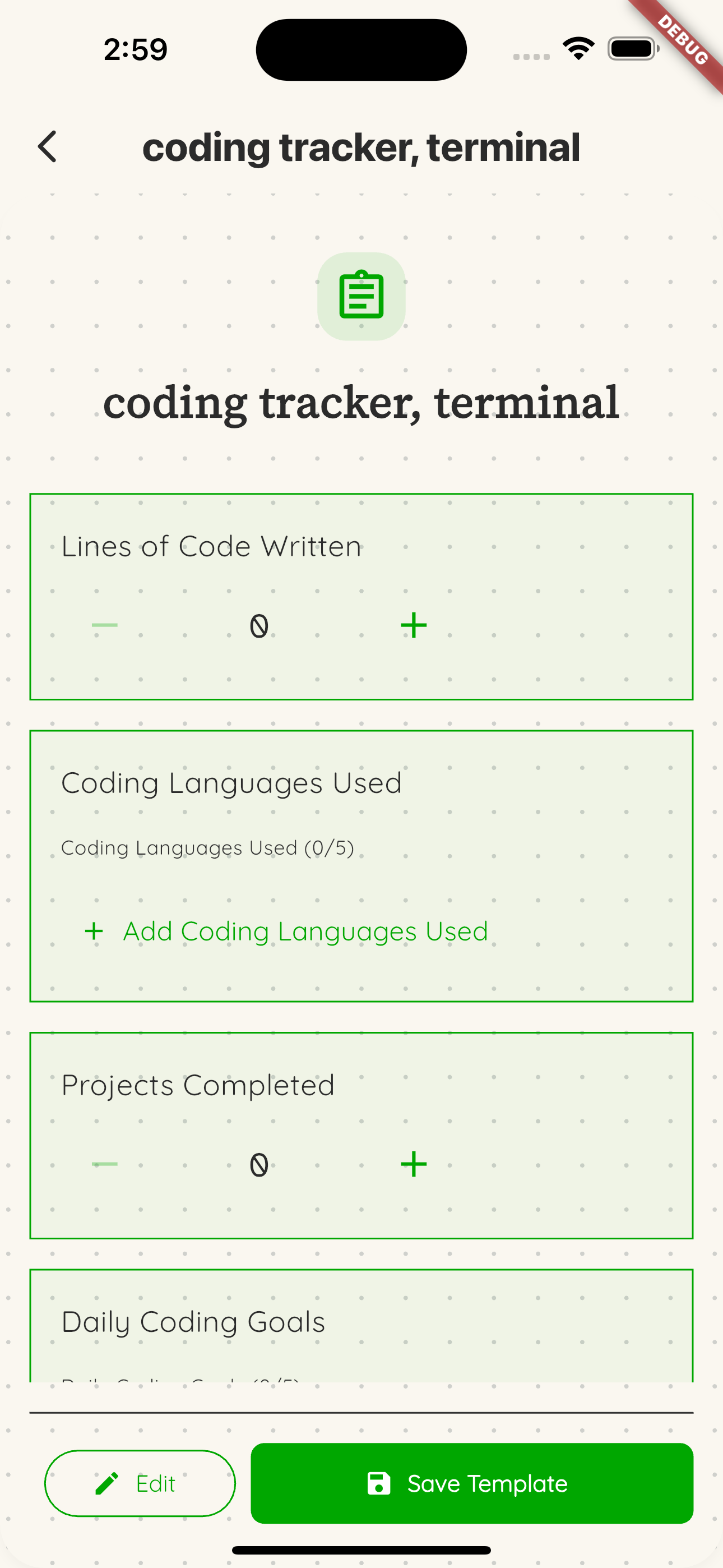
See attached .png files for diagrams of key flows and architecture.
Inspiration
The name Quanitya is a portmanteau of Qua- (Quantitative/Qualitative) and Anitya (Sanskrit for Impermanence).
I wanted to build a "Scientific Lab Notebook" for my life—a place to track everything from mood and weight to sleep and gratitude. However, I faced a philosophical conflict: To get deep insights, I needed to track deeply private data. To track private data, I usually have to give up privacy.
I was inspired to build the Silent Butler. A butler that organizes my messy human experience into structured data, generates beautiful templates for me, and syncs across all my devices—but unlike other digital assistants, it is mathematically incapable of reading my journal.
What it does
Quanitya is an End-to-End Encrypted (E2EE), offline-first self-tracking application.
- The "Butler" Experience: The app acts as a concierge. I simply tell the AI "I want to track my coding habits," and it generates a Type-Safe template complete with widgets, fonts, validation logic, and a custom aesthetic (like the "Console" hacker theme shown in my demo).
- A "Digital Lab Notebook": I moved away from sterile spreadsheets to a tactile "Paper & Ink" aesthetic. The "Zen" design elements make logging data feel personal and qualitative.
- Secure "Add Device" Ceremony: I can seamlessly add a new phone or tablet. The devices perform a cryptographic handshake to sync keys via a QR code scan/copy pasted JWK.
- Offline-First Sync: I can hike up a mountain, log my thoughts, and it will sync the moment I regain signal.
How I built it
I used Serverpod 3 as the secure orchestrator for an offline-first architecture.
1. Serverpod as the "Critical Authority"
- WebSockets for Device Pairing: As seen in the demo, I avoided inefficient polling. I used Serverpod's streaming connections to handle the "Add Device" workflow. When a user enters/scans the code, the server opens a real-time channel to facilitate secure key transfer so that both devices can encrypt/decrypt the same data.
- Custom Crypto-Auth: I bypassed standard auth for a custom ECDSA P-256 challenge-response system. Serverpod manages the public keys and verifies identity without ever touching a password or private key. The user is identified purely by the public key. There is no personal information required.
2. The Sync Layer (PowerSync)
- Serverpod manages the PostgreSQL database and issues tokens that allow PowerSync to handle the offline-first replication of encrypted blobs to the local SQLite database (Drift) on the Flutter client.
3. Privacy-Preserving AI Analysis
- I built a data-widget-color-style template tracker that an AI can create with a prompt. The AI generates the template but cannot access the data that goes into the tracker.
- I built a Matrix-Vector-Scalar (MVS) analysis engine (work in progress). The goal is that when a user asks for insights (e.g., "What is my average coffee intake?"), the app sends only the data labels (e.g., "Coffee", "Timestamp") to the AI—never the values.
- The AI returns a "Calculation Recipe".
- The Flutter app executes this recipe locally on the private data. The AI provides the logic; the user keeps the secrets.
Challenges I ran into
- The "Key Ceremony": Designing a secure way to sync the "Symmetric Key" to a new device was the hardest technical hurdle. I had to ensure that if a user loses a device, they don't lose their data, but if a hacker breaches the server, they get nothing. I implemented a 3-tier key system: Ultimate Key Device Keys Symmetric Keys.
- Complex JSON Schemas: To allow the "Butler" to generate any kind of tracker (Boolean, Text, Dimensions, Enums) while keeping the UI structured, I had to build a robust json schema generator system that enables structured output from an LLM. This ensures valid choices and eliminates hallucinations and retries.
Accomplishments that I'm proud of
- Verifiable Privacy: As shown in my demo video, I can query the database and see only encrypted blobs. The server truly knows nothing.
- The "Zen/Scientist/Monk" UI: I am particularly proud of the visual design. I designed the app to feel like a calming, physical object, a neutral scientific lab notebook rather than an app. However, notebooks are made to be personalized and I built a system that hands the "pen" to the user: for every template tracker, they can select specific fonts and color palettes. It replicates keeping a journal where you write in your own handwriting (fonts) with your own writing utensils (colors).
What I learned
- WebSockets > Polling: Serverpod's streaming connections were really uplifted the device handshake. It made the UX feel instant and premium.
- Dart Full-Stack: Sharing the cryptography logic and API definitions between the Flutter app and the Serverpod backend allowed me to catch errors before even running the code. Type safety across the wire prevented countless bugs.
- Reusable Dart Libraries: Modularized parts of Quanitya.
- The Flutter organized JWK wrapping around https://pub.dev/packages/webcrypto: https://github.com/qtpi-bonding-org/dart_jwk_duo
- The Serverpod authentication by public key (anonymous sign up): https://github.com/qtpi-bonding-org/serverpod_anonaccred
What's next for Quanitya
- The AI Analyst: I am finalizing the MatrixVectorScalar pipeline so the "Butler" can truly offer calculations by generating analysis recipes for the local engine to test—all without ever seeing a single data point.
- Public Release: I plan to polish the onboarding experience for a full store release and make the Serverpod backend self-host-able.
Built With
- antigravity
- docker
- flutter
- kiro
- postgresql
- powersync
- redis
- serverpod

Log in or sign up for Devpost to join the conversation.