-
-
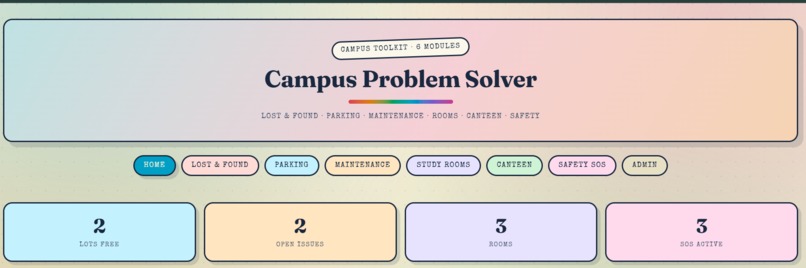
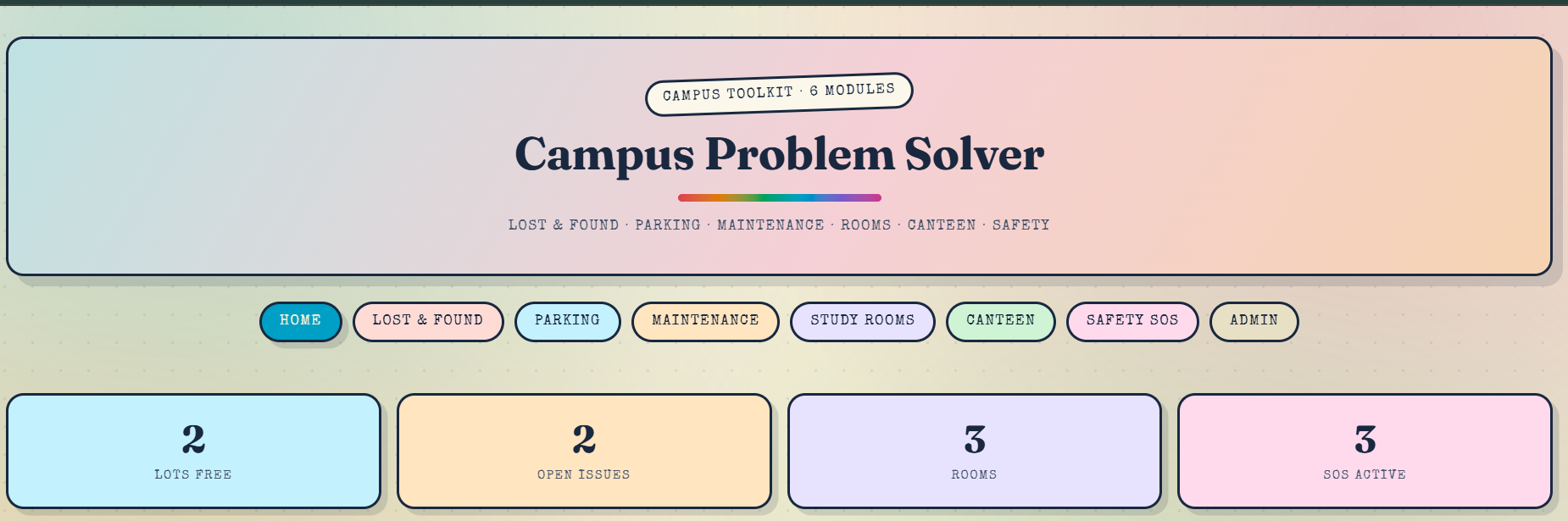
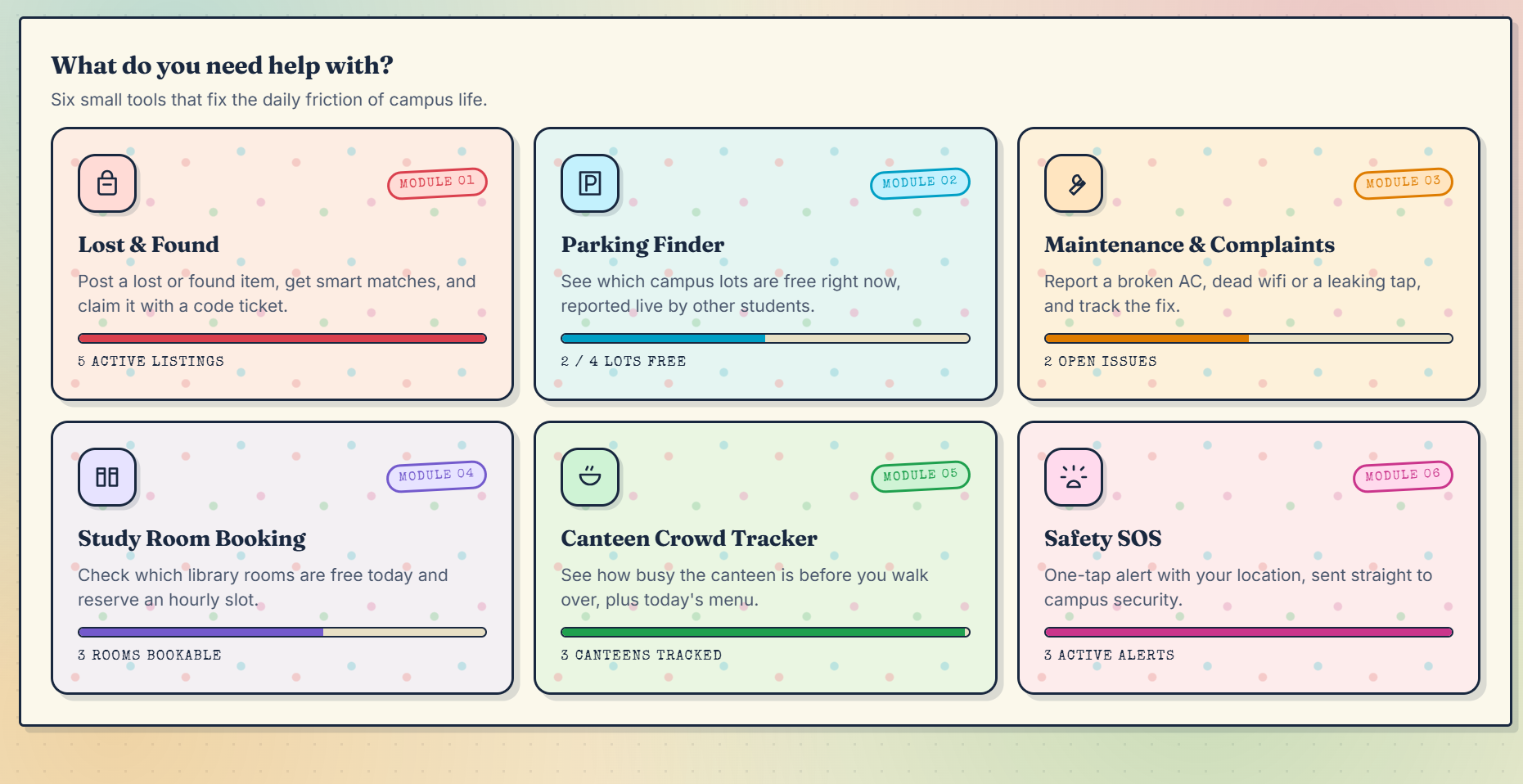
front page or home page
-
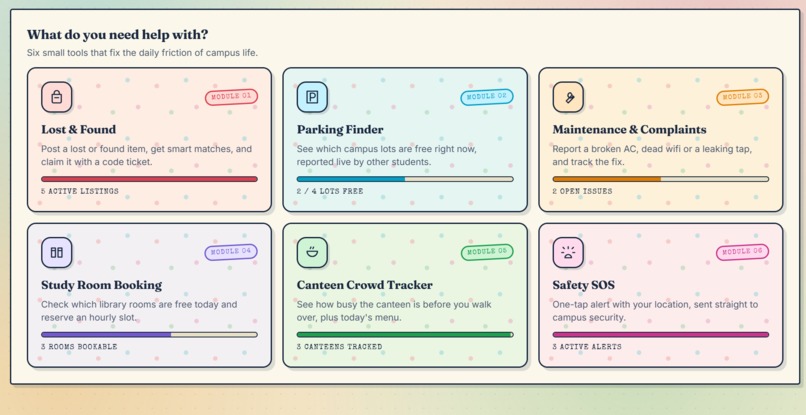
all the tools
-
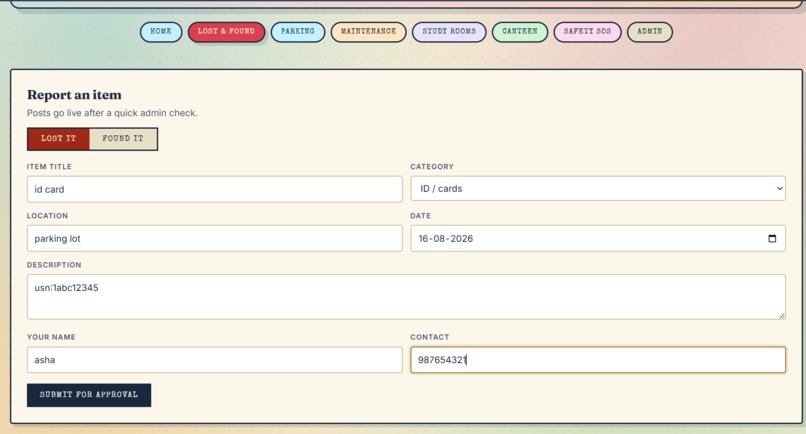
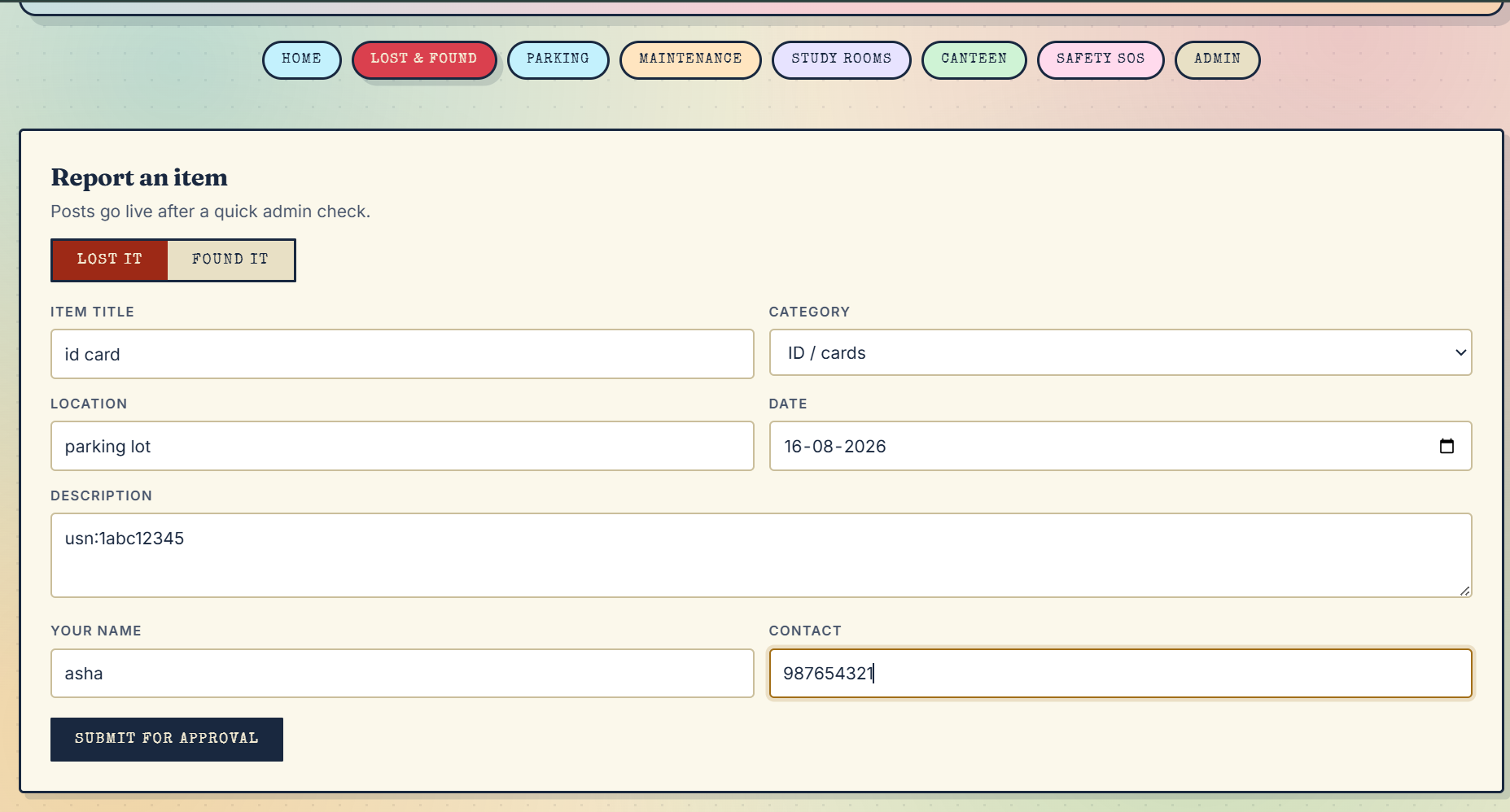
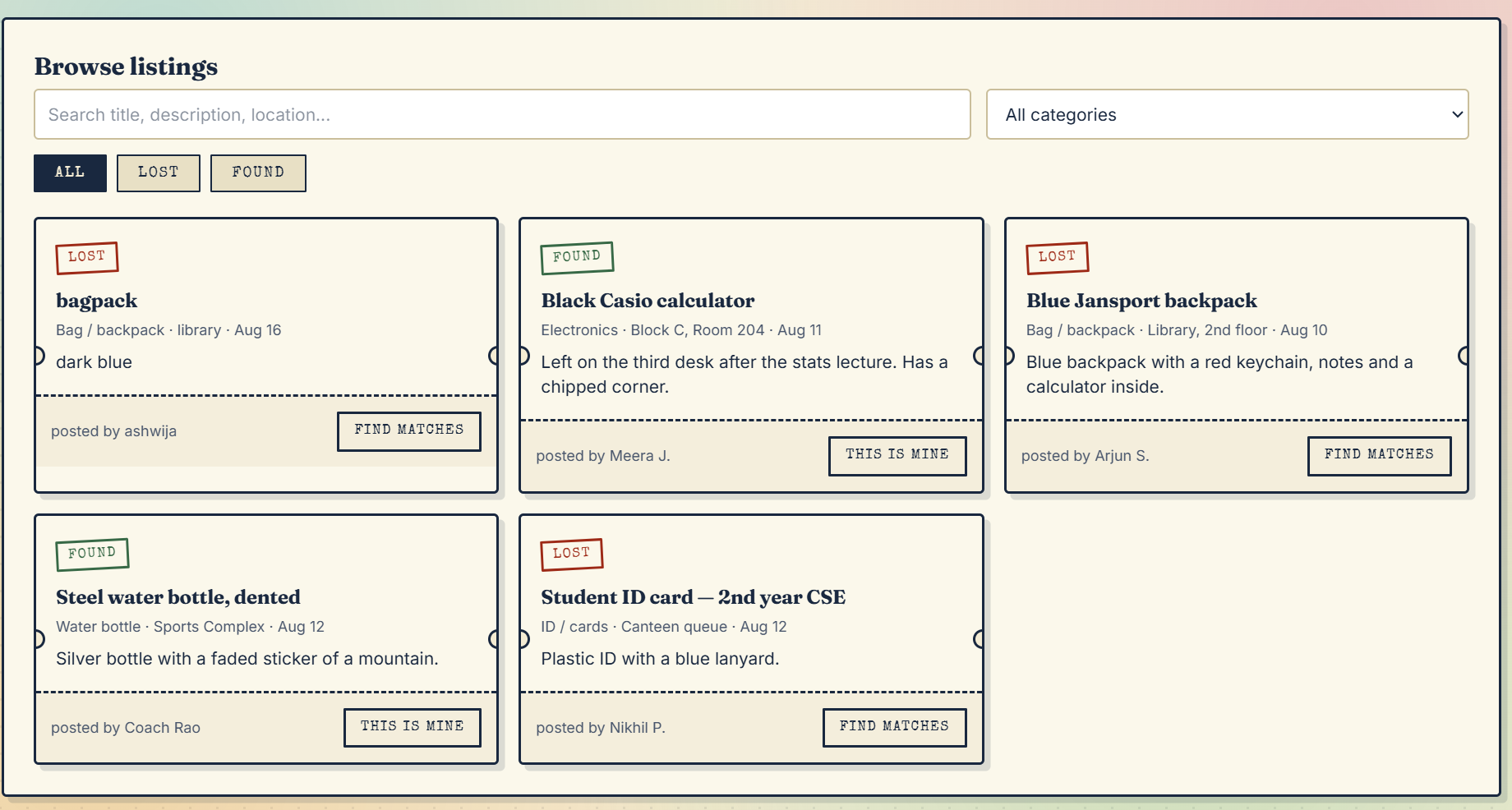
lost and found page with all the entries
-
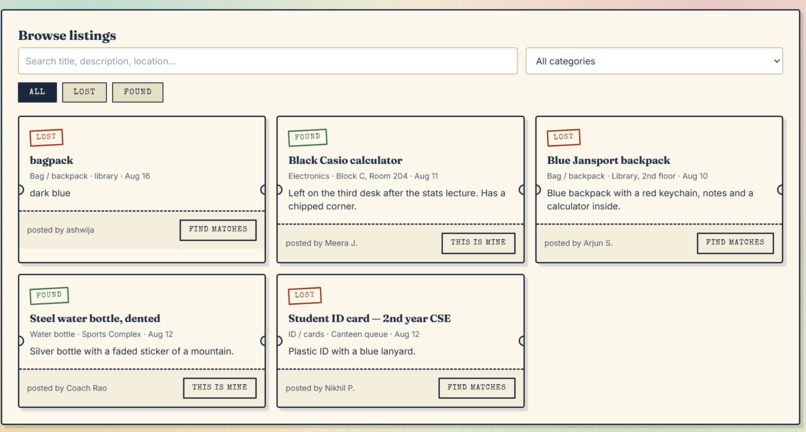
all the lost and found items
-
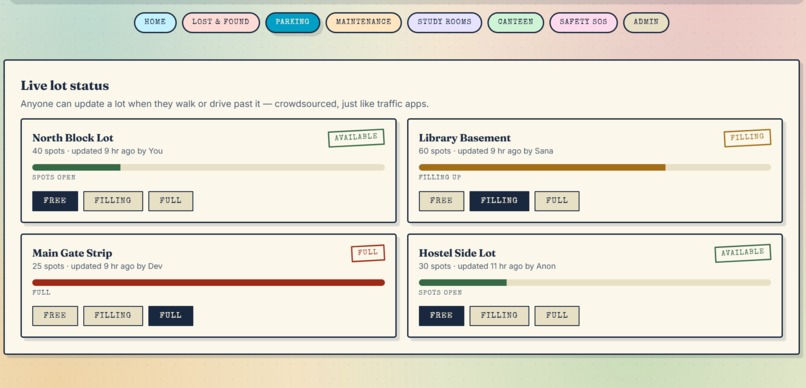
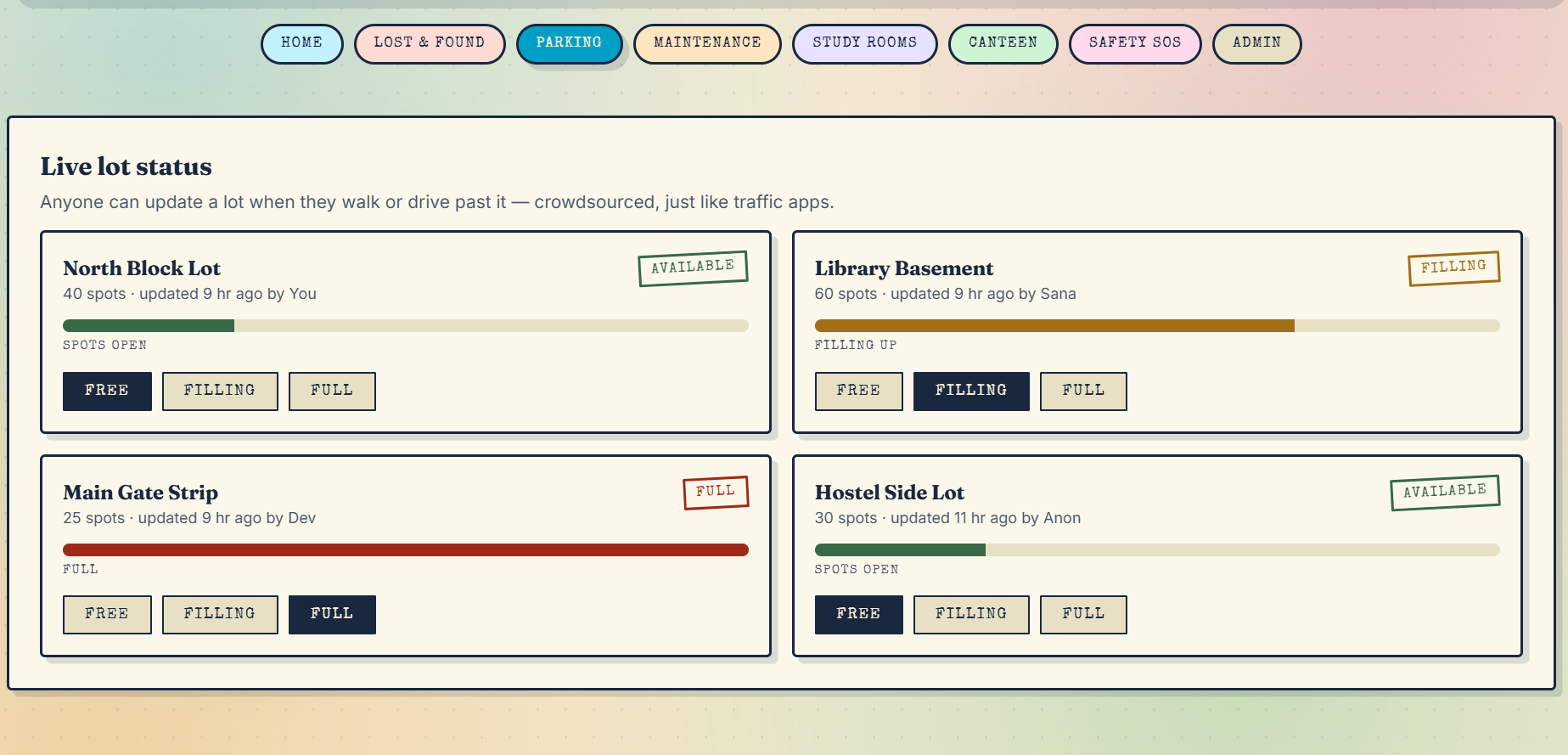
parking finder tool
-
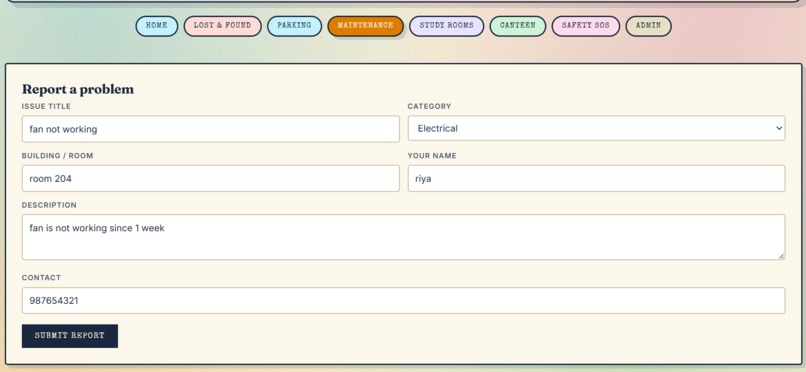
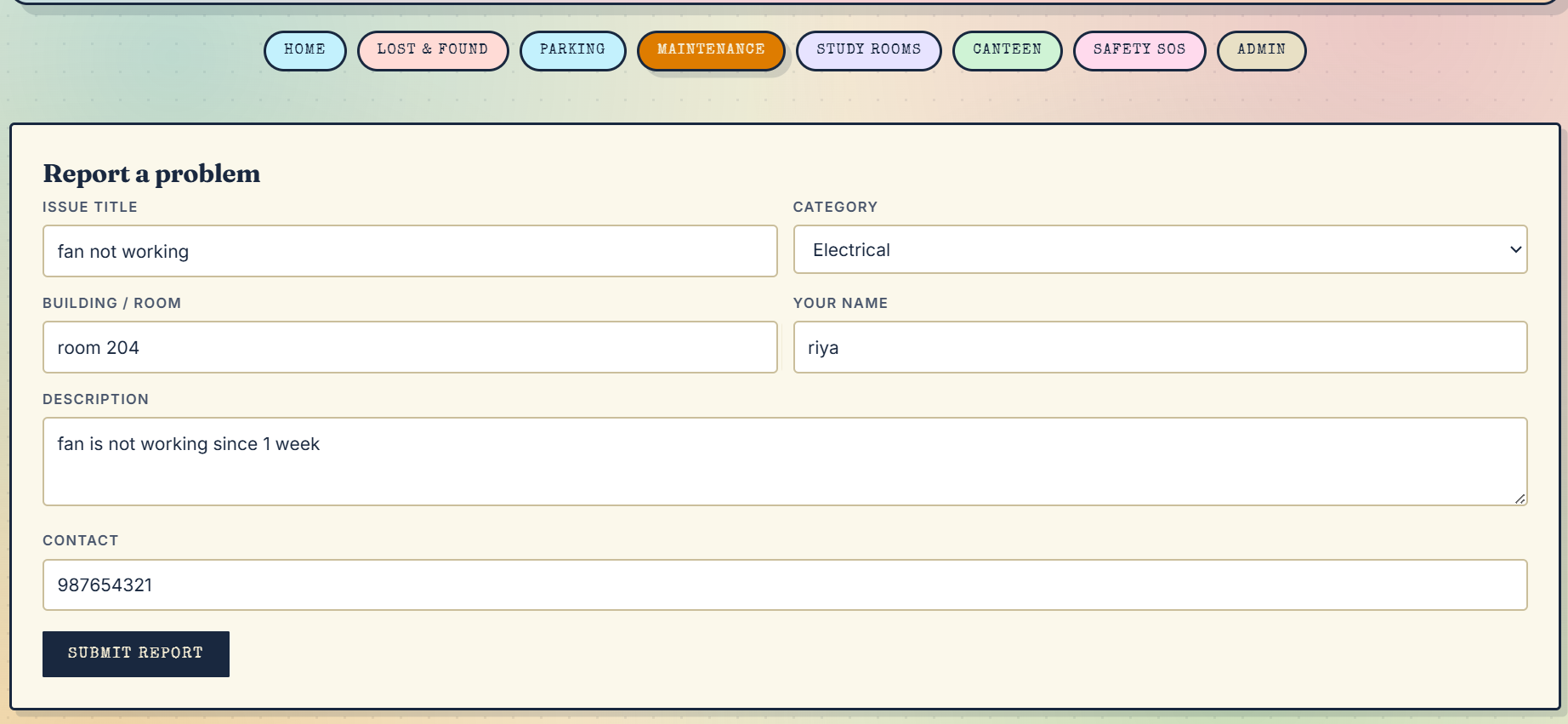
Maintenance & Complaints tool
-
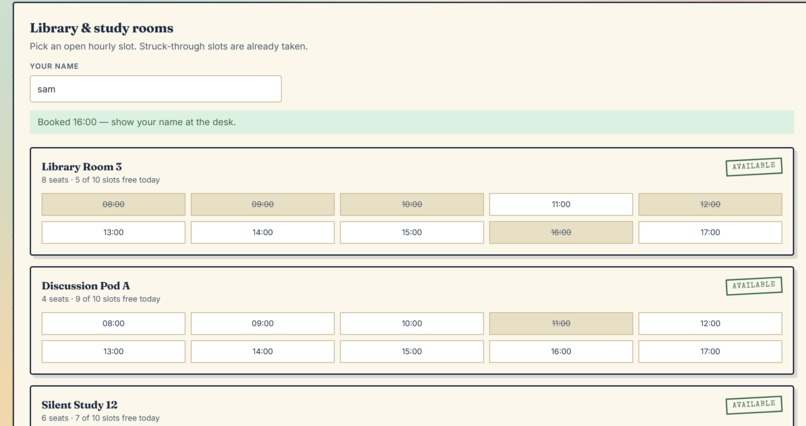
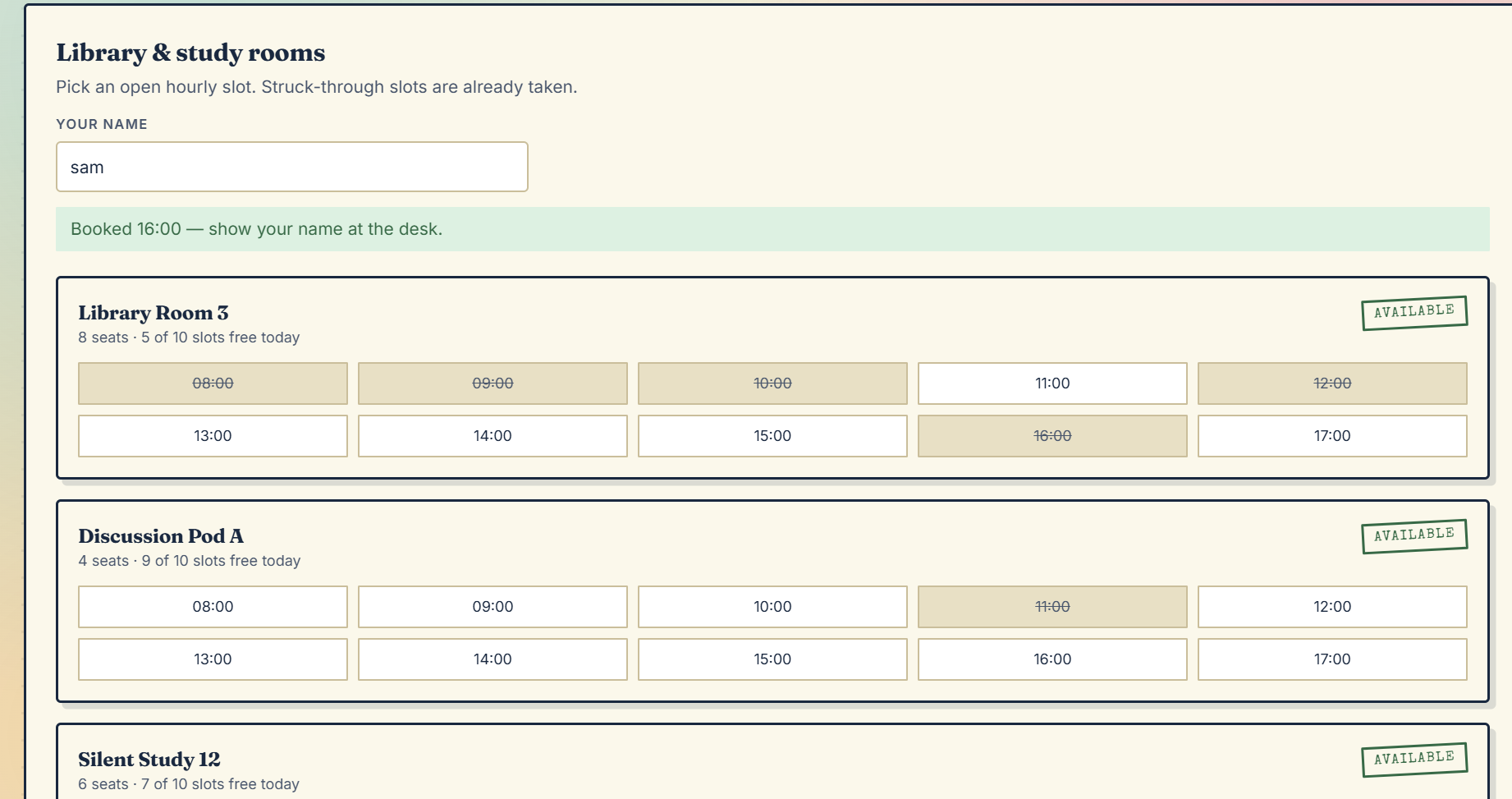
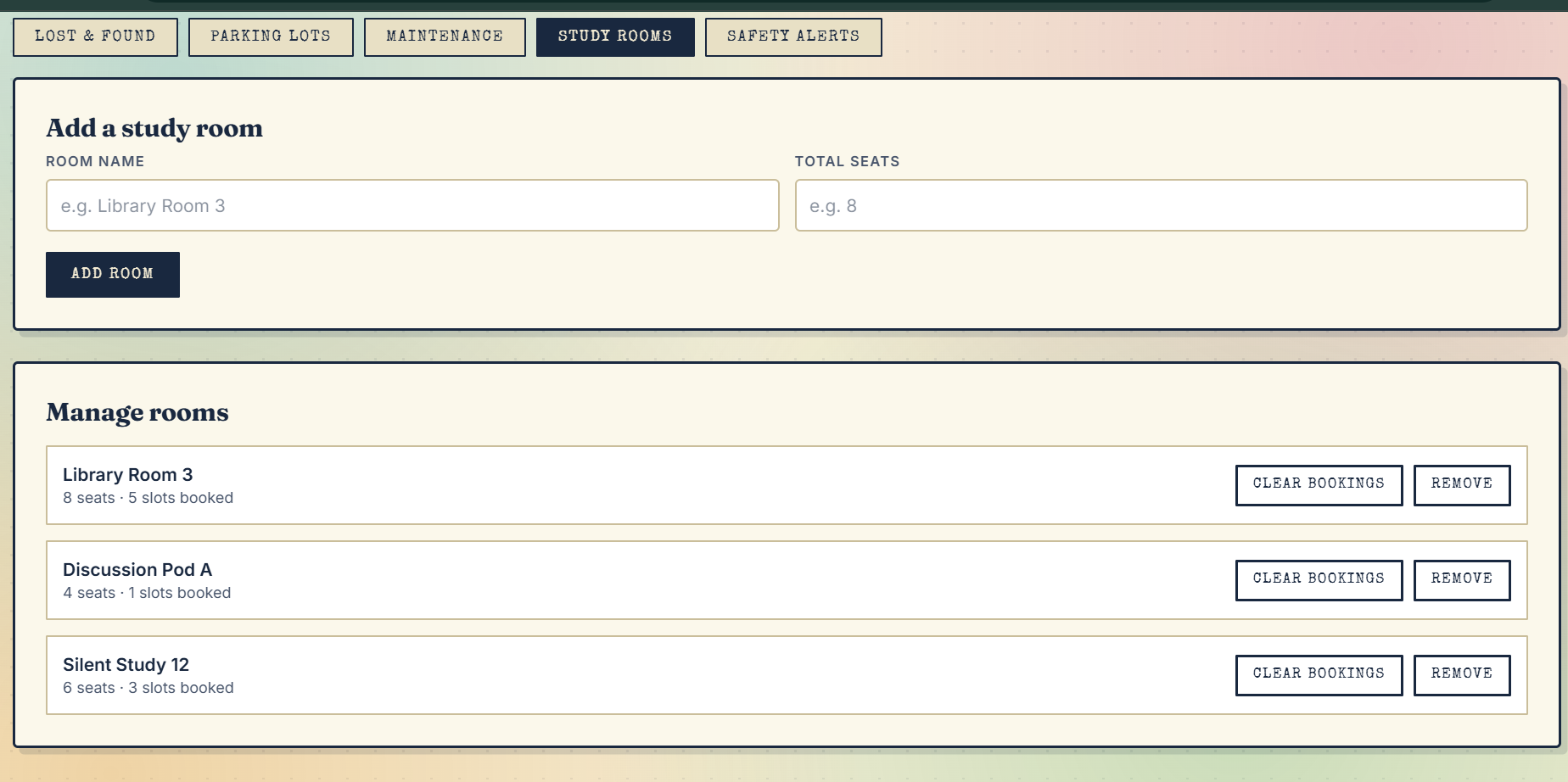
Study Room / Library Seat Booking tool
-
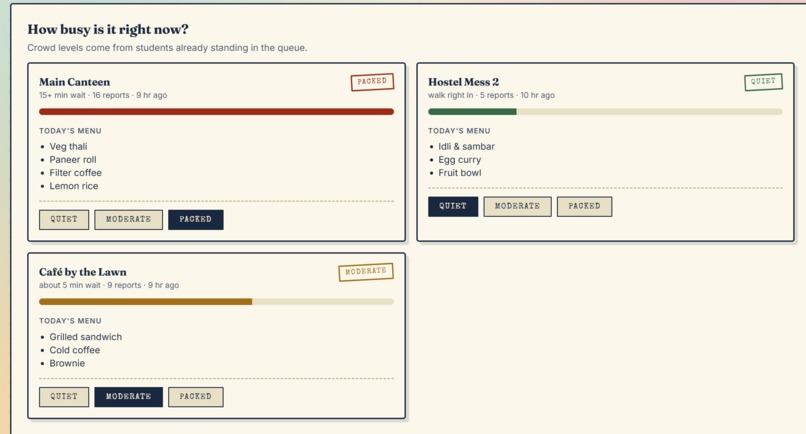
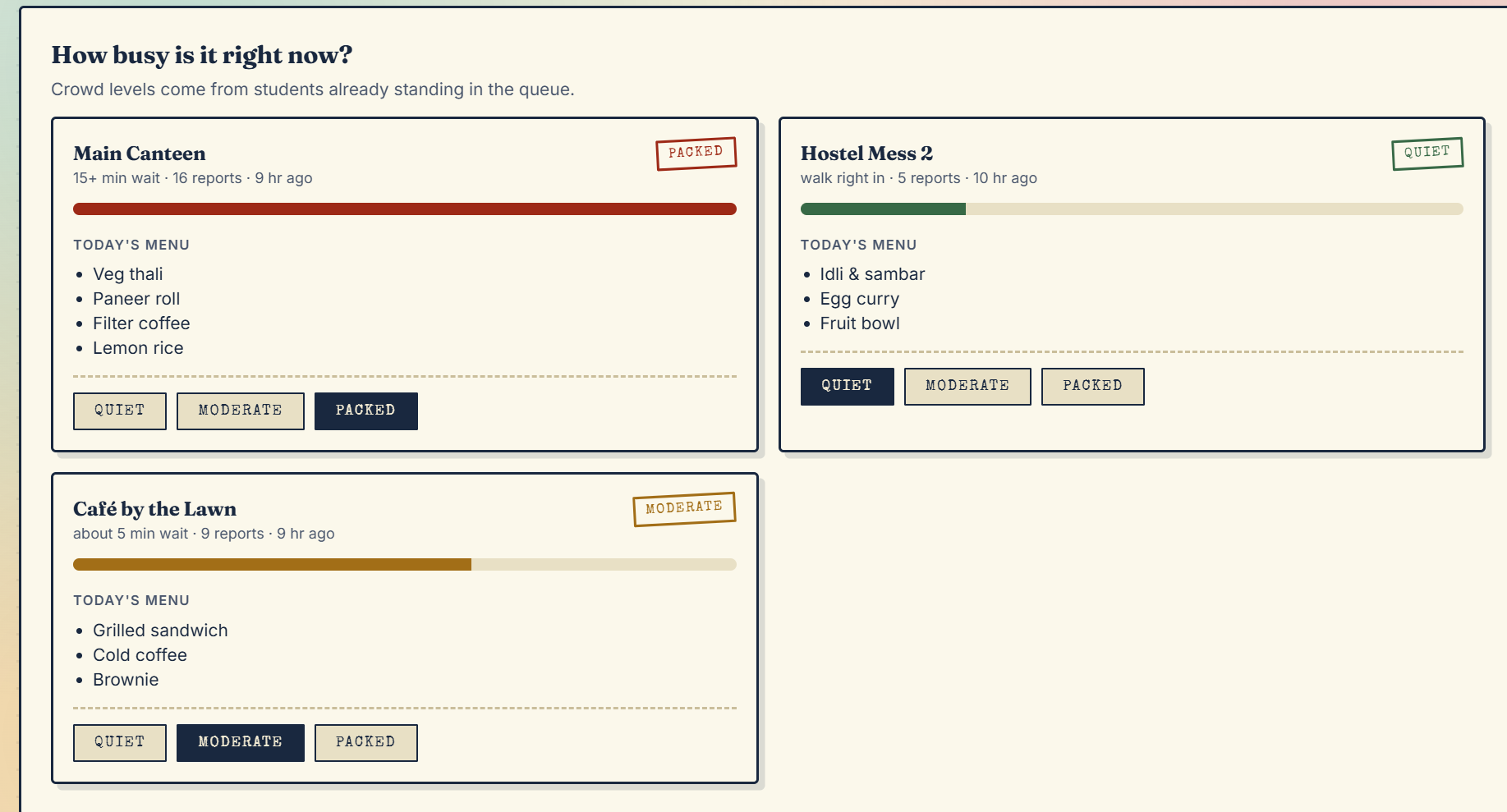
Canteen Crowd Tracker tool
-
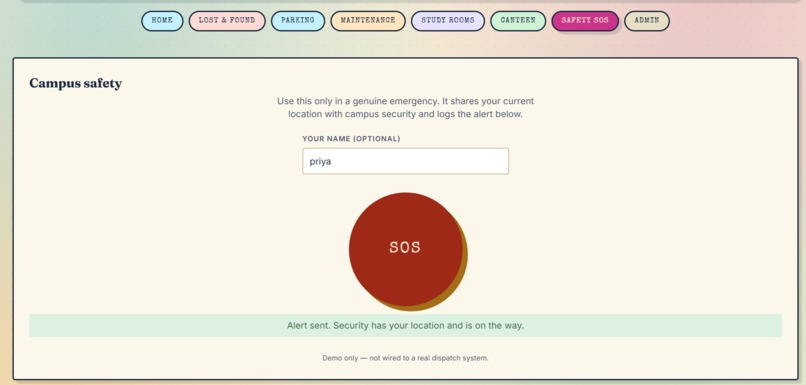
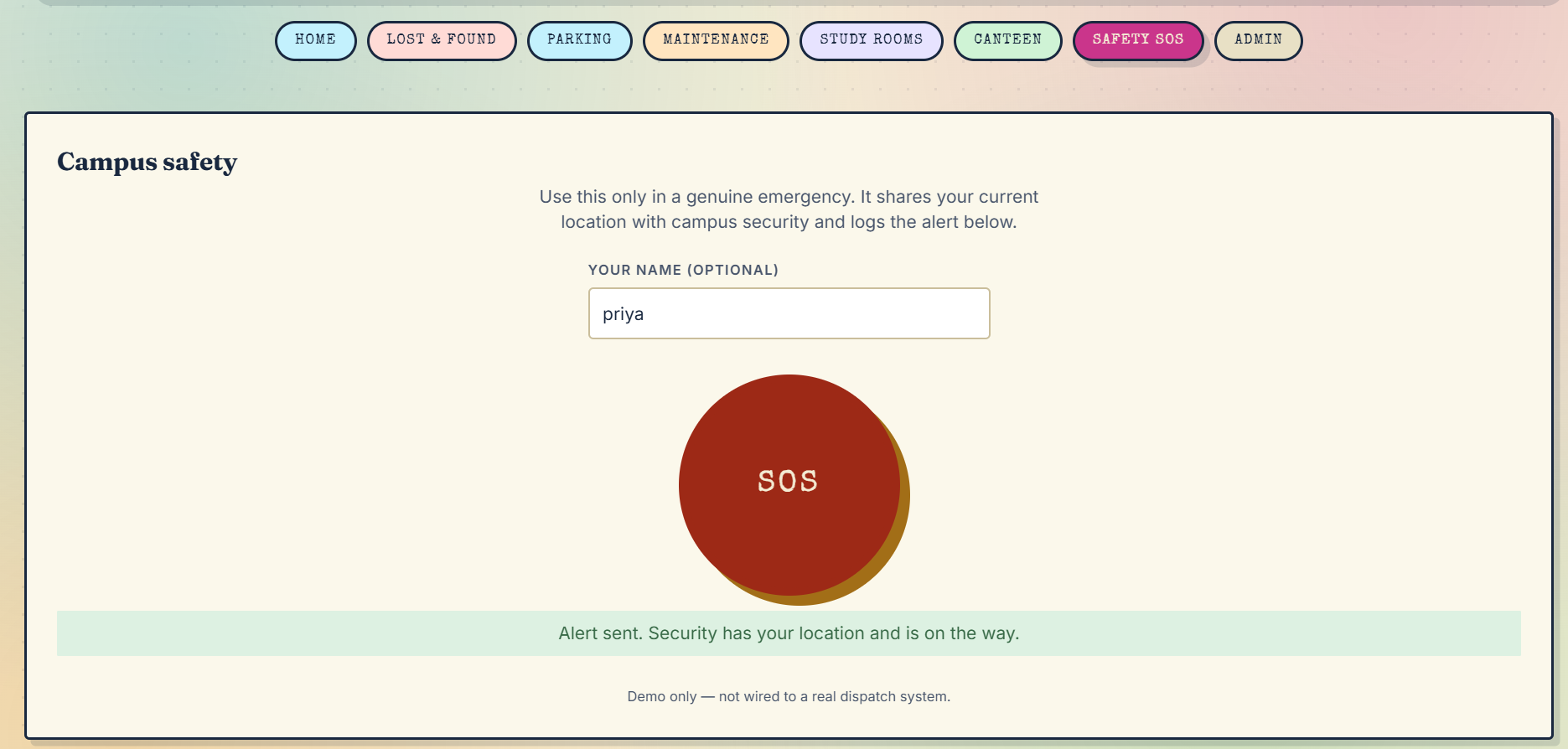
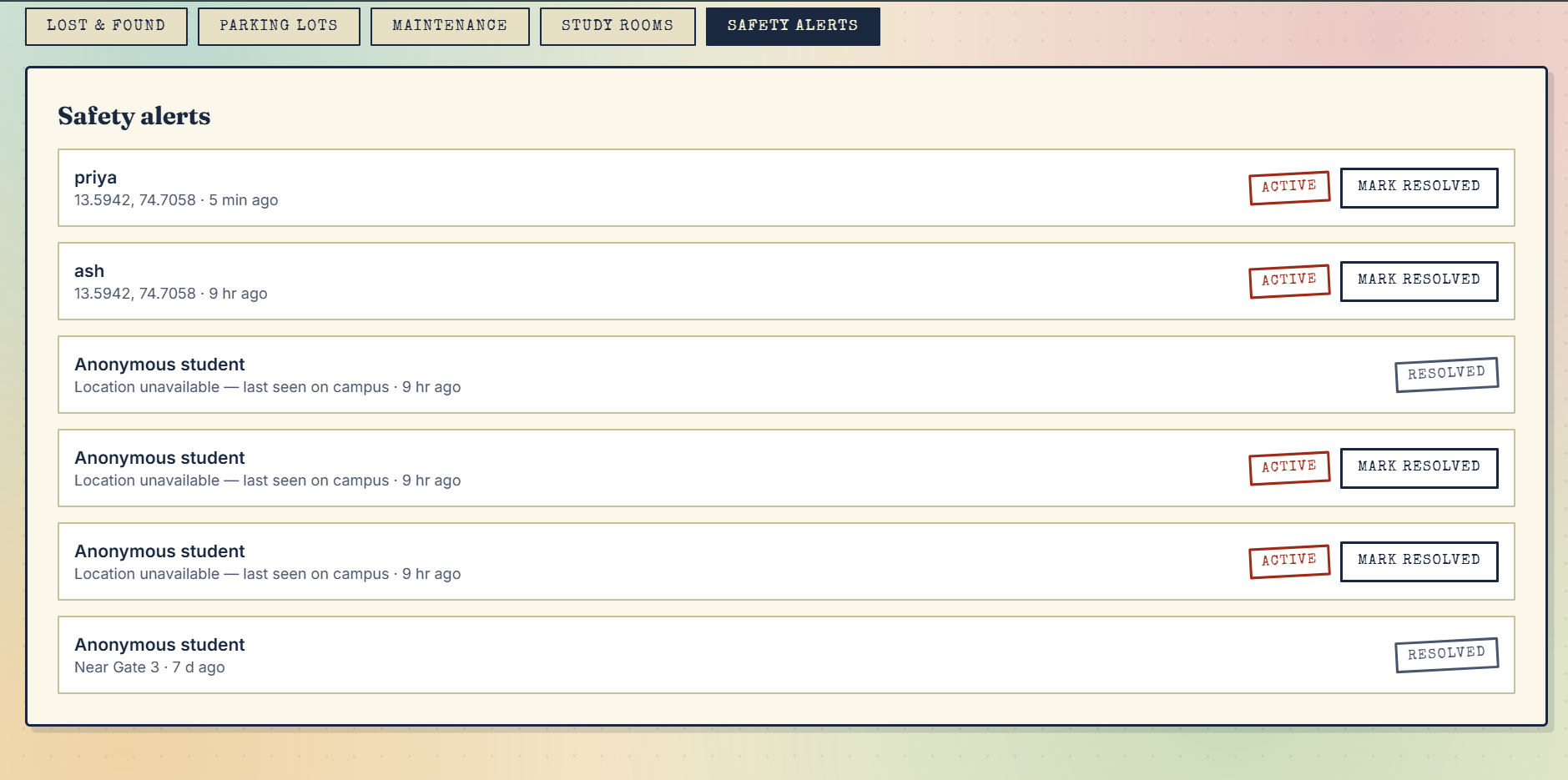
Safety SOS tool
-
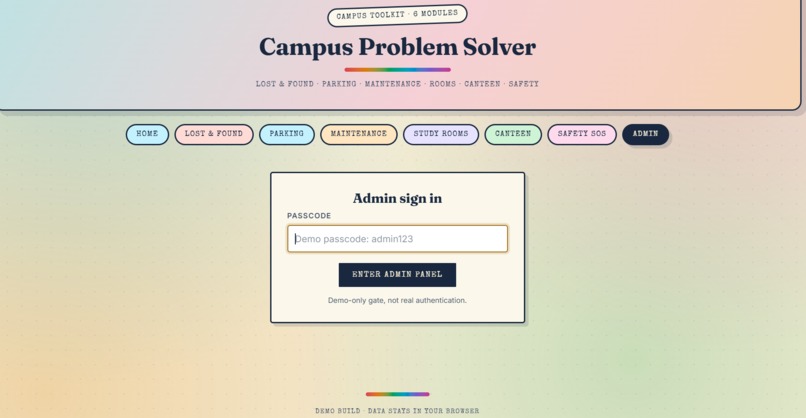
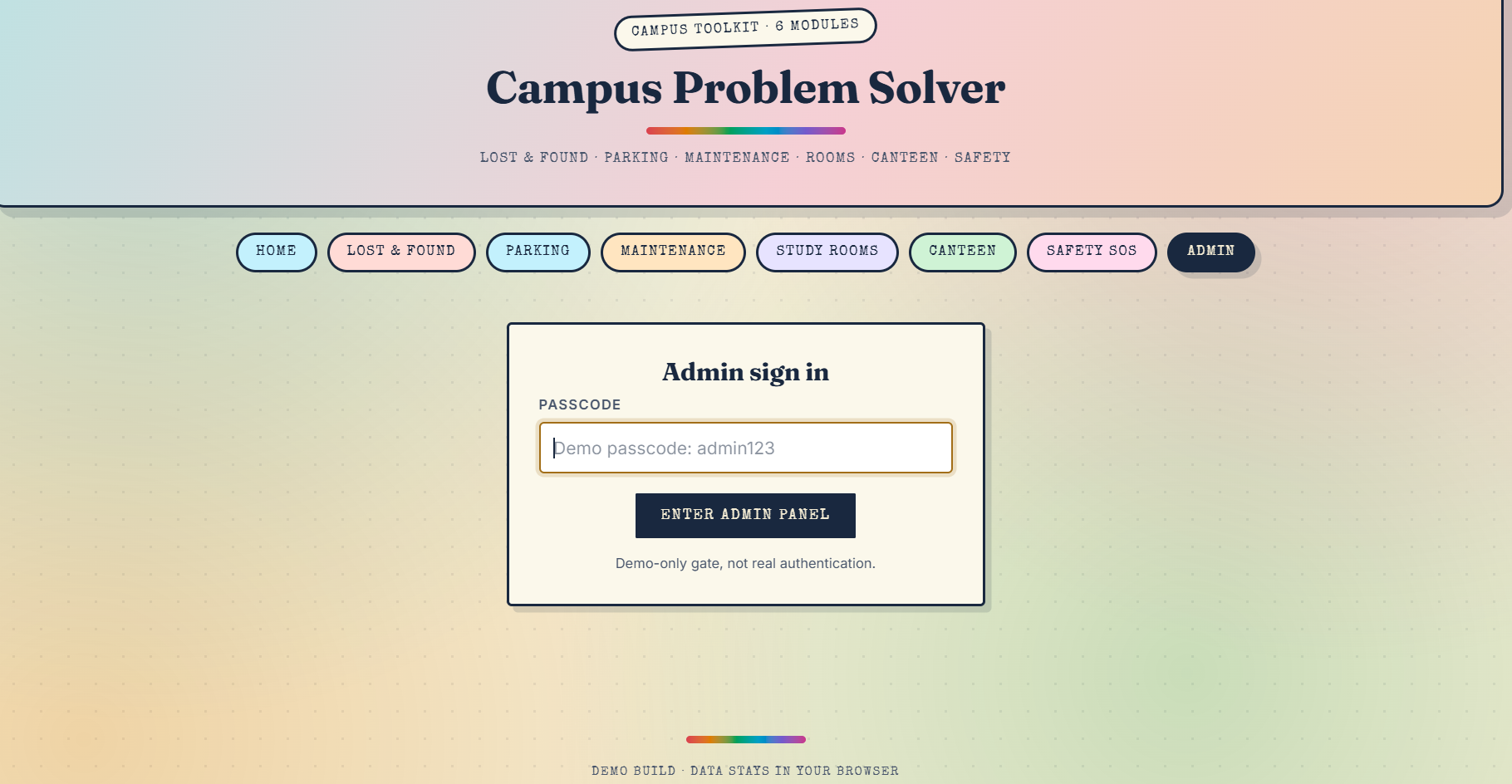
admin login page
-
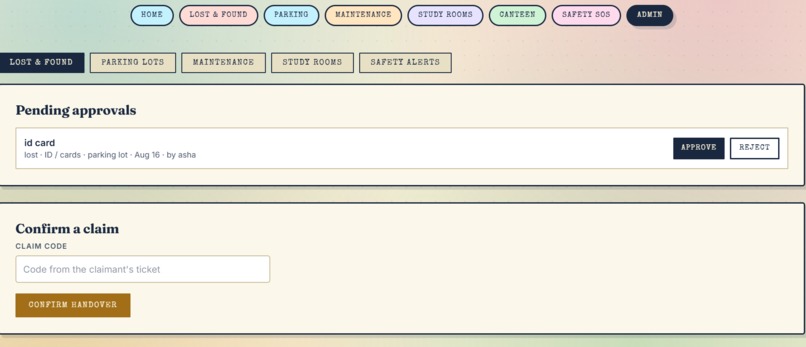
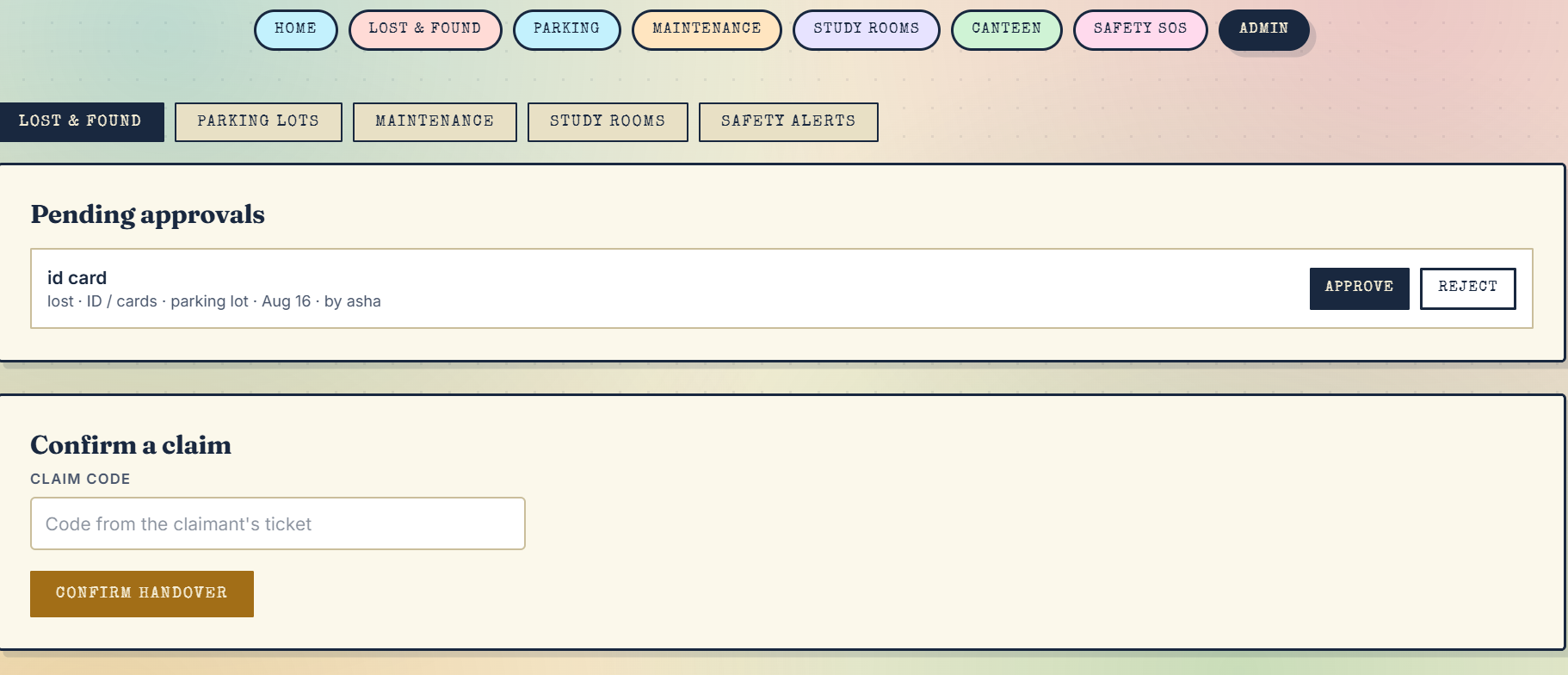
lost and found-pending approvals and claim page (for admin)
-
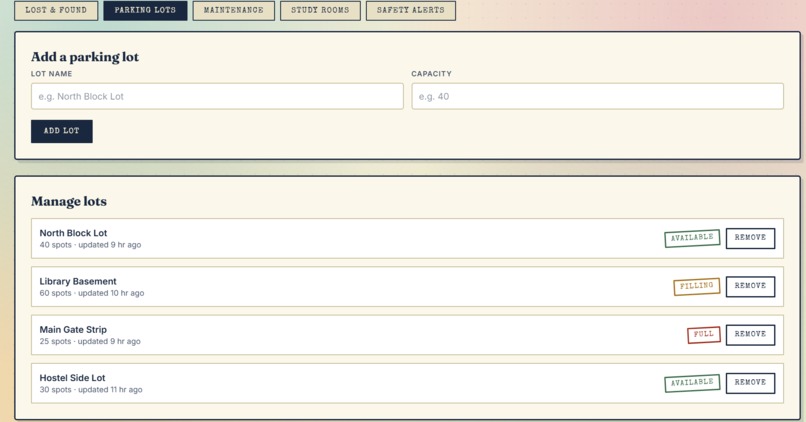
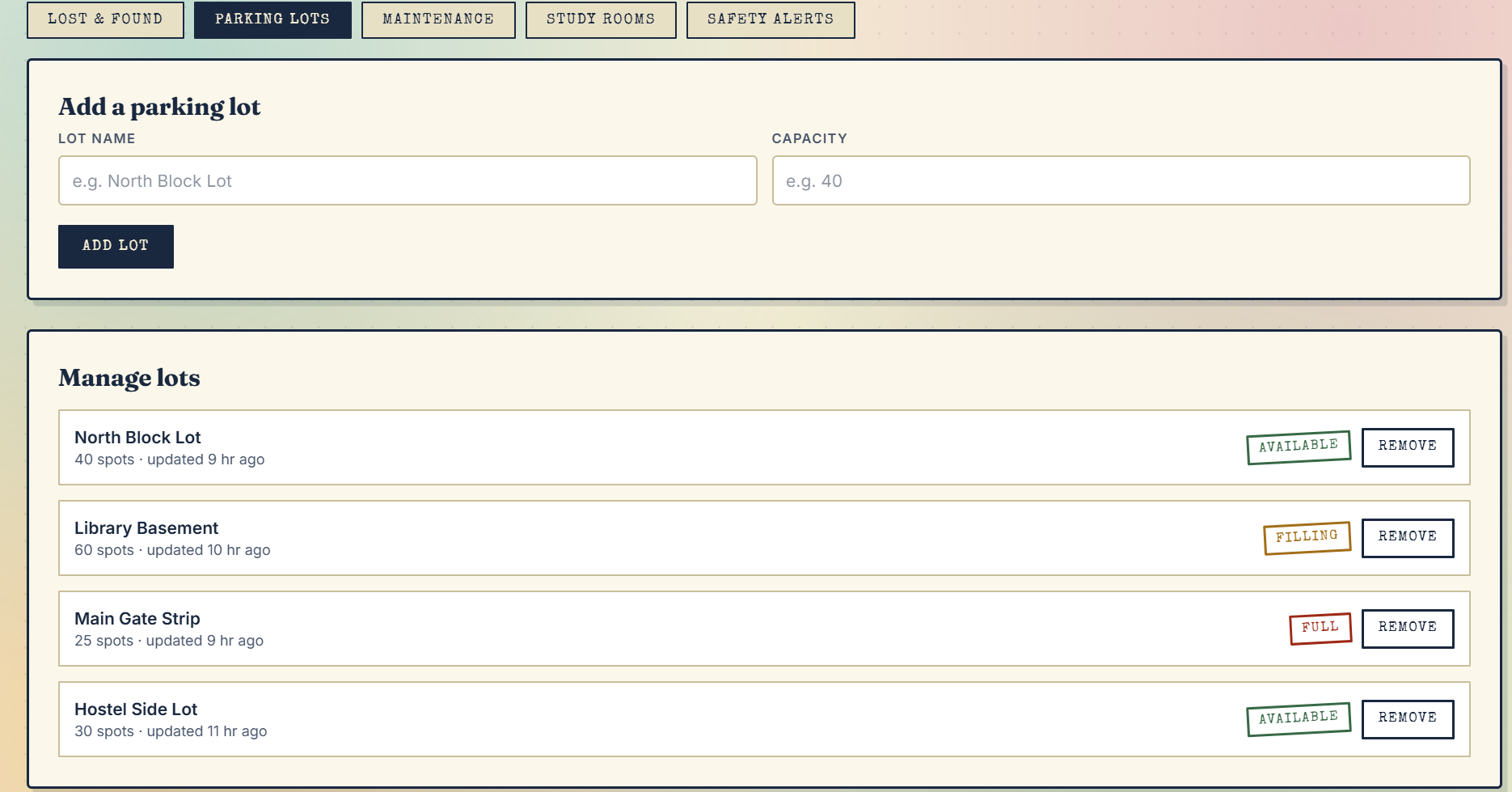
to add and manage parking lots (for admin)
-
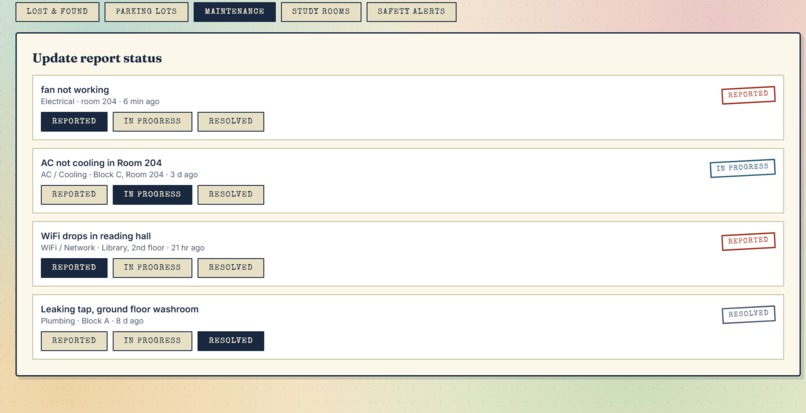
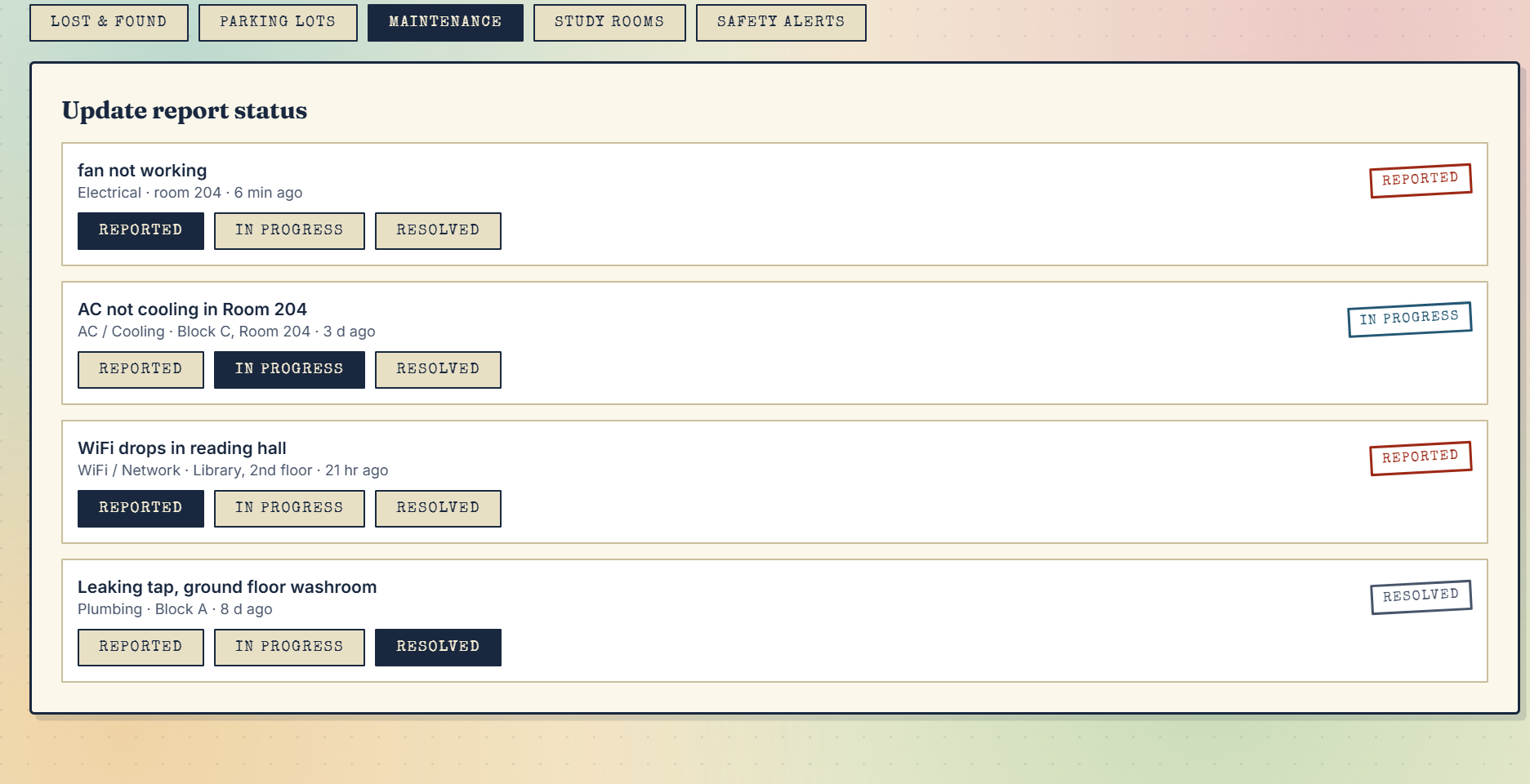
to update the report status of complaints such as resolved,in progress (for admin)
-
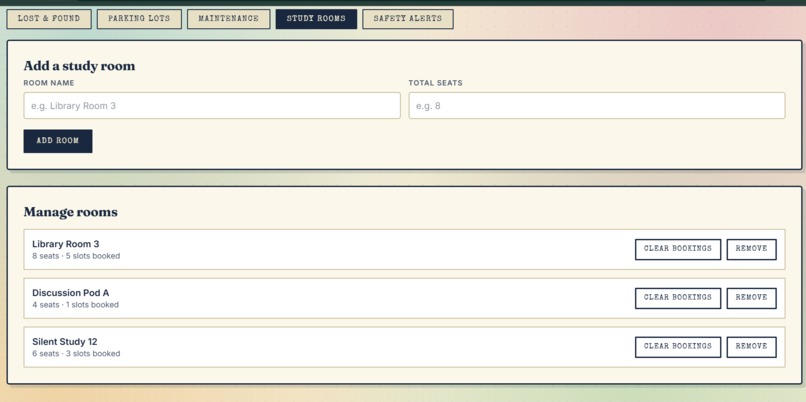
to add or manage study rooms (for admin)
-
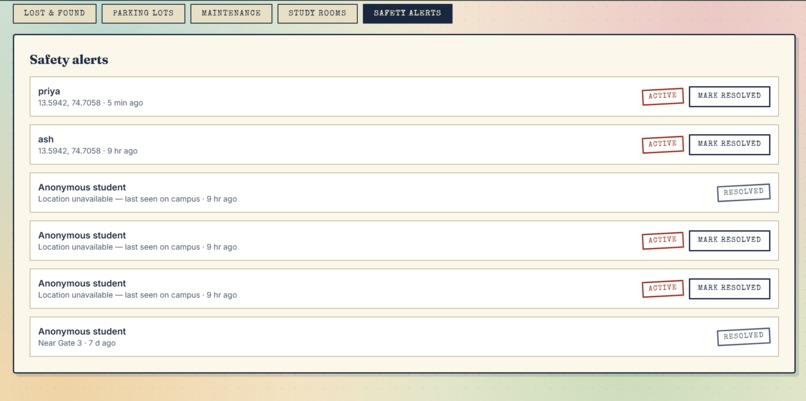
all the safety alerts reported (for admin)
Inspiration
Every campus has the same handful of daily problems such as a lost ID card , a parking lot that's always "maybe full," an AC or fan that's been broken for two weeks, a library with zero visibility into which rooms are actually free, and a canteen line nobody wants to gamble on. Each of these problems already has scattered, half-working solutions — a WhatsApp group here, a notice board there, a spreadsheet nobody updates. We wanted to see what happens if you treat them as one problem instead of many: campus friction. QuadFix is our answer — a single front desk for the small problems that eats up a surprising amount of a student's day.
What it does
QuadFix is a campus problem-solving hub built around six modules: Lost & Found — students report lost or found items, get AI-style match suggestions based on category, location, timing, and keyword overlap, and claim items using a generated QR ticket that an admin confirms in person. Parking Finder — anyone can mark a lot as Free, Filling Up, or Full in real time, crowdsourced the same way traffic apps work. Maintenance & Complaints — report a broken AC, dead wifi router, or leaking tap with a photo, and track it through Reported → In Progress → Resolved. Study Room / Library Seat Booking — see hourly seat availability per room for the day and reserve a slot instantly. Canteen Crowd Tracker — tap how busy the canteen is right now, plus a daily menu students can check before walking over. Safety SOS — a one-tap button that grabs the user's live location and sends an alert straight to a campus security dashboard. An admin panel ties it all together — approving Lost & Found posts, confirming claim handovers, managing parking lots and study rooms, updating maintenance status, editing the canteen menu, and resolving safety alerts.
How we built it
QuadFix is a single-page web app built with plain HTML, CSS, and JavaScript.
We built Quad Fix using Lovable, an AI app builder that let us describe the six modules we wanted and get a working TanStack Start (React + TanStack Router) app scaffolded quickly, complete with a custom Tailwind CSS v4 "field notebook" design system — navy ink, paper tones, gold stamp accents. From there we iterated directly on the generated code: refining the lost & found matching logic, wiring up the admin desk, and hardening things like moving the admin passcode check to run server-side instead of shipping it in client JavaScript.
For hosting, we deployed to Netlify. The app's server-rendered pages and its admin server function are built by Nitro into a Netlify Function, and static assets are served from Netlify's CDN — so npm run build followed by netlify deploy --prod was all it took to get it live at quad-fix.netlify.app.
Challenges we ran into
Fitting six distinct problem domains into one app without it feeling like six disconnected apps was the biggest design challenge — we solved it by finding the shared shape underneath all of them (post → browse/match → resolve, with an admin approval step) and reusing that pattern everywhere, from Lost & Found claims to maintenance tickets. Building "AI matching" for Lost & Found without a heavy ML pipeline meant designing a scoring system (category, location proximity, date proximity, keyword overlap) that felt genuinely useful in a live demo rather than gimmicky. Getting the Safety SOS button to be credible was another challenge — location permissions, graceful fallbacks when GPS is denied, and being honest in our own writeup that this piece needs a real backend and phone permissions before it could be trusted for actual emergencies.
Accomplishments that we're proud of
Shipped six genuinely useful, independently functional modules instead of one shallow feature Found and fixed a real, non-obvious upstream framework bug in production rather than working around it Moved the admin passcode check server-side instead of leaving a secret sitting in client-shipped JavaScript Got a full SSR app deployed and live on Netlify from scratch, including the CLI deploy flow
What we learned
Production and development environments can genuinely behave differently — a bug that never appears in npm run dev can still be lurking, so testing an actual production build before calling something "done" matters. We also learned to treat framework version upgrades as a set, not one package at a time, since interdependent packages can silently break when only one moves.
What's next for Quad Fix
Move data off localStorage and onto a real shared backend, so reports and listings sync across every student's device instead of staying local to one browser Add real authentication in place of the shared demo passcode Push notifications for SOS alerts and claim confirmations A lightweight analytics view for admins (busiest canteen times, most-reported issue types, etc.)
Built With
- lovable
- netlify
- react
- tailwindcss
- tanstack-router
- tanstack-start
- typescript


Log in or sign up for Devpost to join the conversation.