QRShield — Scan Before You Trust
The Problem
QR codes have become part of everyday life. We scan them to make payments, open websites, access menus, download apps, and sign into services.
The problem is that a QR code itself doesn't tell you where it will take you.
A malicious QR code can redirect a user to a phishing page, an impersonated brand, a suspicious domain, or a credential-stealing website. This attack pattern, often called quishing (QR phishing), creates a dangerous gap between scanning a QR code and understanding its destination.
Most QR scanners focus on one thing: decode the code and open the link.
We wanted to build a security layer that asks a different question:
"Where is this QR code actually taking me, and should I trust that destination?"
Our Solution
QRShield is a privacy-first QR security scanner designed to analyze a QR destination before the user opens it.
Its core principle is:
Decode → Analyze → Explain → Decide
QRShield can:
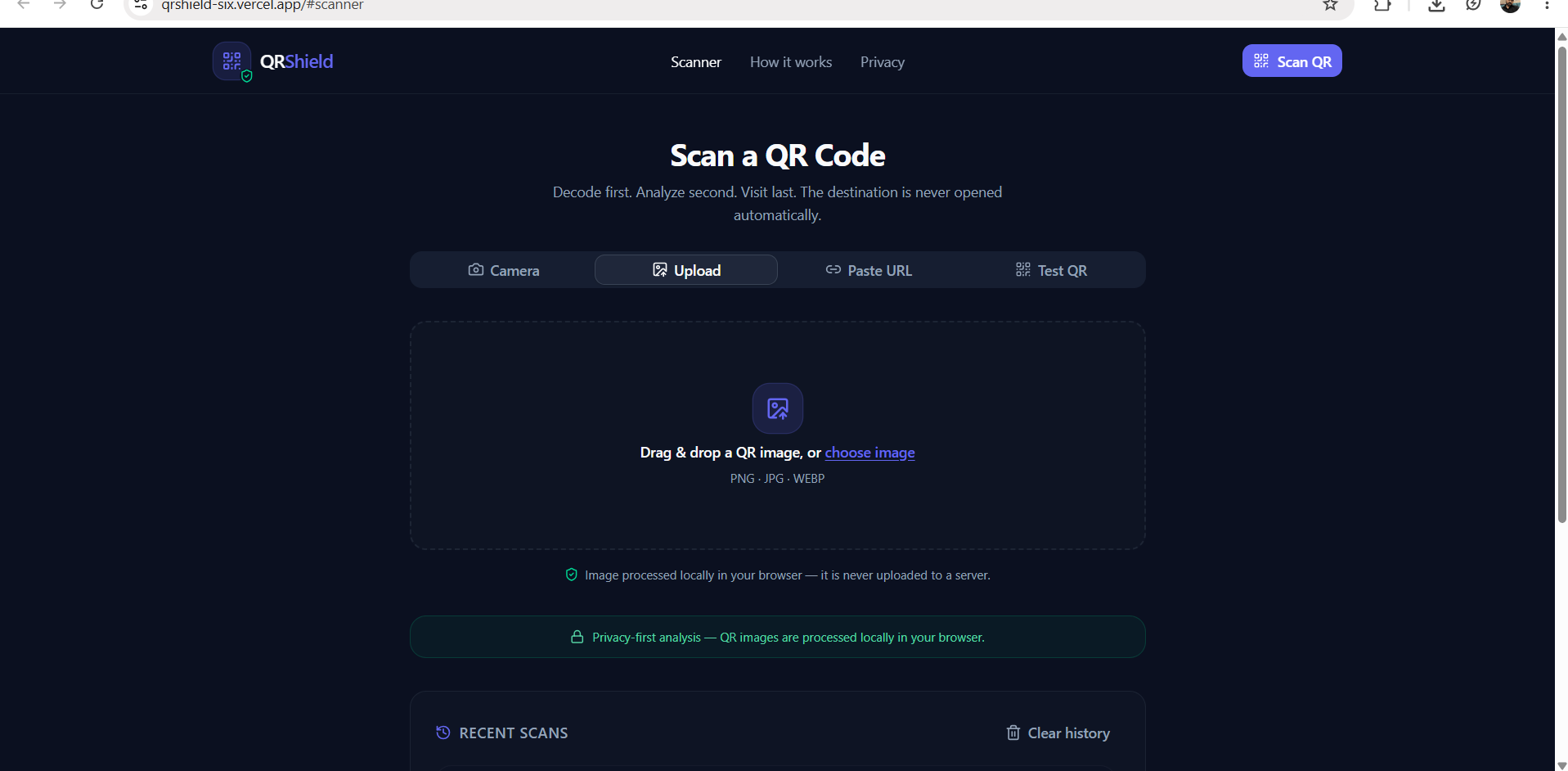
- Scan QR codes using the camera
- Upload a QR image for analysis
- Accept a URL manually
- Extract the destination without automatically opening it
- Analyze the URL using multiple security signals
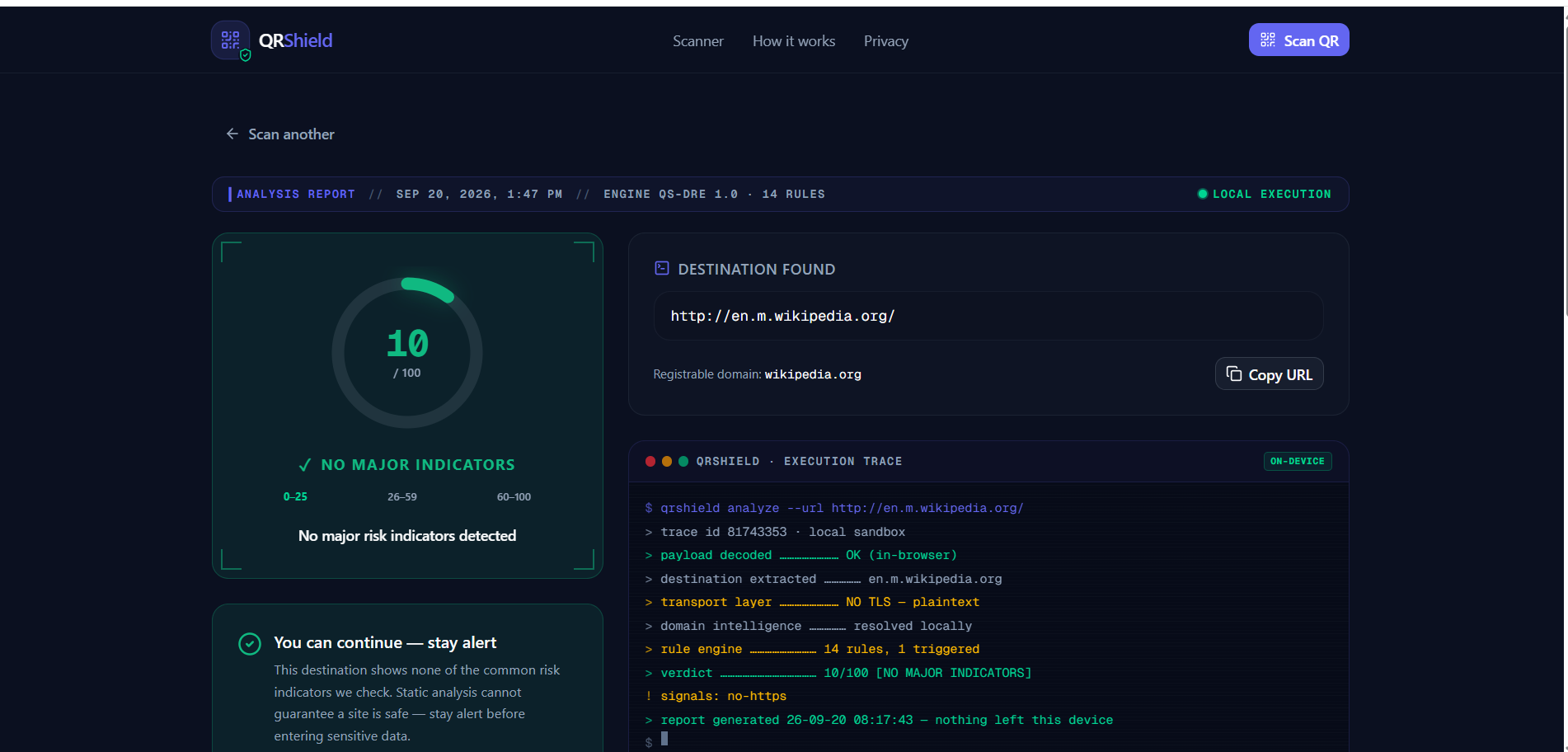
- Generate a risk score
- Explain the detected risk indicators
- Recommend a safer next action
- Let the user inspect the destination before deciding what to do
Instead of simply saying "safe" or "unsafe," QRShield provides evidence behind its assessment.
How It Works
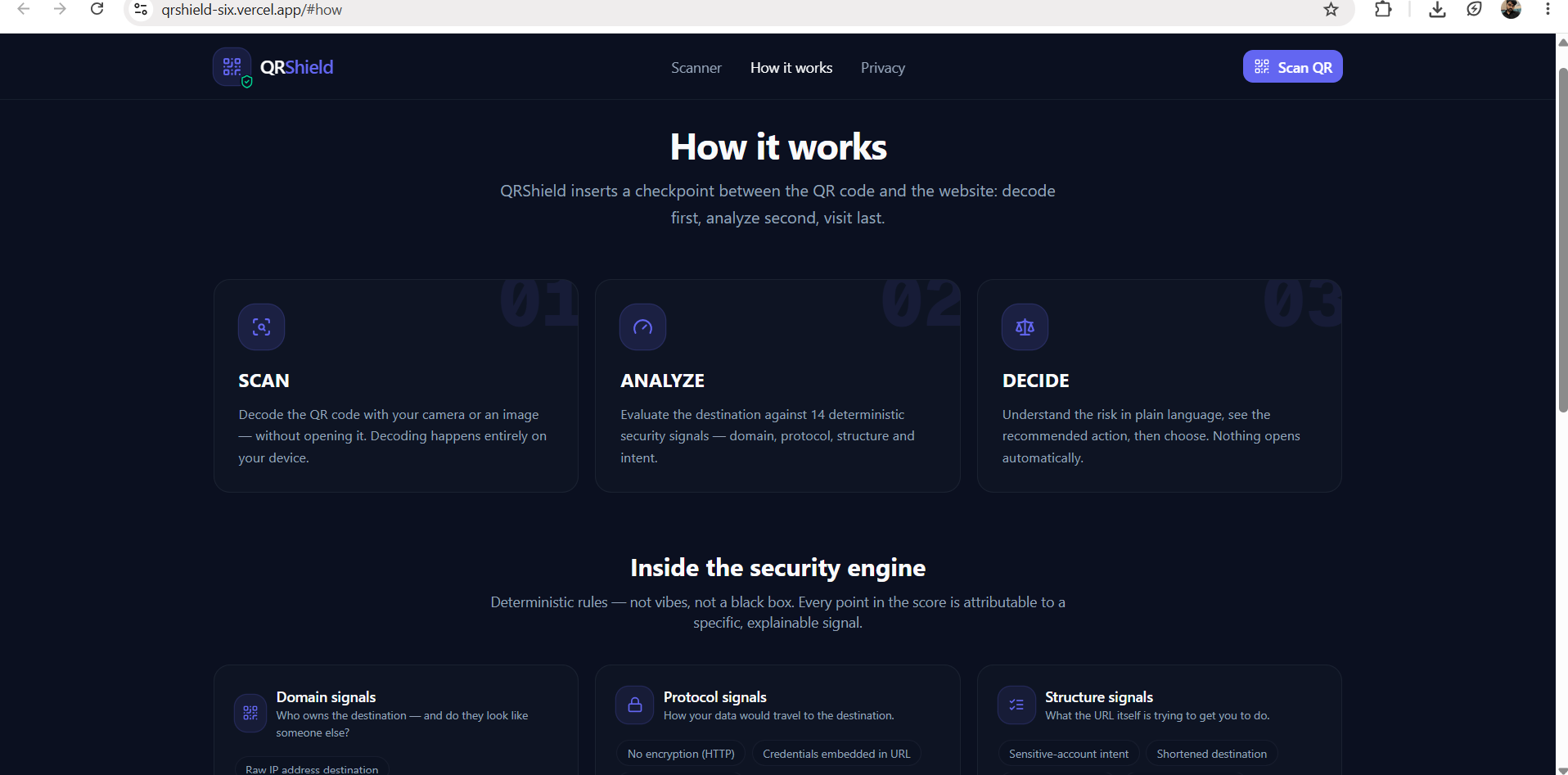
When a QR code is scanned, QRShield first decodes the QR data locally.
The extracted destination then passes through a deterministic security analysis engine.
The engine evaluates signals such as:
- HTTPS usage
- IP-address destinations
- URL shorteners
- Punycode / look-alike domains
- Suspicious top-level domains
- Brand impersonation patterns
- Credential or login-related paths
- Excessive subdomains
- Unusually long or complex URLs
- Other suspicious URL structures
These signals are combined into a risk score and categorized into a clear result such as:
No major risk indicators detected
Suspicious
High Risk
Each finding is shown with an explanation so users can understand why the destination received its assessment.
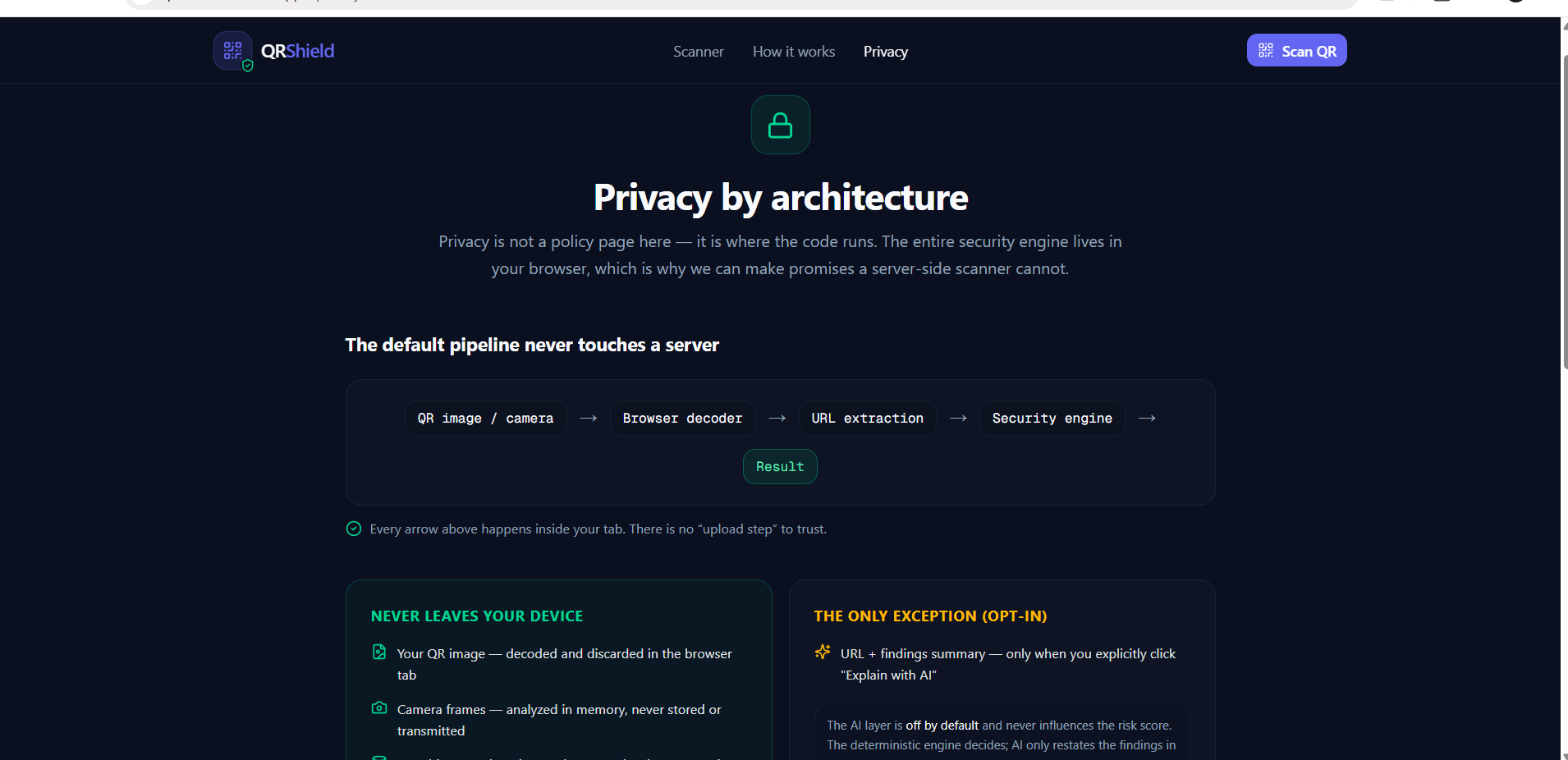
Privacy by Design
QRShield is designed around a simple security principle:
Don't open an unknown destination just to find out whether it is dangerous.
The application does not automatically navigate users to the scanned destination.
The QR payload is decoded first, analyzed second, and only then does the user decide what to do.
This makes QRShield useful as a pre-click security layer rather than another QR reader that immediately sends users to an unknown website.
AI-Assisted, Not AI-Dependent
AI can make security findings easier to understand, but we did not want an AI model to become the single source of truth for the risk decision.
QRShield therefore separates the security engine from the optional AI explanation layer.
The deterministic engine produces the underlying findings and risk assessment.
AI can then help translate those findings into a more understandable explanation for the user.
If the AI explanation service is unavailable, QRShield can still rely on the underlying security engine and display its findings.
This architecture keeps the core security decision predictable and resilient.
What We Built
The application was built as a modern web-based security tool with a responsive interface focused on clarity rather than overwhelming users with technical information.
The main flow is:
QR Code / URL
      ↓
QR Decoder
      ↓
Destination Extraction
      ↓
URL Normalization
      ↓
Security Analysis Engine
      ↓
Risk Scoring
      ↓
Security Findings
      ↓
Human-readable Explanation
      ↓
User Decision
The interface provides dedicated workflows for:
Camera Scan Scan a QR code directly using the device camera.
Image Upload Upload an existing QR image for analysis.
Manual URL Analysis Paste a destination when a QR code is not available.
Risk Report View the score, verdict, detected signals, and recommended action.
What Inspired Us
QR codes are designed to remove friction.
That is exactly what makes them useful — and potentially dangerous.
A user can scan a code in a restaurant, parking area, event, poster, email, payment request, or public location without knowing what is behind it.
We were inspired by the idea of adding a small security checkpoint between "scan" and "open."
QRShield is our attempt to make that checkpoint simple enough for everyday users while still exposing meaningful security signals for technically aware users.
Challenges We Faced
One of the biggest challenges was avoiding simplistic security rules.
For example, an unfamiliar domain does not automatically mean it is malicious. A URL shortener is not automatically dangerous. An HTTP URL is not necessarily a phishing site.
Therefore, QRShield treats these characteristics as risk signals rather than absolute proof of maliciousness.
Another challenge was making the results understandable.
A security tool that produces a score without explaining it is difficult for non-technical users to trust. We therefore designed the result screen around individual findings and clear explanations.
We also designed the system so that an external AI service failure does not break the core security analysis.
What We Learned
Building QRShield taught us that effective cybersecurity tools need to balance three things:
- Security accuracy
- Explainability
- Usability
We also learned that security decisions should not depend entirely on a single AI response.
A deterministic analysis layer provides a consistent foundation, while AI can improve how those results are communicated.
Most importantly, we learned that good security UX should help users make an informed decision before they take a potentially dangerous action.
Future Improvements
QRShield is designed as a foundation that can be expanded with additional security intelligence.
Future versions could include:
- Reputation and threat-intelligence APIs
- Domain age and registration signals
- Certificate and DNS analysis
- Homograph attack detection
- More sophisticated brand-domain verification
- Redirect-chain analysis in a controlled environment
- Browser isolation for suspicious destinations
- Organization-level security policies
- On-device ML-based URL classification
- Anonymous aggregate threat trends
These improvements would add additional context while preserving the core principle:
Analyze first. Visit later.
Why QRShield Matters
QR phishing does not require a user to understand cybersecurity.
It only requires them to trust what they are about to scan.
QRShield turns an otherwise invisible destination into something users can inspect and understand before making that decision.
QRShield — Scan Before You Trust.

Log in or sign up for Devpost to join the conversation.