-
-
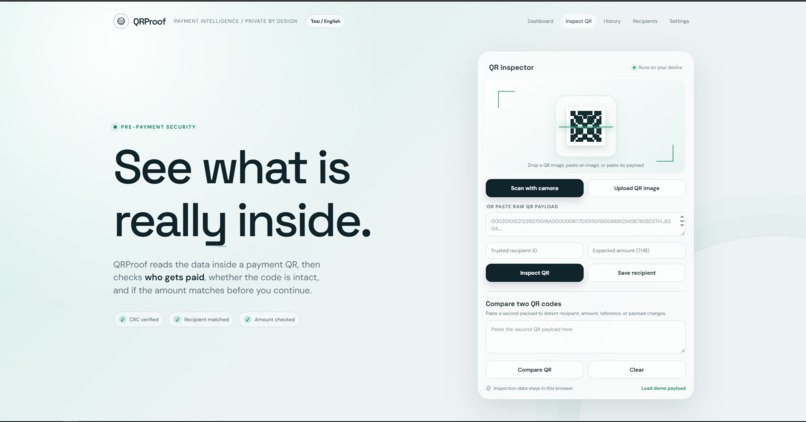
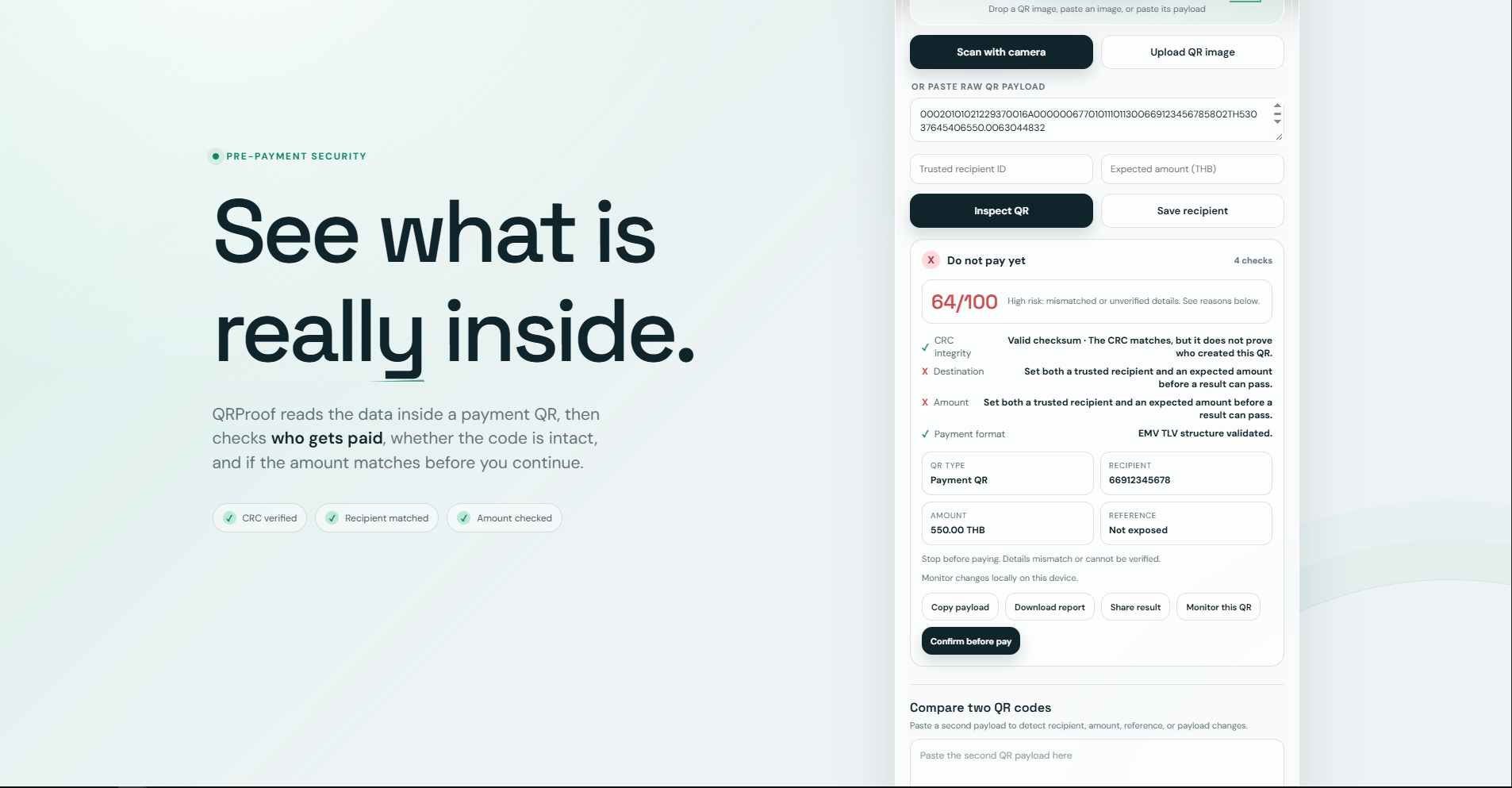
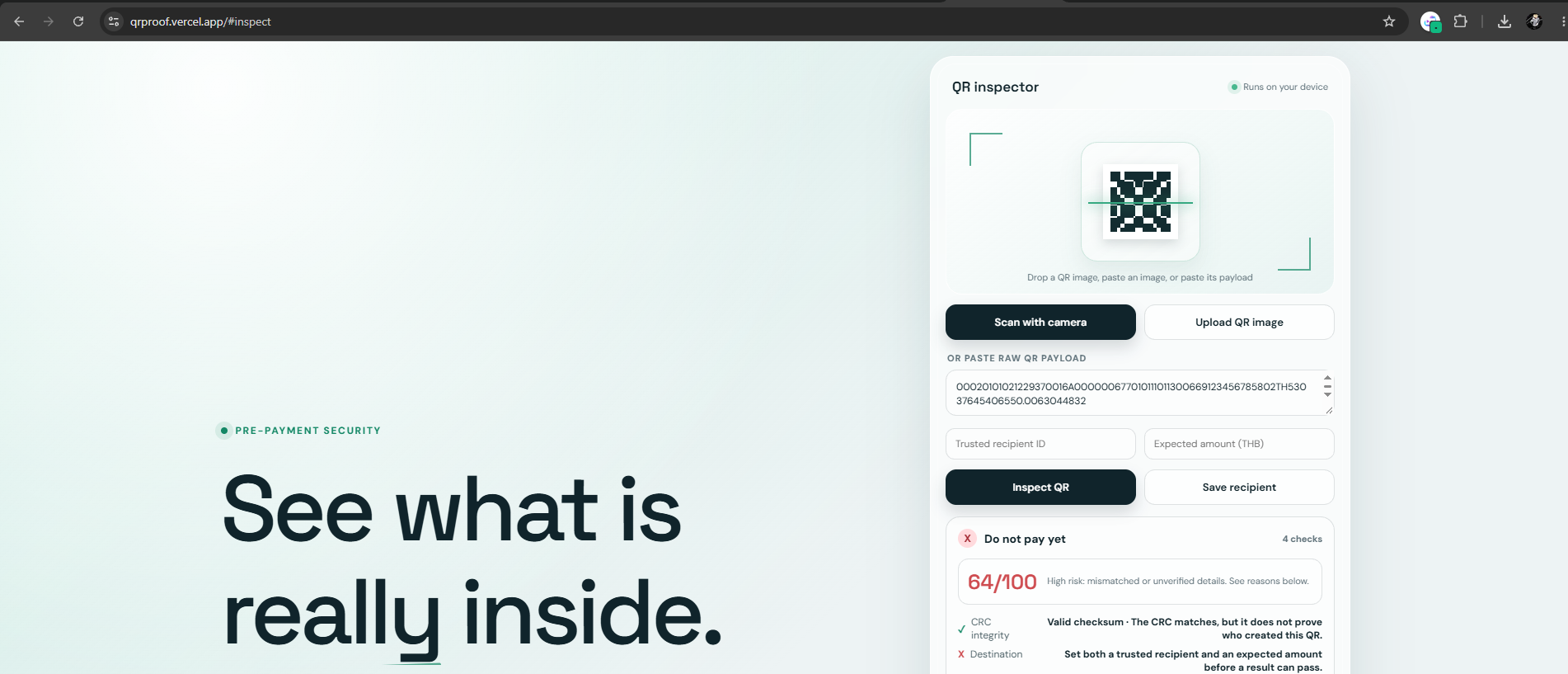
Inspect the real payment data encoded inside a QR before paying.
-
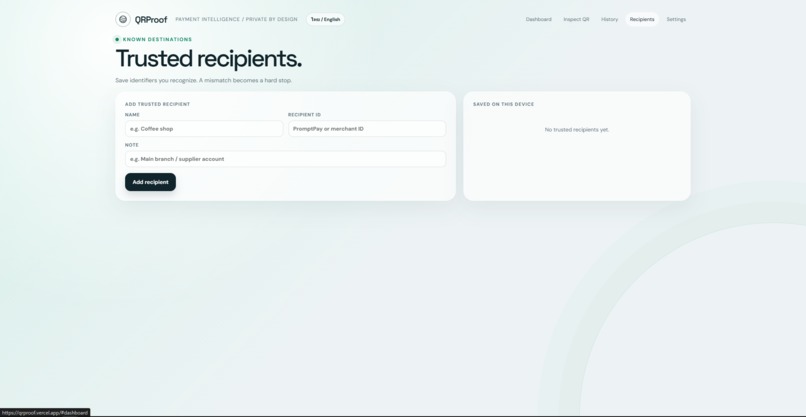
Compare the QR destination against the recipient the user expects.
-
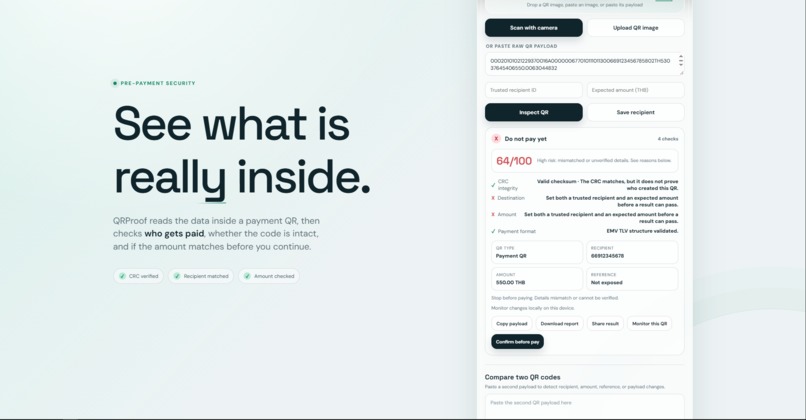
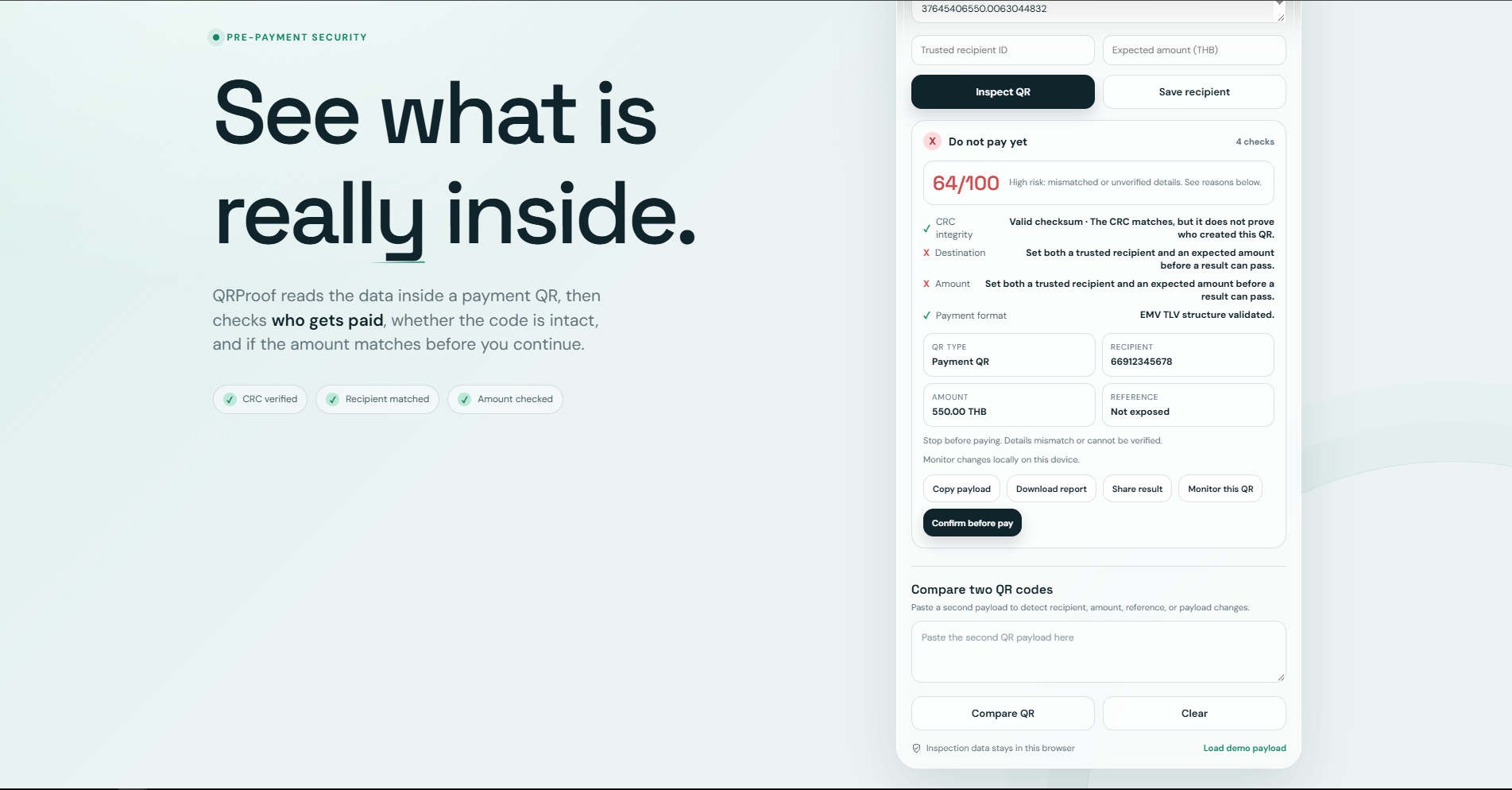
Detect amount mismatches and explain the resulting payment risk.
-
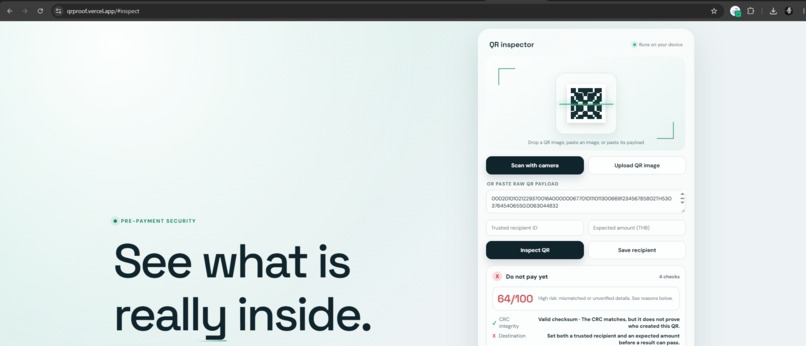
Validate QR payload integrity and detect malformed or modified data.
-
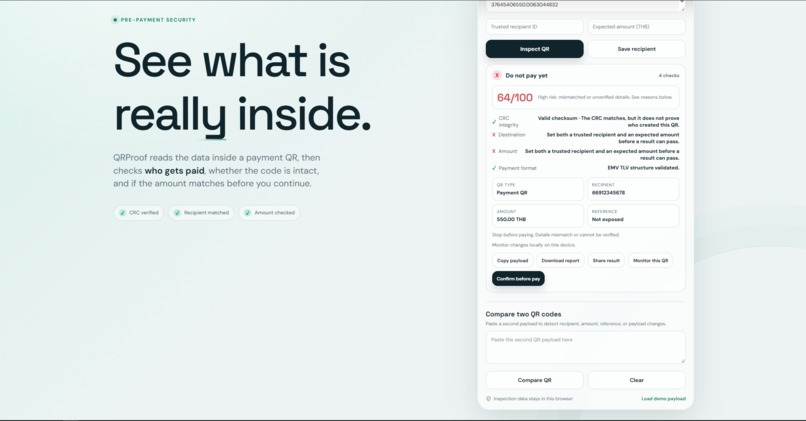
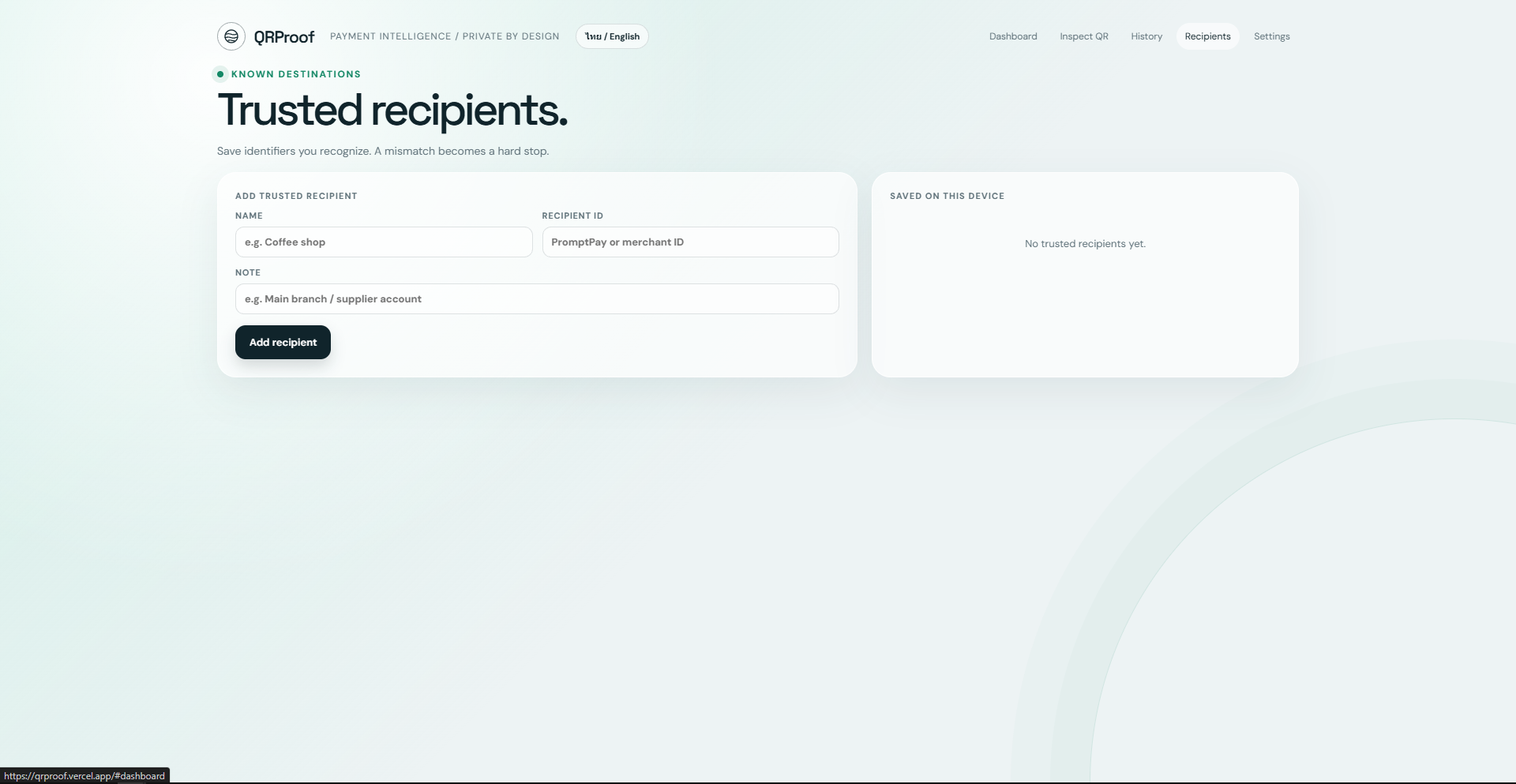
Use trusted recipients as a baseline to detect unexpected destination changes.
-
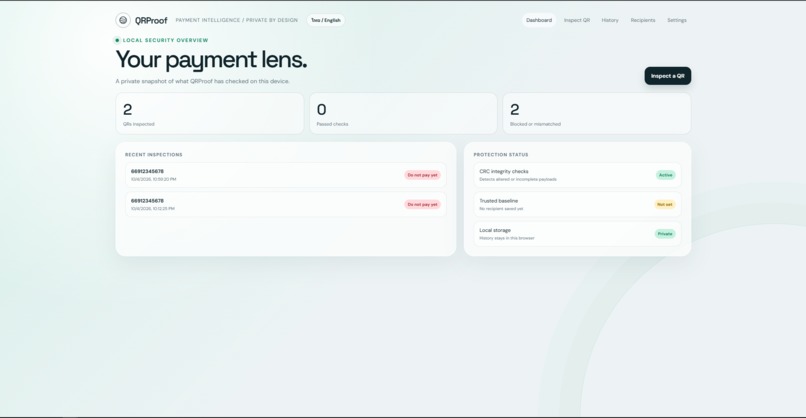
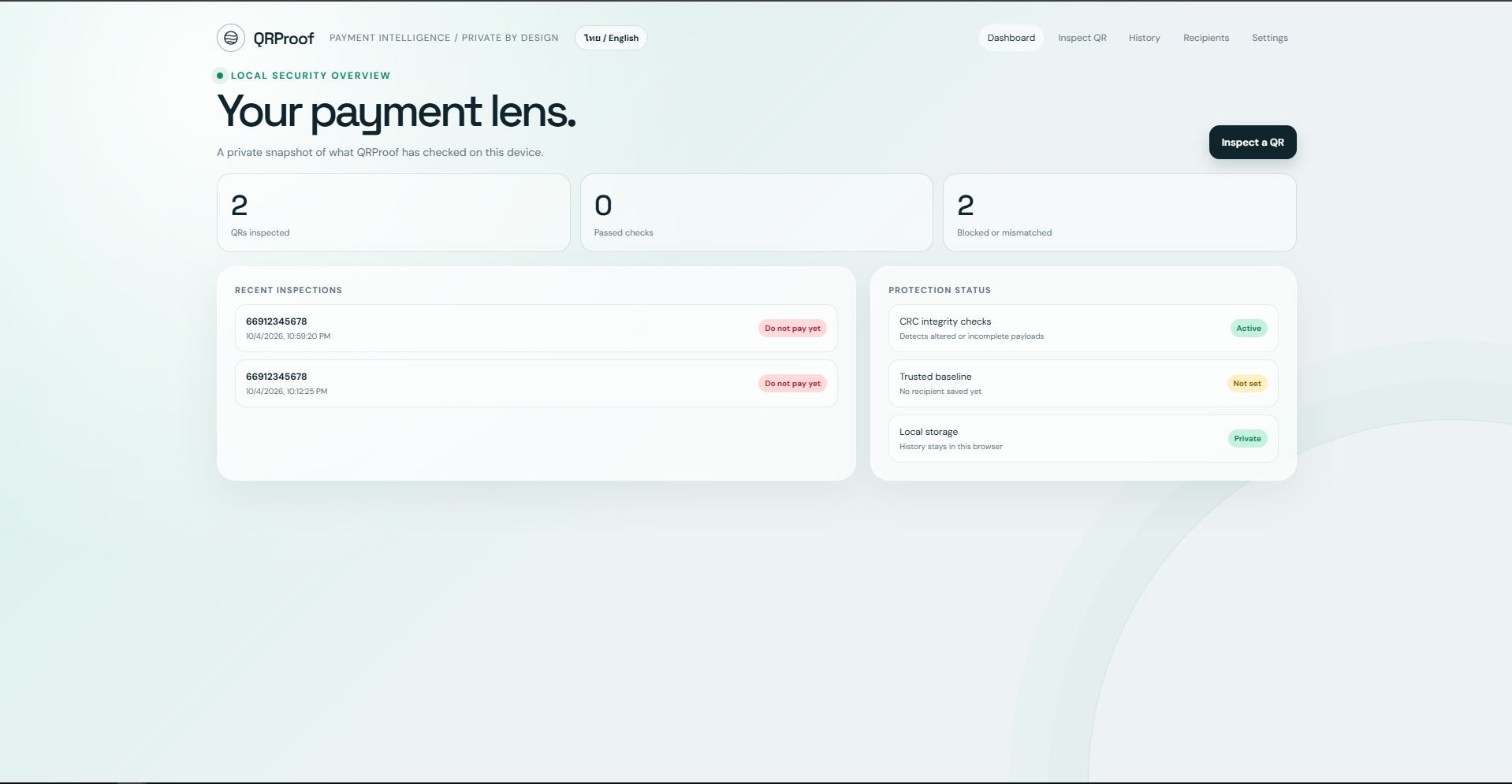
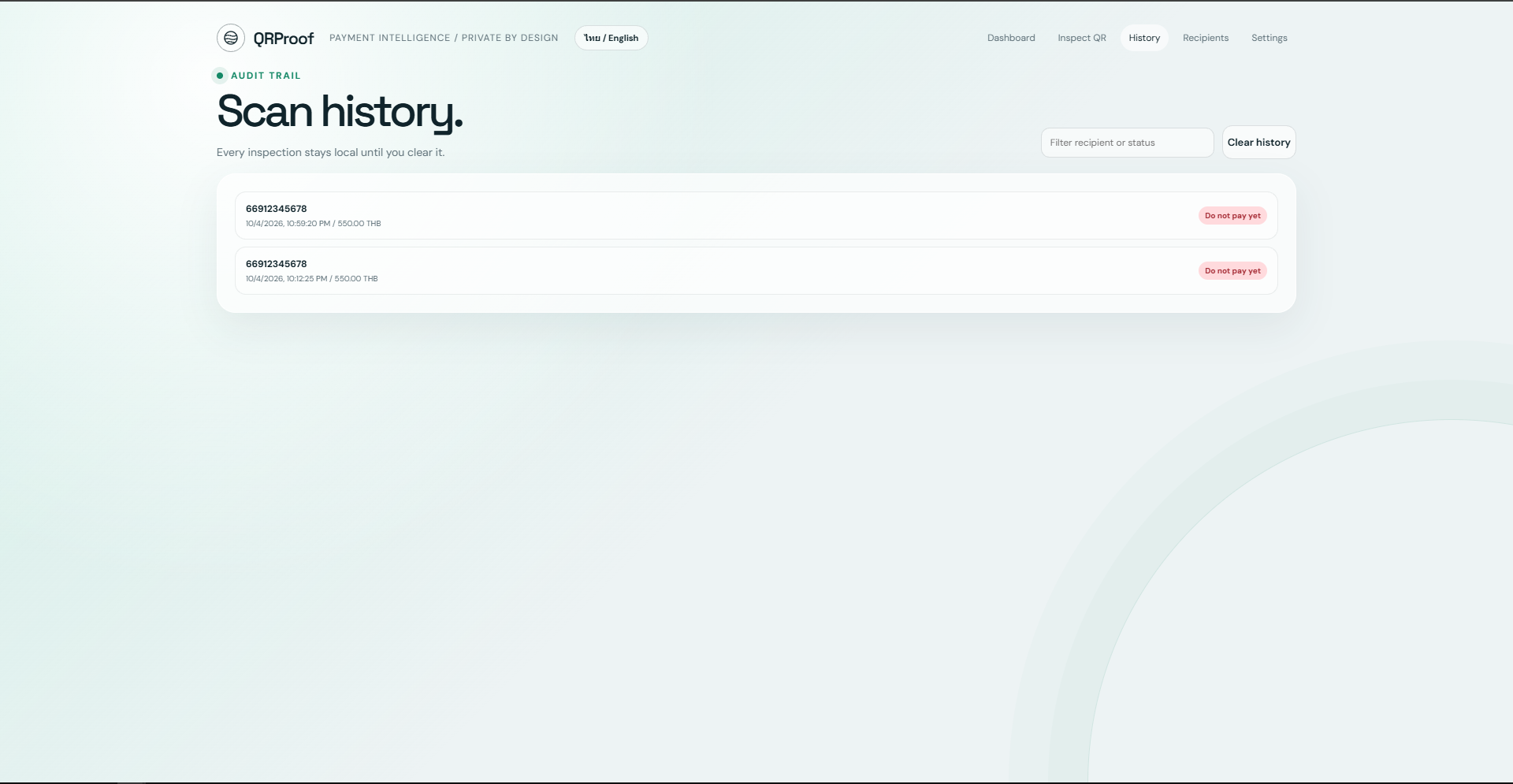
Review previous inspections, results, risk levels, and security status.
-
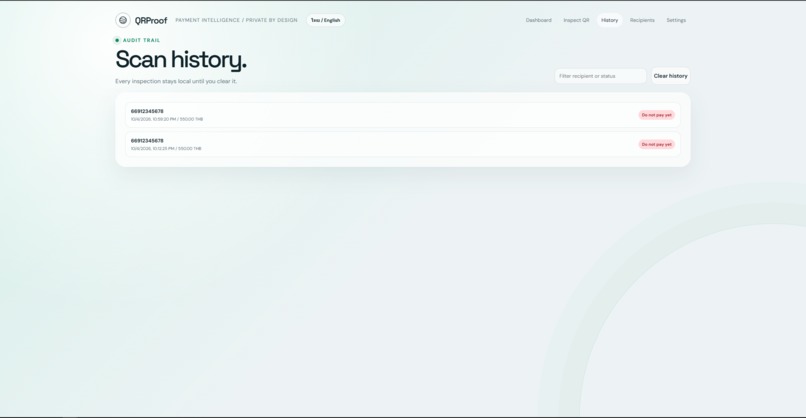
Review previous inspections, results, risk levels, and security status.
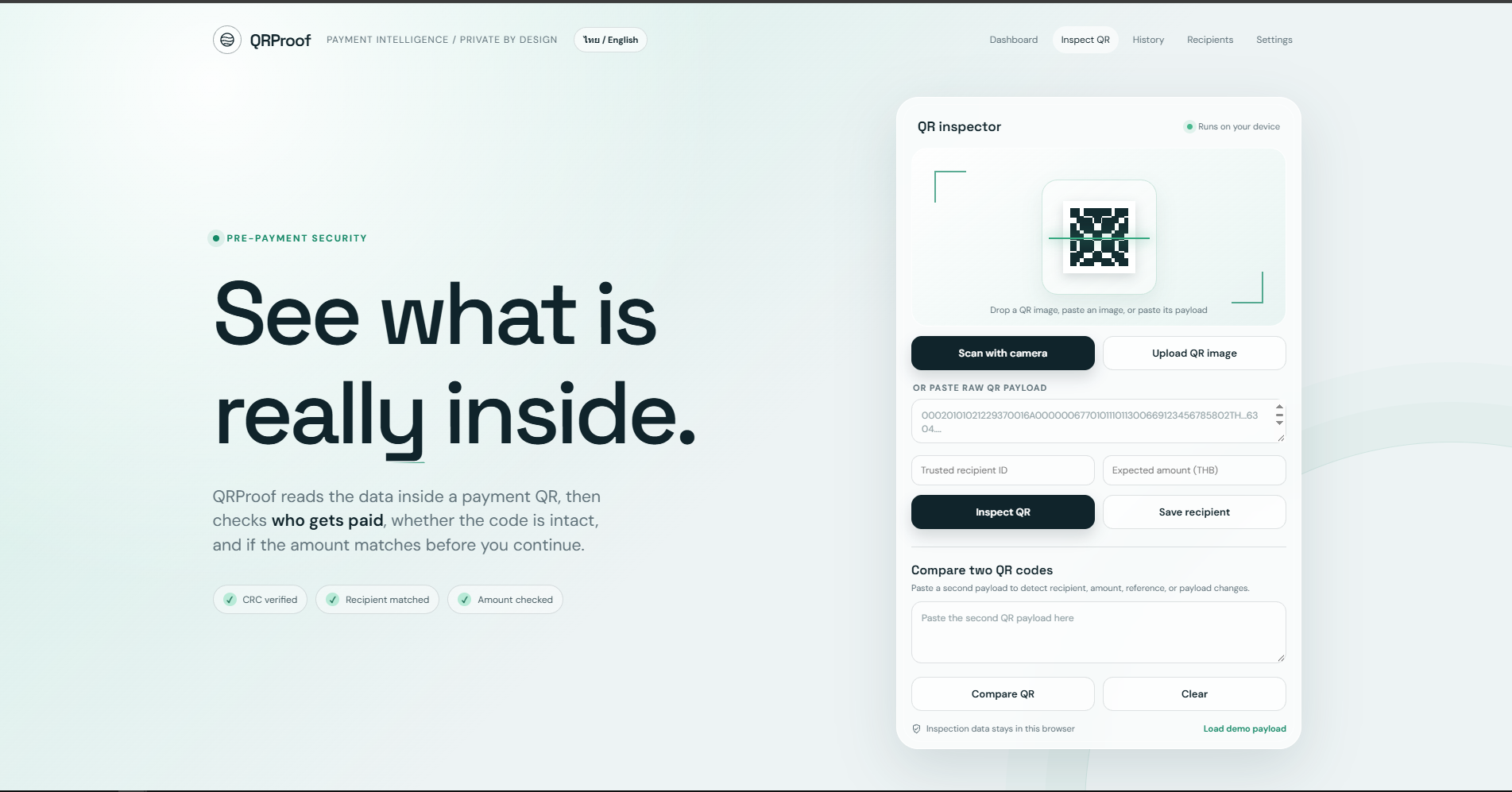
Inspiration
QR codes make payments fast and convenient, but they also hide an important detail from the user:
Where is the money actually going?
A QR image can look completely normal even when the data inside it has changed.
A payment QR may contain a different recipient, an unexpected amount, or modified payload data. A QR can also lead to a suspicious website instead of representing a payment at all.
This creates risks such as payment redirection, QR phishing or "quishing", data tampering, and social-engineering attacks.
We wanted to create a simple security checkpoint that allows users to inspect what is actually inside a QR code before they confirm a payment.
That became QRProof.
What it does
QRProof is a web-based financial cybersecurity tool for checking QR codes before payment.
Instead of trusting the appearance of a QR image, QRProof decodes and analyzes the underlying data.
It can inspect:
- QR payment structure
- Recipient or payment destination
- Payment amount
- Currency
- Country
- Reference information
- CRC integrity
- Payload completeness
- Suspicious URL patterns
Users can provide QR data by:
- Uploading an image
- Dragging and dropping an image
- Pasting an image from the clipboard
- Using a camera
- Pasting the decoded QR payload directly
QRProof then shows what the QR actually contains and explains why a result may require additional verification.
Payment destination verification
One of the core protections in QRProof is destination comparison.
The user can enter the recipient they expect to pay.
QRProof compares that expected destination against the recipient encoded inside the QR.
If they match, the check passes.
If they do not match, QRProof warns the user before they continue to their banking application.
This is designed to reduce the risk of payment-redirection attacks where a legitimate-looking QR has been replaced with one belonging to an attacker.
Amount verification
QRProof can also compare the expected payment amount against the amount encoded in the QR.
For example, if the user expects to pay 550 THB but the QR contains 600 THB, the system identifies the mismatch, increases the risk score, and recommends that the user stop and verify the payment.
QR integrity checking
QRProof parses payment QR payloads using their structured fields and validates the CRC value stored in the payload.
The system can identify cases such as:
- Valid CRC
- Invalid CRC
- Missing CRC
- Incomplete payload
- Incorrect field length
- Modified or damaged payload data
CRC validation helps detect data changes, but QRProof does not treat CRC as a digital signature.
It verifies data integrity, not the identity of the organization that originally created the QR.
Trusted Recipient Baseline
Users can save recipients they trust, such as:
- Regular stores
- Landlords
- Service providers
- Company accounts
- Frequently used payment destinations
These trusted recipients are stored locally and can be used as a baseline during future checks.
If the destination suddenly changes, QRProof can warn the user instead of silently treating the new destination as normal.
Risk Score
QRProof combines multiple security signals into a risk score from 0 to 100.
Signals can include:
- Invalid CRC
- Recipient mismatch
- Amount mismatch
- Missing payment amount
- QR containing a URL instead of payment data
- Changes from a previously watched QR
- Invalid or incomplete payload data
The score is designed as a decision-support signal.
It does not guarantee that a QR is safe or fraudulent.
QR phishing and suspicious links
Not every QR is a payment QR.
QRProof can distinguish between payment data and web links.
For URLs, it performs basic heuristic checks for patterns such as:
- URL shorteners
- Punycode domains
@inside URLs- Unusual protocols
- Other suspicious URL structures
This helps users notice when a QR may be attempting to redirect them to a phishing or fake-login page.
QR comparison and tamper detection
QRProof can compare two QR payloads and identify changes in:
- Recipient
- Amount
- Reference
- CRC
- Payload data
This can help when comparing:
- A QR displayed at a store with one sent through chat
- Two versions of an invoice
- A QR before and after forwarding
- A QR suspected of being replaced or modified
Users can also add a QR to a watchlist.
If important information changes during a later inspection, QRProof can highlight the difference.
Human confirmation before payment
QRProof does not transfer money.
Before the user opens their banking application, they can review:
- Recipient
- Amount
- Risk score
- Verification results
The goal is to introduce one deliberate security step between:
Scanning a QR
and
Sending money
The core workflow is:
Scan → Decode → Verify integrity → Verify destination → Verify amount → Assess risk → Human decision
How we built it
QRProof was designed around deterministic inspection wherever possible.
The system parses structured QR payment payloads field by field instead of asking an AI model to simply decide whether an image looks suspicious.
It performs:
- TLV-style payload parsing
- Nested payment-field extraction
- CRC16 validation
- Destination comparison
- Amount comparison
- QR-to-QR comparison
- Rule-based risk scoring
- Suspicious URL heuristics
- Trusted-recipient comparison
For image scanning, QRProof can use the browser's BarcodeDetector when available and fall back to another QR-reading method when necessary.
Image preprocessing such as contrast adjustment, grayscale conversion, and inversion can also help improve decoding.
Trusted recipients, history, settings, watchlist information, and language preferences can be stored locally in the browser.
Challenges we faced
One challenge was making the system useful without making dangerous claims.
A mismatched recipient does not automatically prove fraud.
A suspicious URL does not automatically mean malware.
And a valid CRC does not mean that a QR came from a legitimate bank or merchant.
Because of this, QRProof was designed to explain why something deserves attention instead of simply labeling everything as safe or fraudulent.
Another challenge was QR decoding reliability.
Different browsers provide different capabilities, and QR images can have poor contrast, unusual colors, or other visual issues.
We therefore included multiple ways to provide QR data and a fallback path where users can paste the raw payload directly.
What we learned
Building QRProof showed us that cybersecurity is not only about detecting malware after something goes wrong.
A useful security system can also introduce a verification checkpoint before a high-risk action happens.
For QR payments, the important question is not only:
"Does this QR look real?"
but:
"What recipient, amount, and data are actually encoded inside it?"
We also learned the importance of separating data integrity from authenticity.
CRC can detect certain changes to a payload, but it is not a cryptographic signature and cannot prove who created the QR.
What's next
Future versions of QRProof could add:
- Threat-intelligence services for URL reputation
- Stronger merchant and recipient verification
- Shared trusted-recipient lists for organizations
- Additional payment QR standards
- More advanced phishing detection
- Secure cloud synchronization
- Integration with payment or banking workflows
QRProof is currently designed as a security assistant, not a replacement for a banking application.
Our goal is simple:
Inspect the real data before the user sends real money.
Built With
- anti-phishing
- api
- application
- barcodedetector
- code
- crc16
- decoder
- fraud
- image
- localstorage
- parser
- payment
- prevention
- processing
- qr
- security
- tlv
- web

Log in or sign up for Devpost to join the conversation.