-
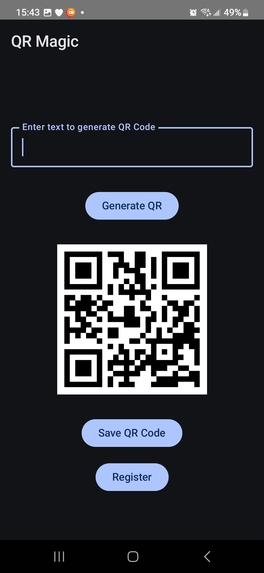
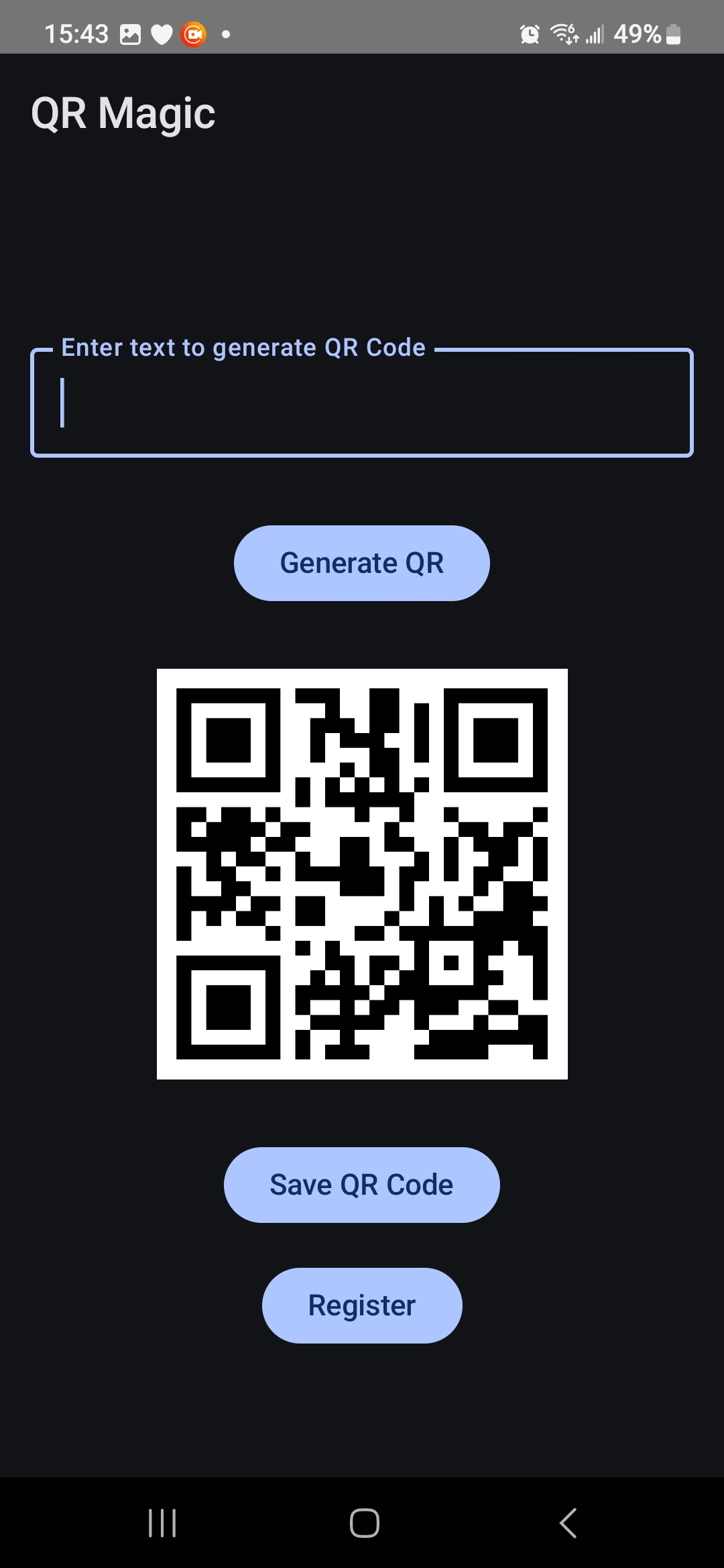
QRMagic Guest Mode Screen
-
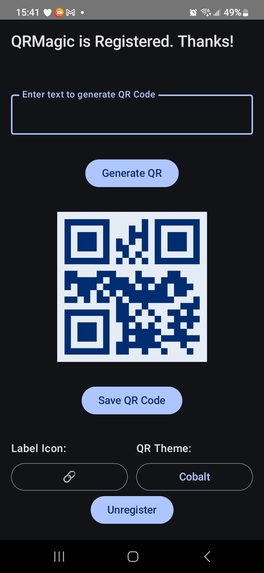
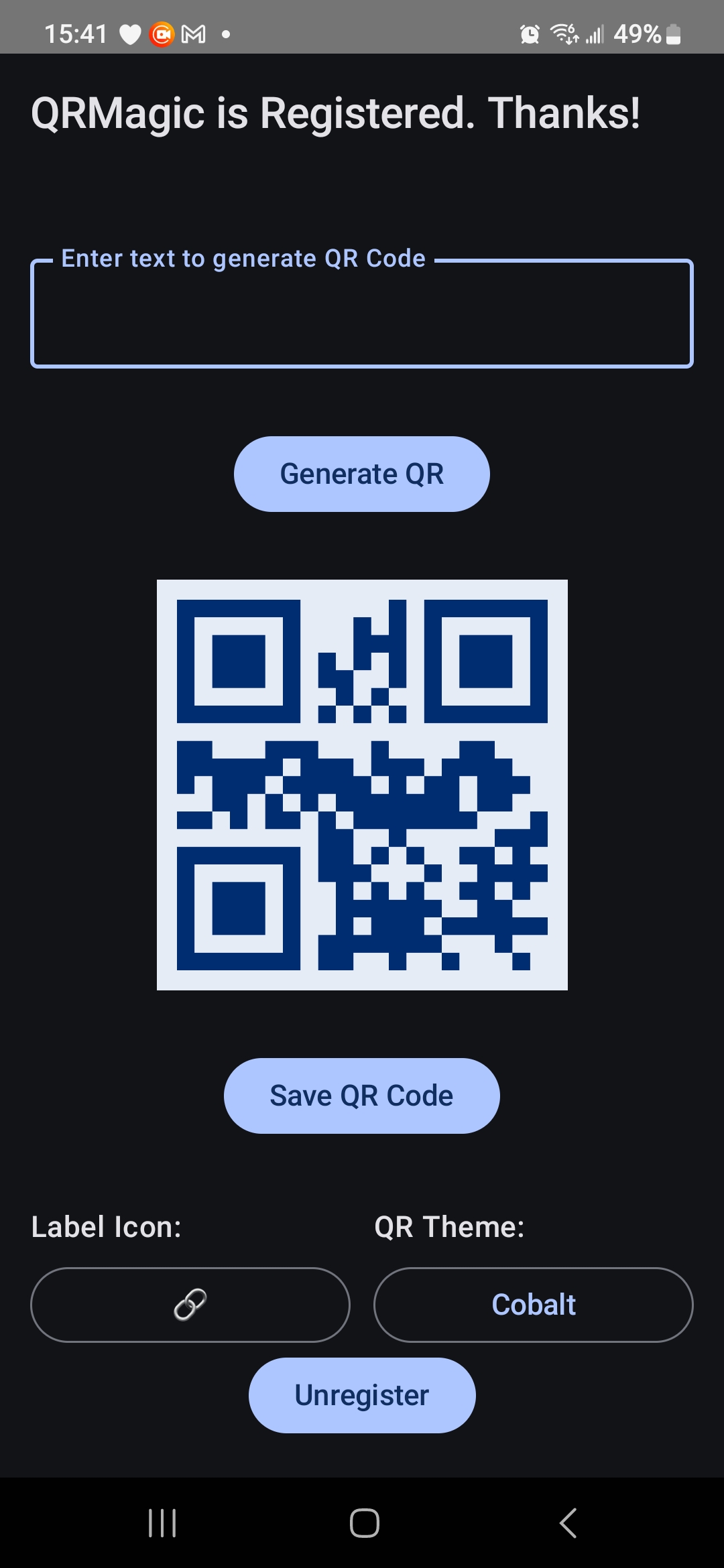
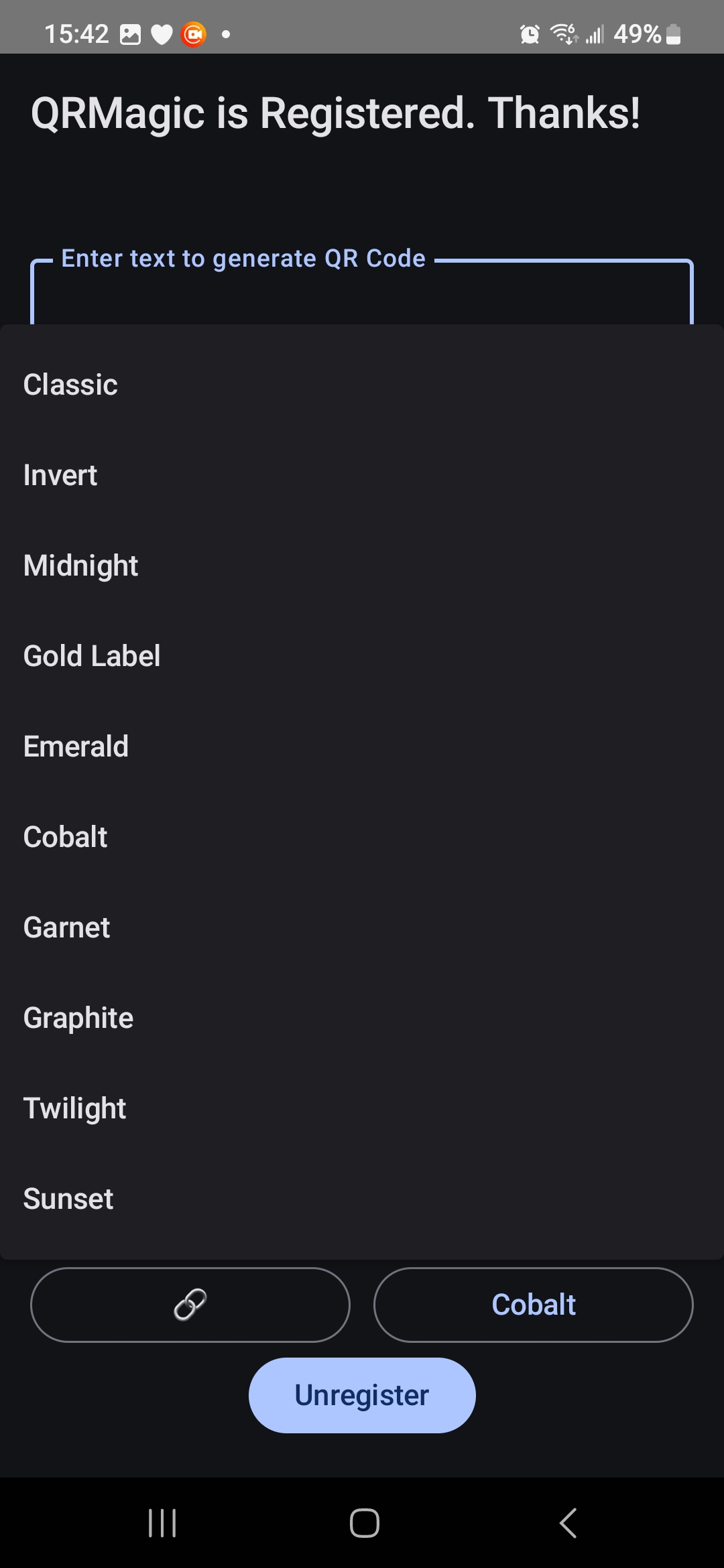
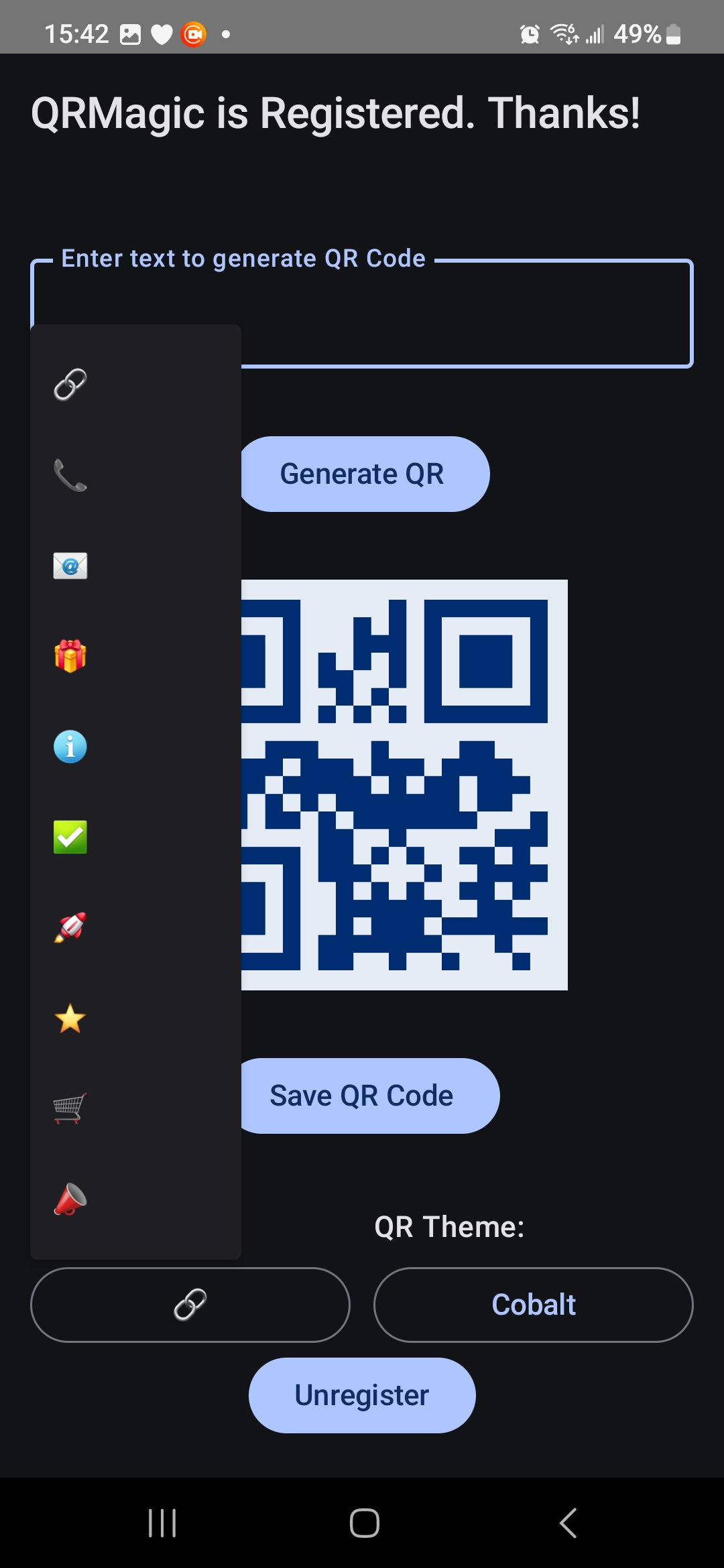
QRMagic Registered Mode Screen, showing Theme and Icon selection
-
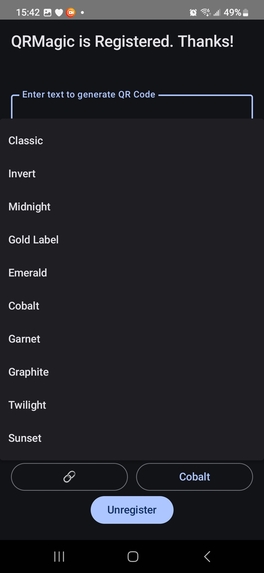
Registed Mode Themes
-
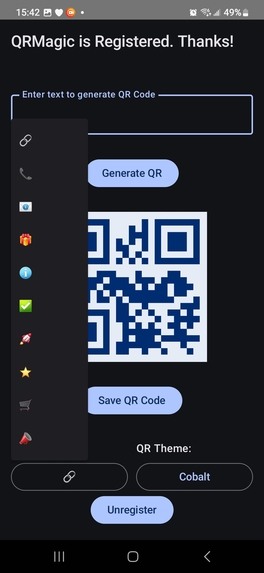
Registered Mode Label Icons
-
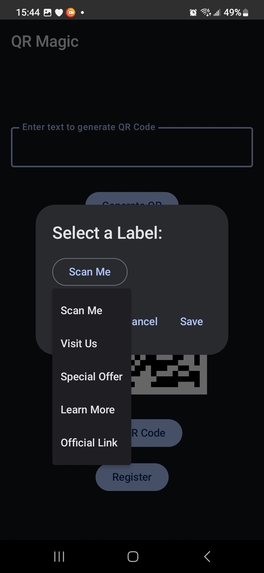
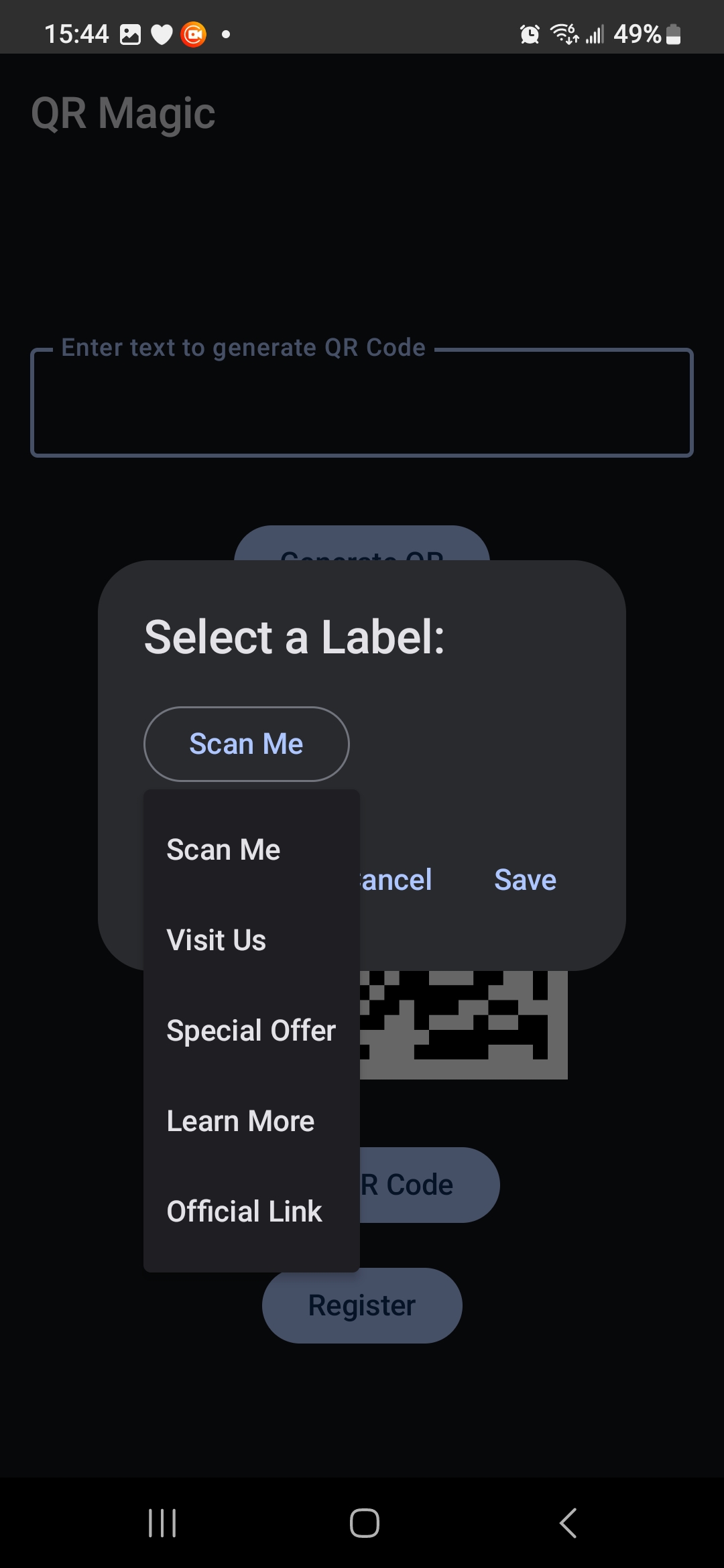
Guests choose 1 of 5 preset Labels, while Registered Users input their own Custom Text
Inspiration
I was writing a Kids Fun Facts book with interactive elements to encourage reading and library use. eBooks can use live links, but paper books would require the reader to type in URLs until QR codes became available. Including those in the book makes it a tech-interactive experience. So I downloaded a generator. Created about 25 codes and got them placed in my book; when I received an email. "Don't let your codes expire!" What? How do QR Codes EXPIRE. Oh! The code isn't the link I entered, it's a link to an account on THEIR server, that LOOKS UP the URL. "So they can have Dynamic QR Codes. You don't have to change your QR if the address changes." And I could get a subscription that would give me TWENTY dynamic QR codes for just $20 a month. Well... I'm going to need about 250 codes, so No. I downloaded another. That one surprised me by showing ADS before taking me to the link. Can't have that in a kids book, with no control over the ads... So I had to write my own.
What it does
It takes a text input and creates a QR Code from THAT information. First version 0.8 (New Orleans) will be a stand alone app that is loaded into a sidebar, and closes after use. Future versions will have a persistent handle on the screen edge to pull out the text entry box. It will then evolve to a floating ball that detects the text on the screen when dragged over it. Release of the Ball generates the code. Later versions will find other types of links.
How we built it
My code knowledge starts and ends with BASIC and DOS Batch Language. Chat GPT has acted as a coder, promoting me to project development leader. Chat o-4 guided every step of development from creating the proper files, to writing code in the Latest Kotlin 2.o Java, with Jetpack Compose. I put out ideas and Chat took those ideas and expanded upon them and turned this from a quick and dirty hobbyist project to a polished, professional looking production App, with full documentation, release notes, active ChangeLog and Upgrade naming plan.
Challenges we ran into
We wanted to start with the Floater, but getting background apps to work without a dedicated development platform is tricky. One UI kept killing our process before it could establish its credentials. We did a rethink and stepped back to the Version plan, getting a stable release first, then adding features, and polishing.
Accomplishments that we're proud of
Supremely proud of version 0.5.5, the first stable APK that installed, ran, generated and saved the QR and exited without error.
What we learned
I have learned a tremendous amount of Java, Kotlin and Jetpack in just a few days, going from having to have Chat write complete files for me, to me being able to find and modify lines of code in the files, to figuring out what the errors that AndroidStudio finds are and how to debug them.
What's next for QRMagic
QRMagic, To QR Handle, a lightweight persistent pull out, Then QRMagic will move to a Floating Ball with screen detection and hepatic feedback, then both the full QRMagic and QRHandle will bundle together as QRMagic Suite, adding QR scanning and sundry tools.
Built With
- android
- android-studio
- jetpack
- kolin2.0

Log in or sign up for Devpost to join the conversation.