-
-
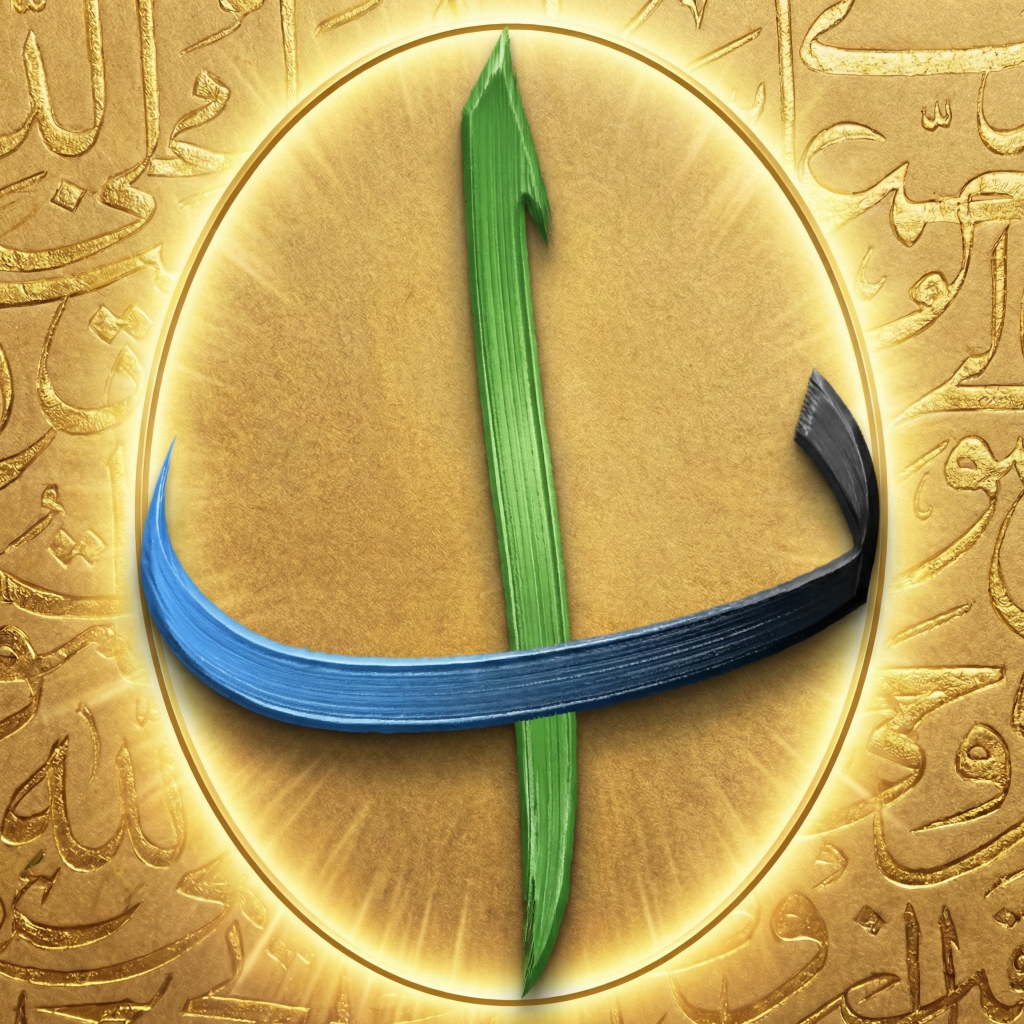
App Icon
-
Main Screenshot
-
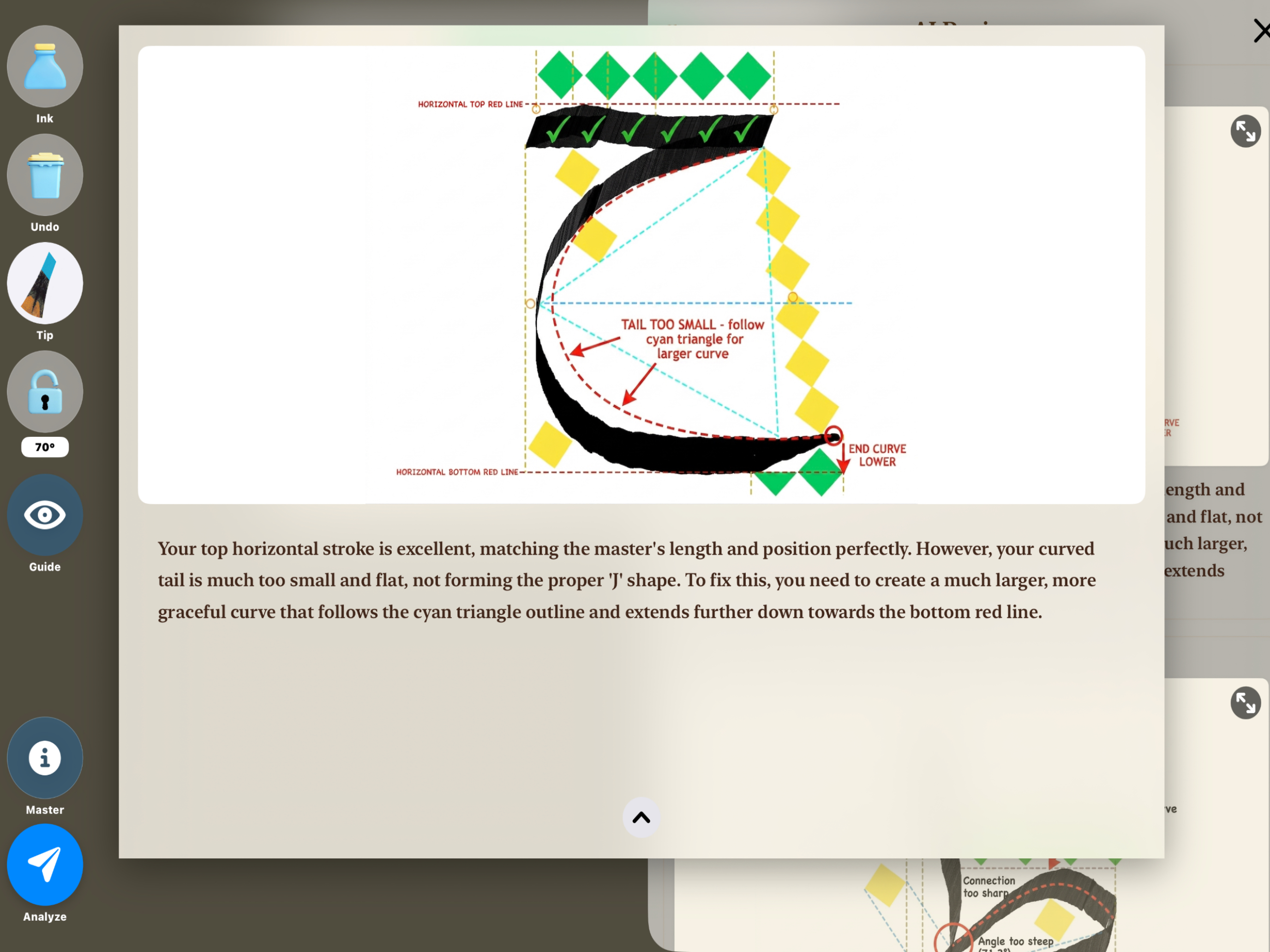
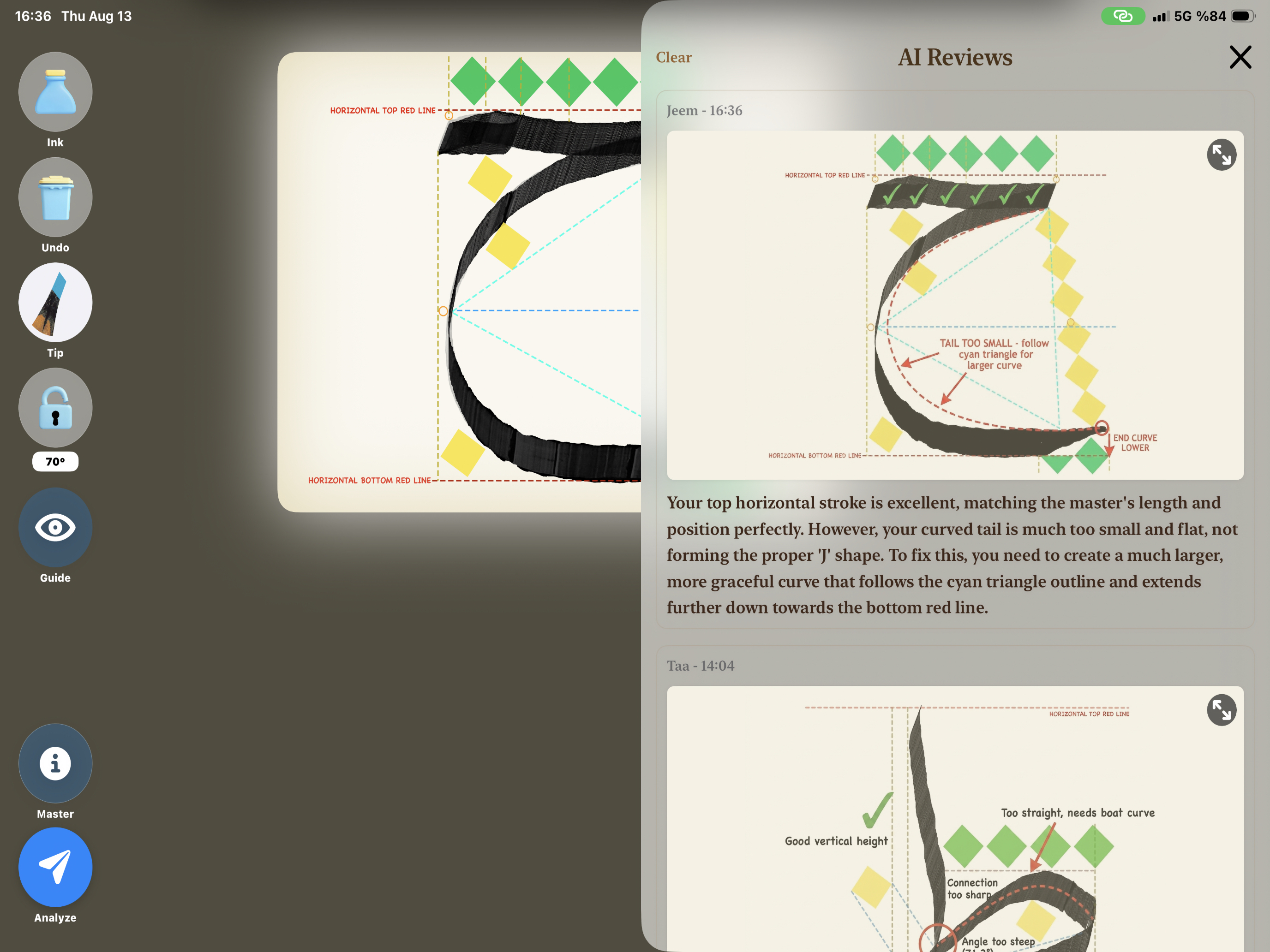
Instant AI Feedback on Every Stroke
-
Track Your Progress with Saved AI Reviews
-
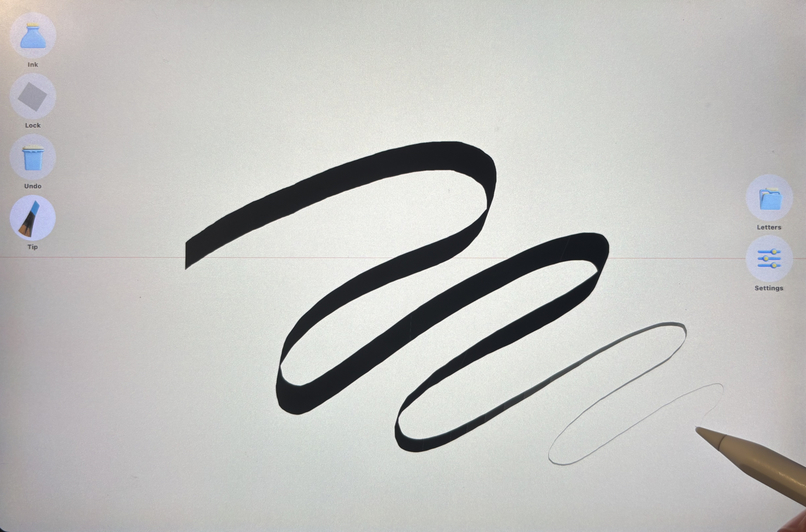
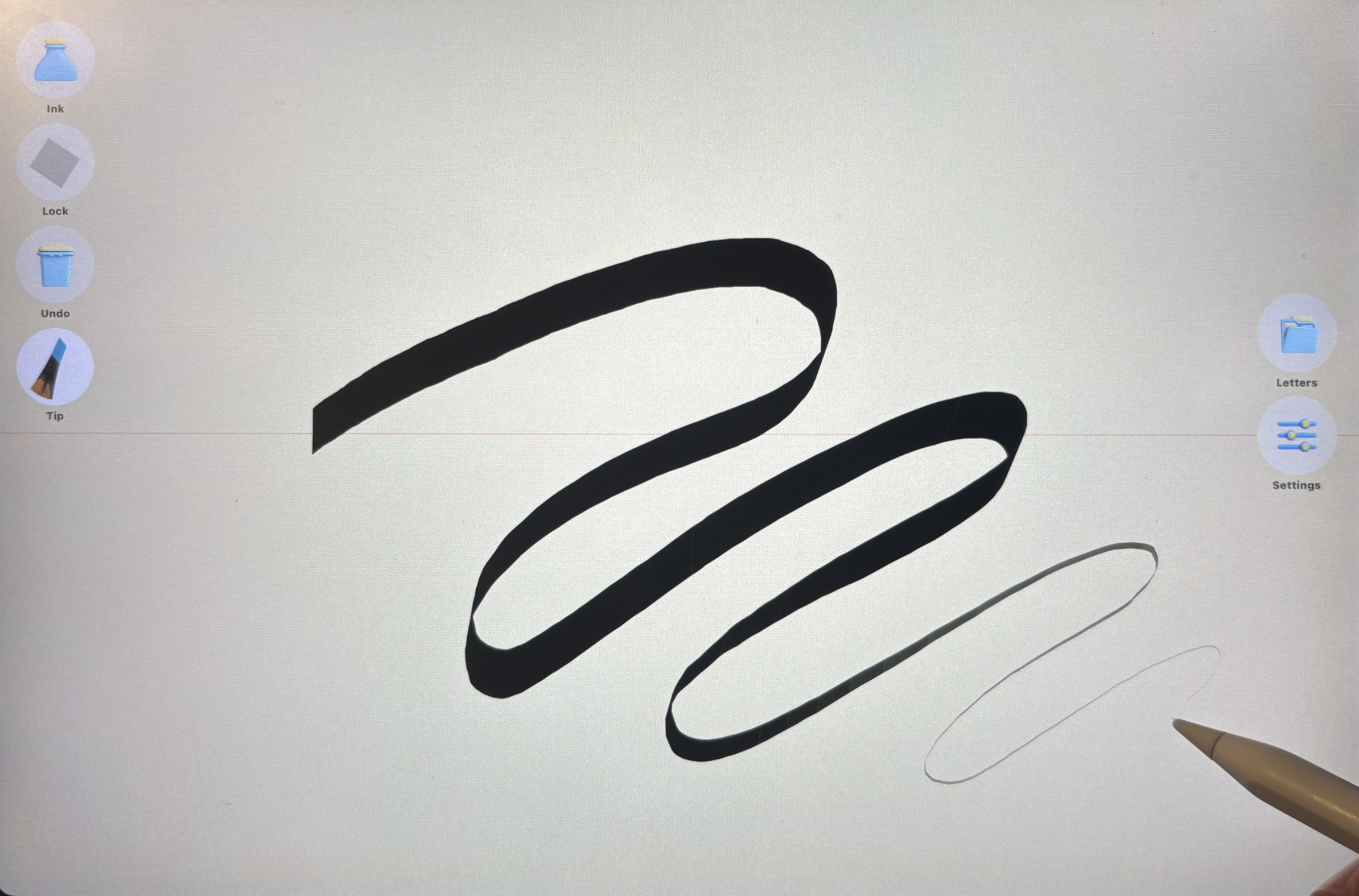
Real Ink Physics - it runs dry, then you refill
-
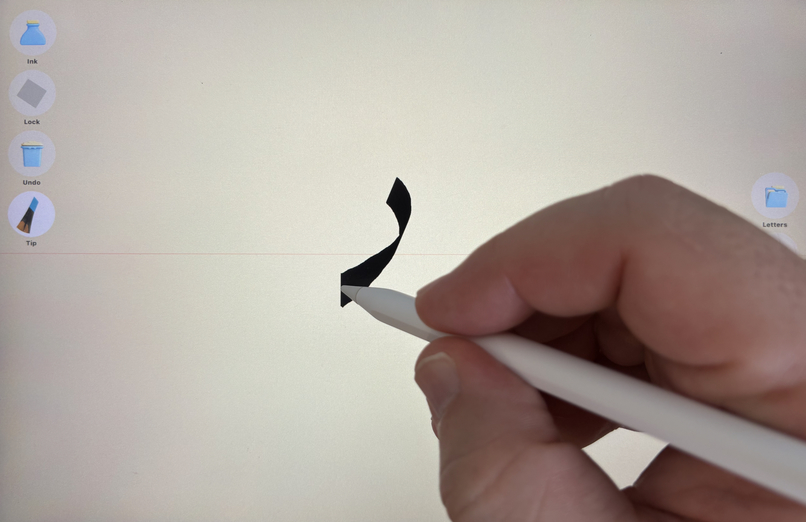
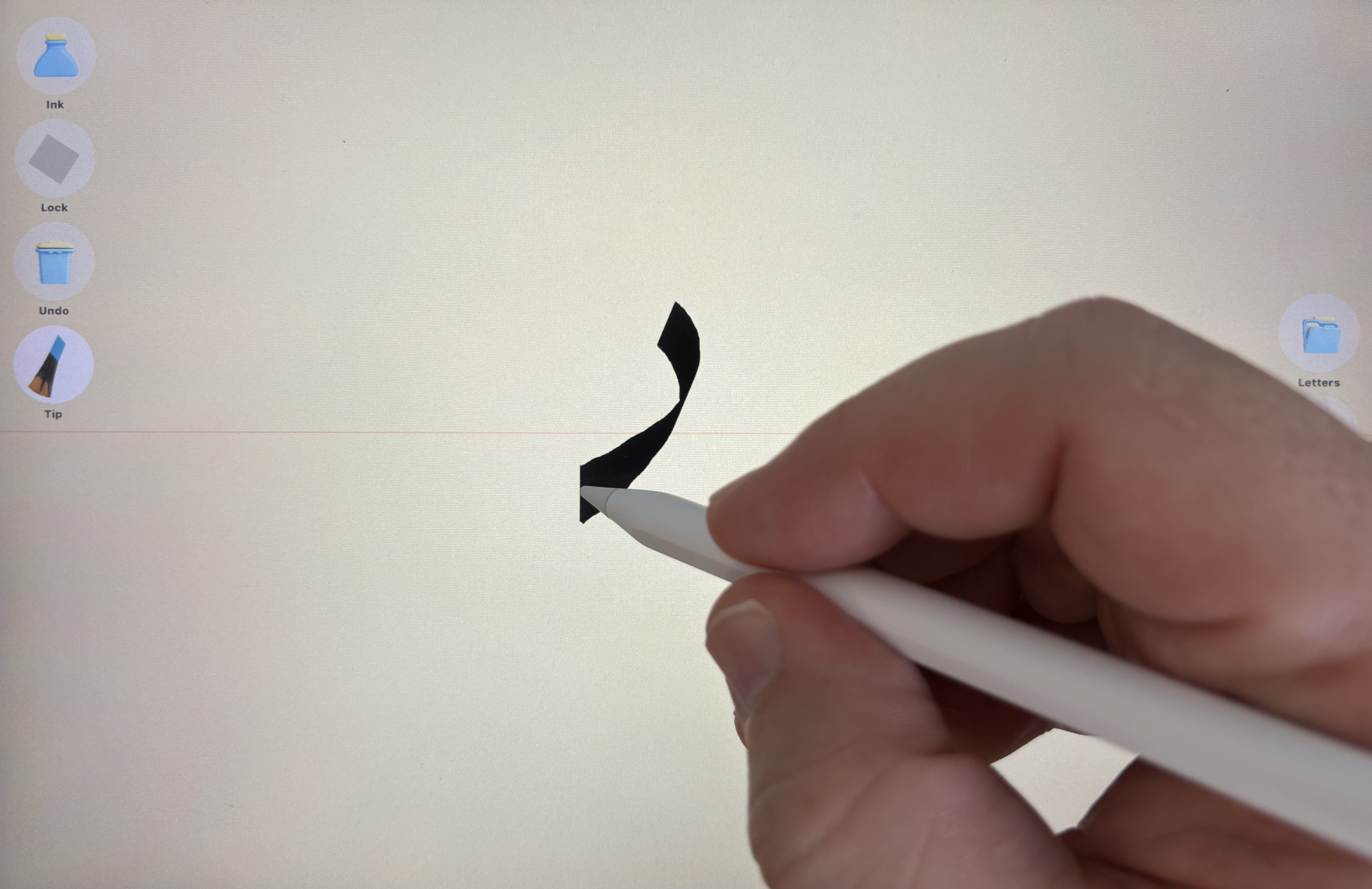
The Nib Turns With Your Writst
-
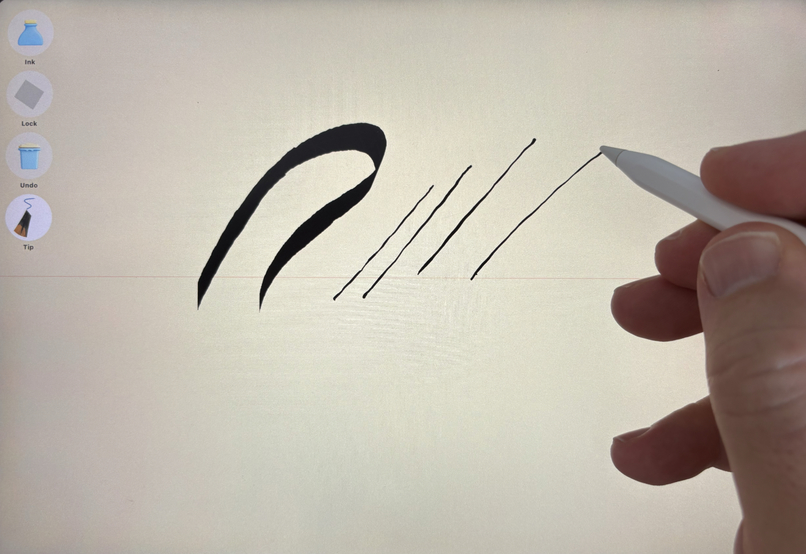
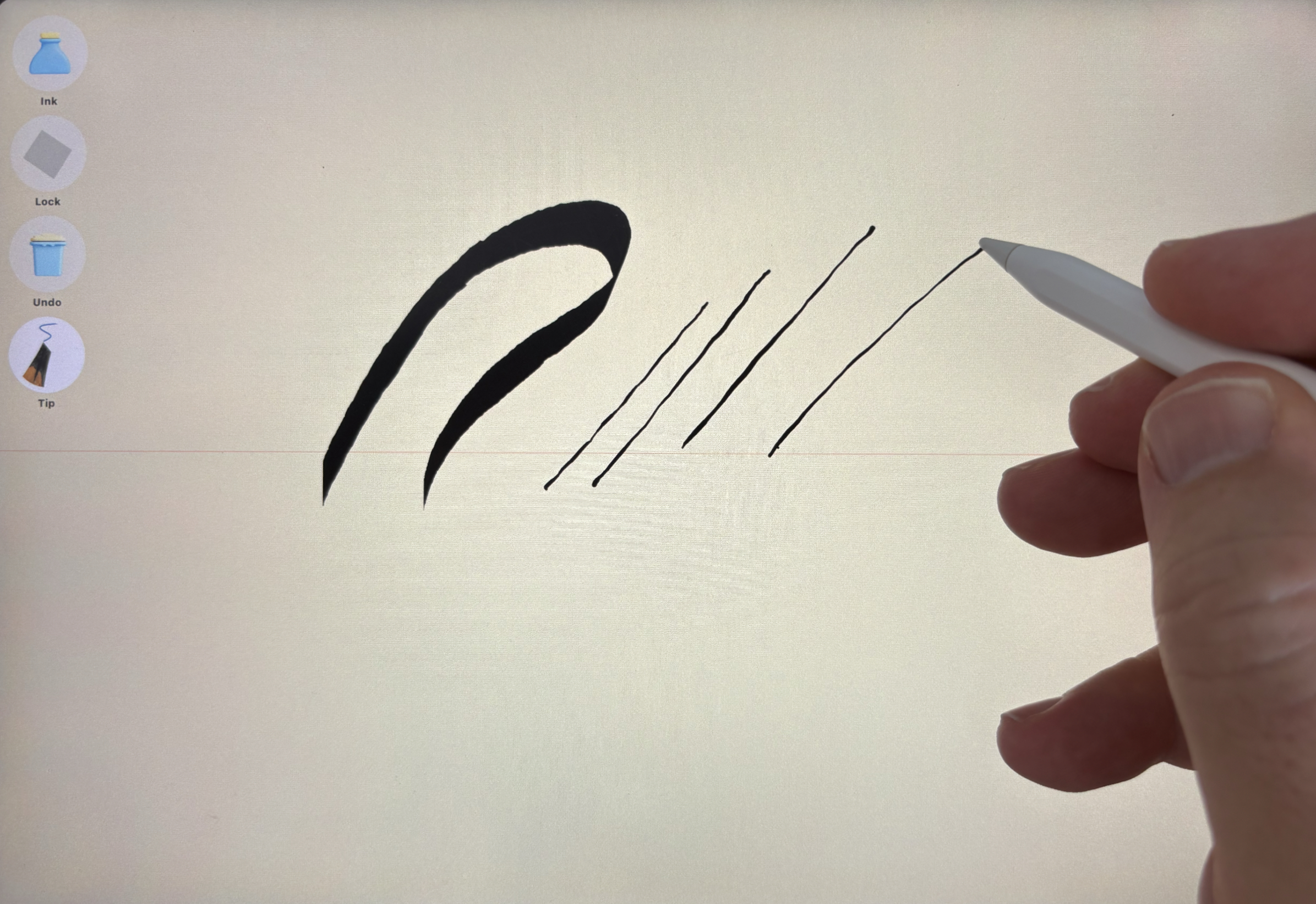
Switch Between Normal and Wild Tip
-
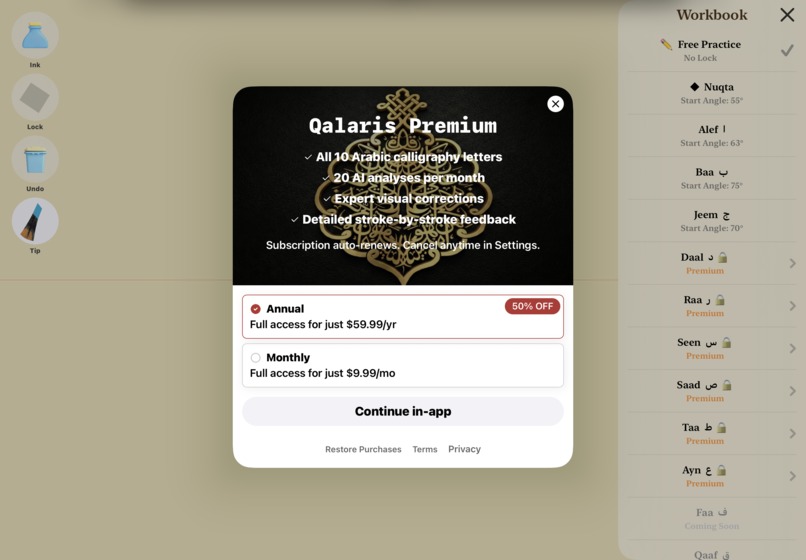
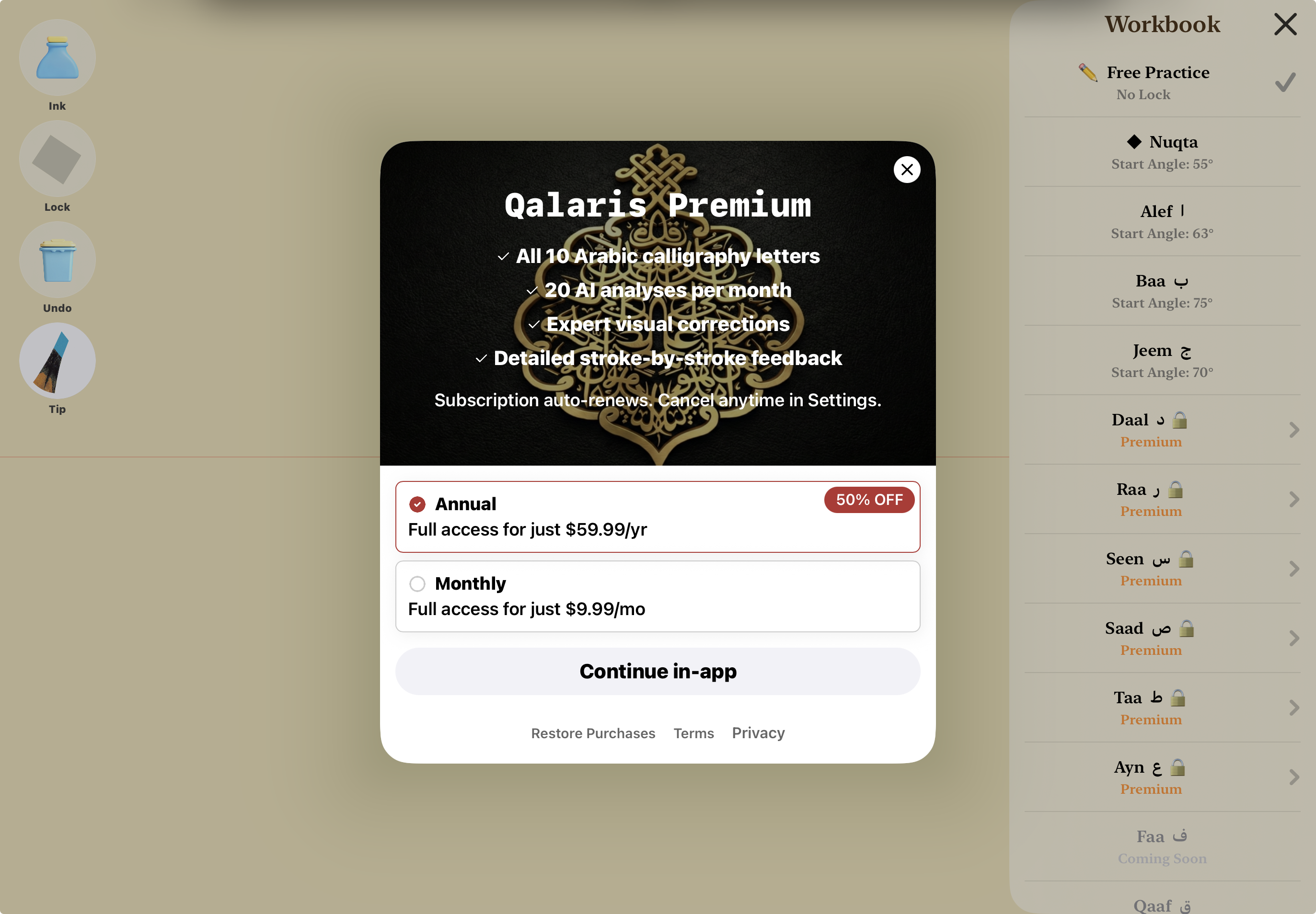
Subscribe to unlock all 10 letters and 20 AI credits a month — yearly saves 50%.
-
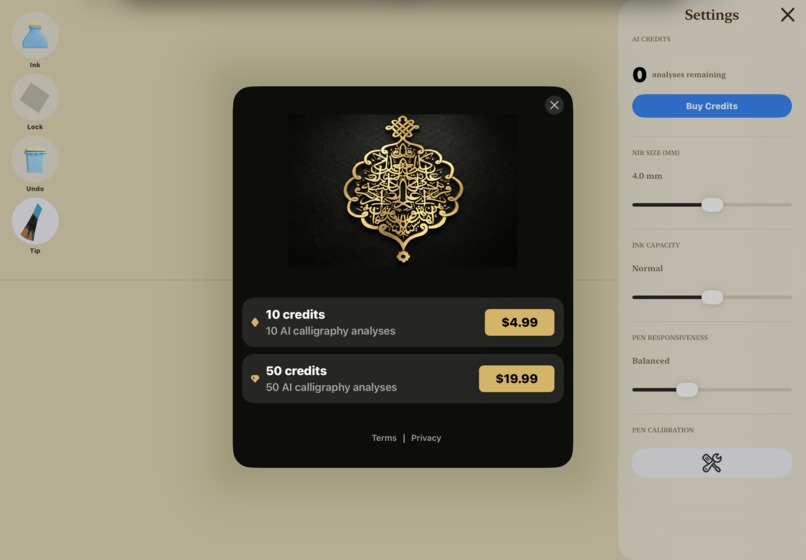
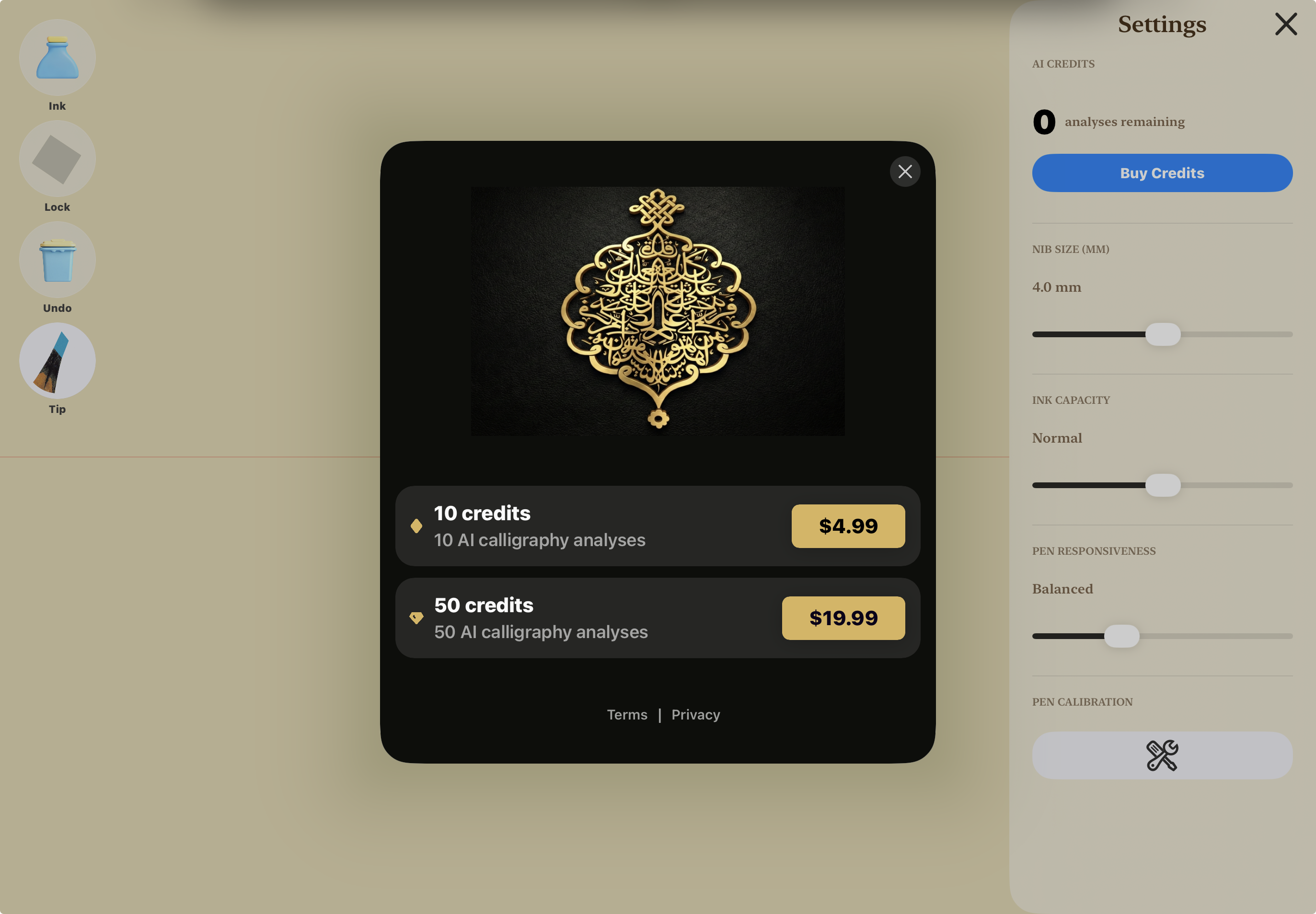
Top up anytime with 10 or 50 AI credit packs, no subscription needed.
-
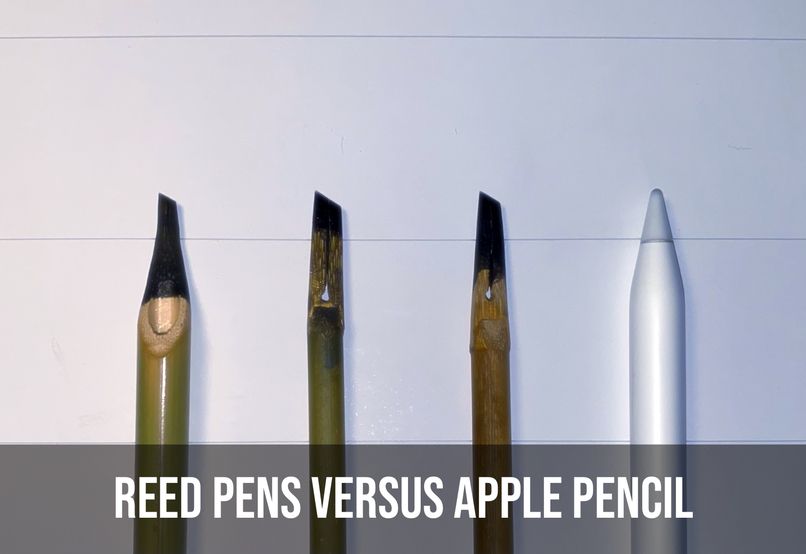
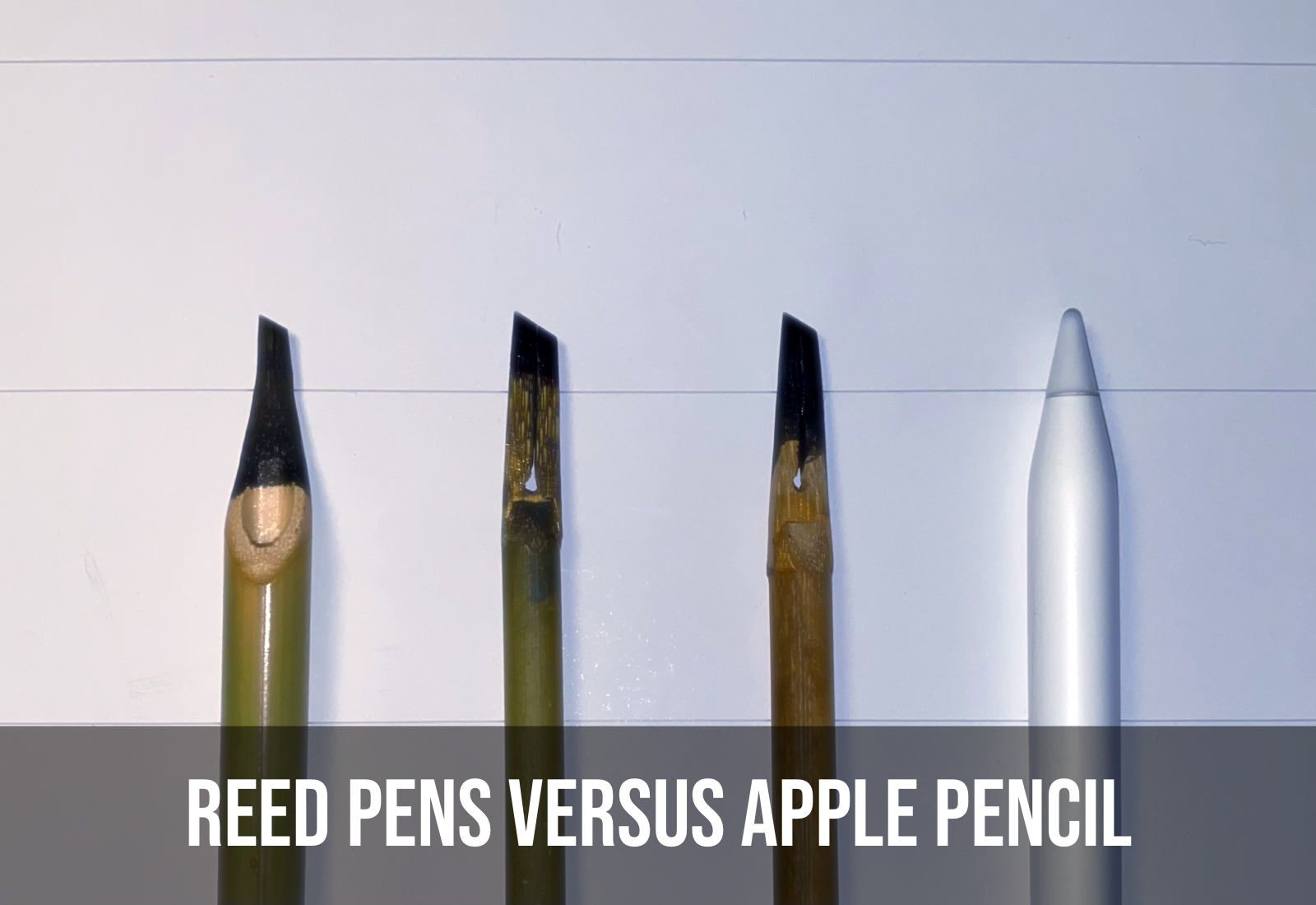
Reed Pen vs Apple Pencil
-
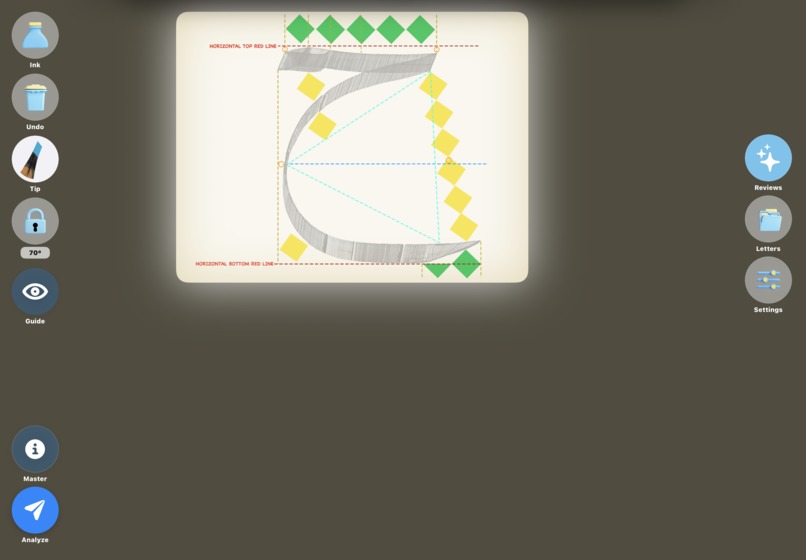
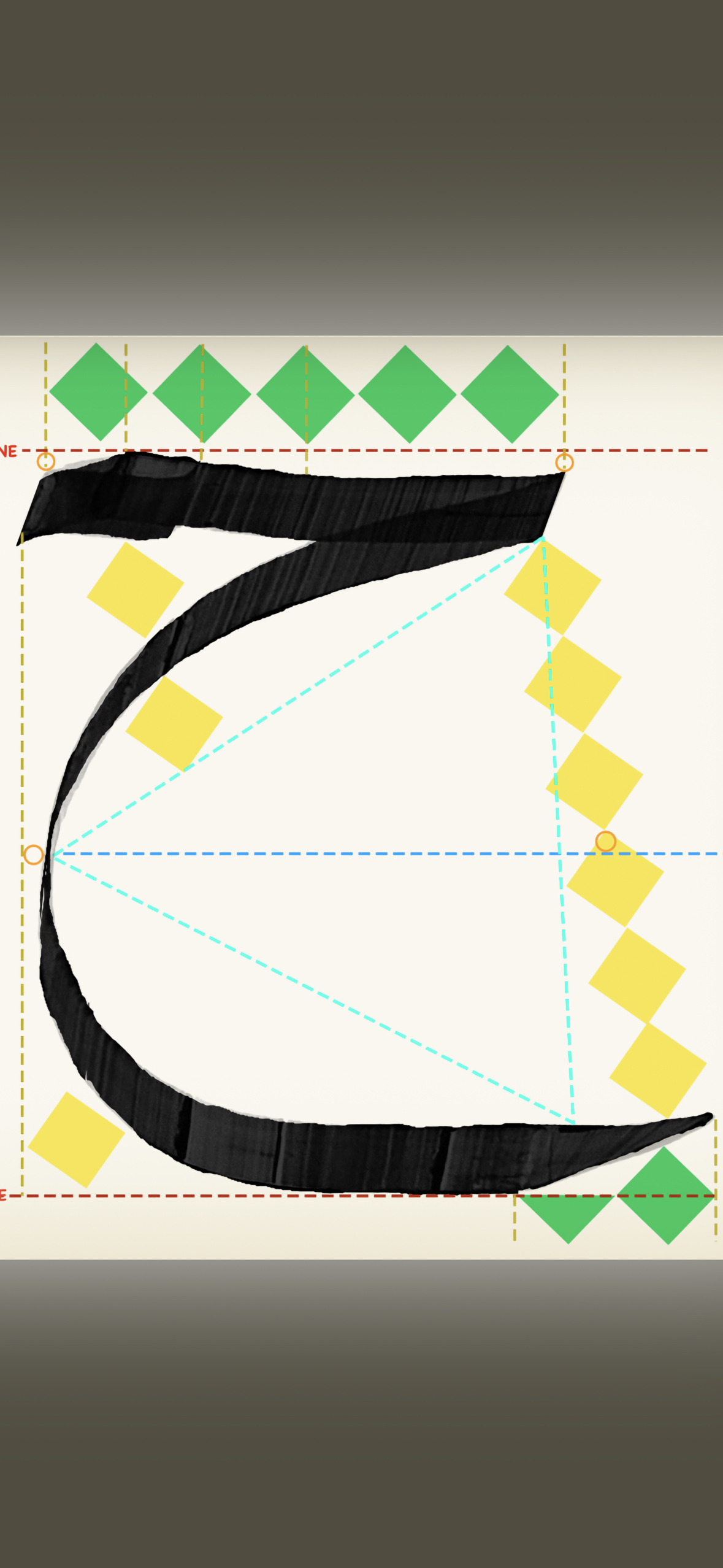
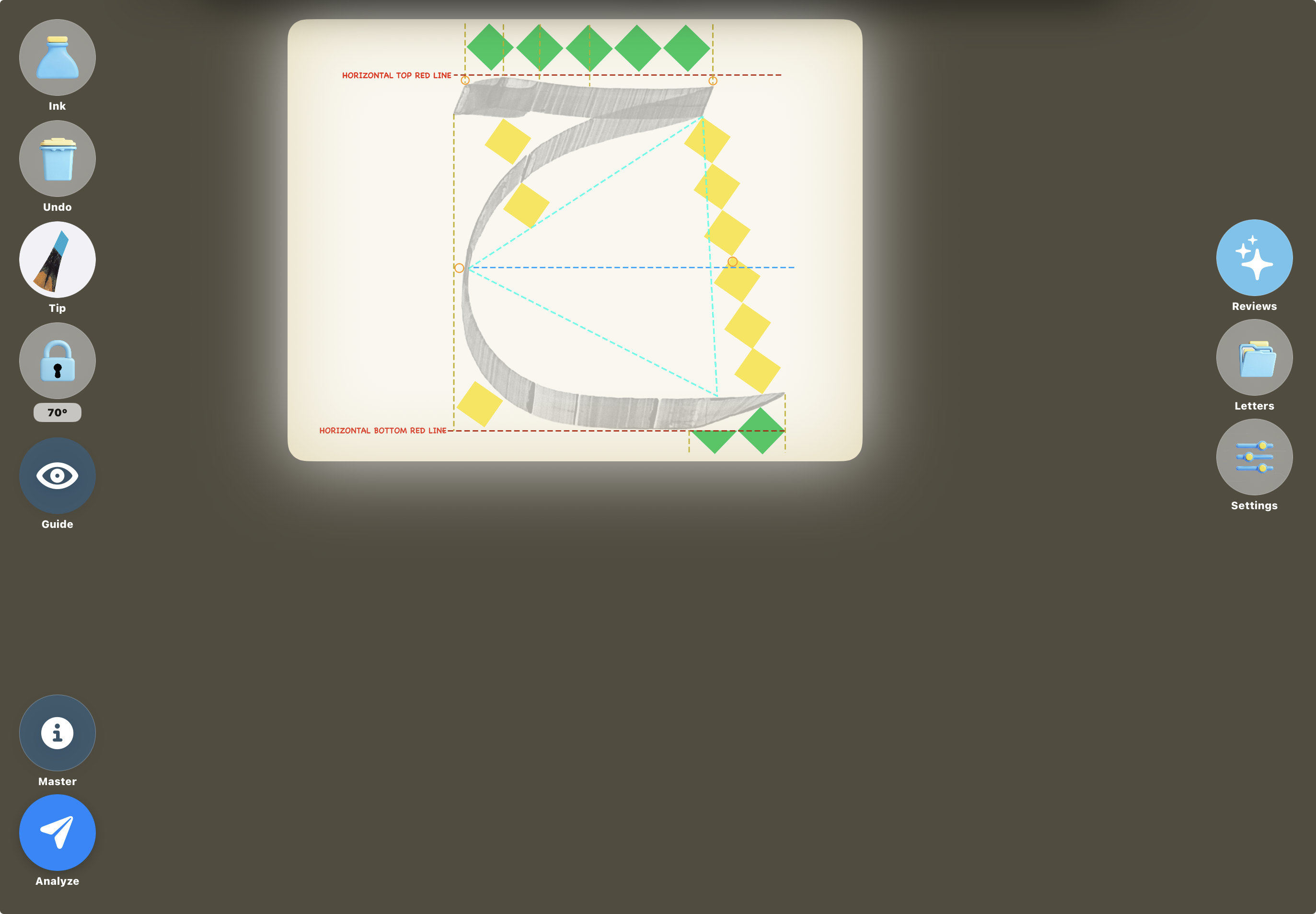
Guided Practice with Precise Angles and Measurements
-
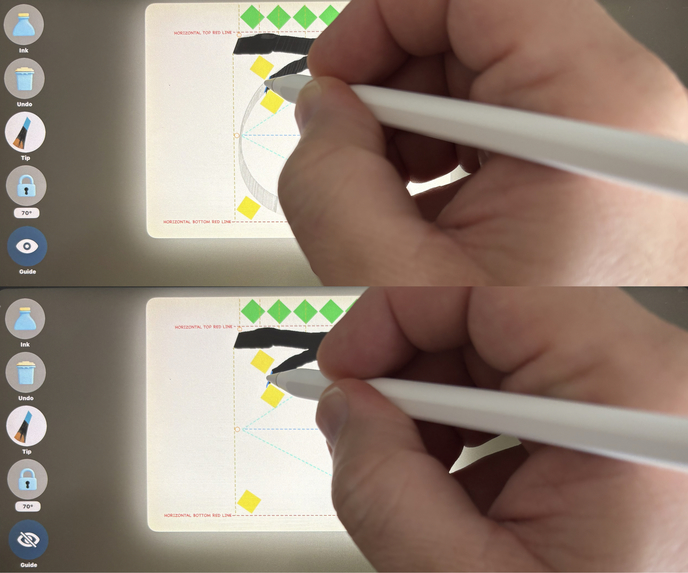
Trace First, Then Draw On Your Own
-
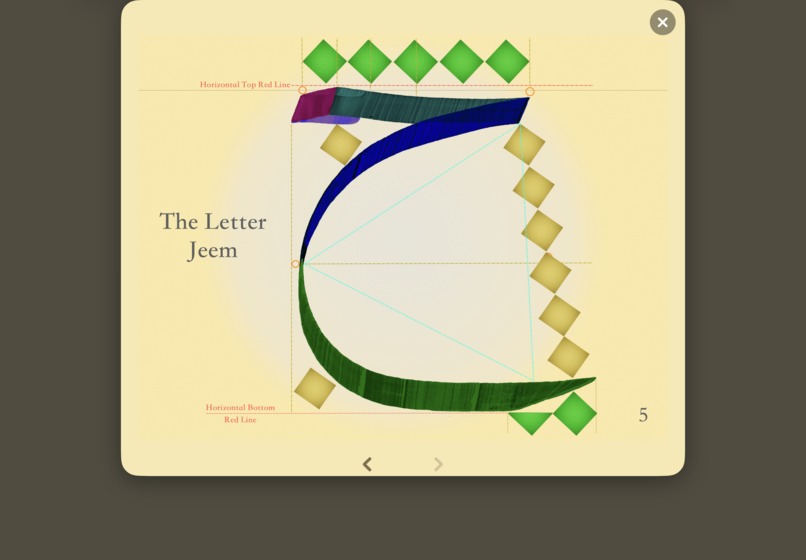
Step by Step Stroke Guide
Inspiration
For four years, I studied Arabic calligraphy. The hardest part was never the art — it was the tool itself. Every session meant cutting a bamboo reed, shaping the nib by hand, mixing ink, preparing special paper. The setup was so demanding that I eventually had to give up the practice I loved.
That frustration is universal. Arabic calligraphy is a thousand-year-old art form — a shared cultural heritage across Turkey, the Middle East, and Southeast Asia — but the barrier to entry is brutal. Materials are expensive, preparation is tedious, and expert instruction is scarce, especially outside major cities. In 2021, UNESCO inscribed Arabic calligraphy on its Representative List of the Intangible Cultural Heritage of Humanity, precisely because this living tradition is at risk of fading.
So I asked one question: could an Apple Pencil become a real reed pen? Not a brush — a flat-cut nib, with ink that runs dry and an angle that turns with your wrist. And could AI do what a master does sitting beside you — watch your stroke, understand the geometry, and tell you exactly what to fix? That obsession became Qalaris.
What it does
Qalaris is the world's first AI-powered Arabic calligraphy analyst for iPad. It combines a custom reed pen engine with Gemini's multimodal vision to provide instant expert-level feedback on every stroke.
Reed Pen Engine:
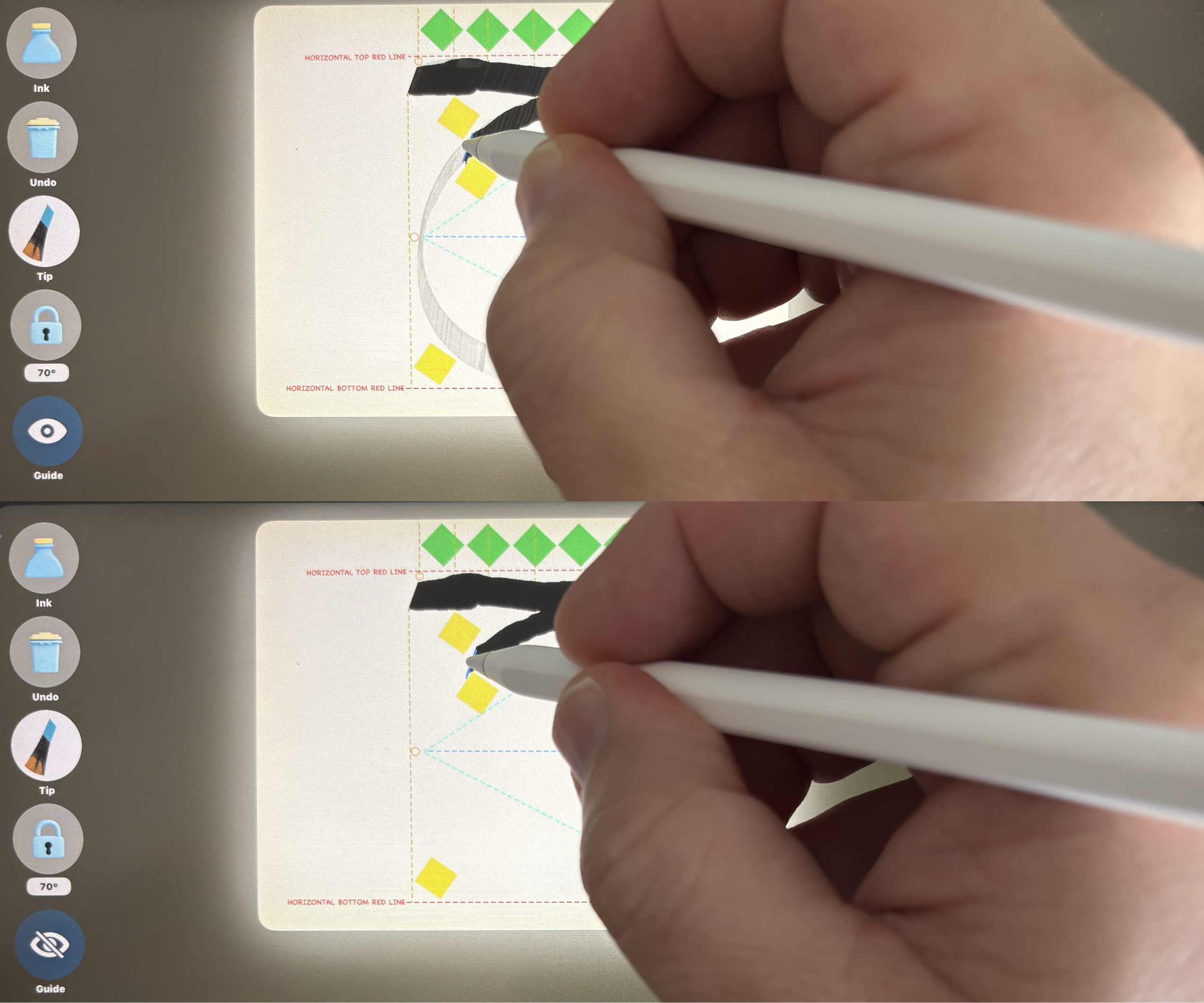
Real ink depletion — strokes start black, fade to gray, and end with jagged dry edges, just like a real qalam running out of ink
Velocity-based ink density — draw fast and the stroke goes light and dry, draw slow and it stays rich and dark
Pressure-driven depletion — pressing harder uses up ink faster, exactly like a physical reed pen
Nib angle rotation simulating flat-cut reed pen behavior through Apple Pencil's azimuth data
Dual tip modes: Normal (full nib contact) and Wild (outer tip only for thin strokes)
Refill from a virtual inkwell when ink runs dry
Workbook System:
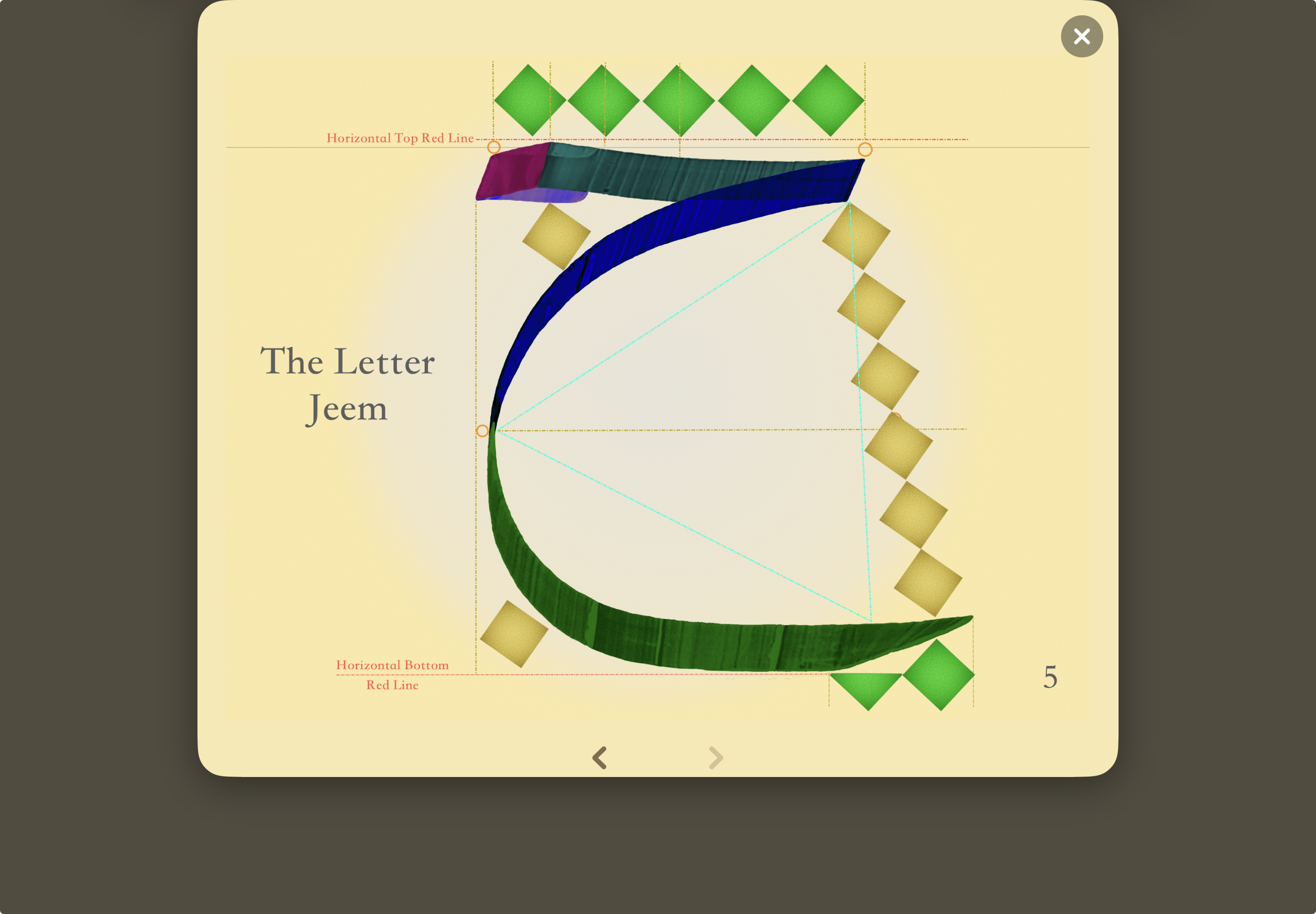
10 Arabic letters, each with unique geometric specifications
Description cards showing stroke order step by step, ideal form, and required starting angle
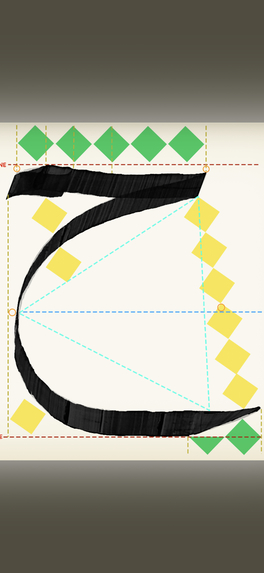
Guide overlays with measurement grids
Guide letter toggle for tracing practice (traditional meshk method)
Angle lock/unlock for precise stroke control
AI Analysis:
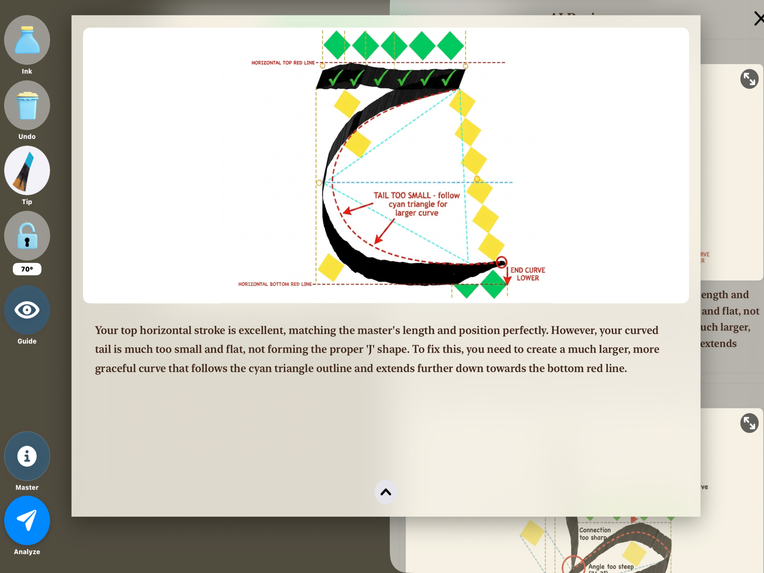
Tap Analyze to send your drawing + Apple Pencil sensor data to Gemini
Gemini compares angles, curves, and proportions against the master reference
Returns annotated corrections — red markings for errors, green for correct parts
Text feedback explaining what to fix and how
Intelligent on-device validation before any credit is spent — the app checks your drawing against the exact on-screen guide for that letter, calibrated per-letter on a real iPad. It detects unfinished tails, tips, and heads (not just overall coverage) and blocks off-guide strokes, so you never waste an analysis by mistake. You can still choose to send an incomplete drawing on confirmation. This check runs entirely on-device — no image leaves your iPad for validation
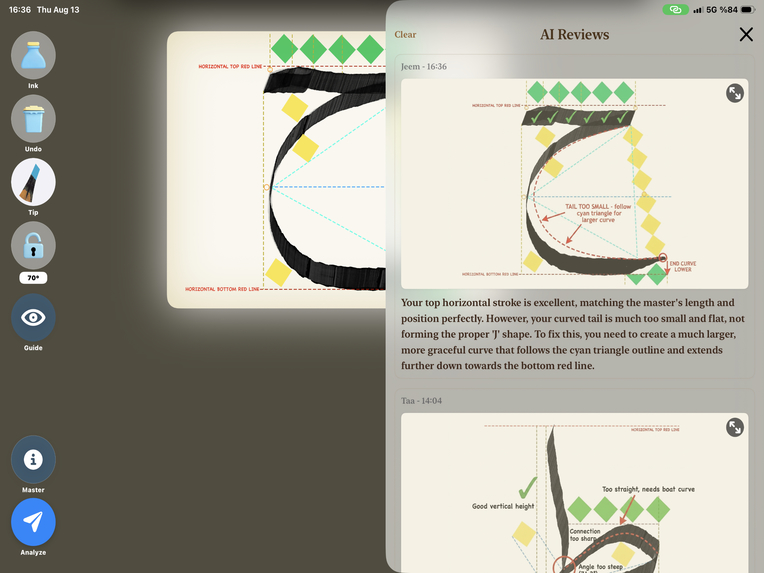
Full session history in the feedback drawer
Monetization (RevenueCat):
4 letters free to practice with full ink physics
Monthly/yearly subscriptions unlock all 10 letters + 20 AI credits per month
Consumable credit packs available for extra analyses
Credit-based model aligns cost with value — real API cost per analysis justifies premium pricing
Server-side credit balance via RevenueCat Virtual Currency — credits persist across reinstalls and devices, purchases dedupe automatically, and spending is validated server-side
Who it's for
Anyone who wants to learn Arabic calligraphy but has been blocked by the barriers: beginners with no access to a teacher, students in cities far from a master, diaspora communities wanting to reconnect with the tradition, and Western designers and typographers who study Arabic letterforms but have no proper way to practice them. All you need is an iPad and Apple Pencil.
How we built it
Frontend: Native iOS (Swift), built for iPad with Apple Pencil integration. Custom rendering engine using CAShapeLayer meshes at up to 120fps
Backend: Python (Flask) deployed on Google Cloud Run
AI: Google Gemini (gemini-3-pro-image) with letter-specific prompt builders — each letter has a dynamically generated 500+ line prompt combining base instructions, structured geometric metadata (JSON), and real-time sensor data
Monetization: RevenueCat SDK for subscription management, consumable credit packs, and server-side credit balances via Virtual Currency
Architecture: Three-layer prompt system (base + letter-specific + dynamic sensor data) — not a simple API wrapper but a production-grade orchestration system encoding calligraphy expertise
Development process: I built the drawing engine iteratively with Gemini across nearly 50 recorded video sessions — testing on device, recording the result, and feeding the video back to the model for the next revision
Challenges we ran into
No roll sensing on Apple Pencil — we engineered nib angle rotation using only azimuth and altitude data, mapping a round tip to simulate flat-cut reed pen behavior
The elegant engine that felt worse — I rebuilt the angle mapping with a mathematically cleaner tanh function that eliminated saturation and expanded the range. On paper it was better; in the hand it felt worse, because a round Pencil rotates subtly in your grip and the wider range amplified that jitter. I reverted it. Lesson: when software translates imperfect hardware into a physical metaphor, feel is part of correctness
Ink physics tuning — achieving realistic ink depletion required extensive iteration to match real reed pen behavior (opacity fade curves, width-scaled taper, jagged dry-stroke edges, velocity and pressure response)
Gemini response consistency — the model sometimes returns only an annotated image without text feedback. We implemented retry logic and prompt restructuring to maximize reliability
Domain expertise encoding — converting centuries of calligraphy knowledge into structured JSON metadata that Gemini can reason about for 10 different letters, each with unique geometric rules and failure modes
Credit system architecture — we initially stored AI credits locally, which caused duplication on restore and loss on reinstall. We migrated to RevenueCat's Virtual Currency so balances live server-side, dedupe automatically, and survive reinstalls — letting RevenueCat own the billing layer instead of building a fragile payments backend
Accomplishments that we're proud of
World's first — no other app provides AI-powered Arabic calligraphy analysis, and there is no well-designed tool for this craft on the App Store
Reed pen simulation — first-ever digital recreation of authentic ink depletion, velocity and pressure response, and flat-cut nib physics
Craft over metrics — choosing the engine that felt right over the one that measured better, because the experience of holding the pen is the whole point
AI as teacher, not generator — Gemini analyzes and annotates the user's actual drawing rather than generating new images. The "red pen correction" approach mirrors real calligraphy instruction
Apple Pencil biomechanics — capturing angle, pressure, altitude, and force for sensor-aware AI feedback that understands how you held the pen, not just what you drew
Cultural preservation — directly addressing a UNESCO-recognized heritage at risk by making expert calligraphy instruction accessible to anyone with an iPad
What we learned
Test the hand, not just the formula — a mathematically cleaner input model is not automatically a better interaction model. Physical interfaces expose weaknesses no numerical test catches
Prompt engineering for visual analysis requires structured geometric metadata, not just natural language — you're encoding domain expertise, not writing instructions
AI-powered educational tools work best with a hybrid model: free unlimited practice (muscle memory) + paid expert feedback (AI analysis)
Don't build your own credit-balance logic — RevenueCat's Virtual Currency handles server-side balances, deduplication, and cross-device sync out of the box
Cultural heritage preservation is a viable and underserved app category — the intersection of traditional arts, AI, and design has enormous potential
What's next for Qalaris
Expand to all 28 Arabic letters
Add Nastaliq and Diwani script styles
Real-time Practice Mode — live angle gauge and pressure visualization without consuming AI credits
Progress tracking and improvement analytics
Community features for sharing reviewed calligraphy
Partnerships with calligraphy schools and cultural institutions
Award categories we're entering
RevenueCat Design Award — for the craft: the custom reed pen engine, ink physics, nib rotation, and glassmorphism interaction design
RevenueCat Peace Prize — for preserving a UNESCO-recognized heritage at risk by removing the barriers of materials, cost, and access
HAMM Award — for a credit-based monetization model built entirely on RevenueCat's Virtual Currency
#BuildInPublic Award — for the launch journey and the community feedback that directly shaped the app


Log in or sign up for Devpost to join the conversation.