-
-
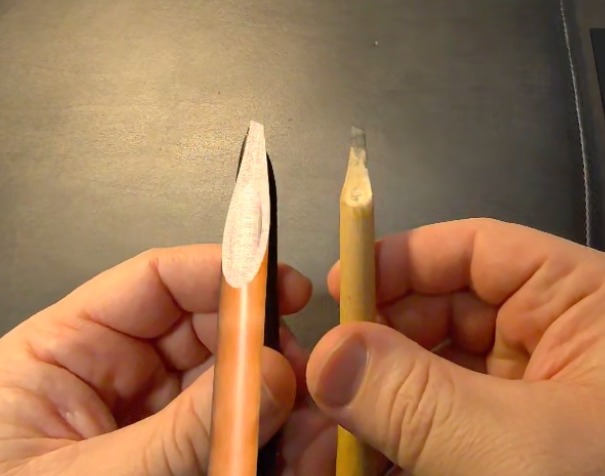
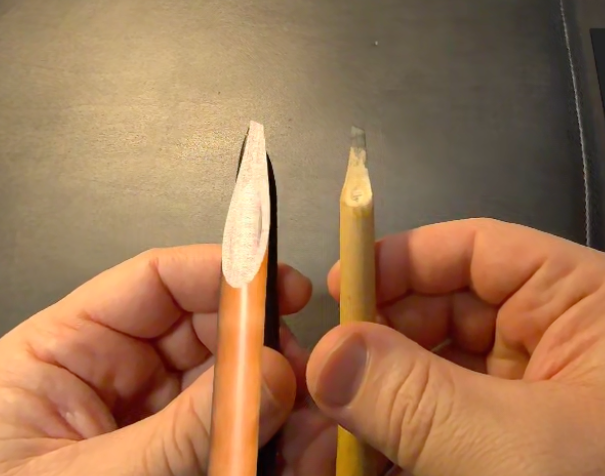
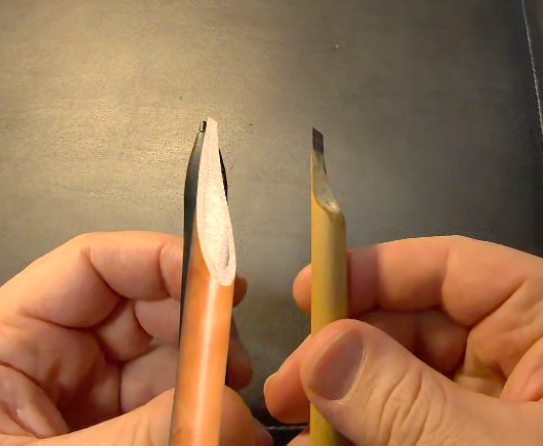
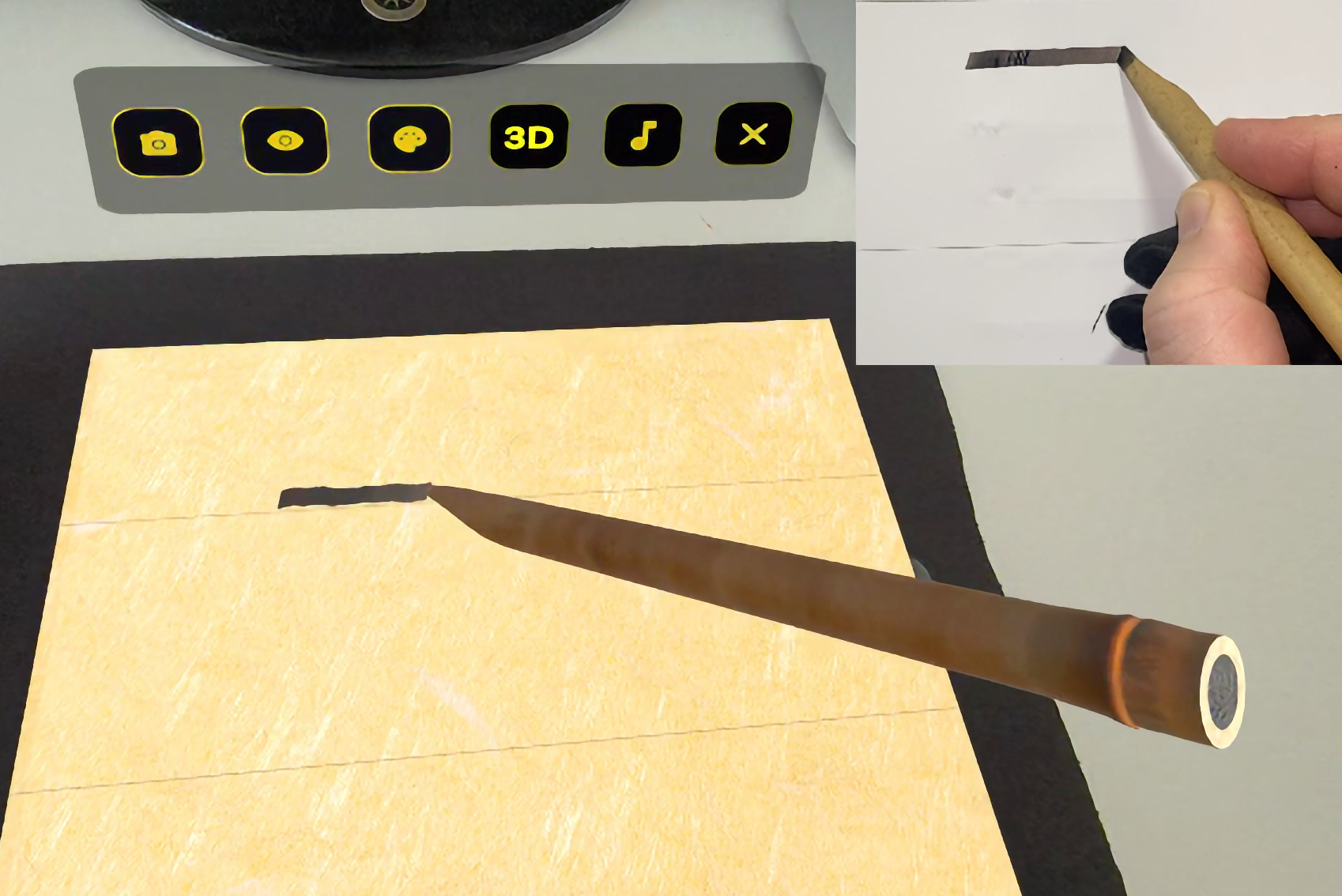
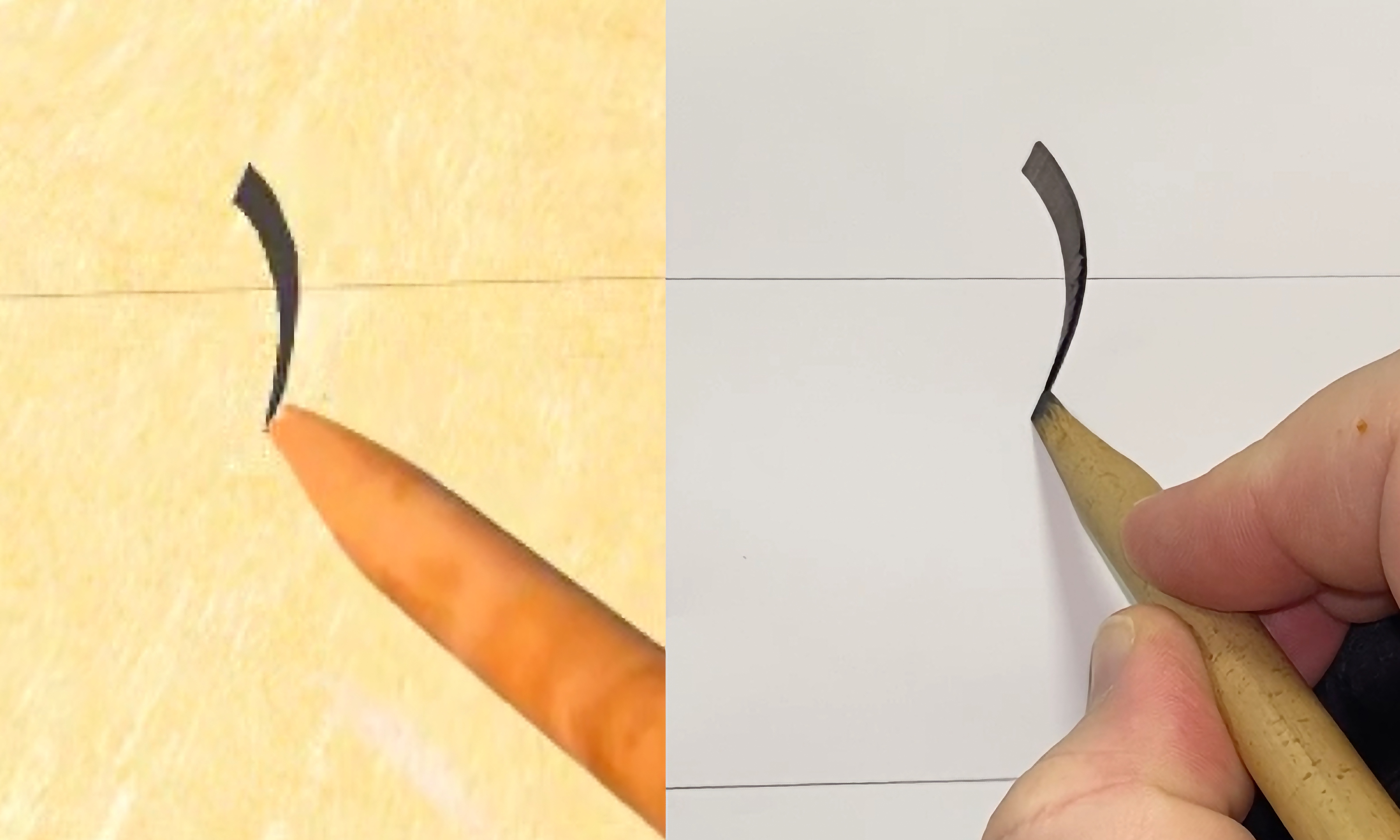
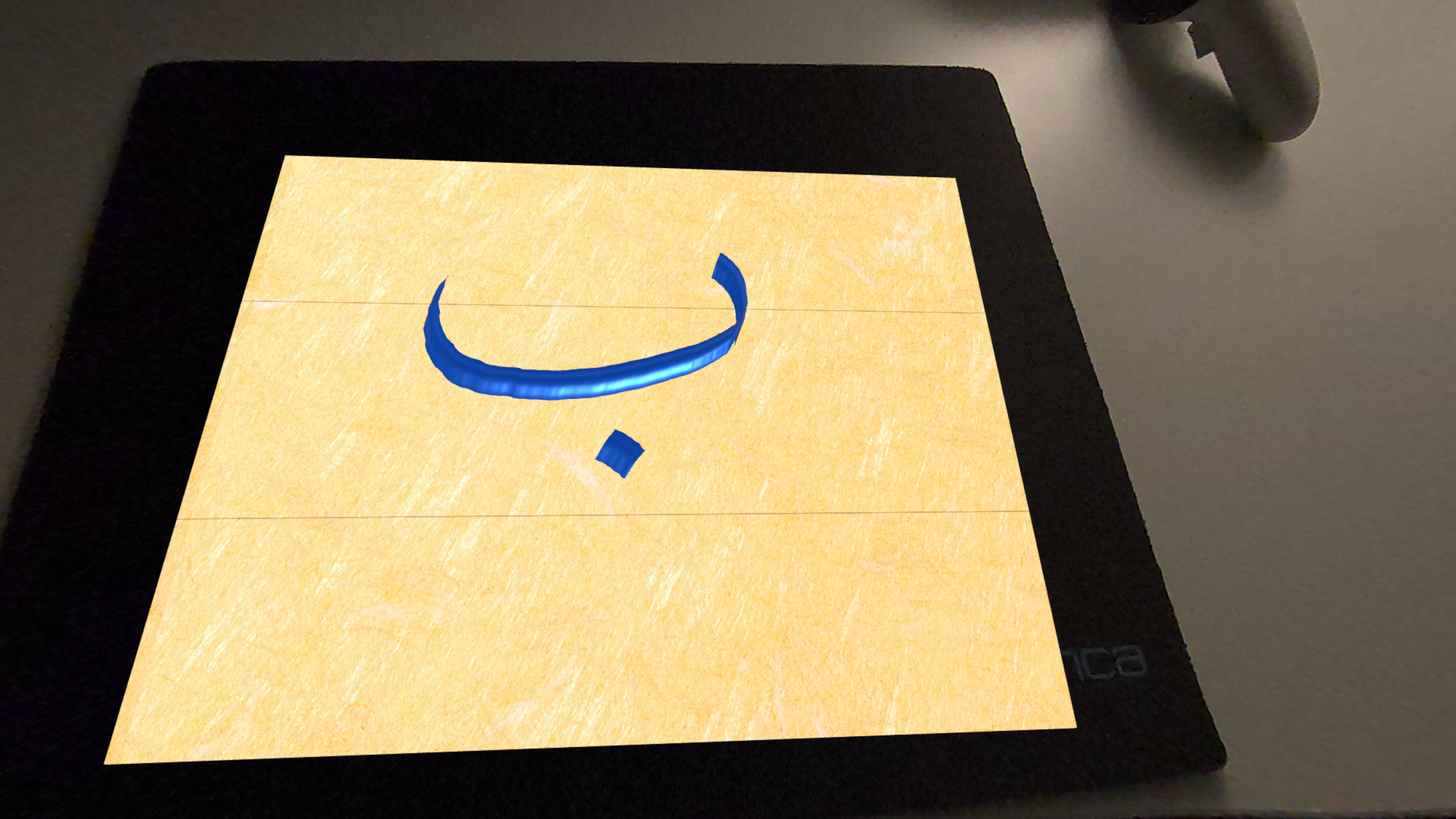
Logitech MX Ink vs Real Reed Pen Comparison in the Passthrough mode
-
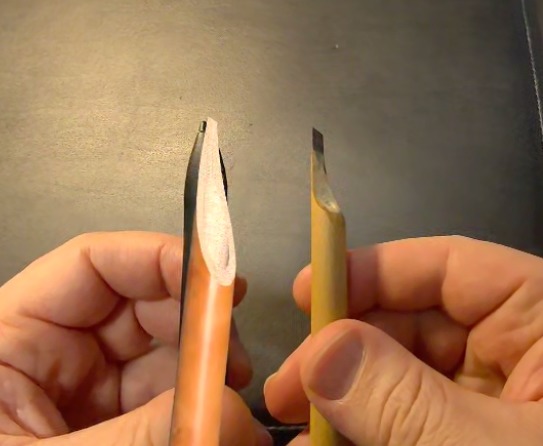
Logitech MX Ink vs Real Reed Pen Comparision in the Passthrough mode
-
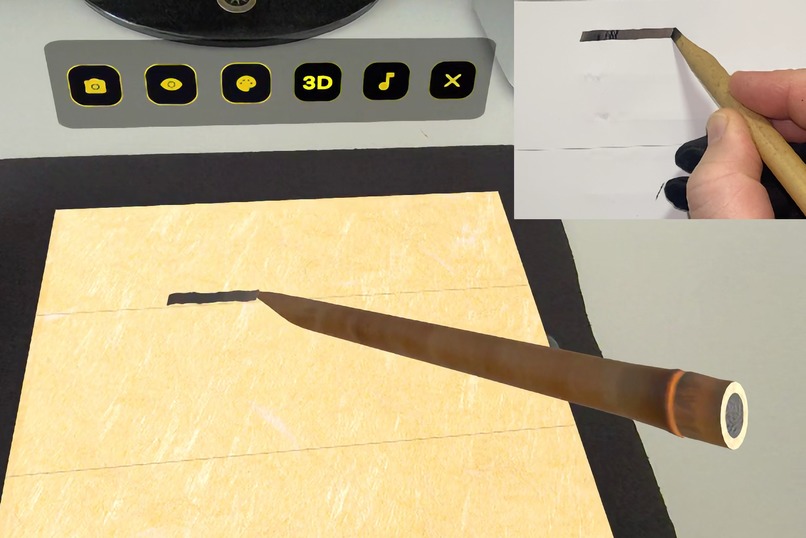
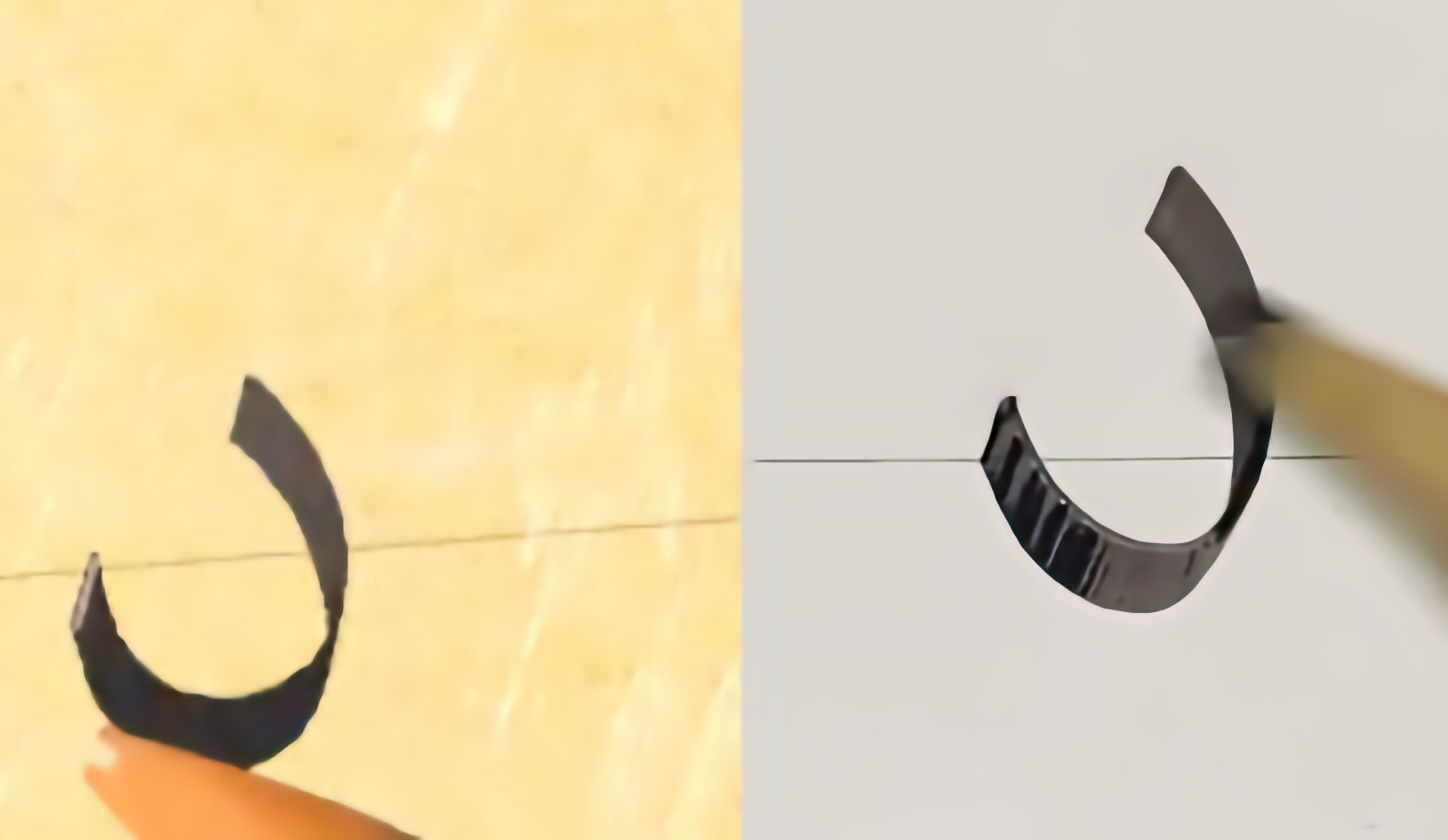
MX Ink vs. Traditional Reed Pen: Pressure-Sensitive Tip Simulation (Thick to Thin)
-
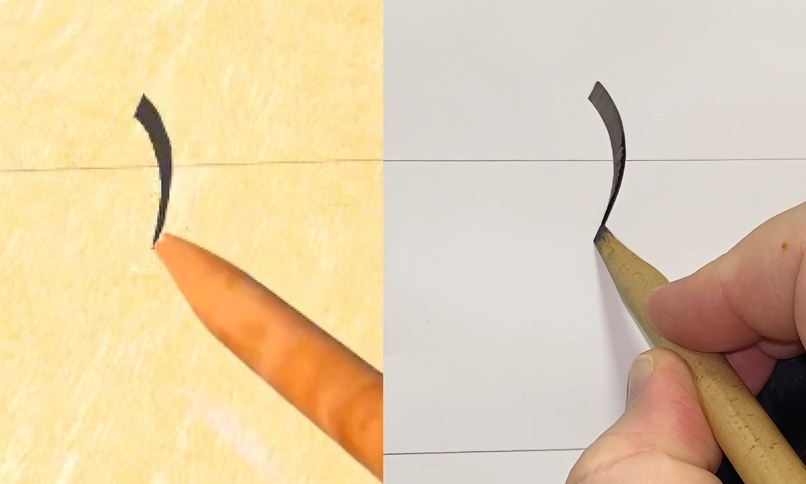
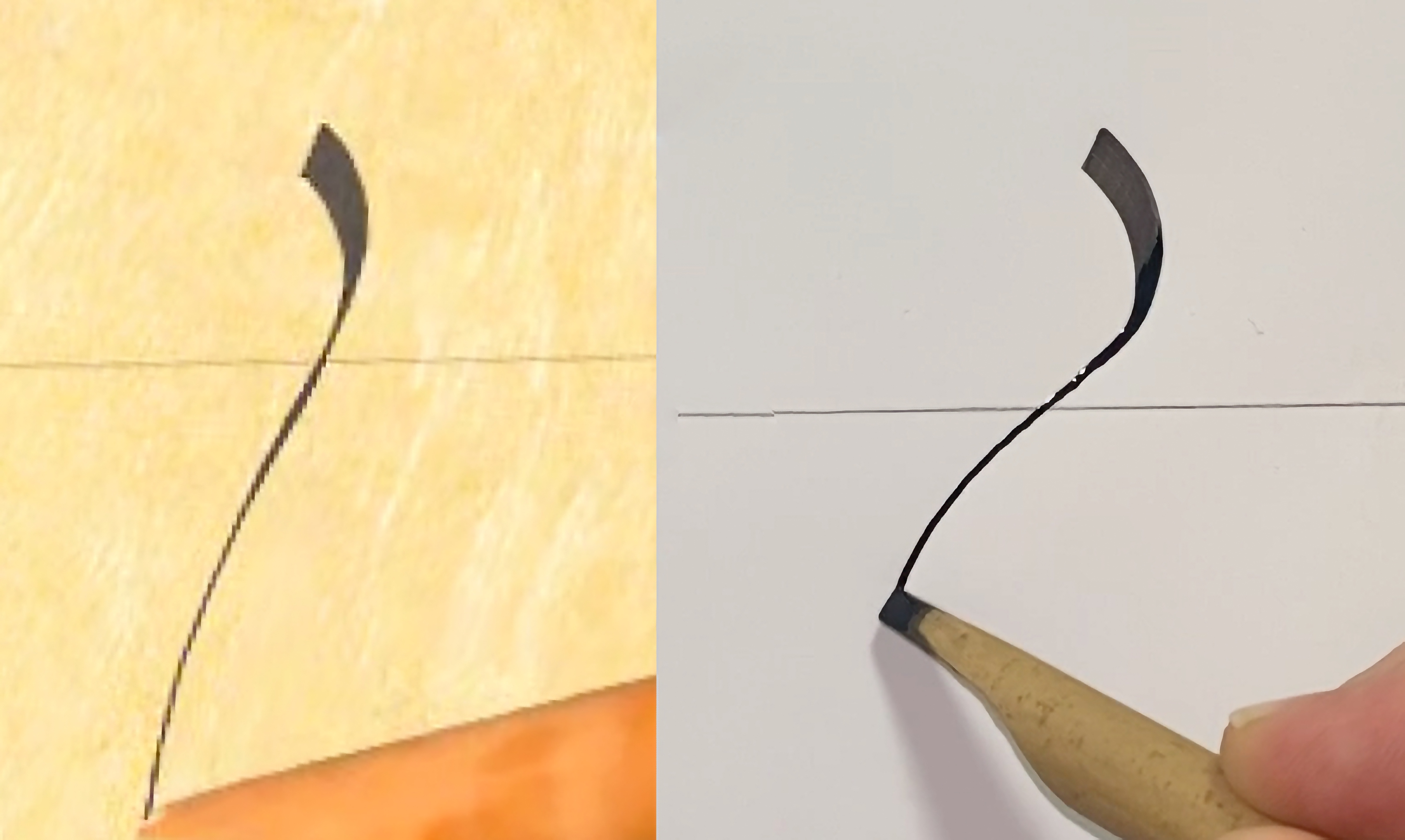
MX Ink vs. Traditional Reed Pen: 6DoF Precision Tracking: Curved strokes matching the real nib.
-
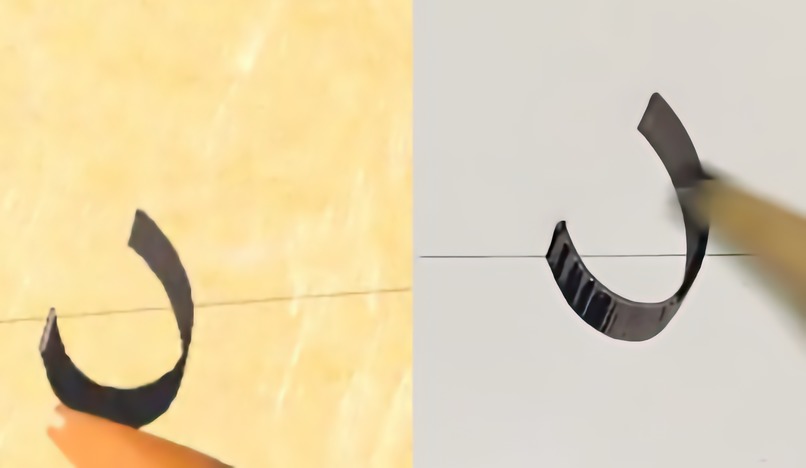
MX Ink vs. Traditional Reed Pen: Full Rotational Tracking and Stroke Consistency
-
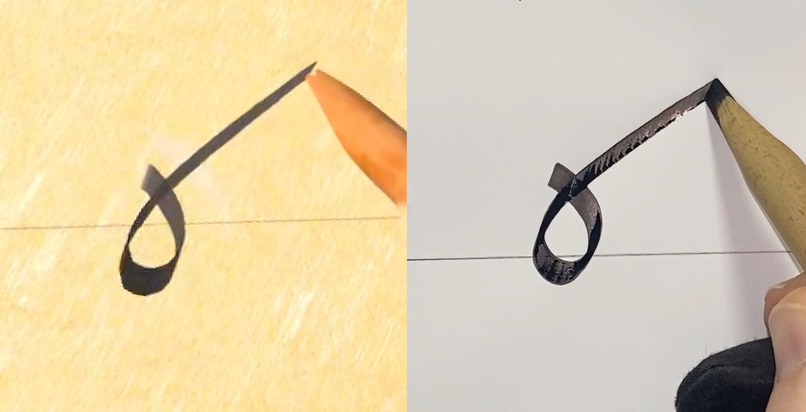
Per-pixel ink layering: Strokes darken at intersections for realistic ink buildup.
-
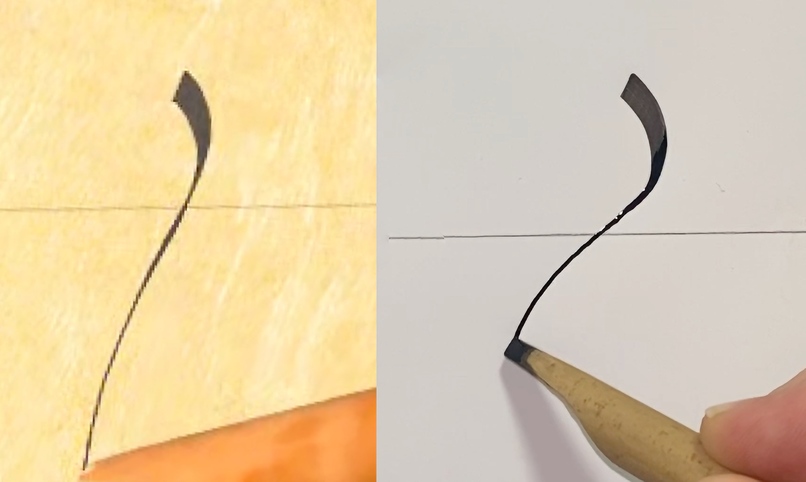
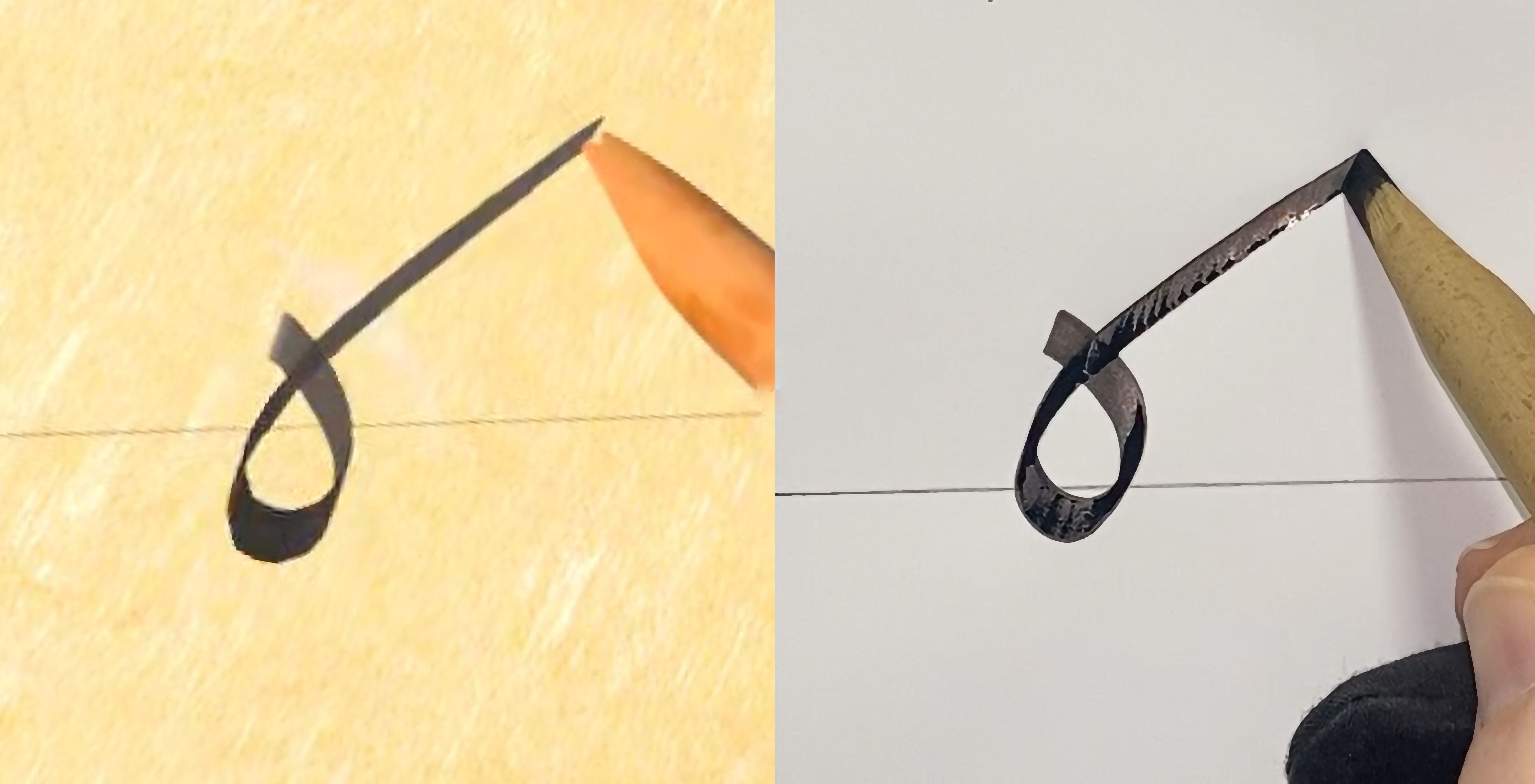
MX Ink vs. Traditional Reed Pen: Roll Detection - MX Ink mimics lifting to the tip of a real reed pen for elegant, thin finishes.
-
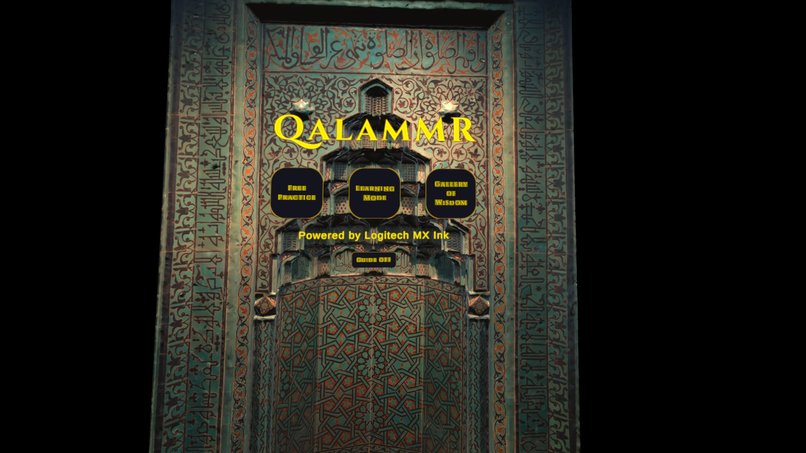
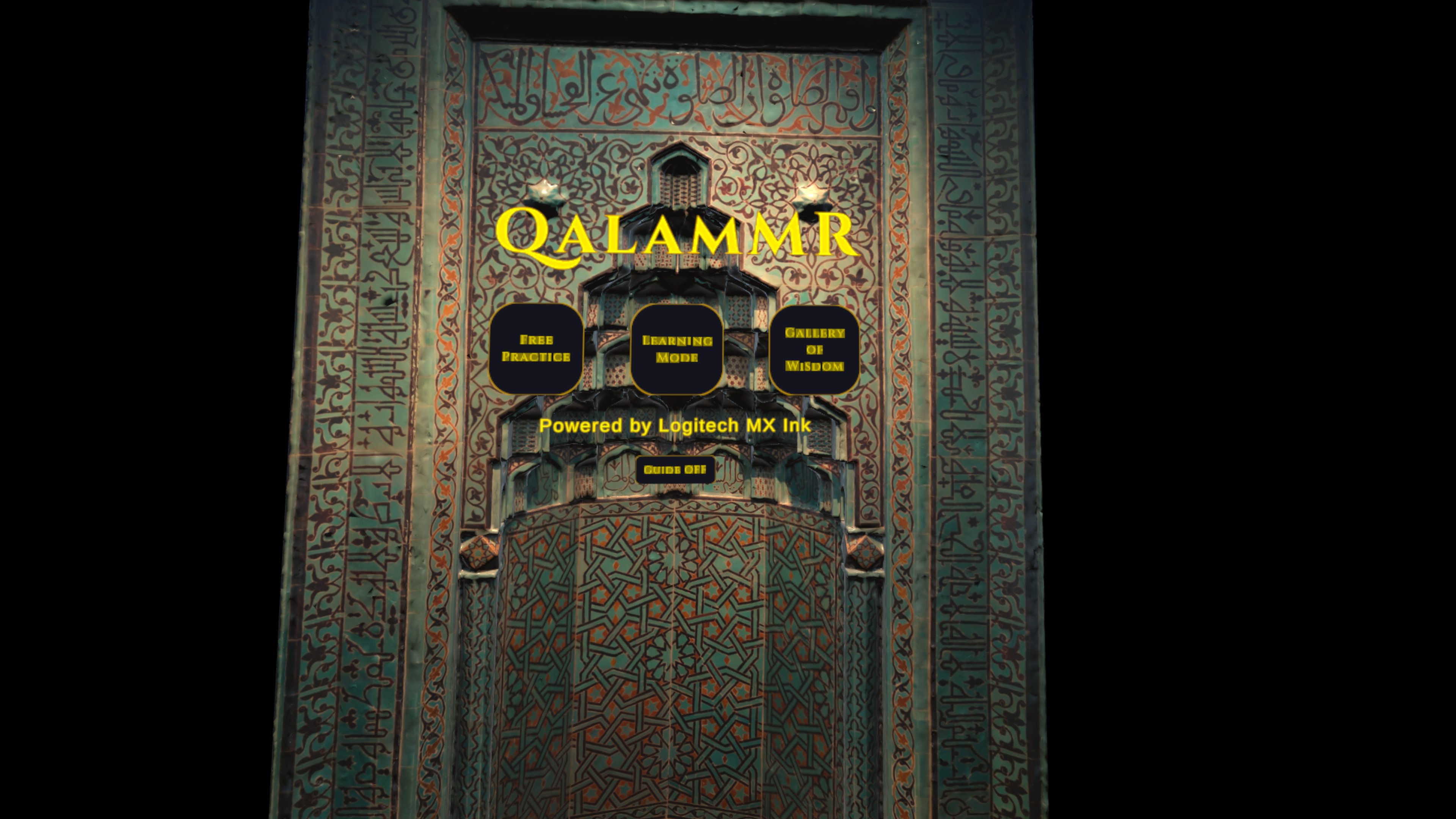
The Main Menu Screen
-
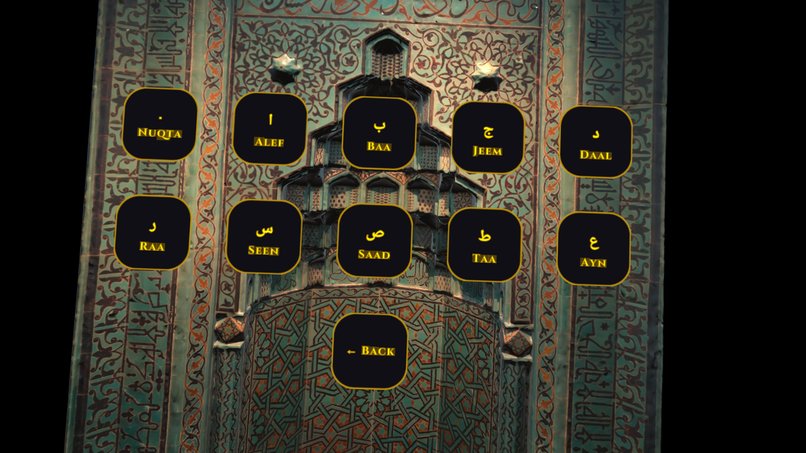
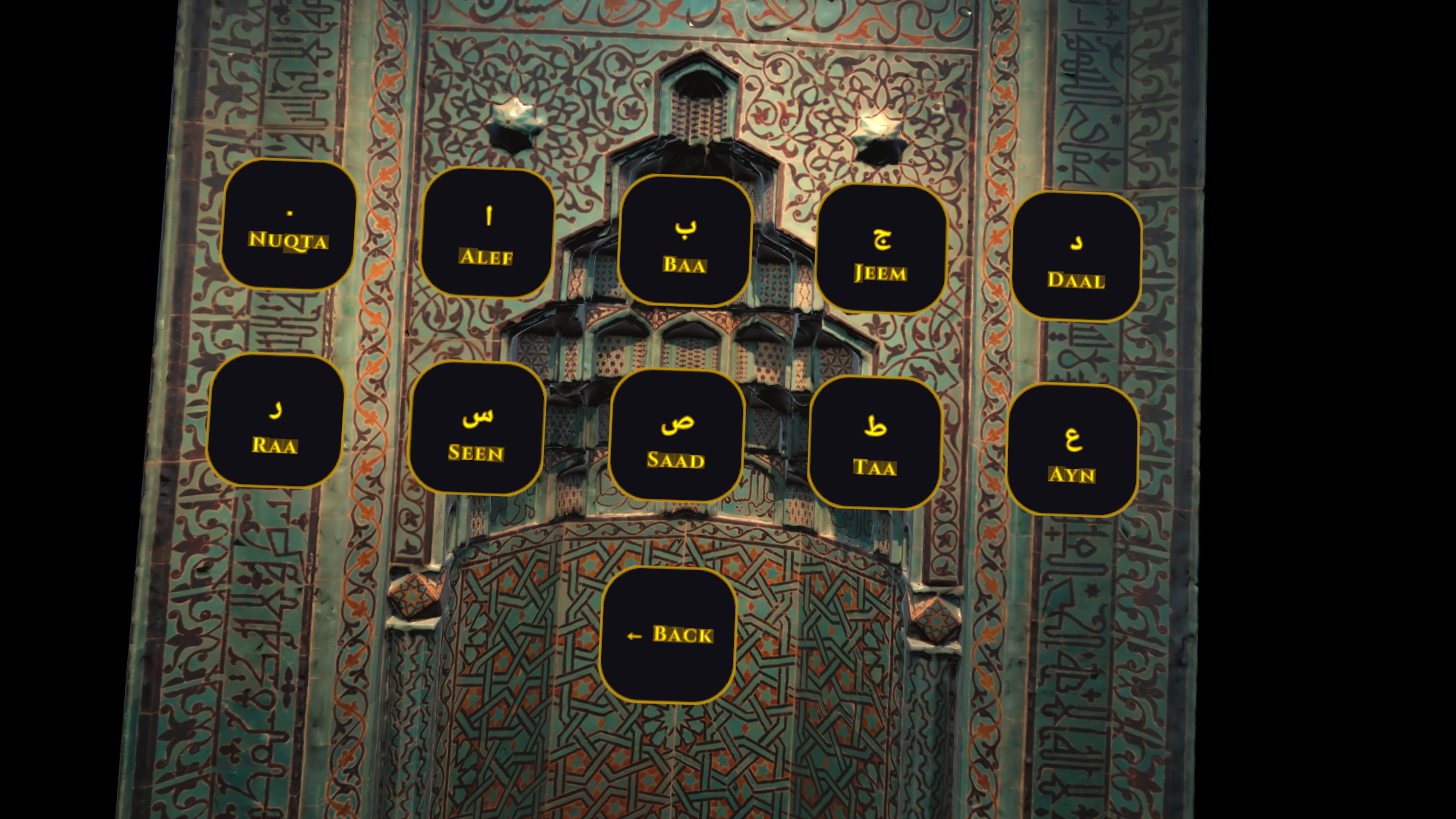
Learning Mode - The Letter Selection Screen
-
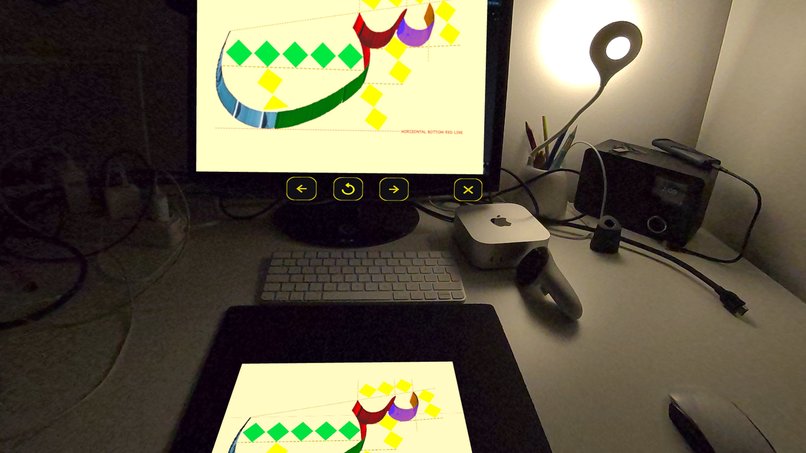
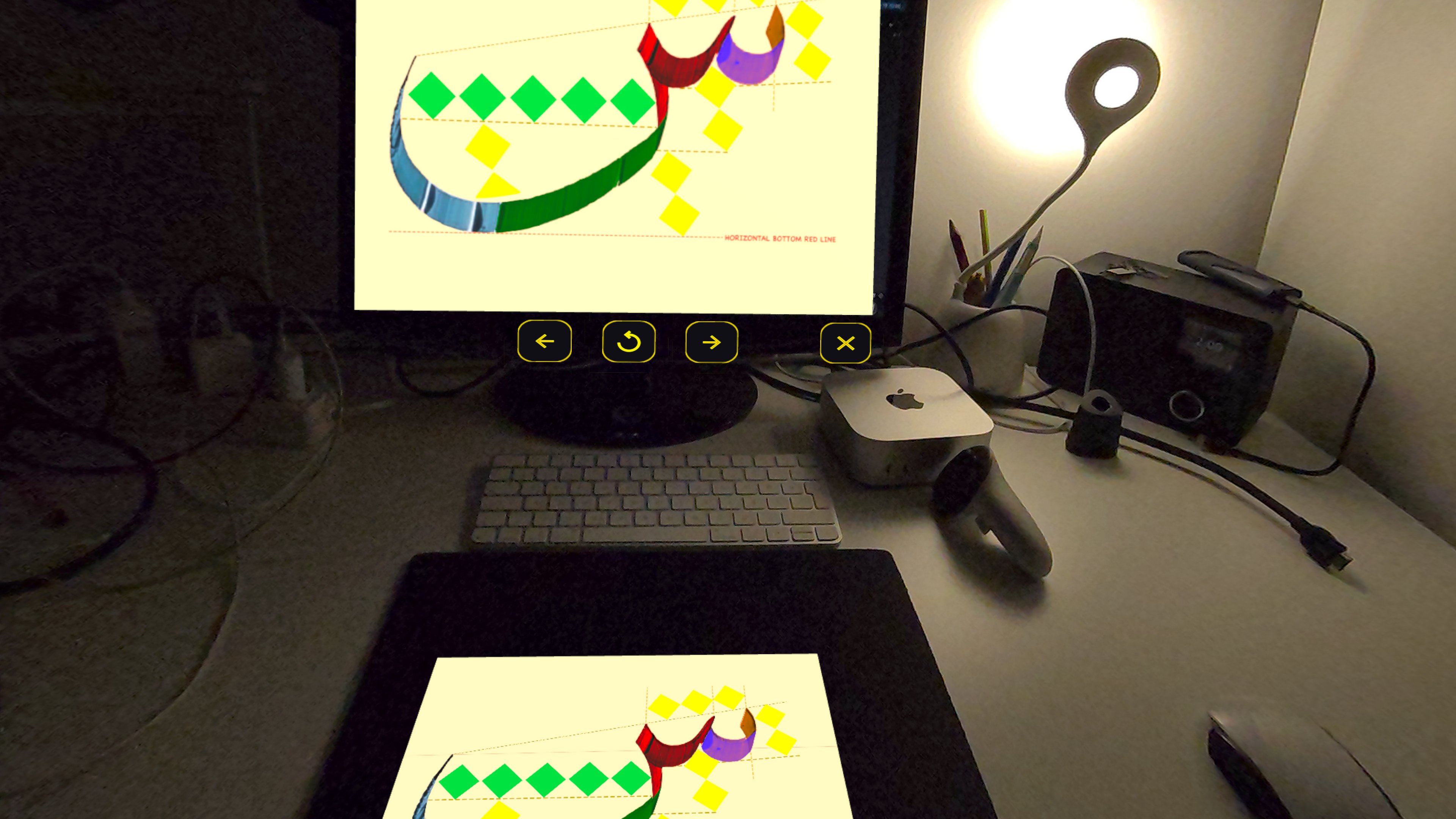
The Letter Seen: Reference Board & Grooved Practice Sheet
-
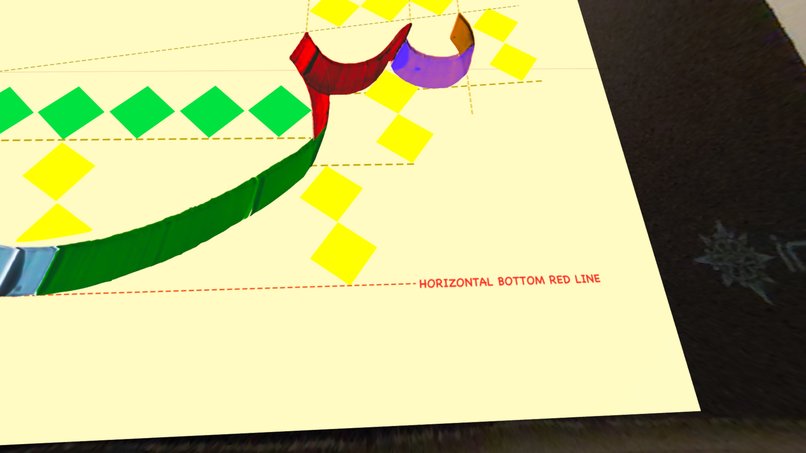
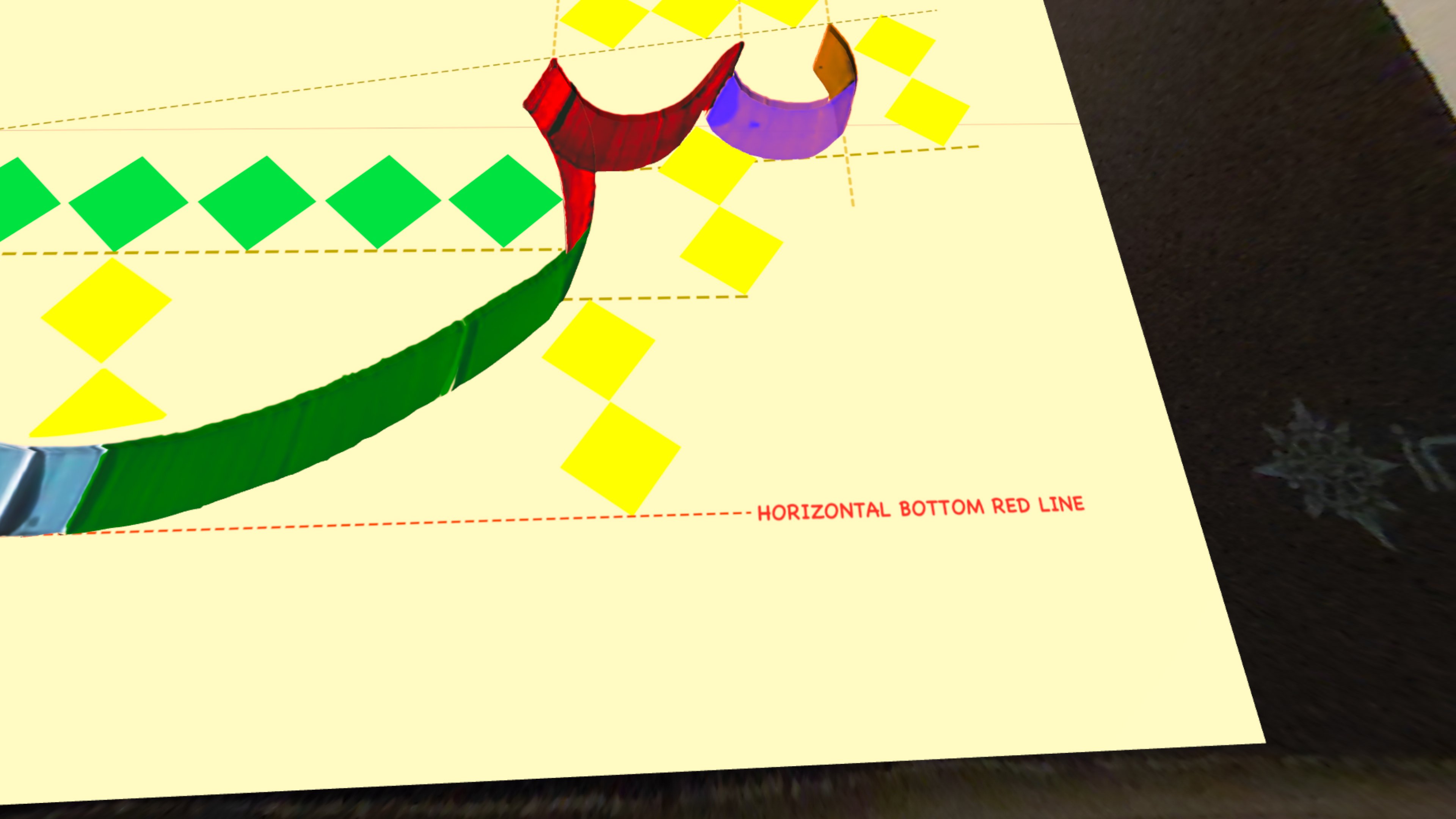
Close-up of the grooved practice sheet
-
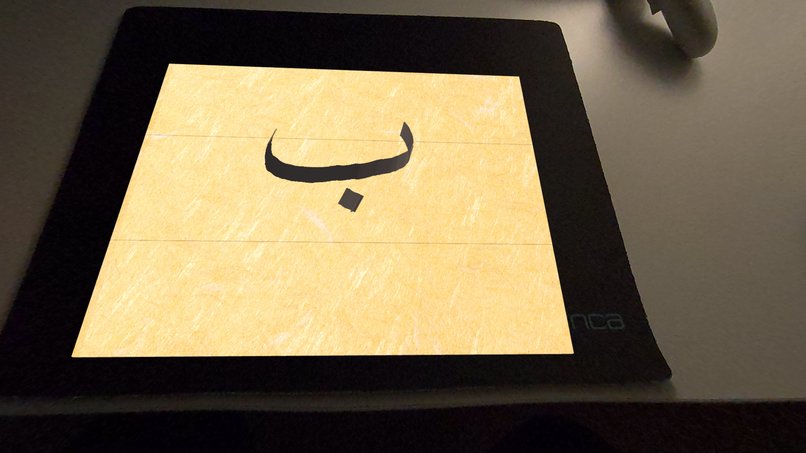
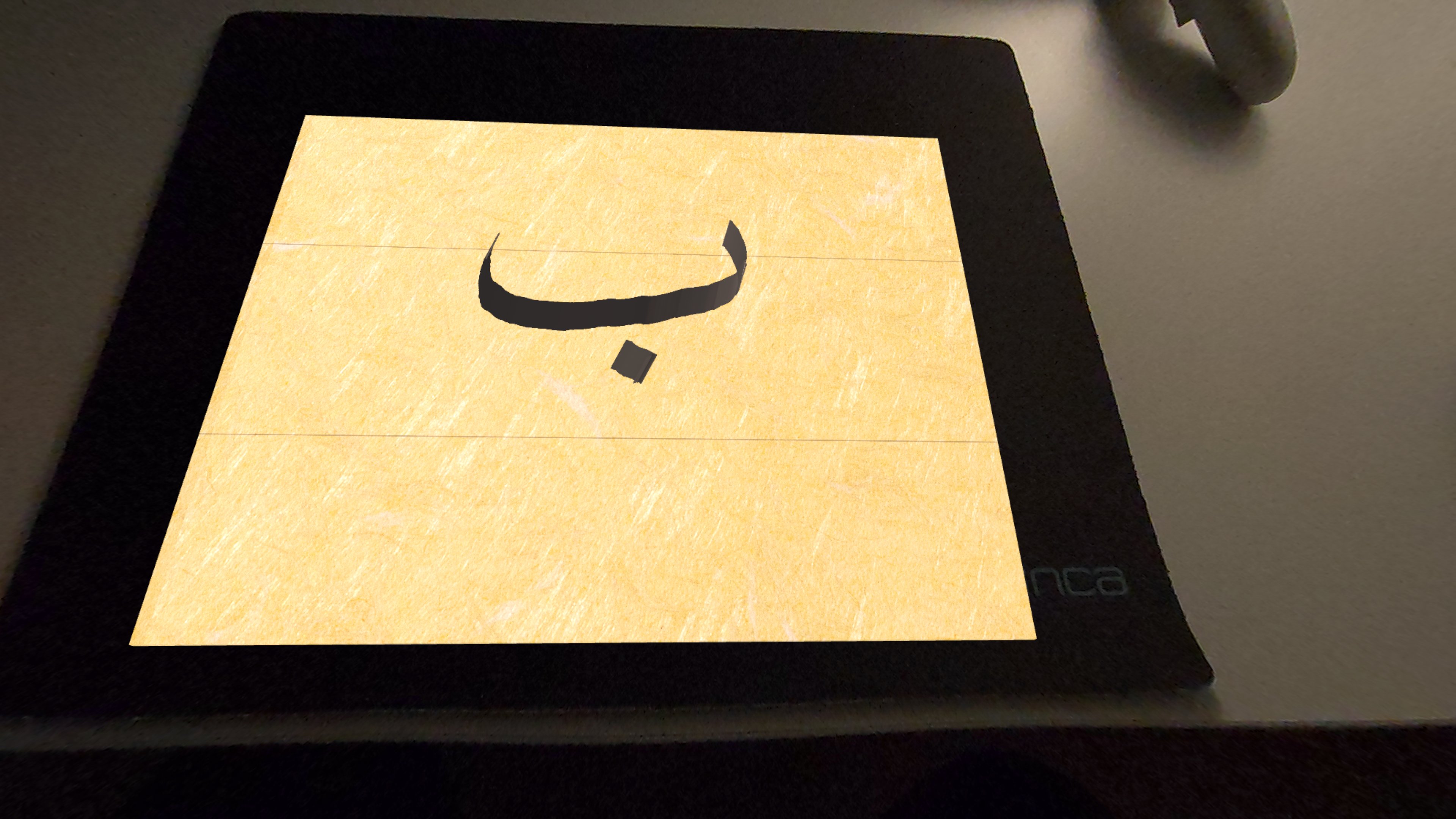
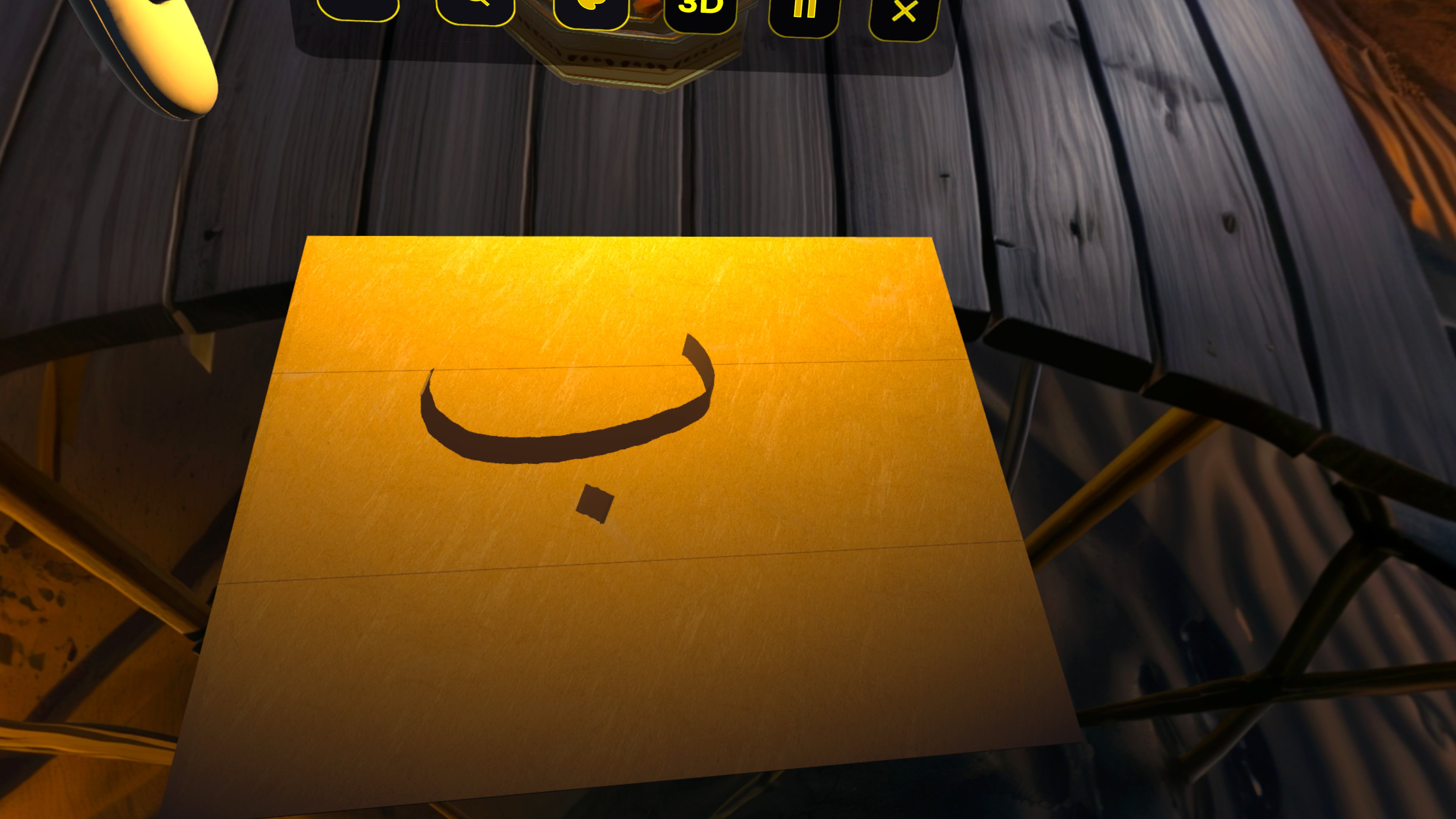
Practice Mode: 2D Calligraphy Drawing on Base Exercise Paper
-
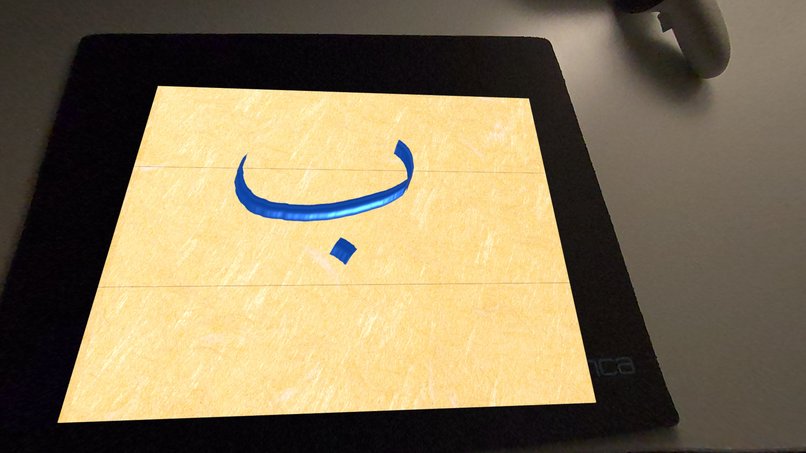
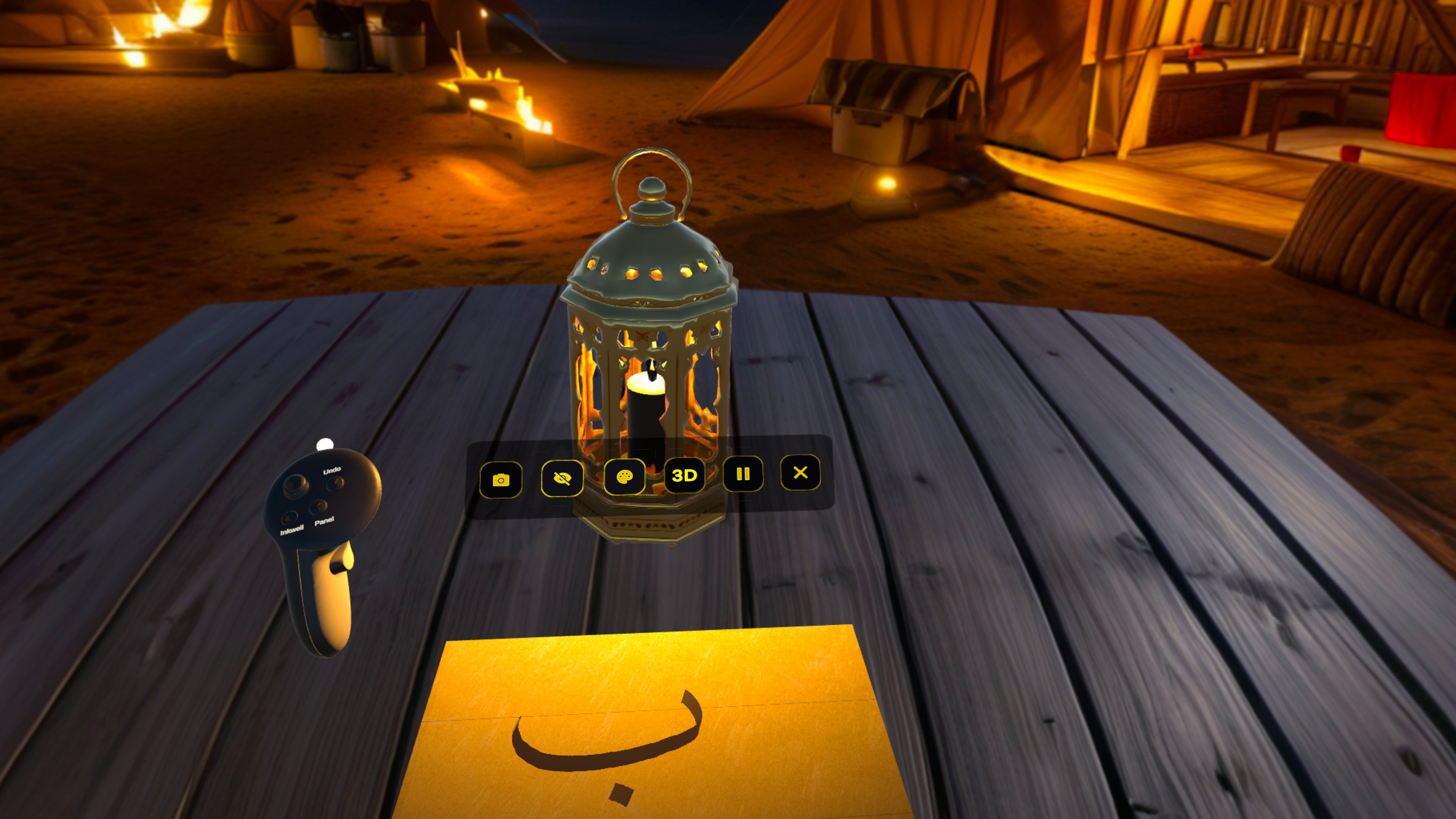
Practice Mode: 3D Calligraphy Relief Rendering on Exercise Base
-
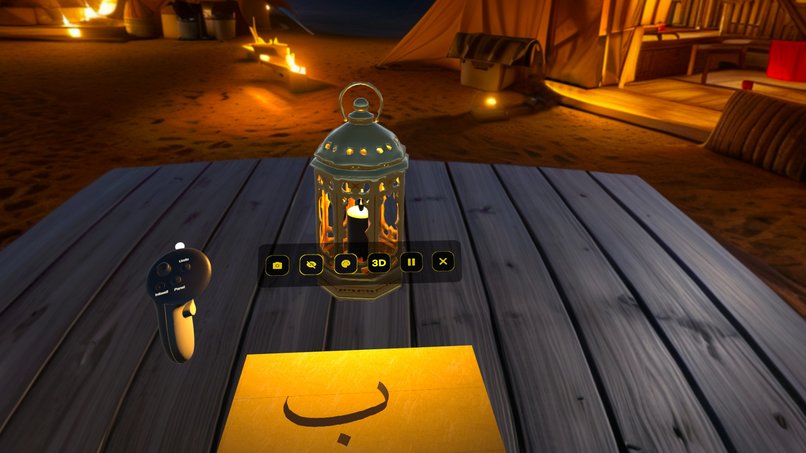
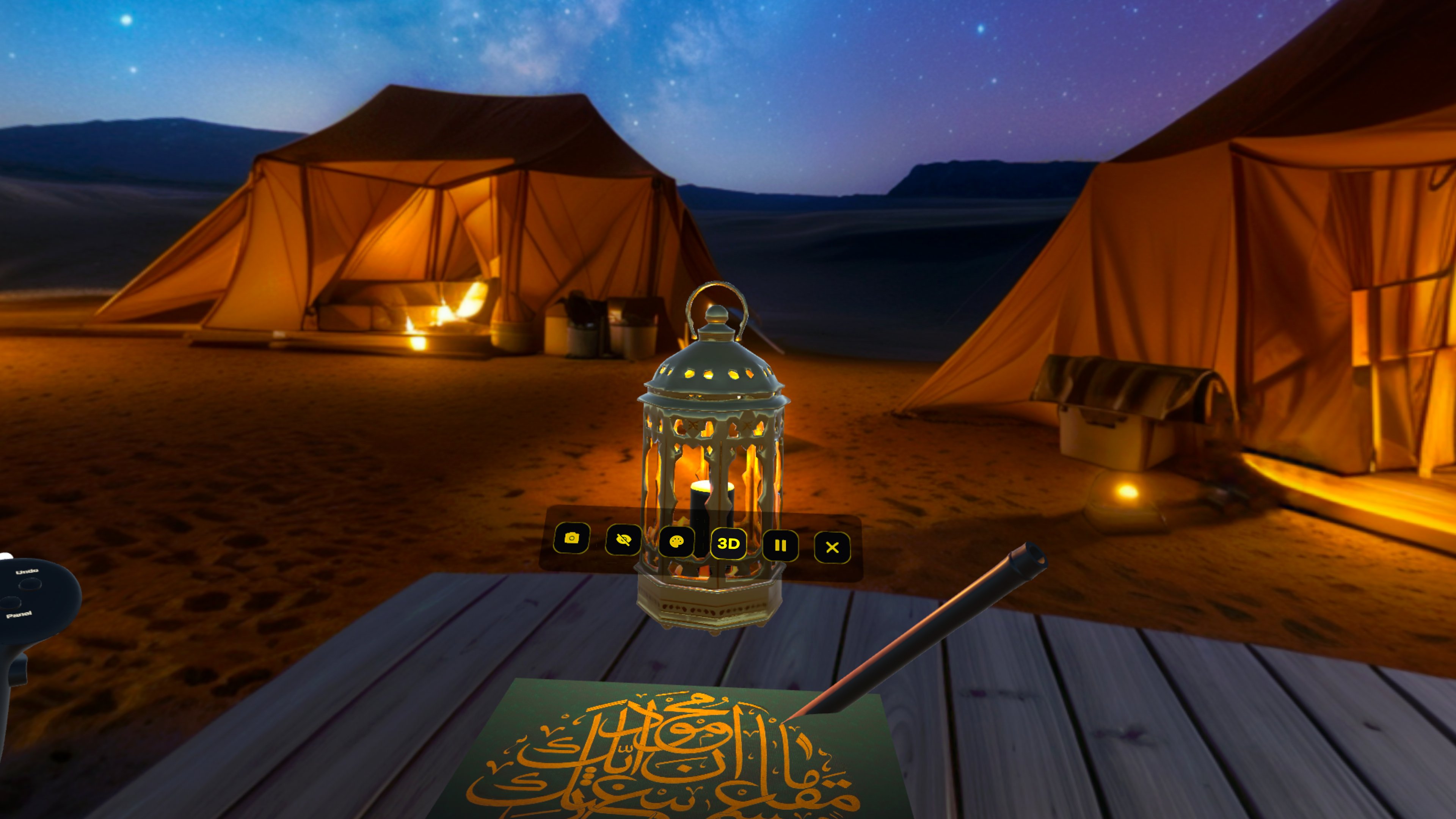
Immersive Mode: Wide-Angle View of 2D Calligraphy Drawing
-
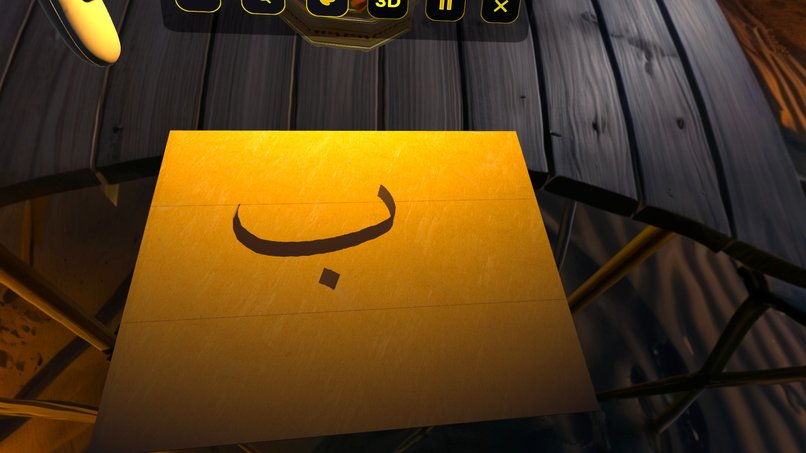
Immersive Mode: Close-up of 2D Calligraphy Drawing on Base Paper
-
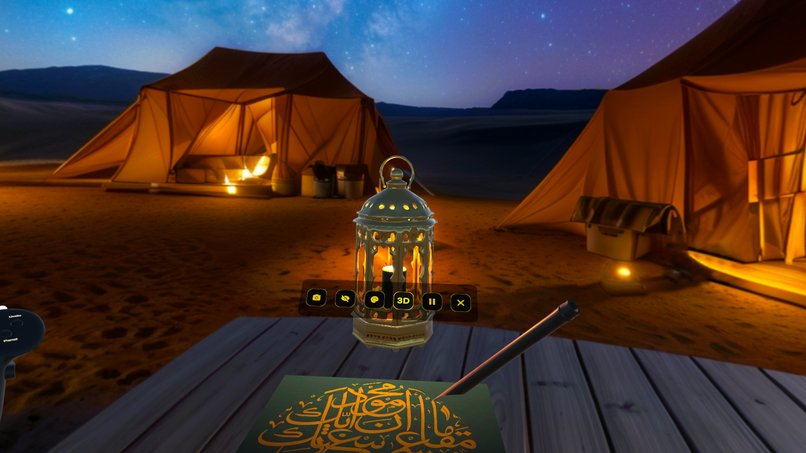
Immersive Mode: Practicing with the "Gallery of Wisdom" Templates
-
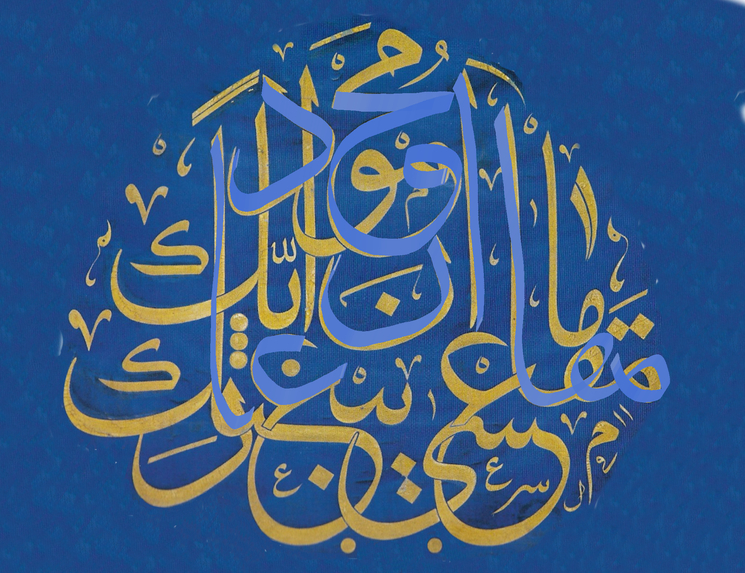
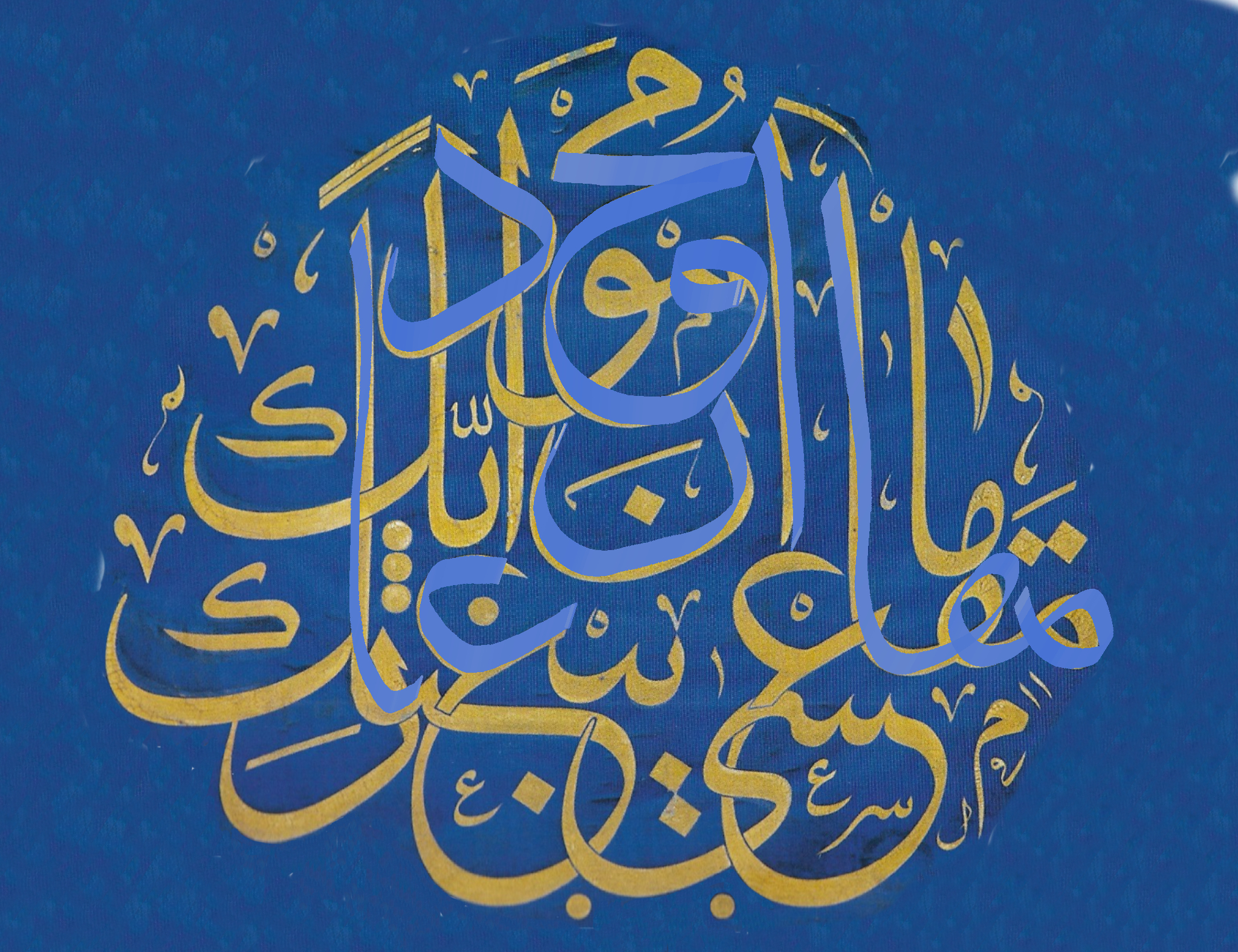
Free Practice Mode In-App Photo Capture: 2D Calligraphy Practice on Template
-
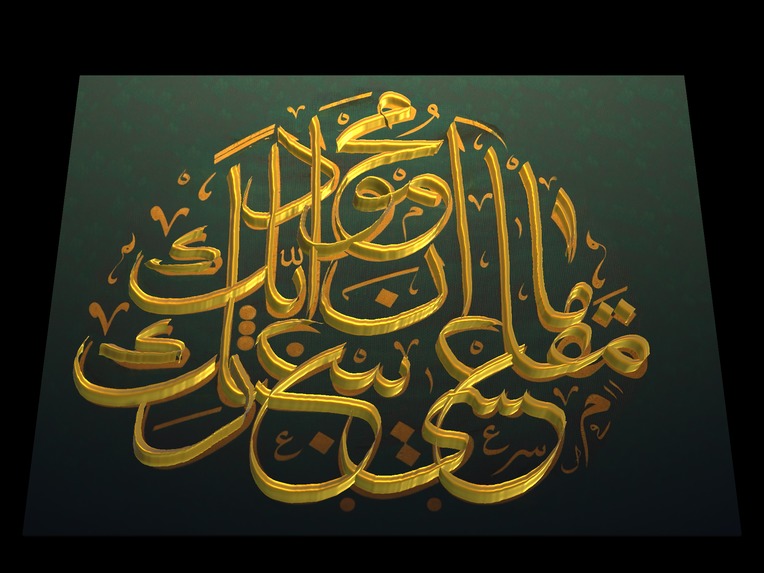
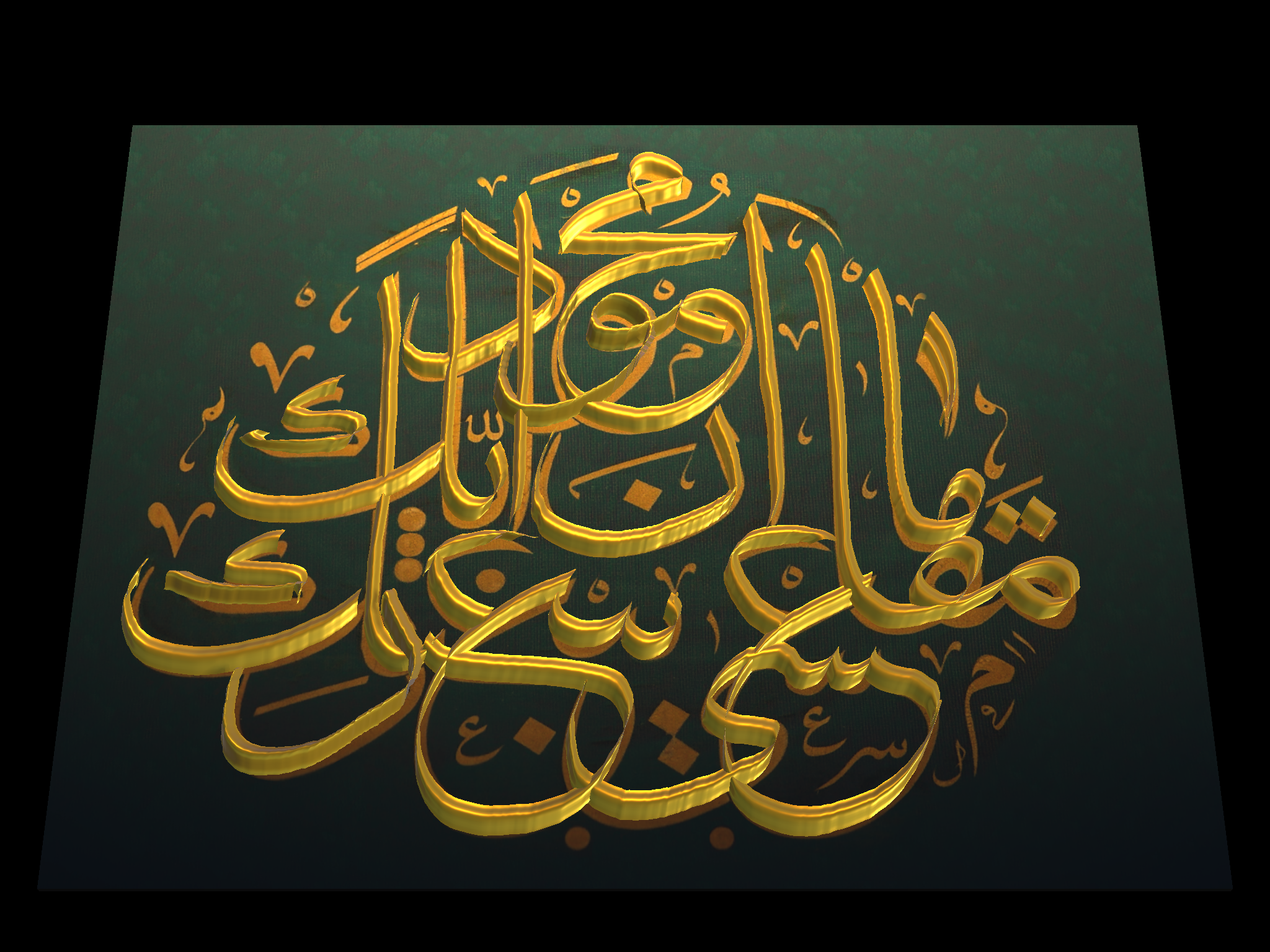
Free Practice Mode In-App Photo Capture: 3D Calligraphy Relief Practice on Template
-
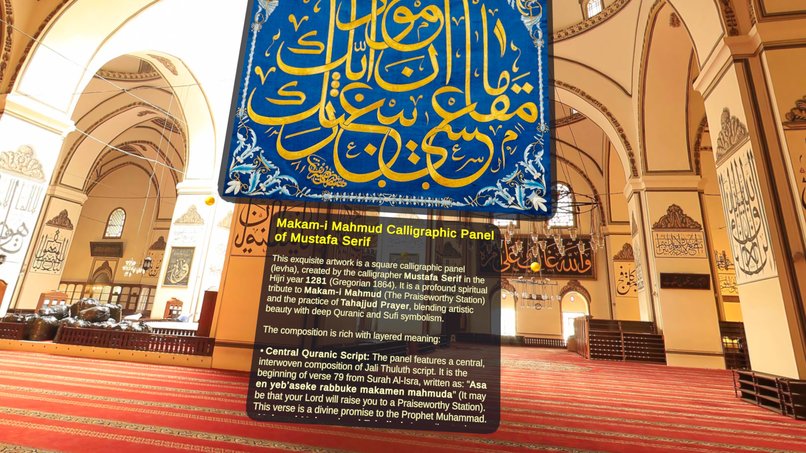
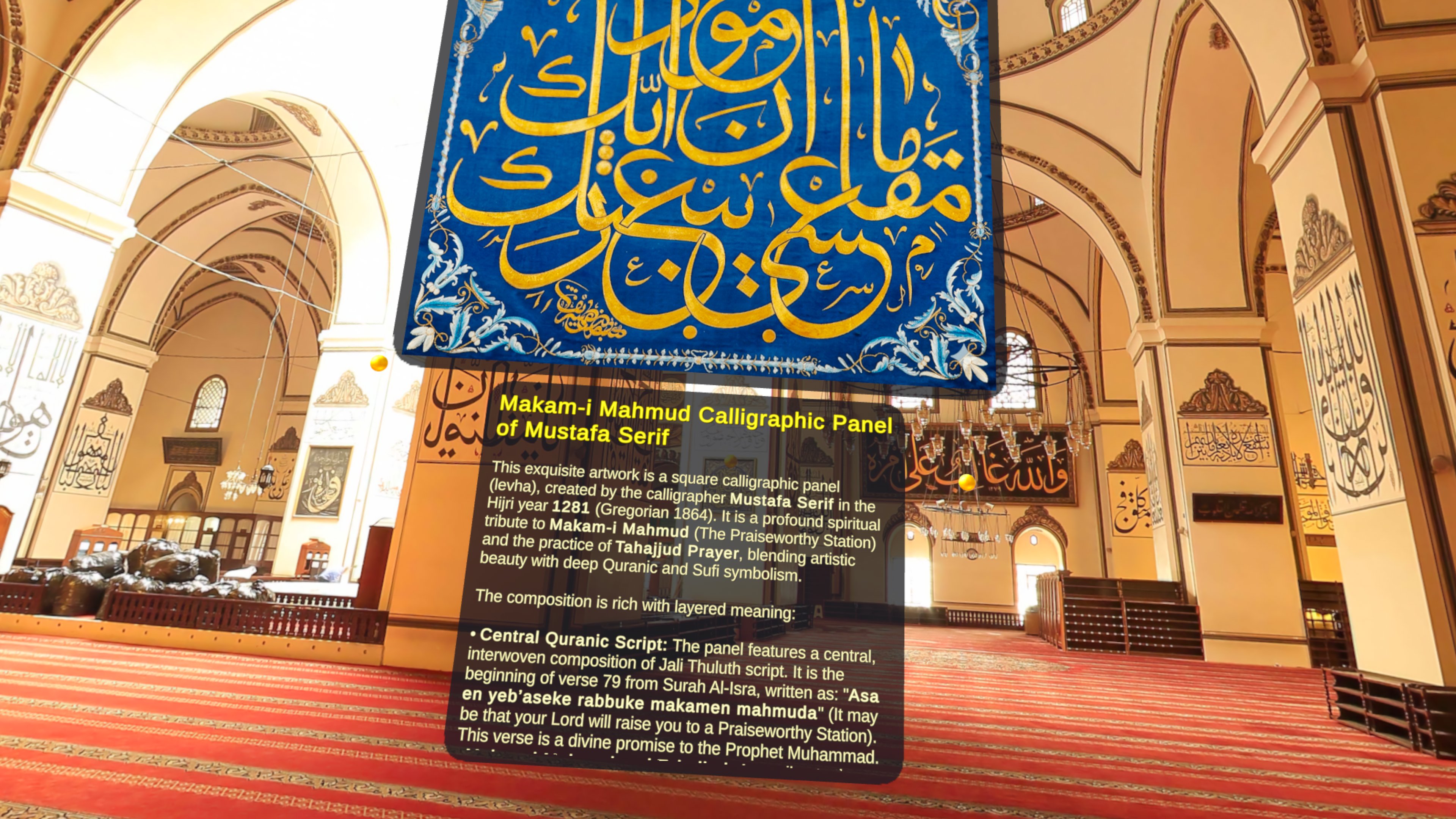
Gallery of Wisdom: Immersive Audio-Visual Experience of the Calligraphic Masterpiece
-
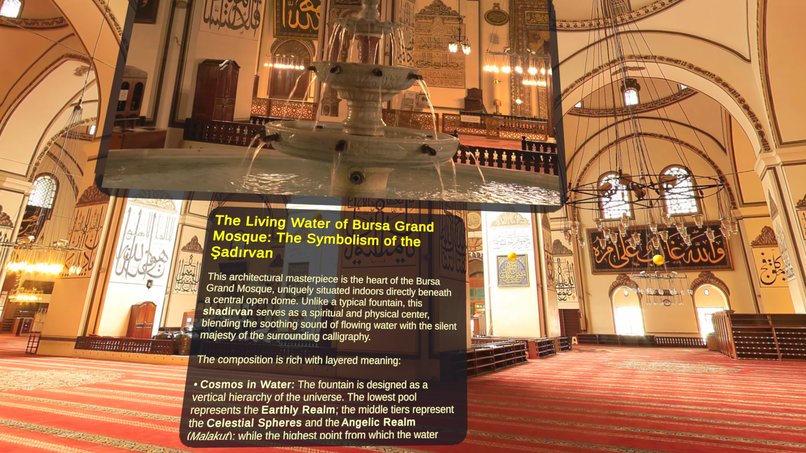
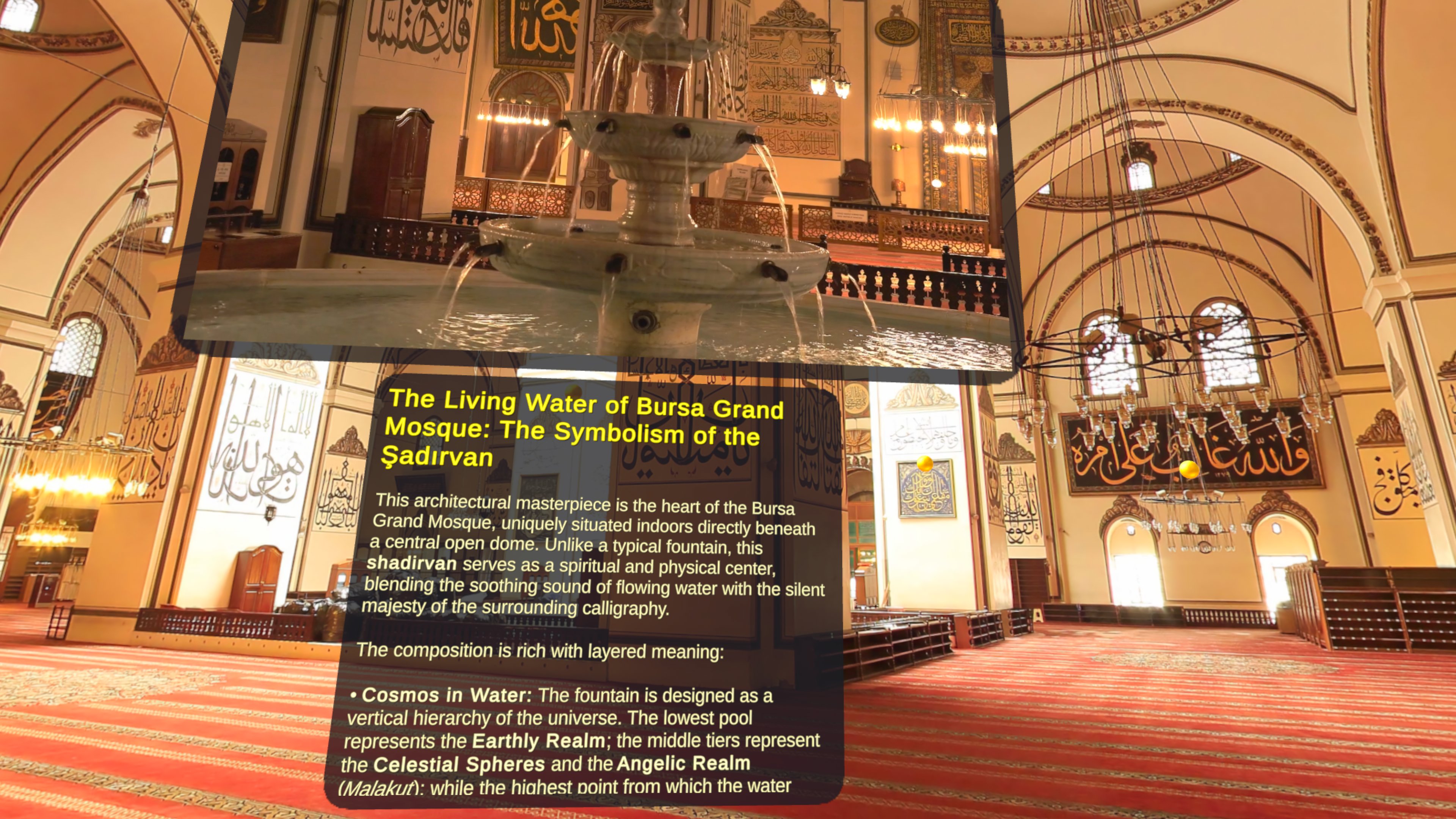
Gallery of Wisdom: Immersive Audio-Visual Experience of the Bursa Grand Mosque
Inspiration
Arabic calligraphy has been practiced for over a thousand years, but learning it has always required a master teacher, a reed pen, ink, and endless patience. When we first held the MX Ink stylus, we realized its pressure sensor, rotational tracking, and haptic motor map perfectly to the three forces that define reed pen calligraphy: ink flow through pressure, stroke width through nib angle, and boundary feel through touch. No other art form demands exactly these inputs. We wanted to build something that doesn't just simulate calligraphy on a screen — but makes you feel like you're holding a real qalam, writing on real paper, in your own space.
What it does
QalamMR has three modes:
Learning Mode — Pick an Arabic letter. Watch the stroke animation on a floating reference board. Place grooved exercise paper on your desk with the pen tip. Calibrate the grooves by moving your pen across them. Then trace each stroke inside the groove — the MX Ink vibrates when you go outside the line, teaching muscle memory through touch. A contextual voice guide walks you through every step.
Free Practice Mode — Place blank or template paper on any real surface. Write freely with pressure-sensitive ink in five authentic calligraphy colors. Switch to 3D relief mode to create raised letterforms controlled by the middle button pressure. Enter an immersive desert camp with lantern lighting and calligraphy music. Capture screenshots of your work for the gallery.
Gallery of Wisdom — Step into a 360° immersive exhibition of calligraphy masterworks. Look at golden anchor points that pulse when you gaze at them, then squeeze the left trigger to open detail panels with information about each piece.
How we built it
The core is a two-handed interaction model: MX Ink in the right hand as the creative instrument, Meta Quest left controller as the workspace manager.
MX Ink as reed pen: We read the tip pressure (16-bit), aim pose (6DoF), roll angle, front/middle/back buttons, and haptic output directly through OVRPlugin action reads. Tip pressure drives ink opacity through a configurable power curve. Roll angle maps to nib width — flat hold gives the full broad edge, rolling to the side narrows to the vahshi (wild) tip, just like a real reed pen. The pen's yaw angle on the paper surface determines stroke direction. All angles are calibrated to each user's natural grip at first contact.
Ink rendering: We paint directly onto the paper's base texture (2048×2048) via UV-space raycasting. A rectangle brush stamp rotates based on the projected pen angle. Ink layering uses a per-pixel stroke map to darken overlapping areas — critical for letters where strokes cross. Base opacity is intentionally diluted below full black, creating headroom for overlap darkening that mimics real ink absorption. Ink depletes with distance and pressure, fading toward paper color and tapering the nib width as the pen runs dry.
3D relief mode: A separate ReliefDrawer generates procedural mesh ribbons on the paper surface. The middle button's analog pressure controls relief height in real time. A dedicated spot light with joystick-controlled angle lets users examine the raised letterforms from different perspectives.
Groove system: Exercise papers are 3D models with carved letter grooves, created through a custom SVG → Blender boolean-difference pipeline. At session start, the system samples 20 raycast hits to calibrate groove depth, then uses hit normals to distinguish groove floor from walls. The MX Ink's haptic motor fires a pulse when the pen exits the groove.
Voice guide: 15 contextual audio clips triggered by mode changes and user actions. Guides interrupt when the user takes action (paper placed, button pressed) and queue when passive (gallery gaze). Each guide plays once, tracked via PlayerPrefs. Toggle on/off with left grip anytime.
Museum menu: The main menu features a 3D-scanned 13th-century Seljuk mihrab (prayer niche) displayed in a dark museum environment with spot lighting. Users can adjust the light angle with the left joystick to examine the intricate tile work.
Built with Unity 6.3 LTS, Universal Render Pipeline, Meta XR Core SDK, on Meta Quest 3.
Challenges we ran into
Overlay Canvas vs 3D rendering — Meta Quest's OVR Overlay Canvas renders UI separately from the 3D scene. The museum-mode mihrab needed both lit 3D geometry and overlay UI buttons. We solved this by rendering the mihrab in the standard 3D pipeline with spot lighting while keeping menu buttons in the overlay layer.
Groove calibration across papers — Each 3D-printed exercise paper has slightly different groove depths. Auto-calibration with 20 raycast samples at session start solved this, making haptic feedback accurate regardless of manufacturing variance.
Nib indicator spinning — Inside grooves, hit normals change rapidly (groove walls have angled normals), causing the nib indicator quad to spin wildly. Fixed by using a stable Vector3.up rotation instead of hit.normal-based rotation.
Ink rendering on Quest — GL immediate mode crashes on Quest. Custom shaders fail silently. Alpha blending doesn't work with opaque URP/Lit. We ended up painting directly on the base texture with color lerp instead of alpha, using standard URP shaders only.
SVG groove artifacts — Heightmap-based groove models produced sloped edges causing raycast UV jumps and jagged paint. Switching to Blender boolean-difference with vertical walls eliminated the artifacts.
Accomplishments that we're proud of
The MX Ink feels like a real reed pen. The pressure-to-ink response, the roll-based nib width transition, and the haptic groove feedback create a writing experience that calligraphy students immediately recognize as authentic. The ink layering system — where overlapping strokes darken naturally at intersections — was a breakthrough that no other digital calligraphy tool offers.
3D Relief Mode turns flat ink into sculptural letterforms you can examine from every angle. The middle button's analog pressure controls relief height in real time, and a joystick-controlled spot light lets you study the raised calligraphy like a museum piece. Writing in 3D and then rotating the light to see shadows catch the edges of your letters is a genuinely new creative experience.
The Gallery of Wisdom places you inside a 360° panorama of a historic mosque, surrounded by calligraphy masterworks. You gaze at golden anchor points that pulse and expand, then open detail panels to learn about each piece. The same compositions you admire in the gallery appear as traceable templates in Free Practice Mode — so you go from appreciating a masterwork to practicing it with your own hand, in the same session.
The immersive desert camp environment transforms a simple writing exercise into an atmospheric experience. Writing by lantern light under the stars, with the sound of wind — it captures the spirit of how the old masters worked wherever they traveled.
The voice guide system makes the app self-teaching. A first-time user can pick up the MX Ink and learn Arabic calligraphy without any external instructions.
What we learned
The MX Ink's 16-bit pressure sensor is remarkably precise — far more than we initially needed. The challenge was not reading the data but mapping it to feel natural. A simple linear mapping feels wrong; the power curve with configurable sensitivity was essential.
Roll-based nib simulation only works with proper calibration. Every person holds a pen differently. Calibrating the "zero point" at first contact was the key insight that made the system feel natural for everyone.
Quest's rendering pipeline has strict limitations — no custom shaders, no GL immediate mode, no reliable alpha blending on opaque materials. Working within these constraints forced us to find creative solutions (color lerp instead of alpha, texture painting instead of overlay rendering).
Haptic feedback is most effective as a single pulse, not continuous vibration. A brief tap when leaving the groove teaches boundary awareness without being annoying. ## What's next for QalamMR
- Complete Arabic alphabet (28 letters, currently 10)
- AI-powered stroke evaluation — score accuracy, angle, and pressure against master references
- Integrated QalamMR Mentor — a real-time, multimodal AI teacher that provides voice coaching, technical feedback, and historical storytelling
- Multi-language UI (German, French, Spanish, English, Turkish, Arabic)
- Community gallery for sharing calligraphy screenshots
- Master calligrapher video lessons integrated into learning mode
- Expand to other calligraphy traditions
- Meta Quest Store publication Will be updated soon...


Log in or sign up for Devpost to join the conversation.