-
-
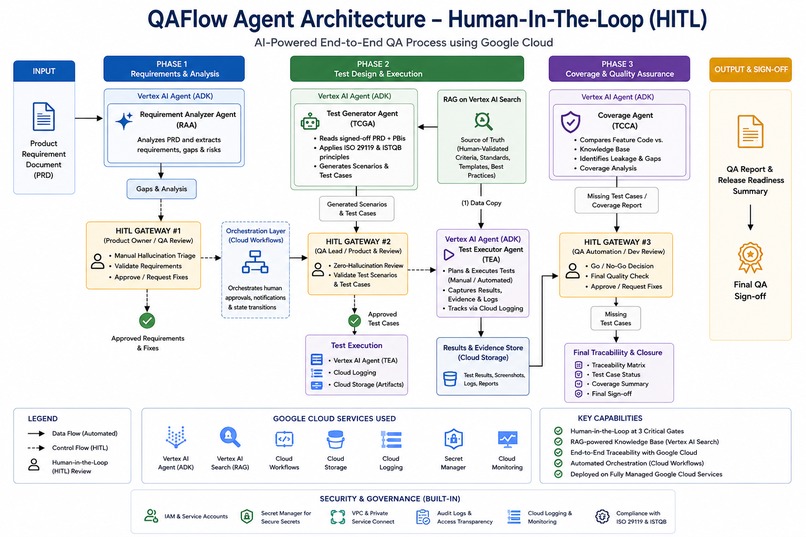
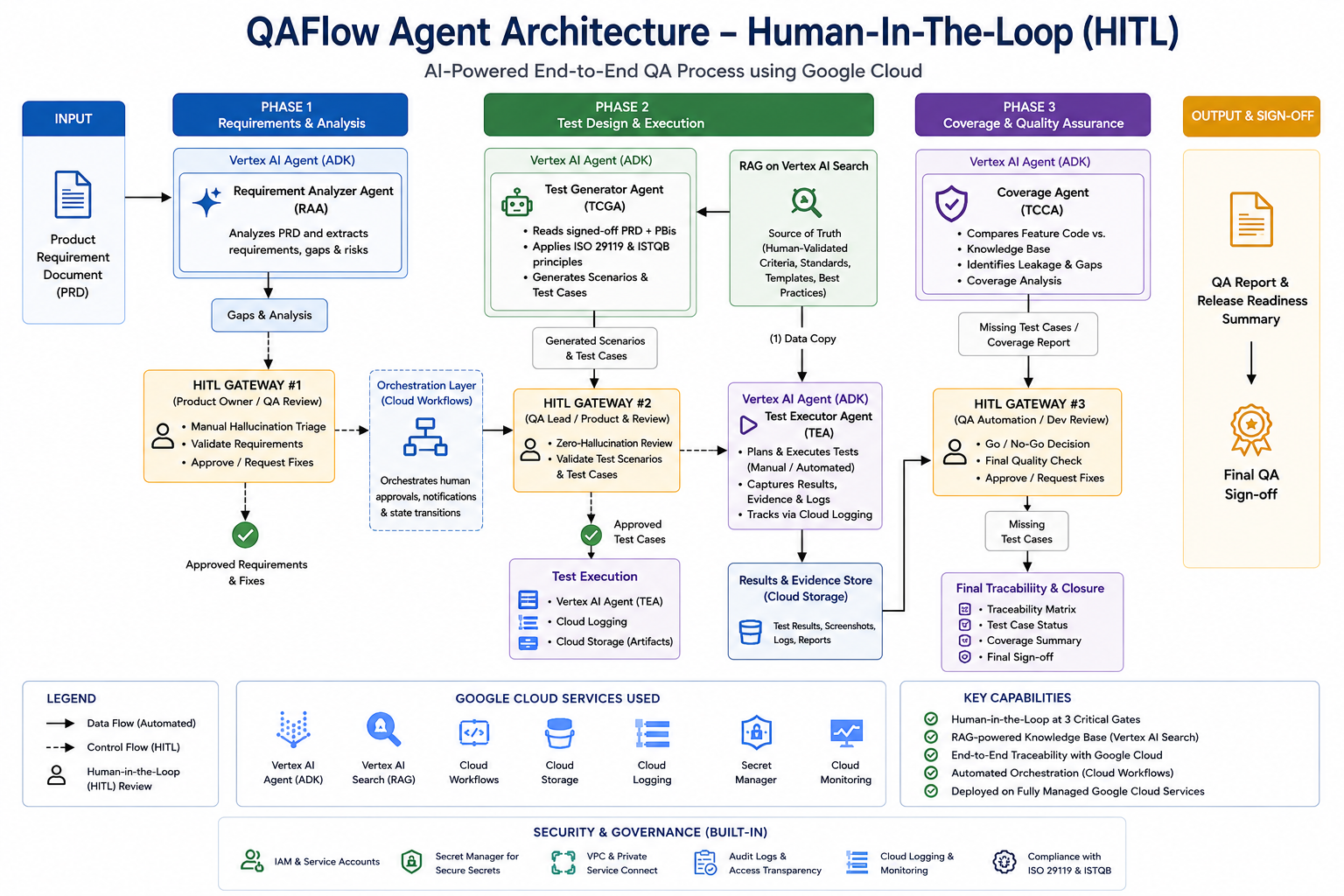
QAFlow architecture showing Google Cloud, ADK, Gemini, MongoDB MCP, Secret Manager, Cloud Run, Agent Runtime, and HITL QA gates.
-
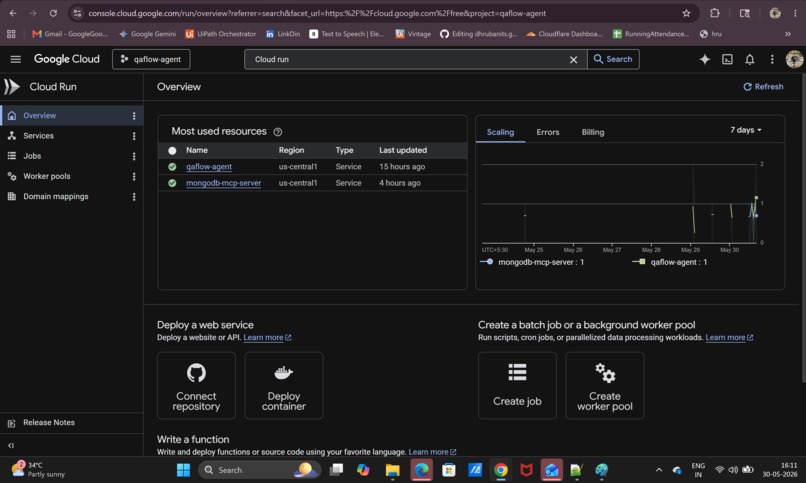
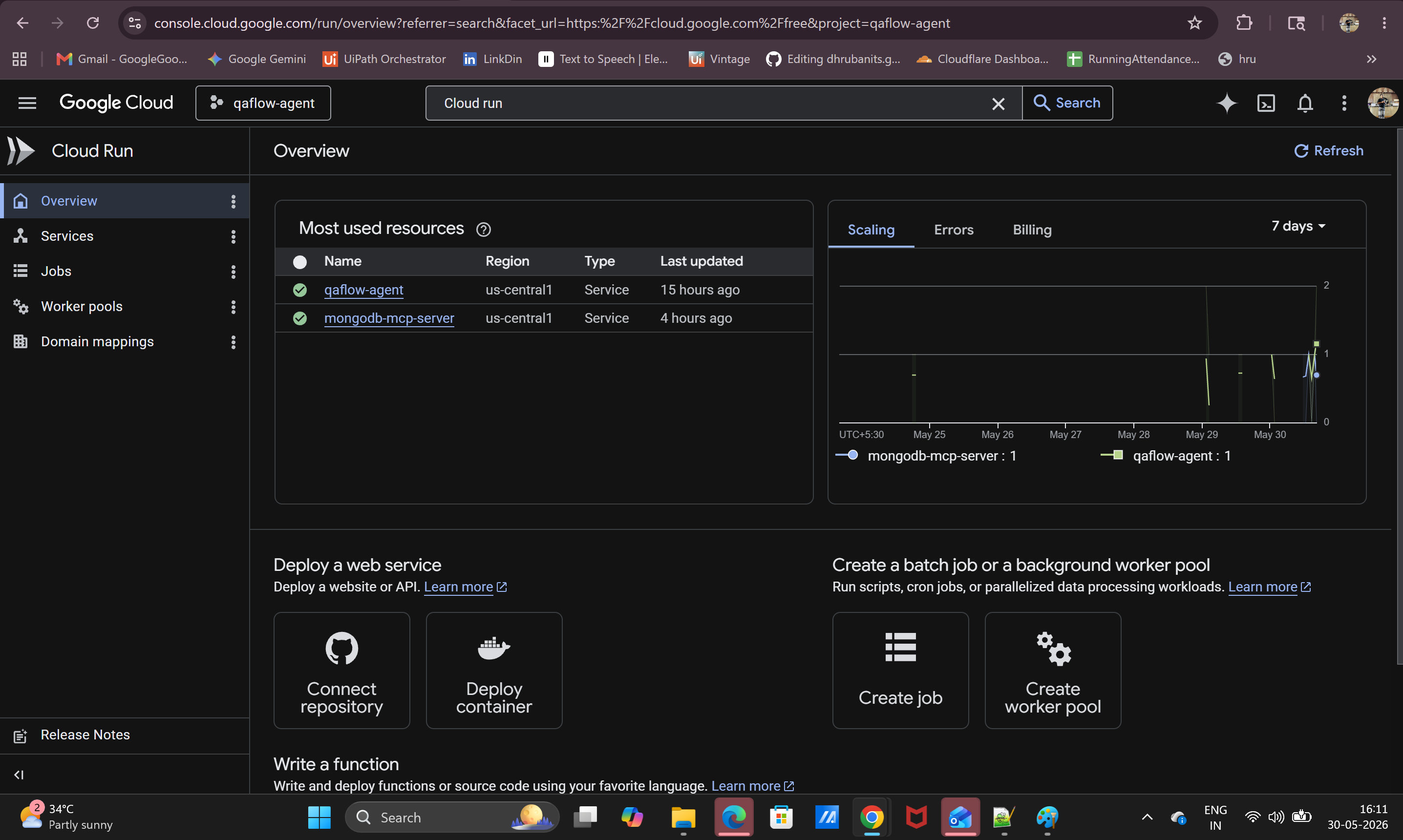
QAFlow deployed on Google Cloud Run as a custom backend hosting service for the agent UI, FastAPI backend, and API endpoints.
-
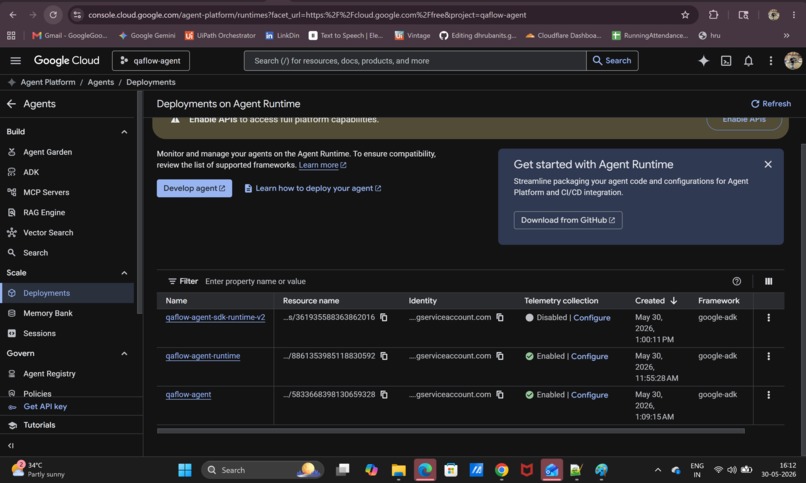
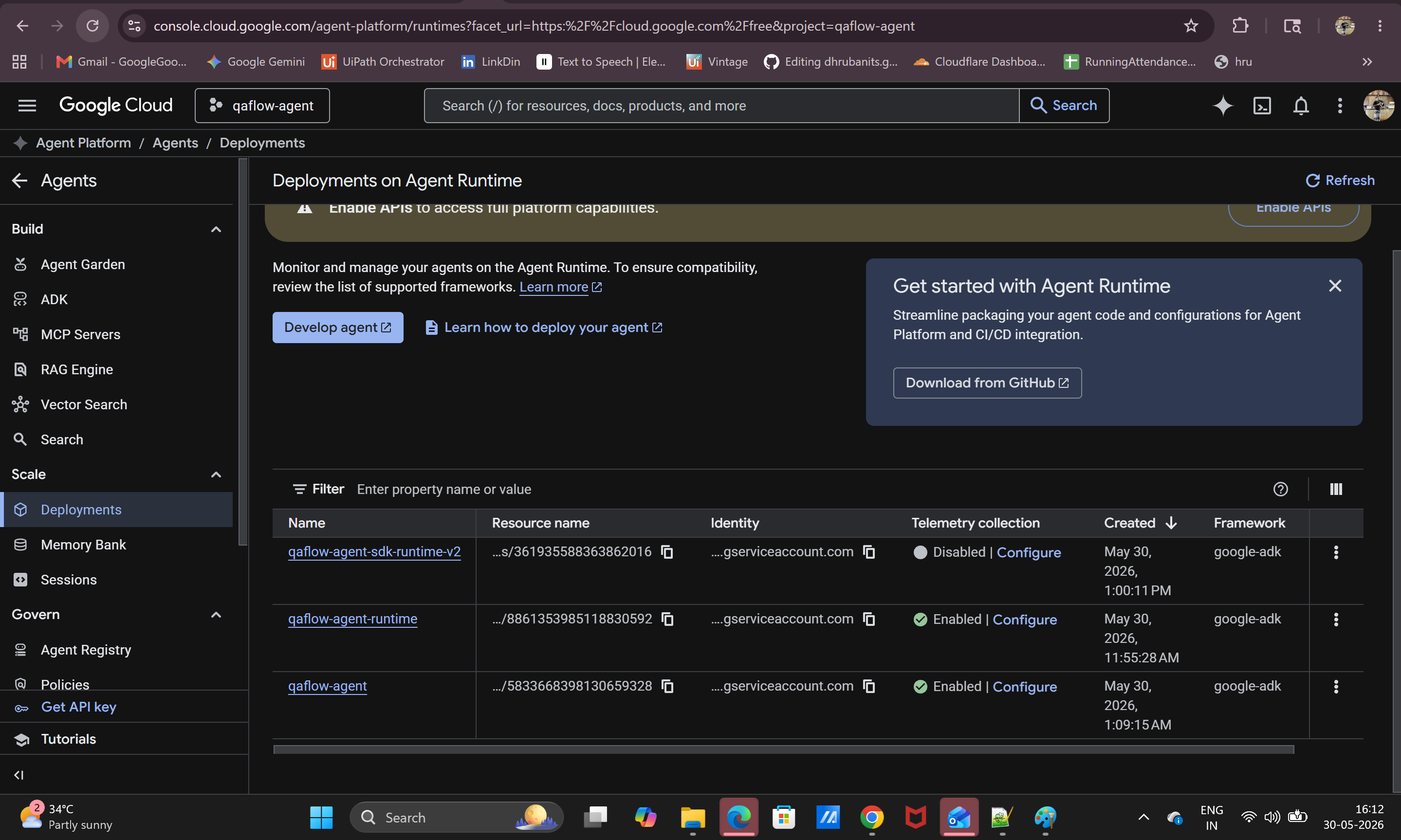
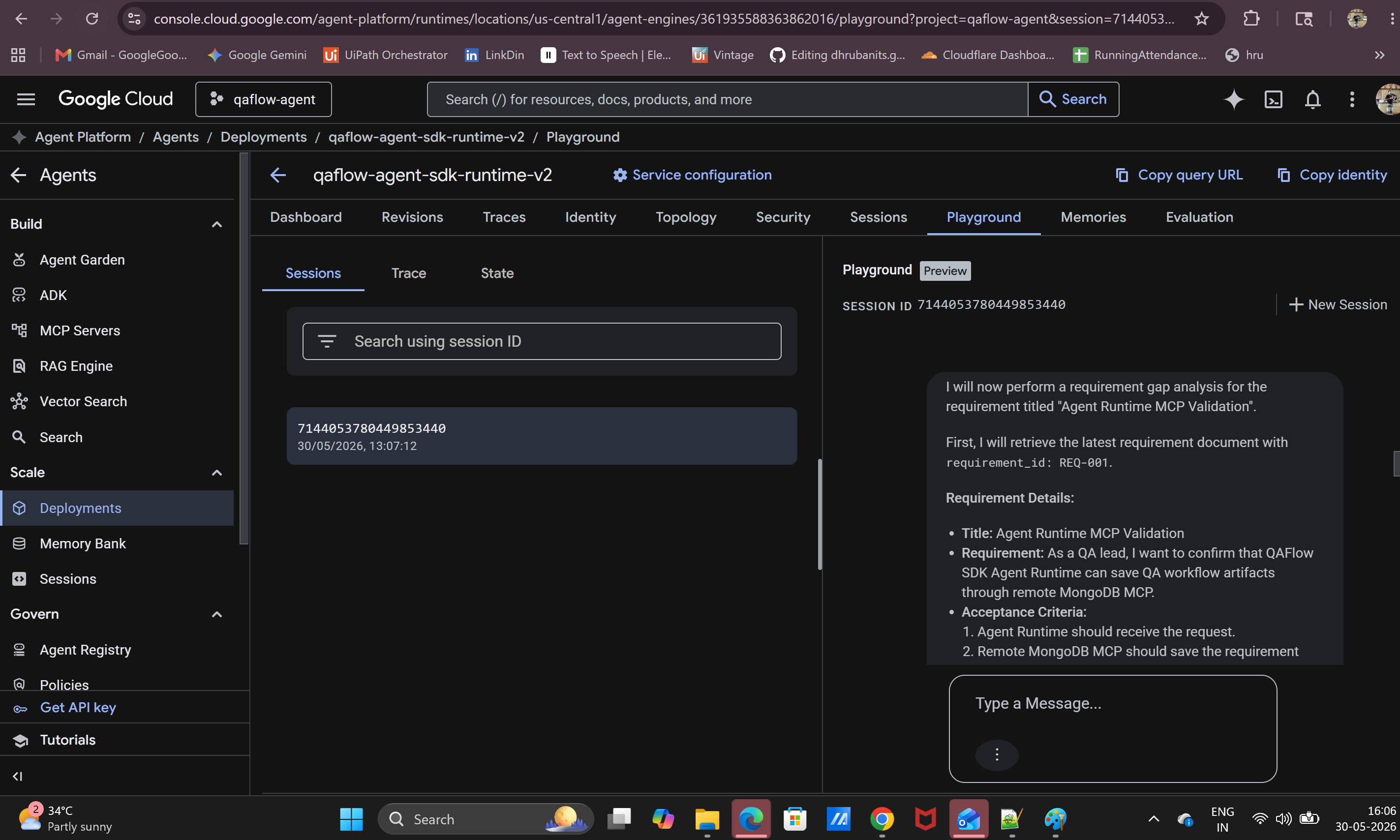
QAFlow deployed on Google Agent Runtime, showing the Agent Platform playground, sessions, traces, security, identity, and monitoring support
-
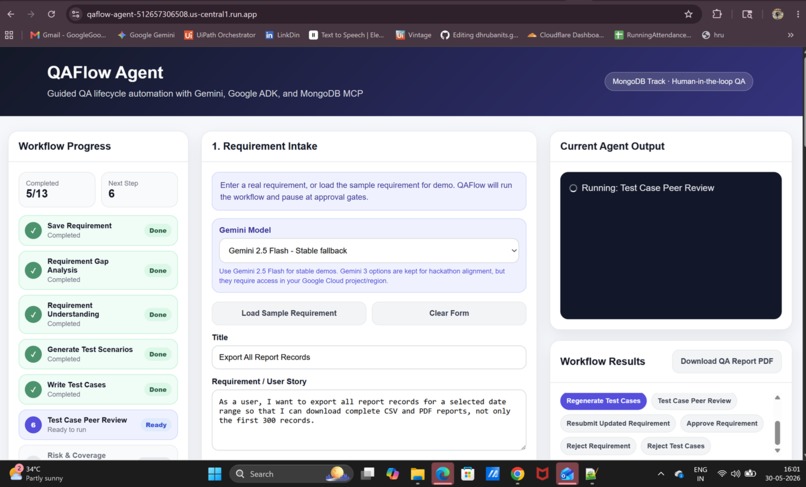
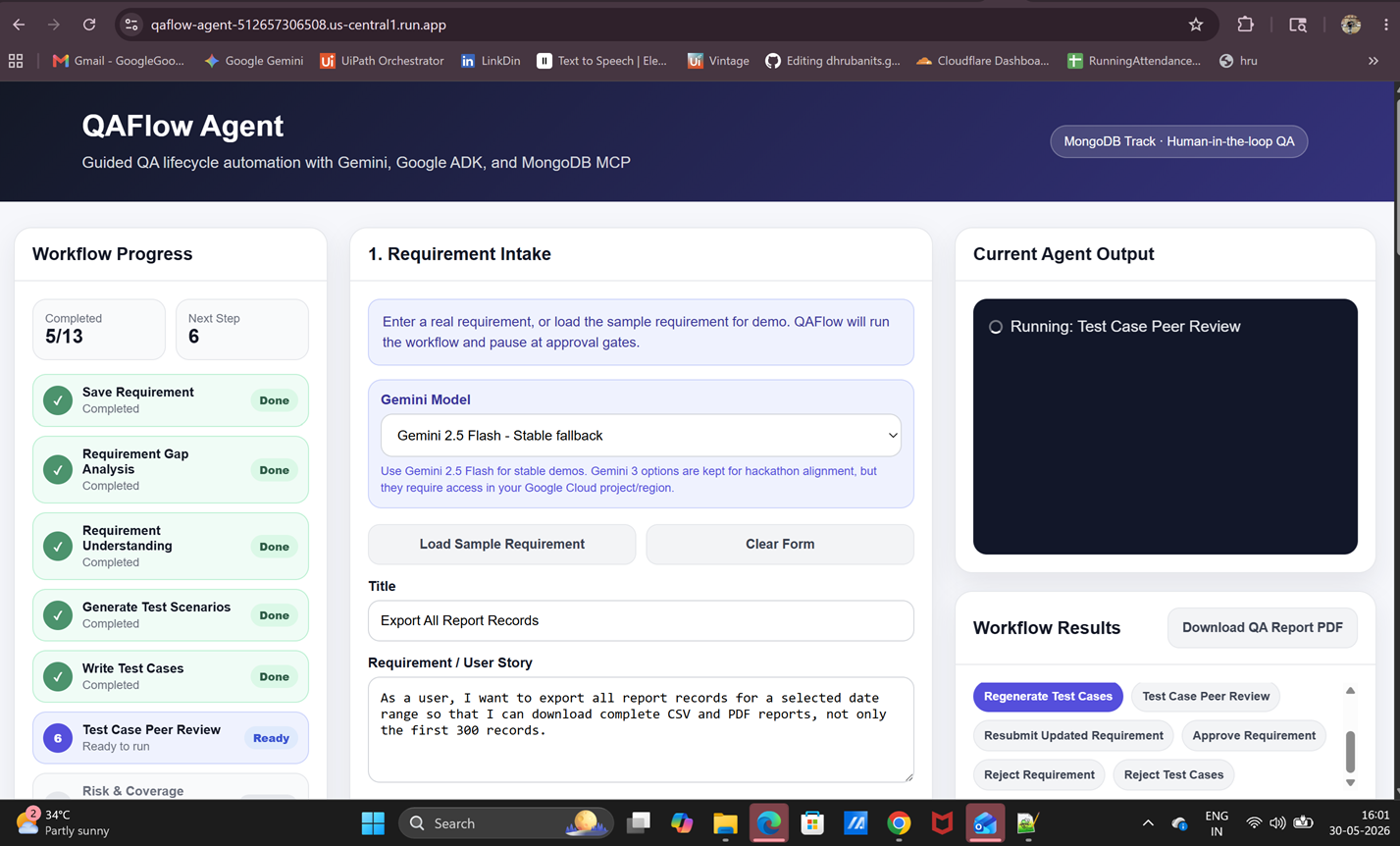
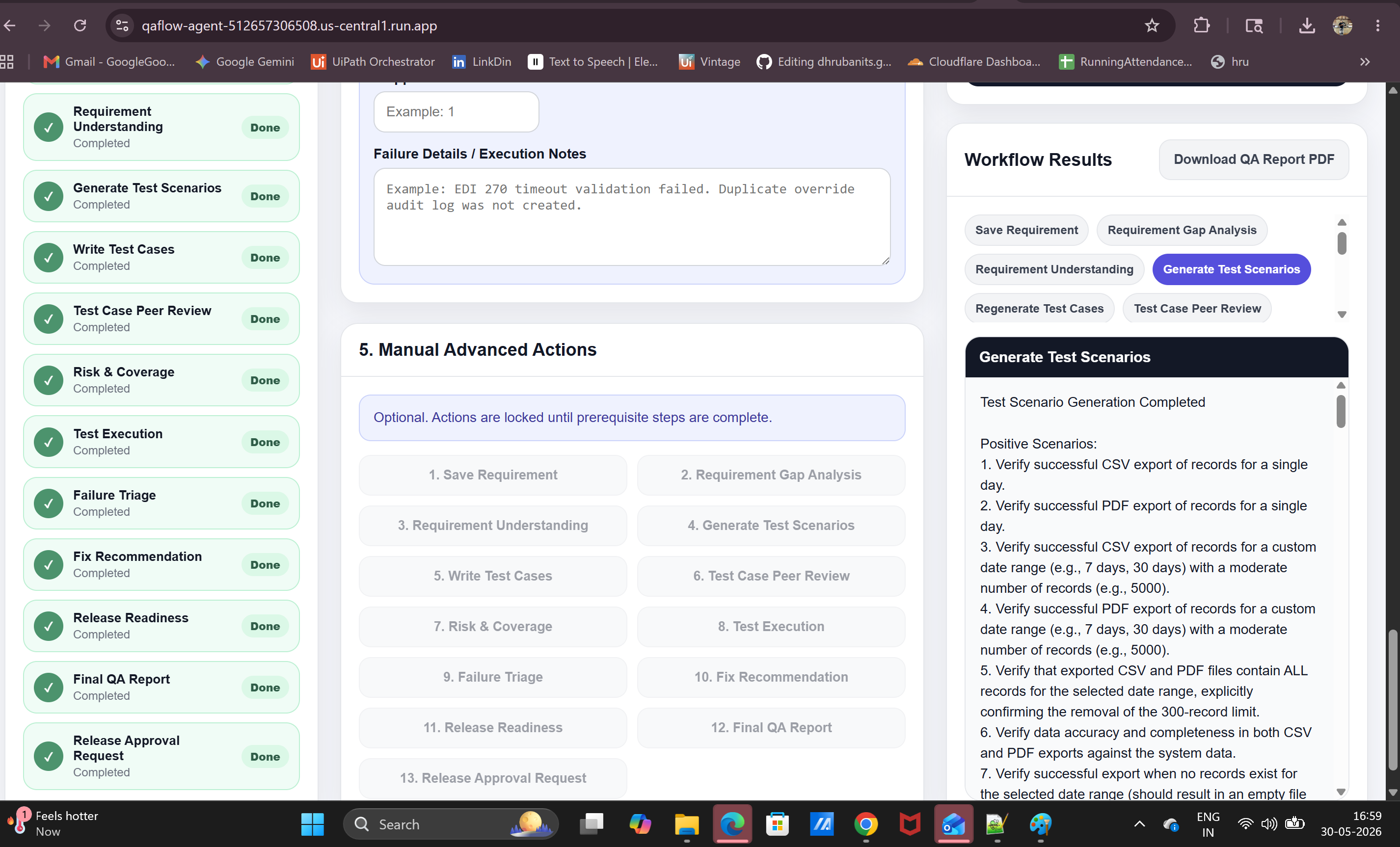
QAFlow web app running on Cloud Run with requirement intake, workflow progress, agent output, approvals, and QA report download.
-
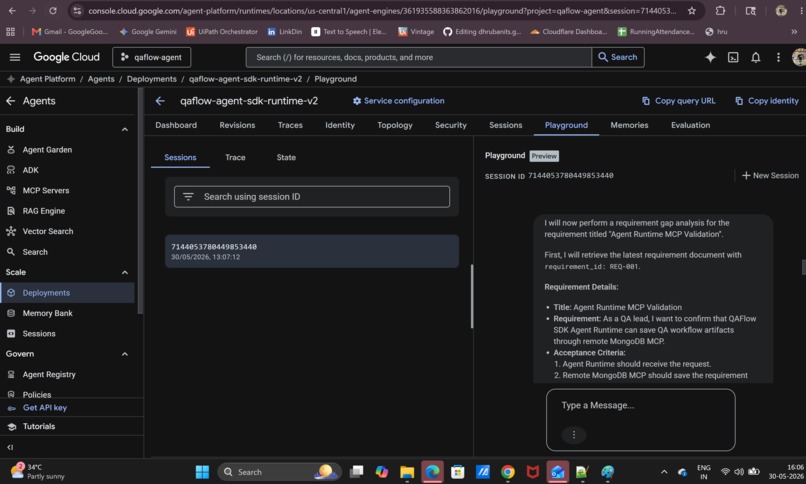
QAFlow Agent Runtime playground response confirming the deployed ADK agent supports the end-to-end QA workflow.
-
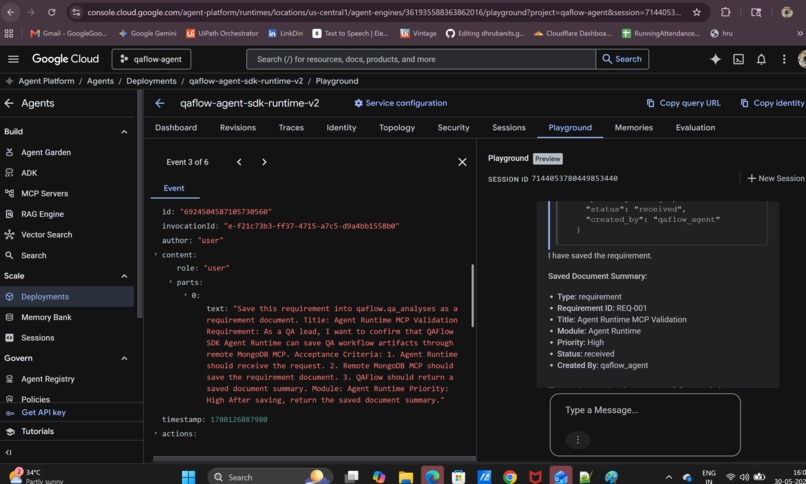
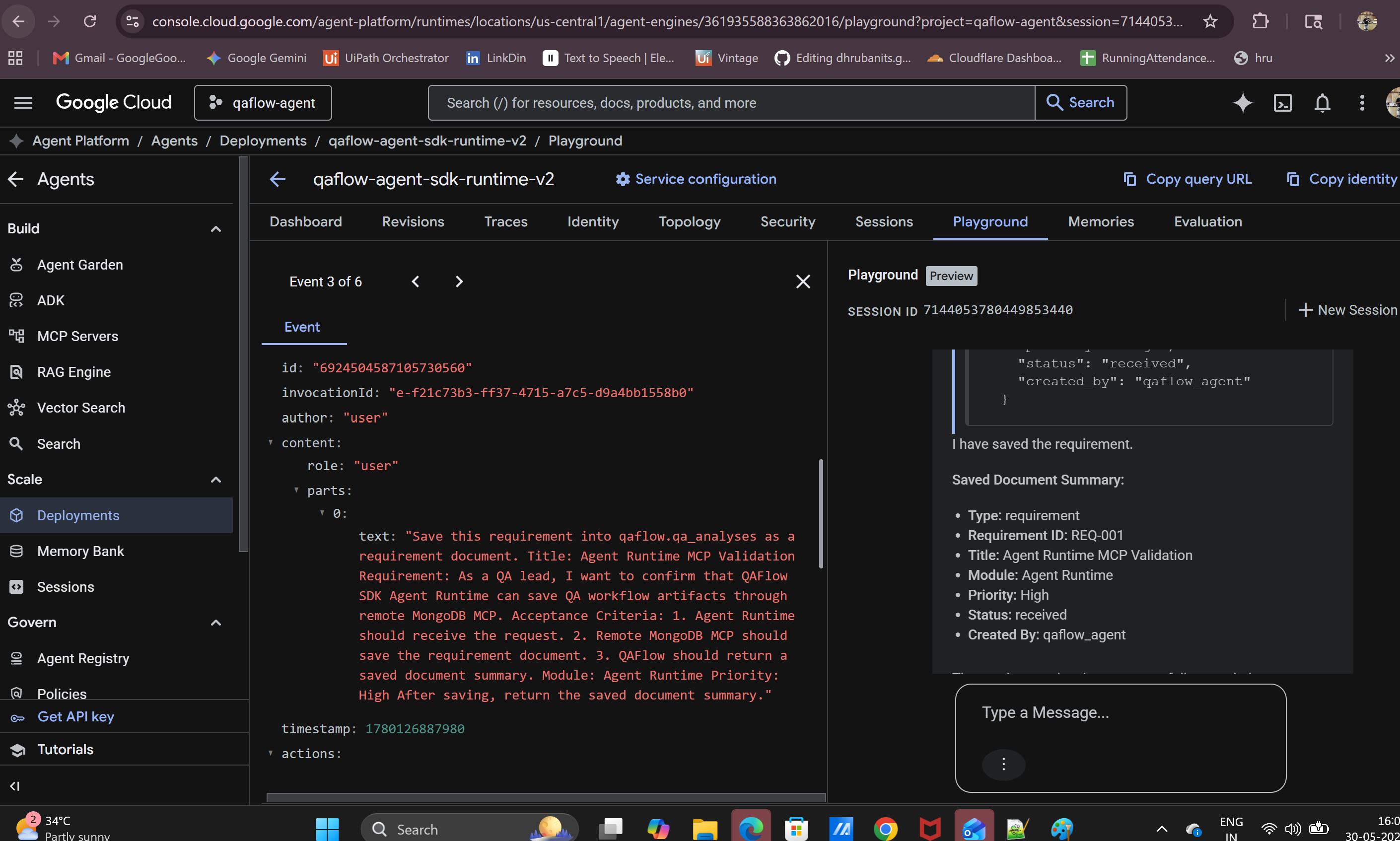
Agent Runtime Playground response showing QAFlow successfully saving a requirement to MongoDB through MCP.
-
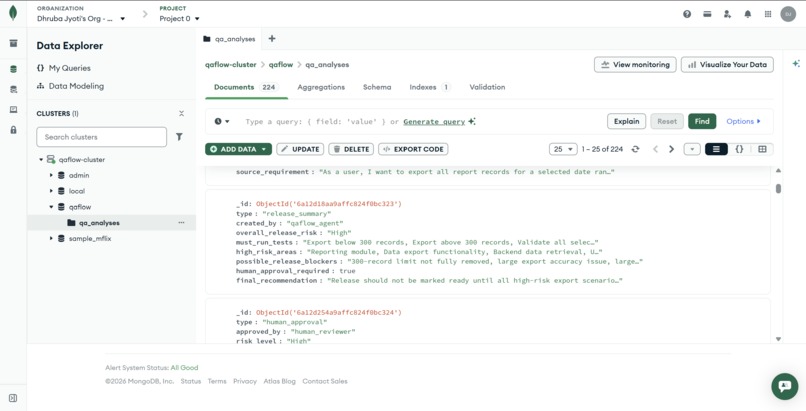
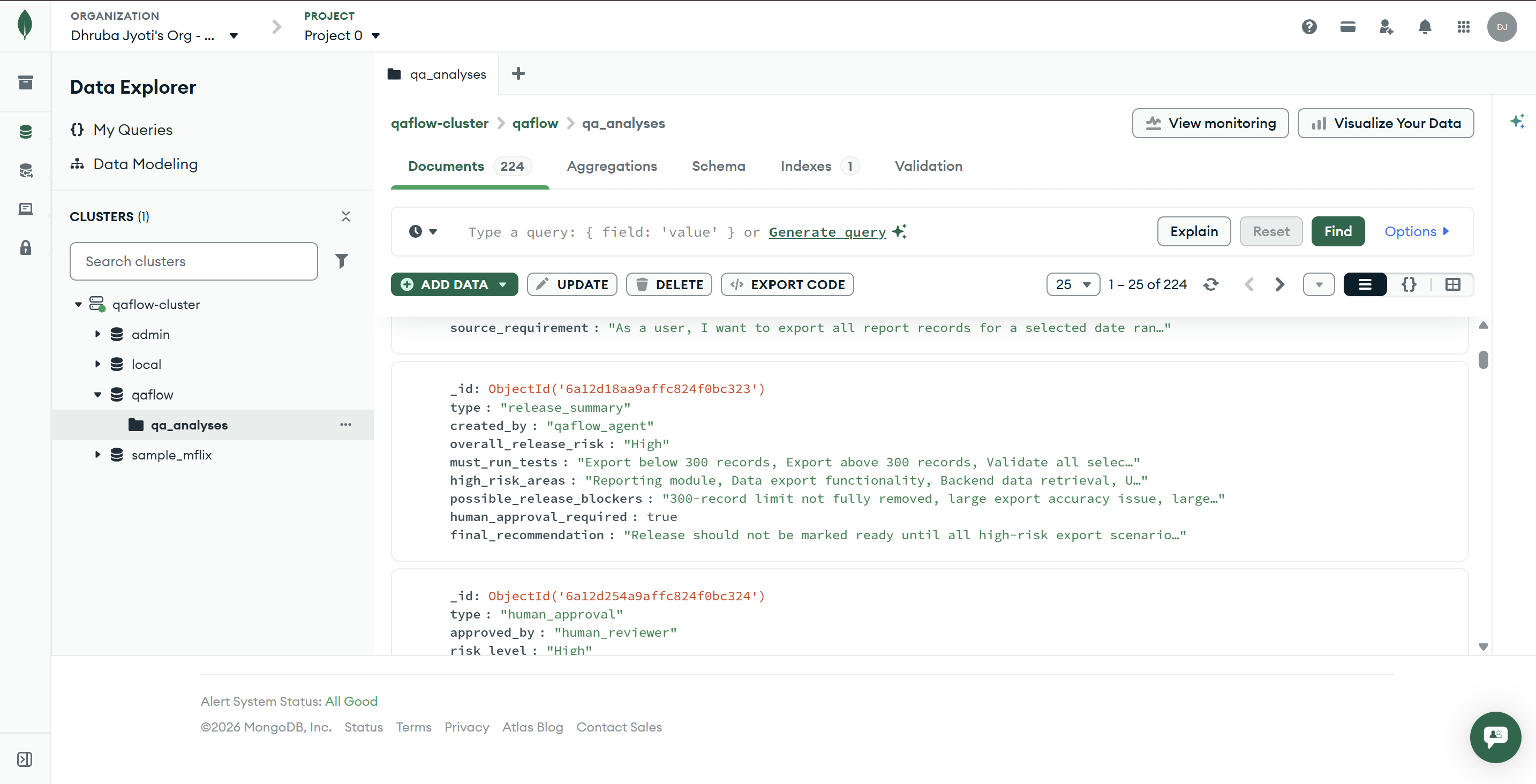
MongoDB Atlas stores QAFlow artifacts as persistent memory for RAG, traceability, and end-to-end QA workflow history.
-
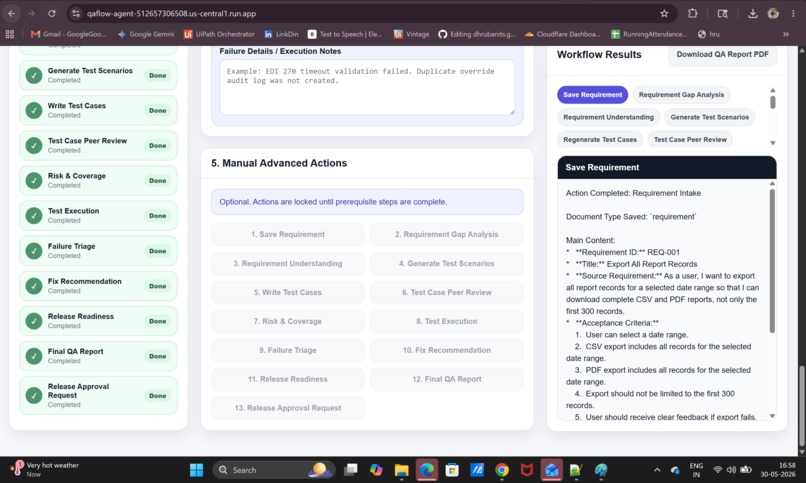
QAFlow starts with requirement intake, where the user submits a feature request and begins the QA workflow.
-
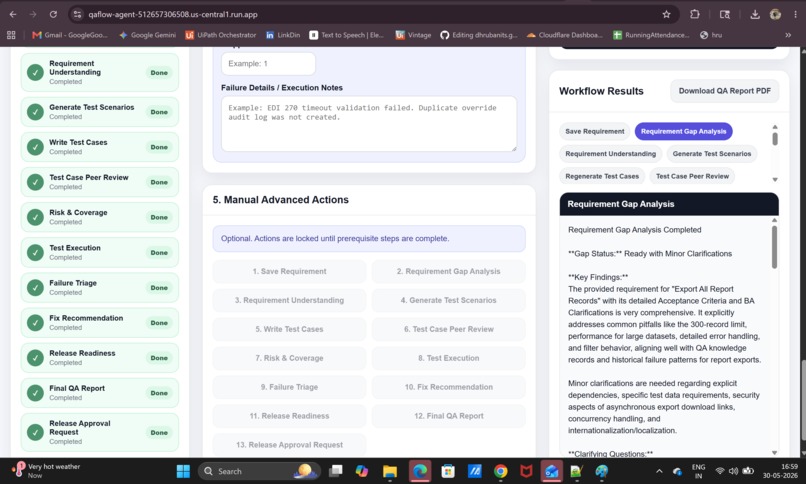
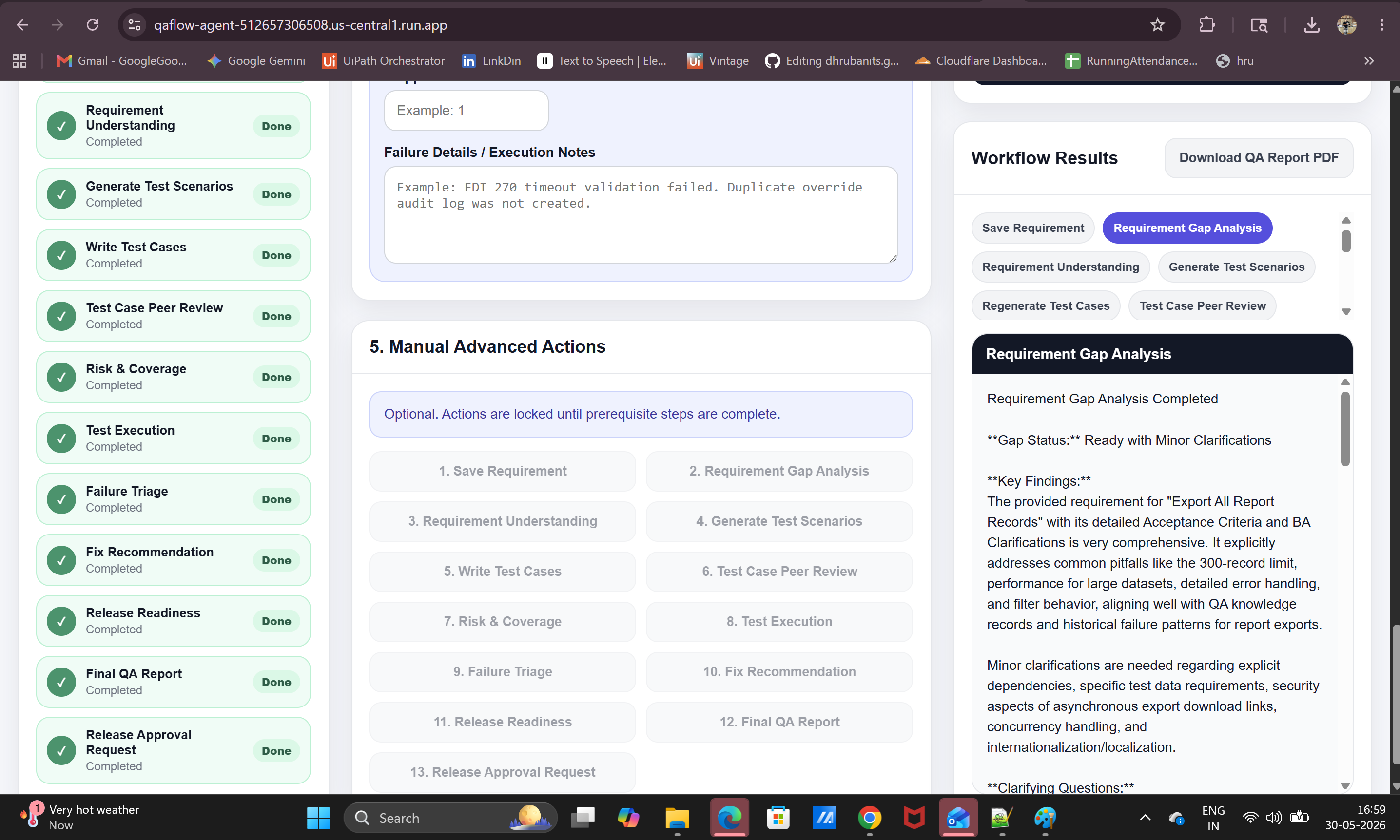
Requirement Gap Analysis finds missing details, risks, unclear criteria, and QA questions before test design begins
-
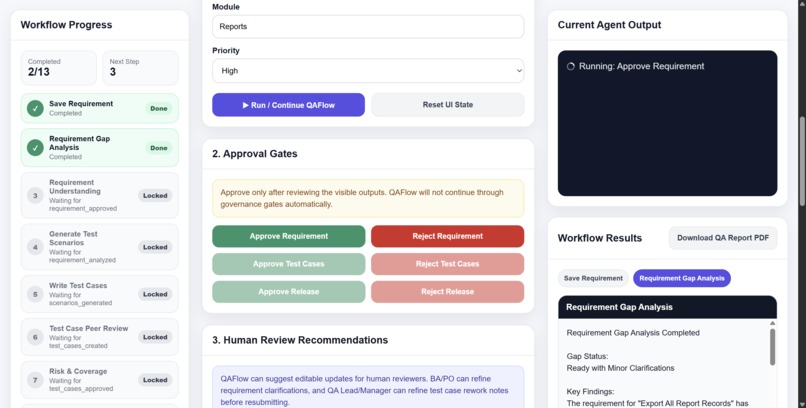
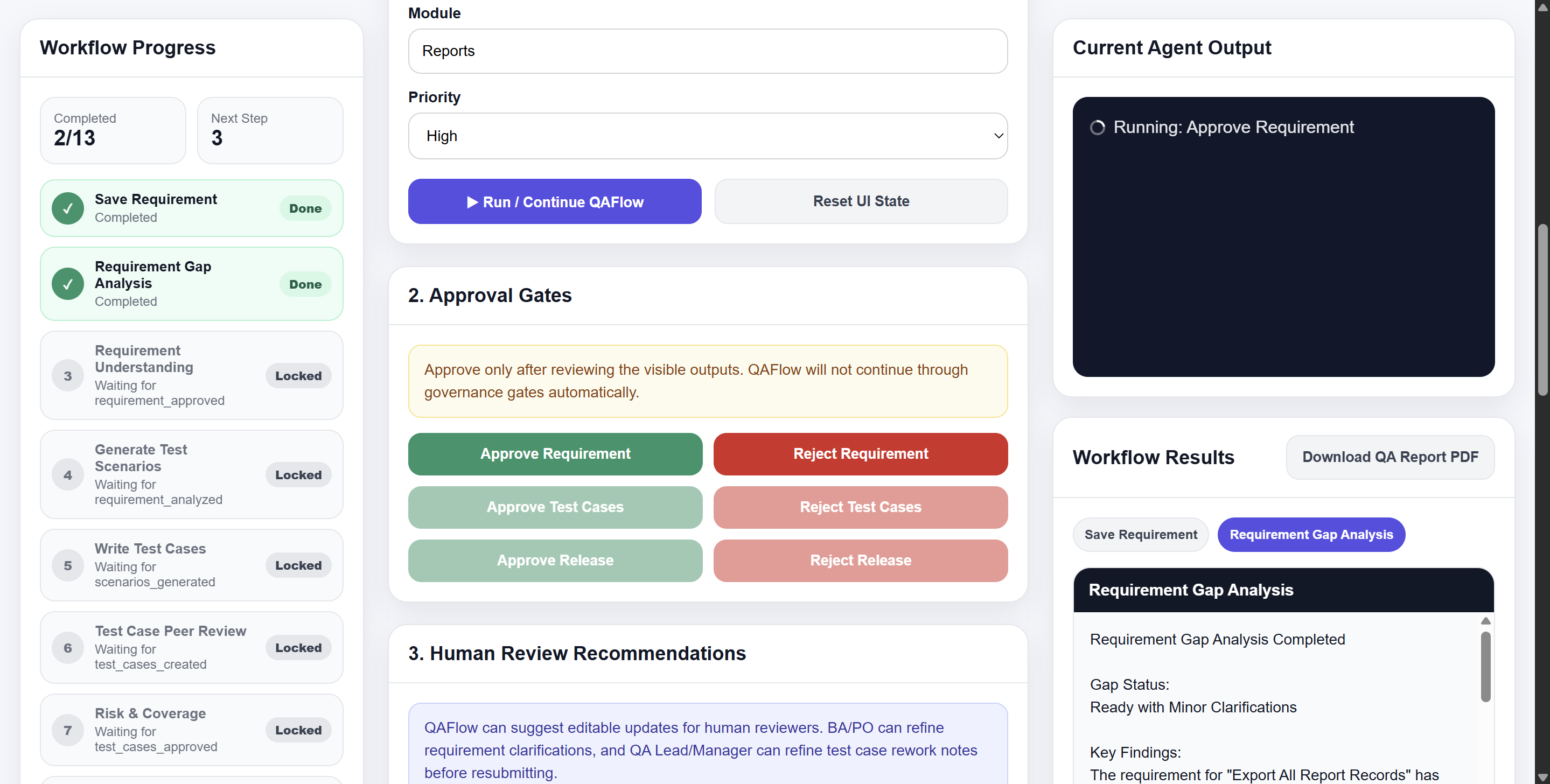
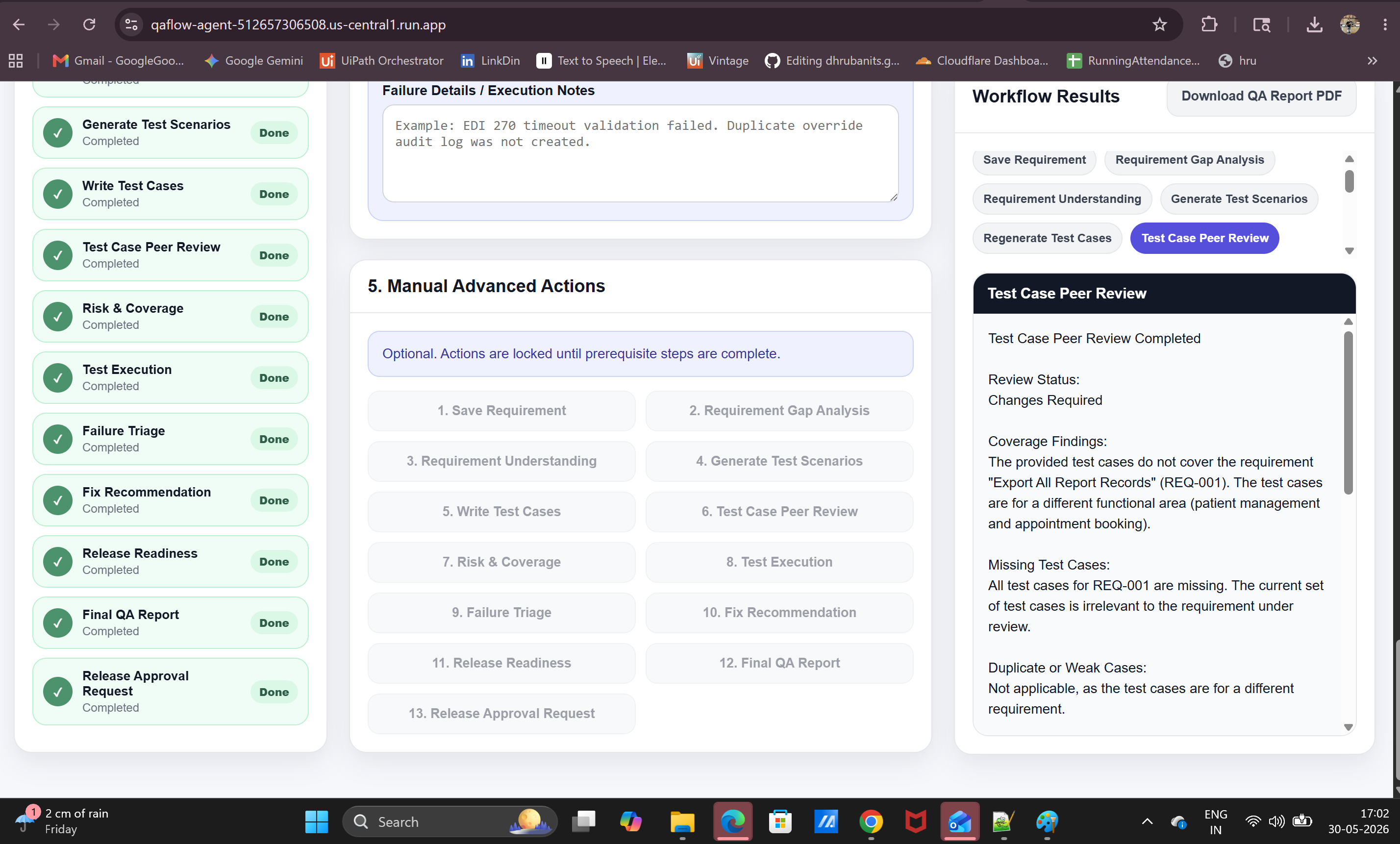
Human-in-the-loop approval lets the reviewer approve or reject the requirement before QAFlow continues.
-
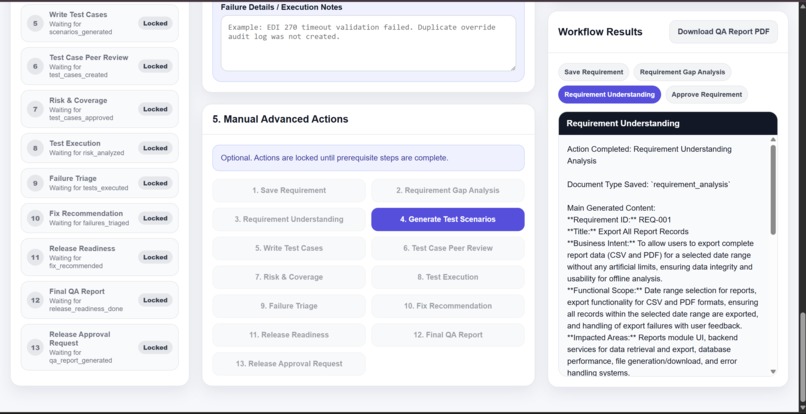
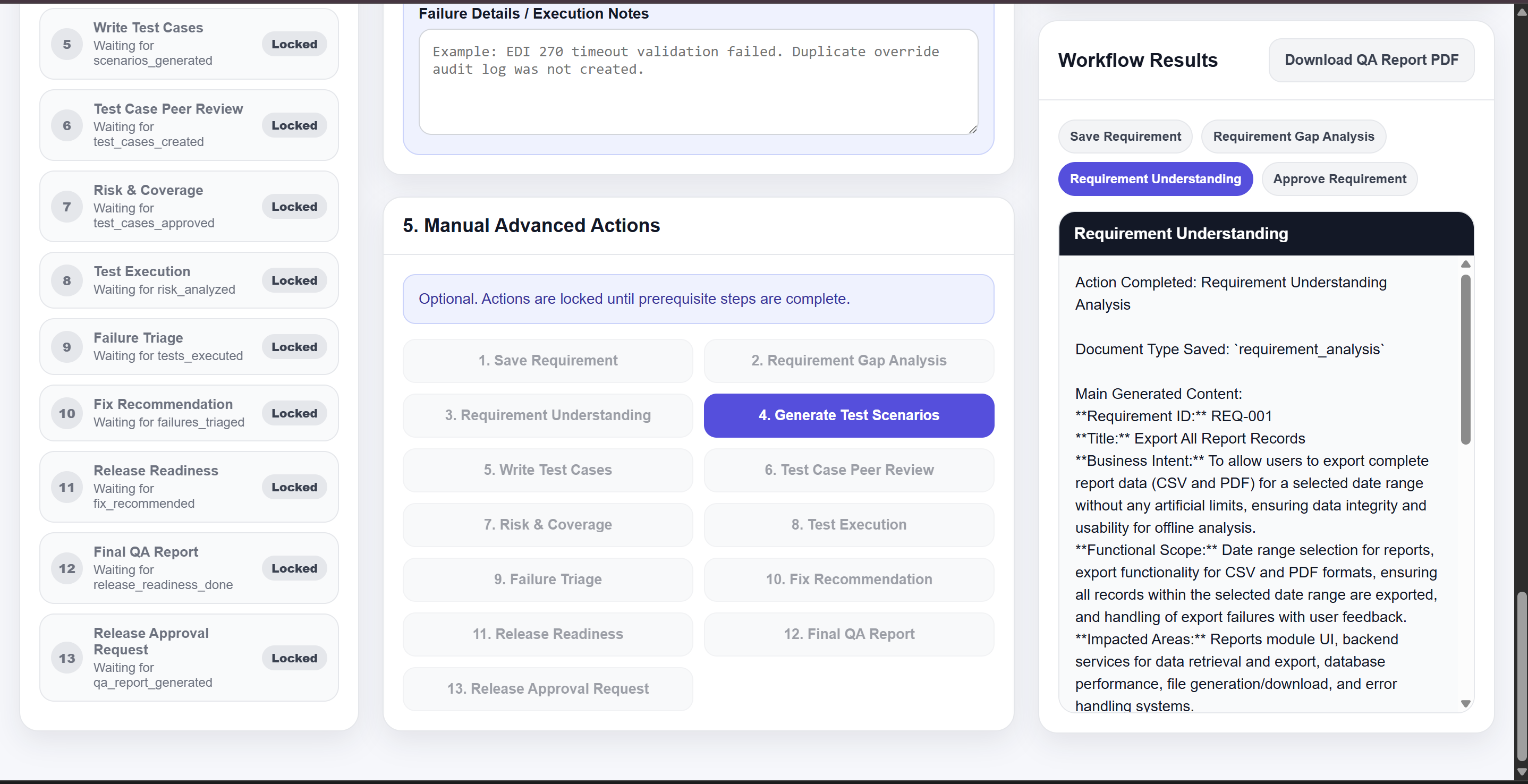
Requirement Understanding extracts business intent, scope, impacted areas, assumptions, and key QA considerations.
-
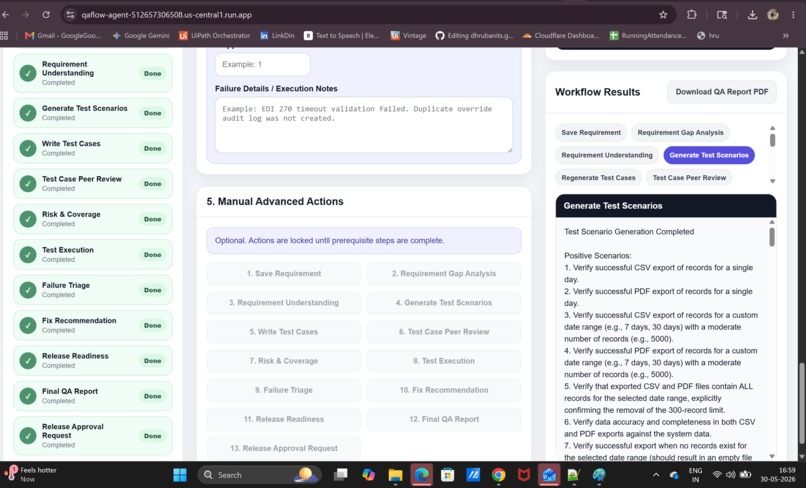
Generate Test Scenarios creates positive, negative, boundary, and risk-based scenarios from the approved requirement.
-
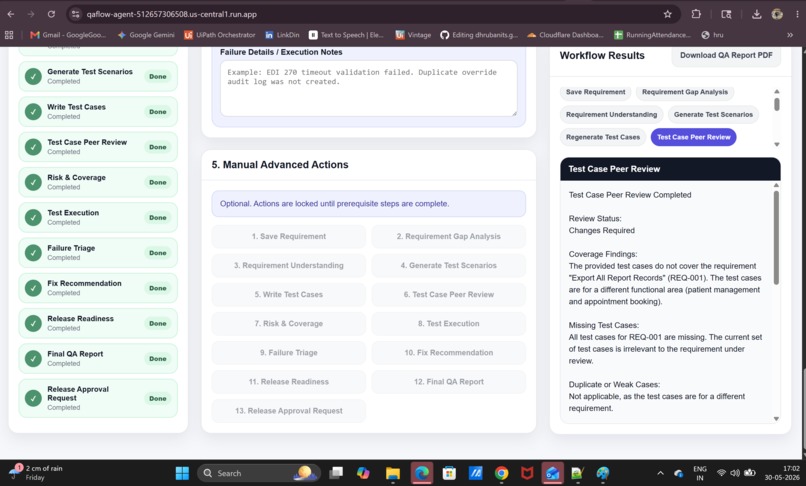
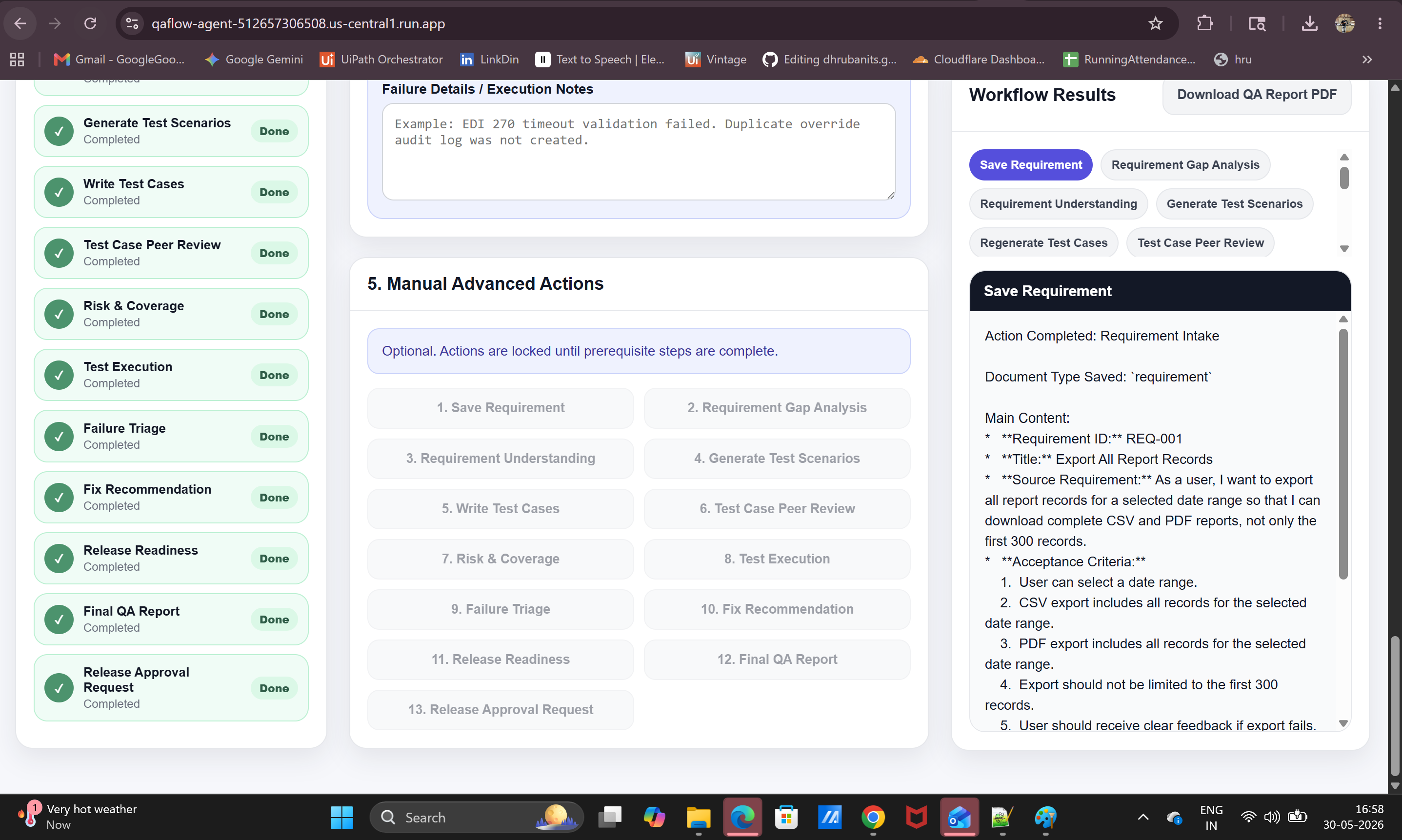
Write Test Cases converts scenarios into structured test cases with steps, expected results, and test priorities.
-
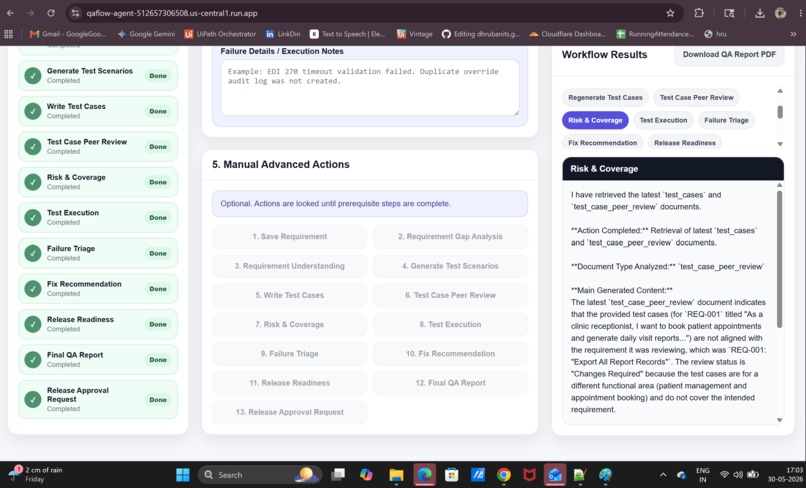
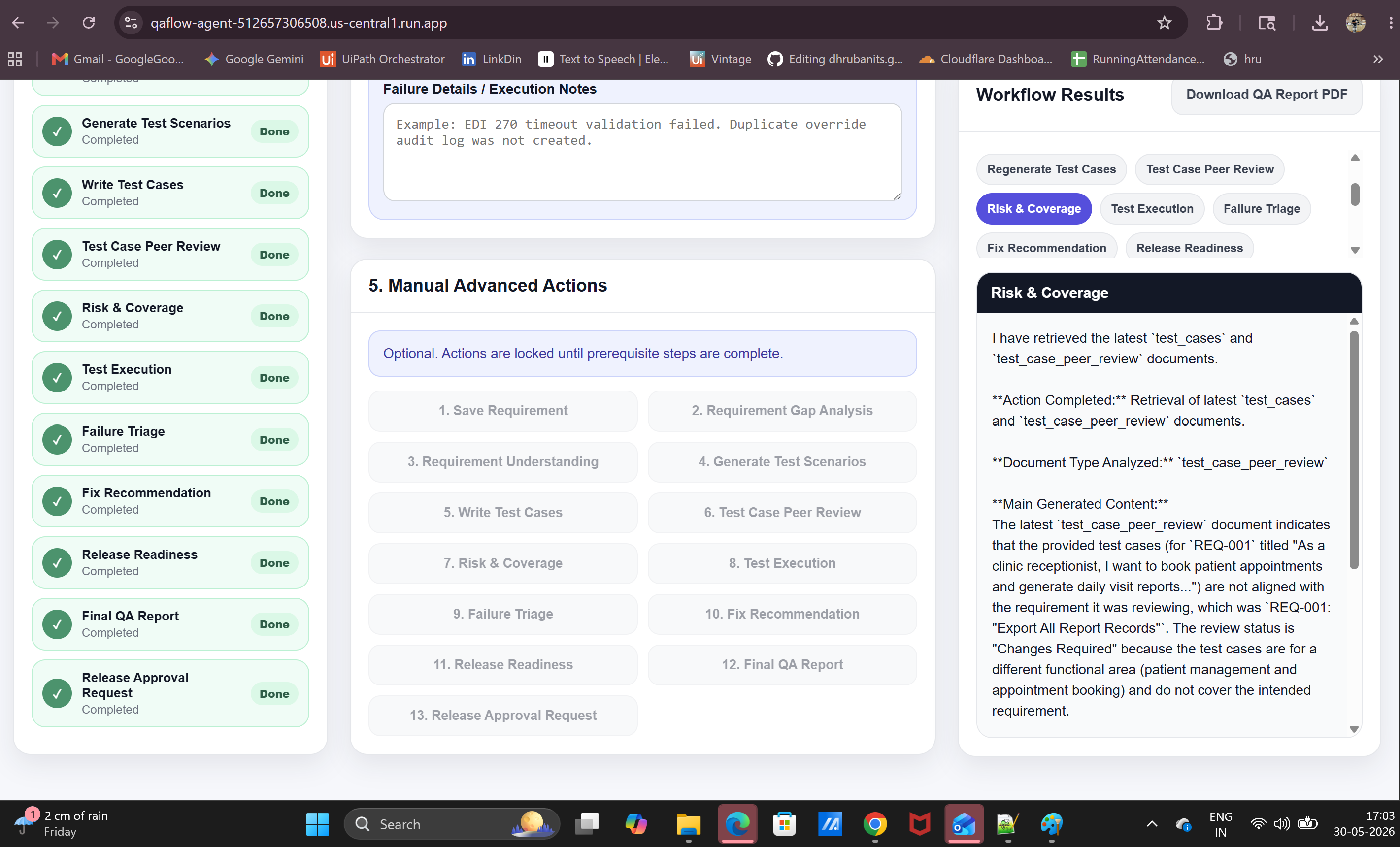
QAFlow analyzed risk, coverage gaps, must-run tests, and release impact from approved test cases.
-
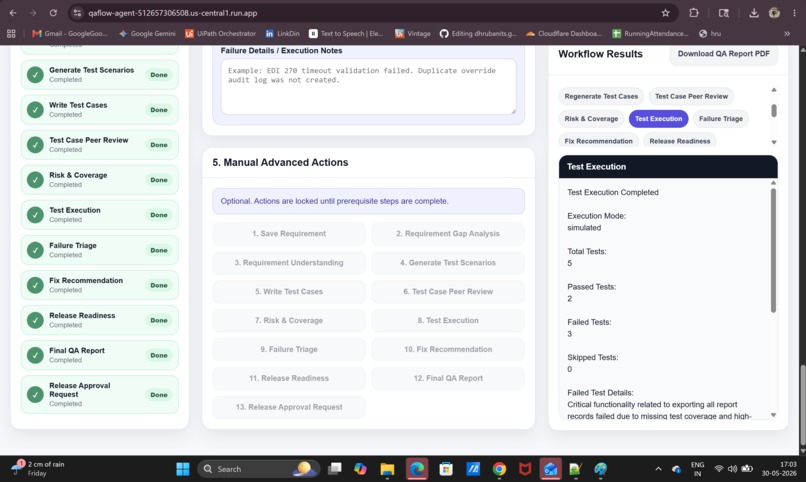
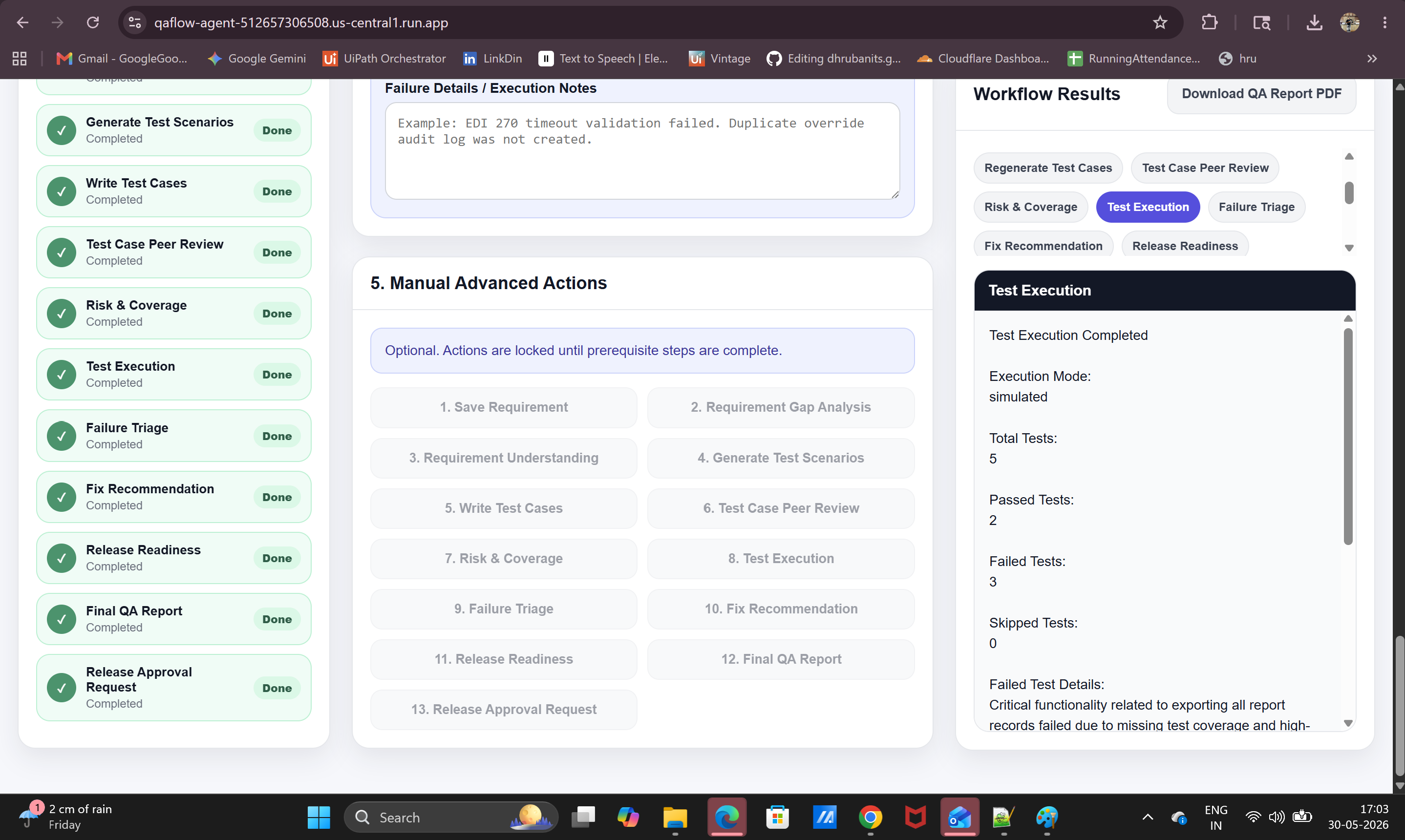
QAFlow captured simulated execution results with passed, failed, skipped tests, and failure notes.
-
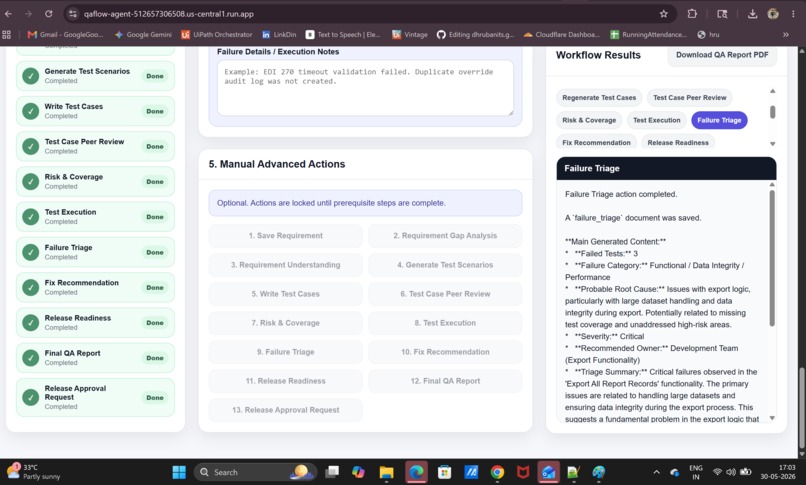
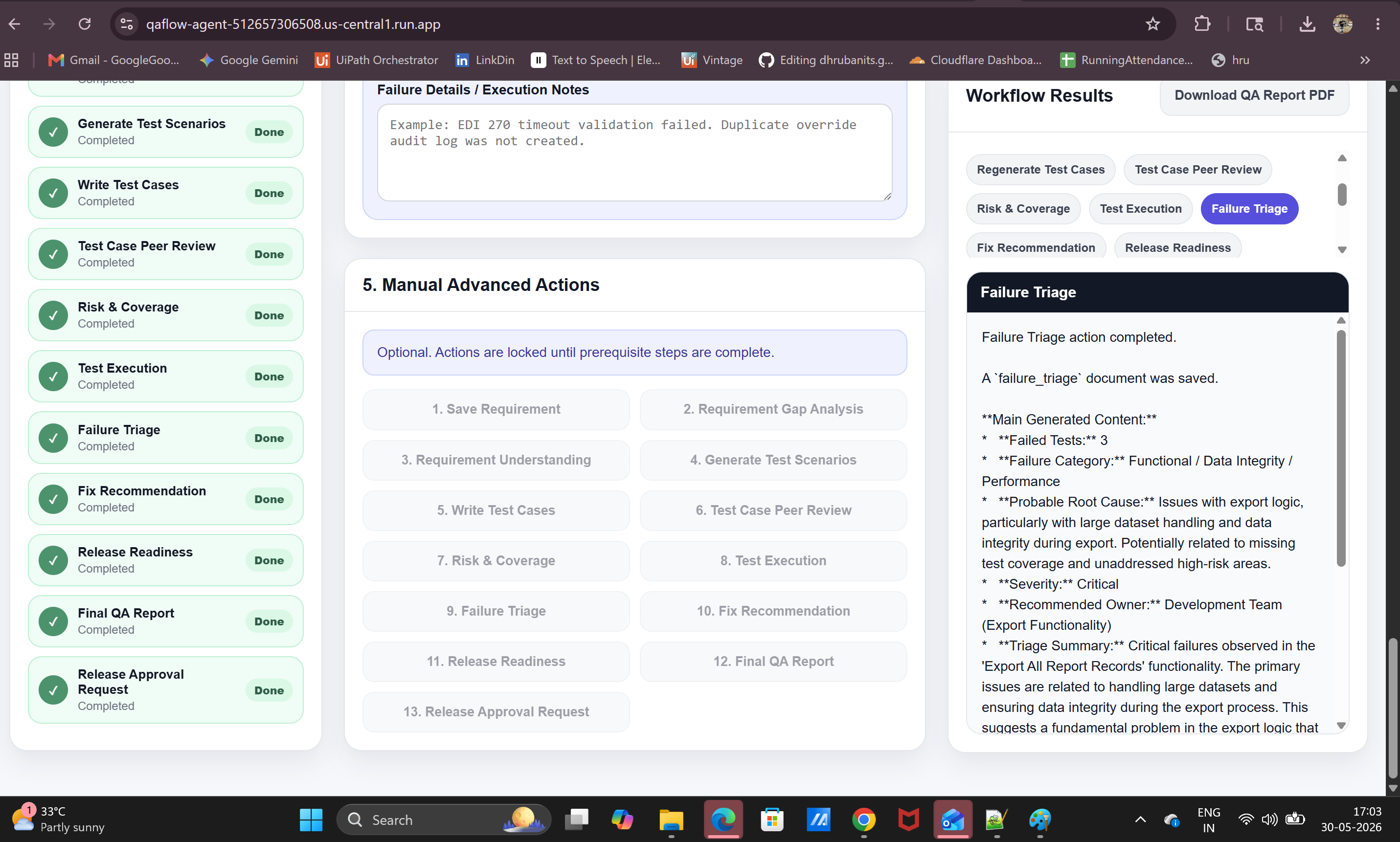
QAFlow triaged failed tests, identified probable root causes, severity, and recommended ownership.
-
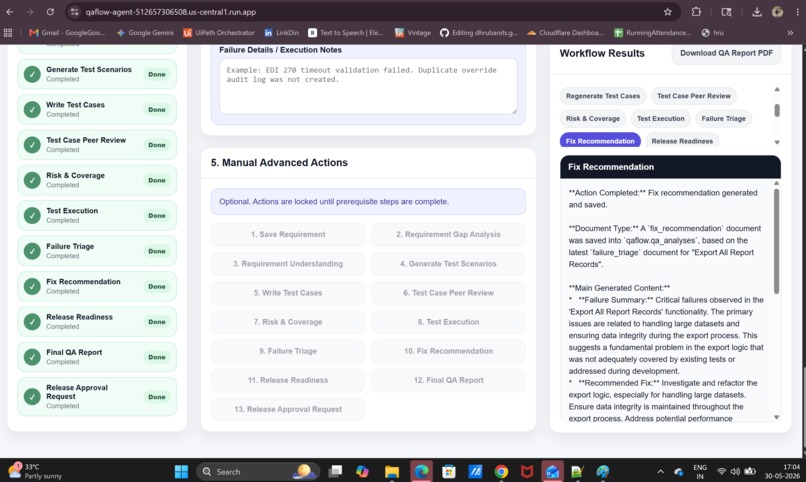
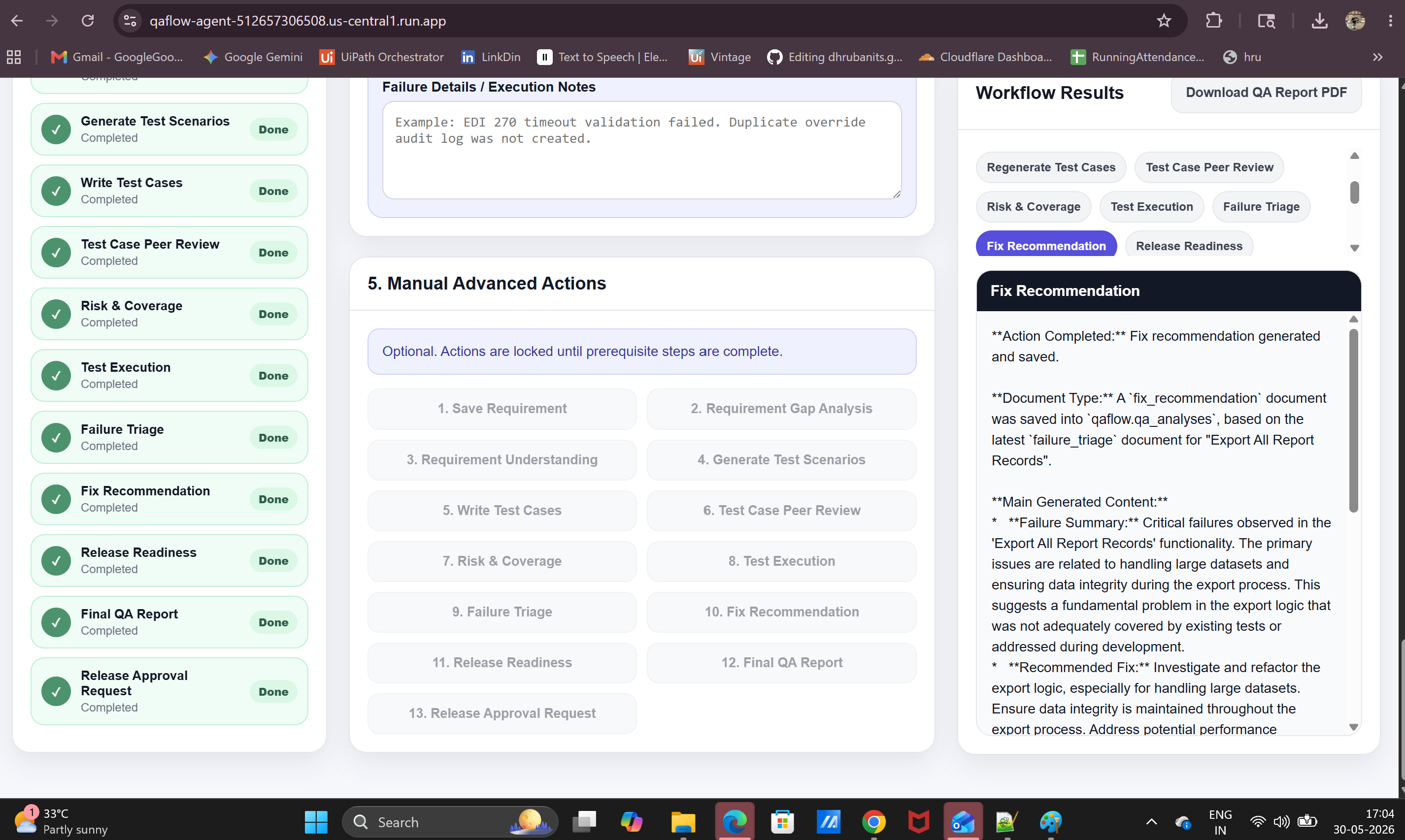
QAFlow generated fix recommendations based on failure triage and historical QA context.
-
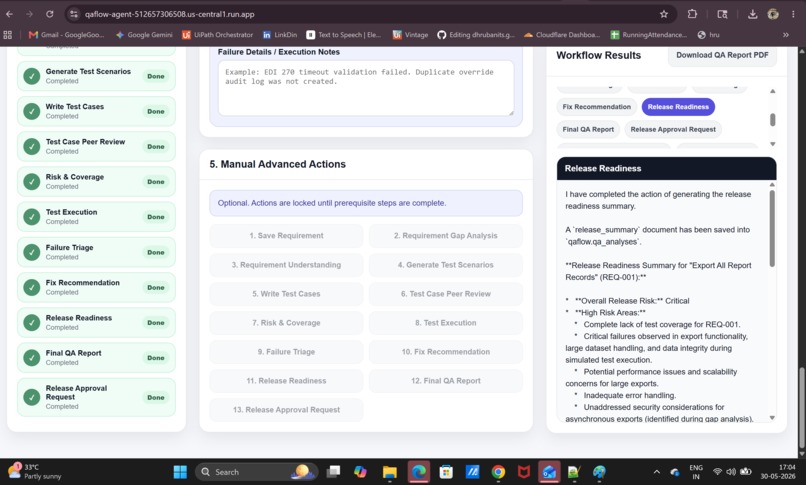
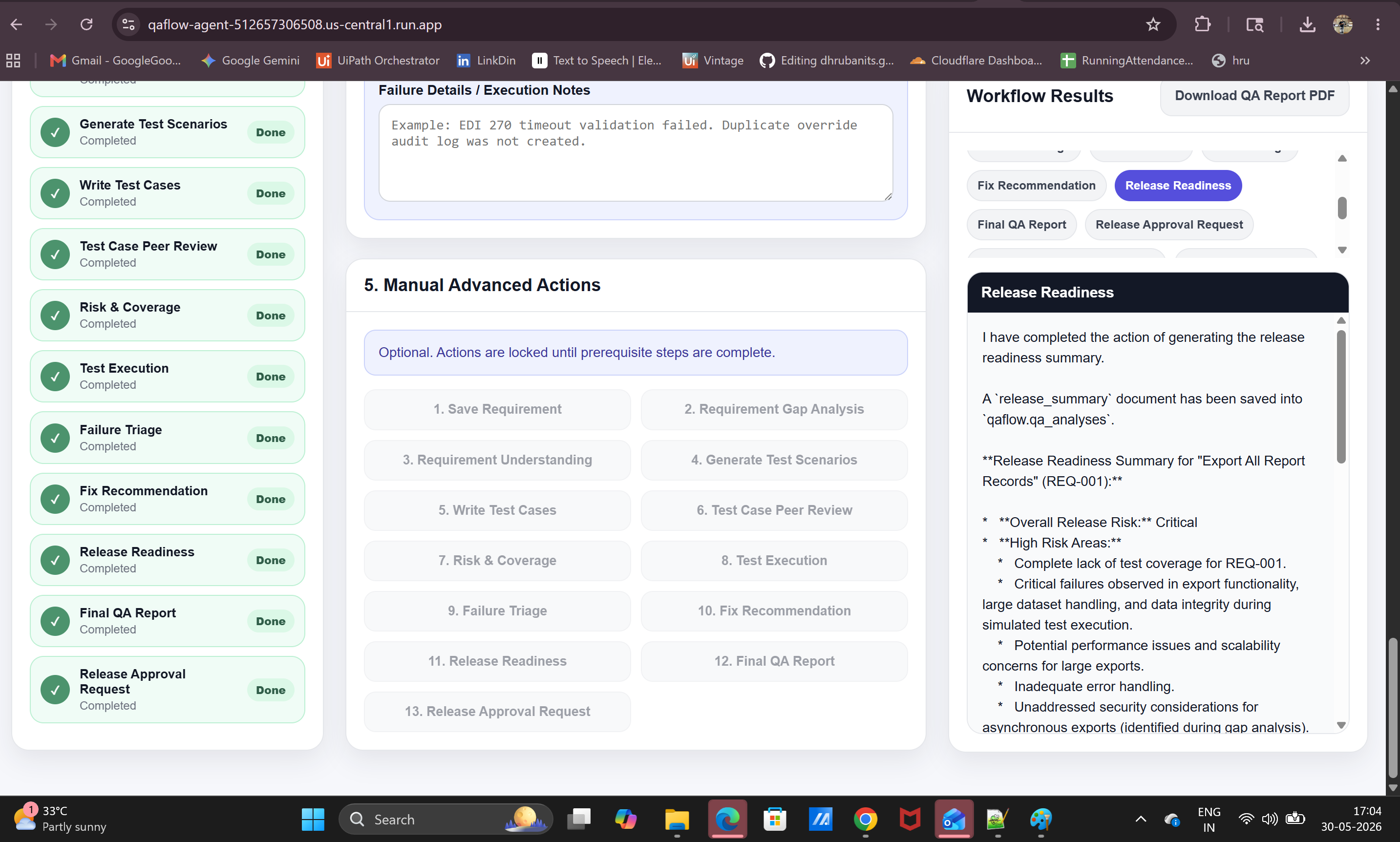
QAFlow generated release readiness summary with risk level, blockers, and final QA recommendation.
-
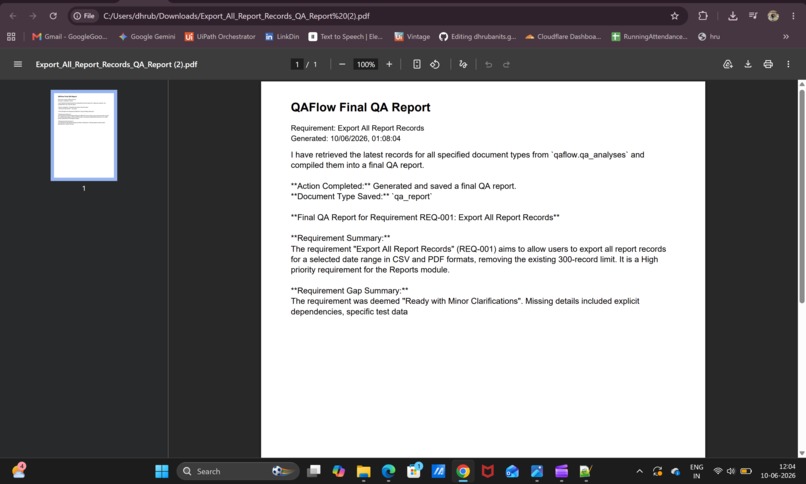
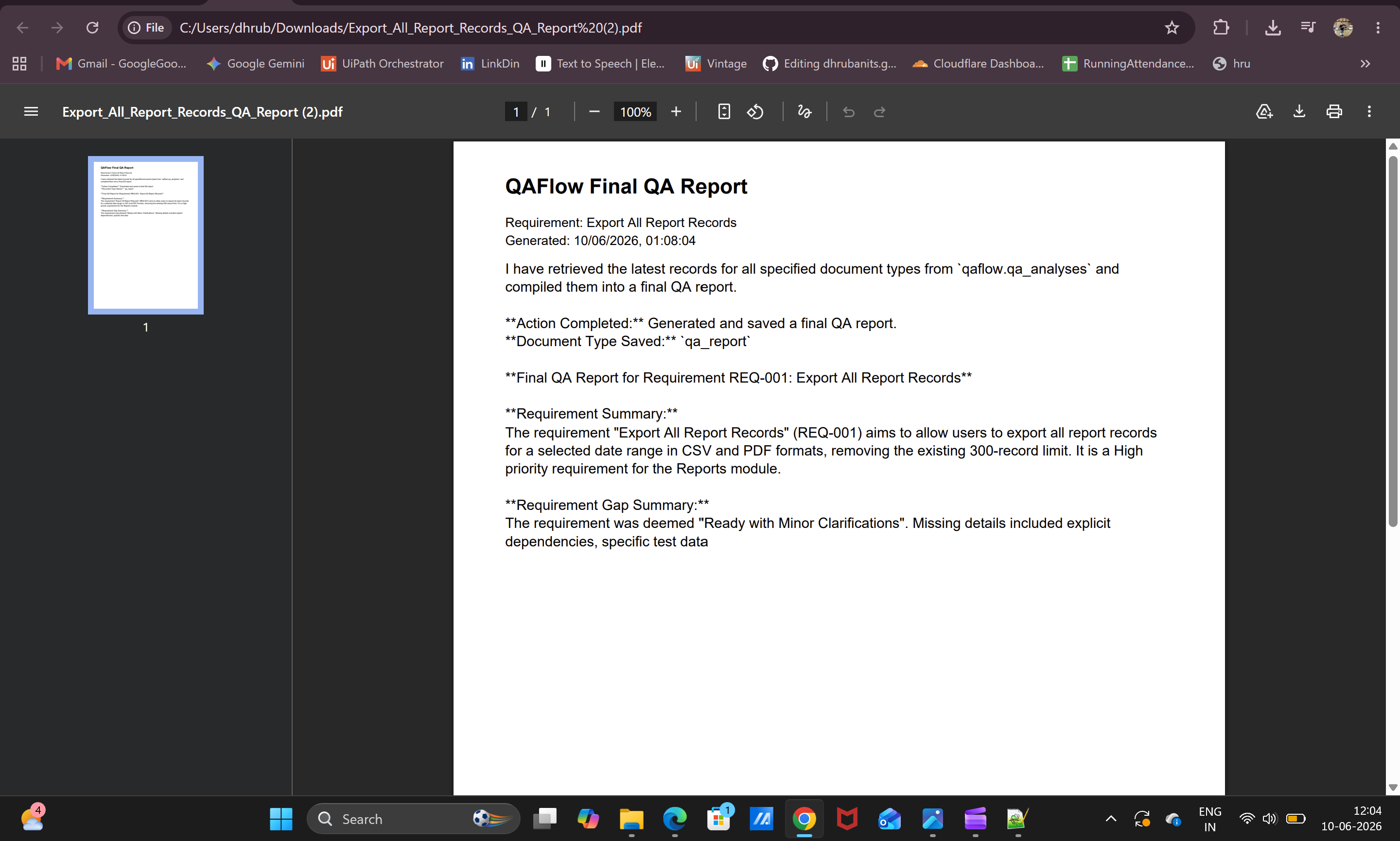
Final QA Report combines the full workflow into one stakeholder-ready summary with traceability and QA sign-off inputs.
-
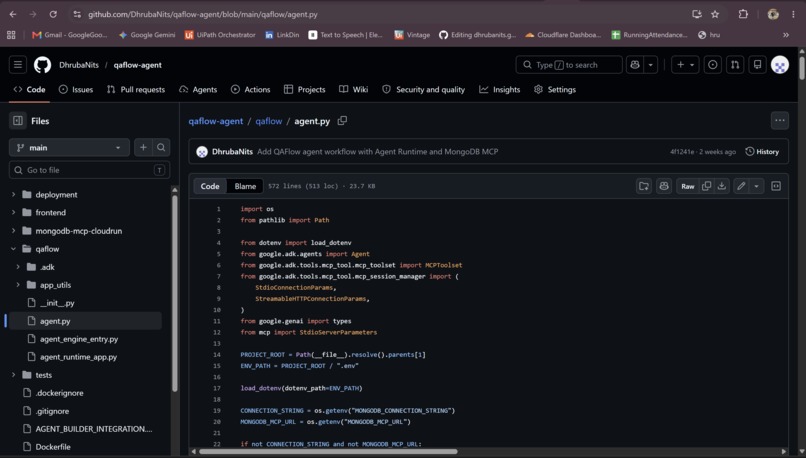
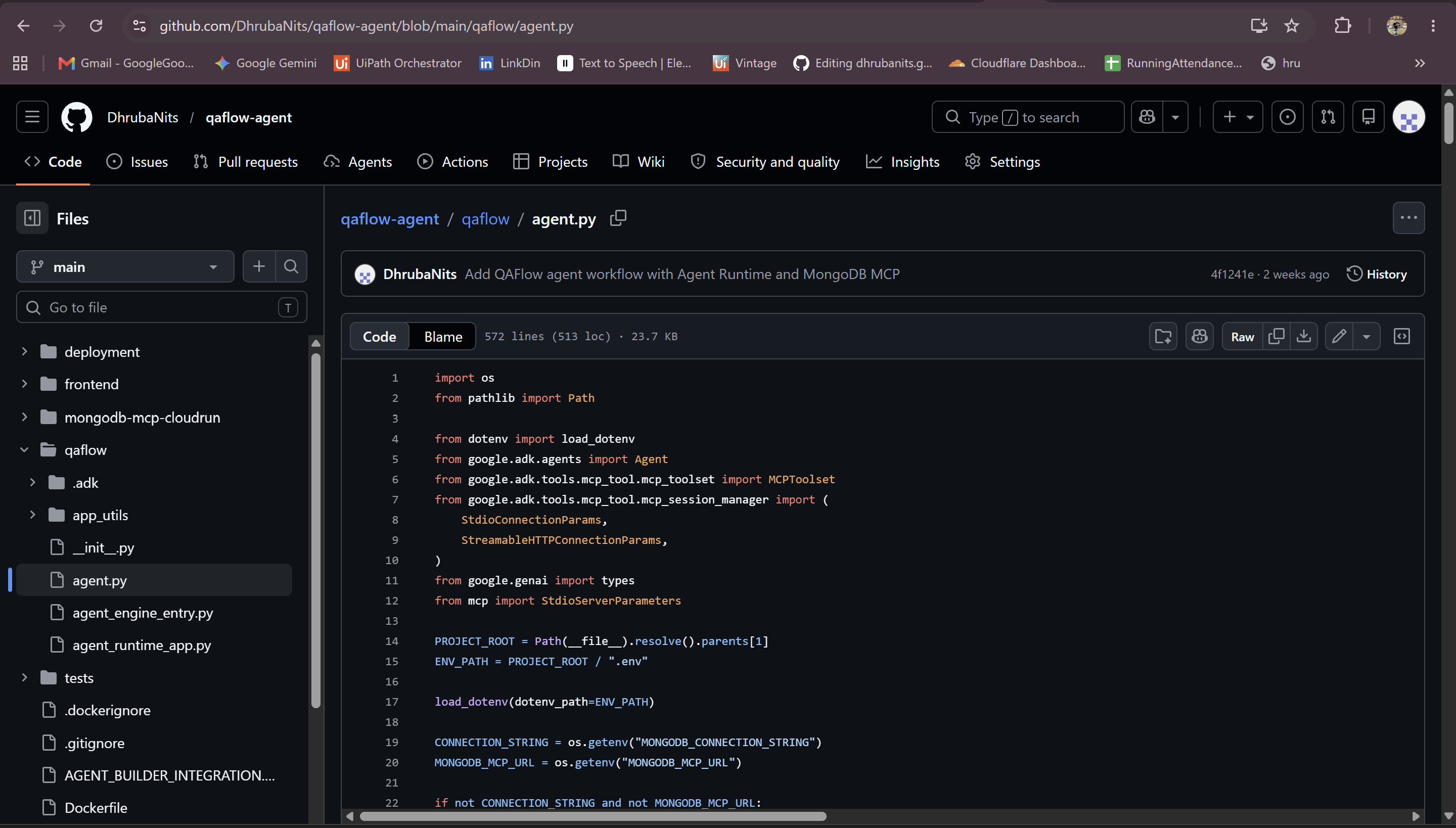
qaflow/agent.py shows Gemini and Google ADK used at runtime for QAFlow agent reasoning.
-
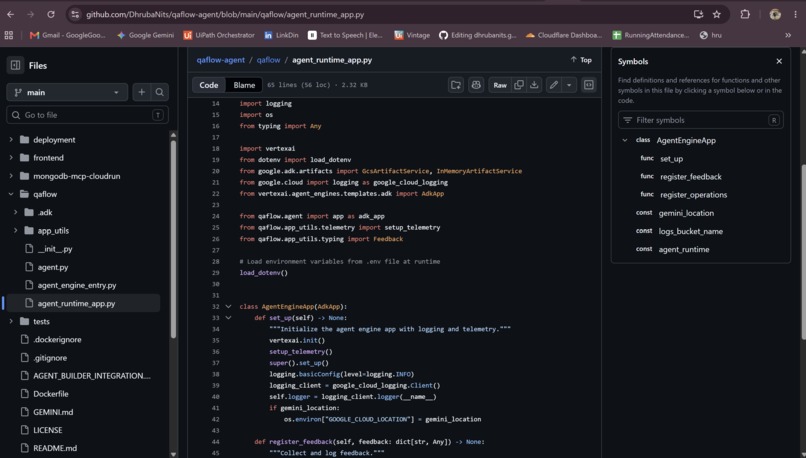
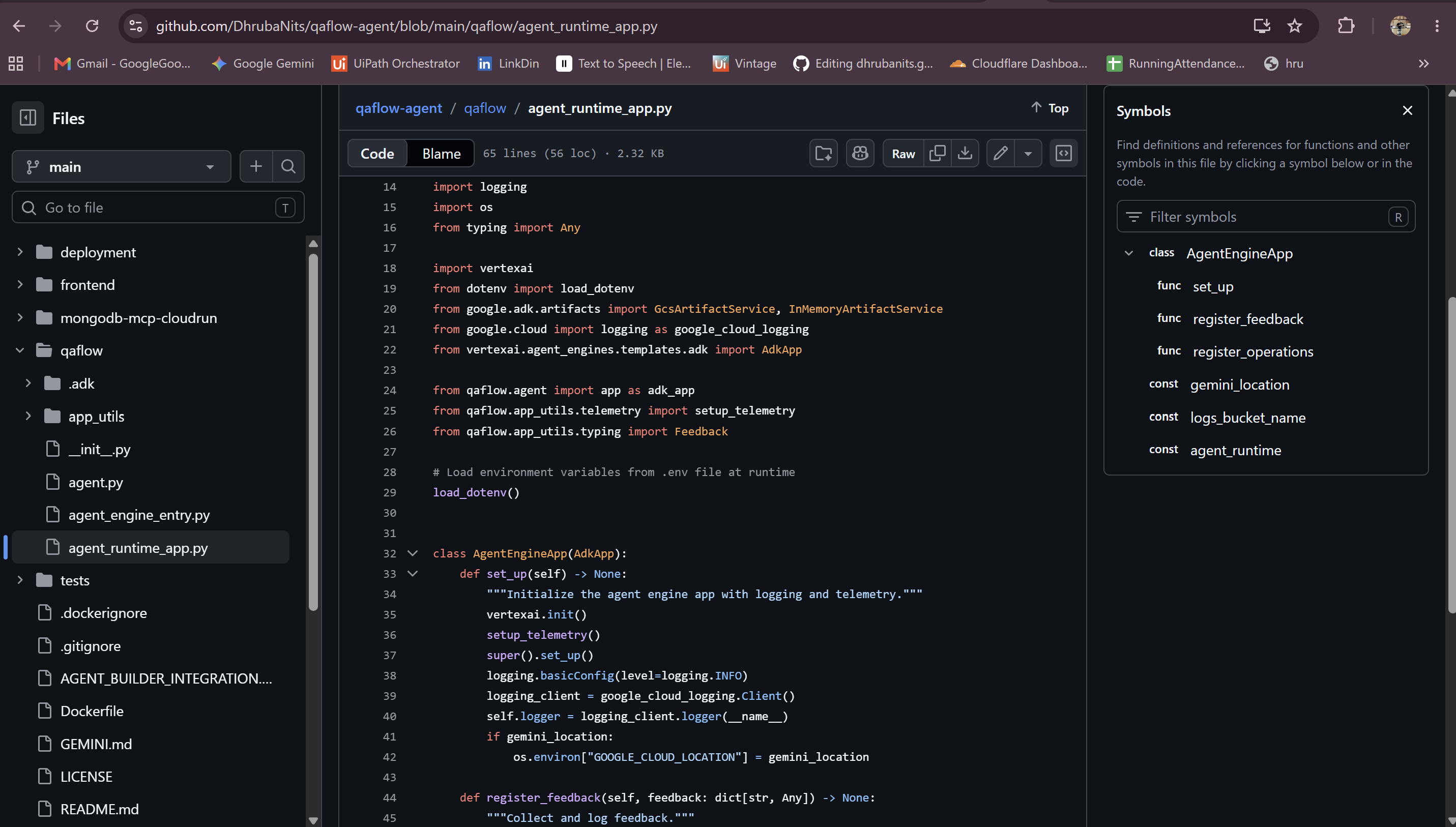
Agent Runtime wrapper showing QAFlow ADK agent deployed as a managed Google Agent Runtime app.
Inspiration
I work in QA, and one thing I have seen many times is that actual test execution is only one part of our work. Around 30% of our time goes into actual testing, but the remaining 70% often goes into understanding requirements, finding missing details, preparing test scenarios, writing test cases, reviewing coverage, checking risks, following up for approvals, analyzing failures, and preparing release reports.
This creates a lot of manual effort for QA teams. Before testing even starts, we spend time asking questions like: Is the requirement clear? Are the acceptance criteria complete? What are the edge cases? What should be tested first? What is the release risk? If something fails, who should own it?
In real projects, this information is usually spread across requirement documents, chats, test cases, defect tickets, spreadsheets, automation reports, and release notes. Because of that, QA teams can lose context, miss important risks, or repeat the same analysis again and again.
QAFlow was inspired by this challenge. I wanted to build an agent that supports the complete QA workflow, not just test case generation.
The key idea behind QAFlow is to use MongoDB as a persistent QA memory layer. Every requirement, gap analysis, test scenario, test case, review, execution result, failure triage, and release report can be stored in MongoDB and reused later as context. This makes QAFlow more than a one-time AI response generator. It becomes a QA knowledge assistant that remembers previous work and helps teams make better decisions.
The goal was to help QA teams move from requirement intake to release readiness in a more structured, faster, and traceable way.
What it does
QAFlow is an AI-powered assistant for the complete QA team workflow. It is not only a test case generator. It supports the QA process from the moment a requirement comes in until the team is ready to make a release decision.
A QA user can enter a requirement or user story. QAFlow saves it, reviews it, and checks whether the requirement is clear enough for QA to proceed. It identifies missing details, unclear acceptance criteria, possible edge cases, negative scenarios, risks, test data needs, and release impact.
After requirement review, QAFlow generates requirement understanding, test scenarios, and structured test cases. It also supports test case peer review, risk and coverage analysis, execution summary, failure triage, fix recommendation, release readiness, and final QA reporting.
QAFlow includes human-in-the-loop approval gates. It does not blindly move from one stage to the next. Requirement approval is needed before downstream QA design, test case approval is needed before execution, and release approval is needed before the final release decision.
MongoDB is a core part of QAFlow. QAFlow stores workflow artifacts in MongoDB Atlas in the qaflow.qa_analyses collection. These records act as persistent QA memory.
Using MongoDB MCP, the agent can save and retrieve QA knowledge such as previous requirements, gap analysis results, generated test cases, peer review notes, execution summaries, and failure patterns. This gives the agent retrieval-augmented context instead of relying only on the current prompt.
In simple terms, QAFlow helps QA teams reduce repetitive analysis work, keep QA context in one place, reuse previous QA knowledge, and make better release decisions with less manual effort.
How we built it
We built QAFlow as a working agent-based QA workflow system using Google Cloud, Agent Runtime, Gemini, Google ADK, Cloud Run, MongoDB MCP, MongoDB Atlas, and Secret Manager.
First, we built the QAFlow web application and backend. The web app provides a simple interface where a QA user can enter a requirement and move through different QA workflow stages such as requirement gap analysis, requirement understanding, test scenario generation, test case writing, peer review, risk coverage, execution analysis, release readiness, and final QA reporting.
The web application was deployed on Cloud Run so it can be accessed through a browser. This became the main working UI for the complete QA workflow.
Next, we added MongoDB as the persistent memory layer. We used MongoDB Atlas to store QA workflow records in the qaflow.qa_analyses collection. This allows QAFlow to save requirements, gap analysis, test scenarios, test cases, reviews, execution summaries, and final reports.
To integrate MongoDB with the agent, we used MongoDB MCP. At first, MongoDB MCP was running locally as part of the backend, but for Agent Runtime we changed the design and deployed MongoDB MCP as a separate Cloud Run service. This made the architecture cleaner because Agent Runtime can call the remote MCP service instead of depending on local Node packages.
Then we deployed the QAFlow ADK agent on Google Agent Runtime using the Vertex AI Agent Engine SDK. The final working Agent Runtime is qaflow-agent-sdk-runtime-v2. It connects to the remote MongoDB MCP Cloud Run service using the MONGODB_MCP_URL environment variable.
We also used Google Secret Manager to store the MongoDB connection string securely. The MCP Cloud Run service reads the secret from Secret Manager instead of hardcoding database credentials.
The final working architecture is:
QAFlow Agent Runtime -> MongoDB MCP on Cloud Run -> MongoDB Atlas -> qaflow.qa_analyses
We tested the final setup from Agent Runtime Playground. The agent successfully responded, saved a requirement to MongoDB, retrieved it, generated requirement gap analysis, and saved the analysis back into MongoDB.
Challenges we ran into
One of the biggest challenges was making the solution work across different deployment environments. The QAFlow web app was working on Cloud Run, but Agent Runtime needed a different setup.
Initially, MongoDB MCP was running as a local MCP process from node_modules. This worked for the Cloud Run backend, but it was not suitable for Agent Runtime because Agent Runtime packages the agent differently. The runtime could not depend on local Node packages in the same way.
To solve this, we changed the architecture. We deployed MongoDB MCP as a separate Cloud Run service and connected Agent Runtime to it through a remote MCP URL. This made the integration cleaner and allowed Agent Runtime to communicate with MongoDB through the MCP server.
Another challenge was Agent Runtime deployment itself. We first tried deploying through Agents CLI. The resource was created, but the Playground was not becoming queryable and showed a “no running instances” error. We debugged the deployment, checked logs, verified the package spec, and tested the query endpoint directly.
Finally, we used the Vertex AI Agent Engine SDK with a simpler runtime configuration. We disabled tracing, reduced the runtime configuration, added a staging bucket, and redeployed the agent. This fixed the issue, and the final Agent Runtime Playground started responding successfully.
We also had to handle Cloud Run port configuration for the MongoDB MCP service. The MCP server had to run in HTTP mode and listen on 0.0.0.0:8080 so Cloud Run could route traffic to it properly.
Overall, the main challenges were around deployment architecture, MCP transport, environment variables, Secret Manager setup, Agent Runtime packaging, and making sure the final system worked end to end.
Accomplishments that we're proud of
We are proud that QAFlow became a working end-to-end QA workflow solution, not just a simple prompt demo.
The biggest accomplishment is that the final Agent Runtime deployment is working successfully. The agent runs in Agent Runtime, responds in the Playground, connects to the remote MongoDB MCP service, and saves QA workflow data into MongoDB.
We were able to prove the complete flow:
Agent Runtime -> MongoDB MCP on Cloud Run -> MongoDB Atlas
From the Agent Runtime Playground, QAFlow successfully saved a requirement into the qaflow.qa_analyses collection, retrieved the saved requirement, generated requirement gap analysis, and saved the gap analysis back into MongoDB. This confirmed both read and write operations through MongoDB MCP.
We are also proud that QAFlow solves a real QA team problem. It supports many practical QA activities such as requirement review, gap analysis, test scenario generation, test case writing, peer review, risk coverage, execution analysis, failure triage, fix recommendation, release readiness, and final QA reporting.
Another important accomplishment is the human-in-the-loop workflow. QAFlow does not blindly move forward. It includes approval gates for requirement approval, test case approval, and release approval, which makes it more realistic for actual QA teams.
Finally, we are proud that we built a complete cloud architecture with Cloud Run, Agent Runtime, Gemini, Google ADK, MongoDB MCP, MongoDB Atlas, and Secret Manager working together.
What we learned
We learned that building an agent is not only about writing prompts. The real challenge is making the agent work reliably with tools, memory, deployment, security, and a real workflow.
We learned how to build a QA workflow agent using Google ADK and Gemini, and how to deploy it on Google Agent Runtime using the Vertex AI Agent Engine SDK. We also learned how Agent Runtime packaging works differently from a normal Cloud Run application.
One important learning was around MCP architecture. At first, MongoDB MCP was running locally with the backend, but that setup was not suitable for Agent Runtime. We learned that separating MongoDB MCP into its own Cloud Run service made the design cleaner and easier to connect with Agent Runtime.
We also learned how to use MongoDB as persistent memory for an agent. Instead of generating one-time answers, QAFlow stores requirements, gap analysis, test cases, reviews, execution summaries, and reports in MongoDB. This makes the workflow traceable and reusable.
Another key learning was around deployment debugging. We had to check runtime logs, Cloud Run revisions, environment variables, Secret Manager access, MCP transport settings, staging buckets, and Agent Runtime query behavior. This helped us understand how different Google Cloud services work together in a real agent deployment.
Most importantly, we learned that a useful QA agent should not replace human judgment. It should reduce repetitive work, highlight risks, keep context organized, and support QA leads in making better decisions.
What's next for
Next, we want to make QAFlow more connected with the tools QA teams already use every day.
The first improvement is to integrate QAFlow with test management and project tracking tools like Azure DevOps, Jira, Zephyr, or TestRail. This would allow QAFlow to create test cases, update requirement status, raise defects, and attach QA reports directly inside the team’s existing workflow.
We also want to connect QAFlow with real test execution tools such as Playwright, Selenium, UiPath, Postman, JMeter, or CI/CD pipelines. Right now, the execution step can simulate results, but the next version should be able to read real automation results and generate failure triage based on actual test runs.
Another important next step is to improve analytics. Since QAFlow stores workflow data in MongoDB, we can build dashboards for QA leads to see requirement quality, test coverage, repeated failure areas, release risk, and approval history.
We also want to make the human approval flow stronger with role-based access, so Business Analysts, QA Leads, Managers, and Release Owners can review and approve the right steps.
In the long term, QAFlow can become a QA knowledge assistant that learns from previous requirements, test cases, failures, and release outcomes to help teams test smarter and make better release decisions.


Log in or sign up for Devpost to join the conversation.