-
-

QA Studio
-
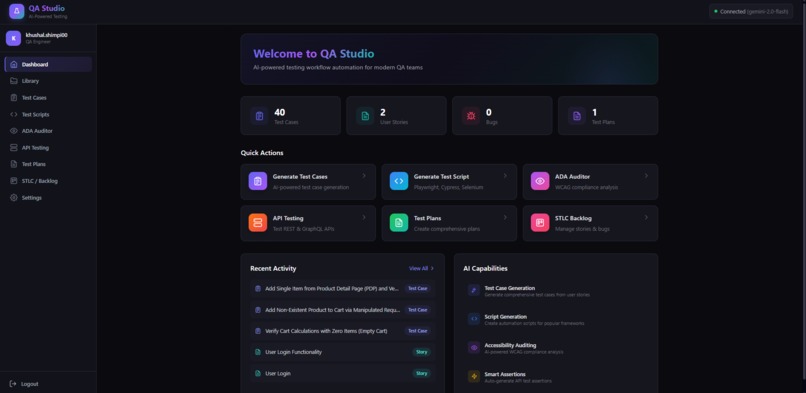
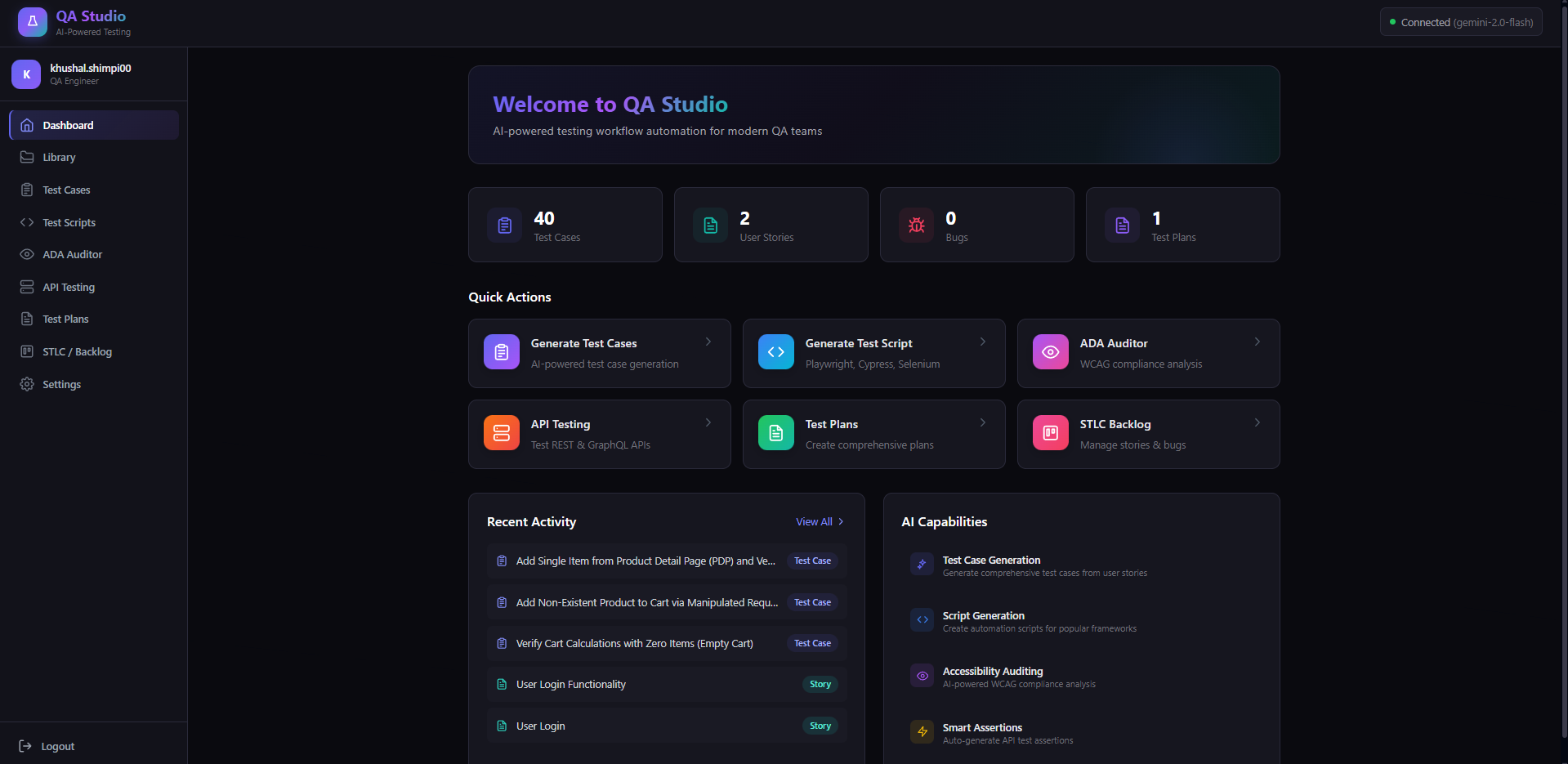
Dashboard
-
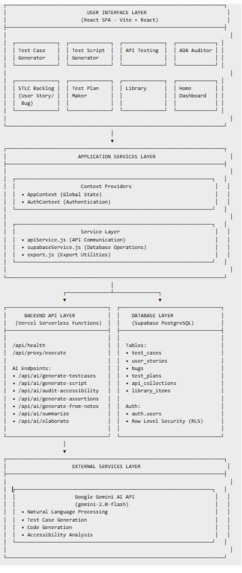
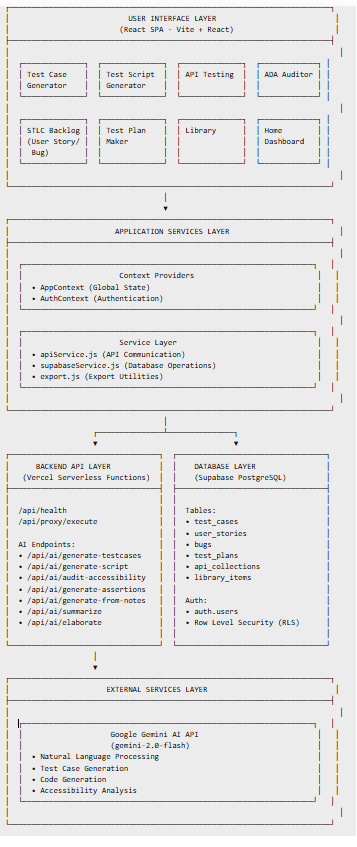
Architechture Diagram
-
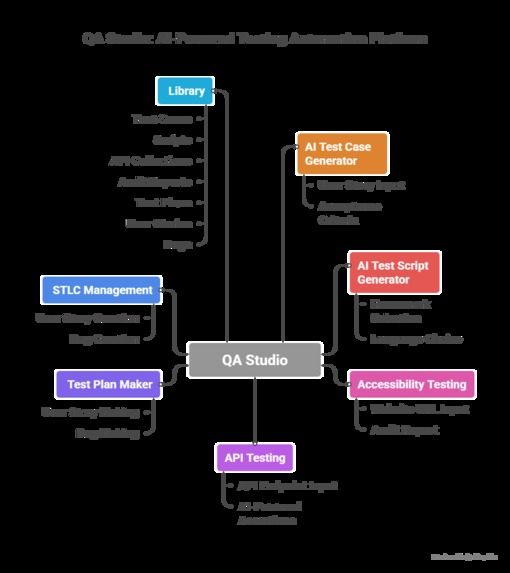
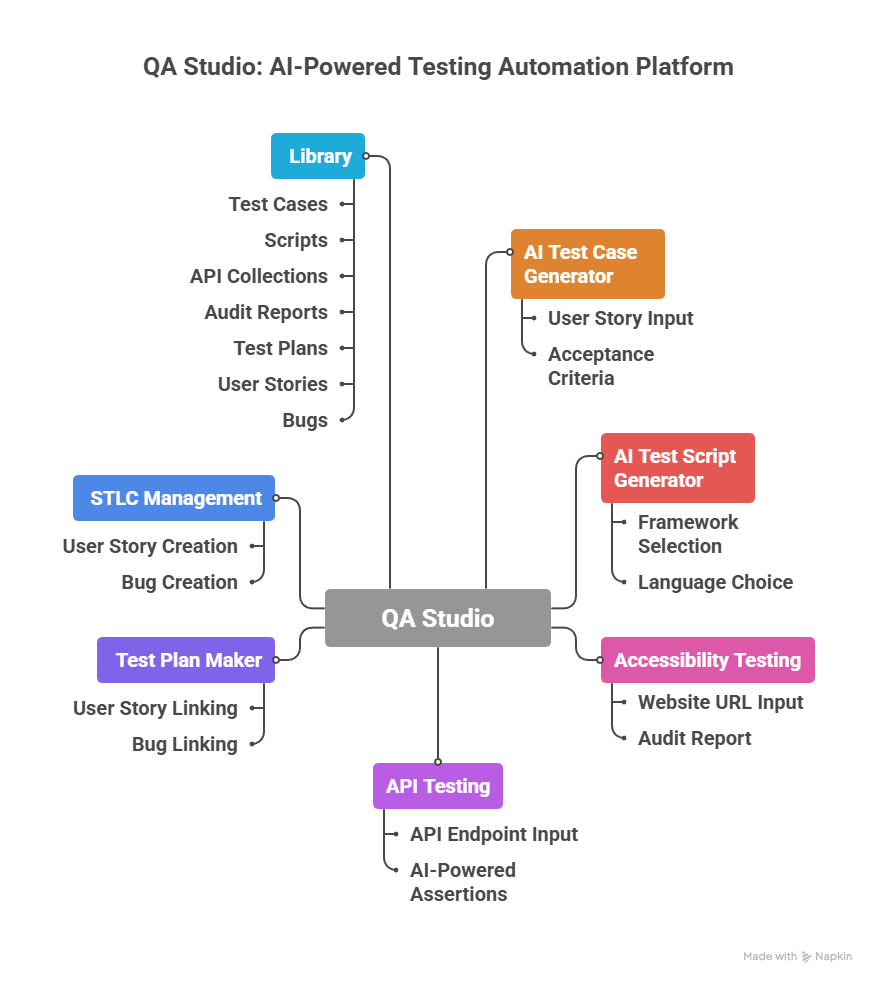
overview
-
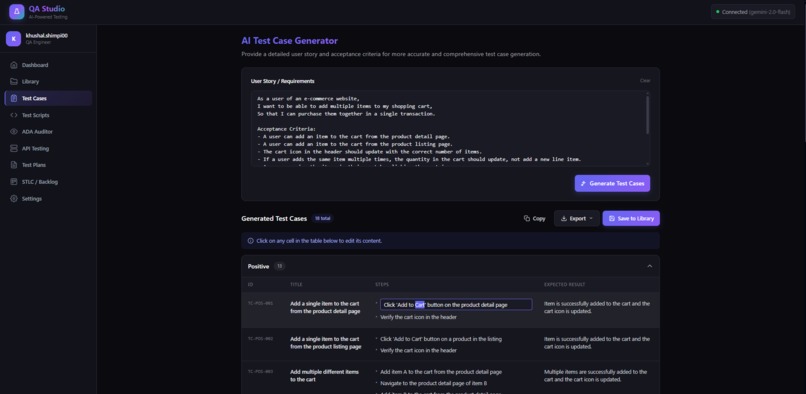
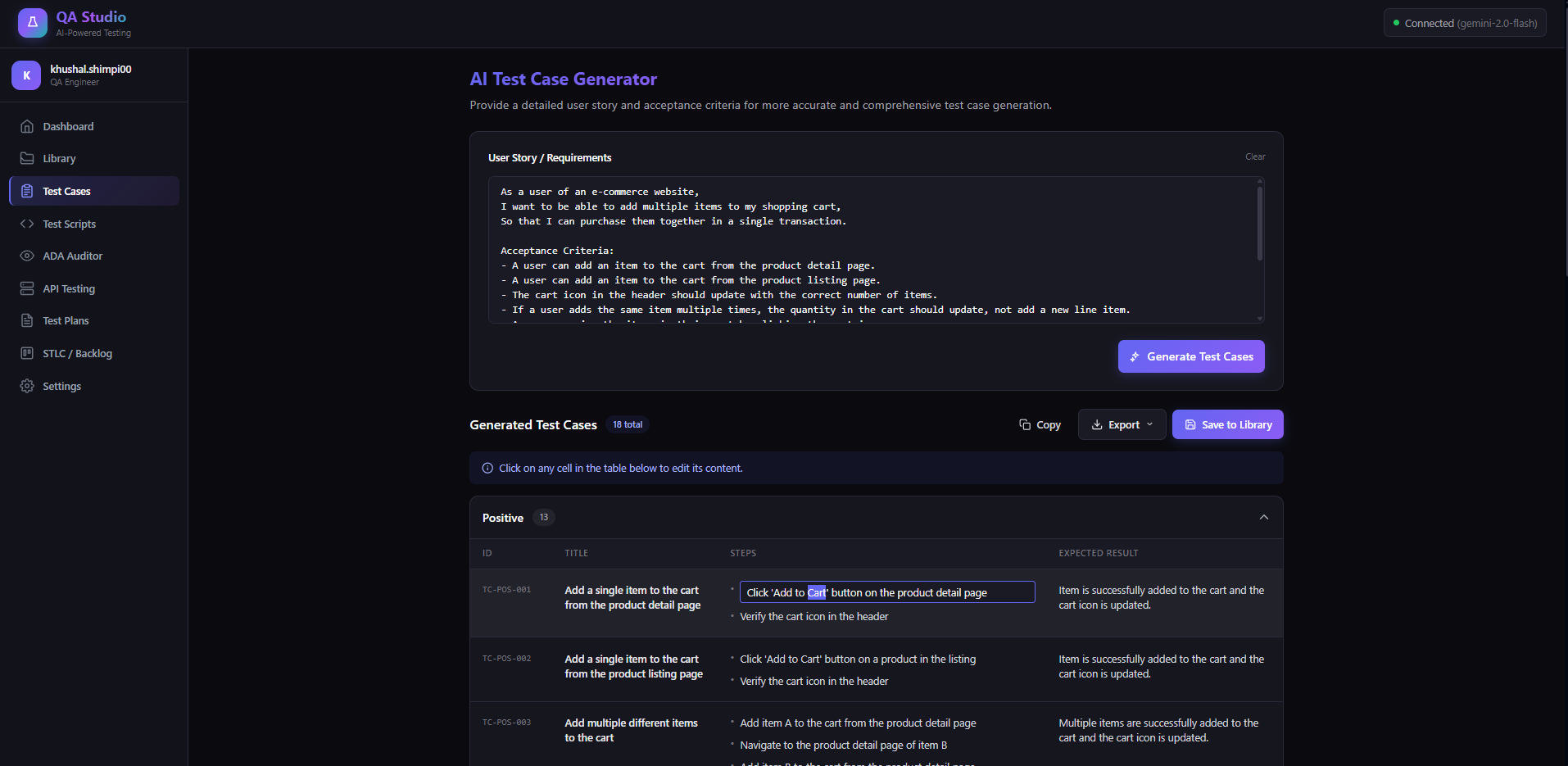
Test Cases generator

QA Studio: AI-Powered Unified Testing Platform
💡 Inspiration
Modern QA teams rely on 6–7 different tools daily — for test case writing, automation scripting, API testing, accessibility audits, documentation, and STLC tracking. Companies even hire different specialists for each task, which creates fragmented workflows, context switching, duplicated effort, and inconsistent quality.
We wanted to solve this by building one unified platform powered by AI, where testers can do everything in one place.
🧠 What it does
QA Studio is an all-in-one, AI-powered testing platform. It allows QA engineers to:
- Generate structured test cases from user stories
- Create ready-to-run automation scripts (Playwright, Cypress, Selenium)
- Run complete ADA/WCAG accessibility audits and export reports
- Perform REST & GraphQL API testing with AI-generated assertions
- Build detailed test plans and link user stories & bugs
- Manage STLC workflow using a Kanban board
- Save everything in a unified Library for reuse
- Automatically generate user stories and bugs with AI
All features are powered through Kiro using specs, hooks, and steering for consistent and reliable AI-driven workflows.
🛠️ How we built it
We used:
- React + Vite + Tailwind → fast, modern, responsive UI
- Supabase → authentication, real-time database, and storage
- Gemini AI → test cases, scripts, audits, and API assertions
- Kiro → AI orchestration, steering logic, multi-step flows
- Vercel serverless functions → backend APIs
- Custom ADA scanning engine → augmented with AI summaries
- Reusable components → scalable architecture
Kiro was the backbone that allowed us to combine many separate systems into one unified AI-driven platform.
⚠️ Challenges we ran into
Unifying complex QA workflows into one smooth and user-friendly platform Combining test cases, scripts, APIs, audits, STLC, and planning without overwhelming the user was challenging.
Managing Supabase database connections between local development and production Keeping environment variables synced and ensuring Vercel connected to the correct DB required a lot of debugging.
Ensuring consistent AI outputs across multiple features Test cases, scripts, audits, and assertions all needed predictable, usable responses — tuning prompts and Kiro specs was tough.
🏆 Accomplishments we're proud of
- Delivering a fully working MVP with all major QA workflows combined
- Building a unified, beautiful dashboard testers love using
- Successfully applying Kiro's steering + hooks to orchestrate multi-step AI processes
- Automating tasks that usually take hours — now done in seconds
- Designing custom visuals, branding, and a complete video demo
- Turning a Frankenstein concept into a polished, real-world tool
📚 What we learned
- How to use Kiro to build predictable multi-step AI flows
- How unifying tools reduces cognitive load for QA teams
- How AI can rewrite traditional QA workflows
- How to structure large-scale testing data (cases, scripts, stories, APIs)
- How to design a platform around real testing pain points
🔜 What's next for QA Studio
- AI-powered test execution (cloud-based script running)
- Automated visual regression testing
- Multi-user collaboration & team workspaces
- Smarter regression insights powered by historical data
- Multi-page ADA crawling
- Launching as a SaaS platform for QA teams worldwide
🧪 How to test the app
Testing QA Studio is simple and requires no setup.
1. Sign Up
- Open the deployed QA Studio link
- Click Sign Up
- Enter your email and password
2. Email Activation (Important)
You will receive an activation email from Supabase
You MUST click "Confirm your email"
Without activation, login will not work
3. Login
- Return to the app
- Enter your credentials or through activation link app is digned in directly
- You now have full access
4. Explore the Features
You can now try:
- Generating test cases with AI
- Creating automation scripts
- Running ADA audits
- Testing REST & GraphQL APIs
- Generating assertions
- Creating test plans
- Managing stories & bugs in Kanban view
- Viewing everything in the Library


Log in or sign up for Devpost to join the conversation.