-
-
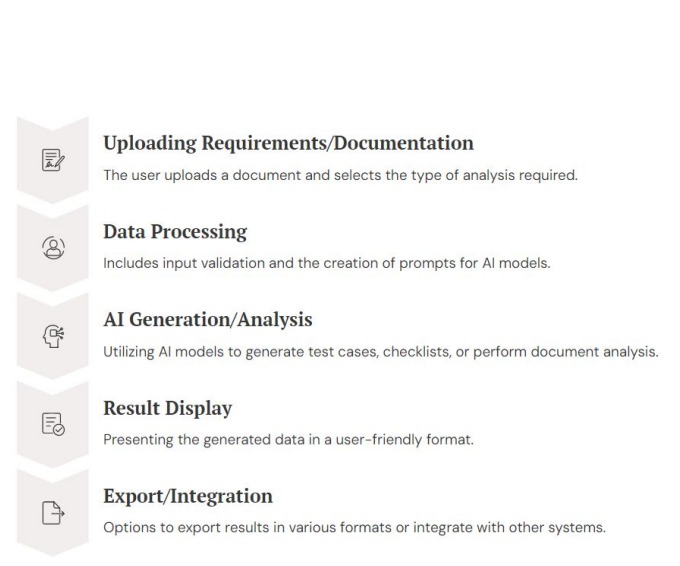
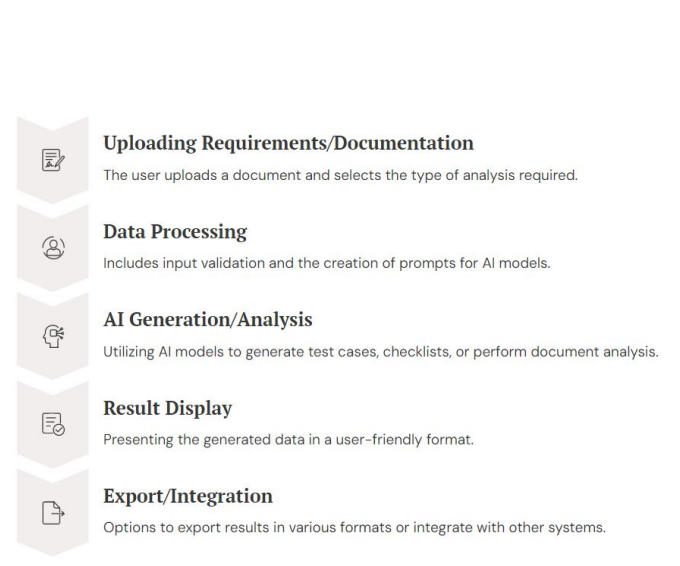
Q.AI's end-to-end workflow seamlessly transforms raw requirements into structured QA artifacts.
-
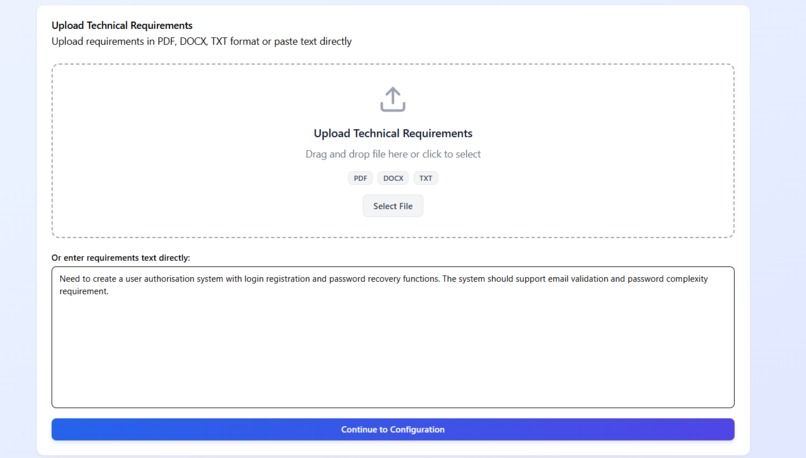
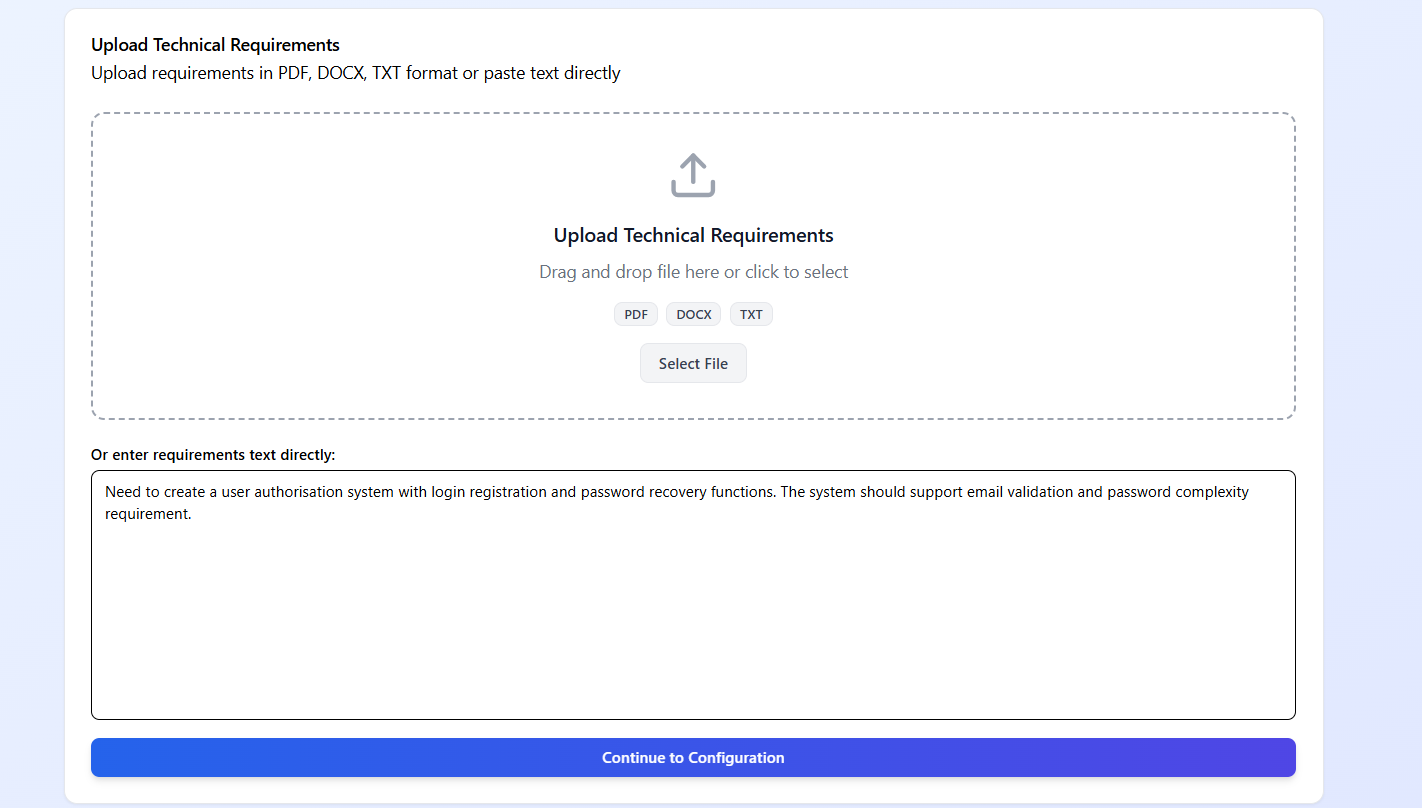
The user-friendly upload interface, supporting drag-and-drop for PDFs/DOCX, direct text input, and setting the stage for AI analysis.
-
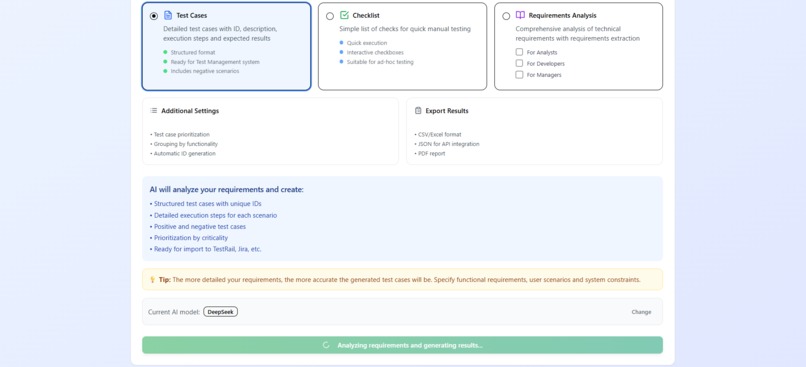
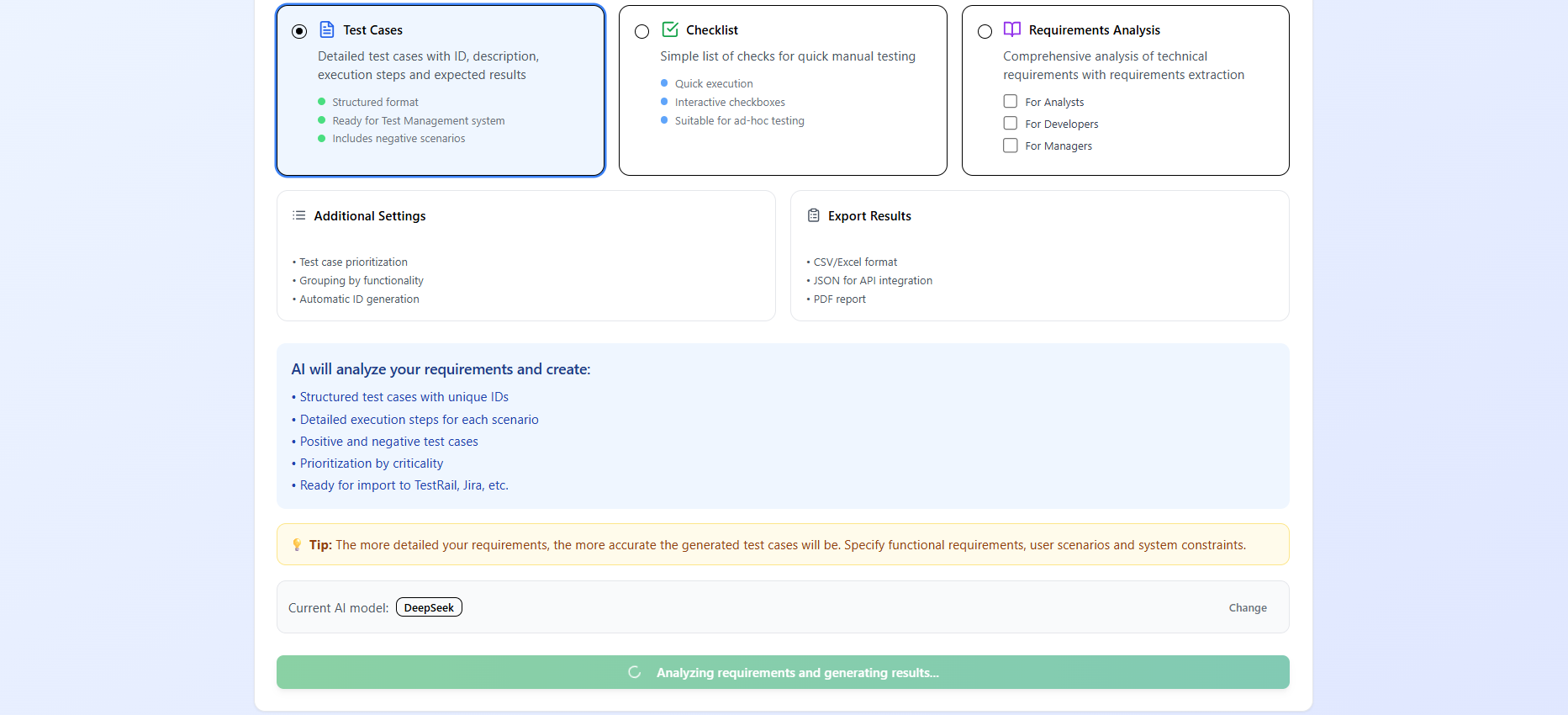
The configuration dashboard where users select output type, choose AI models, and view the real-time analysis progress.
-
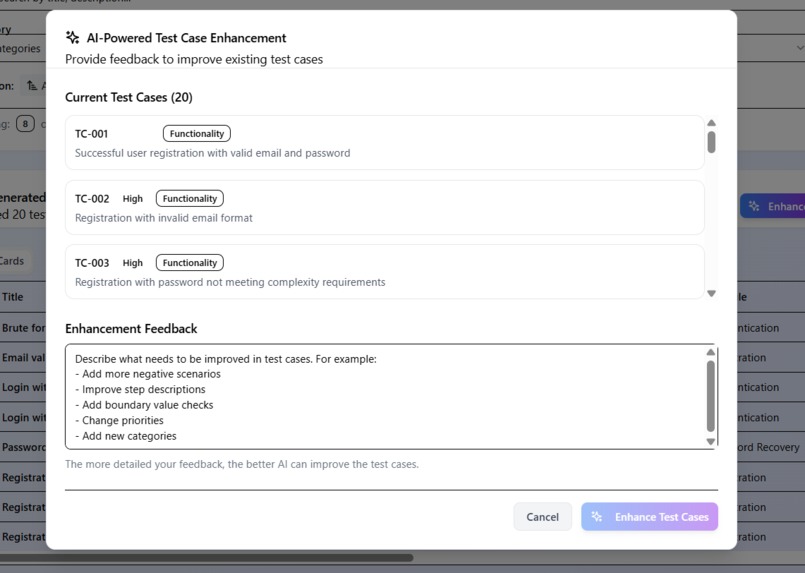
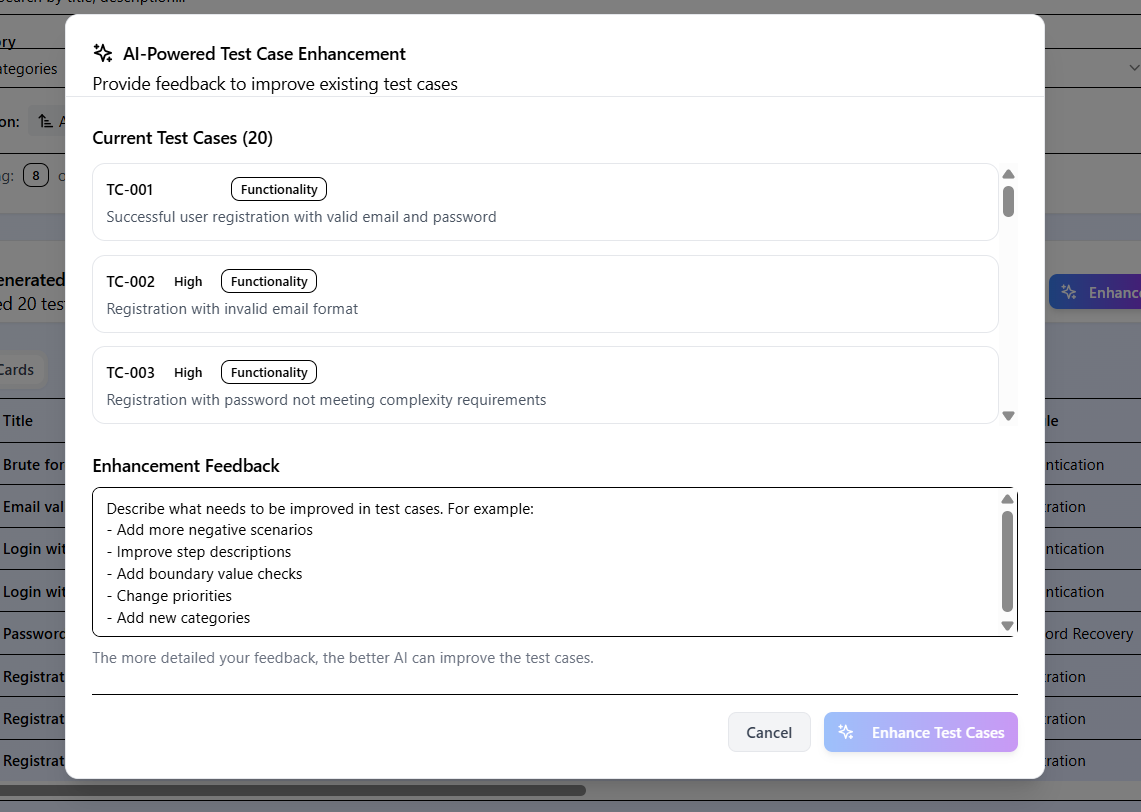
The AI-Powered Test Case Enhancement feature, which allows users to provide iterative feedback and refine the generated output .
-
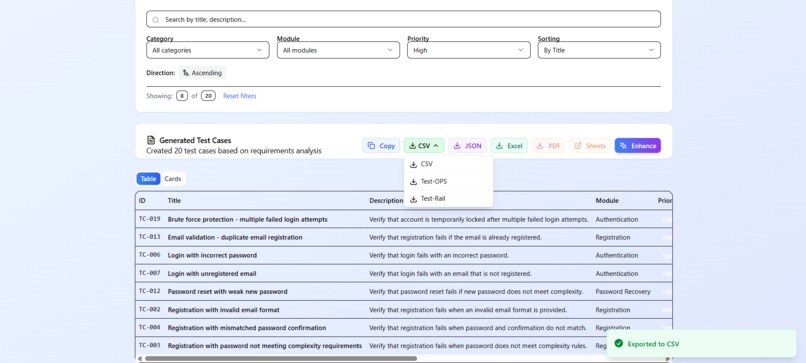
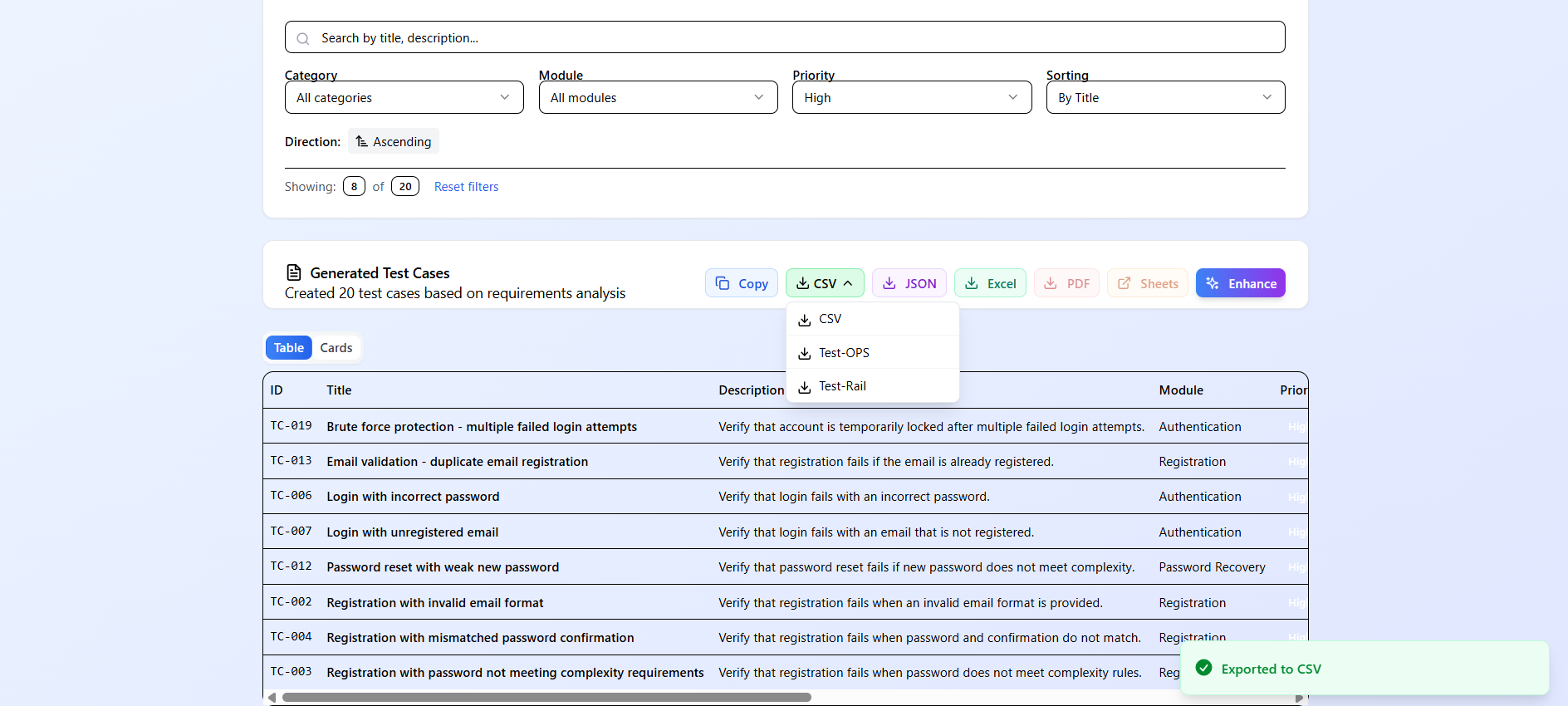
The expanded results view, showcasing the breadth of generated test cases and the successful export to CSV format for seamless integration.
-
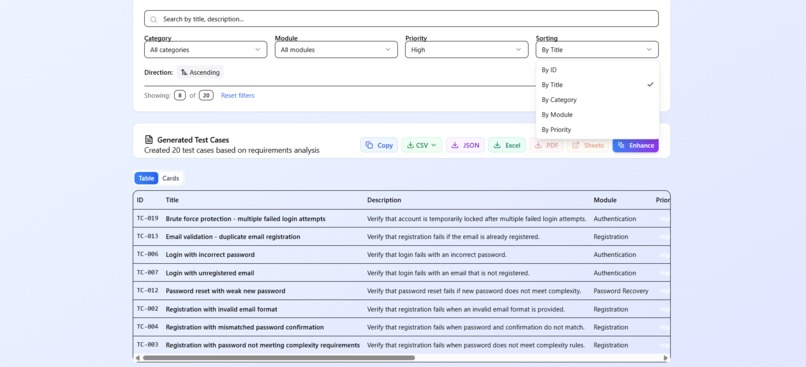
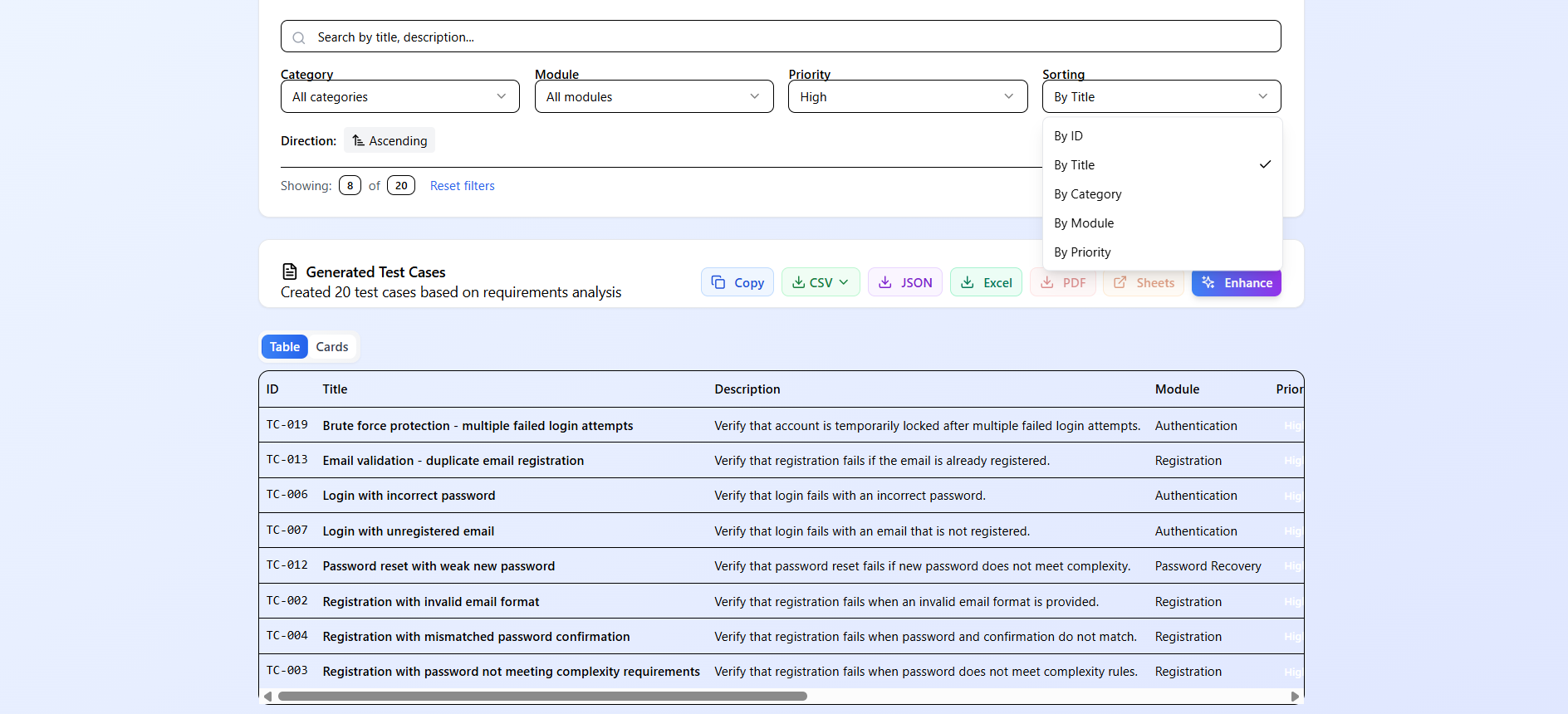
The generated test case results, displaying structured, filterable data with unique IDs, priorities, and detailed steps for each scenario.
-
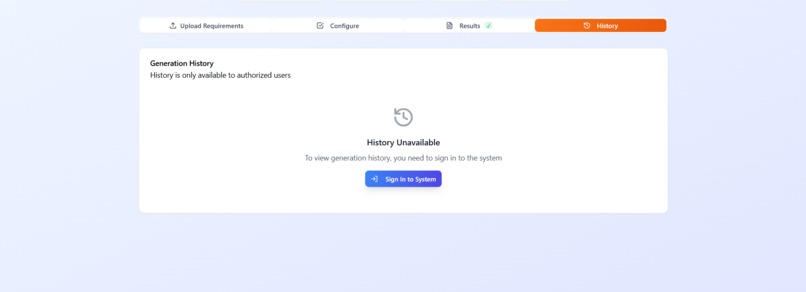
The generation history screen, accessible only via secure authentication

Inspiration
Software teams spend months building features they believe in. They prioritize, design, and develop based on requirements documents. But once a feature moves to QA, the process often stalls. A single raw specification must be manually translated into test cases, checklists, technical estimates, and project plans—each by a different person.
We realized that the "Intent Gap" isn't just about building the right thing; it's about the massive, manual overhead of verifying it. Senior engineers spend 30-40% of their time just transcribing requirements into artifacts rather than finding bugs. We wanted to build a system that eliminates this transcription tax, turning a raw document into a complete QA ecosystem in seconds.
That inspired Q.AI.
What it does
Q.AI transforms raw technical requirements into structured, actionable QA artifacts in seconds. It ingests PDFs, DOCX, or text and uses multi-model AI orchestration to generate role-specific outputs.
The platform generates:
- Role-Based Analysis: Unique perspectives for Analysts, Developers, Managers, and Testers.
- Structured Test Cases: Step-by-step execution plans with preconditions, expected results, and priority rankings.
- Smart Checklists: Categorized lists for exploratory testing and coverage gaps.
- Technical Estimates: Implementation risks and resource allocation plans for project managers.
Instead of just summarizing text, Q.AI acts as a force multiplier for the entire team, providing the Analyst’s structure, the Developer’s caution, the Manager’s timeline, and the Tester’s scrutiny—all from a single document upload.
How we built it
Q.AI is built on a modern React and TypeScript stack, designed for client-side privacy and speed. The core engine is a multi-model AI orchestrator that routes documents to the best model for the specific task.
The Workflow:
Users upload a document, which is parsed client-side using pdf.js and mammoth. The extracted text is then routed through our ai-service.ts, which selects the optimal model (e.g., DeepSeek for speed, Grok-3 for deep reasoning) based on the user's configuration and the selected "Role" persona.
Tech Stack:
| Layer | Technology | Role |
|---|---|---|
| Framework | React 18 + TypeScript | Type-safe component architecture |
| Styling | Tailwind CSS + Radix UI | Utility-first styling, accessible primitives |
| Backend | Supabase (PostgreSQL) | Auth, user history, and project memory |
| AI Engine | OpenRouter / Nebius / DeepSeek | Multi-model LLM routing |
| Parsing | pdf.js, mammoth | Client-side document extraction |
| Export | jsPDF, xlsx | Native PDF/Excel generation |
We engineered a prompt management system (prompts/) that tailors instructions for each role—ensuring a "Manager" gets timeline forecasts while a "Tester" gets edge-case scenarios.
Challenges we ran into
Building a document intelligence platform that feels instant presented several hurdles:
- Structured Output Consistency: Getting different AI models (DeepSeek, Grok, Qwen) to output perfectly formatted JSON every time was difficult. We solved this by implementing a robust validation layer in
ai-service.tsthat retries and refines prompts if the schema fails. - Client-Side Parsing Limits: Parsing large PDFs in the browser can block the main thread. We optimized the
file-service.tsto handle chunked processing and memory management, allowing us to parse 10MB+ files without server uploads, ensuring data privacy. - Context Window Management: Handling long requirement documents that exceed AI context limits. We implemented a context-memory system that summarizes previous sections while retaining critical details, allowing for analysis of documents much larger than the model's context window.
Accomplishments that we're proud of
We successfully built a system that doesn't just read text, but understands professional intent. We are especially proud of:
- Multi-Model Orchestration: Building a flexible routing layer that lets users switch between 5 different AI models instantly based on cost or complexity.
- Role-Based Perspective: Engineering distinct "personas" for the AI. The output for a "Developer" is fundamentally different from a "Tester," proving that context-aware AI is more valuable than generic summarization.
- End-to-End Privacy: Ensuring that sensitive requirement documents never have to leave the client's browser for parsing, only sending text snippets to the AI for inference.
Most importantly, we turned a 4-hour manual QA process into a 10-second automated workflow.
What we learned
We learned that the bottleneck in software development isn't always coding—it's communication. Different stakeholders look at the same requirements document and see completely different things. By forcing a single AI model to adopt these specific personas, we realized that a large part of "quality assurance" is actually "requirement translation."
We also learned that users don't want just another AI chatbot; they want a tool that fits directly into their existing export workflows (Excel, Google Sheets). Utility wins over novelty.
What's next for Q-AI
Our vision is to become the central intelligence hub for software verification.
Future plans include:
- Direct Integrations: One-click sync to Jira, TestRail, and Linear to automatically create tickets and test runs.
- Visual Regression Support: The ability to ingest design files (Figma) alongside specs to ensure UI matches requirements.
- Self-Healing Tests: Using the generated test cases to automatically write and execute Playwright/Cypress scripts.
- Team Memory: evolving the project history feature to learn from a team's specific coding style and "gotchas" over time.
We believe Q.AI will redefine how software ships, moving teams from "manual verification" to "intelligent validation."
Built With
- deepseek-api
- docker
- google-sheets-api
- jspdf
- lucide-react
- mammoth
- nebius-ai
- nginx
- openrouter-api
- pdf.js
- postgresql
- radix-ui
- react
- supabase
- tailwind-css
- typescript
- vite
- xlsx

Log in or sign up for Devpost to join the conversation.