-
-

Yay! You got the word.
-

Gameplay with screen reader on. View the video or try it out yourself to see screen reader capabilities

Inspiration
The NYT Wordle and Pygame aren't exactly screen reader friendly. On the NYT wordle (as of 9/10/22) buttons on the keyboard don't give indications of the status of the letter (correct, incorrect, etc). We wanted to create a version of wordle in Pygame that could potentially be more accessible.
What it does
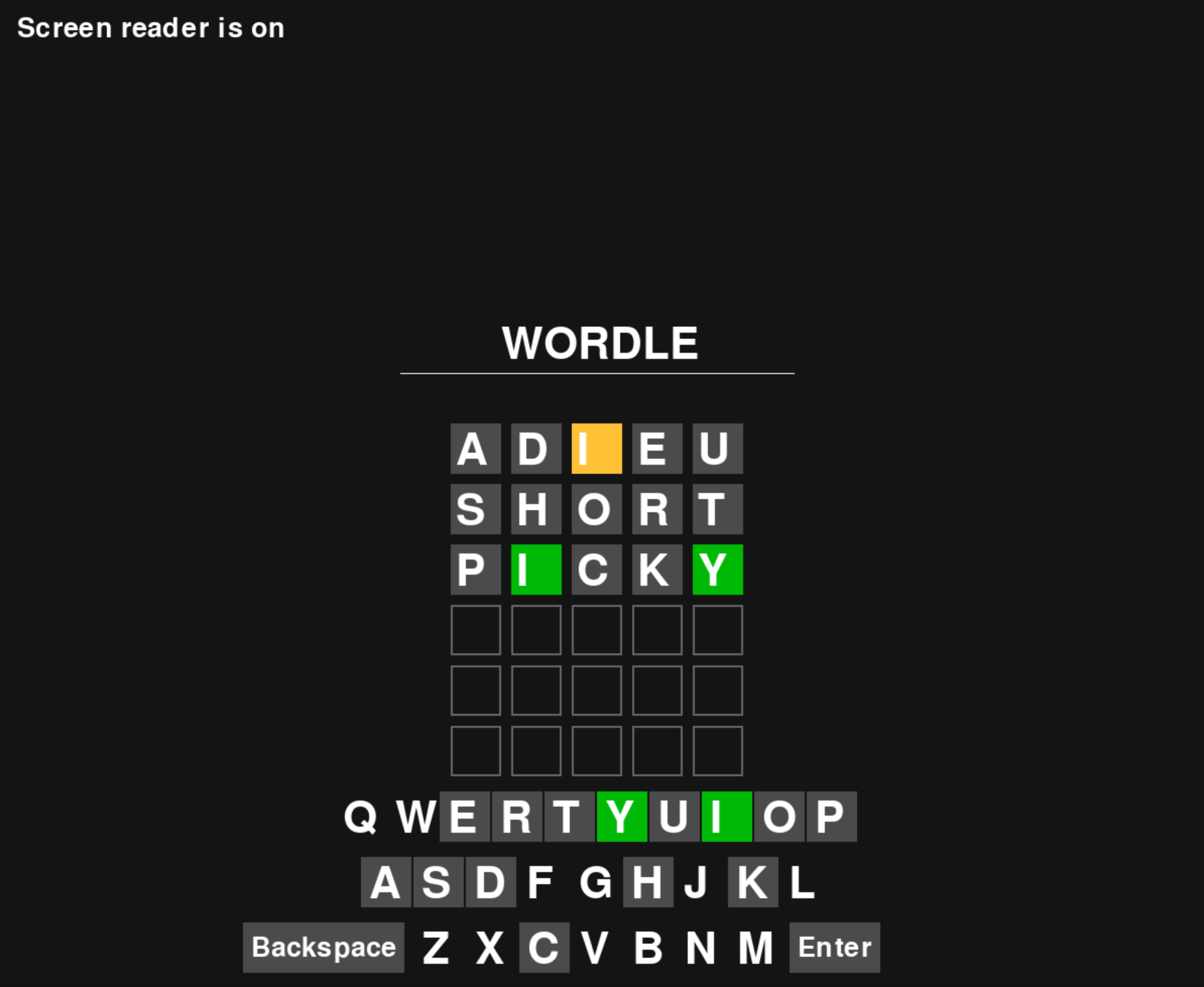
It follows traditional Wordle rules: Players are given six tries to guess a five letter word. After submitting a guess, letters in the word can be highlighted green, yellow, or gray. Green letters are in the correct position. Yellow letters are in the word to be guessed, but the wrong position. Gray letters are not in the word. However, in addition to that, a player can activate audio description/screen reader mode by right clicking in the game window. Right clicking again deactivates this mode. Afterwards, clicking on elements should read out a description - reading the title, the screen reader activation mode, etc. When typing, the letters typed are read aloud. However, when using the in game keyboard to input a word (by clicking the actual letter on the keyboard), the status of the letter is also read out loud - whether it's correctly placed, misplaced, incorrectly placed, or unused (the most "correct" status of the letter is read - if it was placed correctly once, then the audio description will describe it as correct). Furthermore, after submission of a guess, if the guess is invalid (the guess is not a word in the word list or it's too short) the screen reader will also announce this.
How we built it
We looked around to see if there were existing Pygame Wordles; we found one that functioned well but didn't have a keyboard or audio descriptions. It was created by GitHub user lohchness here. The first step was making a keyboard that could show the player which letters had been guessed correctly/misplaced/incorrectly. The same colors used for highlighting letters in the actual guess were used. Unused letters are not highlighted. There is also an enter and backspace. Then, we created audio files using google translate and an audio alphabet library we found. When players click certain areas on screen that correspond to important in game elements, the appropriate audio would play, alerting the player of things like: if the screen reader is on, instructions for replaying, exceptions (if guessed words aren't valid because they are too short or not words) the name of the game, and if they are on the in game keyboard, whether the letter they clicked has been placed correctly before (or misplaced, or it is incorrect, or unused).
Challenges we ran into
We ran into several challenges along the way. There are text to speech APIs that we did not have time to learn this weekend. It was hard to keep track of some of the user inputted data, so we couldn't have the guessed words and their letters have text to speech functionality. There are many edge cases where a word may have two of the same letters, where one letter may have been placed correctly but the other one misplaced. We don't have text to speech functionality to handle these kinds of edge cases yet.
Accomplishments that we're proud of
We are proud of getting the keyboard and screen reader to work in such a short period of time. Max, who is a first time hacker, picked up Python and the Pygame module super quickly. Gloria has always enjoyed word games and is passionate about accessibility, so she is proud that she made a project that attempted to make a popular word game playable by more people.
What we learned
We learned about Python programming, the Pygame module, and accessibility.
What's next for Pygame Wordle With Screen Reader
We want to make users be able to toggle between letters on the keyboard using their arrow keys, instead of having to click. Also, it would be great to add a colorblind mode for users who don't use screen readers but wouldn't be able to play the game with the traditional color schema. Also, we want to optimize the code to be cleaner and better documented.


Log in or sign up for Devpost to join the conversation.