Inspiration
While browsing social media, watching videos, or exploring websites, we often come across interesting products without knowing their names or where to buy them. Finding these products usually involves taking screenshots, searching manually, and comparing multiple results.
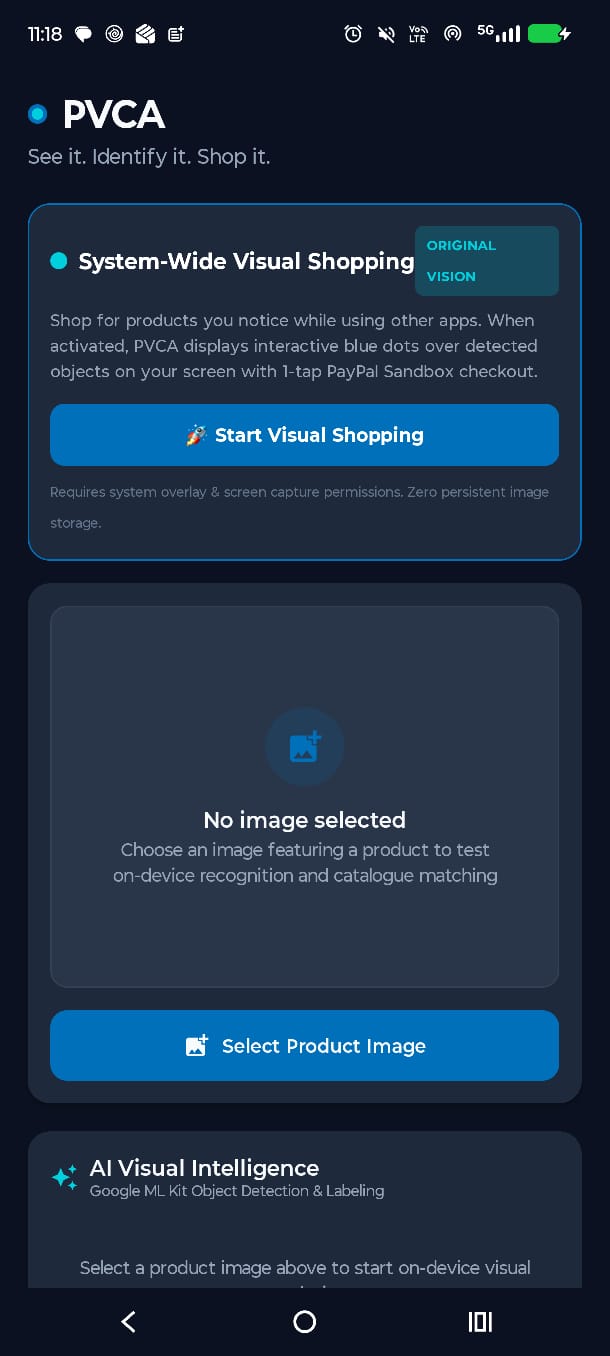
This inspired us to create PVCA — PayPal Visual Commerce Assistant, an AI-powered Android application that makes shopping more convenient by connecting visual product discovery with PayPal checkout.
Our idea is simple: See it. Identify it. Shop it.
What it does
PVCA allows users to identify products directly from their Android device's screen without manually searching for them.
The application provides:
- Floating screen interface: Access scanning controls while browsing other applications.
- Real-time screen scanning: Capture and analyze on-screen content with the user's permission.
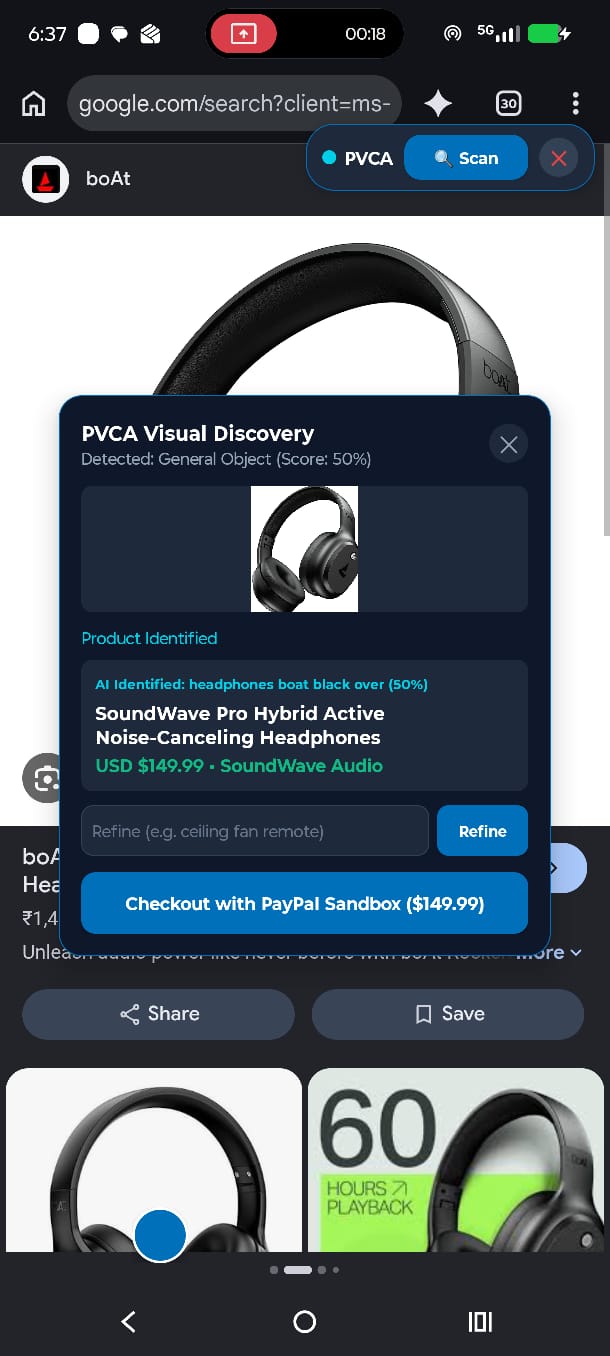
- AI-powered object detection: Detect objects using Google ML Kit and display interactive blue markers.
- Product identification: Use Google Gemini AI to recognize selected products.
- Product matching: Find relevant items from a demonstration product catalogue.
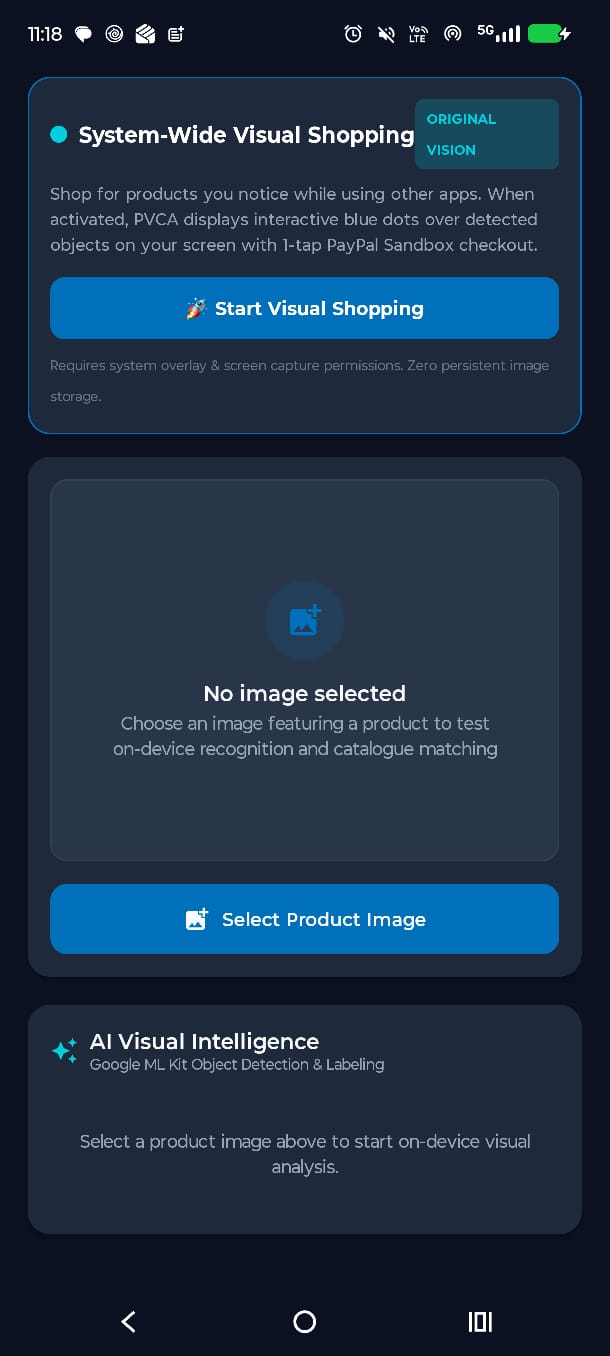
- Image selection: Upload an existing product image as an alternative to screen scanning.
- PayPal Sandbox checkout: Proceed from a matching product to a simulated PayPal payment experience.
PVCA brings product discovery and shopping together in a simple workflow.
How we built it
We developed PVCA as a native Android application using Kotlin and Jetpack Compose.
For screen scanning, we integrated Android's MediaProjection API, which captures the device screen after receiving permission. Android's overlay functionality enables the floating PVCA interface. We use Google ML Kit for on-device object detection. Detected objects are highlighted with interactive blue markers, allowing users to select the product they want to explore. Once a product is selected, Google Gemini AI analyzes the image to identify it. Our Python FastAPI backend processes the identification results and uses a custom matching algorithm to search and rank products from our local demonstration catalogue. We integrated the PayPal Sandbox REST API to initiate checkout and redirect users to PayPal's test payment environment. During development, the Android application runs on a physical device connected to the locally hosted backend through USB using ADB reverse port forwarding.
Challenges we ran into
One of our biggest challenges was implementing screen scanning across Android applications while managing screen-capture permissions and floating overlays. Another challenge was combining object detection with meaningful product identification. Google ML Kit detects objects, while Gemini AI helps determine what those objects actually are. We also encountered inaccurate product matches during testing. To improve reliability, we introduced product-type compatibility checks and no-match handling to reduce unrelated recommendations. Finally, we worked on ensuring that the floating interface disappears when users proceed to PayPal checkout, providing a smoother transition to the browser.
Accomplishments that we're proud of
We are especially proud of building a working native Android prototype that connects multiple technologies into one shopping experience.
Our key accomplishments include:
- Implementing a floating interface that works over other Android screens.
- Combining Google ML Kit and Gemini AI for visual product discovery.
- Building a custom FastAPI-based product-matching system.
- Integrating PayPal Sandbox checkout.
- Successfully demonstrating the workflow from detecting headphones on the screen to displaying a matching product and opening PayPal checkout.
- Testing the application on a physical Android device.
We also improved the matching system so it can reject some unsuitable recommendations instead of always returning a product.
What we learned
Building PVCA helped us gain practical experience with native Android development, AI integration, backend development, and payment APIs. We learned how to work with Android MediaProjection, floating overlays, Google ML Kit, and Gemini AI. We also strengthened our understanding of building REST APIs with Python FastAPI, designing product-matching logic, and integrating PayPal Sandbox. Most importantly, we learned how different technologies can work together to create a complete user experience, from identifying an object to initiating checkout.
What's next for PVCA - PayPal Visual Commerce Assistant
We plan to continue improving PVCA by:
- Expanding the product catalogue to support more product categories.
- Improving AI identification and product-matching accuracy.
- Connecting to real merchant catalogues for broader shopping options.
- Deploying the FastAPI backend to the cloud so the application can work without a USB connection.
- Enhancing the floating interface and overall user experience.
- Further developing the PayPal checkout integration. Our long-term vision is to make visual shopping more accessible and intuitive, allowing users to discover products wherever they see them.
Built With
- adb
- android
- compose
- fastapi
- googel-ml-kit
- google-gemini
- jetpack
- kotlin
- paypal-rest-api
- paypal-sandbox
- python
- react
- rest-api
- typescript
- vite
