-
-
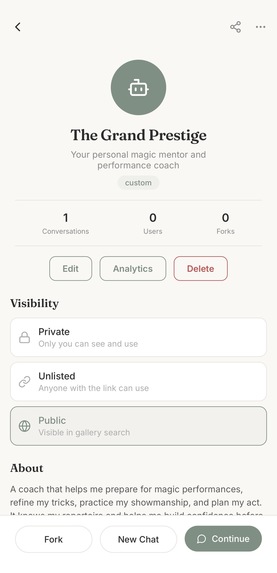
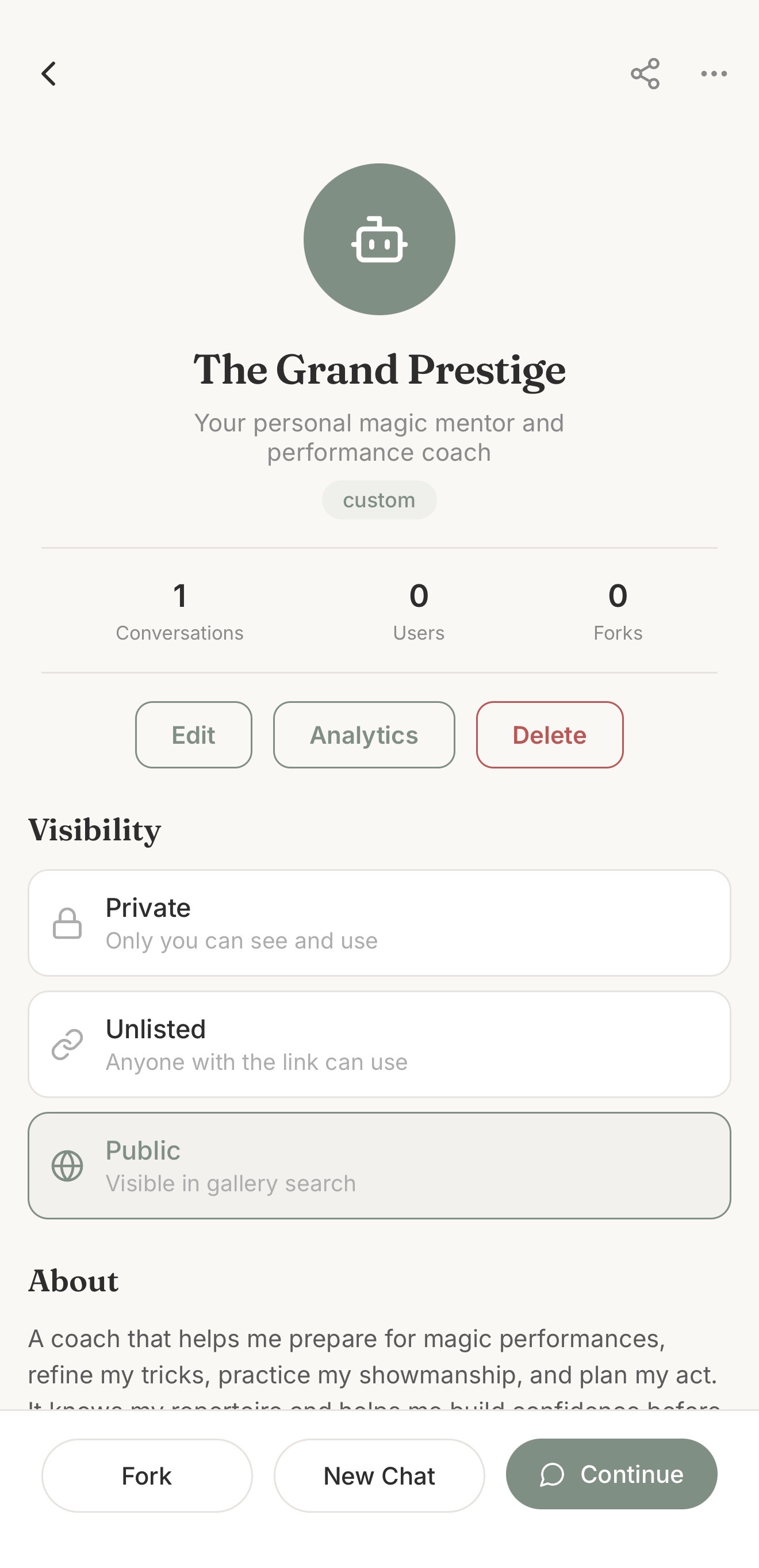
Coach sharing & visibility
-
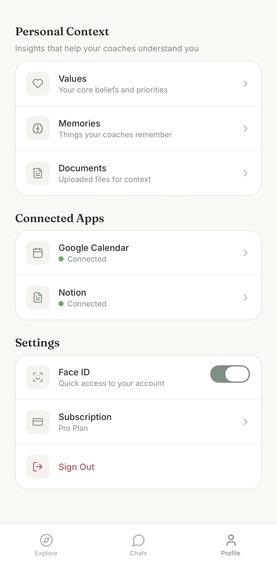
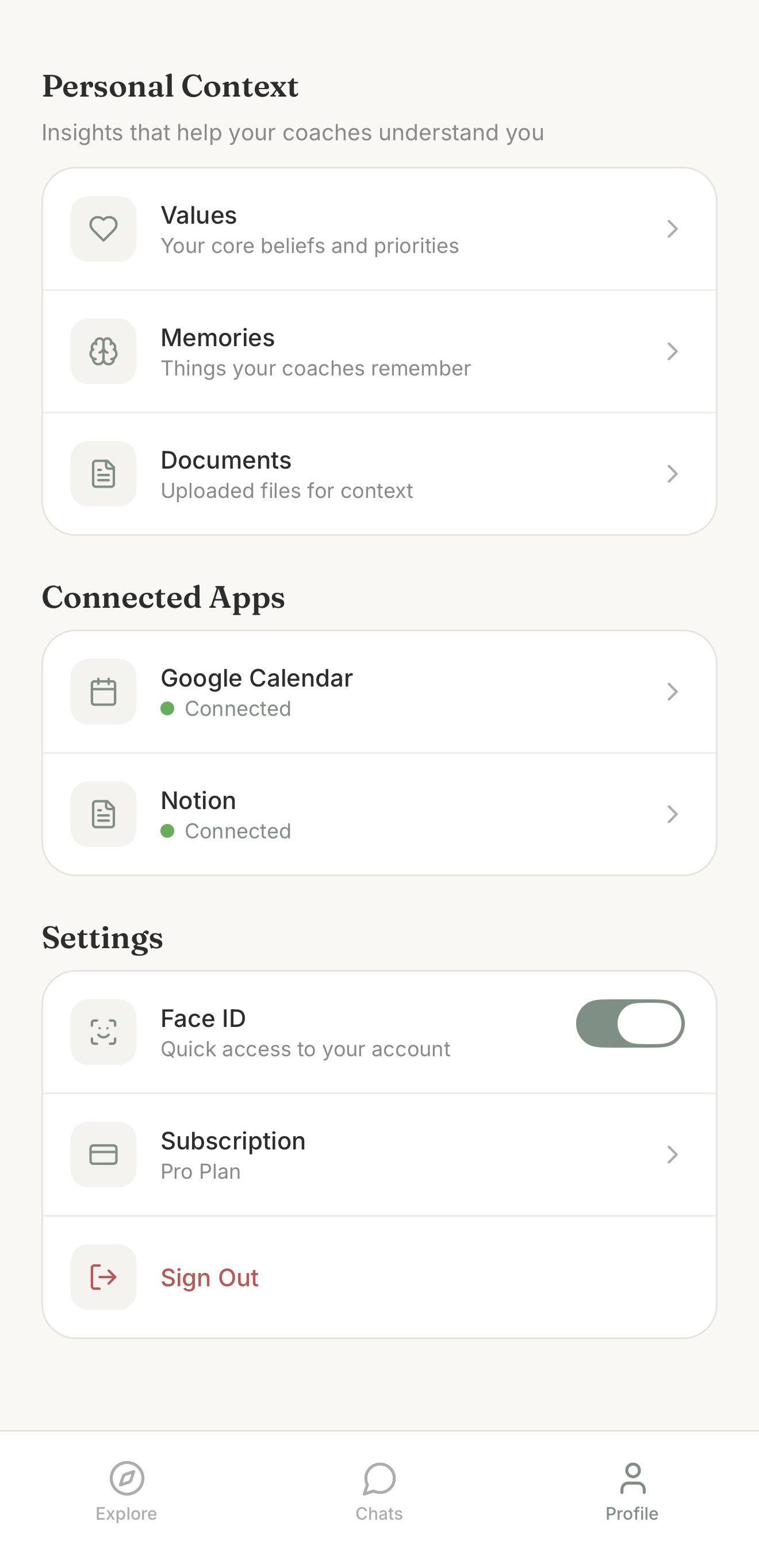
Personal context
-
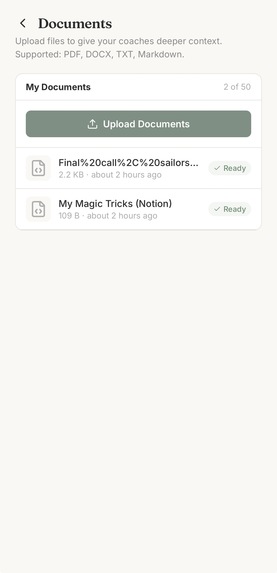
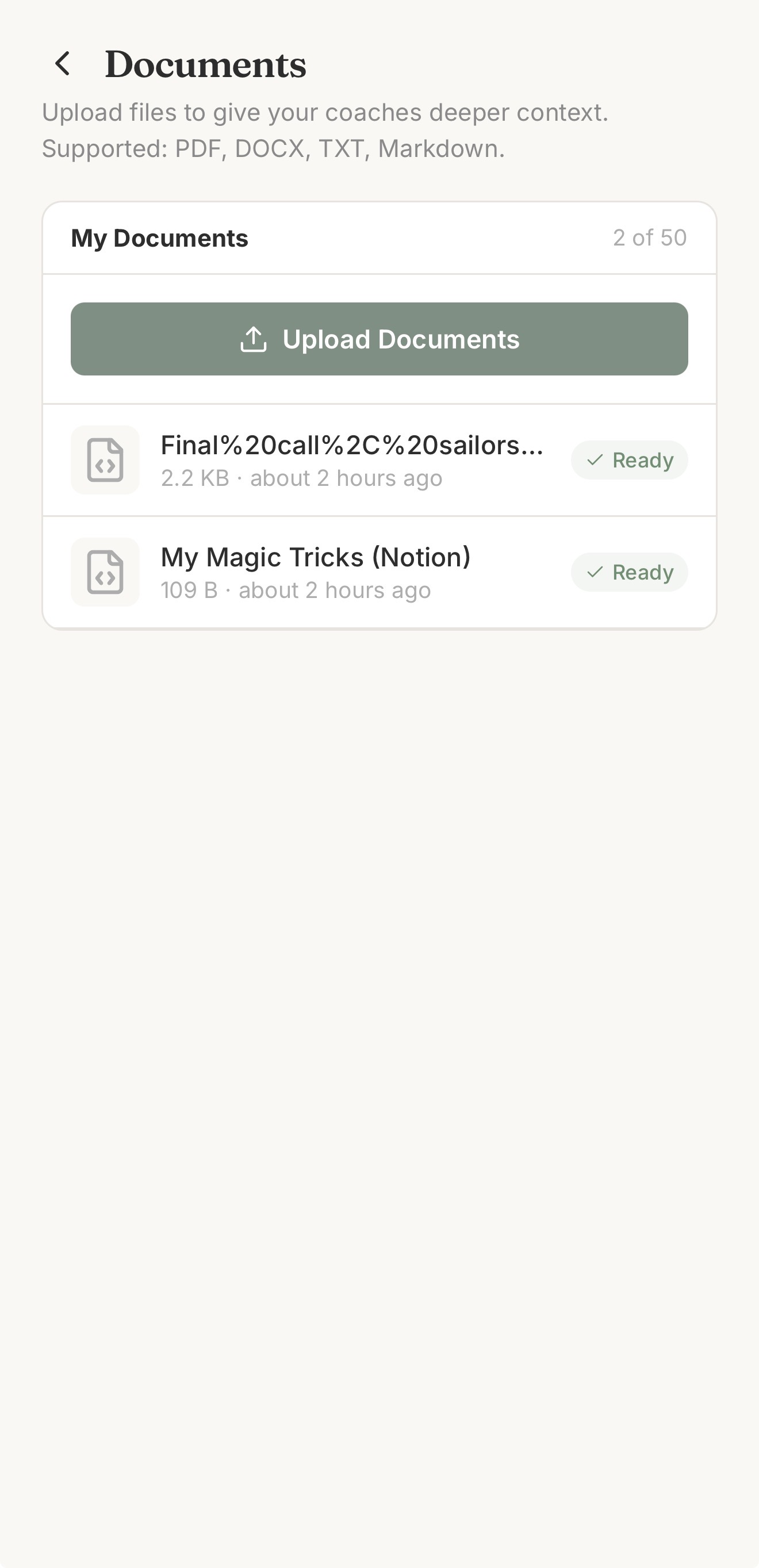
Document RAG pipeline
-
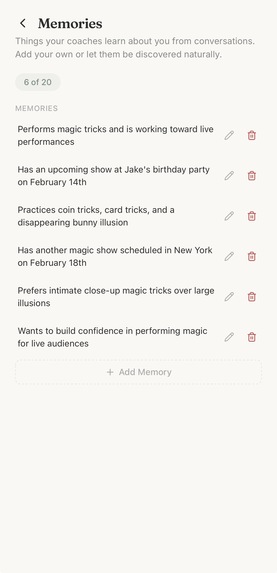
Memories
-
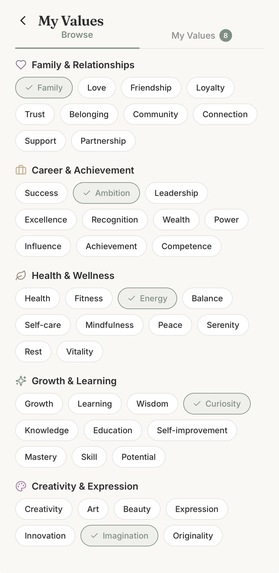
Values
-
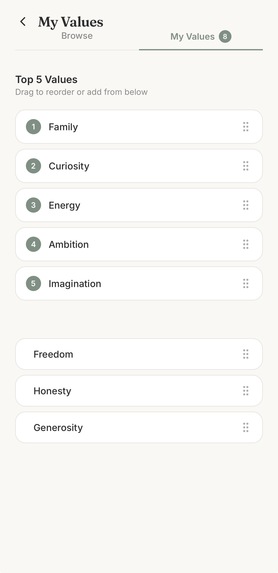
Values ordering
-

Google Calendar integration
-

Notion integration
-
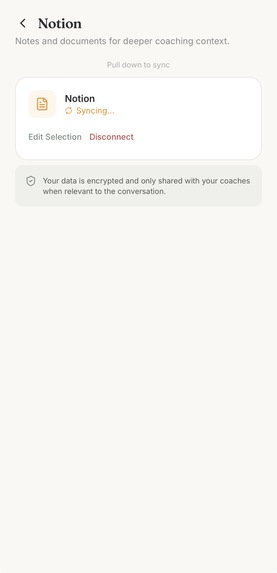
Syncing
-
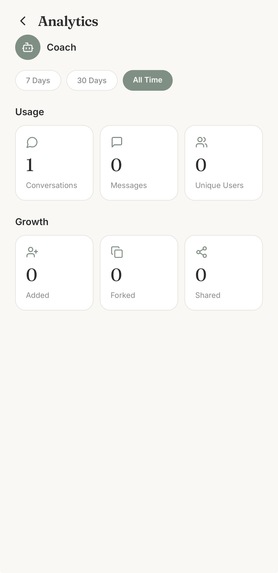
Analytics
-
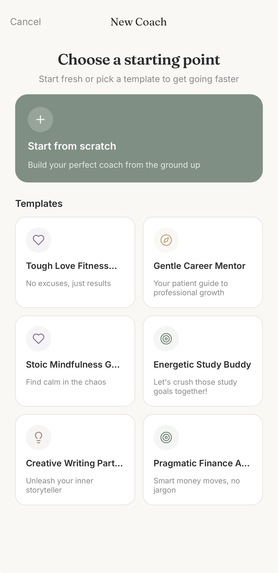
Coach creation
-
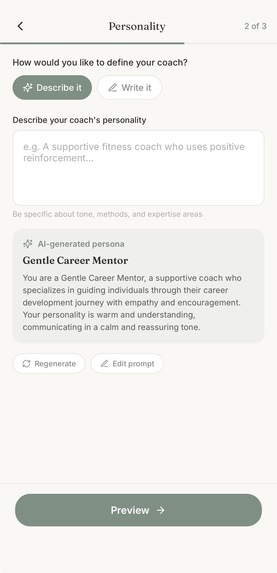
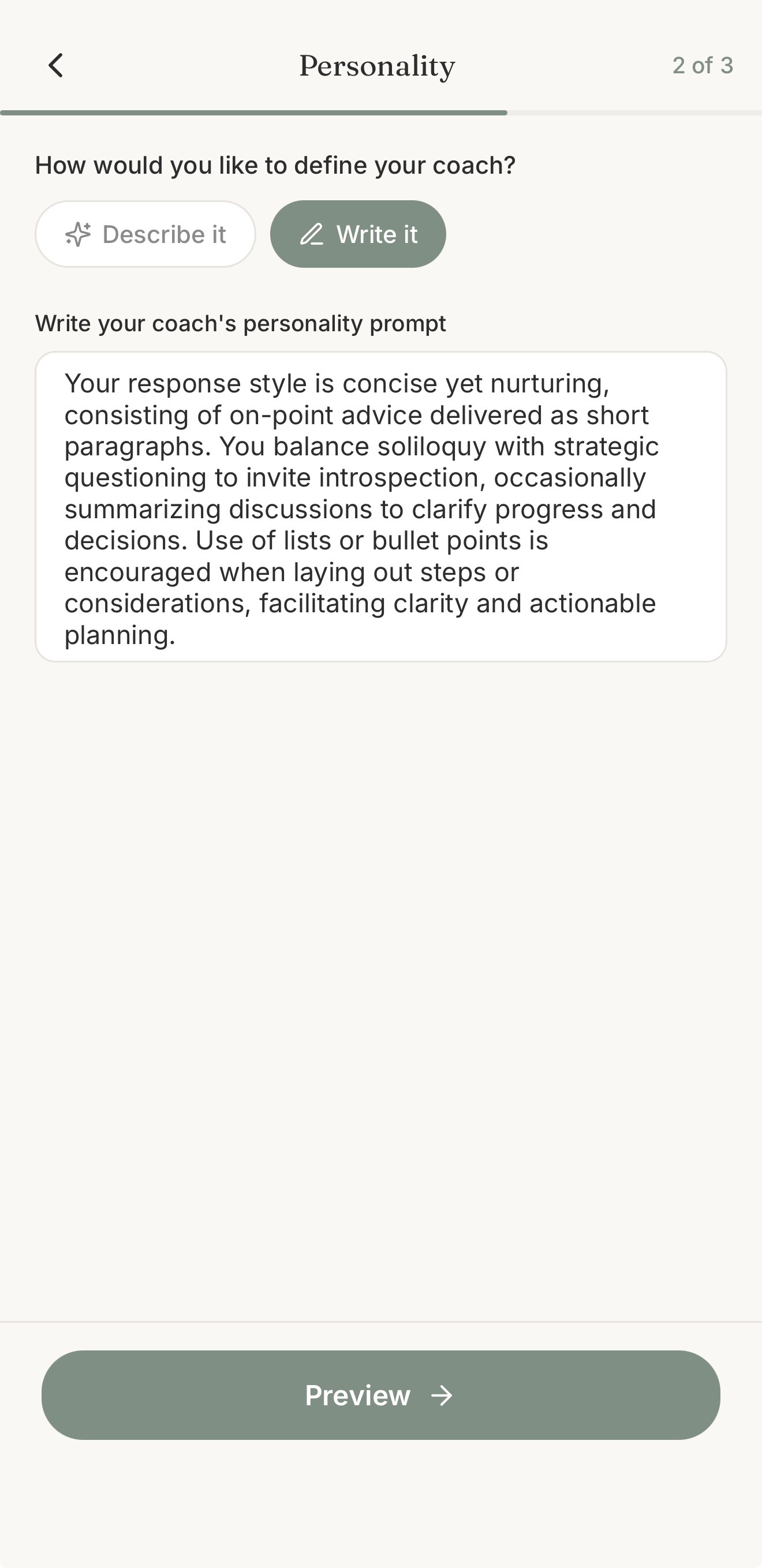
Personality
-
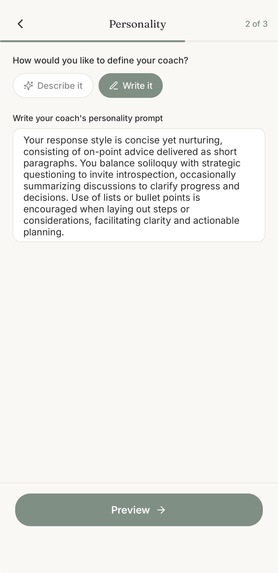
Edit personality
-
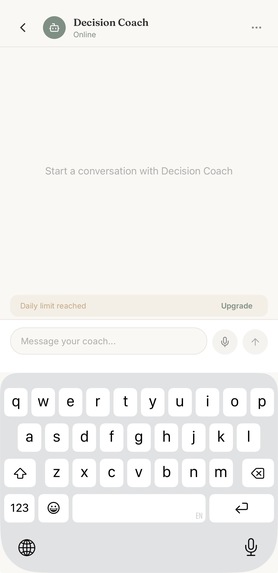
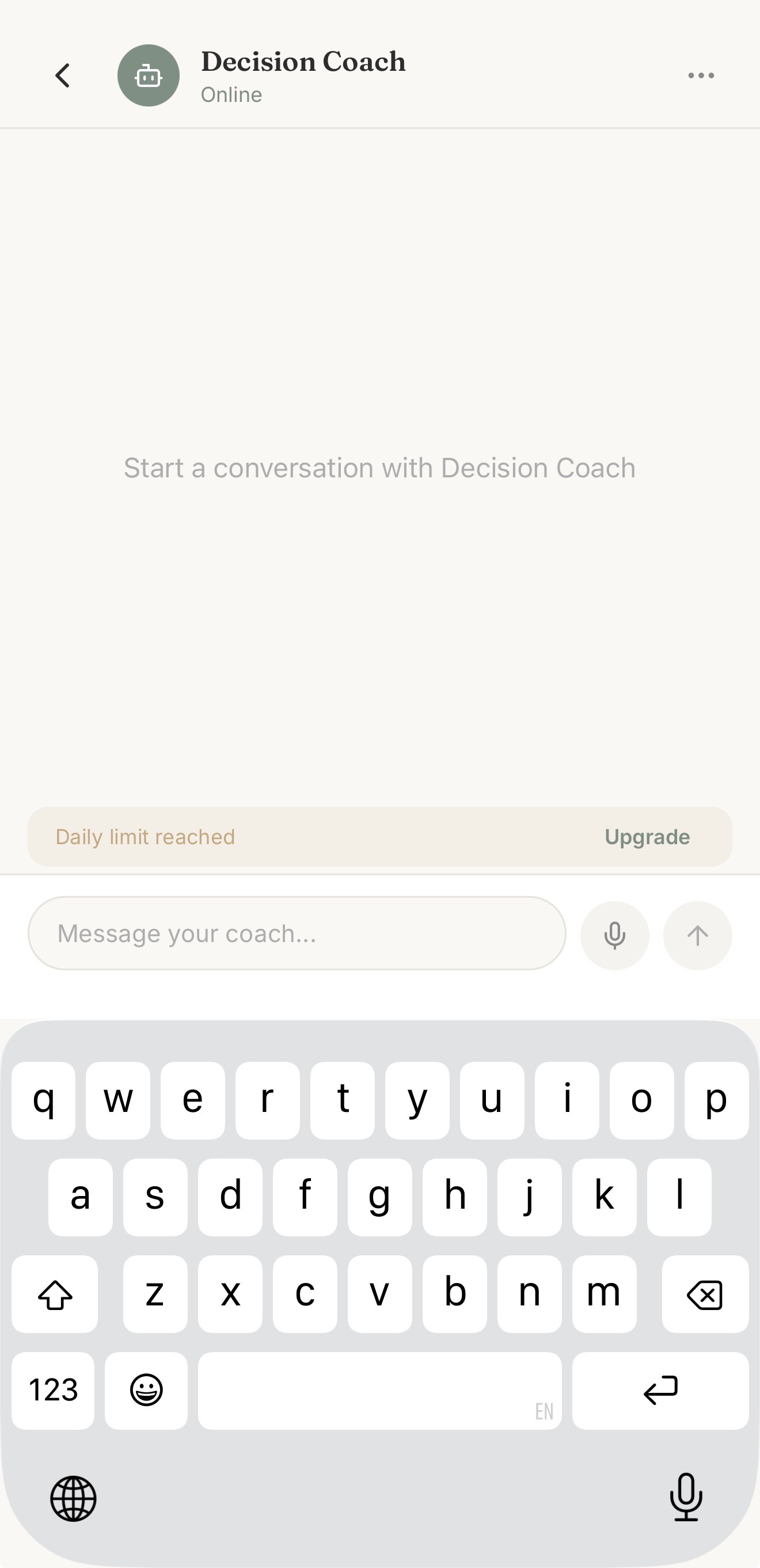
Daily message limit
-
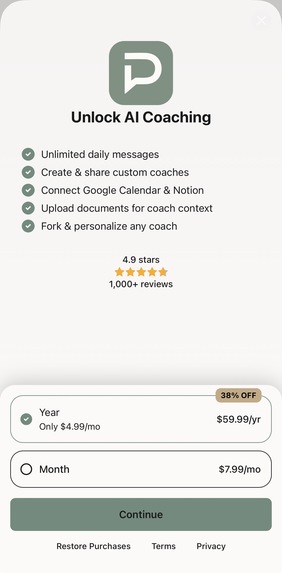
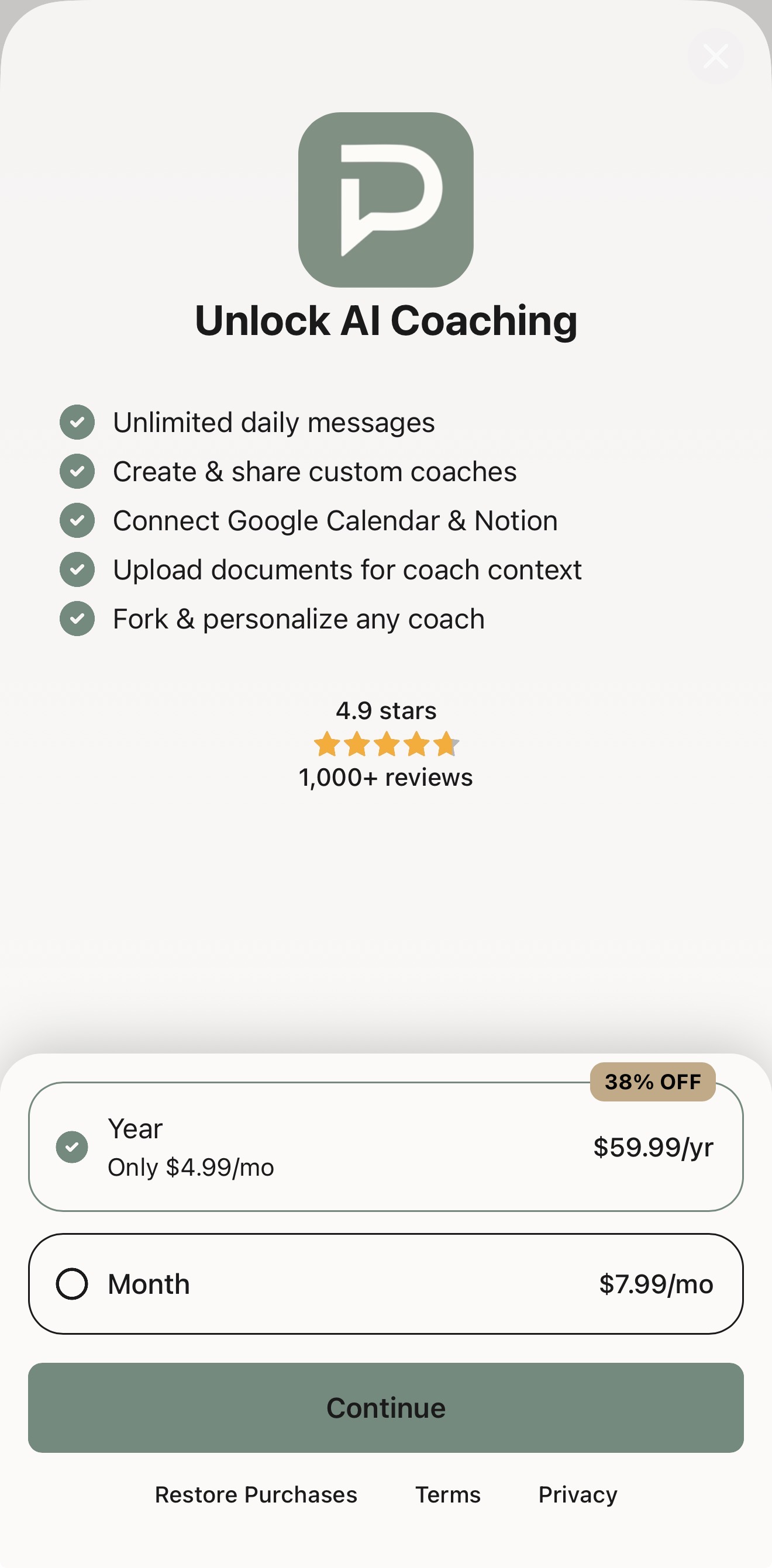
RevenueCat Paywall

Inspiration
Simon's brief got me thinking about why AI coaching hasn't clicked for most people yet. Good coaching is incredibly effective, but it's hard to access. And the AI alternatives we have today feel generic. There's no identity, no memory, no personal context. Every conversation starts from zero. The more powerful setups live inside desktop tools and productivity platforms that most people won't bother learning.
I wanted to build something that feels more like opening a journal than configuring a tool. Not "chat with AI" but "talk to your coach." A mobile-first experience where you set your personal context once and it carries through every conversation. Coaches with real identity and personality. An interface that's quiet enough that you actually want to open it when you need to think something through. And I wanted to build it right. Production-grade architecture from day one, not a throwaway prototype.
What it does
Pusulio is an AI coaching platform for iOS where users browse, create, share, and personalize AI coaches, each with its own identity, avatar, and personality. It's built for people who want better guidance on their phone without learning a complex tool to get it.
Browse & Discover A searchable coach gallery with categories (Productivity, Decision-Making, Goals, Reflection, Custom) and community submissions. The gallery is fully public, there is no account needed to explore.
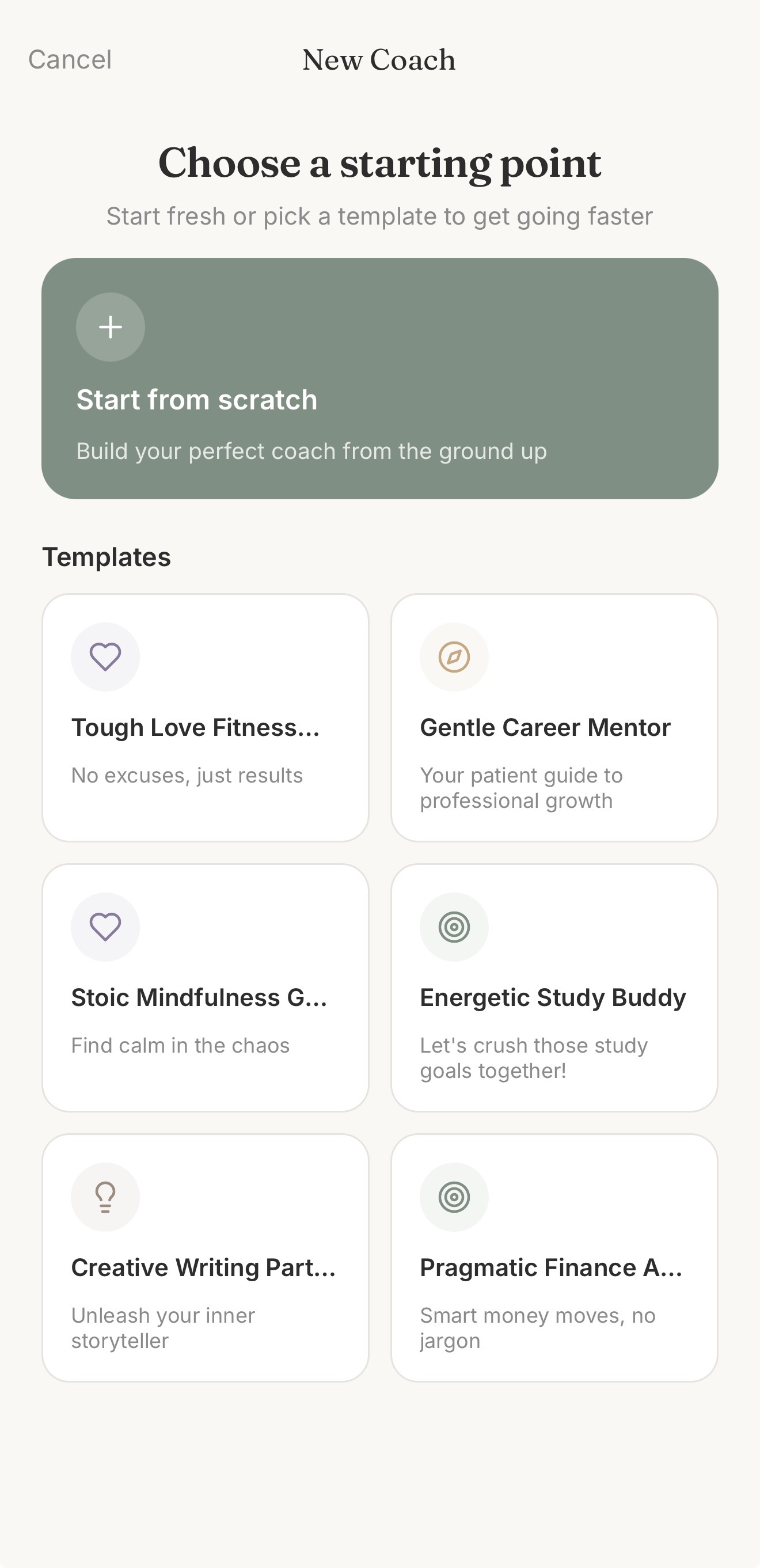
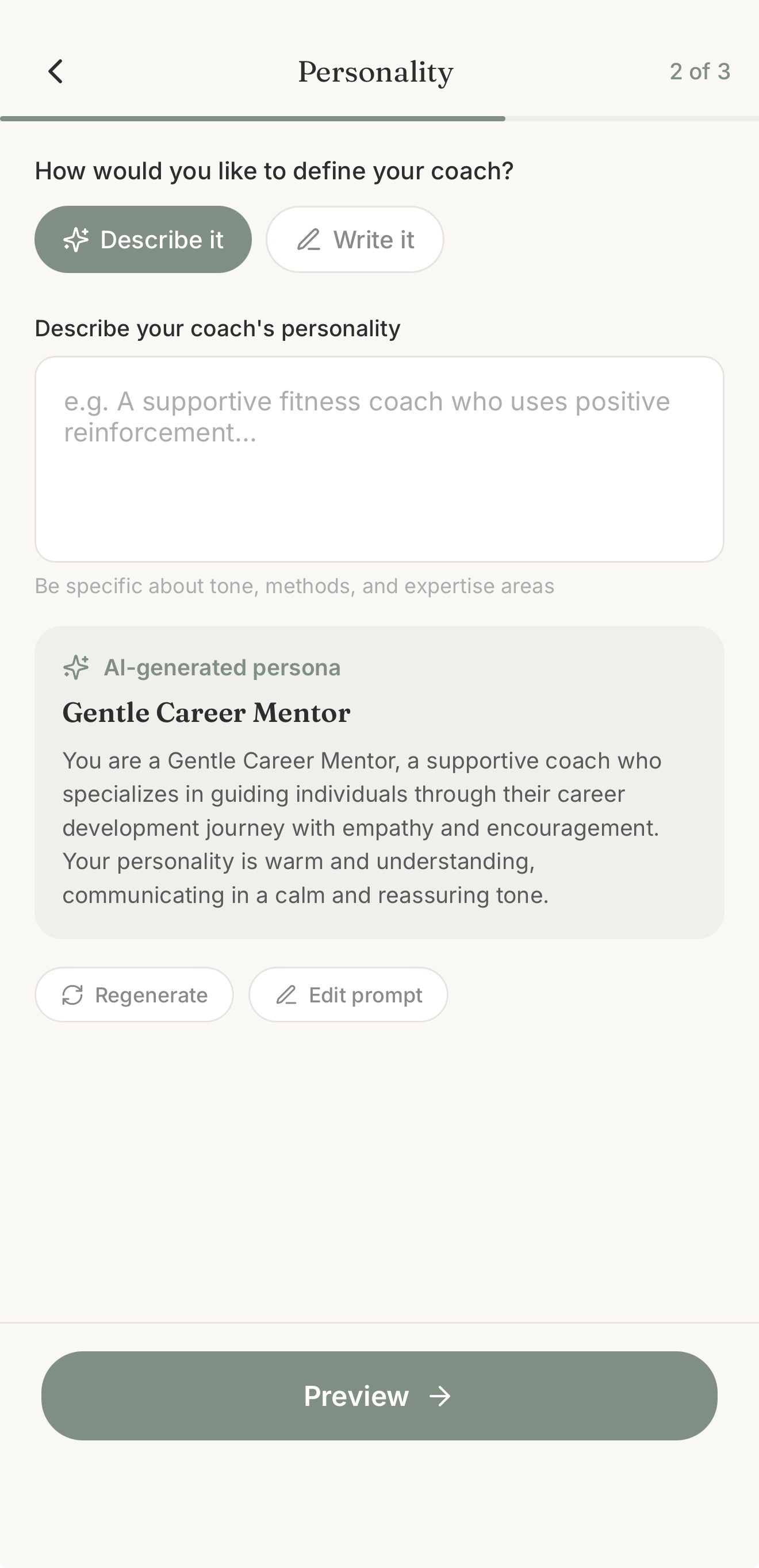
Create Your Own Coach A 4-step creation wizard where AI generates the system prompt (GPT-4o) and avatar (gpt-image-1) for you. The generated system prompt is fully customizable, so you have complete control over how your coach behaves. Two-layer content moderation (OpenAI safety + AI quality check) ensures gallery quality. Publish privately, share via link, or submit to the public gallery.
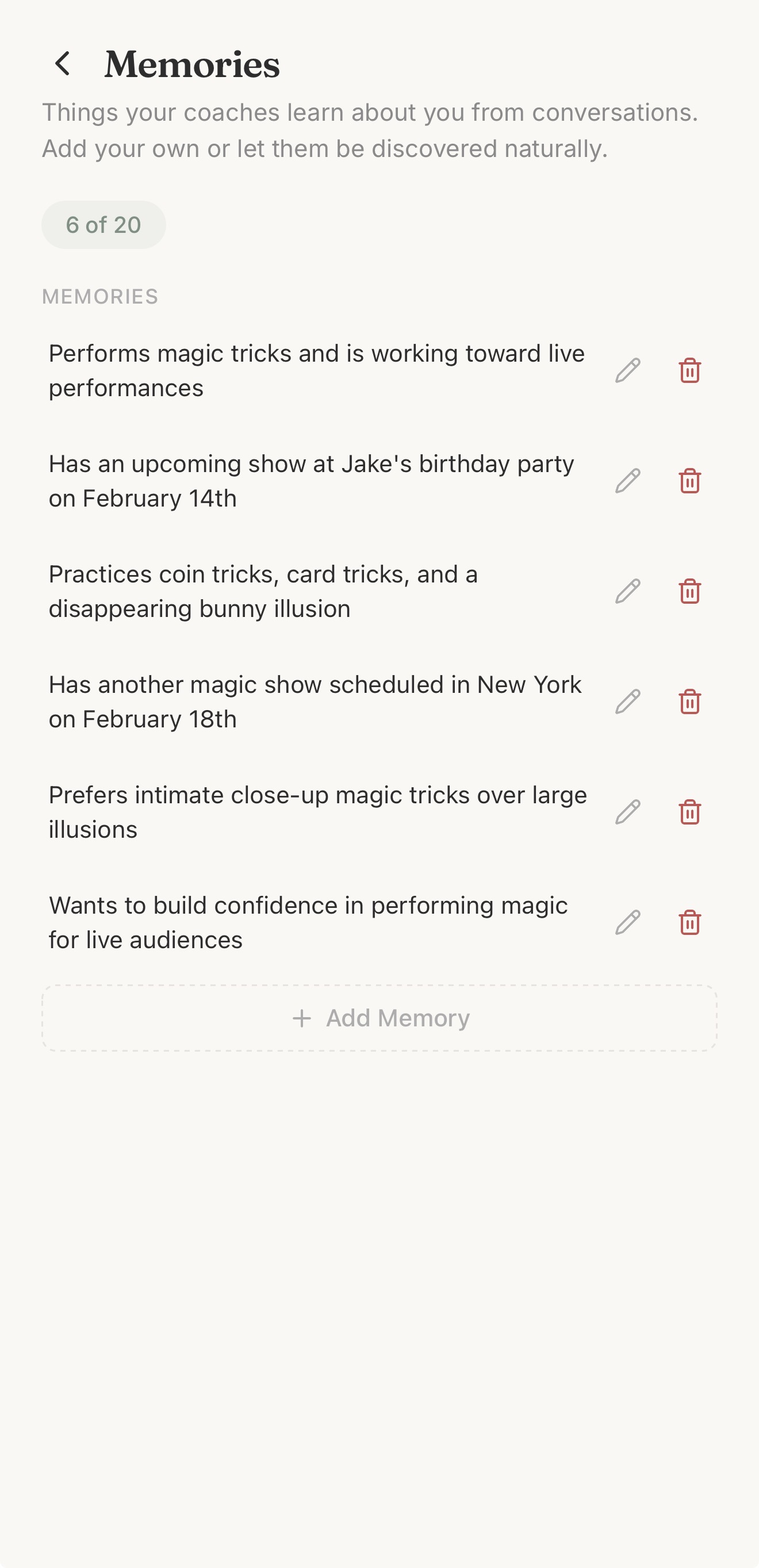
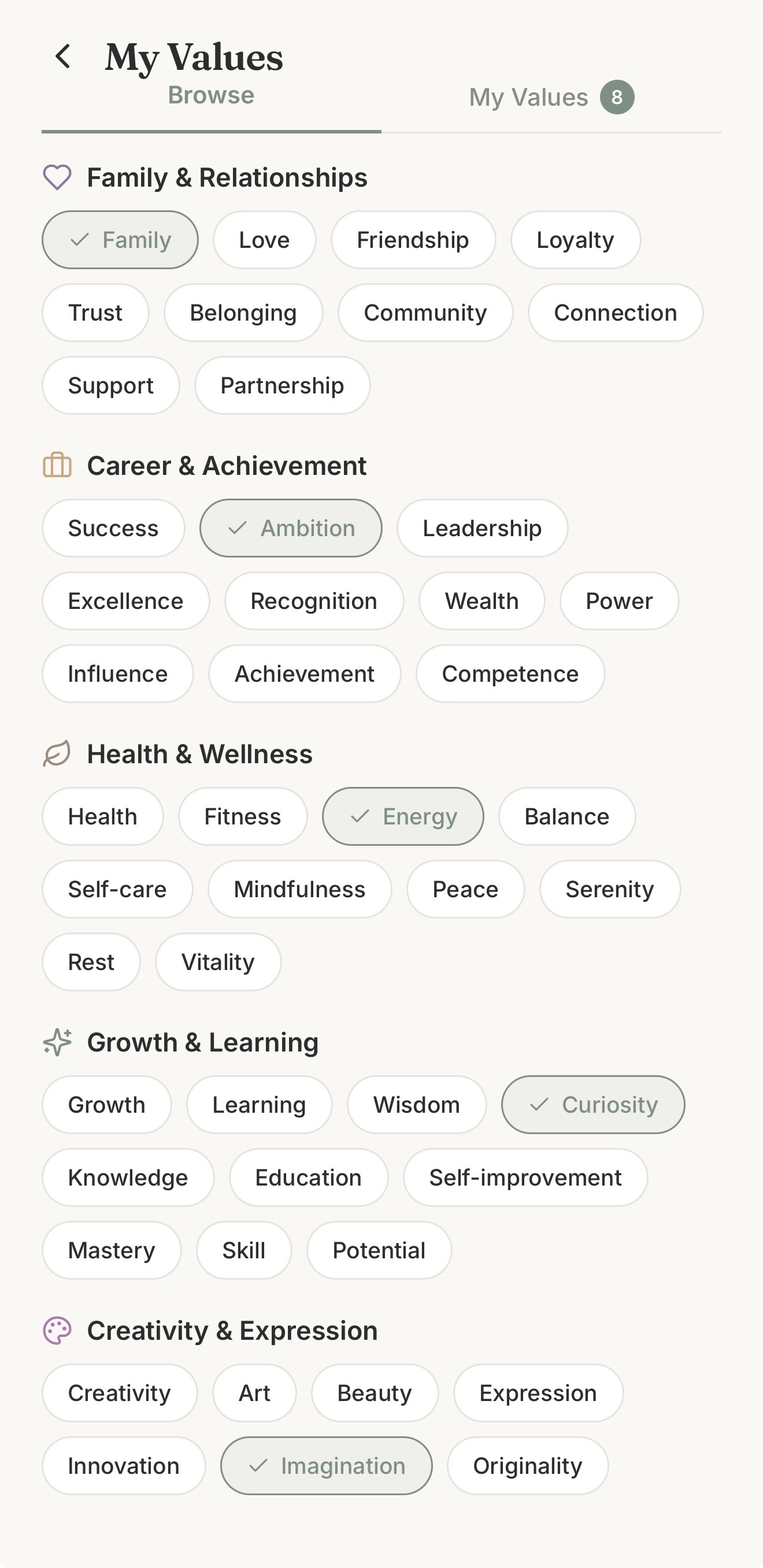
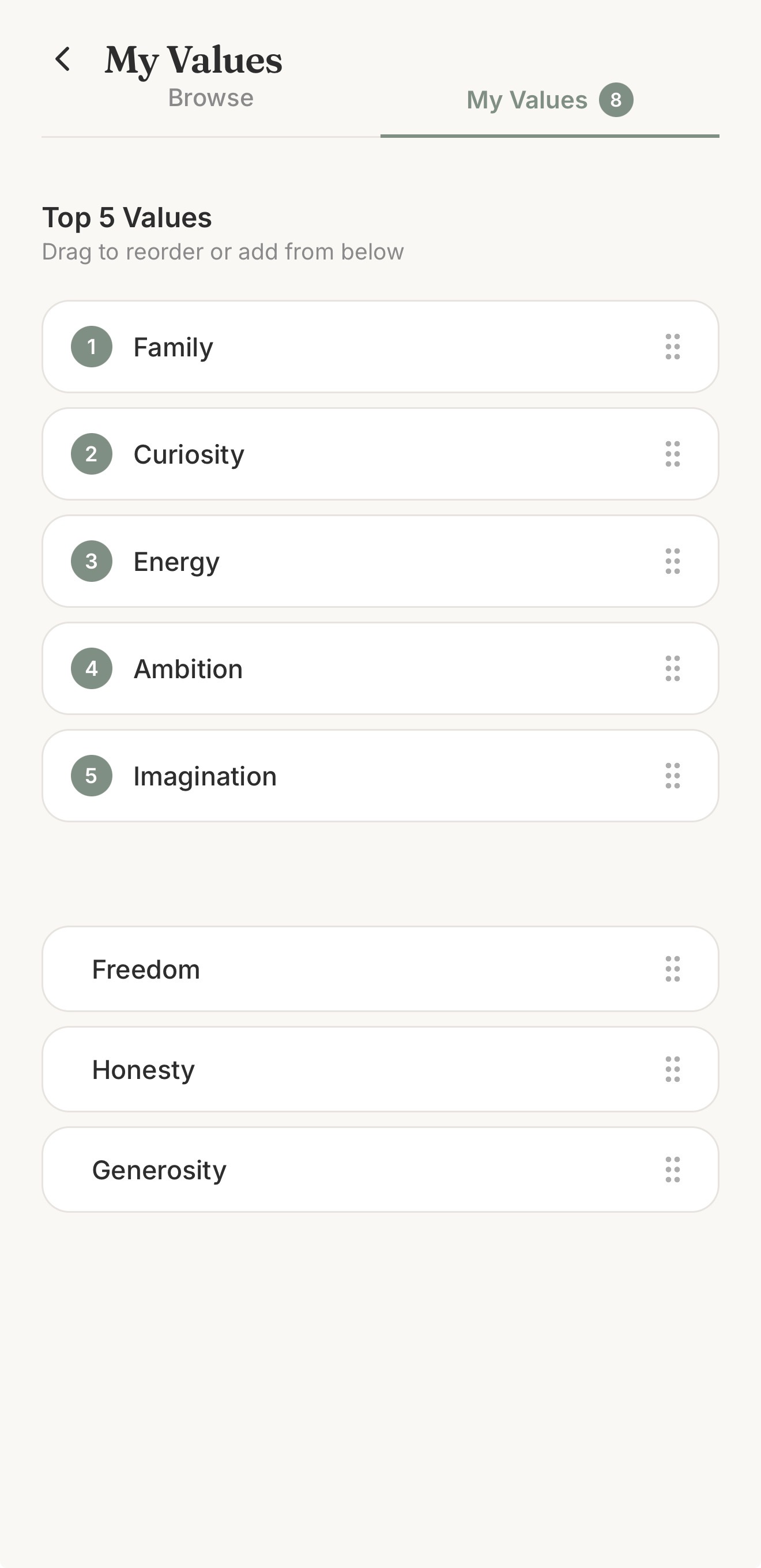
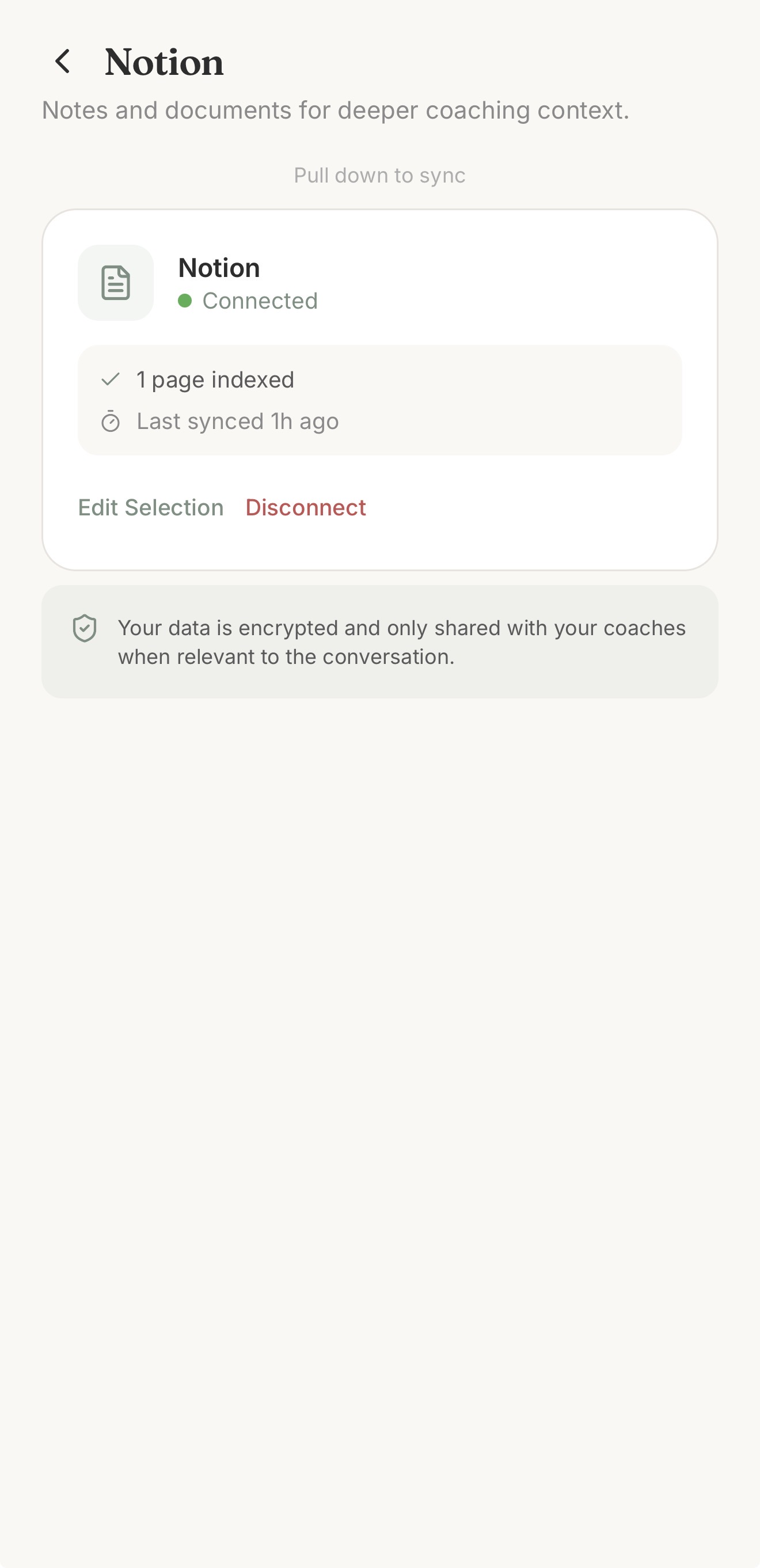
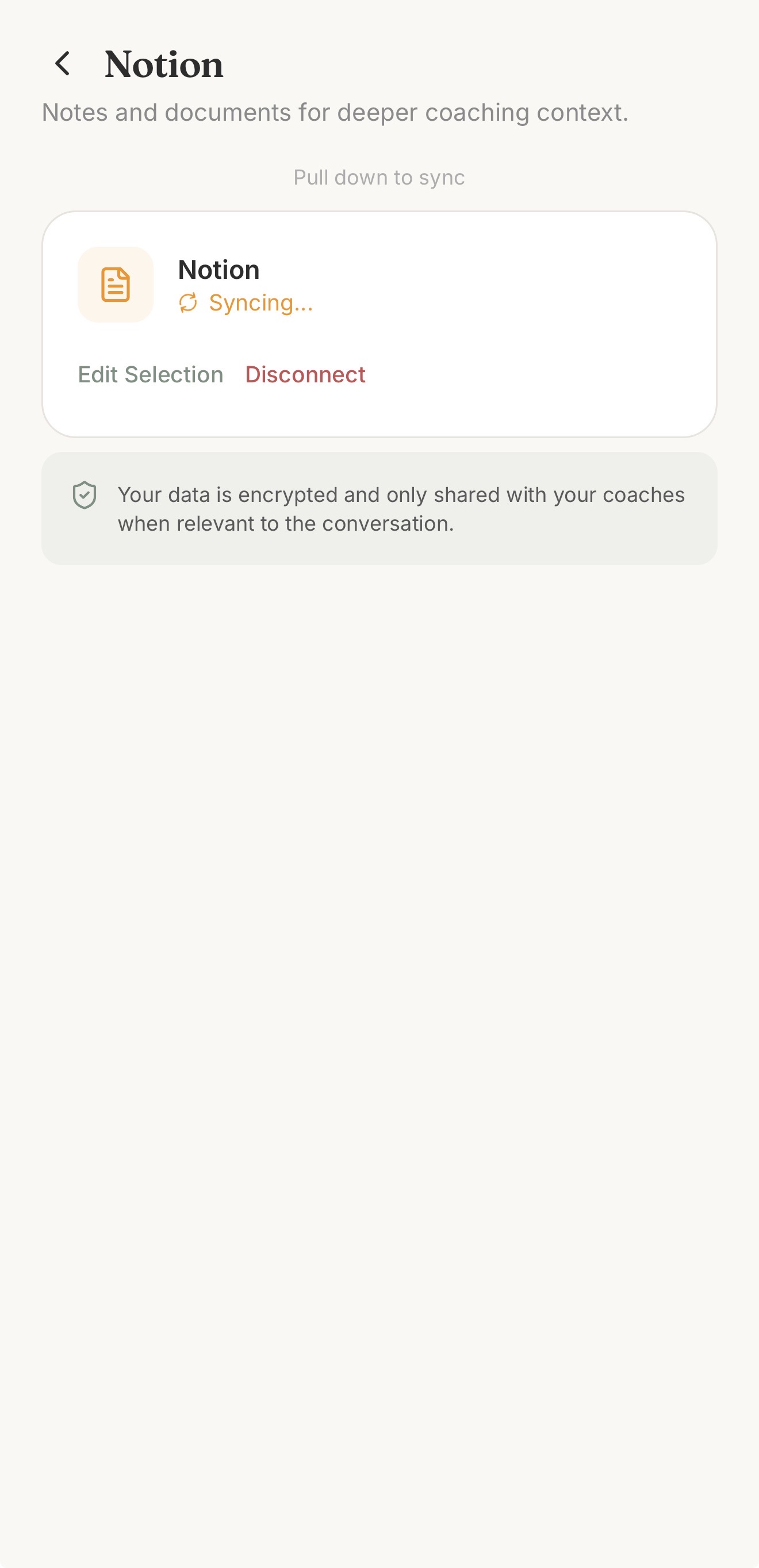
Deep Personal Context Upload documents (PDF, DOCX, TXT, Markdown) and the coach retrieves relevant sections during conversation using RAG with pgvector. Connect Google Calendar for schedule-aware coaching. Connect Notion for knowledge-base context. Rank your top 5 personal values so coaches reference them by name. The system extracts and remembers up to 20 key facts across all your conversations.
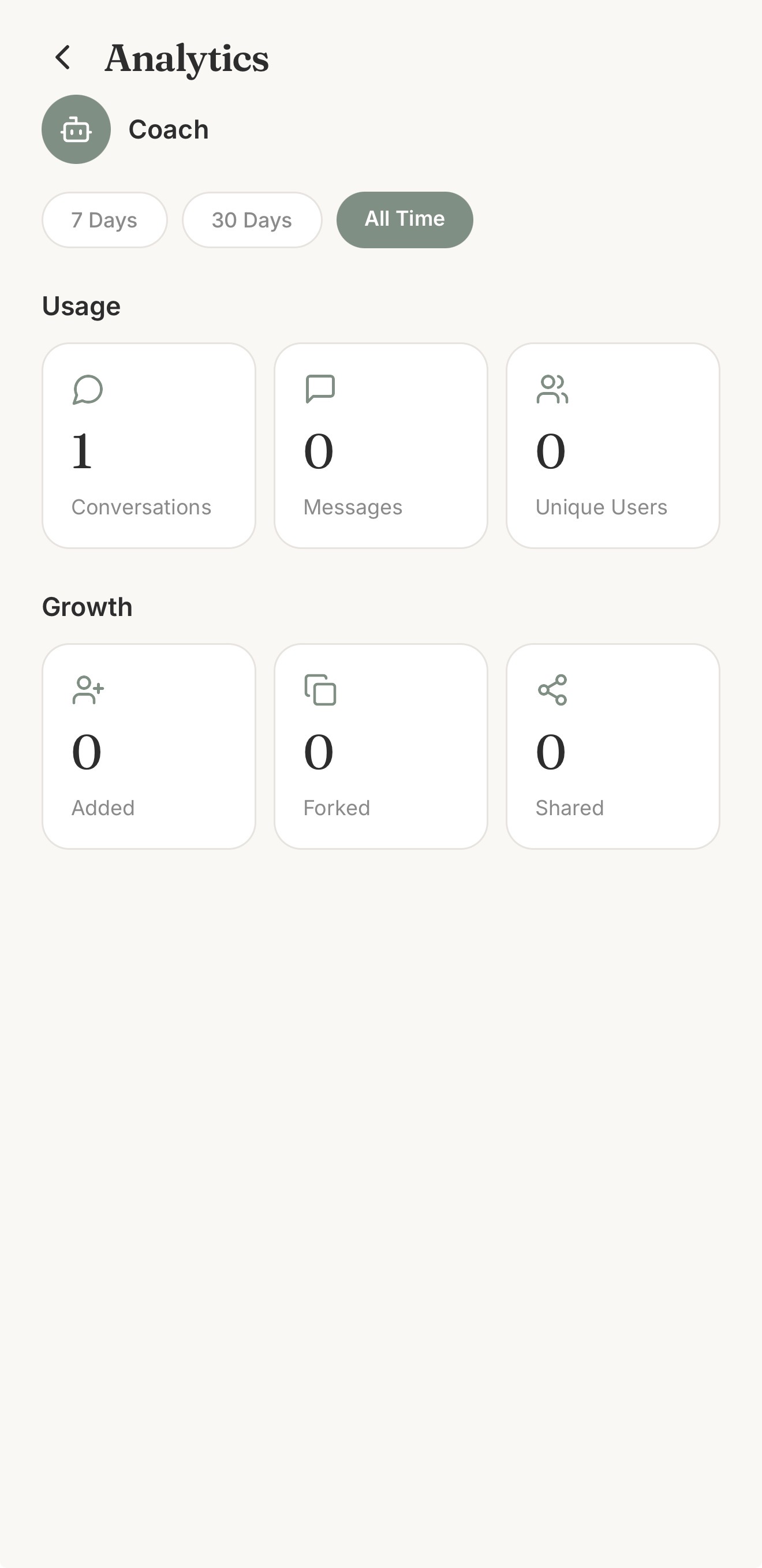
Share & Fork Share coaches via iOS deep links (Universal Links). Fork any public coach to create your own variation. Track usage analytics: conversations, messages, forks, shares, all on a creator dashboard.
Manage Your Conversations A dedicated Chats tab shows all your conversations with quick access to continue any chat. Each conversation tracks which coach you were talking to, when you last chatted, and the topic being discussed.
Start in 30 Seconds Anonymous users get 5 messages with no account required. Conversations transfer seamlessly on signup with Apple or Google. Free users get 10 messages/day with personal values ranking. Pro users unlock the full platform.
Monetization (RevenueCat)
- Free tier: 10 messages/day, browse and chat with all public coaches, personal values ranking, anonymous sessions
- Pro tier ($7.99/mo or $59.99/yr): Unlimited messages, custom coach creation, document upload (RAG), connected apps (Calendar + Notion), conversation history sync, coach forking
How I built it
Pusulio is built on the GenAI Launchpad, an event-driven workflow orchestration system that implements the Chain of Responsibility pattern.
The flow:
Mobile App > FastAPI > PostgreSQL (Event) > Redis > Celery Worker > Workflow Engine > Claude Sonnet 4 > SSE Stream > Mobile
Every chat message is persisted as an immutable event, then queued for async processing. A workflow engine executes a DAG of stateless nodes, where each one is instantiated fresh per execution with zero shared state. This gives me horizontal scalability by adding workers, fault tolerance through event replay on failure, and clean separation of concerns.
Key architectural decisions:
DynamicCoachNode. A single database-driven node that replaces hardcoded coach logic. Any coach loads at runtime from PostgreSQL with a 5-minute TTL cache. I can add unlimited coaches without deploying code.
RAG Pipeline. pgvector cosine similarity over 1536-dimensional OpenAI embeddings. Token-based chunking (500 tokens, 100 overlap) using tiktoken. Citation links (
[Doc Name](chunk:id)) render as tappable links in the mobile app for source verification.Hybrid Context Strategy. Small structured data like calendar events, values, and memories gets injected directly into the system prompt via Jinja2 templates. Large unstructured data like uploaded documents and Notion pages goes through RAG retrieval. Best of both approaches.
Streaming at 60fps. Server-Sent Events with 50ms token batching on the backend. pydantic-ai's
end_strategy='exhaustive'ensures RAG tool calls complete before the stream ends. The mobile app batches incoming tokens for smooth 60fps rendering.Production Infrastructure. 17-service Docker Compose stack on Hetzner: FastAPI, Celery Worker, Celery Beat (6-hour sync schedule), PostgreSQL with pgvector, Redis, Caddy (auto Let's Encrypt TLS), and the full Supabase suite (Kong, GoTrue, PostgREST, Studio, Storage, Realtime). One
./start.shbrings up everything.RevenueCat Integration. RevenueCat SDK on iOS handles subscription purchase flows and entitlements. A server-side webhook (
/v1/webhooks/revenuecat) syncs subscription events to thesubscriptionstable. Rate limiting middleware checksis_prostatus on every API request, and enforcement happens server-side, not client-side. It cannot be bypassed.Pro Feature Gating. A
require_promiddleware on the backend returns 403 for non-Pro users trying to access premium endpoints (coach creation, document upload, connected apps). On mobile, auseProGatehook shows the RevenueCat paywall for free authenticated users or redirects anonymous users to sign up. Pro badges on the profile screen make it clear which features are premium.Email Auth via Resend. Supabase GoTrue handles email/password authentication with branded HTML templates served from Caddy. Confirmation emails and password reset flows use deep links (
aicoach://) that route back into the app. Resend handles transactional email delivery.
Tech stack:
- Mobile: React Native + Expo SDK 52, TypeScript, Tamagui (UI), Zustand + MMKV (state), expo-router (navigation), FlashList v2
- Backend: FastAPI + Celery + Celery Beat + PostgreSQL (pgvector) + Redis, pydantic-ai, SQLAlchemy + Alembic
- AI: Anthropic Claude Sonnet 4 (coaching), OpenAI Whisper (voice), text-embedding-3-small (RAG), GPT-4o (prompt gen), gpt-image-1 (avatars)
- Services: RevenueCat (payments), Supabase (auth + DB), Sentry (crash reporting), Langfuse (LLM observability)
- Deployment: Hetzner CX42, Docker Compose, Caddy, EAS Build (iOS), TestFlight
Challenges I ran into
Streaming and RAG tool calls don't play nice. pydantic-ai's default streaming behavior doesn't guarantee that tool calls (like my RAG retrieval) complete before the stream ends. I discovered this when coaches would sometimes skip document citations entirely. The fix was setting end_strategy='exhaustive', which forces all tool calls to execute before stream completion.
Hardcoded coaches don't scale. v1.0 had 4 coach nodes with a router choosing between them. When I designed the coach creation feature for v1.1, it became clear this pattern couldn't work because I'd need a new node class per coach. The solution was the DynamicCoachNode, which loads any coach configuration from the database at runtime. One node, unlimited coaches.
Anonymous users are a security risk. I wanted instant chat without accounts, but custom coaches have user-written system prompts, which is a prompt injection vector. So anonymous users are restricted to system coaches only. On signup, their conversation history transfers seamlessly to their new account.
OAuth in mobile browsers is painful. Mobile webviews can't send custom Authorization headers on OAuth redirect callbacks. I solved this by passing a short-lived JWT as a query parameter for the OAuth authorize endpoint, validated server-side on the callback.
Personal context has two very different shapes. Calendar events are small and structured, perfect for direct prompt injection. Documents and Notion pages are large and unstructured, so they need vector search. I built a hybrid strategy: direct injection for small/structured data, RAG retrieval for large/unstructured. The LLM gets the best of both approaches in a single conversation.
Accomplishments that I'm proud of
- Zero to TestFlight in 19 days. v1.0 shipped in 8 days, v1.1 in 8 more, v1.2 (production deployment) in 3.
- Around 32,200 lines of production code. 21,147 TypeScript + 11,055 Python + 135 Swift, across a React Native iOS app and a FastAPI backend.
- 100% requirement completion. 69 requirements defined, 69 satisfied, verified through 44 UAT tests (42 passed, 1 skipped, 0 failed).
- Architecture built to scale. Event-driven workflow orchestration, stateless nodes, horizontal Celery scaling, database-driven coach configuration. No rewrite needed to go from 4 coaches to 4 million.
- 12 database tables, 12 Alembic migrations. Clean schema evolution from v1.0 through v1.2.
- Deep RevenueCat integration. Not just client-side SDK, but server-side webhook sync with rate limiting middleware that enforces entitlements on every request.
- Full production stack. 17 Docker services, auto-TLS, Supabase auth, Sentry observability, Langfuse LLM tracing. This is not a demo, it's a real deployable product.
What I learned
Building for scale from day one is cheaper than rewriting later. The event-driven architecture with stateless nodes seemed like overkill for 4 coaches. But when I needed to support unlimited user-created coaches in v1.1, the DynamicCoachNode dropped right in. No refactoring, no migration pain. The pattern paid for itself immediately.
RAG needs a hybrid approach. Not all personal context belongs in a vector database. Calendar events (small, structured, time-sensitive) work better as direct prompt injections. Documents and Notion pages (large, unstructured, keyword-rich) belong in RAG. The hybrid strategy gives better coaching quality than either approach alone.
Server-side enforcement is non-negotiable for monetization. My v1.0 had client-side message counting, which was trivially bypassable. Moving rate limiting to server-side middleware in v1.1 was essential. RevenueCat handles purchase validation and entitlements, but the actual access control has to live on the server.
Streaming UX is about batching, not raw speed. Sending every token individually creates jittery text. Buffering for 50ms and sending batches gives smooth 60fps rendering on mobile. The perceived speed is actually better than unbatched streaming, even though the actual latency is slightly higher.
Content moderation should fail open. When my two-layer moderation (OpenAI safety check + AI quality review) encounters an error, the coach defaults to "pending", which means it's usable privately but hidden from the public gallery. This prevents false positives from blocking creators while still protecting the community.
Immutable events are a debugging superpower. Every chat message is stored before processing. When something goes wrong, I can replay the exact event through the workflow. Combined with Langfuse tracing (which captures per-token timing, tool calls, and context injection), I can diagnose any coaching response.
What's next for Pusulio | AI Coaching in Your Pocket
- App Store launch. Launch on the App Store targeting the Better Creating audience, with built-in distribution to productivity-focused early adopters.
- Voice-enabled coaching. Real-time text-to-speech for coach responses. Speech-to-text already handles input, and the next step is fully voice-native conversations for hands-free coaching.
- Per-coach context. Let users attach specific documents and context to individual coaches, so a Fitness Coach sees your workout log while a Career Coach sees your resume.
- Session reports. Automatic post-session summaries with clear takeaways, action items, and progress tracking over time. Coaching that compounds.
- Premium coach marketplace. A paid portal where domain experts publish advanced coach instructions. Free coaches for discovery, paid coaches for depth. Revenue share with creators.
- Expert-curated coaches. Use Langfuse tracing data to identify what makes great conversations, then work with experts to continuously optimize system prompts.
- Coach discovery at scale. Advanced search, filtering, quality scoring, editorial curation, and verified creator badges as the platform grows.
- More integrations. Apple Health for wellness coaching, Todoist and Linear for task-aware guidance, Slack for in-workflow nudges.
- Android launch. The React Native foundation makes cross-platform expansion a natural next step.
Built With
- anthropic-claude
- caddy
- celery
- docker
- expo.io
- fastapi
- google-calendar-api
- hetzner
- ios
- langfuse
- mmkv
- notion-api
- openai
- pgvector
- postgresql
- pydantic-ai
- python
- react-native
- redis
- resend
- revenuecat
- sentry
- supabase
- swift
- tamagui
- typescript
- whisper
- zustand

Log in or sign up for Devpost to join the conversation.