-
-
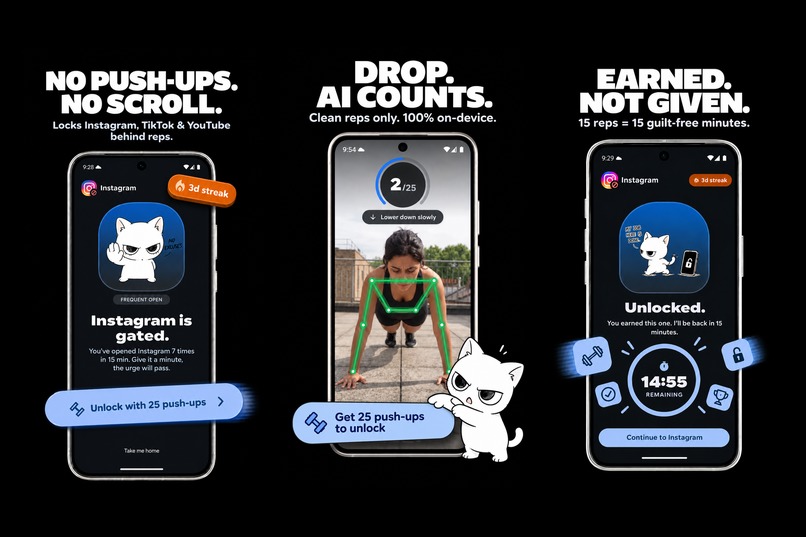
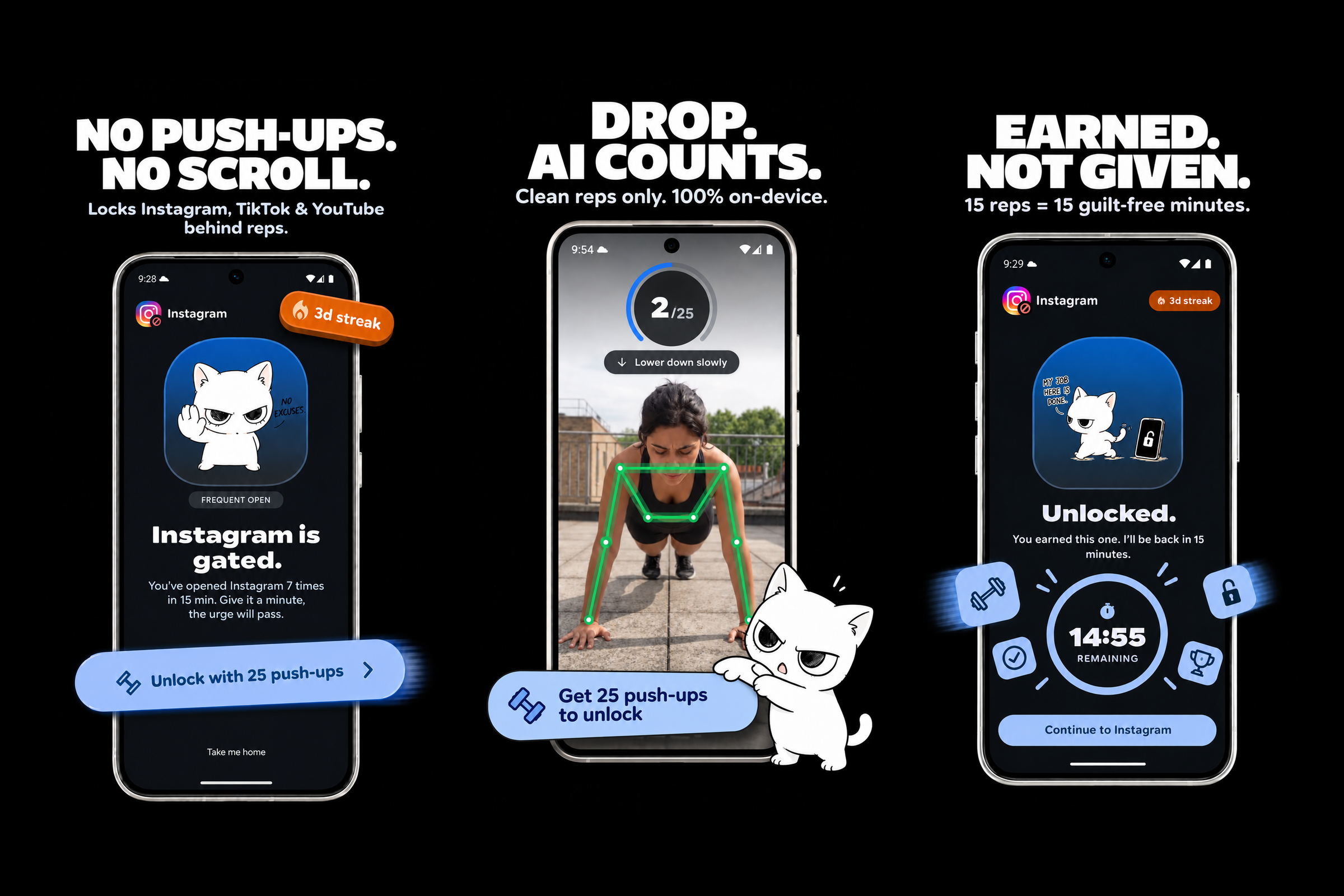
Full core loop: Block gate, on-device AI pose tracking, and 15-minute earned screen-time window.
-
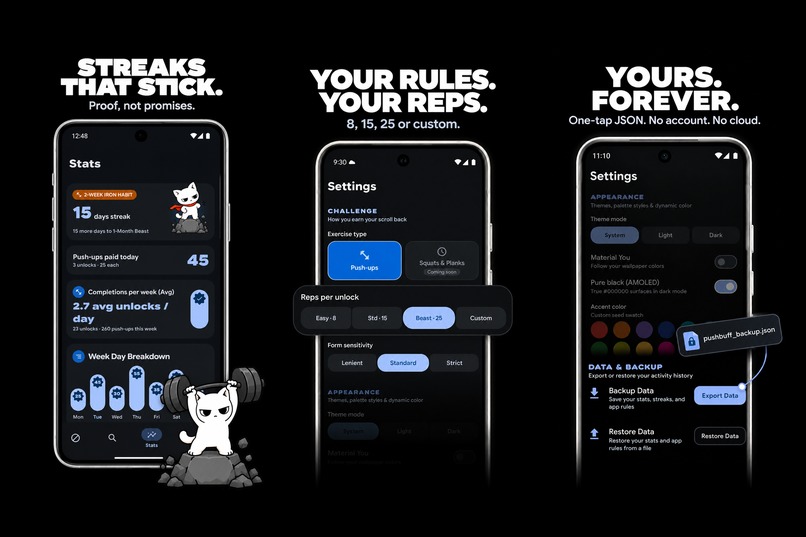
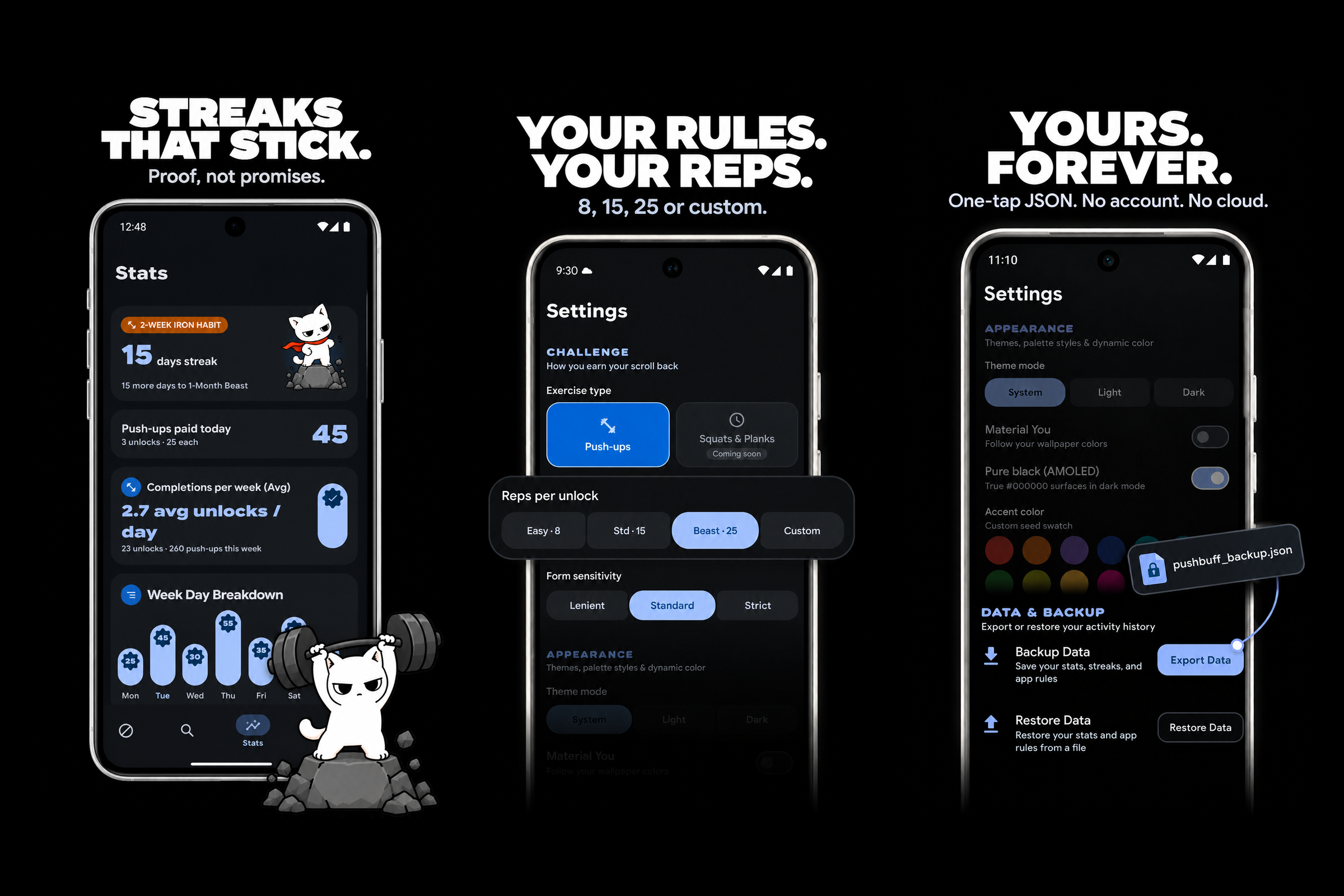
Building lasting habits: Streak milestones, custom push-up targets per app, and 100% offline data privacy.
-
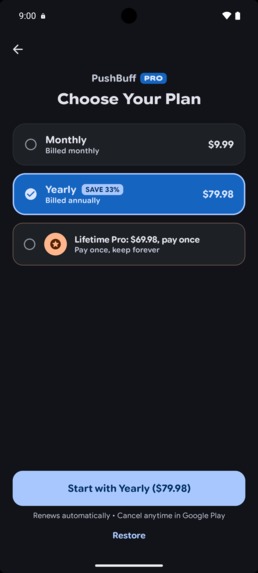
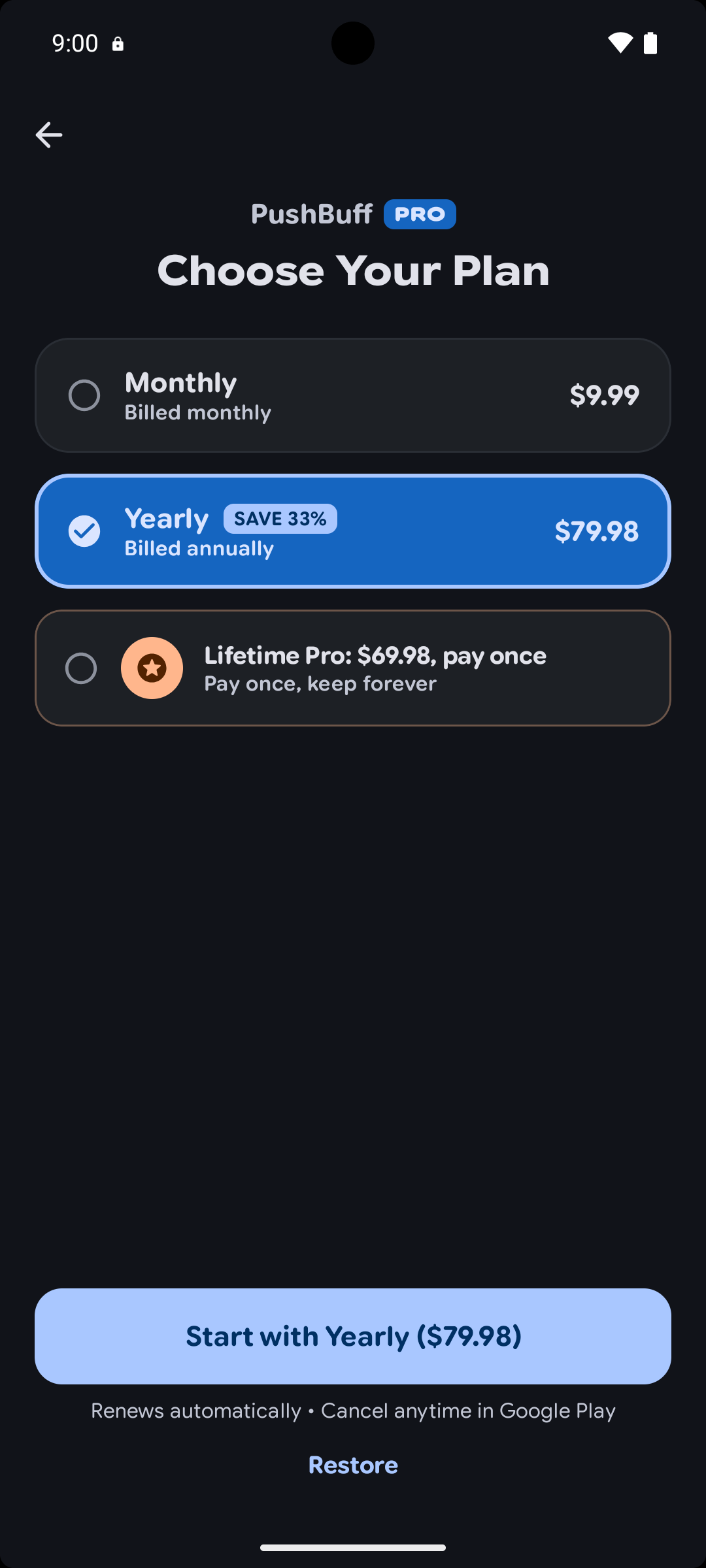
PushBuff Pro: Unlocks lifetime history, custom reps, custom themes, and data backup.
-
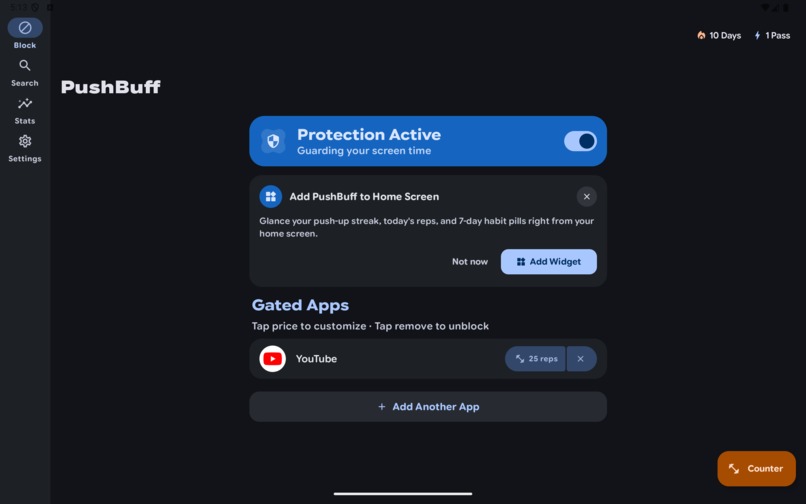
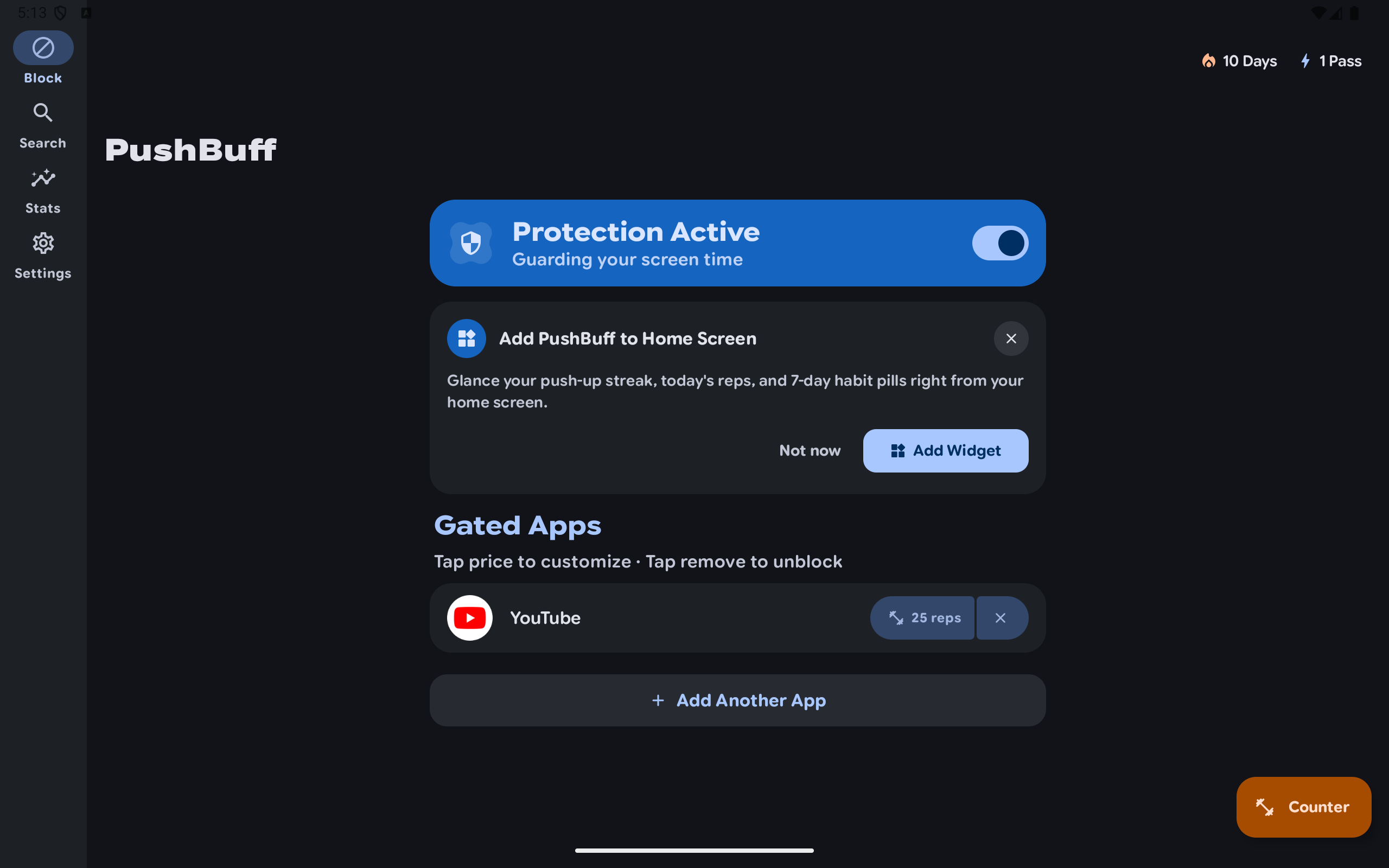
Adaptive tablet layout: Material 3 Navigation Rail and active app protection controls.
-
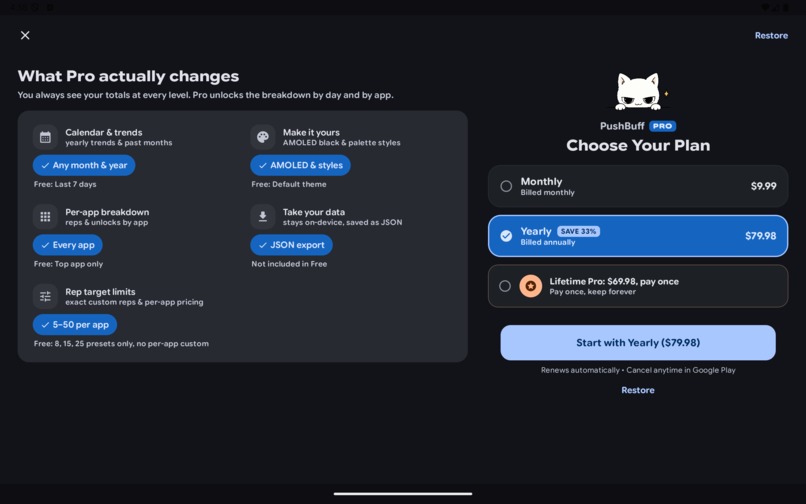
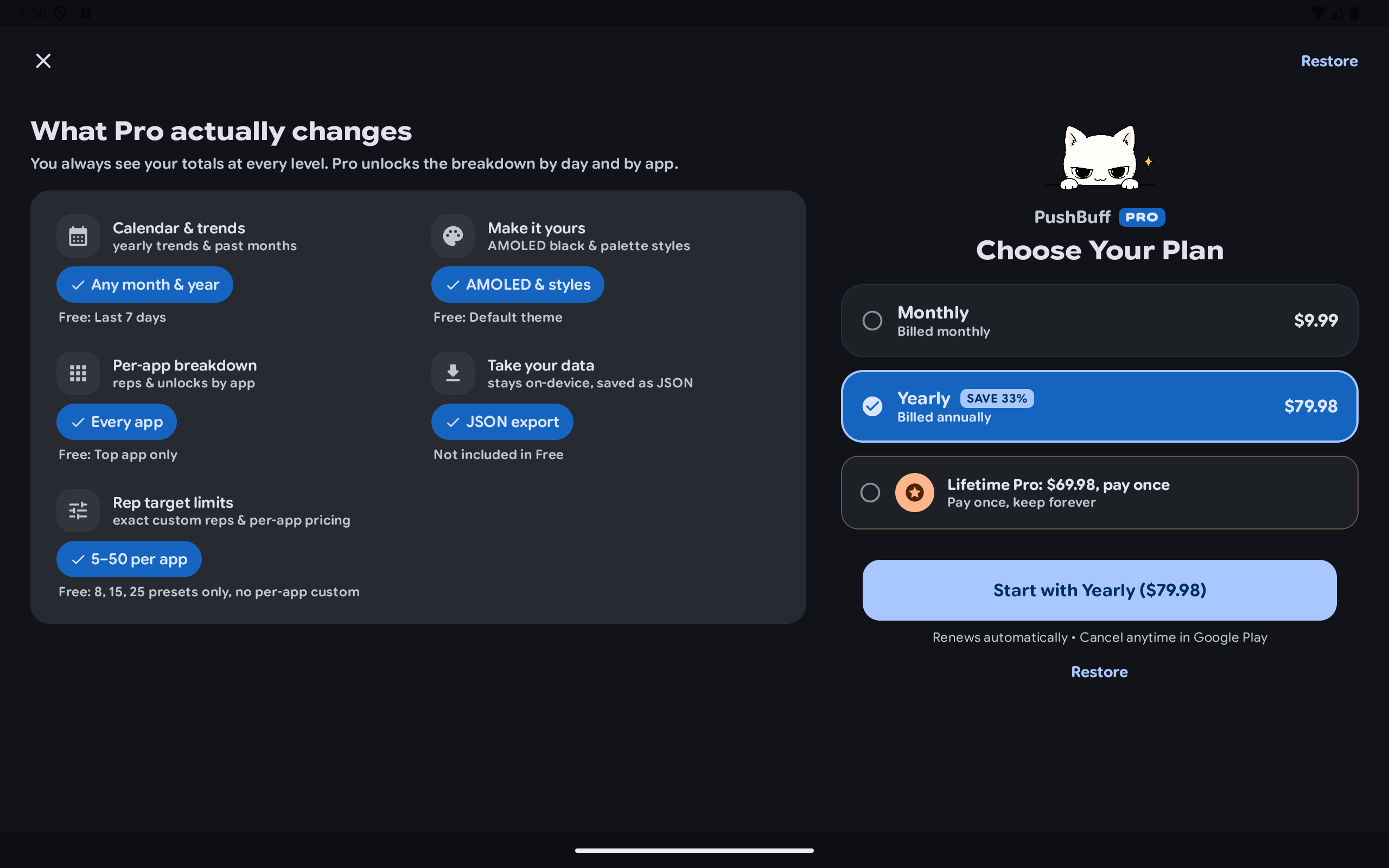
Two-pane tablet paywall: Full-feature comparison and seamless RevenueCat subscription plans.
-
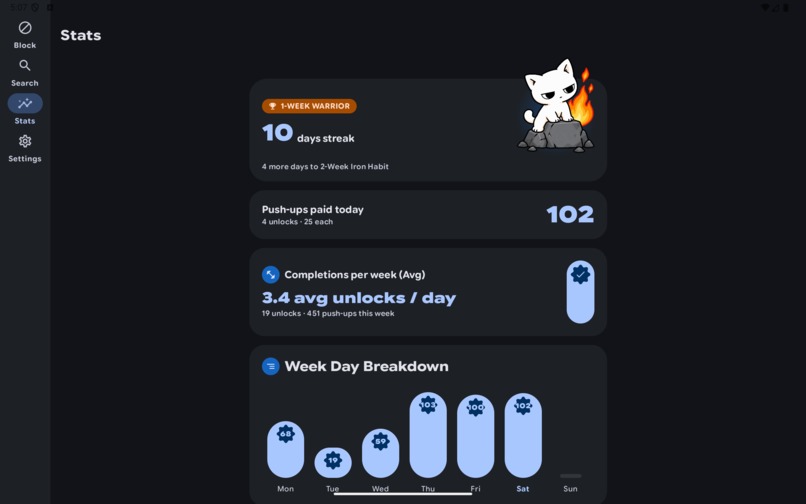
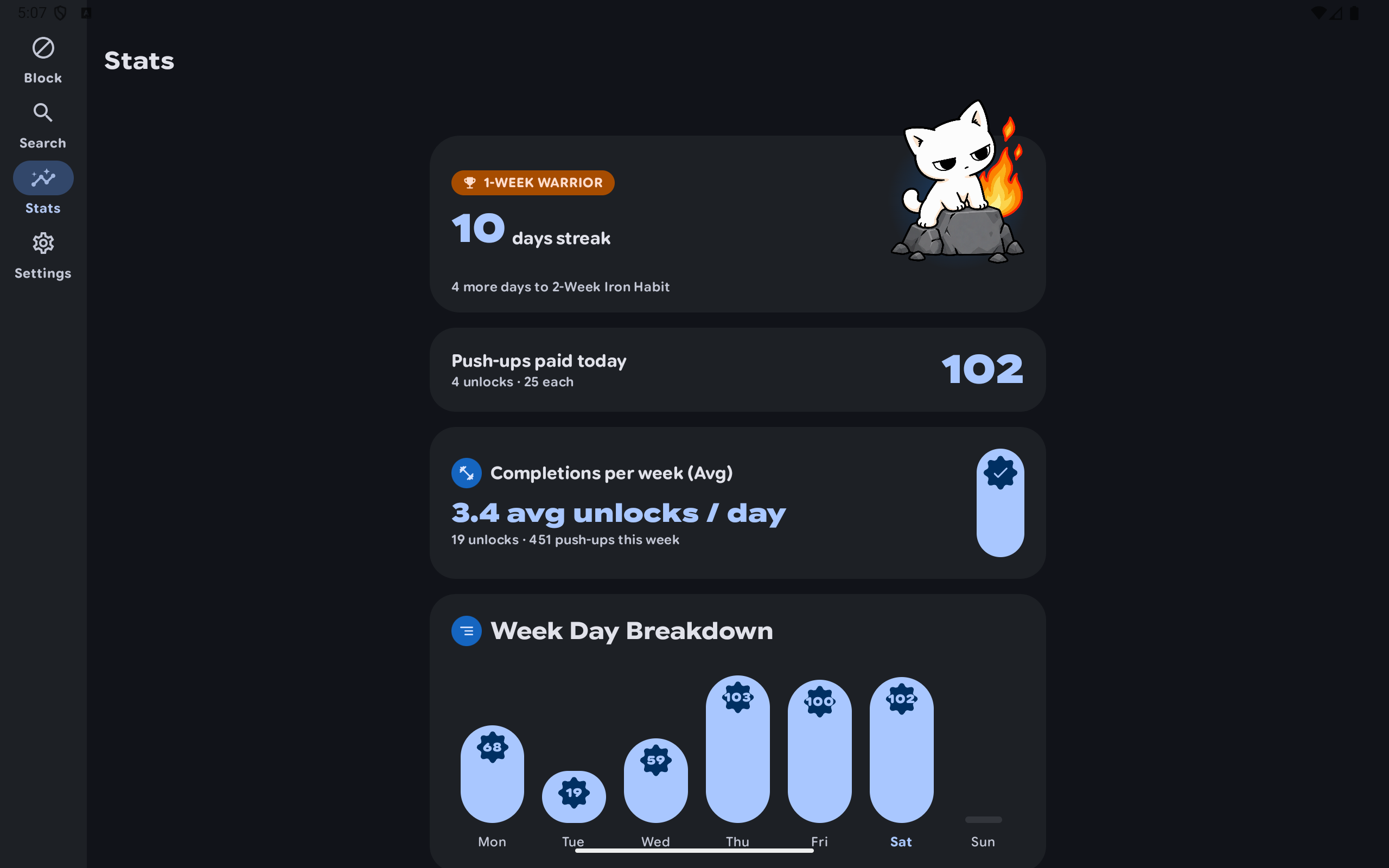
Tablet stats overview: Streak tier milestones, daily push-up volume, and weekday consistency charts.
-
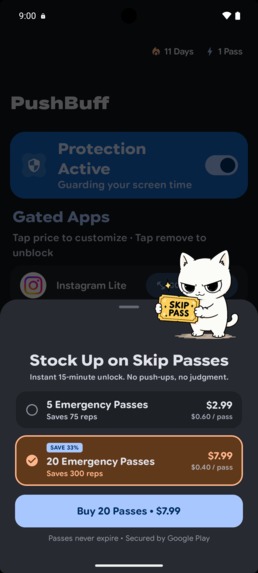
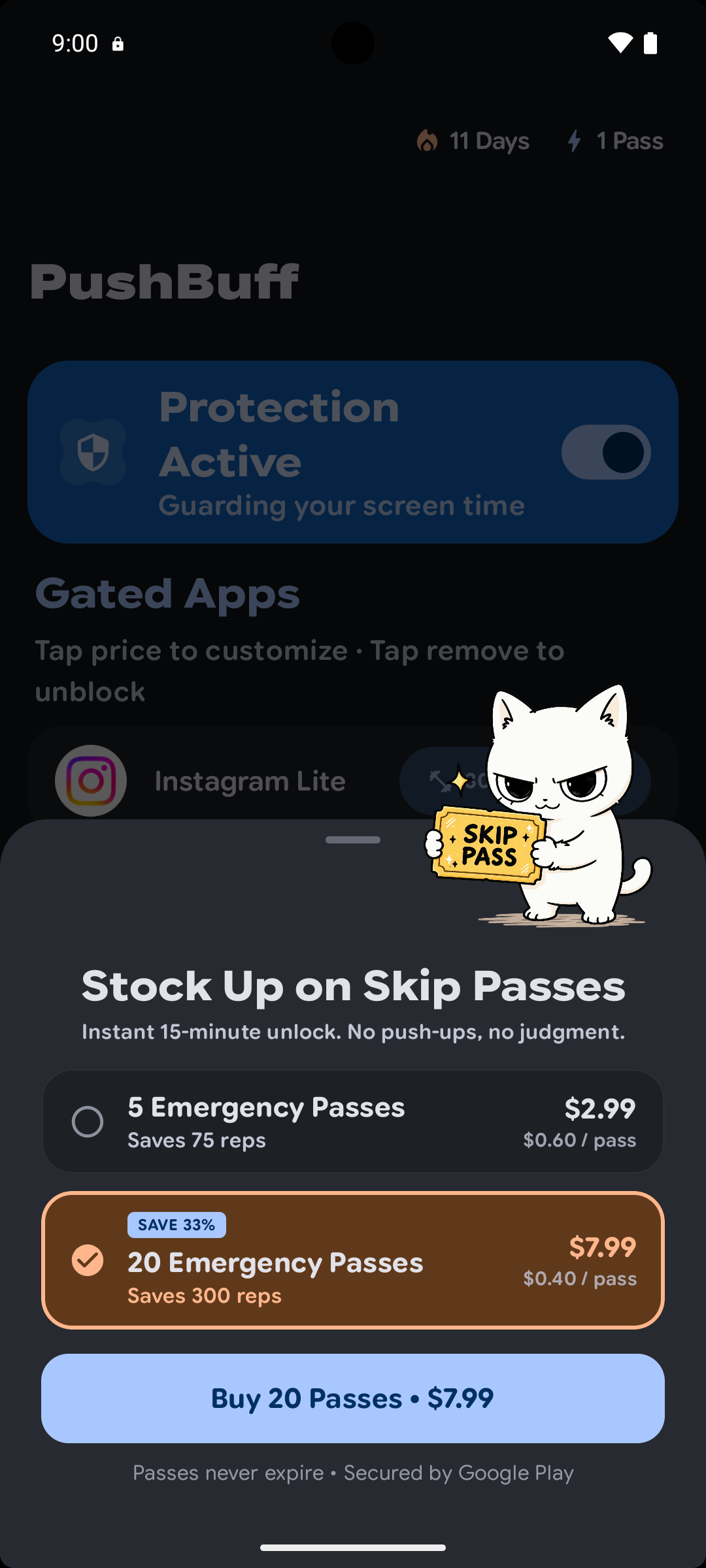
Consumable Skip Passes: Buy emergency bypasses for crowded commutes or when exhausted.
-
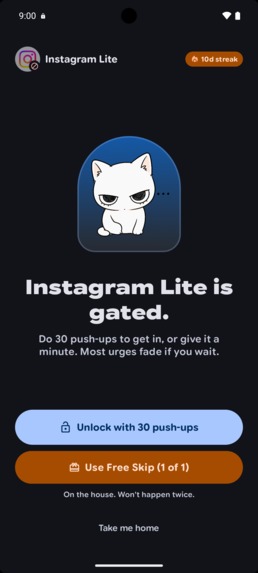
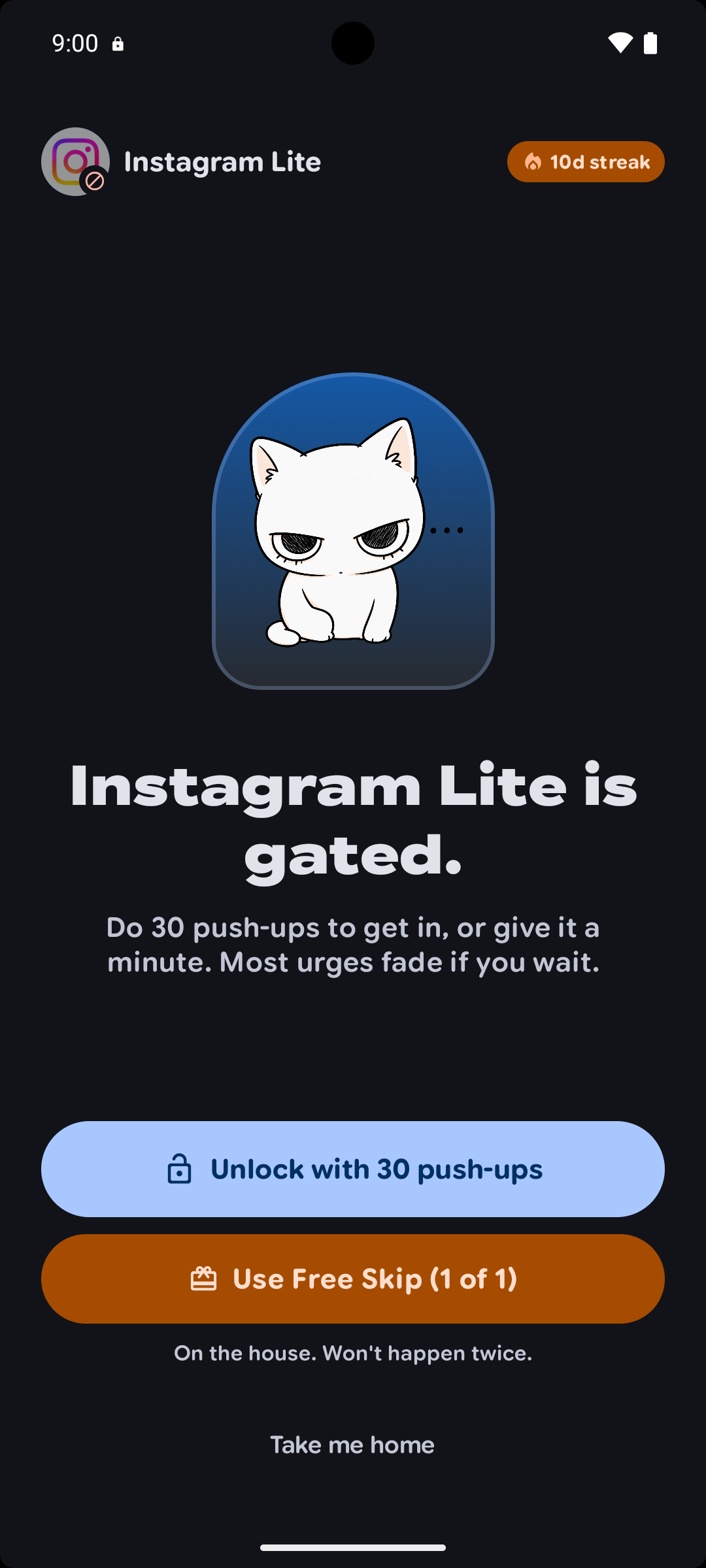
Instant physical friction: Block distracting apps until you complete your workout target.
-
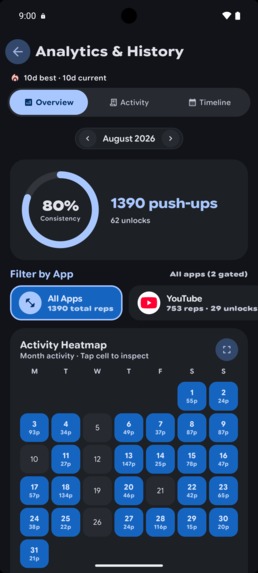
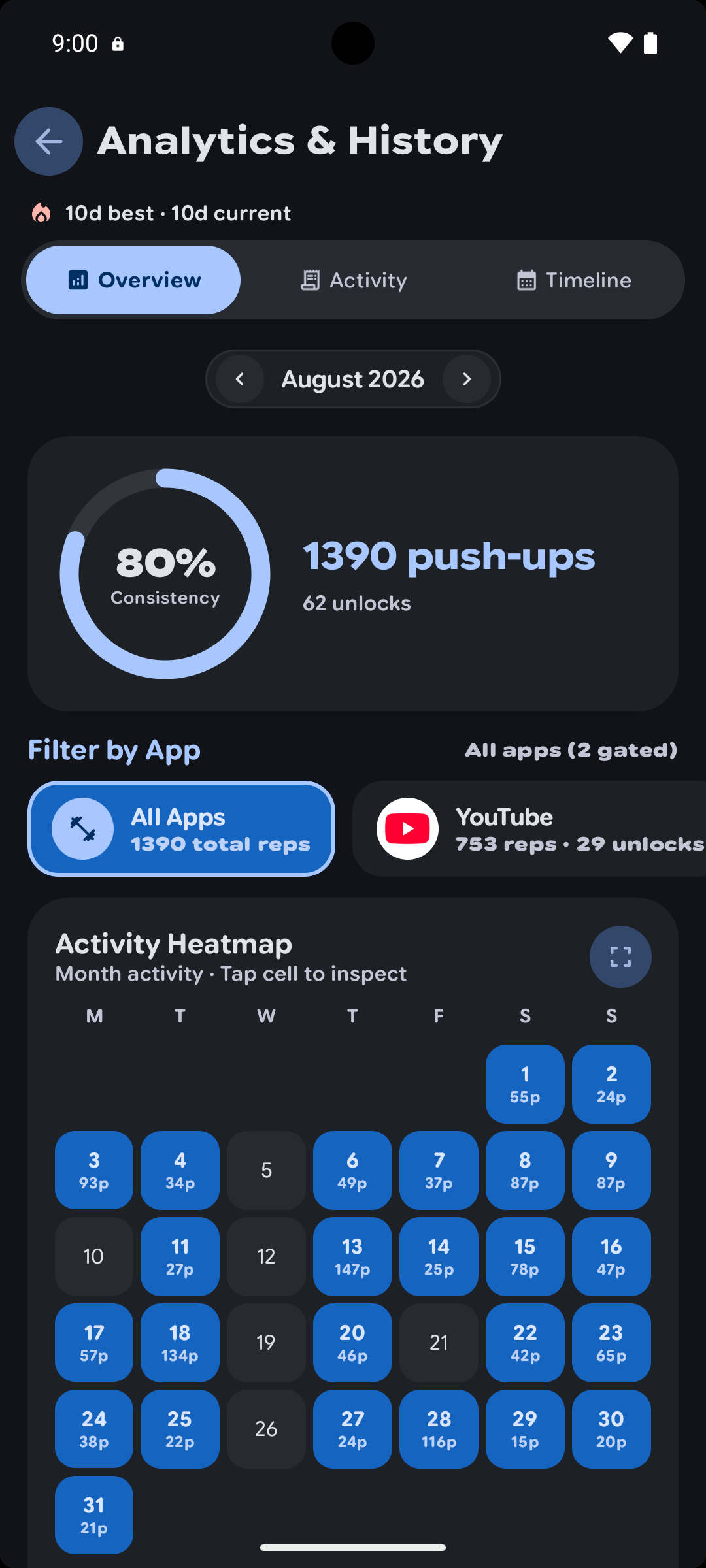
Monthly activity calendar: View exact daily push-ups and unlock counts per app.
-
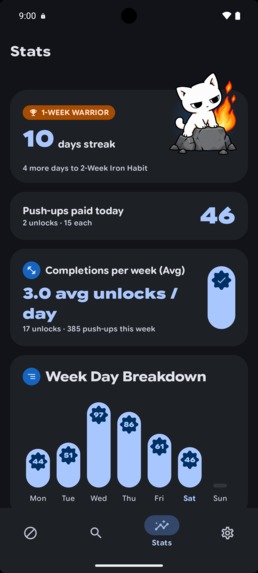
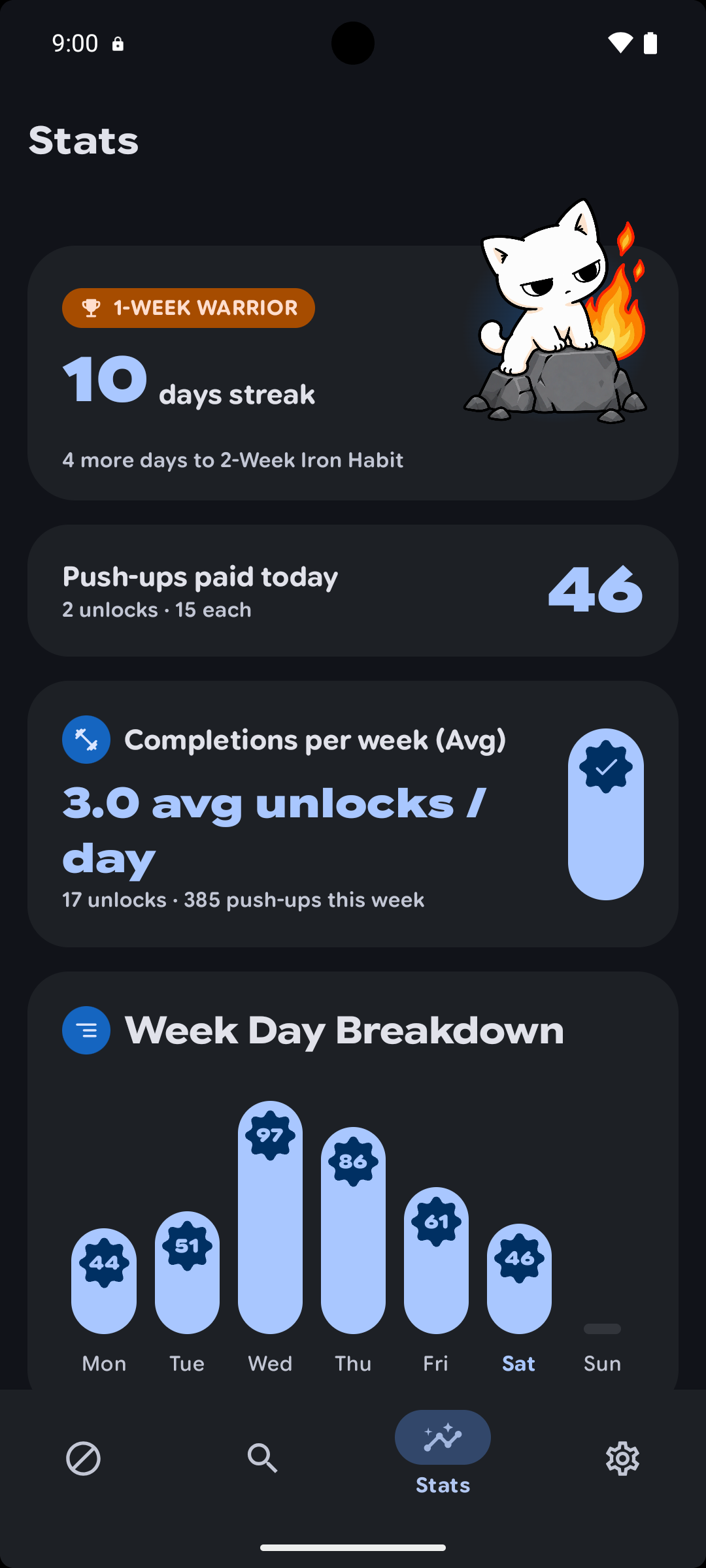
Habits & streaks: Track daily push-up volume, streak milestones, and weekday consistency.
-
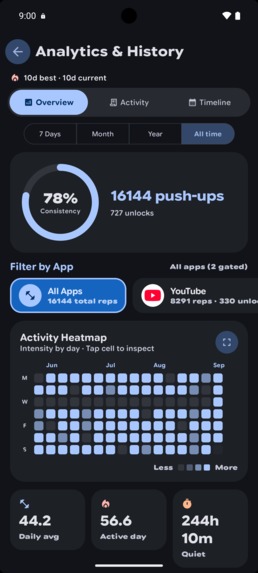
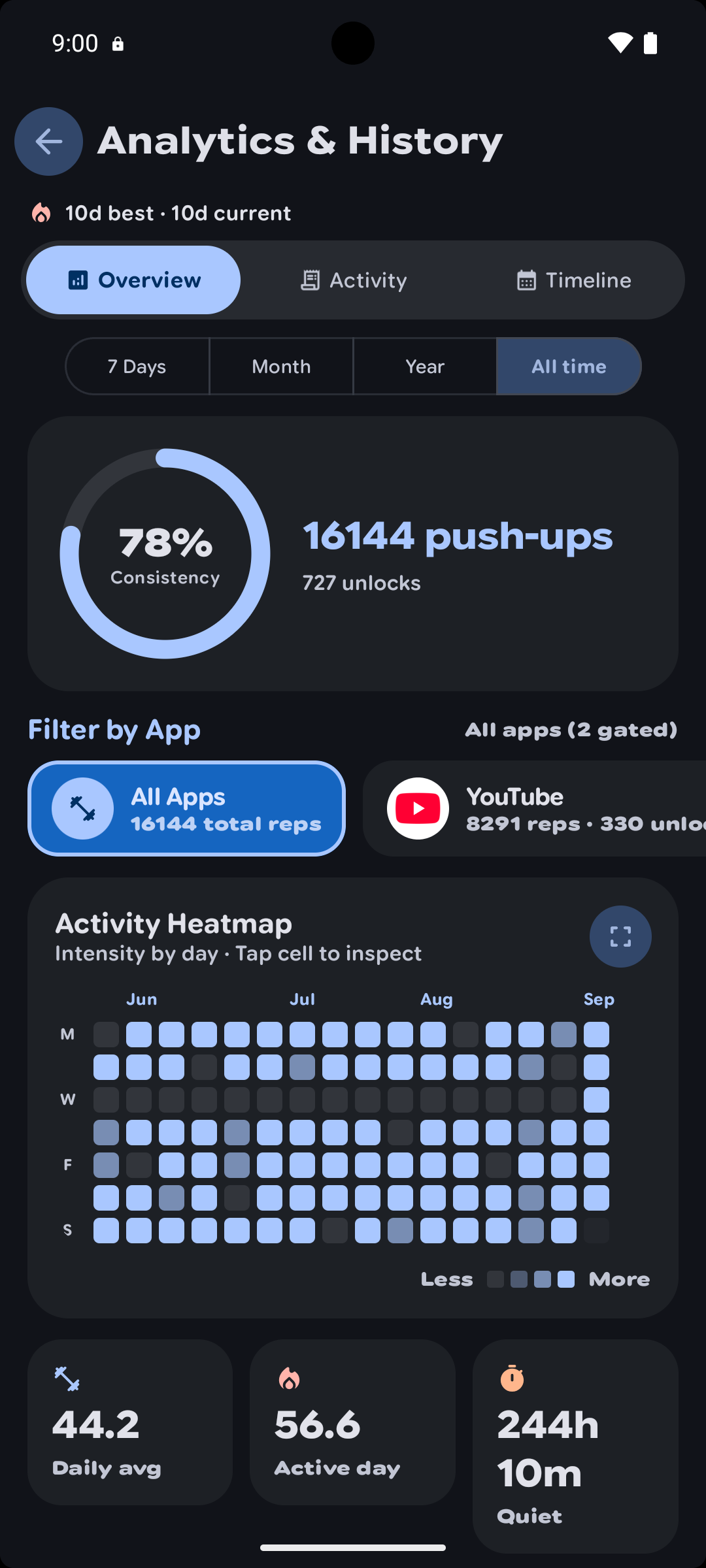
Lifetime analytics: Full multi-month consistency heatmap with total screen-time reclaimed.
-
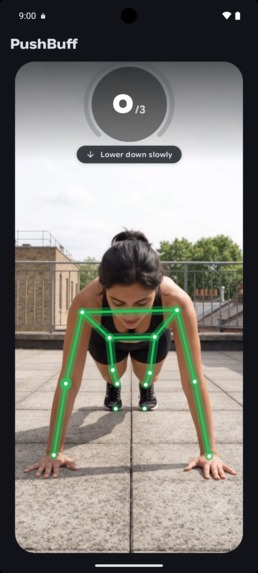
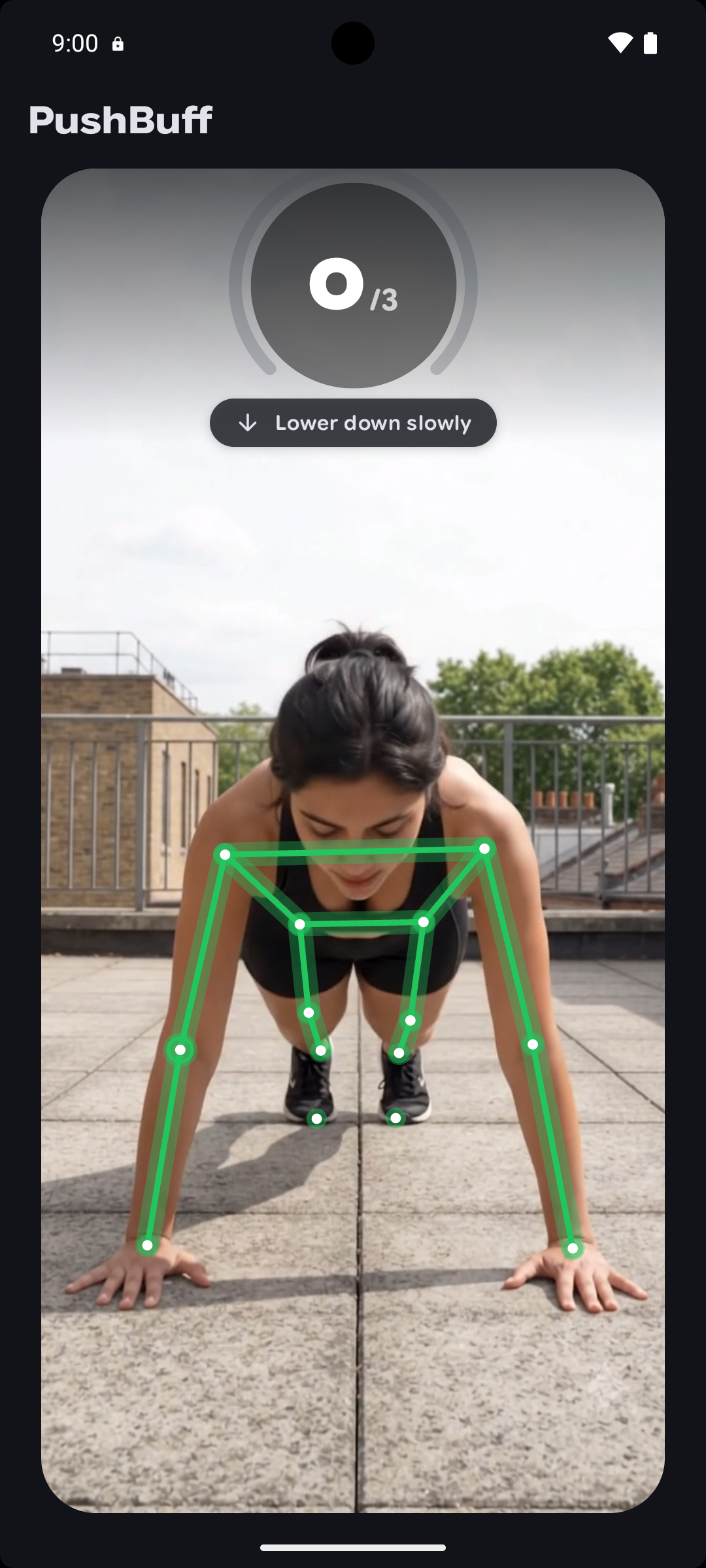
100% on-device AI pose tracking: Real-time rep counting with complete camera privacy.
-
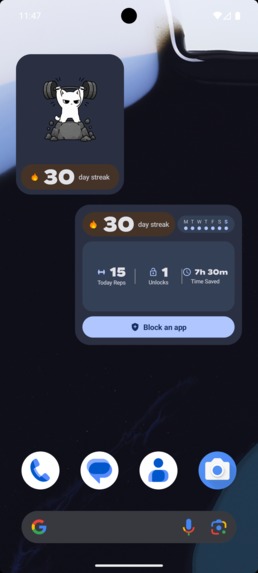
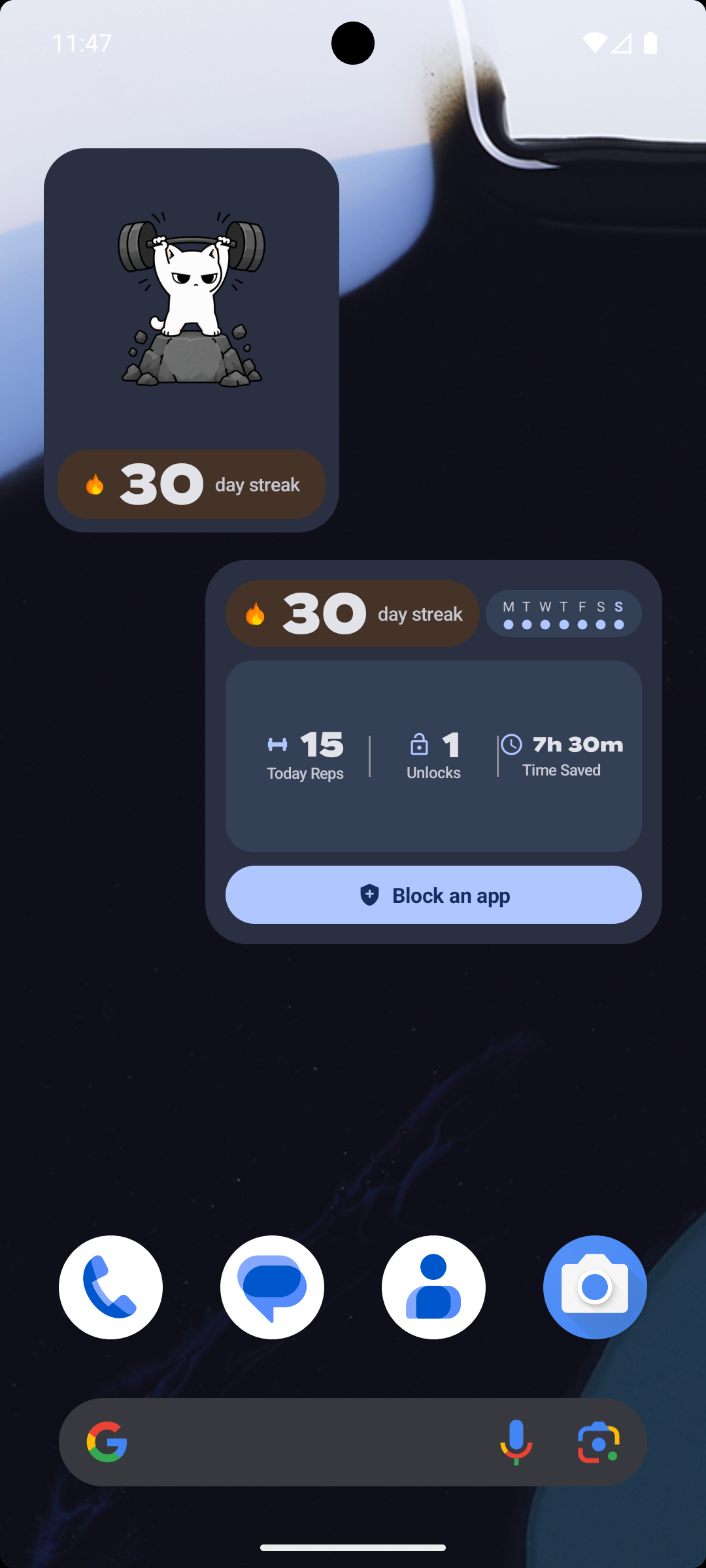
Native Home Screen Widgets: Live streak tracker, daily reps, and hours saved with a one-tap Block app button.
-

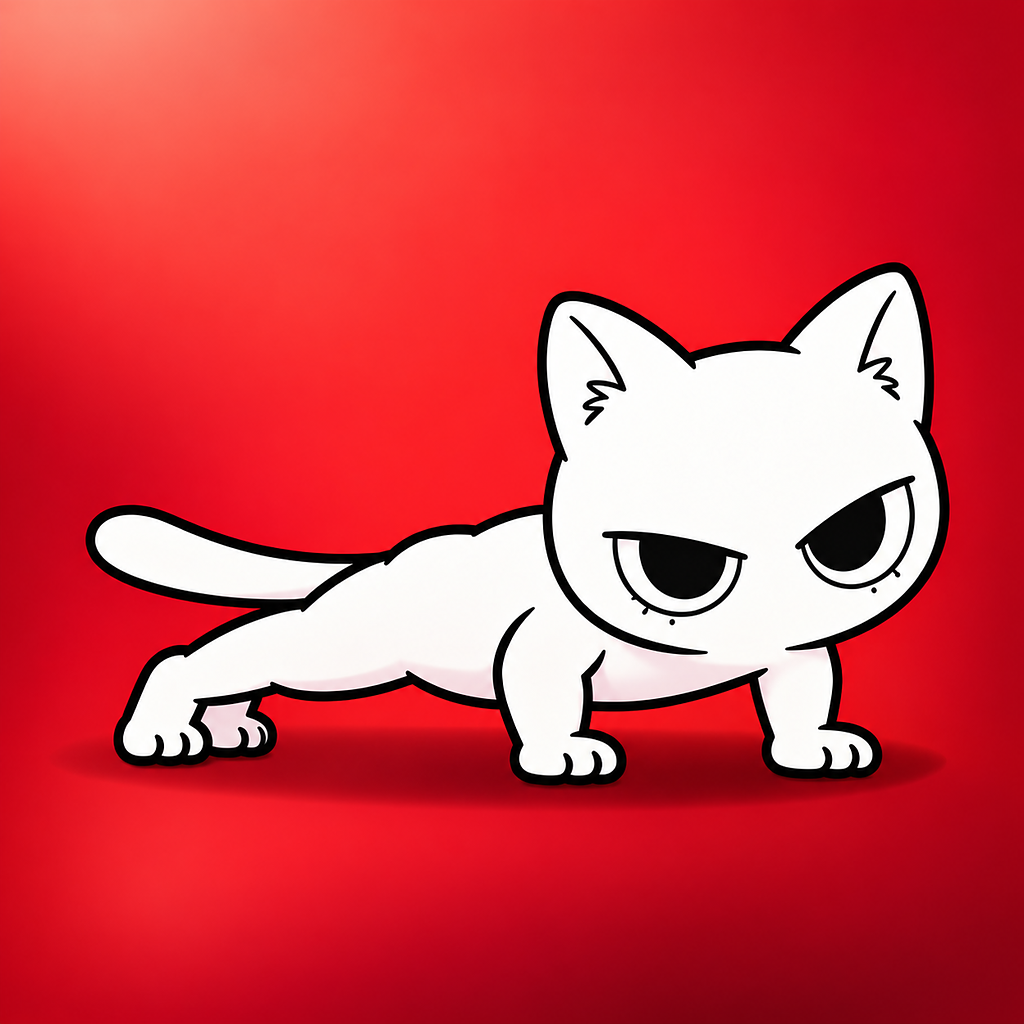
Meet the PushBuff mascot - earning every second of screen time with sweat
💡 Inspiration
I built PushBuff because I was tired of catching myself unconsciously opening Instagram and losing hours to mindless doomscrolling.
Standard screen-time limits didn't work for me. Tapping "Ignore Limit" costs zero effort. When I looked at existing push-up blockers, the monetization felt broken: free tiers were capped at blocking only 1 or 2 apps, users were hit with hefty subscriptions before doing a single rep, and video ads popped up right when you were exhausted on the floor.
If someone downloads an app to "pay with sweat," hitting them with an immediate paywall destroys trust.
I wanted an honest alternative, built on two rules:
- The core loop is free forever: Unlimited blocked apps, 100% on-device AI rep counting, and zero workout ads.
- Real physical friction: If you want screen time, you drop down and move. No time-banking, no hoarding push-ups in the morning to binge at midnight. Physical friction hits right at the moment of temptation.
🚀 What PushBuff Does
PushBuff is an on-device AI app blocker and discipline engine built natively for Android:
- Instant Block Gate: Pick your distracting apps. The moment you tap their icons, the PushBuff block gate slams shut with a distraction-free screen.
- On-Device Computer Vision (100% Private): Tap "Unlock with push-ups" and your front camera opens. Powered by Google MediaPipe, PushBuff tracks your shoulder, elbow, and wrist angles in local RAM. Form cheats (head nodding, hand waving, bouncing) are rejected. Only clean chest-to-deck push-ups count.
- The Anti-Banking Philosophy (Fixed 15-Minute Grace): Productivity apps with "time banking" (1 rep = 1 minute) backfire: people do 60 push-ups at 9 AM to binge-scroll guilt-free at midnight. PushBuff eliminates banking: you do your target reps and earn a fixed 15-minute grace window. When 15 minutes expires, the gate slams shut again.
- Streak Milestones & Habit Analytics: Push-up streaks, total reps completed, and minutes rescued from doomscrolling are tracked directly on your device.
- Home Screen Widgets: Native Android home screen widgets show your daily push-up streak, weekly consistency, and time saved right on your home screen.
- Zero Cloud Camera Uploads: All camera frames are processed directly in volatile RAM and immediately discarded. Zero video, photos, or biometrics ever touch a server.
💎 Monetization & The RevenueCat Effort-Economy
Instead of holding workouts hostage, PushBuff monetizes relief, deep analytics, and personalization through the RevenueCat SDK:
- PushBuff Pro Subscriptions:
- Monthly: $4.99/month
- Yearly: $29.99/year with a 7-day free trial
- Founder Lifetime: $69.99 one-time purchase
- Pro Features: Per-app pushup rep pricing (e.g. 25 reps for Instagram, 10 for YouTube), custom pushup rep targets beyond the default presets, detailed weekly per-app home screen widget analytics, 365-day lifetime history mosaic, and AMOLED dark mode.
- Emergency Skip Passes (Consumables via RevenueCat):
- In real life, you cannot always drop to the floor (crowded transit, public places, or late-night exhaustion).
- Every user gets 1 complimentary skip pass. When passes hit zero, users can buy consumable packs (5 passes for $2.99, 20 passes for $7.99) for an immediate 15-minute unlock. We monetize relief, not access.
- Custom Multi-Page Paywalls:
- Rather than generic modal templates, PushBuff uses tailored multi-page paywall flows: a full Pro subscription paywall with responsive two-pane tablet support, and a dedicated in-workout Emergency Skip Pass sheet.
🛠️ How I Built It
- Modern Android Stack: Built 100% natively with Kotlin and Jetpack Compose for a fast, responsive UI.
- Design & Feel: Material 3 Expressive with fluid spring animations, dynamic wallpaper colors that adapt to your device, and a true AMOLED black mode.
- On-Device Pose Tracking: Google MediaPipe runs entirely on-device to track push-up form in real time without sending camera frames anywhere.
- Clean App Blocking: Built on Android's Usage Access and a lightweight foreground service — deliberately avoiding invasive Accessibility permissions so user privacy is respected.
- RevenueCat Monetization: RevenueCat Android SDK powers subscriptions, free trials, and consumable skip pass packs.
- Widgets & Local Storage: Native home screen Glance widgets to keep streaks visible, with all workout stats stored strictly on-device.
🧗 Challenges I Overcame
- Blocking apps without creepy permissions: Most blocker apps use Android's Accessibility service to detect what's on screen, which asks for full control of the device and feels sketchy. I wanted to avoid that completely. Making the block screen trigger reliably using just Usage Access and a foreground service without draining battery took a lot of testing and tuning.
- Permission onboarding: Android's system dialogs for Usage Access and Display Over Other Apps look intimidating. If you hit users with them right away, they bounce. I designed a step-by-step walkthrough explaining why each permission is needed before sending them to system settings.
- Deciding what to charge for: It's tempting to lock everything down. But if someone downloads a push-up blocker and can't even block their apps or do a rep without paying, trust is gone. I made the core blocker and camera rep counting completely free, and saved monetization for emergency skips, deeper stats, and customization.
🏆 Accomplishments I'm Proud Of
- Google Play Production Approved & Live: Both closed testing and the full public production release passed Google Play review with zero policy violations. The app was thoroughly vetted across foreground services, usage stats, and camera permissions, and is officially published on Google Play.
- Completely private camera tracking: Push-up detection runs 100% on the device. No camera feeds or body data ever touch a server or leave the phone.
- An app with personality: Instead of a cold, robotic blocker, adding tactile spring physics, home screen widgets, and a slightly rude cat mascot makes opening the app actually fun.
📖 What I Learned
- RevenueCat multiple offerings: How to manage subscriptions and consumable skip packs under separate offerings so paywalls only show what's relevant to that specific screen.
- Show the workout setup before permission prompts: Demonstrating phone placement and how reps get detected before triggering system dialogs made granting permissions feel natural rather than invasive.
- App identity through a mascot: Adding the rude but cute cat mascot turned a utility tool into something with actual personality. It makes getting blocked feel playful rather than punishing.
- Keeping it minimal is harder than adding features: It's easy to keep adding charts and toggles. The hardest part was stripping away distractions and keeping the screen focused on just getting down to do the push-ups.
🔮 What's Next for PushBuff
- Incline & Wall Push-Ups: Adding wall push-ups and incline variations so complete beginners, elderly users, or desk workers can participate without dropping to the floor.
- More Exercise Support (Squats & Core): Expanding on-device MediaPipe pose detection to track bodyweight squats and sit-ups, making physical friction adaptable to any fitness level or environment.
Built With
- android
- glance
- in-app-purchases
- jetpack-compose
- kotlin
- material-design-3-expressive
- mediapipe
- revenuecat


Log in or sign up for Devpost to join the conversation.