Inspiration
“Puru-puru” is a Japanese expression for something soft, bouncy, and delightfully wobbly.
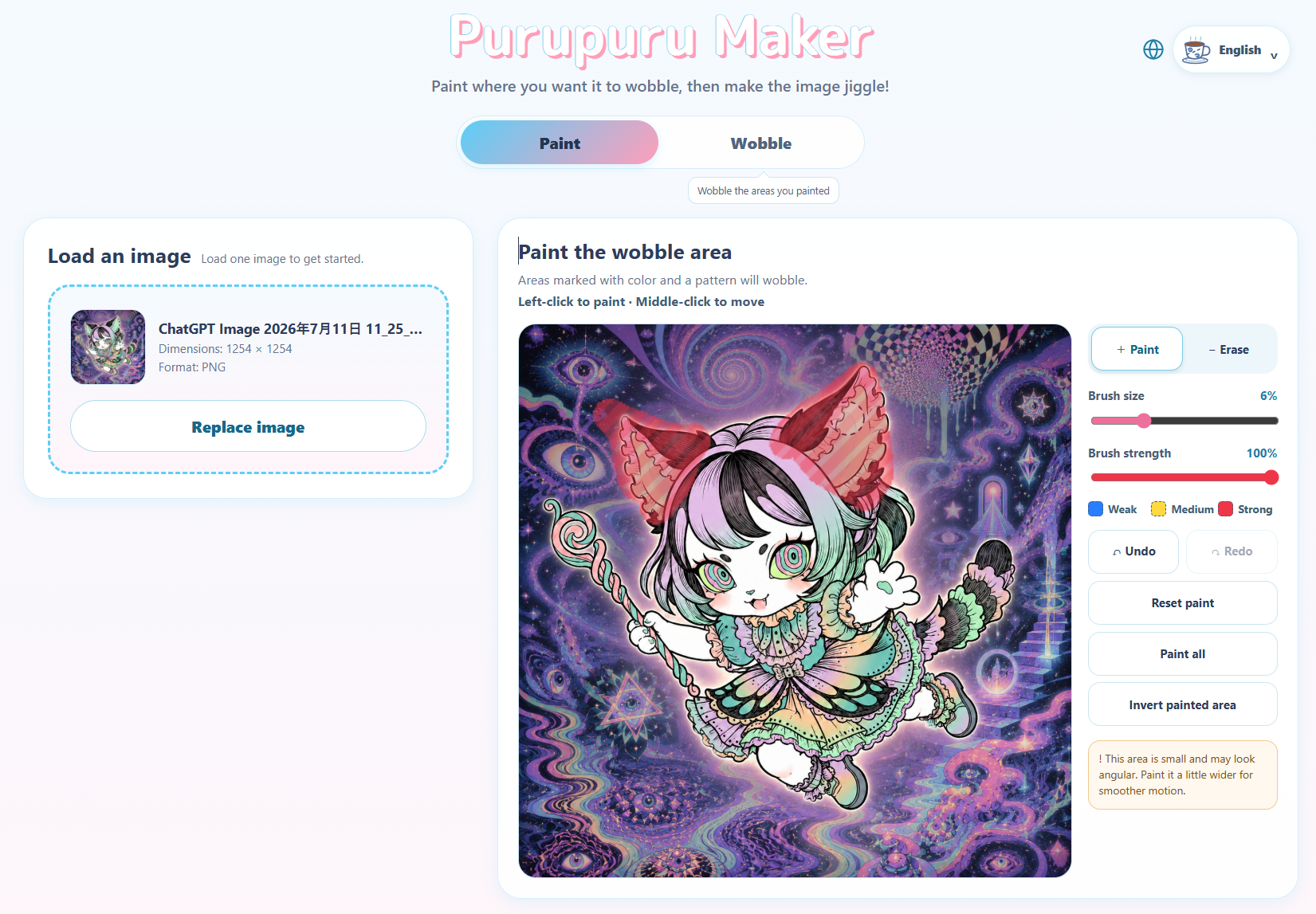
I wanted to turn that feeling into a creative tool anyone could understand immediately: upload one still image, paint the area you want to move, and shake it. No animation timeline, rigging, account, or tutorial should be necessary.
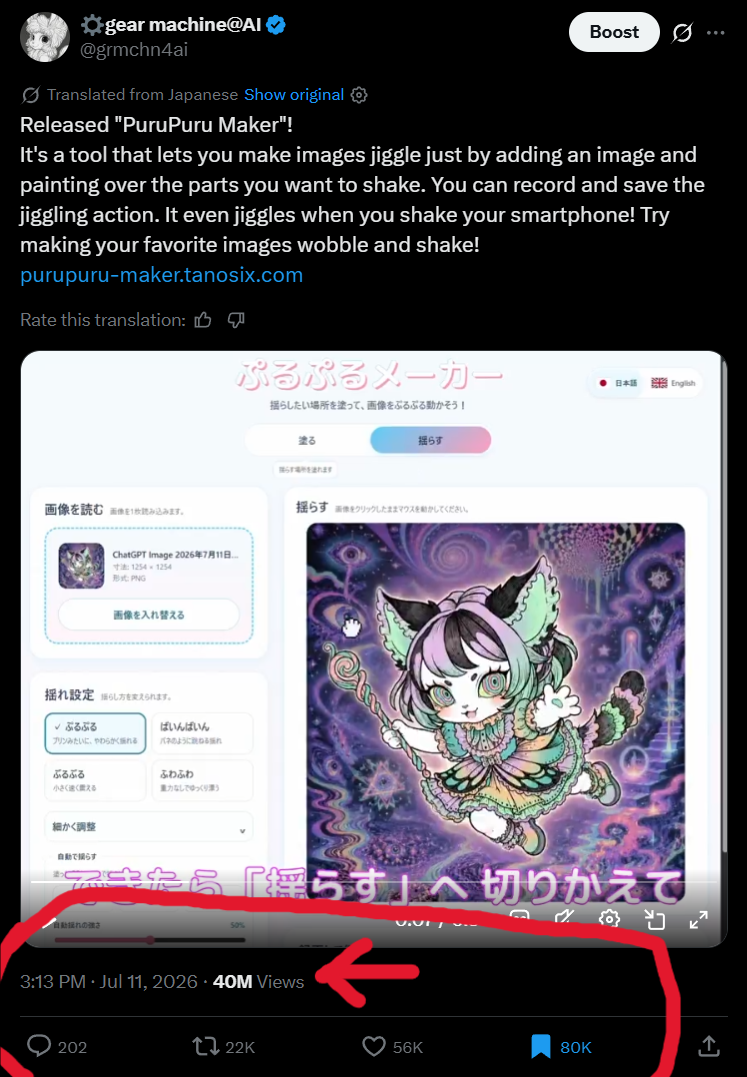
The public response showed that this simple idea resonated. The launch post reached nearly 40 million views, with tens of thousands of likes, reposts, and bookmarks. That attention also brought valuable reports from people using different phones, browsers, image sizes, and languages around the world.
The launch post: https://x.com/grmchn4ai/status/2075825770249982197
What it does
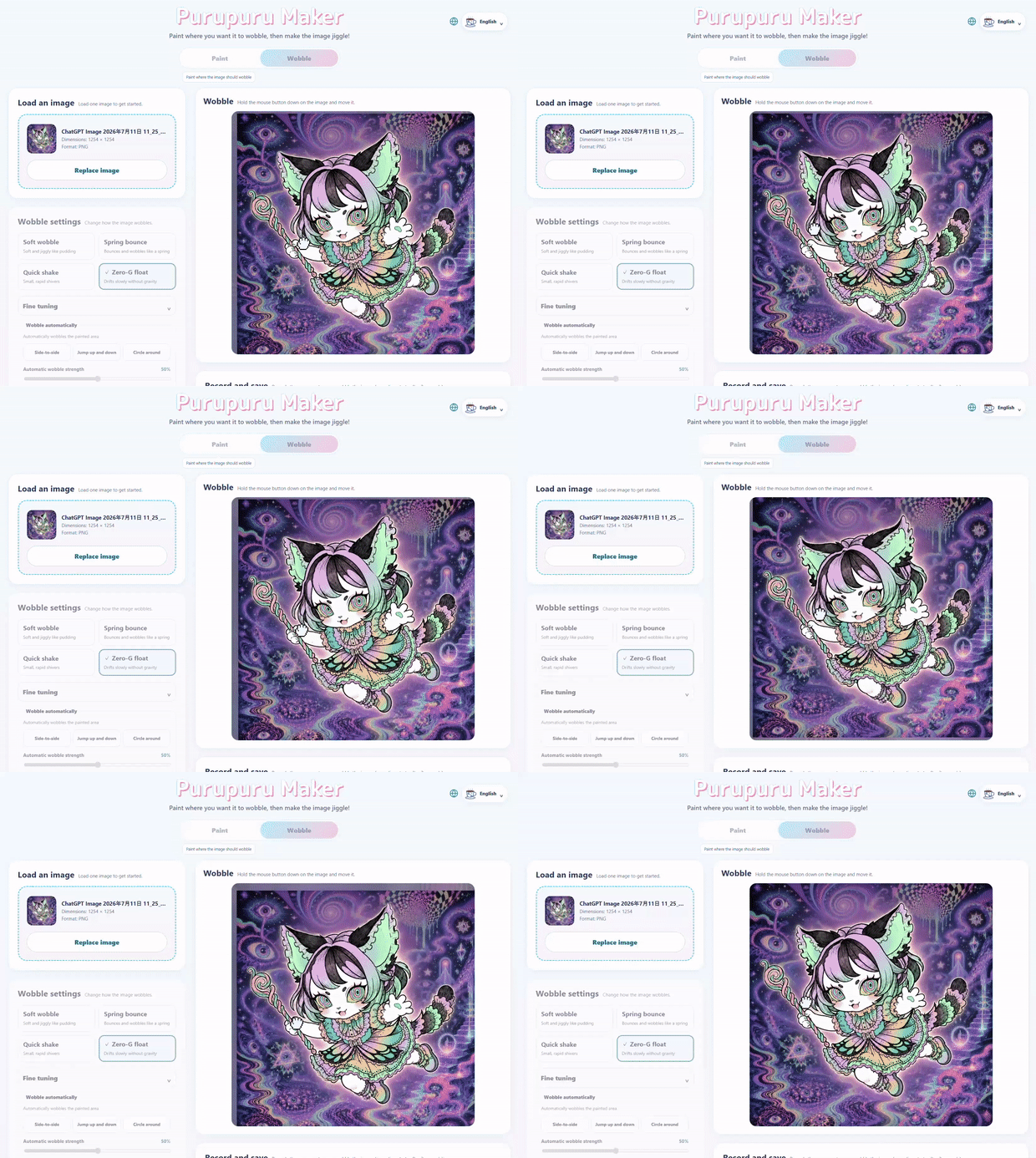
Puru-Puru Maker turns a still image into an interactive, physics-driven animation.
Users can:
- Load a PNG, JPEG, or WebP image.
- Paint the areas they want to make flexible.
- Control the strength of different painted areas.
- Shake the image with a mouse, touch gesture, automatic motion, or supported smartphone motion sensors.
- Choose from playful motion presets.
- Record and export the result as MP4, WebM, or GIF.
The image, painted-region data, raw motion input, and exported animation stay in the user’s browser. Creative data is not uploaded to an application server.
The interface is available in 16 languages and works as a responsive desktop and mobile application.
How I built it
The interface is built with React, TypeScript, and Vite, while the simulation and rendering engine are deliberately separated from React and the DOM.
The animation system combines XPBD-style constraints with rigid shape matching. A weighted painted region determines how strongly each part of the image participates in the deformation. WebGL2 renders the moving mesh, including extended edge pixels that prevent empty gaps from appearing when the image moves.
Exporting is not a screen recording of the live page. The application stores an initial simulation snapshot and input history, then replays them at a fixed timestep inside a Web Worker. OffscreenCanvas, WebGL2, WebCodecs, Mediabunny, and gifenc are used to produce consistent MP4, WebM, or GIF output without depending on DOM rendering speed.
Capability detection is performed for each browser and output configuration. When a codec is unavailable, the application explains the limitation and offers supported alternatives instead of silently failing.
Building with Codex and GPT-5.6
Codex with GPT-5.6 Sol was a central part of the engineering workflow.
I used Codex to turn the original product idea into a detailed specification and a sequence of independently reviewable issues. It helped design and implement the physics engine, coordinate transformations, WebGL renderer, deterministic recording architecture, export Worker, browser capability detection, automated tests, responsive interface, accessibility behavior, and deployment checks.
Codex was especially valuable for investigating failures across multiple layers. It could trace a user-visible problem through pointer coordinates, normalized image space, weighted brush evaluation, simulation input, rendering, and export replay, then add regression tests around the complete path.
During the Build Week submission period, Codex with GPT-5.6 also:
- Added and verified privacy-aware analytics network boundaries.
- Diagnosed a bug where brushes became elliptical on non-square images.
- Corrected the coordinate calculations used by editing, physics, and recording.
- Added aspect-ratio regression tests and deployed the verified fix.
- Produced technical mesh documentation from the real application algorithm.
I remained responsible for product direction, feature priorities, visual decisions, testing criteria, and accepting or rejecting proposed changes. I also used Claude Fable 5 for selected production-hardening, localization, and delivery-optimization work; those contributions are attributed in the repository history.
Challenges
One major challenge was keeping the editor, live simulation, and exported result visually consistent. Each system operates in a different coordinate space, so a small normalization error can change the painted shape or physical response. A real-world report revealed that brush calculations based only on normalized coordinates produced elliptical behavior on wide and tall images. Fixing it required passing the actual image dimensions through editing, simulation, preview, and export paths.
Another challenge was browser reliability. WebGL contexts can be lost, mobile browsers expose different codecs, and device-motion access depends on platform permissions. I added explicit recovery behavior, codec capability checks, memory limits, and fallbacks so a failure does not simply become a blank page.
Finally, exporting smooth motion from a busy browser required separating simulation time from display time. Deterministic replay in a Worker made the saved result independent of temporary preview frame drops.
Accomplishments that we're proud of
Puru-Puru Maker grew beyond a technical prototype into a complete creative product that people could use immediately on desktop and mobile.
The launch post reached 39.87 million views, 56,000 likes, 21,000 reposts, and 79,000 bookmarks. More importantly, that attention brought real users with different devices, browsers, languages, and image formats. Their feedback helped turn unusual edge cases into production fixes and permanent regression tests.
We are especially proud of:
- Creating an approachable “paint, shake, save” workflow with no animation experience required.
- Keeping images, painted regions, raw motion input, and exported media inside the browser.
- Building deterministic Worker-based exports instead of relying on live screen capture.
- Supporting MP4, WebM, and GIF according to each browser’s actual capabilities.
- Delivering a responsive interface in 16 languages.
- Recovering from WebGL context loss instead of leaving users with a blank page.
- Turning real-world reports, such as elliptical brushes on non-square images, into tested fixes across editing, physics, preview, and export.
What I learned
A playful interface can hide substantial engineering, but it should never hide failures from the user.
I learned that deterministic architecture pays off far beyond testing: it makes export reliable, debugging reproducible, and physical behavior easier to tune. I also learned that once a project reaches a global audience, unusual aspect ratios, older phones, language differences, GPU limits, and browser-specific behavior quickly stop being edge cases.
Most importantly, the nearly 40 million-view launch demonstrated that a focused creative interaction can be more compelling than a large collection of complicated controls.
What’s next
Next, I want to make the project easier to self-host as a vendor-neutral open-source application, continue improving mobile export reliability, and explore more expressive deformation tools without sacrificing the immediate “paint, shake, save” workflow.
Try it
Built With
- api
- canvas
- cloudflare
- codex
- device
- gifenc
- gpt-5.6
- matching
- mediabunny
- motion
- offscreencanvas
- openai
- playwright
- react
- shape
- share
- typescript
- vite
- vitest
- web
- webcodecs
- webgl2
- workers
- xpbd

Log in or sign up for Devpost to join the conversation.