-
-

App Icon
-
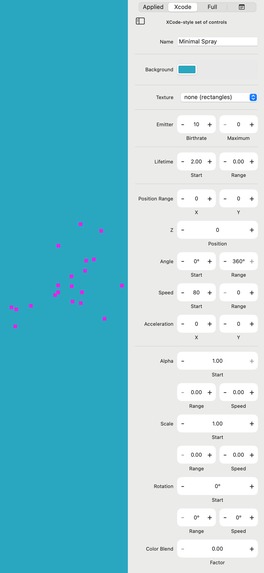
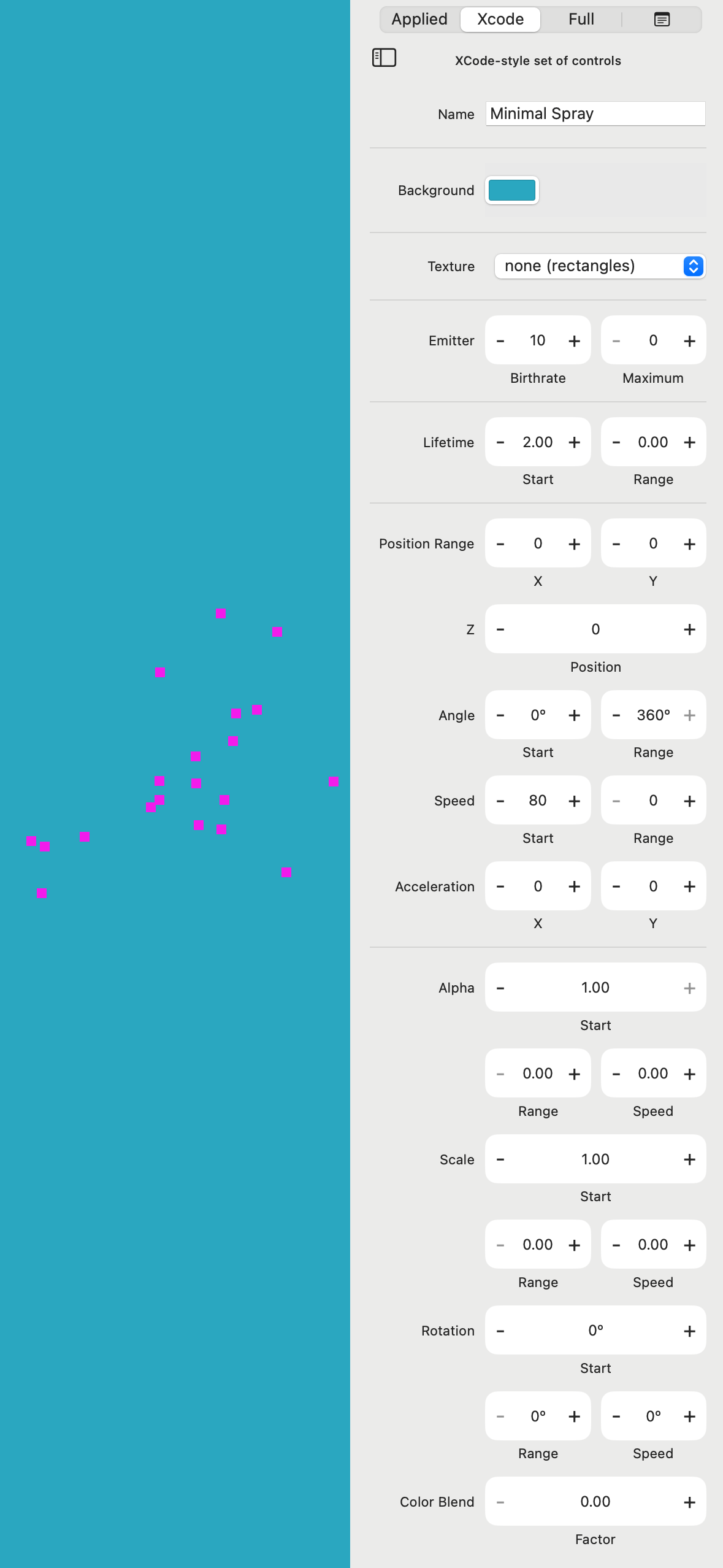
Mac interface showing preview and particle settings
-
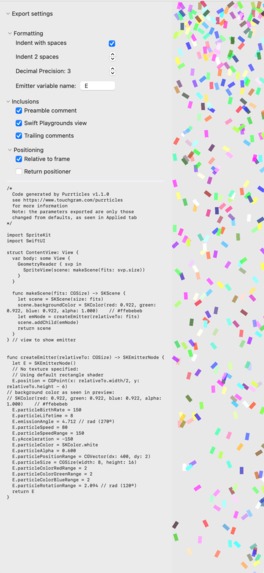
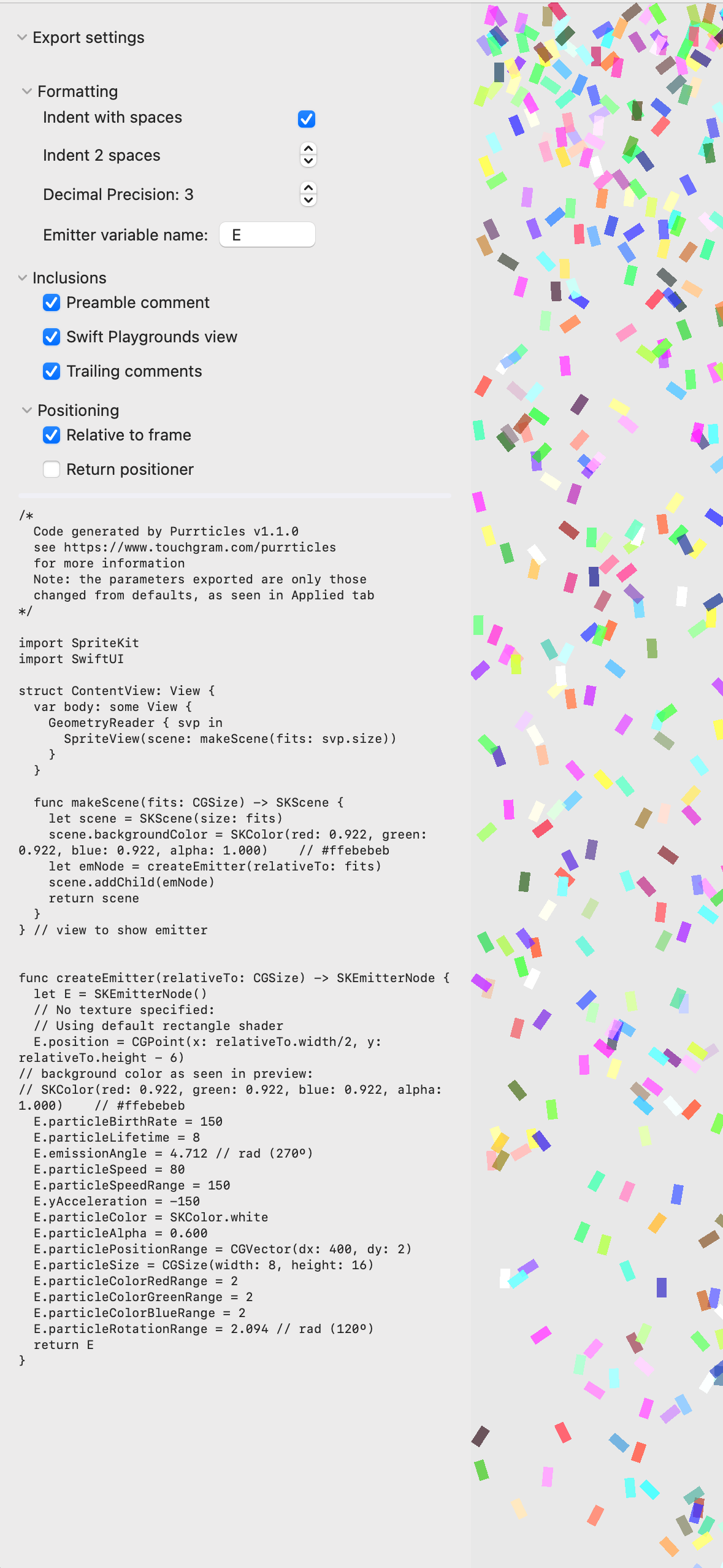
Mac interface showing preview and code export panel
-
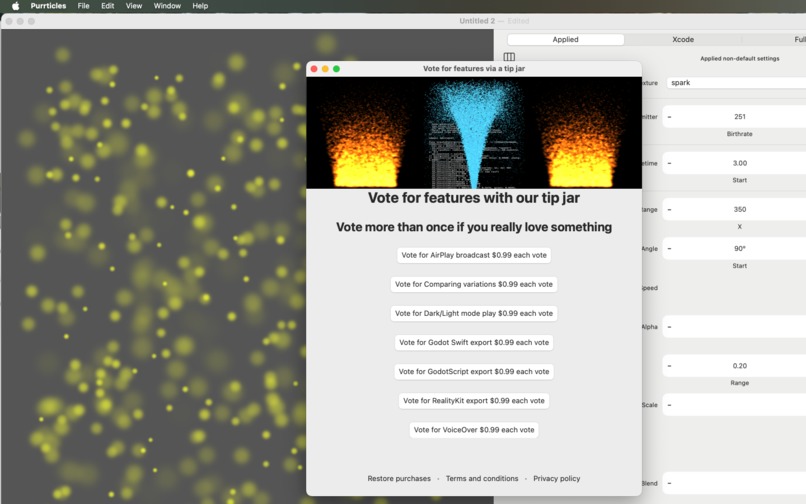
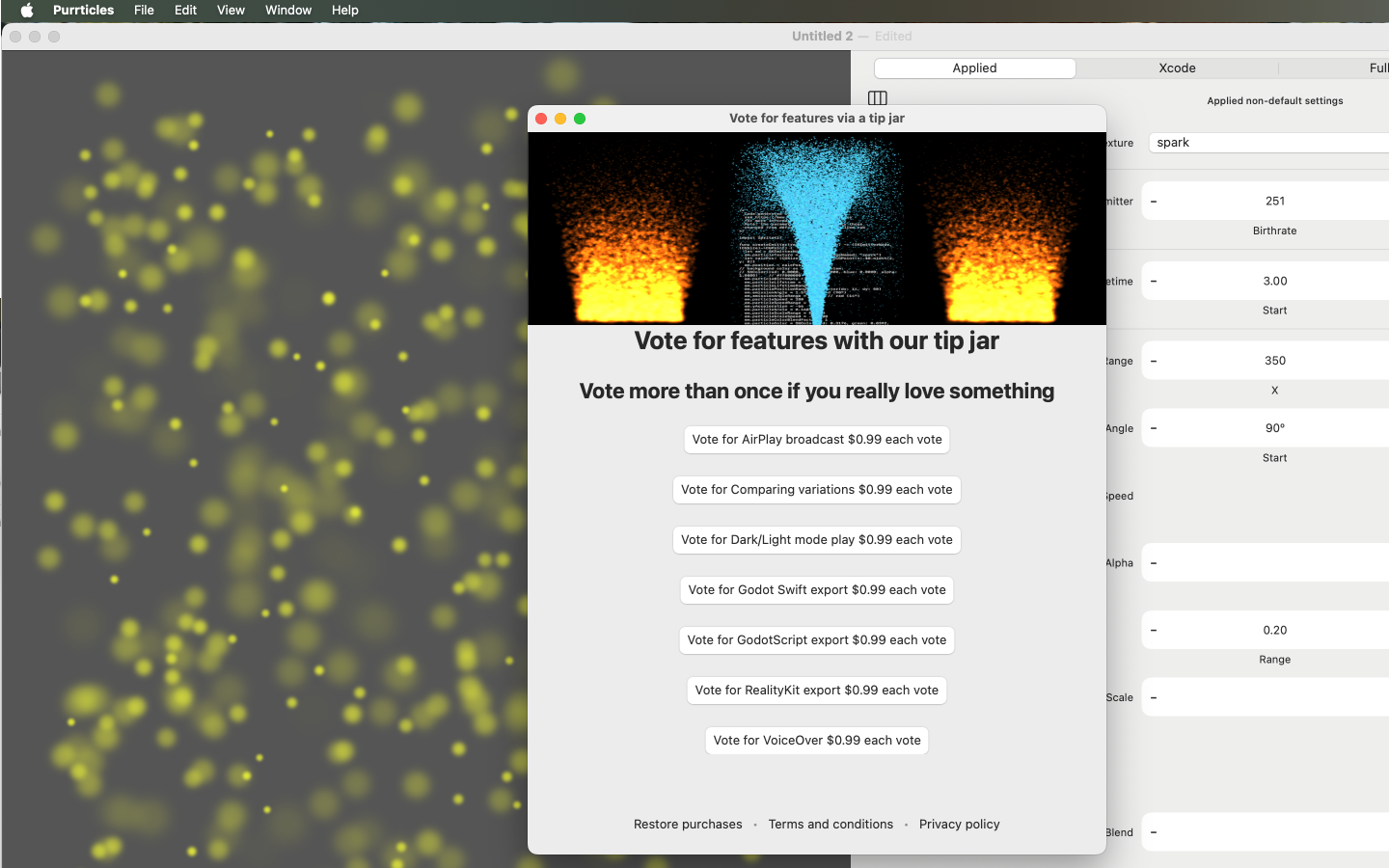
Tipjar voting in action (old interface for Shipaton, looks nicer soon)

Inspiration
I had a need that grew into an itch, and it's partly your fault (RevenueCat and especially Charlie).
Behind the Need
My messaging app, Touchgram lets you compose messages that react to touch.
It's built on top of SpriteKit, using it to render the messages inside iMessage and react to different kinds of touch.
Touch handling uses Particle Emitters to provide feedback as you touch the screen, eg:
- little hearts bursting into view as you trace over a picture of someone's lips;
- flames as you trace an ancient rune, to unlock a party invite; or
- a wall over tears over a message of sadness missing someone.
In my creative frenzy to add more great (uhh, soppy romantic?) particle experiences, I ran into Xcode, and bounced, a bit.
Xcode's visual editor for emitters has a wall of settings with little clue as to what to change.
I needed a better way to create emitters, and maybe even something user-friendly. In the back of my mind and deep in my issues backlog, I had good intentions about finding a way to fix this.
The Itch
To start, I just packaged the standard emitters into Touchgram, albeit in a tight binary format.
I dabbled a little bit making variations but it was always frustrating working out what settings to change. I also didn't want to sit down with Xcode just when I was playing creatively with design.
Enter, stage left - Shipaton 2024, thanks Charlie!
Although very late to notice, I had a go at writing my own particle editor for the competition. Infamously how hard could it be-ing to replicate the Xcode interface then add a lot of goodies... yeah, I missed the deadline by a few months (and the RevenueCat iOS SDK engineer job I had an eye on).
But, I built a product and, as I went, I refined a bunch of little things so it got easier to tweak stuff. That was the iPhone and iPad version of Purrticles.
Somewhere along the way, I realised I'd successfully scratched my itch and was playing with Purrticles as a regular artistic indulgence.
What it does
Purrticles is a particle emitter design and export tool to create effects as described above, delivering them as:
- binary emitters that can be copied and pasted into Touchgram messages
- code that can be pasted into a SpriteKit game app (including Swift Playground)
- video of particles playing, designed to easily composite with other video tracks
It sits a little awkwardly with a mix of potential users:
- Touchgram users wanting new particle effects in their messages
- designers and developers, especially game developers (CAEmitter support will make it a lot more appealing to regular SwiftUI app developers)
- visual creatives just dabbling for fun, or making video tracks.
In comparison to the Xcode editor:
- Purrticles starts with a template picker that has the 8 standard Xcode emitters (badged XC) plus another 11 (as of v1.1), in a grid preview where you can see them all active.
- the Purrticles editor gives you several different panels of controls:
- the Xcode panel has nearly identical controls, providing the familiar (bit overwhelming) interface
- the Full panel adds rows to let you edit settings that Xcode skips, including the vital Color Range settings used to vary colors on confetti effects.
- most importantly, the Applied panel simplifies the settings to only those changed for the current emitter
It runs on iPhone, iPad and (now) Mac, with a similar interface and easily shared documents.
How I built it
I had been interested in SwiftUI but not built a product with it. This was an opportunity to leave the world of UIKit behind and also, eventually build a Mac product. So, as I was working on the iOS-focused version, I kept doing test builds for Mac. They were pretty ugly, just serving to ensure it at least built and could share documents. I did the minimum to make the core editor and preview work on Mac.
An interesting benefit was designing for iPad at the same time I built the first iOS version. The three-panel landscape layout used for iPad was a natural fit for macOS windows.
When I realised I could enter Shipaton with a new to Mac App Store product, I got very serious about polishing this version.
The polish was mostly (going to be easy, hah!) a bunch of little UI glitches, adding menu support and uhhh... working out where to put things.
There were more design than development challenges in figuring out what made some degree of sense, mapping items that had been on the iOS toolbar to Mac menus and a world of multiple windows.
A few things made it out to the iOS version 1.0.2 in late August. I found it easier to work out the new video exporting on iOS and, of course, it had a functioning paywall.
Challenges I ran into
I'll focus on the Mac product, which is the 2025 Shipaton entry, and skip over the teeth-grindingly hair-torn late-night-whisky of SwiftUI document models, undo and other woes conquered earlier on the way to the iOS app store.
Video
The first version of video export used ReplayKit on iOS and it was not a great experience. As a screen recorder, the user has to give permission to record, every time. The videos were limited to the size of the screen and recorded inescapable bits of UI.
ReplayKit on macOS, especially in SwiftUI, was an unusable fight to even get all its controls on screen. I gave up and built a layer that re-renders the SpriteKit playing surface to write a video, capturing Metal textures. These textures are also shown in the video monitor.
This was a huge improvement in general, because the app is now fully in control of the video size. It's limited to 4K because that's pushing the game engine a bit.
There was a huge debugging challenge for my video monitor, despite having a working test project. It turns out that the way macOS present sheets will starve the timing loop of a Metal view on the sheet and so nothing draws.
Paywall
I used the v1 paywall editor for the iOS version and was pretty happy with how it worked for a complex paywall.
The SwiftUI paywall for macOS didn't appear (I waited for you) so I built my own. Well, me and ChatGPT started with a screenshot of the iOS version. I published that as a sample for others, along with the GPT-wrestling details.
I'll admit to hardcoding some identifiers (for now) in the paywall and have even more respect for the RevenueCat staff behind the engine.
Accomplishments that I'm proud of
The menu support for macOS was a nice bonus for iPadOS 26 new windowing style and having robust multi-window behaviour meant that was a smooth release.
The video export has a live monitor as it's going, which varies to match the aspect ratio of chosen video size. This was a lot of debugging
The code exporter is very configurable. It's nice to see how little code is needed for a working emitter. Once I had the code exporter to encourage me, I went on a quest to get to the smallest possible emitter definition, which is how MinSpray ended up in the standard templates. Also, as an old mainframe dev, couldn't resist doing Blinkenlights. (Remember how I said I found myself playing with emitter design?)
Swift Playground support is another thing I added for the Mac project, with the code exporter having an option to add a bit of scaffolding so you can just paste in one page of code and it works.
Business model insight about Pro features and paywalls. I realised that I could let people export video and code, for new documents. So they can export the standard Xcode templates and reassure themselves what the exports look like, without even signing up for a free trial.
Whimsical trivia - I really like the Spotlight teaser over code export, when you're not in Pro mode. In theory, someone with enough patience could sit there and watch it long enough to see all the exported code. If they do, I hope they stream the experience.
What I learned
Multiplatform SwiftUI is messier than I'd like.
Video rendering combined with a Metal surface debugging is as awkward as you can get, when dealing with who's responsible for the blank screen? There are so many often-combined bugs that can result in nothing but black pixels.
Paying attention to the console, finally realised that the Xcode previews are (doh) doing a full app launch_ behind the scenes and thus setting up RevenueCat et al. You can speed previewing up dramatically by having a special scheme that bypasses normal setup.
After 40+ years of development, there's not much that surprises me 😇. I'm still in love with Swift (25 of those years were C++). The SwiftUI romance has had its rocky moments but much of that is my stubborn desire to support back to iOS 16 and macOS 13.
Liquid Glass is going to be a nightmare for iOS app redesign but so far Mac looks relatively unscathed.
I am a bit surprised by just how badly broken some corners of the SwiftUI ecosystem (still) are. Document-based apps in particular are a bit neglected. For example, SwiftUI idioms on factoring out views don't fit with the UndoManager.
What's next for Purrticles for Mac
Financial bits not yet exposed in the app (see the HAMM section)
- Virtual Currency for users to pay for custom templates and quick access to Pro features
- User earning model where people can put prices on their templates and publish their own work, with NFT-like rights protection (but real)
Upcoming Features
- Easy mode (more for mobile than Mac)
- a very small subset of parameters are specified for each template, including suggested limits on values (eg: snow heaviness, slanting)
- in Easy mode, you can pick which of those parameters you want to adjust by touch
- then in a Full-screen preview, you can slide your finger around and fine-tune the effect you want.
- Developer and designer experience
- Support for other game engines and CAEmitter code export
- Comparison view to make it easy to see variations side by side
- smarter undo, beyond the undo/redo model at present, maybe more like editing layers
- more particle features
- Textures from Text - bouncing emoji or little phrases flying around
- Shaders for particles
- Physics such as gravity and wind or actually bouncing off the edges
- Performance
- Choose an image as background, replacing the solid color, so you can record a video with the effect over the image, possibly do slideshows with dissolves
- AirPlay and more ways to use for performances on big screens
- Put the Mac version into desktop background mode where a window will take up all the background, playing an emitter
- General document improvements
- reset which template you start with
- automatic naming documents after the template you start with, so "Untitled Fire 4"
- show the template picker earlier (this is version-dependent) so you don't start an empty document to get the picker
Built With
- posthog
- revenuecat
- sprite-kit
- swift
- swiftui

Log in or sign up for Devpost to join the conversation.