Inspiration
I wanted to use the hackathon as an opportunity to learn what the YouCam API can do. In this case especially the skin features. What are the opportunities, where are the limits, and is there something useful beyond the obvious use cases.
More specifically: can it see makeup? Can makeup impact the score, in a positive or negative way? And what techniques can be used to analyze only part of the image?
In this timeframe I really do not have the need or the opportunity to build a real commercial app, and pure technical demos are boring. So I looked at the calendar. Spooky season. So why not dress my little technical demo as a halloween app.
If it works, it could even be seen as a "tiktok challenge" with viral potential. Yet I have no intention to push it further. But it was fun to play with.
What it does
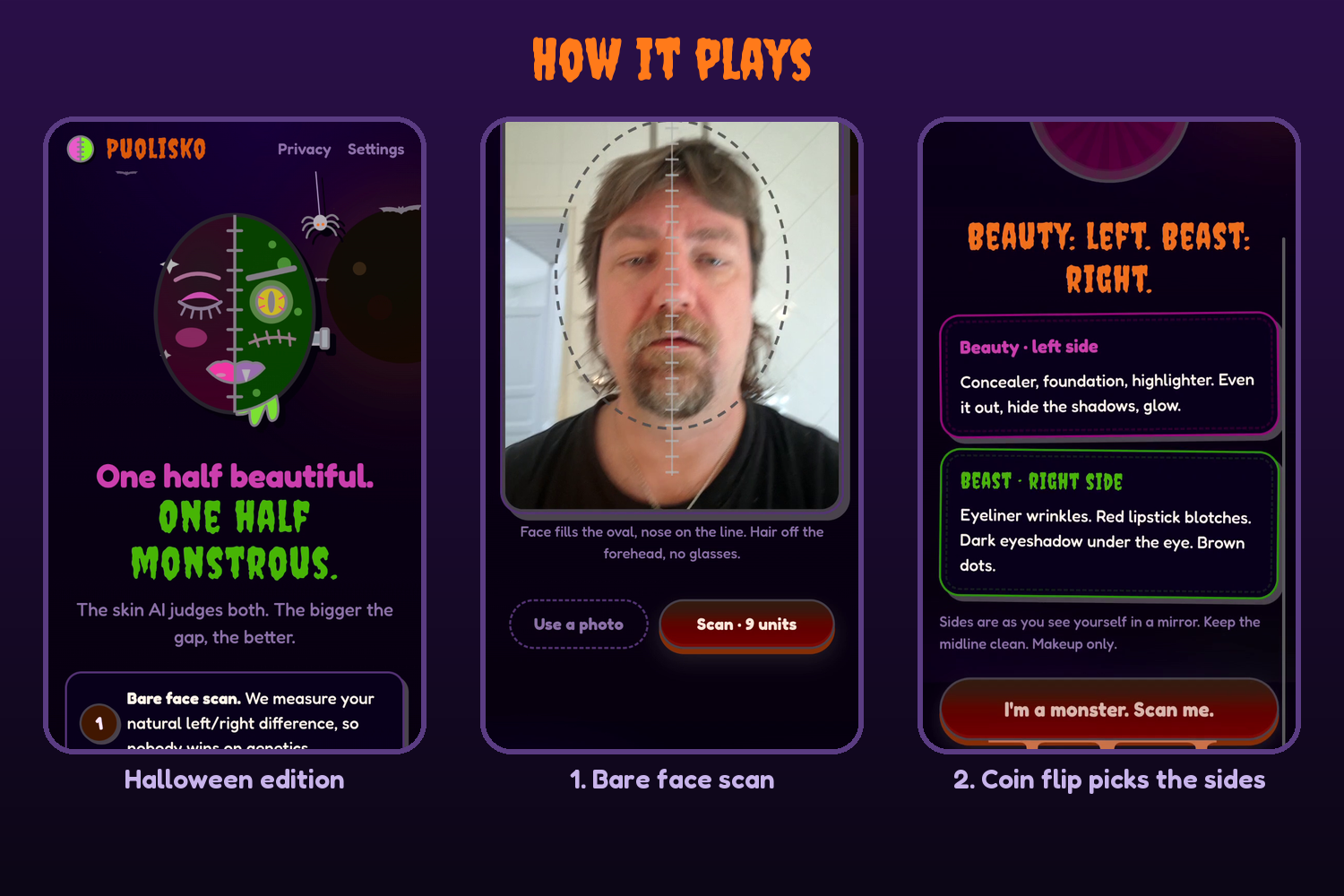
Make one half of your face as beautiful as possible and the other half as monstrous as possible. The skin AI judges both. The bigger the gap, the better.
- Bare face scan. The app measures your natural left/right difference and subtracts it later, so nobody wins on genetics.
- Coin flip. The app picks your Beauty side and your Beast side.
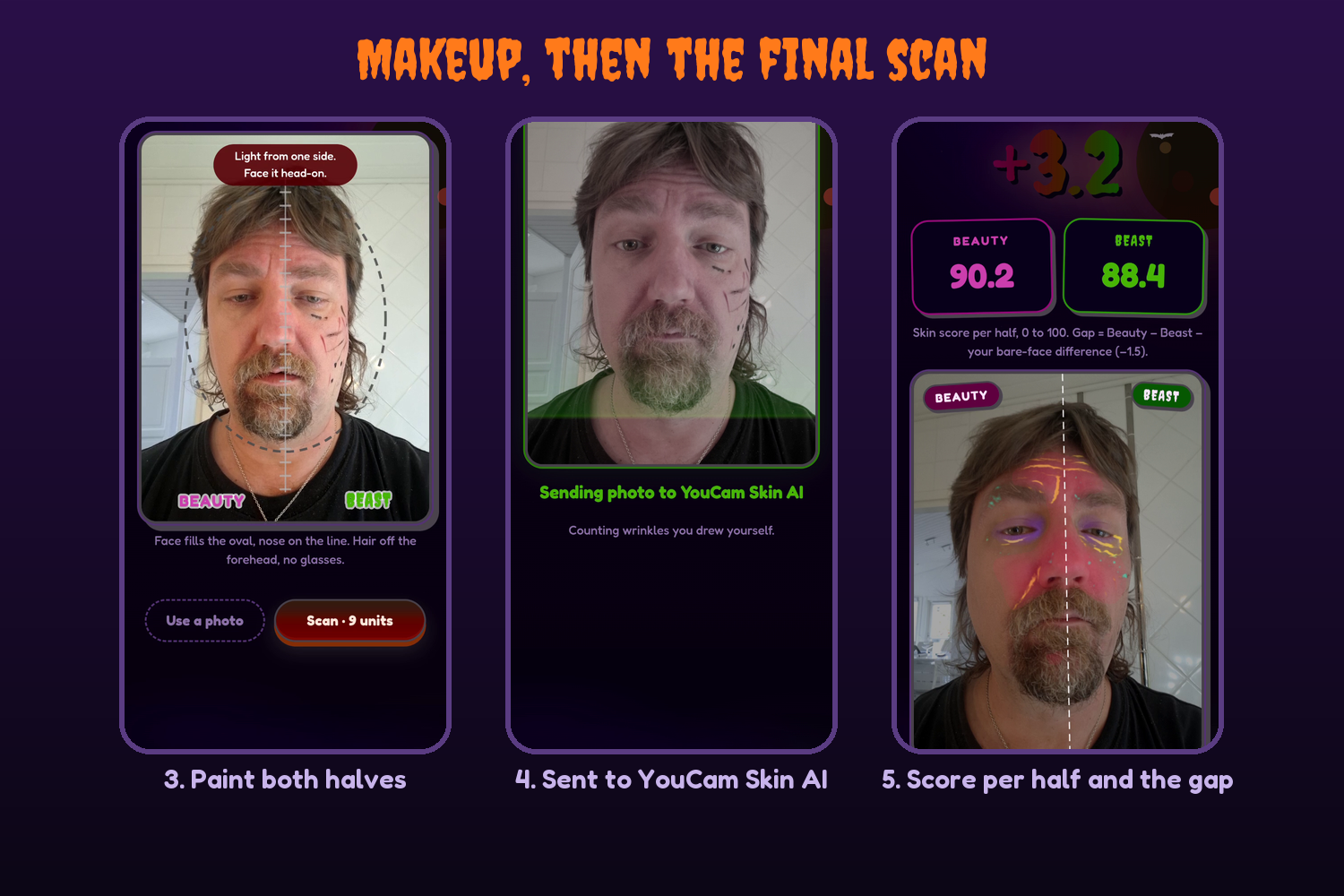
- Makeup bag. Concealer and highlighter on one half. Eyeliner wrinkles, red lipstick blotches, dark circles on the other. Makeup only.
- Final scan. The face is split down the middle.
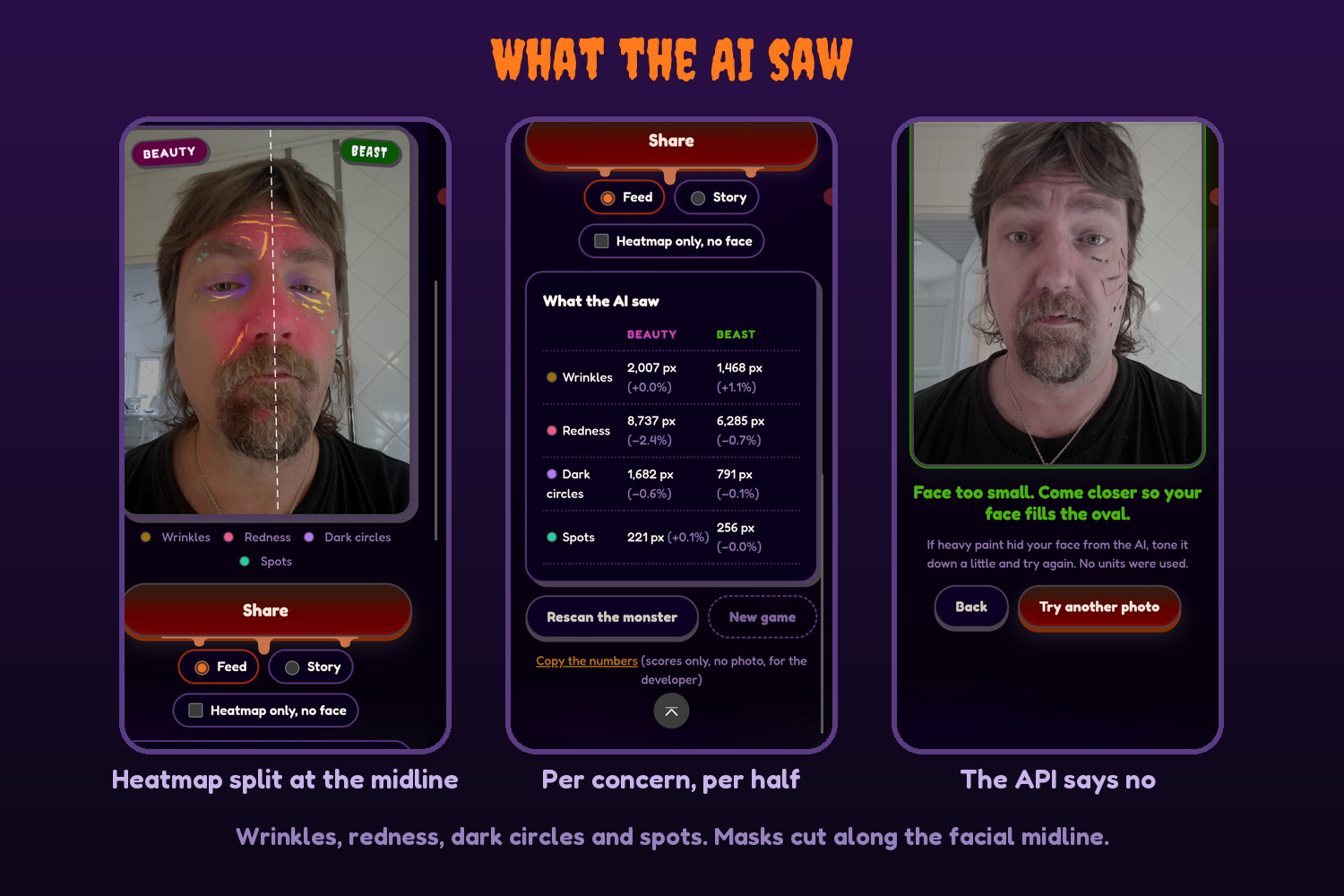
- Score. Beauty score, Beast score and the gap, with a heatmap of what the AI saw on each half.
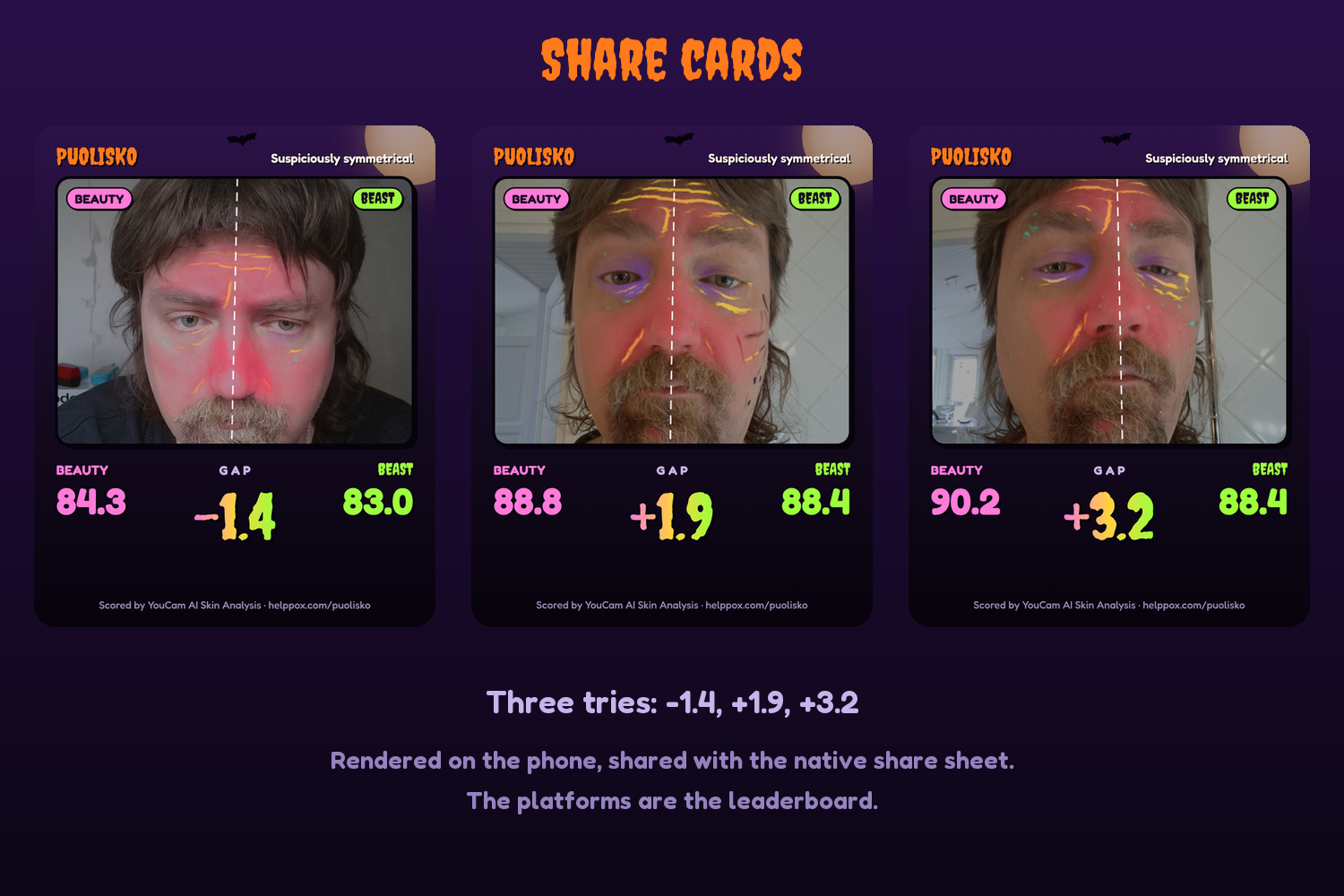
- Share. A card rendered on the phone, sent with the native share sheet. The platforms are the leaderboard.
How I built it
Mobile web. Plain HTML, CSS and JS, no framework, no build step. A small PHP (or Node) proxy holds the API key and talks to YouCam.
YouCam AI Skin Analysis, SD, four concerns that makeup can move: wrinkle, redness, dark_circle_v2, age_spot. 9 units per scan.
The Skin Analysis API scores the whole face. It has regions like cheek or forehead, but no left and right. So the split is my job:
- Each concern comes back with a detection mask aligned to the photo.
- MediaPipe Face Landmarker, running in the browser, finds the facial midline and the face outline. A fitted, tilted line, not the image centre. Faces tilt.
- Each mask is cut along the midline, inside the face outline only. A half's score comes from the flagged area, weighted by intensity.
- Gap = (Beauty half - Beast half) now - (Beauty half - Beast half) on the bare face.
A separate Lab page was the spike tool: bare photo first, made-up photos after, per-half numbers and heatmaps.
No accounts, no database, no analytics. The photo goes to the YouCam API for scoring and nowhere else. Only the numbers stay, and only on the phone. The share card is rendered on the phone and the user posts it with their own thumb.
Challenges
- The API is picky about the photo. Face too small, face angle too large, light from one side. The app has a framing oval and tells you what went wrong. A rejected photo costs no units.
- Heavy face paint can hide the face from the AI. Then you tone it down and try again.
- 1,000 free units and 9 units per scan is about 111 scans. Every test had to count.
What I learned
- Can it see makeup? Yes kind of.
- Can makeup move the score, up or down? My gaps stayed small: -1.4, +1.9, +3.2 and +4.6 on a 0 to 100 scale per half. Per concern, the halves moved a couple of percent.
- Analyzing only part of the image works: masks cut along a face-landmark midline give a usable per-half score from an API that only scores the whole face.
What's next
Nothing planned. It was fun to play with.


Log in or sign up for Devpost to join the conversation.