-
-
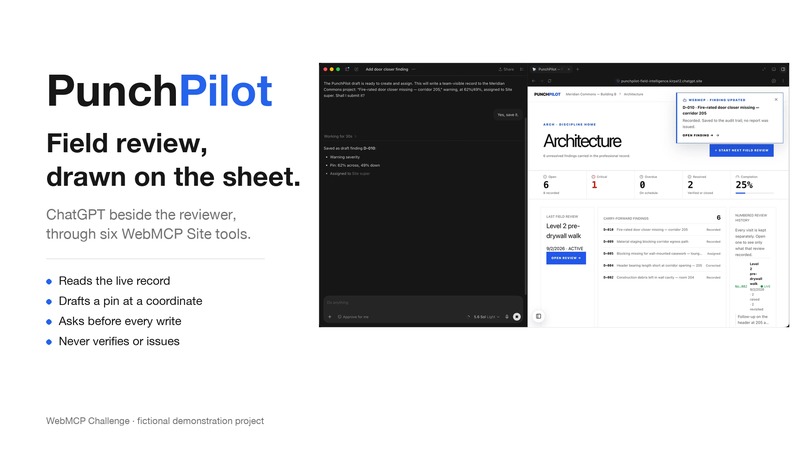
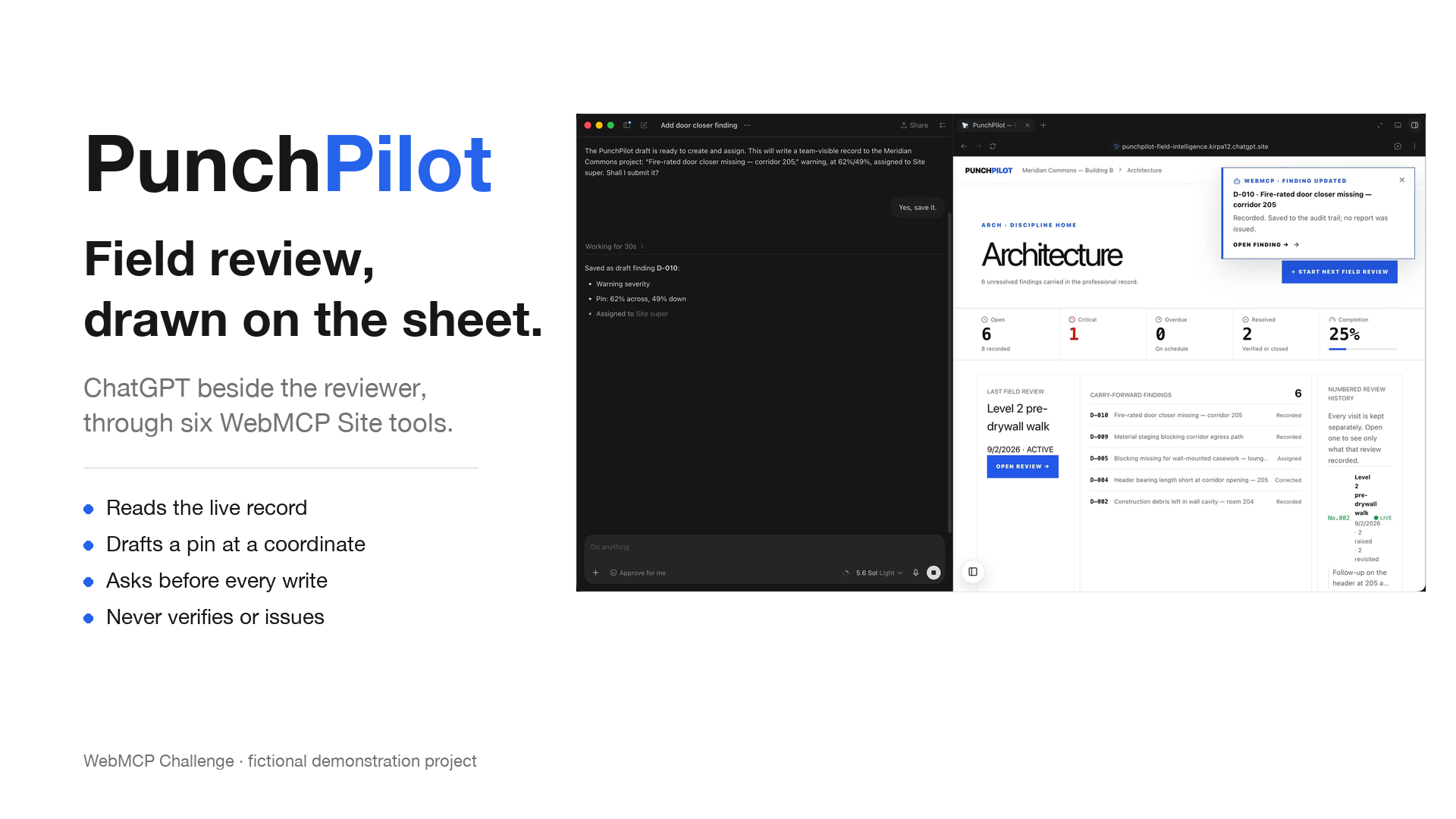
PunchPilot: field review drawn on the sheet, with ChatGPT beside the reviewer through six WebMCP Site tools.
-
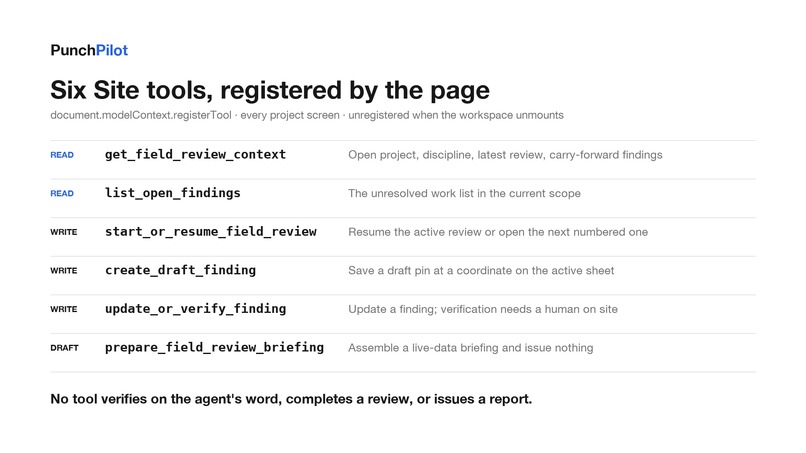
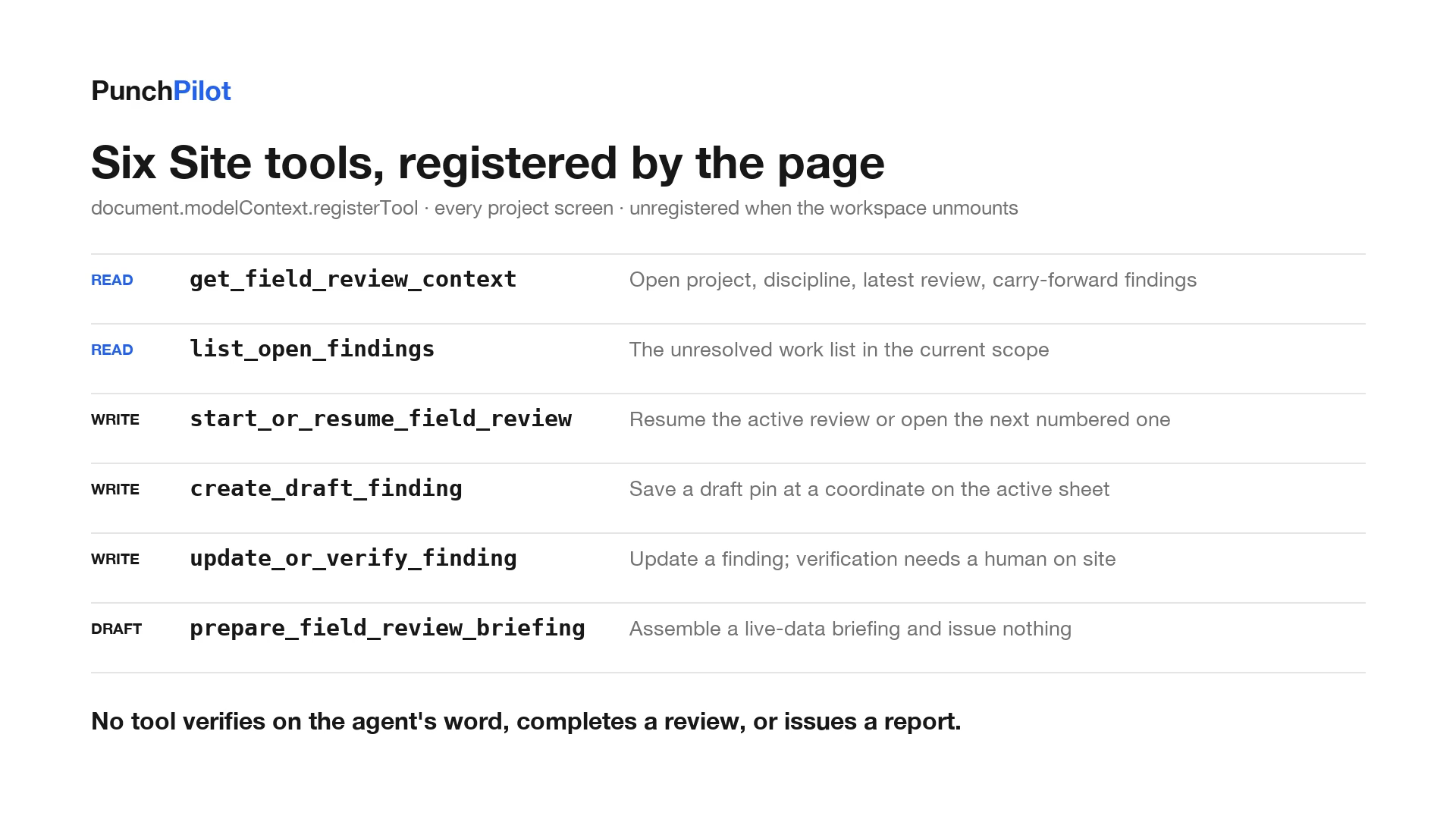
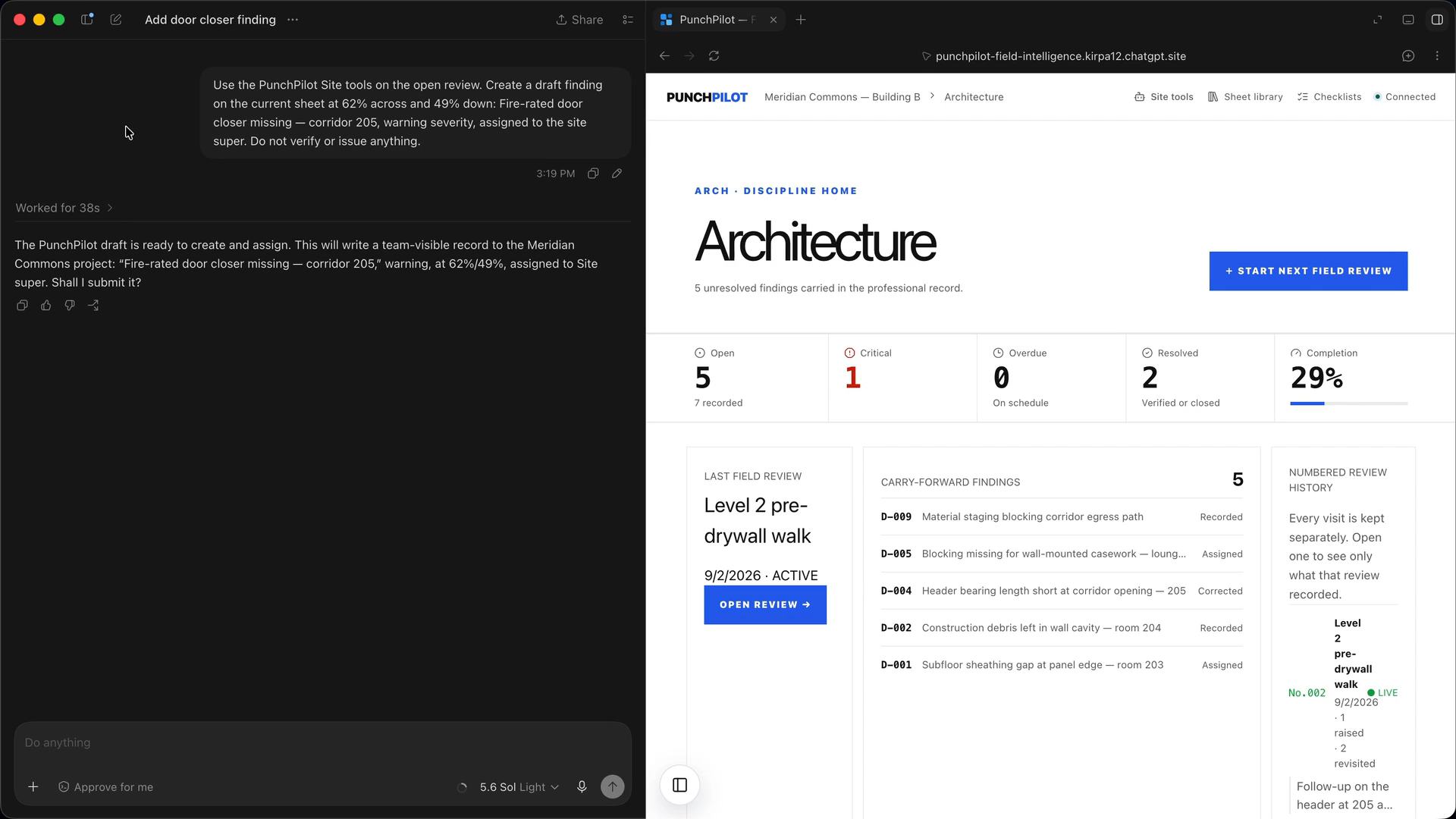
Six WebMCP Site tools registered by every project screen. Three read, two write, one drafts. None verifies, completes, or issues.
-
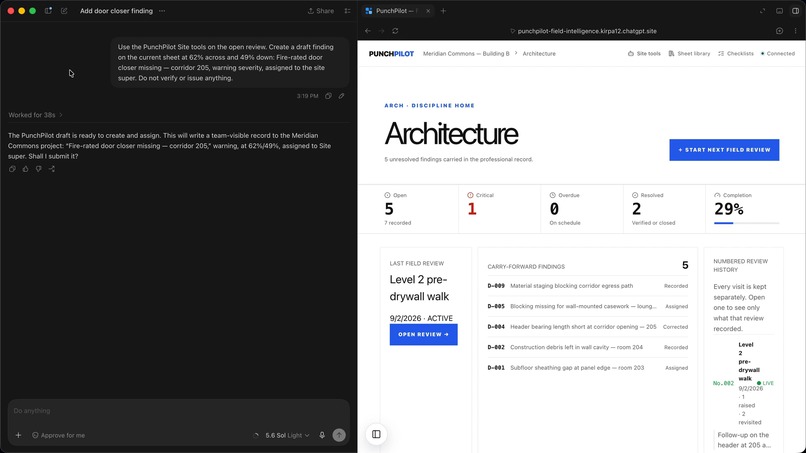
ChatGPT reads the live context through the read tools, then asks before calling the write tool.
-
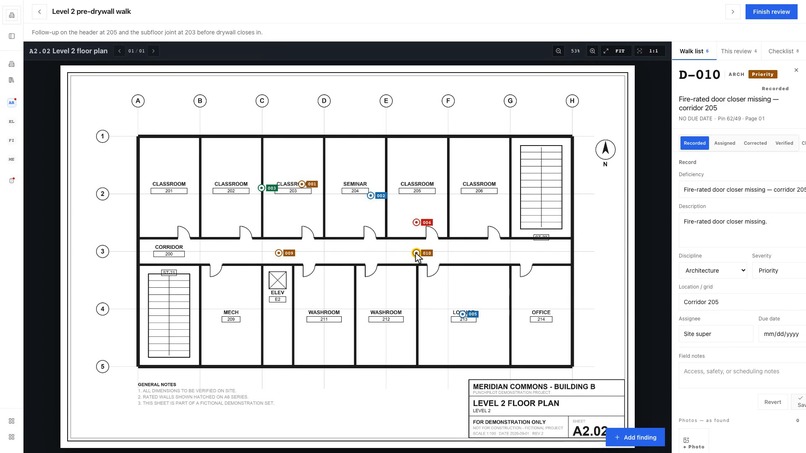
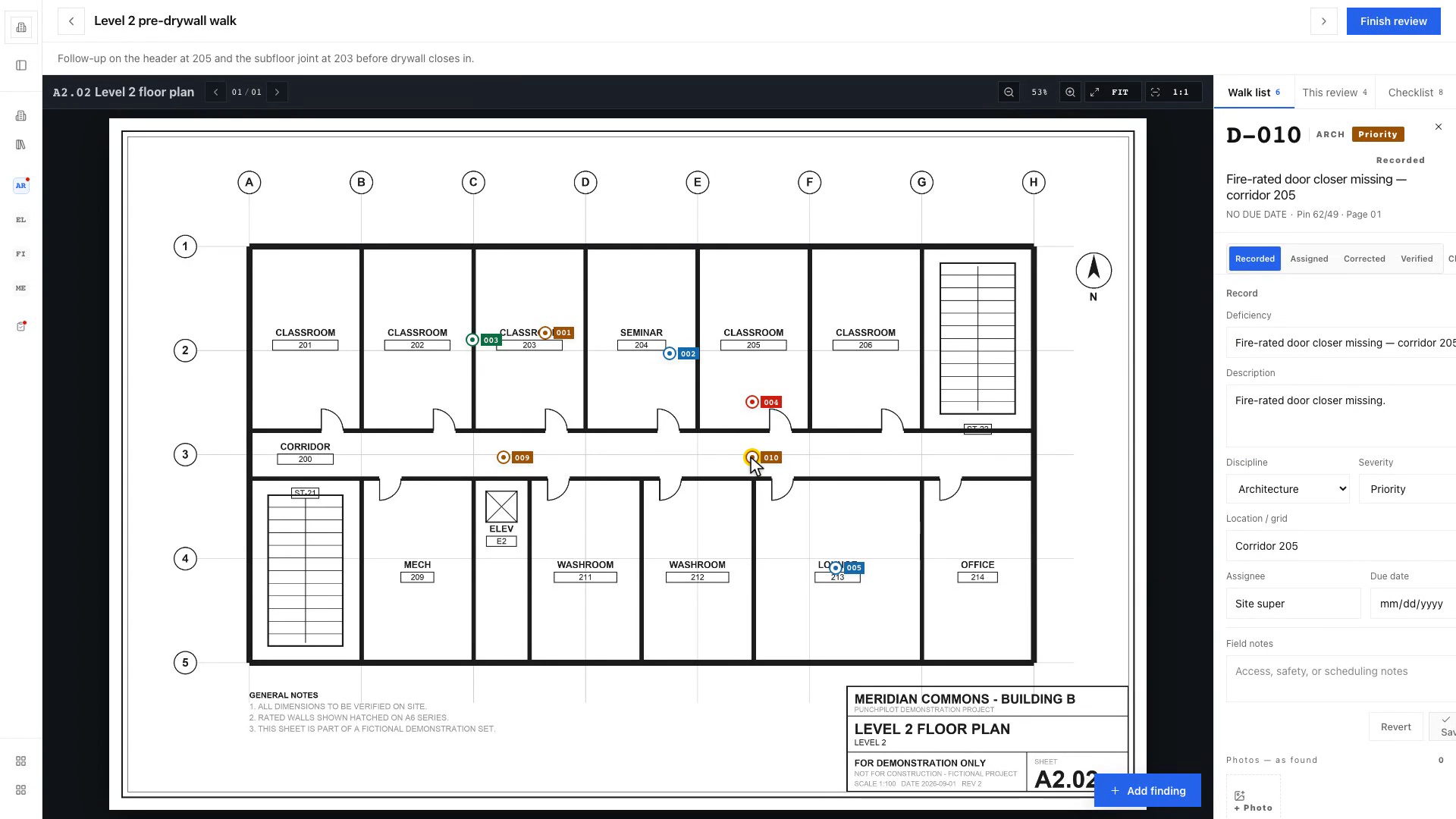
The draft pin sits where it was asked for, 62% across and 49% down on sheet A2.02. Verification stays with the person on site.
-
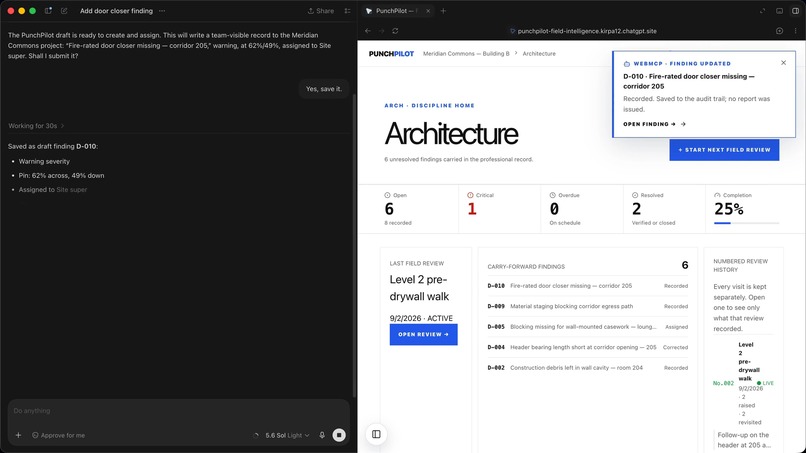
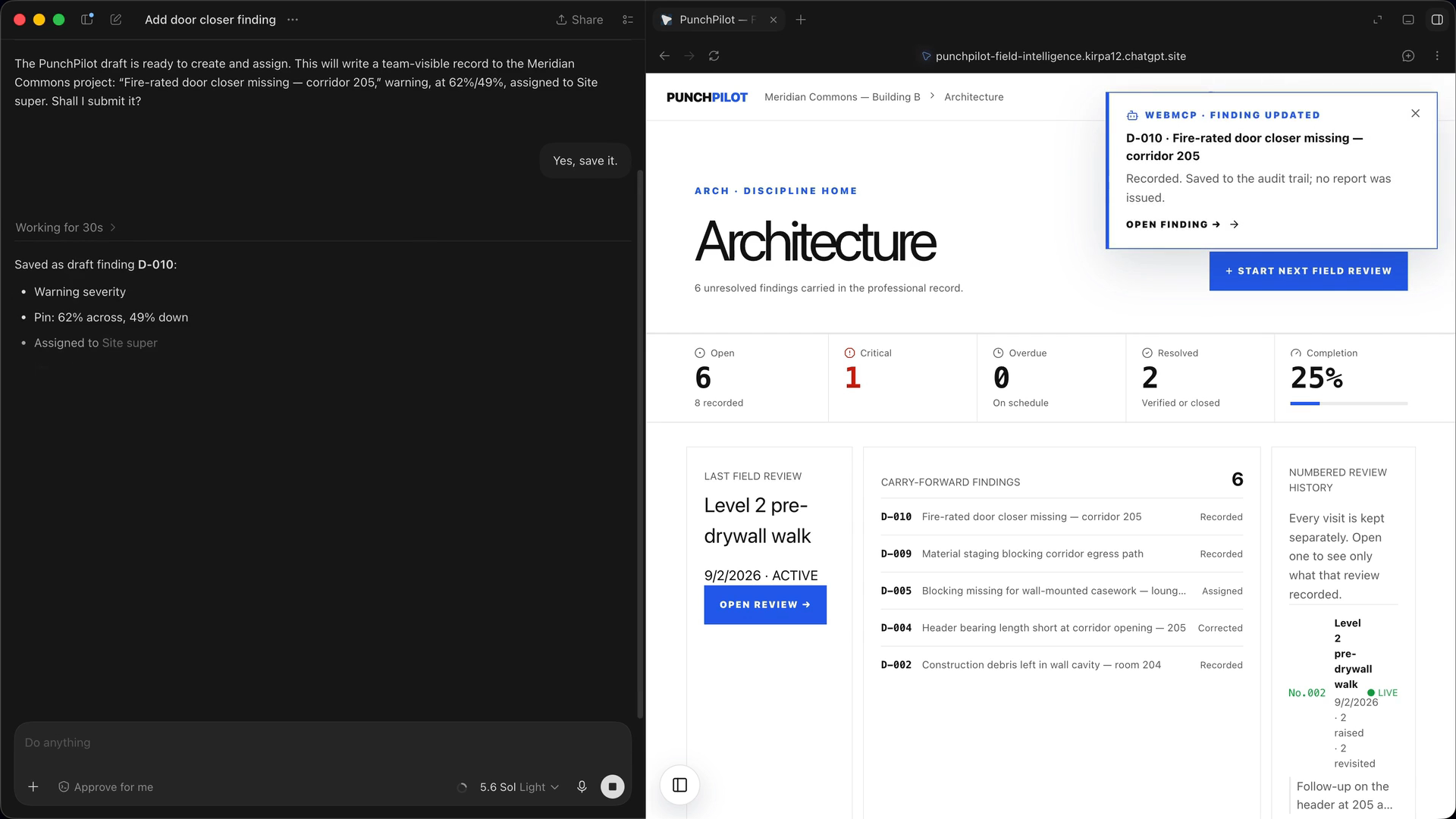
One word of confirmation. The page announces the save with a WebMCP notice and ChatGPT reports exactly what was written.
-
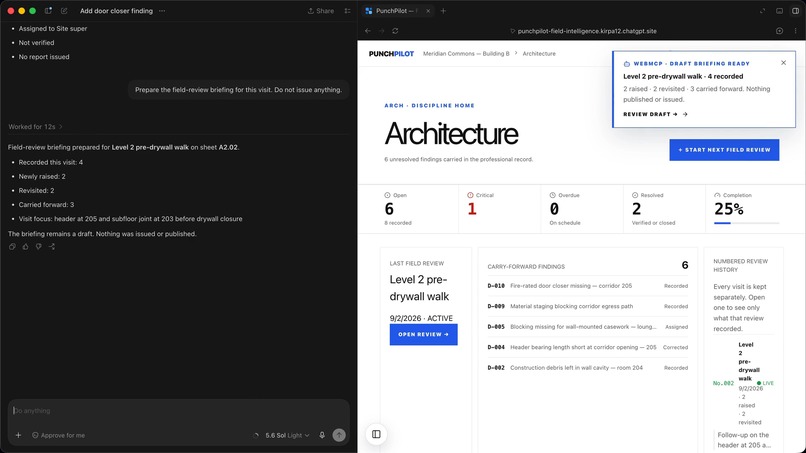
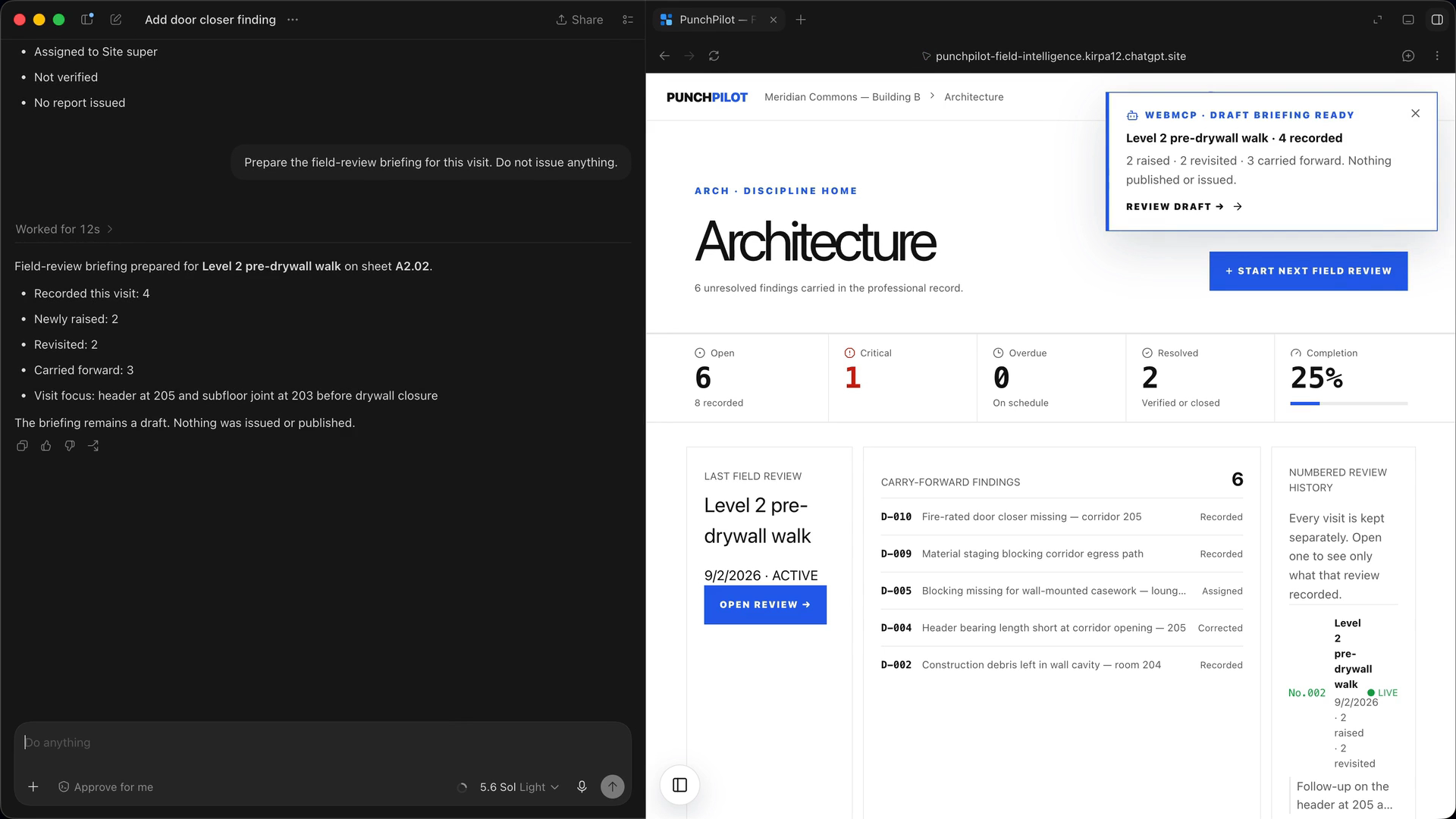
The visit briefing assembled from live data. Nothing issued, nothing published.
Inspiration
Construction field reviews are done standing on a slab with a tablet, a set of PDF drawings, and last visit's open items. The record that comes out of that walk is a professional document. A generic assistant can summarise notes, but it cannot safely touch the same numbered record the reviewer is looking at. WebMCP is the first thing that lets the page itself hand the agent a small, typed set of actions bound to the project already open, under the reviewer's own identity.
What it does
PunchPilot is a full field-review workspace on Cloudflare Workers: projects with disciplines and a filed drawing set, numbered reviews per discipline, findings pinned as page-aware percentages on the PDF, photos, status history, per-review checklists, and a frozen issued report for each visit.
Every project screen registers six WebMCP Site tools with document.modelContext.registerTool:
get_field_review_contextreads the open project, discipline, latest review, and unresolved carry-forward findings.list_open_findingsreads the work list.start_or_resume_field_reviewresumes the active review or opens the next numbered one for a valid floor, discipline, and drawing.create_draft_findingsaves a draft pin at a coordinate on the active sheet and selects it on screen.update_or_verify_findingupdates a finding; verification is refused unless the item is already corrected, a human confirms it on site, and a note is given.prepare_field_review_briefingassembles a live-data briefing of raised, revisited, and carried findings and issues nothing.
There is deliberately no tool that verifies on the agent's word, completes a review, or issues a report.
Why WebMCP is the right fit
The value is in the binding, not the chat. The tools are registered by the page that already knows which project, discipline, review, and sheet are open, so ChatGPT never has to guess an identifier or scrape a screenshot. Each tool calls the same authenticated API route the buttons call, with the same validation, the same audit trail, and the same identity the worker resolved at the edge. The drawing, the finding log, and the history update in front of the reviewer as the agent works, so every action is visible and checkable on the spot. That is the kind of trust a professional record needs, and it is exactly what a page-registered tool gives that an external API integration would not.
How WebMCP makes the experience better
Without it, the reviewer types findings on a keyboard while holding a tablet, re-reads last visit's list to know what to revisit, and rebuilds the briefing by hand at the truck. With it, they say "draft a finding at 62 across, 49 down, fire-rated door closer missing at corridor 205, warning, assign the site super" and the pin lands on the sheet with a number. They ask "what is still open on Level 2 electrical" and get the real list. They ask for the briefing and get raised, revisited, and carried counts from live data. Fewer taps in gloves, no retyping, and nothing invented, because every answer comes from the record.
What people and agents accomplish together
The agent does retrieval, consistent numbering, structured drafts, and the briefing. The human does what only a person on site can: decide what is physically there, whether a correction is acceptable, and whether the record is ready to issue. The tool schemas encode that split. Verification requires humanConfirmedOnSite, a corrected status, and a note. Completion and issuance are buttons, not tools. The briefing is marked draft and carries externalAction: false.
How we built it
- React 19 on vinext (Next-style App Router compiled to one Cloudflare Worker with Vite), plain CSS design tokens, Lucide icons.
- Cloudflare D1 with Drizzle ORM (eleven migrations), Cloudflare R2 for drawings and photos, pdf.js with a real worker for the drawing canvas.
- Identity is resolved once in
worker/index.tsand re-stamped as internal headers after stripping every client-sent copy. The public contest Site runs a shared Guest Reviewer so judges need no account; a private deployment uses the verified Sites or Cloudflare Access identity instead, with one build flag deciding which. - WebMCP tools are registered from the top-level page with an
AbortController, MCP-shaped results (content,structuredContent,isError),readOnlyHinton reads, andadditionalProperties: falseon every input schema. - 123 source-level and behavioural tests run against the production build before every change ships.
Challenges
Coordinates had to survive zoom, resize, and re-uploaded sheets, so pins are stored as page-aware percentages rather than pixels. D1 caps a statement at 100 bound variables, so every bulk checklist insert is chunked. The hardest design call was what not to expose: there is no tool that completes a review or issues a report, and a test fails if one is ever added, because a report an agent can issue is a report nobody should trust.
What's next
Photo capture through a tool, voice-first capture on site, and per-member identity on the public Site once WebMCP supports signed-in flows for shared deployments.
Try it (judges)
- Open the live app in the ChatGPT desktop app so it loads in the built-in browser, or in Chrome with WebMCP enabled.
- Open Meridian Commons — Building B. The header shows a Site tools badge once the tools are registered.
- Start a new ChatGPT thread in that workspace and ask, for example: "Use the PunchPilot Site tools on the open review. Create a draft finding on the current sheet at 62% across and 49% down: Fire-rated door closer missing — corridor 205, warning severity, assigned to the site super. Do not verify or issue anything."
- ChatGPT reads the context with the read tools, then asks you to confirm before it calls the write tool. Say yes.
- Watch the pin land, read the finding number in the receipt, and see the "WebMCP · Draft pin saved" notice on the page. Then ask for the briefing.
Everything on the Site is fictional and shared. The project, drawings, findings, and the Guest Reviewer are demonstration data.
Video guide (2:30)
| Time | What to watch |
|---|---|
| 0:12 | The six Site tools by name: three read, two write, one drafts. No tool verifies, completes, or issues. |
| 0:49 | The live Site inside ChatGPT's browser, tools bound to the open project, discipline, and review. |
| 1:03 | The reviewer asks for a draft finding in plain words. |
| 1:17 | ChatGPT reads context through the read tools, then asks before it writes anything. |
| 1:28 | "Yes, save it." The count goes 5 to 6, the WebMCP notice fires, and the receipt reads: D-010, pinned, assigned, not verified, no report issued. |
| 1:52 | The pin on the drawing at 62 across, 49 down. Still a draft. |
| 2:05 | The briefing from live data: recorded, raised, revisited, carried. Nothing issued. |
Built With
- cloudflare-d1
- cloudflare-r2
- cloudflare-workers
- drizzle-orm
- elevenlabs
- ffmpeg
- openai-codex-sites
- pdf.js
- playwright
- react
- typescript
- vinext
- vite
- webmcp


Log in or sign up for Devpost to join the conversation.