-
-
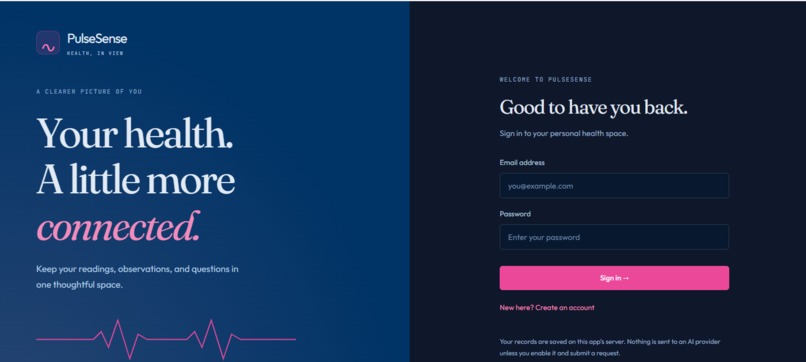
Log in/ Sign up page
-
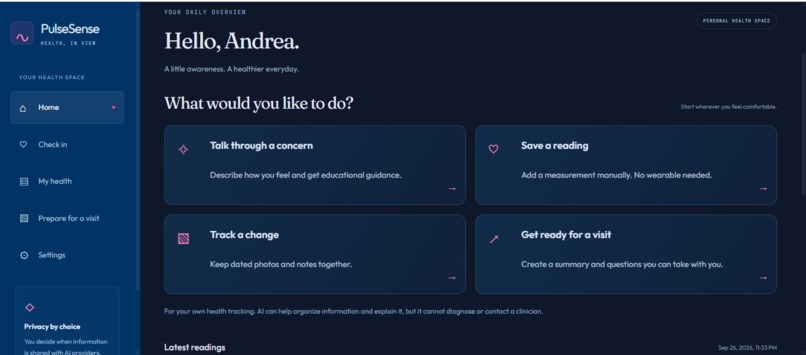
Home Dashboard
-
Inspiration
Health information often lives in separate places: wearable apps, photos, handwritten notes, and things we try to remember before an appointment. Collecting more data does not always make it easier to explain how we have been feeling.
We created PulseSense AI to bring these pieces together and help people prepare for more informed conversations with their clinicians. We also wanted users to understand when AI is involved and choose exactly what information they share.
What it does
PulseSense is a personal health tracking and appointment preparation companion. Users can:
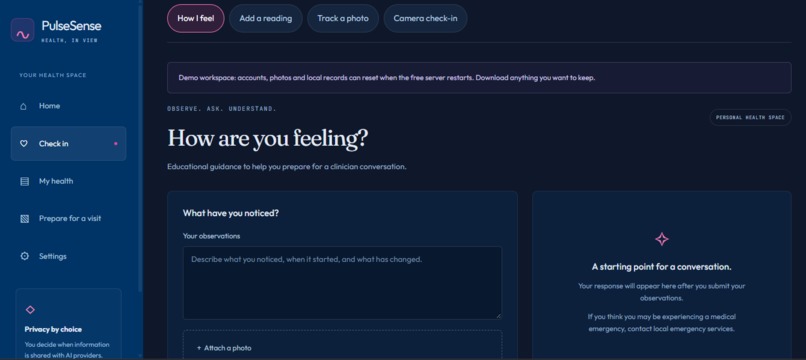
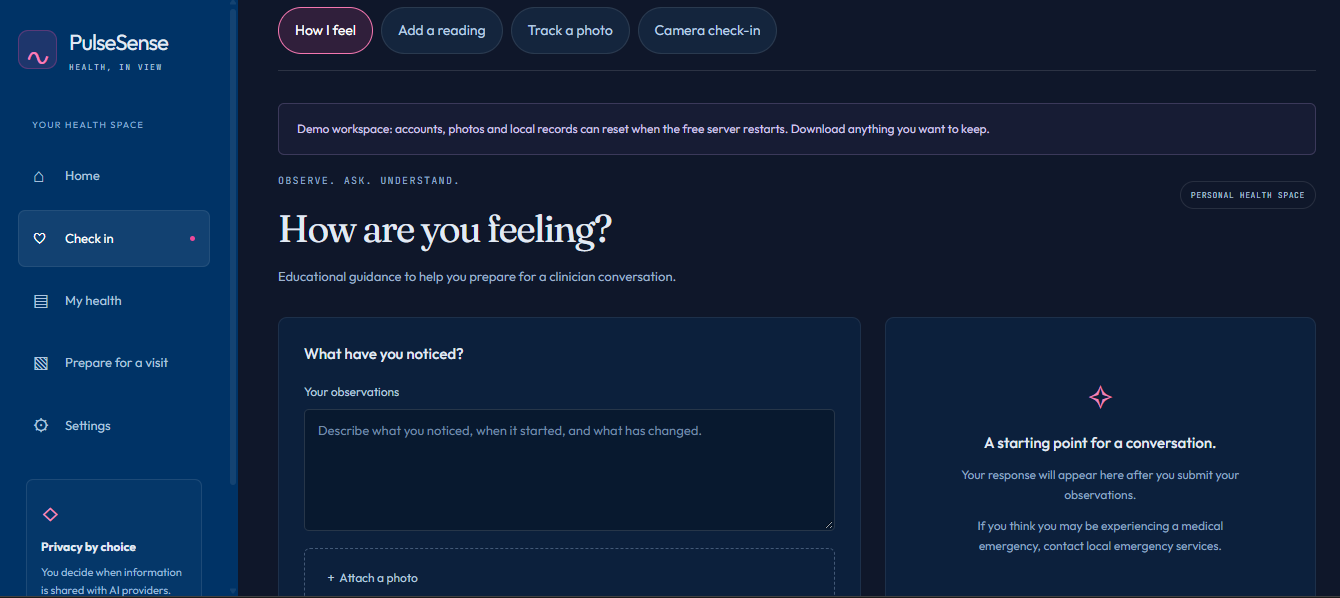
- Record how they feel: describe observations and request educational guidance from Gemini.
- Bring readings together: enter measurements manually or import available Oura Ring readings.
- Track visual changes: save dated photos and notes, with OpenCV boundary overlays for a selected region.
- Try an experimental camera check-in: estimate pulse from facial color variations, with feedback when the recording cannot produce a usable signal.
- Explore trends: explicitly sync measurement snapshots to Tiger Data for daily analytics.
- Prepare for appointments: select readings, review the exact information being sent to Gemini, and generate an editable brief with observations and questions.
- Listen to information: use ElevenLabs narration to review content aloud.
- Control sharing: manage AI permissions and review an activity history.
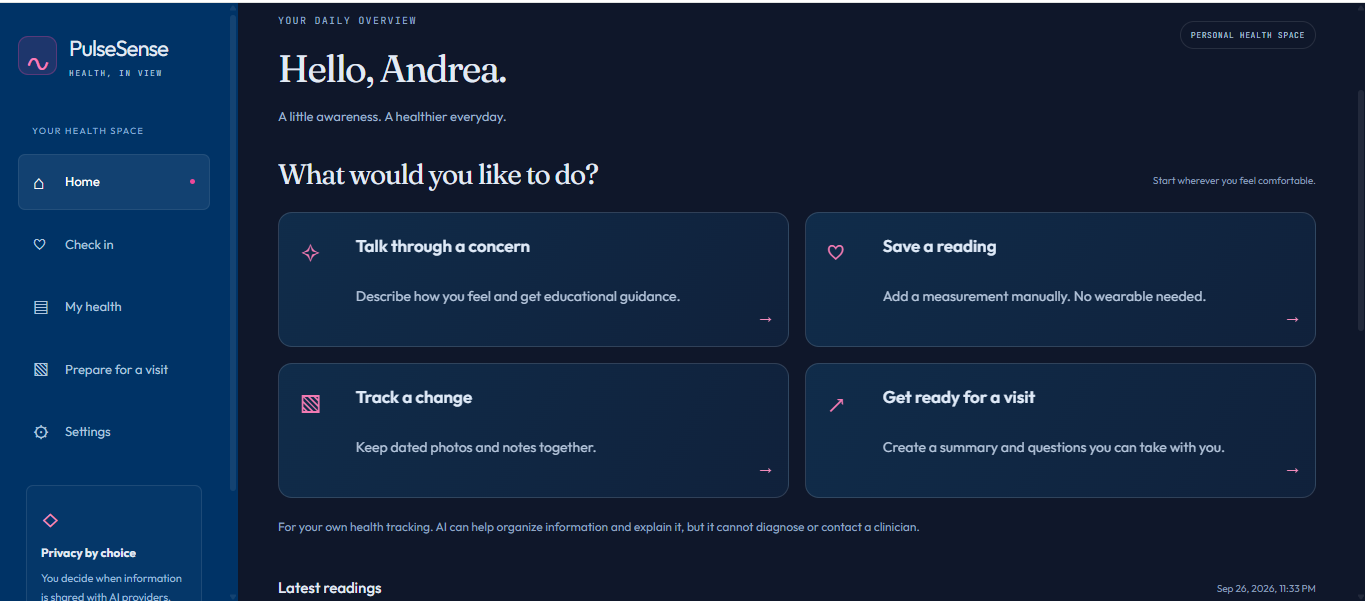
The interface organizes these tasks into Home, Check in, My health, Prepare for a visit, and Settings, with options for larger text, higher contrast, and reduced motion.
PulseSense supports personal tracking and education. It does not diagnose conditions, replace a clinician, or provide clinically validated camera measurements.
How we built it
We built the frontend with React, TypeScript, and Vite, using Tailwind CSS and Recharts for the interface and charts.
The backend uses Node.js and Express, with SQLite for accounts, journals, photos, and appointment briefs. Provider credentials stay on the server.
Our integrations include:
- Google Gemini: educational guidance, visual observations, and structured appointment briefs. Brief observations reference selected readings, and the server checks that the referenced records belong to the approved selection.
- ElevenLabs: speech generation for reviewing information aloud.
- Oura API: OAuth authorization and imports of available recorded measurements.
- Tiger Data: PostgreSQL/TimescaleDB measurement storage, hypertables, and daily continuous aggregates.
- Python, OpenCV, MediaPipe, NumPy, and SciPy: experimental face tracking, remote photoplethysmography signal processing, and image segmentation.
We also created a Swift/HealthKit companion prototype for importing Apple Health readings. Physical-device validation remains a next step.
The web app and Python worker run together in a Docker deployment on Render, accessible through pulsesenseai.us.
Challenges we faced
One challenge was connecting a working local prototype to a public website. Environment settings, OAuth callbacks, DNS records, and HTTPS all needed to agree. We separated local settings from hosted settings and kept secrets out of the repository.
Another challenge was making health data understandable without overstating what it means. Measurements from different devices and methods should not automatically be treated as interchangeable. We preserved source information and separated analytics by source and measurement method.
Camera pulse estimation introduced additional uncertainty. Lighting, movement, face visibility, and recording quality affect the signal. We built rejection feedback instead of always returning a number. Photo boundaries are also presented as image-processing results, not diagnoses or recovery scores.
Finally, we wanted privacy controls to be part of the actual workflow. Users can inspect selected data before generating a brief, and external processing requires explicit action.
Accomplishments we’re proud of
We deployed a working app on our own HTTPS domain and verified real Gemini responses, ElevenLabs audio, Tiger Data analytics, and server-side photo processing with synthetic demo inputs.
We also completed a structured appointment-brief workflow: select readings, preview the data, generate a brief, and review or edit the result.
Our automated checks cover account isolation, consent enforcement, wearable permissions, brief source validation, and synthetic vision cases. These checks support prototype reliability without implying clinical validation.
What we learned
We learned that a useful health AI experience needs more than a model response. Clear navigation, understandable consent, visible data sources, editable results, and honest error messages are equally important.
We also learned to distinguish successful software integration from validated health measurement. A working camera pipeline is an engineering milestone; proving accuracy across people and conditions requires a separate evaluation.
AI-assisted development helped us implement and troubleshoot the prototype. We reviewed the resulting workflows and tested key integrations rather than treating generated code as proof that a feature worked.
What’s next for PulseSense AI
Our next steps are to add durable account storage and recovery, validate the Apple Health companion on a physical device, test accessibility with users, and evaluate camera estimates against reference measurements across varied conditions.
The current free-hosted demo uses temporary local storage, so accounts and saved records can reset after server restarts. We plan to strengthen persistence before broader use.
Our goal is to help people arrive at an appointment with clearer observations, useful questions, and control over the information they share.
Built With
- docker
- elevenlabs
- express.js
- google-gemini
- javascript
- mediapipe
- node.js
- numpy
- opencv
- oura-api
- postgresql
- python
- react
- recharts
- render
- scipy
- sqlite
- swift
- tailwind-css
- tiger-data
- timescaledb
- typescript
- vite


Log in or sign up for Devpost to join the conversation.