Inspiration
Every teacher can tell when a sighted student hesitates, skips a line, or rereads a passage. Those moments provide valuable insight into where a student is struggling and allow instructions. For students reading Braille, however, these same struggles are invisible. While teachers can measure whether a student completes a passage, they often have no objective way to determine where the student slowed down, skipped content, or repeatedly revisited the same section.
So, we wanted to create technology that uses real-time tracking to create that window for the blind. We wanted to create an accessible alternative that leverages only a phone camera to analyze finger movement across Braille text.
Our goal is to empower educators with meaningful reading analytic so they can identify learning challenges earlier, personalize instruction, and ultimately help visually impaired students build stronger literacy skills.
What it does
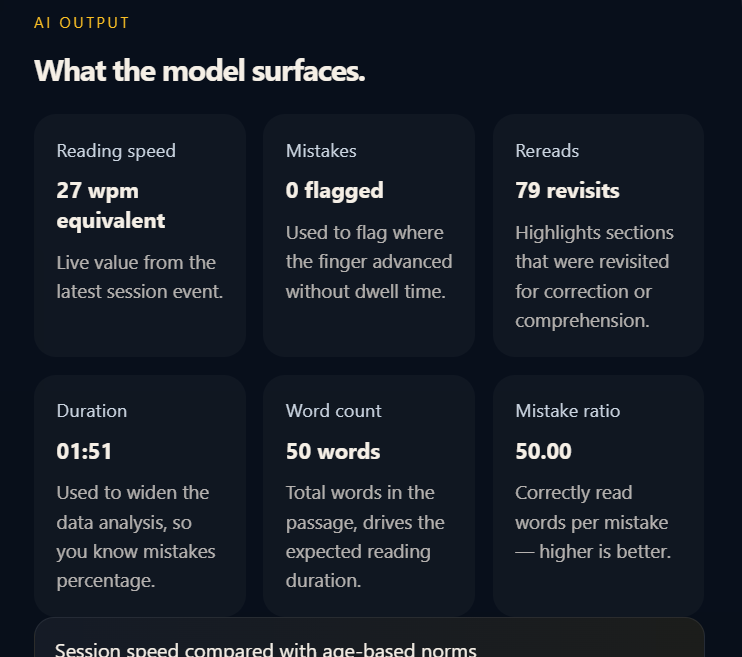
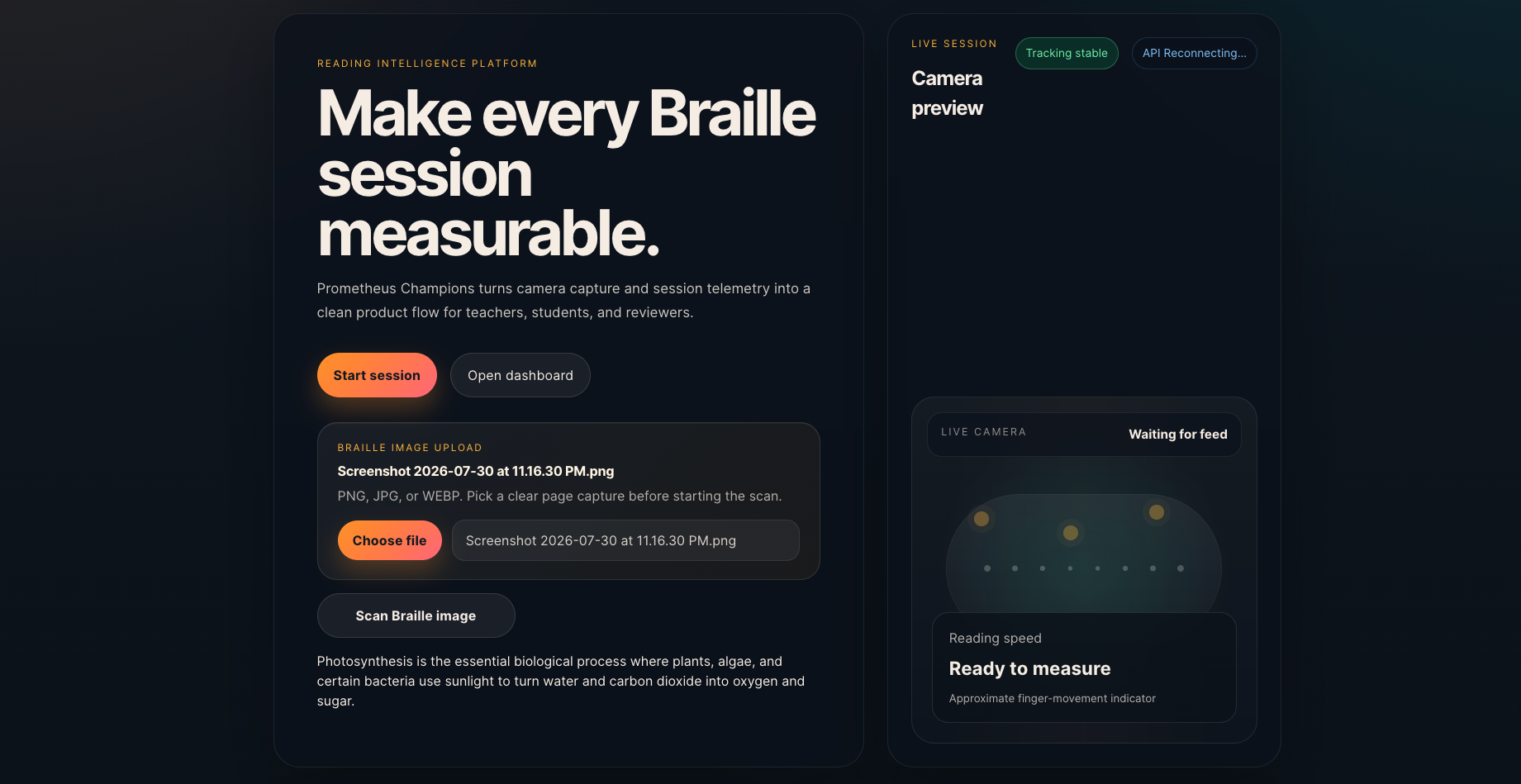
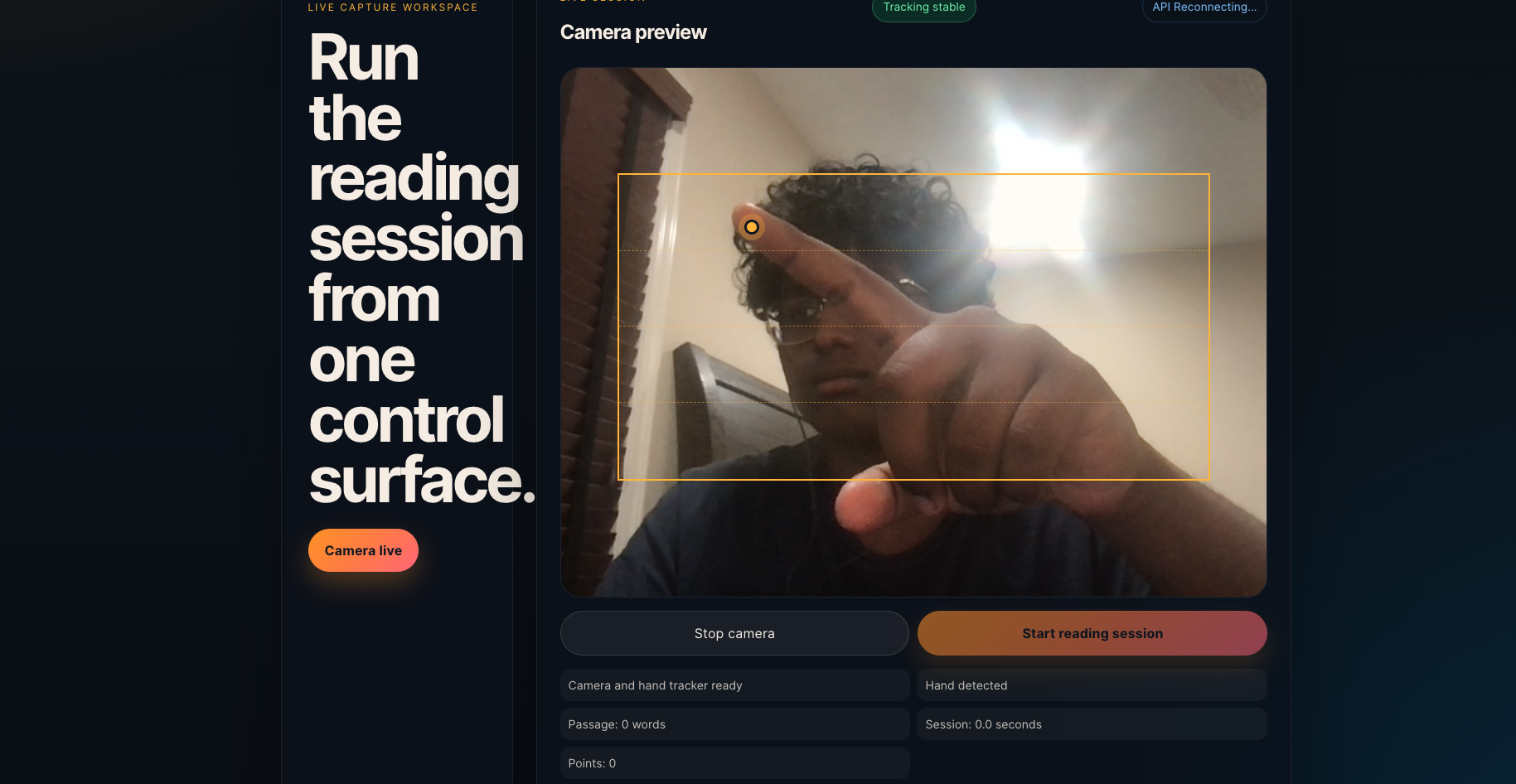
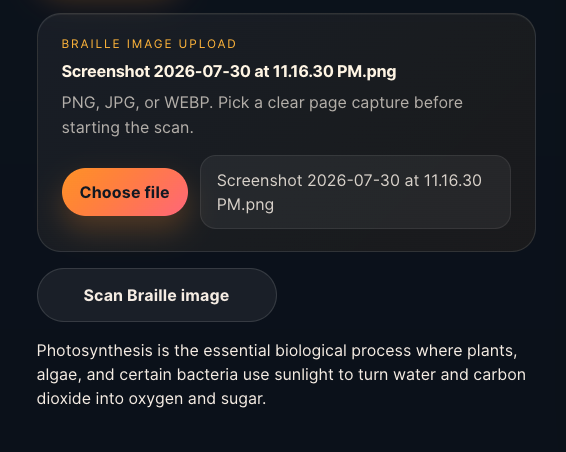
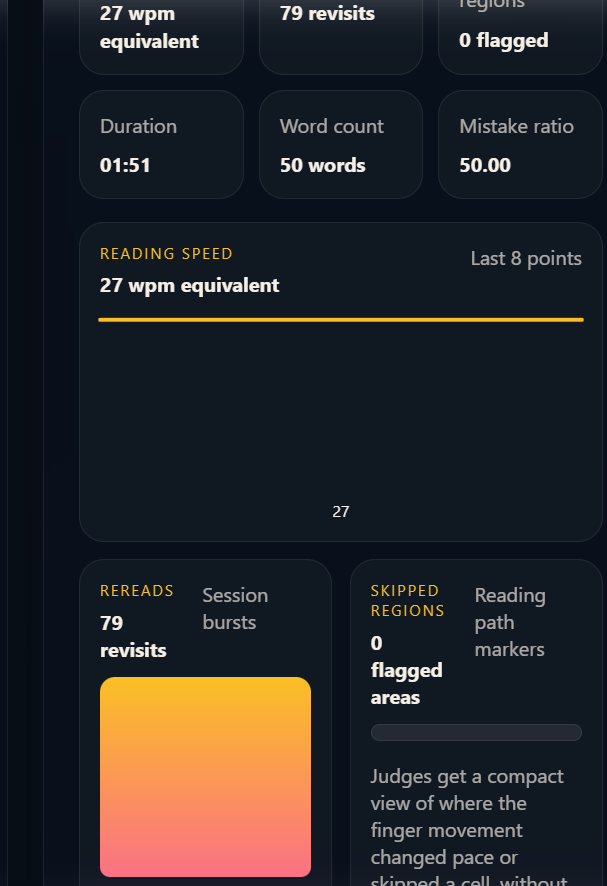
PulseRead is an educational tool built to support Braille learners and the people teaching them. A student can upload a photo of Braille and have the system detect the characters and convert them into readable text. During a reading session, the camera can also track hand movement and collect information such as reading speed, pauses, rereads, and areas where the student may be struggling.
The goal is not just to tell a student whether they read something correctly. PulseRead tries to show how they are reading. A teacher can use that information to notice patterns, give more focused feedback, and adjust future practice to the needs of that specific student.
AI comes into the project through computer vision. We use a trained YOLO model to locate and recognize Braille characters from an uploaded image. Computer-vision tracking is also used to follow movement during a reading session. Together, these tools make Braille learning more measurable and personalized without trying to replace the role of a teacher.
How we built it
We built PulseRead as a group of connected services rather than one large program. The main website was created with React, TypeScript, and Vite. The interface includes the Braille image uploader, camera session, reading statistics, and teacher dashboard.
For Braille recognition, we used a YOLO-based computer-vision model trained to identify Braille patterns. The model runs through a Python service using FastAPI, OpenCV, and Ultralytics. When a student uploads an image, the React frontend sends it to a Node and Express backend. That backend passes the image to the Python AI service, receives the detected text, and sends the result back to the website.
We also created a separate metrics service connected to PostgreSQL. It stores information from reading sessions so results can be reviewed later instead of disappearing when the page is refreshed. We used GitHub for collaboration and tested both local and public deployments with services such as Railway and Netlify.
Challenges we ran into
One of our biggest challenges was getting every part of the project to communicate correctly. The frontend, Node backend, Python AI service, and database API all run on different ports and use different technologies. A small mistake in an environment variable, URL, port, or CORS setting could cause the website to display only “Failed to fetch,” even when most of the system was working.
Deploying the AI model was another major challenge. The model files were too large to be stored like normal GitHub files, so they used Git LFS. During deployment, the server sometimes received the small LFS pointer instead of the real model file, which caused the model to fail while loading. We also ran into missing Linux libraries, conflicting Python package versions, incorrect file paths, and differences between running locally on a Mac and running inside a cloud container.
Another challenge was making the project more meaningful than a basic image-recognition demo. We had to think carefully about how the AI results could actually help a student or teacher rather than simply showing that a model could recognize Braille.
Accomplishments that we're proud of
We are proud that we were able to connect several different technologies into one working educational experience. An image can travel from the website to the backend, through the computer-vision model, and return with recognized Braille text. Seeing the system correctly recognize a test image as “hello” was a small result, but it represented a complete working pipeline.
We are also proud that PulseRead focuses on the learning process rather than only the final answer. The combination of Braille recognition, camera-based movement tracking, session metrics, and a teacher dashboard gives the project a clearer educational purpose.
Most importantly, we built something that could become genuinely useful. PulseRead is not designed to replace Braille instructors. It is meant to give them more information and give students another way to understand their own progress.
What we learned
We learned that adding an AI model does not automatically make a project useful. The hardest and most important part was deciding what the model should contribute to the learning experience. The Braille detector became more valuable when we connected it to feedback, reading behavior, and teacher review.
We also learned how different parts of a full-stack AI application work together. We gained experience with React, Express, FastAPI, computer vision, databases, environment variables, APIs, Git LFS, and cloud deployment. We learned how to test each service separately before trying to debug the whole system at once.
The project also changed how we thought about educational technology. A student’s mistake is not always the most useful piece of information. Sometimes the pauses, repeated movements, or areas where they slow down can explain much more about what they need help with.
What's next for PulseRead
The next step is improving the accuracy of the Braille recognition model with a larger and more varied dataset. We want it to handle different lighting conditions, page angles, dot sizes, backgrounds, and real classroom photos more reliably.
We also want to make the reading analytics fully live and replace any remaining demonstration data with information collected directly from each session. Future versions could compare progress over time, identify symbols that repeatedly cause difficulty, and help teachers create targeted practice activities.
We would also like to improve accessibility throughout the interface by adding stronger screen-reader support, keyboard navigation, audio feedback, and clearer controls. Longer term, PulseRead could support contracted Braille, multiple languages, teacher-managed student profiles, and more detailed privacy controls for camera and learning data.
Built With
- ai
- dockerfile
- html
- javascript
- node.js
- postgresql
- restapi

Log in or sign up for Devpost to join the conversation.