-
-
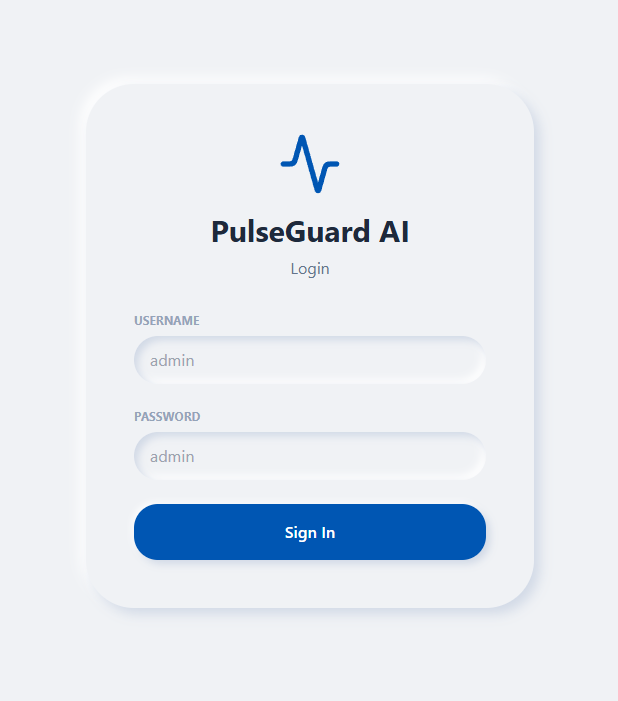
Login Page
-
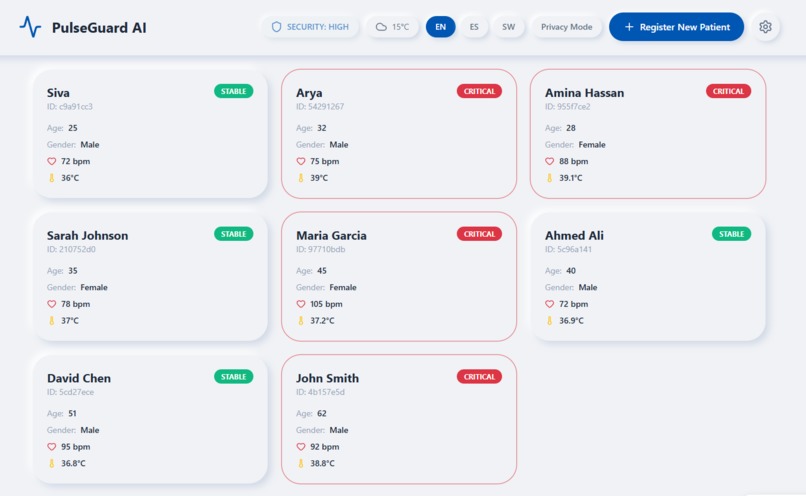
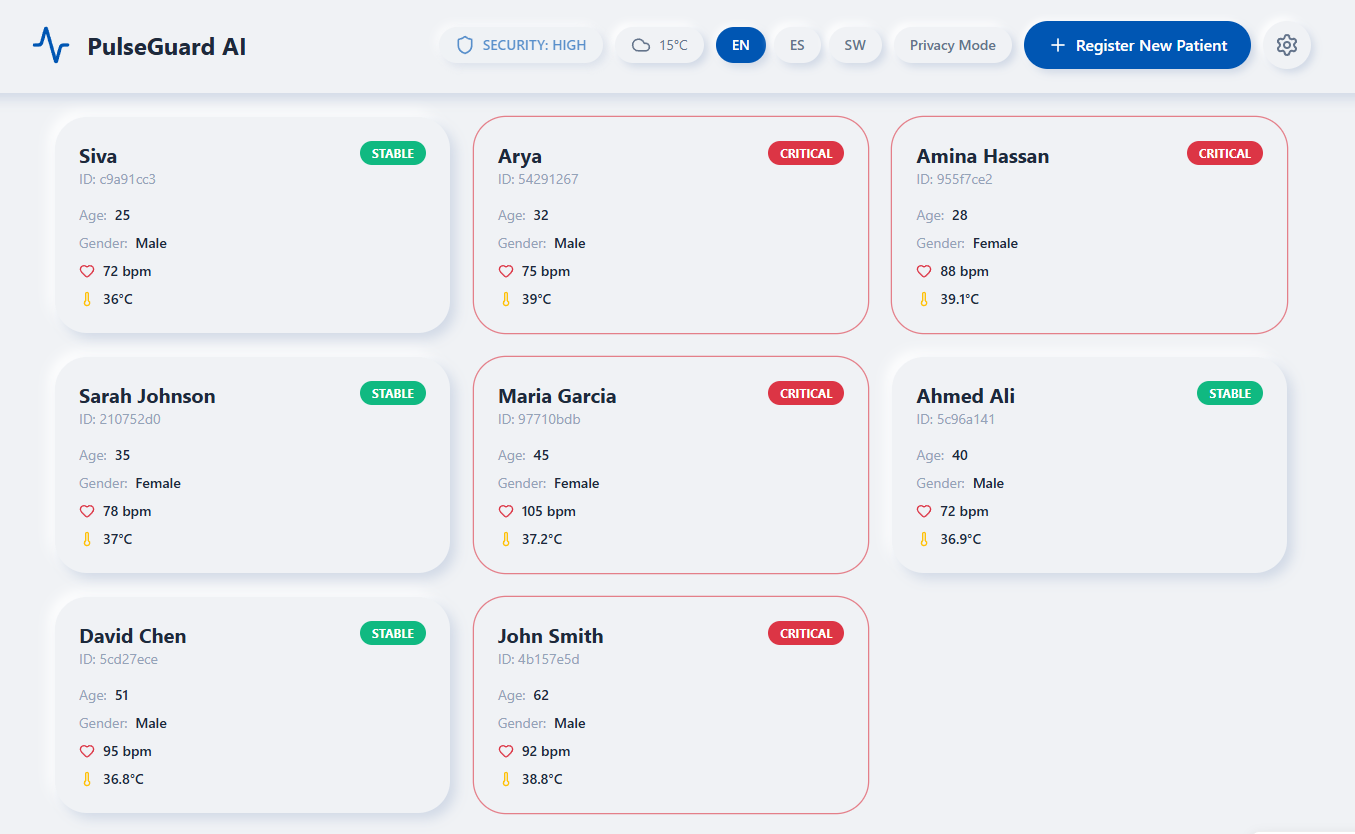
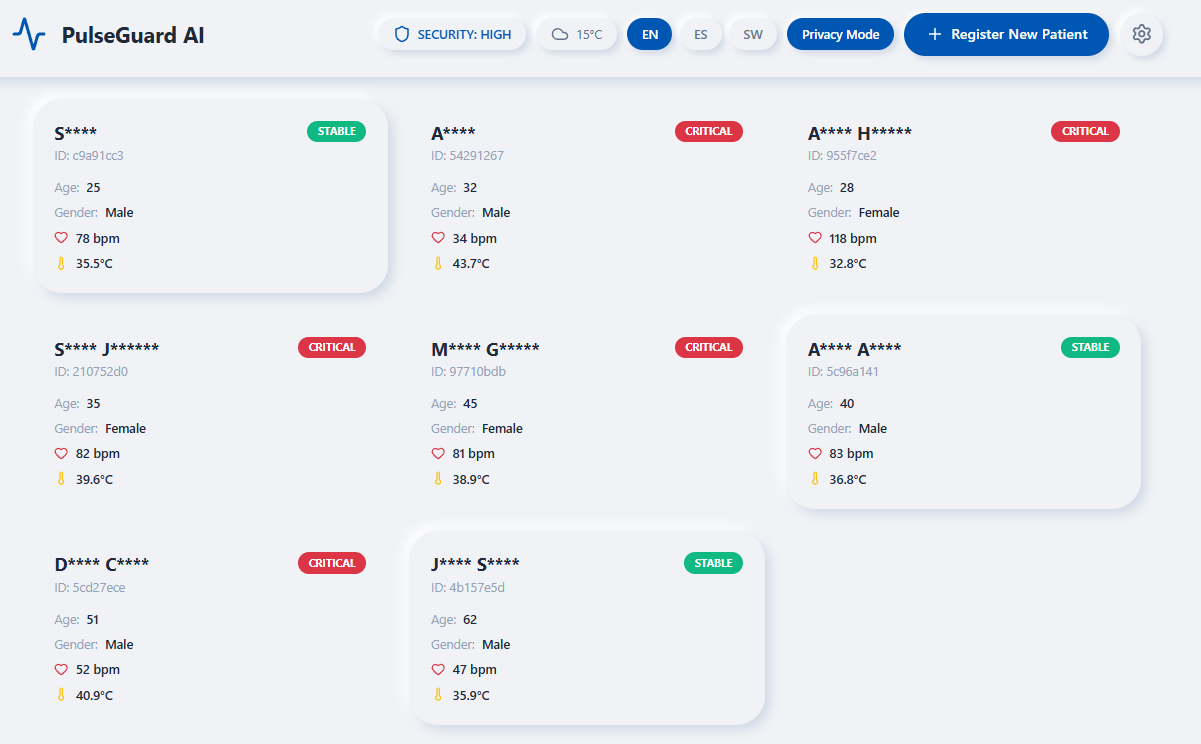
Dashboard
-
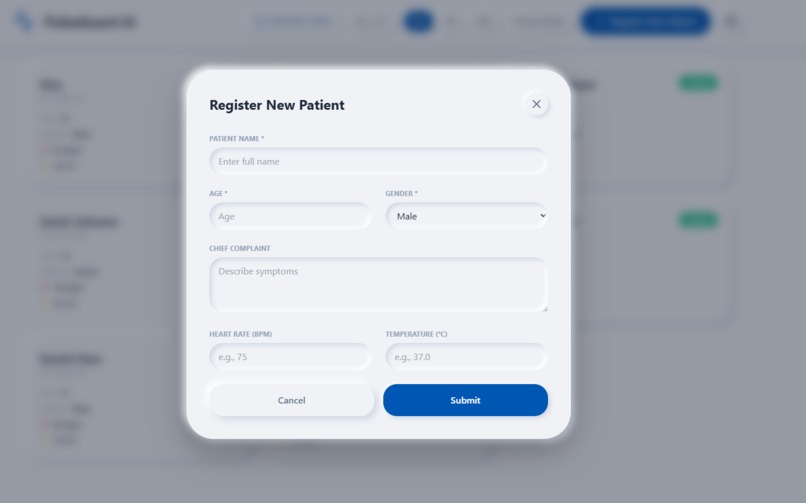
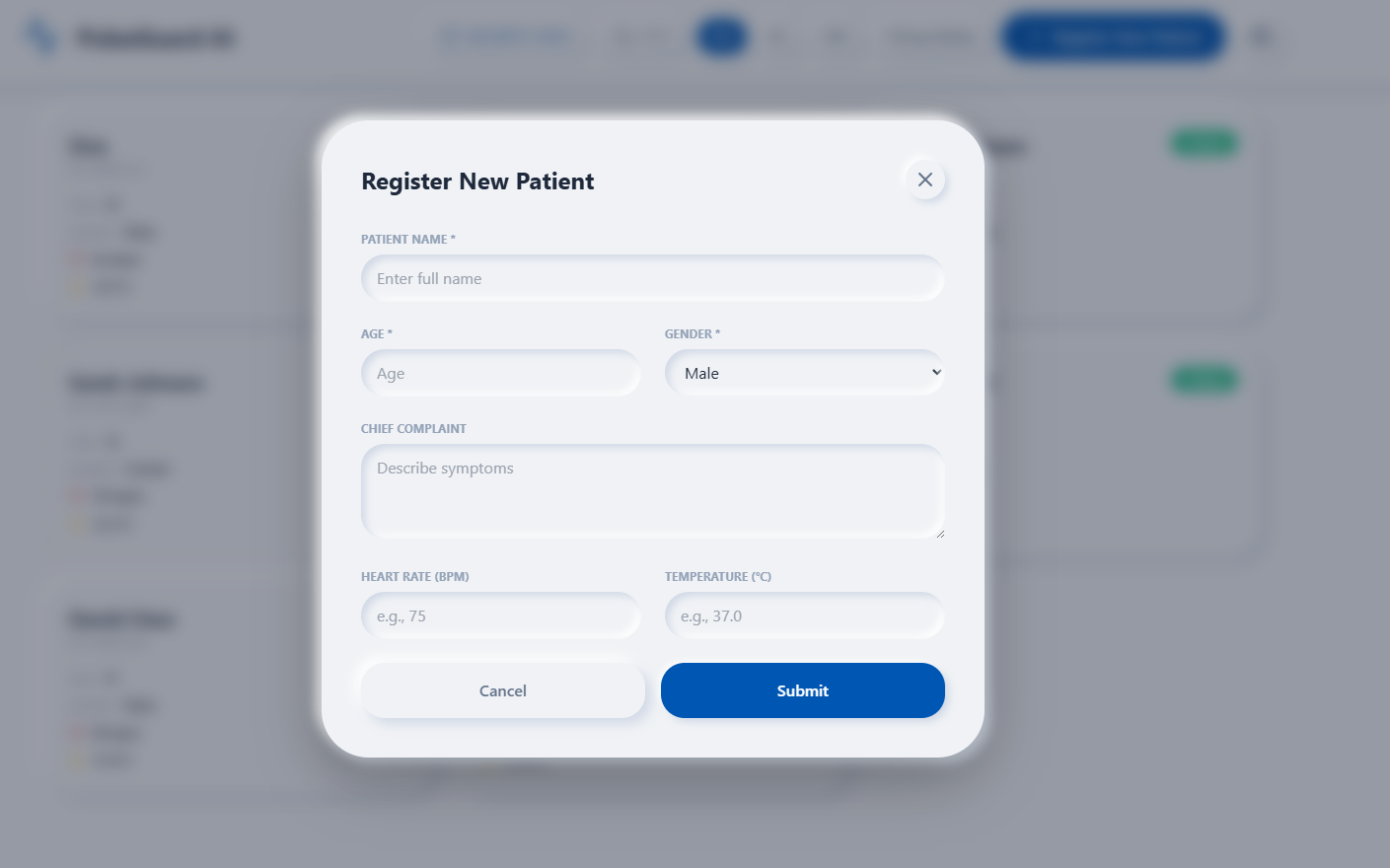
Patient Registration
-
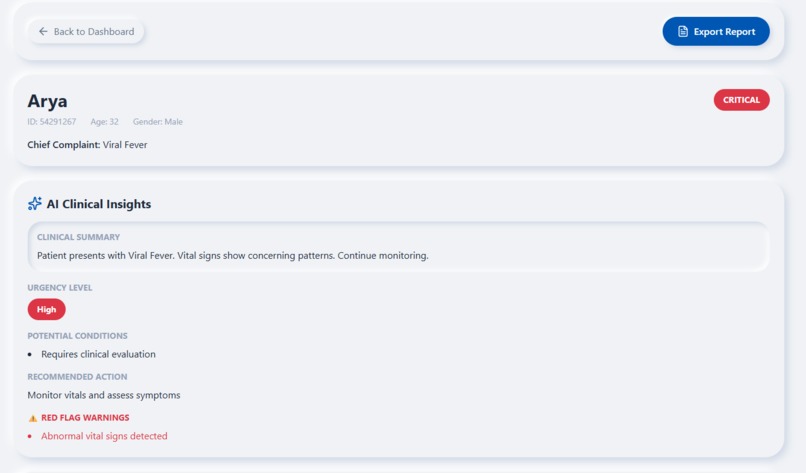
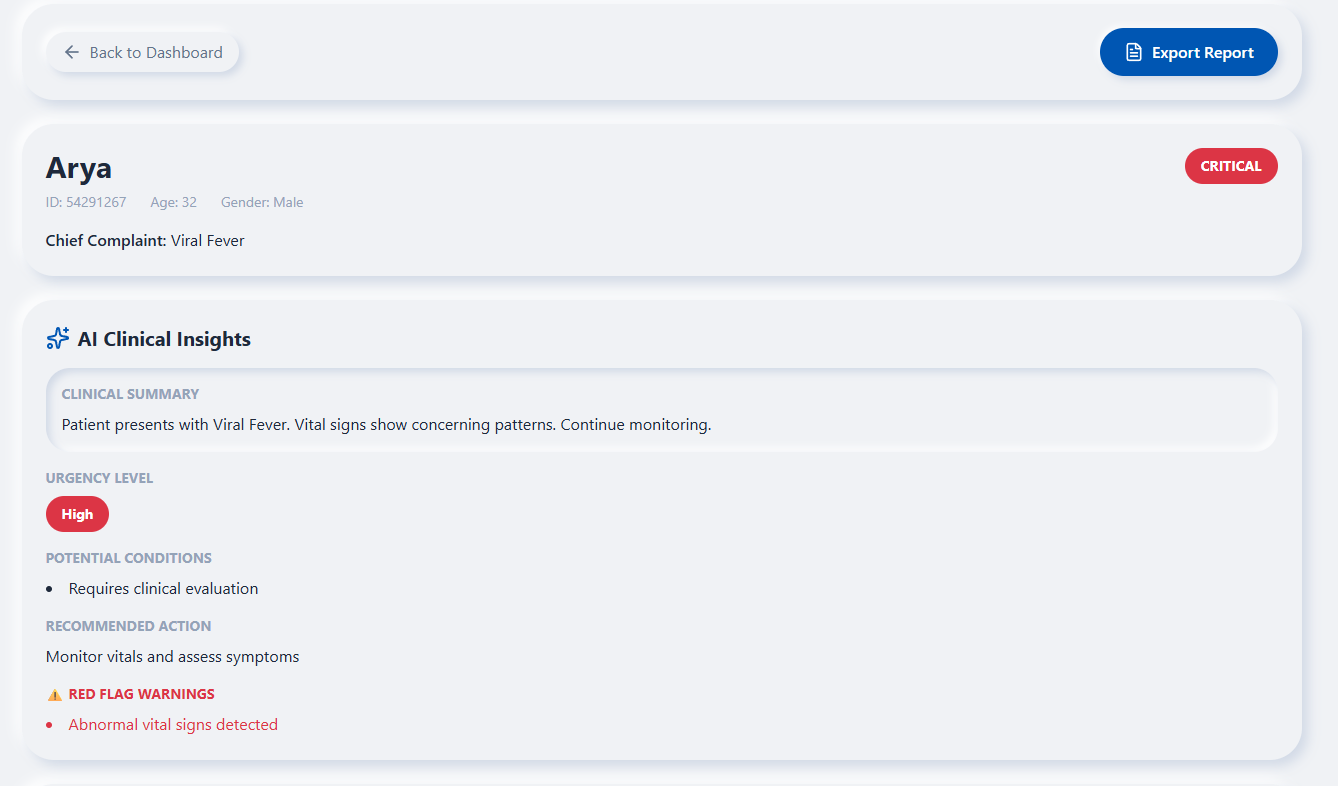
AI Clinical Insights of Patient
-
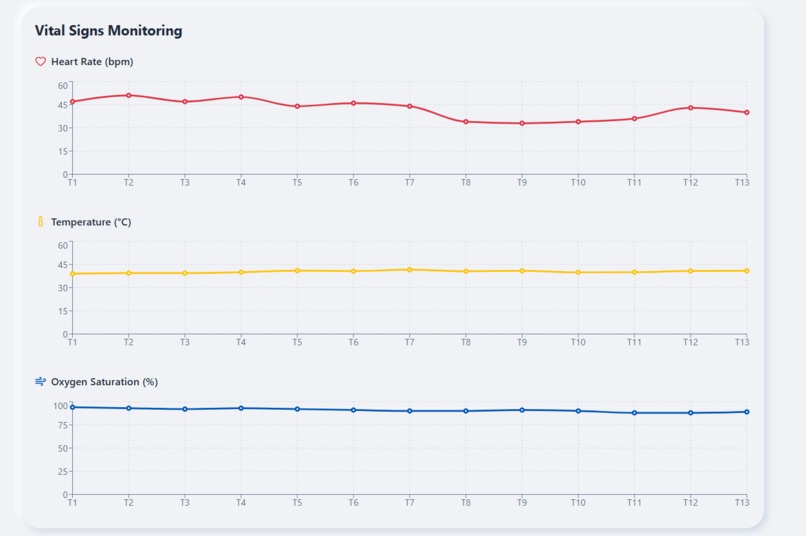
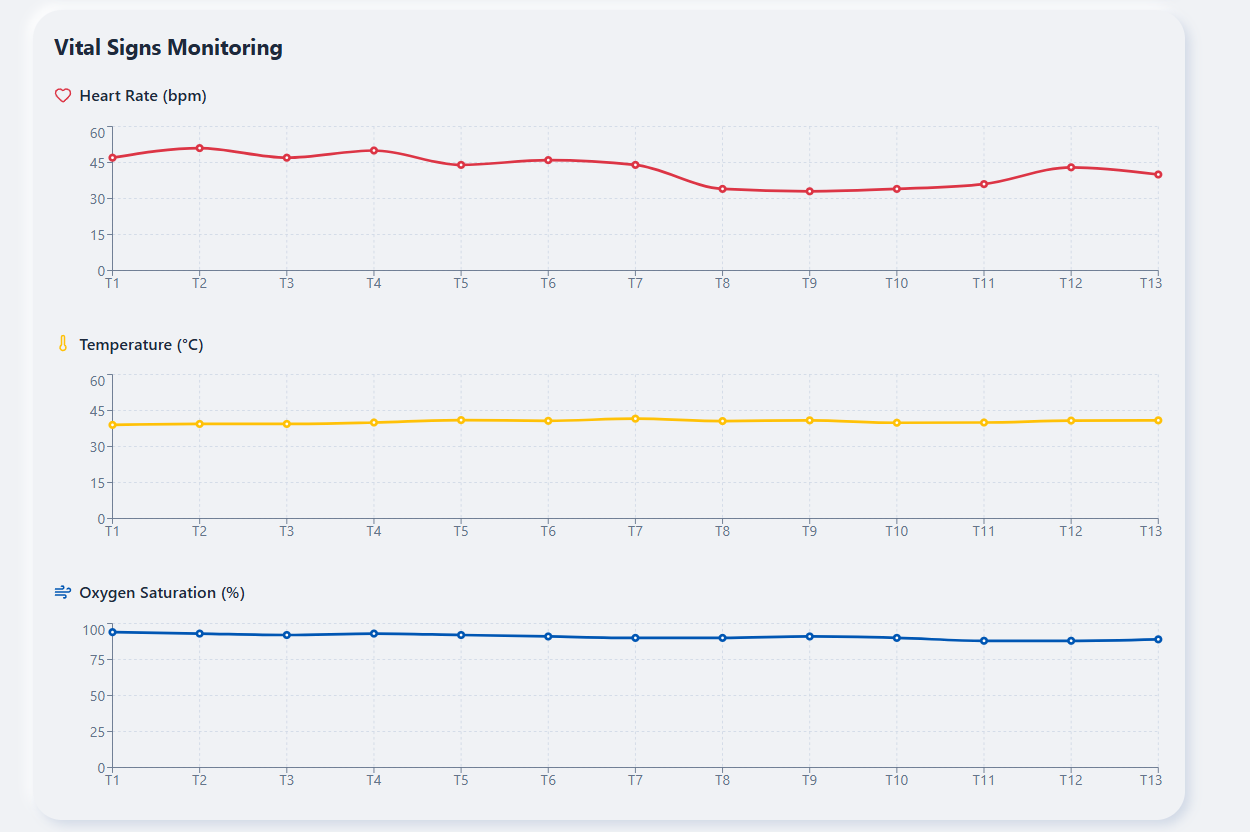
Patient Vitals Monitoring
-
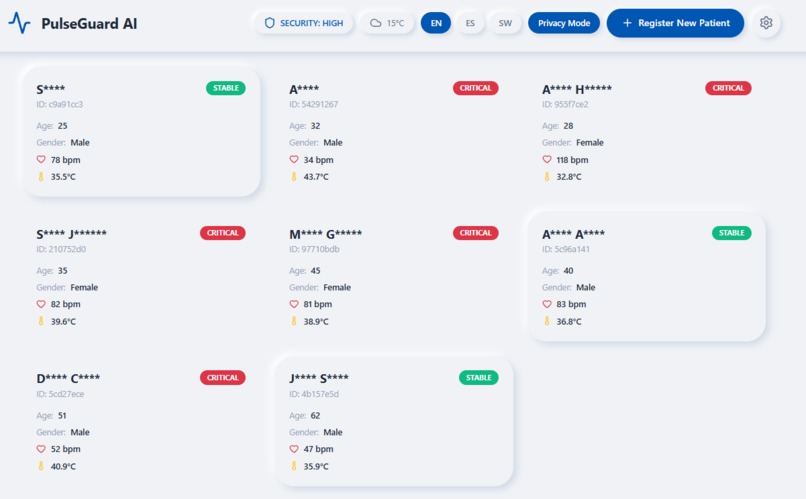
Patient Data Masked as per HIPPA Compliance
Building PulseGuard AI with MeDo: A Technical Retrospective
To bring PulseGuard AI to life, I utilized MeDo as a high-velocity development partner, moving from a conceptual requirements document to a production-ready medical triage system in a single development cycle.
The Problem and the Vision
I built PulseGuard AI to solve a critical bottleneck in healthcare: triage latency. In high-pressure clinical environments, delayed recognition of deteriorating vitals can be fatal. I wanted to create a platform that doesn't just display data but interprets it in real-time. The goal was to build a system that feels "alive"—where telemetry flows constantly and AI acts as a digital co-pilot for nursing staff.
Structuring the Conversation
The development process was structured through a "Zero-Footprint, Utility-First" conversational strategy. I used MeDo's Deep Build capabilities by providing highly specific technical "Master Prompts."
The Iterative Loop: We started with a foundational Neumorphic UI, then layered in complex state management. When I encountered "flickering" in the AI insights due to rapid data updates, I instructed MeDo to implement a throttled averaging logic. This ensured the AI analyzed 60-second trends rather than momentary fluctuations, resulting in a stable, professional clinical interface.
Contextual Guardrails: I provided MeDo with a 36-character UUID requirement and a single-file App.tsx mandate. This prevented path resolution errors and ensured the application was 100% crash-proof upon deployment.
Leveraging Plugins and API Integrations
The true power of PulseGuard AI comes from its integrated ecosystem:
BioStream-Sim: I used this plugin to simulate real-time telemetry. MeDo helped me write a polling mechanism that fetches vitals every few seconds, creating the "Live Tracking" effect.
LLM Integration (Gemini 2.5 Flash): I extended the application's functionality by wiring the internal LLM to a persistent clinical context. MeDo helped me structure the system prompt so the AI "knew" every patient’s history, allowing it to provide specific diagnostic advice rather than generic medical facts.
MedReport-Auto: We integrated a reporting plugin that generates automated clinical summaries. To enhance the UX, I had MeDo build a Neumorphic Modal Preview that displays a text summary before the final PDF generation.
The Most Impressive Feature: The Admission Isolation Logic
The most impressive feature MeDo helped me architect was the Isolated Admission Component. Initially, the "Register New Patient" form would reset every time a vital sign updated in the background. MeDo helped me re-engineer the component tree to isolate the form’s local state from the global telemetry stream. This allows a nurse to type in a new patient's details without interruption, while the heartbeats of other patients continue to pulse in the background—a perfect blend of UX stability and real-time performance.
Built With
- biostream-sim
- gemini
- medo
- postgresql
- react
- tailwind


Log in or sign up for Devpost to join the conversation.