-
-
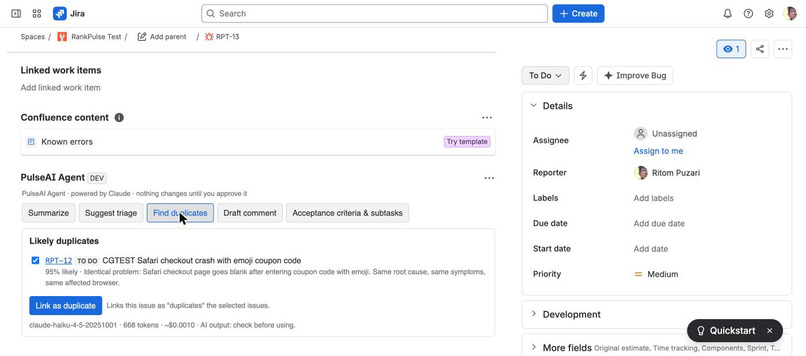
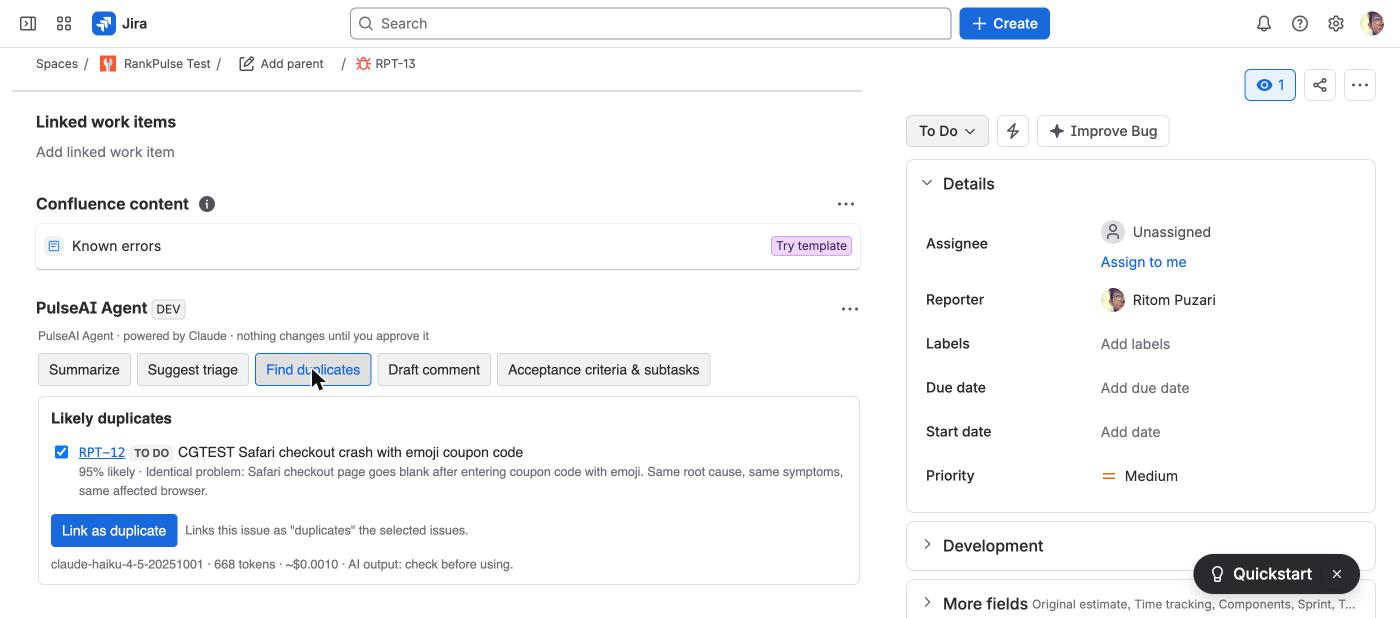
Issue panel: likely duplicates found in the project
-
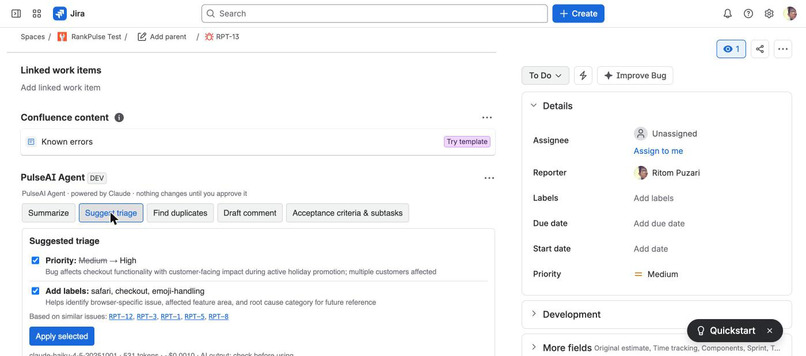
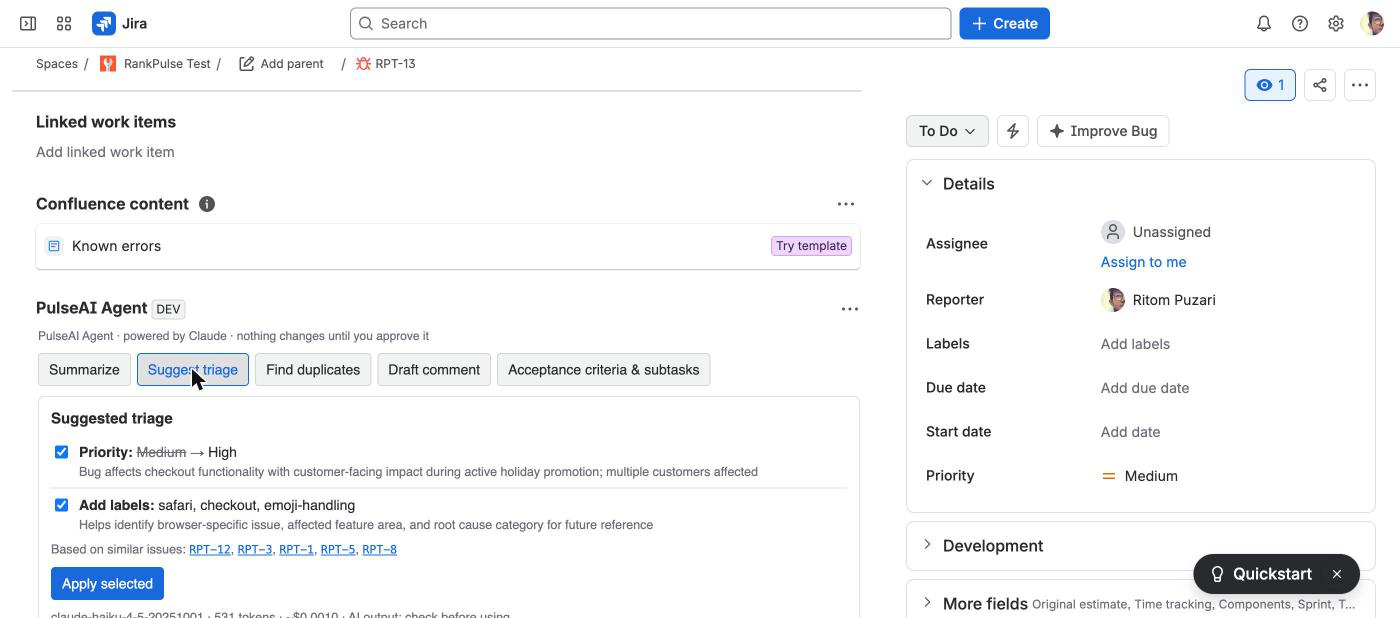
Issue panel: triage suggestions from the project's own values
-
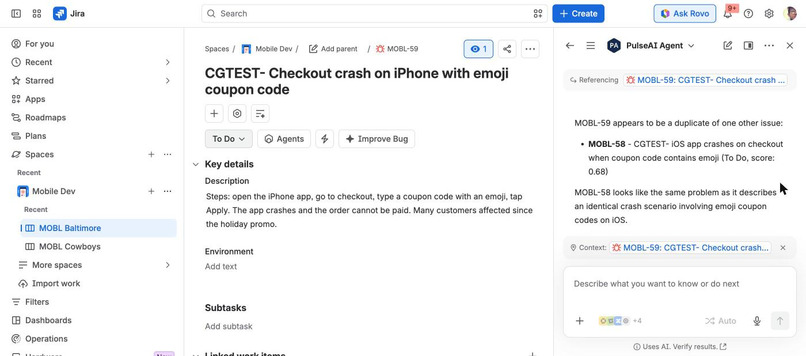
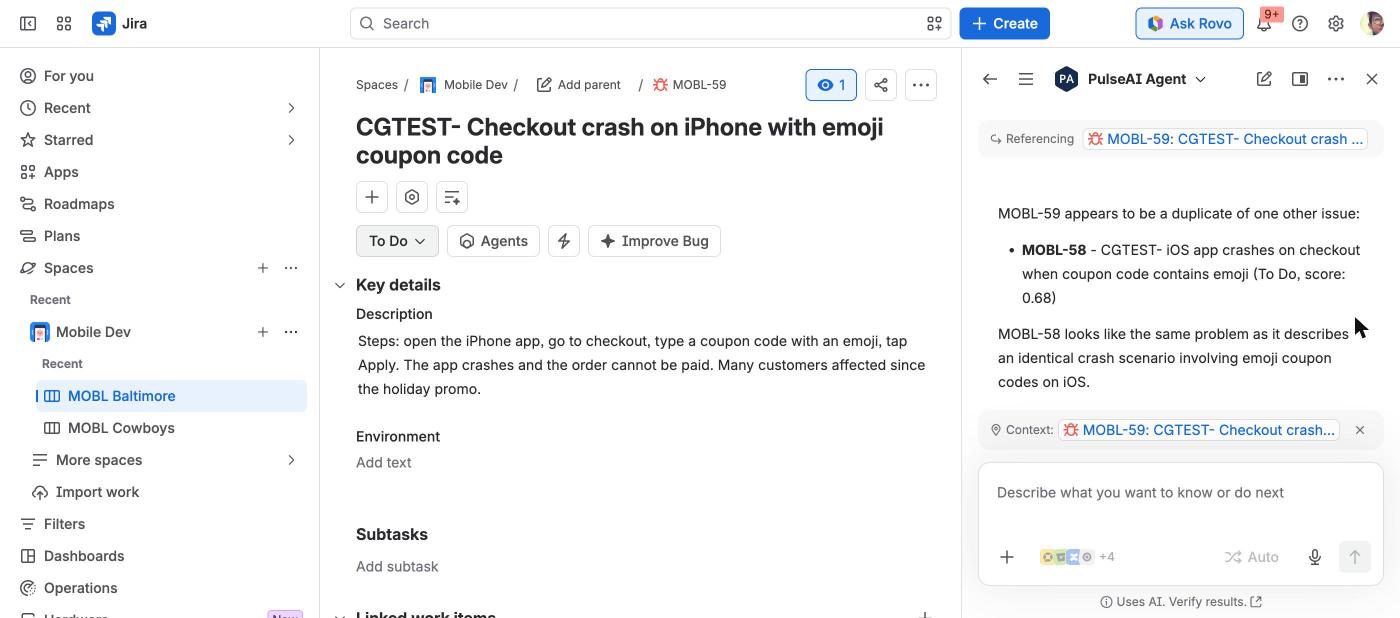
Rovo: "Is this a duplicate?" answered with similar issues and scores
-
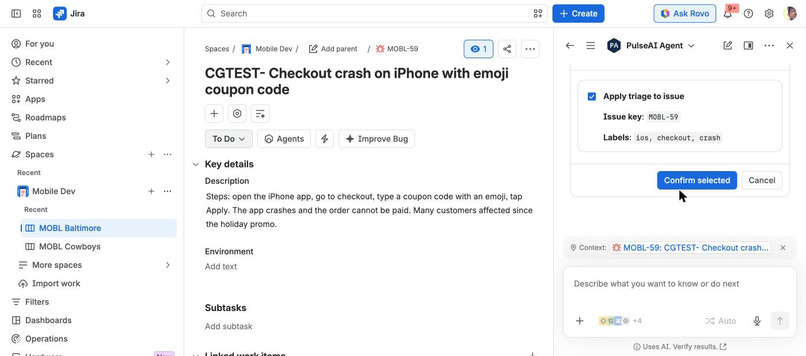
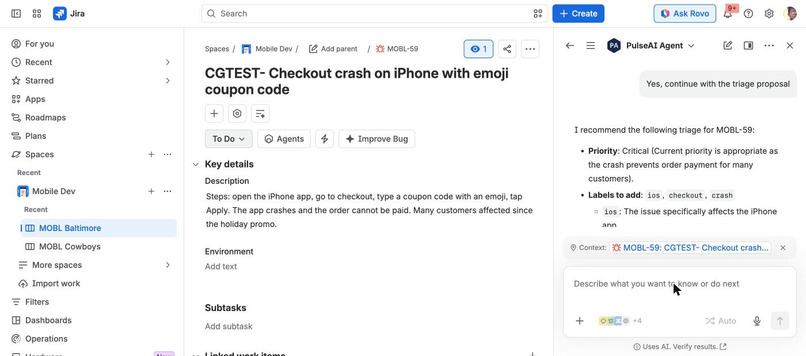
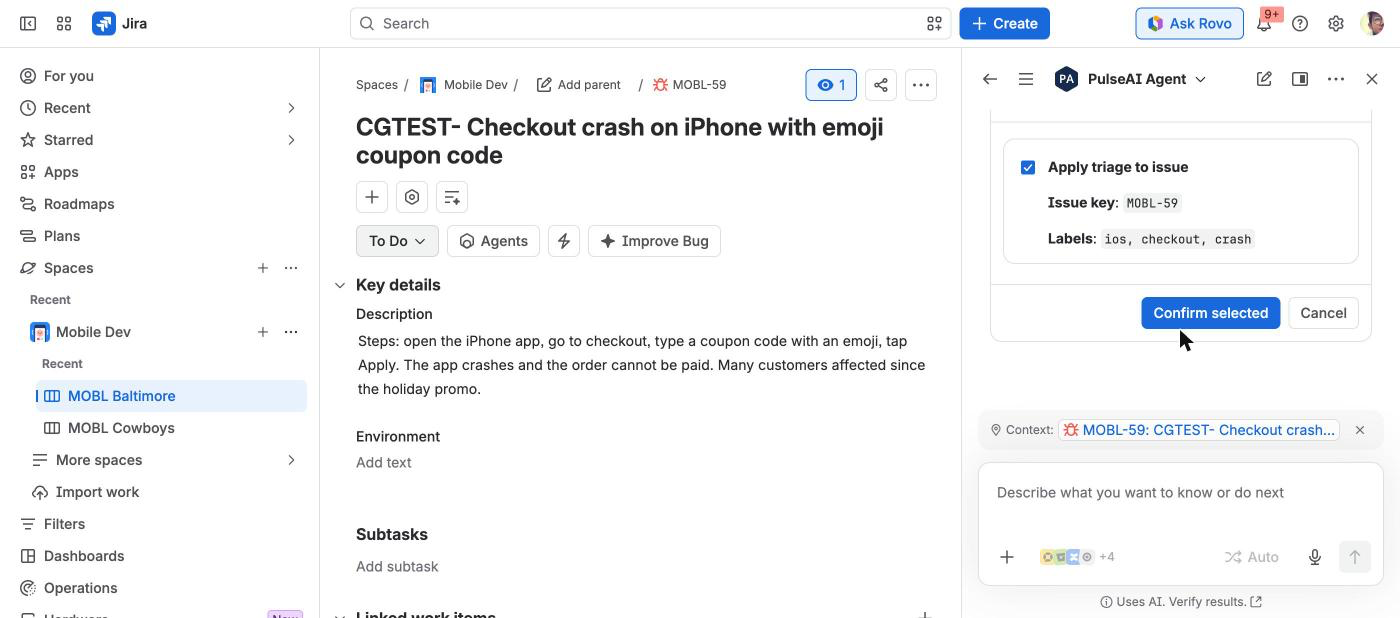
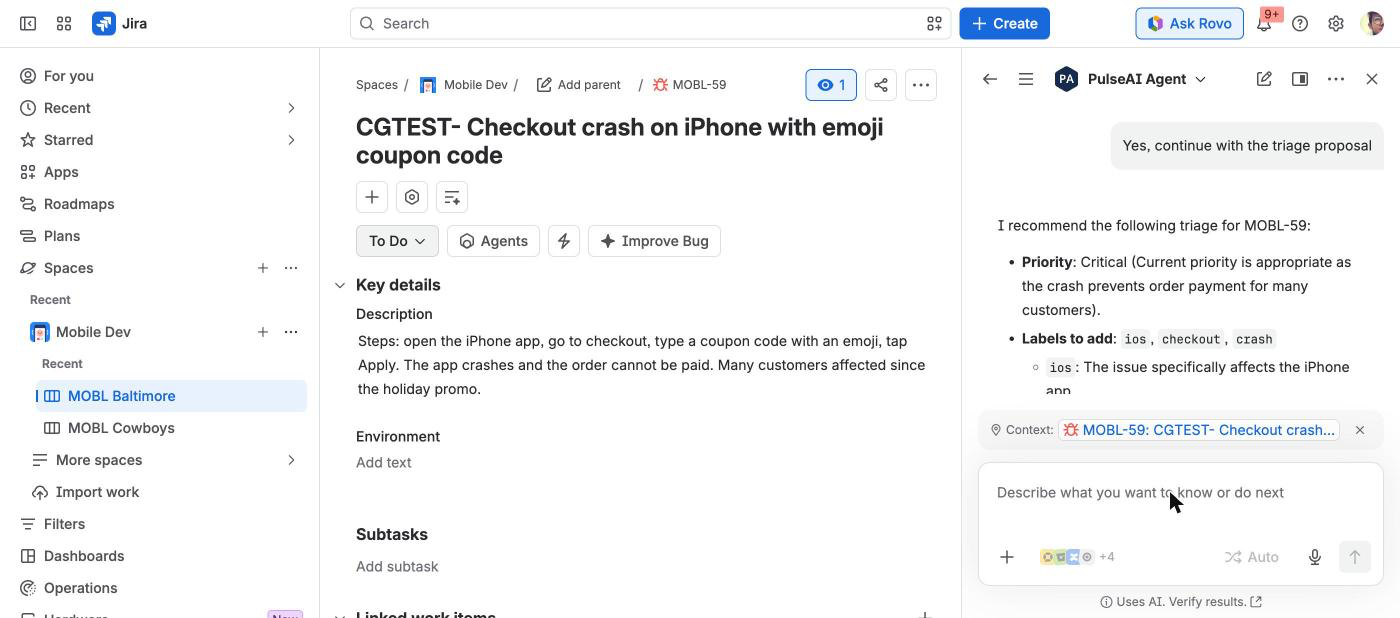
Rovo: triage proposal using only values that exist in the project
-
Rovo asks for confirmation before applying the change
-
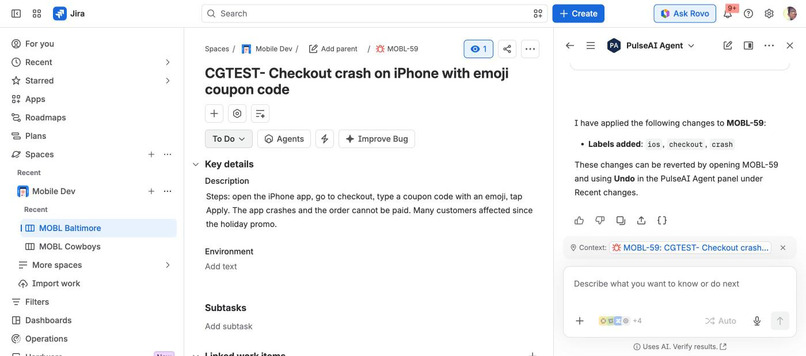
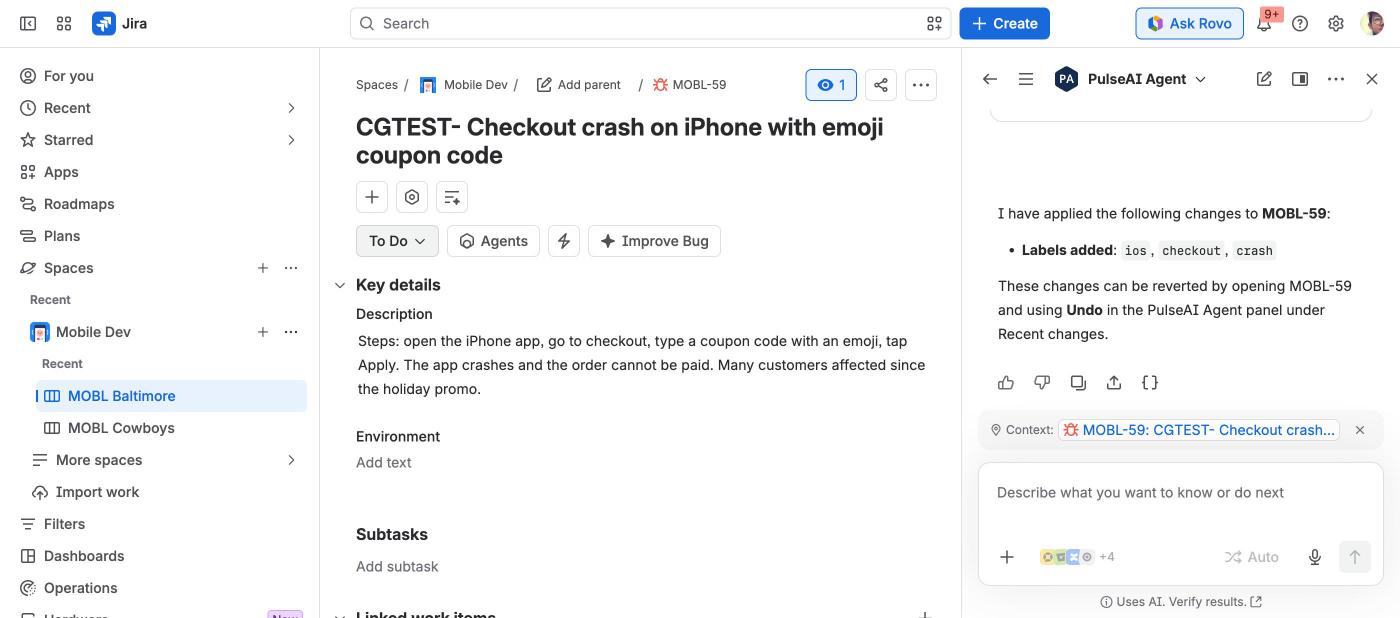
Change applied with the user's own Jira permissions
-
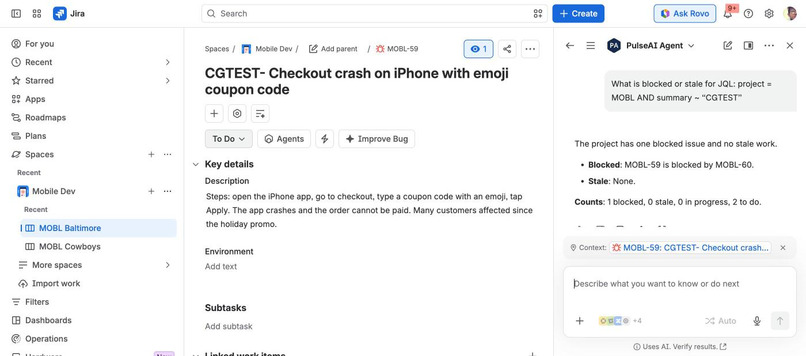
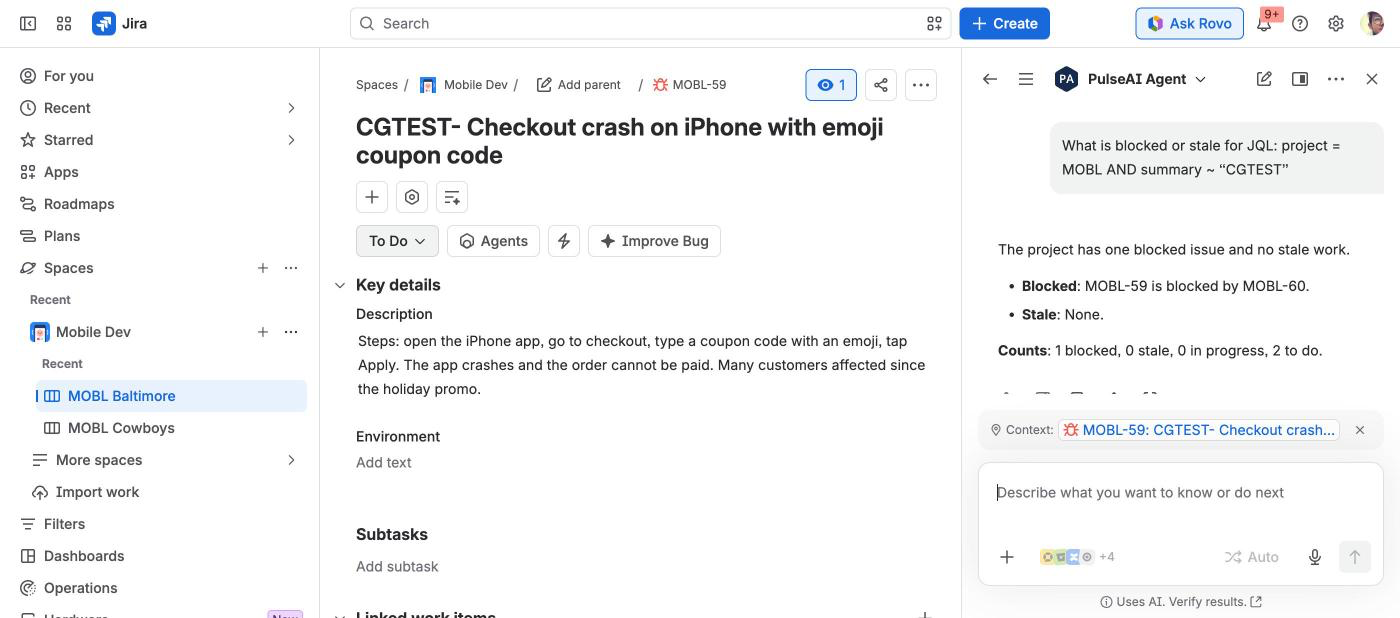
Rovo: blocked and stale work in a project, with issue keys
-
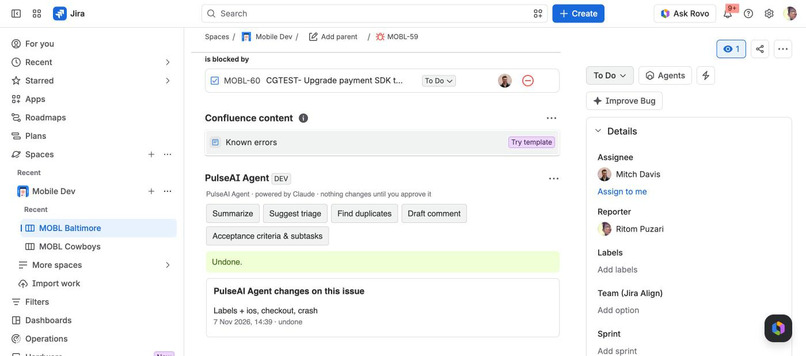
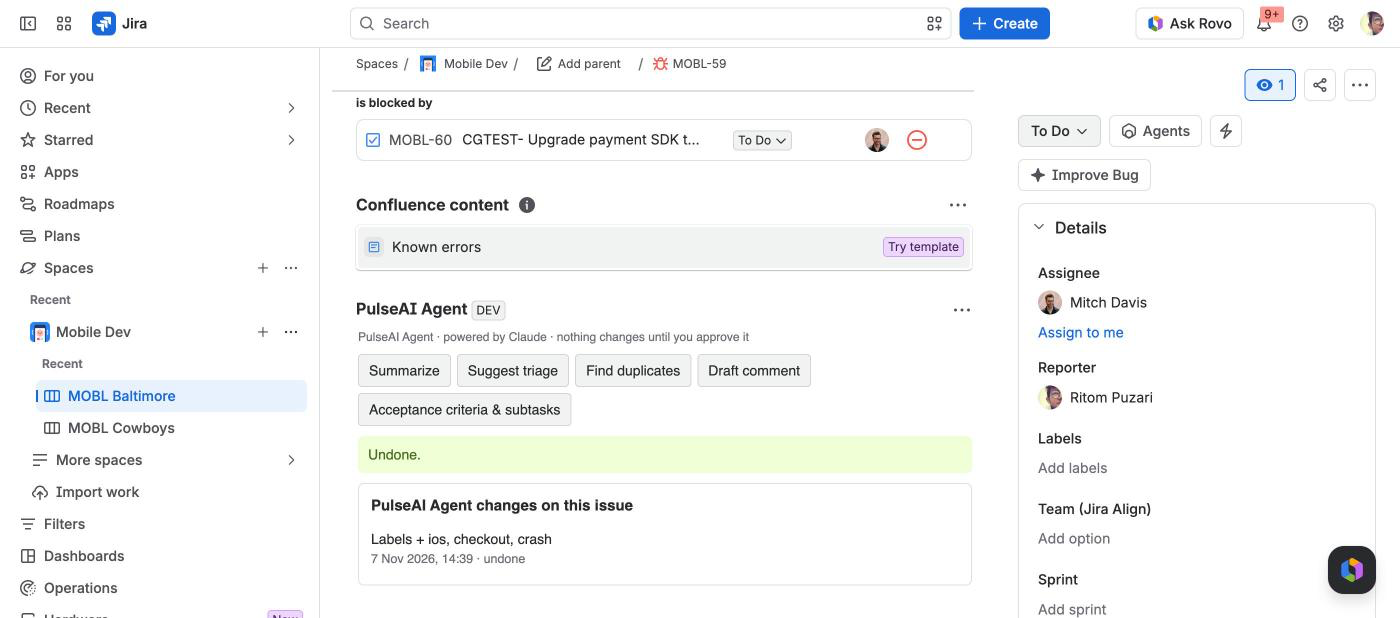
Every Rovo change is logged in the issue panel with Undo
-
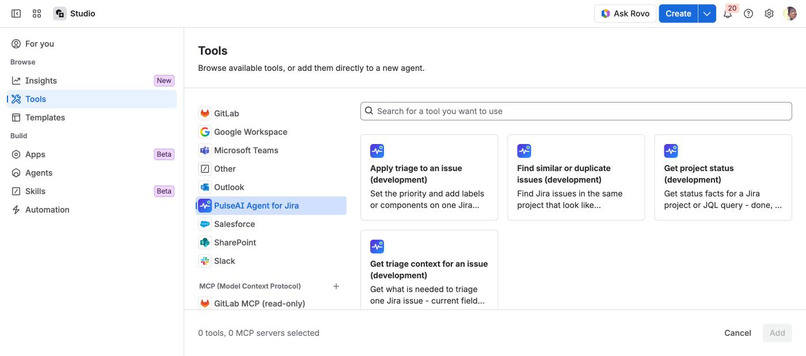
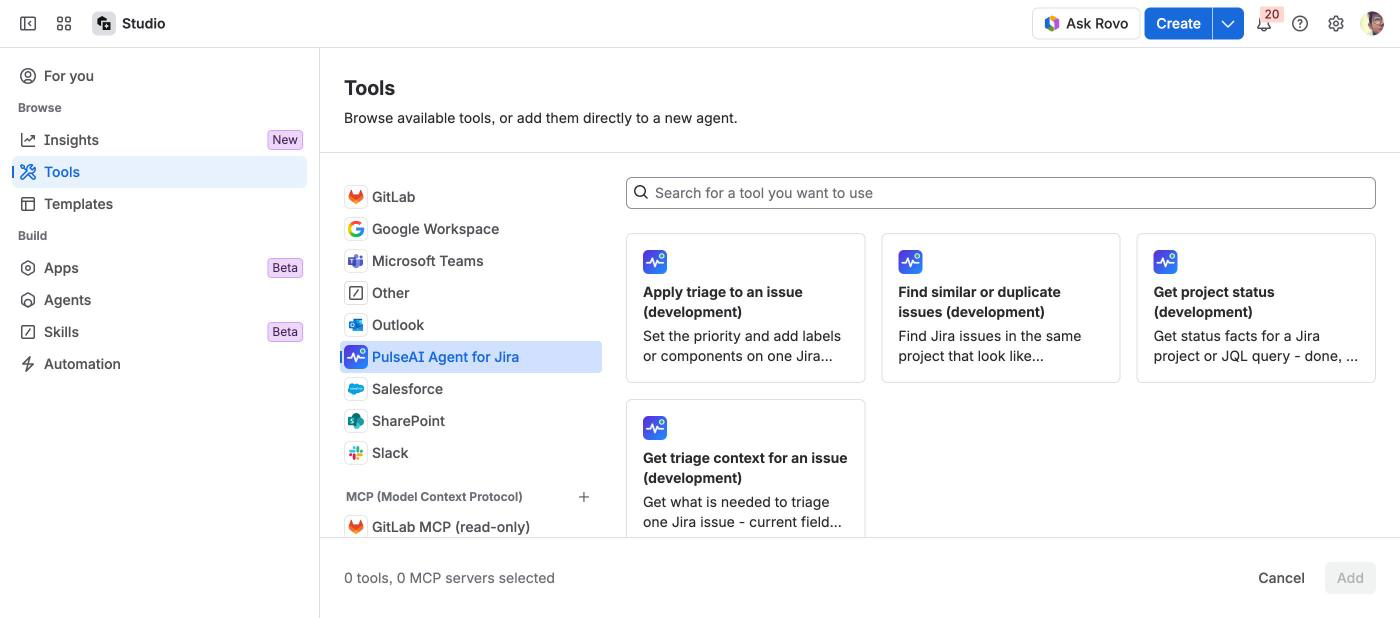
Rovo Studio: the same 4 PulseAI tools for your own agents
Category: Apps for Software Teams · Bonus prize: Best Agents (Rovo / assignable agents): rovo:agent + rovo:skill + 4 reusable action modules, also exposed to other Rovo Studio agents through rovo:mcp.
Inspiration
Jira triage is the same few questions every time: is this a duplicate, how urgent is it, which labels and components, who usually handles this. PulseAI Agent already answered them in an issue panel. Rovo is where people now ask questions in Jira, and other teams are building their own Rovo agents. We wanted those answers to be available there too, as tools any agent can call, without giving an AI free rein over Jira.
What it does
- PulseAI Agent (Rovo agent). Ask "Triage this issue", "Is this a duplicate?" or "What is blocked in this project?" in Rovo chat. The agent answers with Jira facts and proposes changes. It changes an issue only after you confirm.
- Four reusable actions (also listed as tools in Rovo Studio through
rovo:mcp):pulseai-find-similar(GET): likely duplicates in the same project, ranked by text similarity with a 0-1 score.pulseai-triage-context(GET): current fields, the priorities and components that actually exist in the project, labels used on similar issues, and who handled similar issues (names only, no account ids).pulseai-project-status(GET): done / in progress / to do / blocked (open blocker links or a blocked label) and stale work for a project or any JQL.pulseai-apply-triage(UPDATE): set the priority and add labels and components. Rovo asks for confirmation first. The app checks your Jira edit permission, accepts only values that exist in the project, logs the change and stores an undo step. You can undo it from the PulseAI Agent issue panel.
- A
pulseai-triageskill tells any agent how to use these tools in order: gather context, check duplicates, propose with reasons, wait for a yes, apply, report the undo hint. - The existing app is unchanged: issue panel (summary, triage, duplicates, reply drafts, acceptance criteria and subtasks), project status page, and admin page with budget, limits, project allow-list and audit log.
How we built it
- Forge app on Node.js 24. The Rovo actions are plain Forge functions (
src/rovo.js) that reuse the app's existing code: the same Jira client (every callasUser()), the same similarity ranking, the same status grouping and the same apply/undo engine as the issue panel (src/lib/rovo.js). - None of the four actions calls a model or leaves Atlassian. Rovo's own model does the conversation, and our actions give it checked facts. So the tools work without an own API key and do not use the app's AI budget.
- Inputs from the model are treated as untrusted. Issue and project keys are format-checked (no JQL injection through a key). Priorities and components are matched against Jira. Project JQL is wrapped by the admin's project allow-list. Who is asking comes from the Forge context, never from the inputs.
- The agent prompt is a resource file (
rovo/agent-prompt.txt). The skill isskills/pulseai-triage/SKILL.md. - 11 new
node --testunit tests cover input validation, the allow-list, missing edit permission (nothing is written), invalid priorities and components (rejected before any write, with the valid options), the audit and undo round trip, and that no action ever calls a model.
Challenges we ran into
- Rovo inputs come from a model and can be hallucinated, so the actions never trust them for permissions. We check the issue key format, read the user from the Forge context, and let Jira's own permissions decide.
- Writes had to be safe twice: Rovo's confirmation step, then our own checks (edit permission, valid values, "nothing to change"), then an undo step stored in the same log the issue panel uses.
- Our first test site had no active Rovo, so we ran the live Rovo test on a second Forge demo site.
Accomplishments that we're proud of
- One engine, three surfaces: the issue panel, our Rovo agent, and any customer-built Rovo agent use the same checked, permission-aware code.
- A change made by Rovo shows up in the issue panel's Recent changes with Undo.
- The Rovo tools need no external AI and no key.
What we learned
- Small, factual tools (find similar, triage context, status facts) work better for agents than one big "do triage" tool. The agent reasons, and the tools stay checkable and testable.
- A skill file is a good place for the order of steps and for the error cases. That keeps the agent prompt short.
What's next
- More actions from the panel: link duplicates (with undo) and draft a JSM internal note.
- Use the agent from Jira automation for read-only digests (Rovo does not run UPDATE actions from automation).
- The Rovo modules shipped to production on 7 November 2026; next is a Marketplace listing update once the current review is done.
Testing instructions for judges
- Install PulseAI Agent for Jira from its Atlassian Marketplace listing: https://marketplace.atlassian.com/apps/1121616640/pulseai-agent-for-jira (submitted, Marketplace review in progress; free for up to 10 users once approved). Marketplace-listed apps can't also be shared by installation link. Use a Jira Cloud site with Rovo turned on.
- Create two similar issues (for example "Checkout crash on iPhone with emoji coupon code" and "iPhone app crashes at checkout when coupon has emoji") and one issue that blocks one of them.
- Open Rovo chat, @mention PulseAI Agent, and ask "Is a duplicate?", "Triage ", then confirm the proposed change in Rovo's review card. Ask "What is blocked or stale in project ?".
- Open the issue: the PulseAI Agent panel lists the change Rovo made with an Undo button.
- In Rovo Studio > Tools, "PulseAI Agent for Jira" offers the same 4 actions to your own agents. The four Rovo actions don't call any model or external service, so no API key is needed for them.
Built With
- atlassian-forge
- forge-llms
- javascript
- jira
- node.js
- rovo
