Inspiration
I can't play a single instrument. So I built one that plays itself.
I can't play a single instrument. Not really. I can find middle C on a piano if you give me a minute, and that's about where my musical talent ends.
So when I sat down to build something for the WebMCP Challenge, a drum machine was the last thing I expected to make.
Here's what changed my mind: one sentence buried in Codex's docs — "Website-provided tool definitions and results are untrusted content." It's a throwaway security note, but it describes something bigger. For years, an AI agent trying to use a website has had exactly one option: stare at the page and guess. Parse the HTML, look at the buttons, click where it thinks is, hope for the best. The website never gets a say in how it's operated.
WebMCP flips that. The page can just tell the agent what it does. Not "here are some buttons," but set_tempo, mute_track, with real schemas, wired straight into the app.
I wanted to test that idea somewhere unforgiving. Music felt right, because you can't fake a groove. If an agent's tempo lands on 240 instead of 124, you hear it immediately. There's no ambiguity to hide behind.
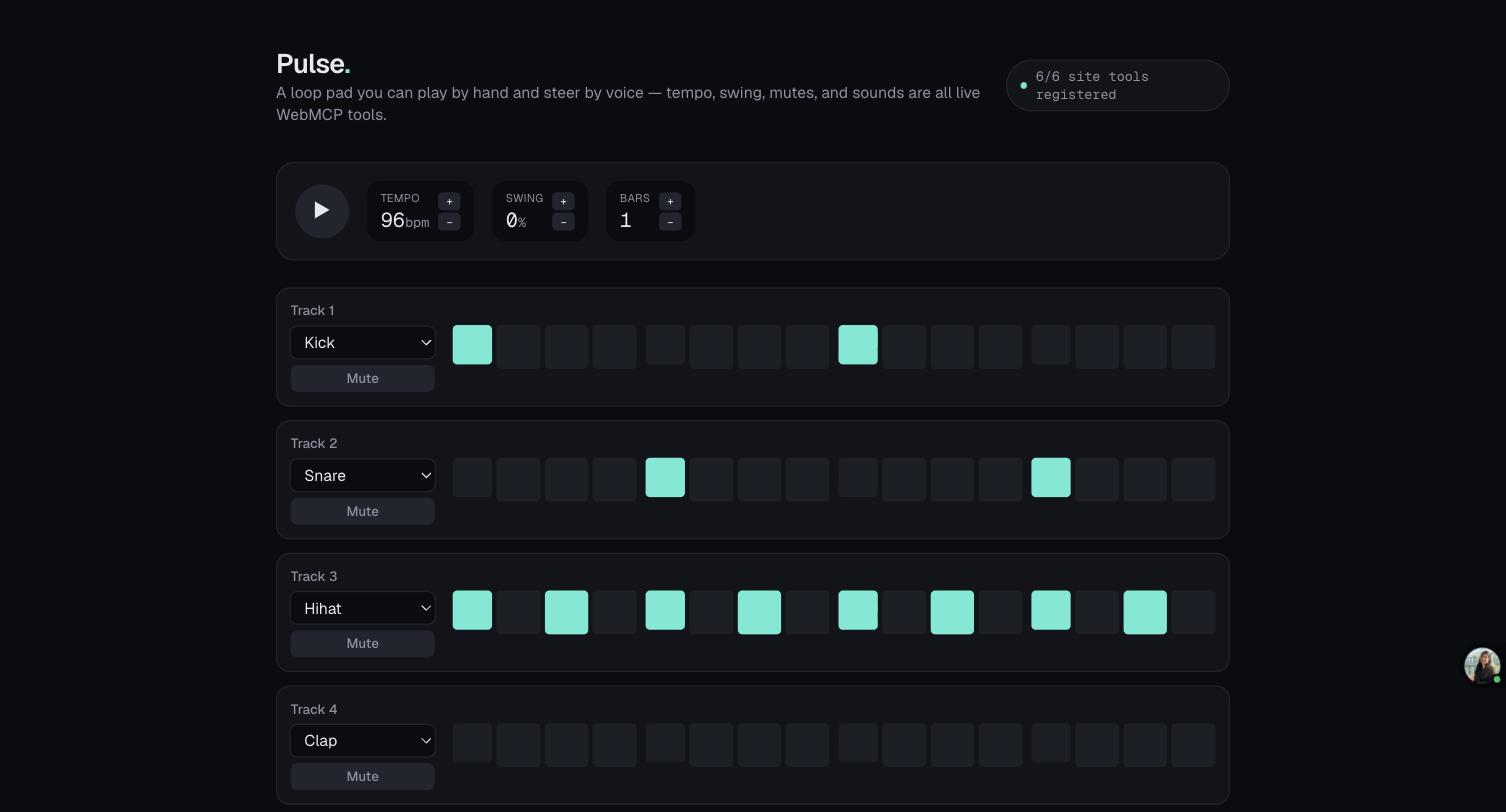
So I built Pulse: a browser drum sequencer with a mouse-and-grid interface anyone can click around in, and seven WebMCP tools — tempo, swing, pattern length, mute, sound, step, and a read-only pattern-state query — wired into the exact same engine underneath. Not a demo layer, but the same sequencer.
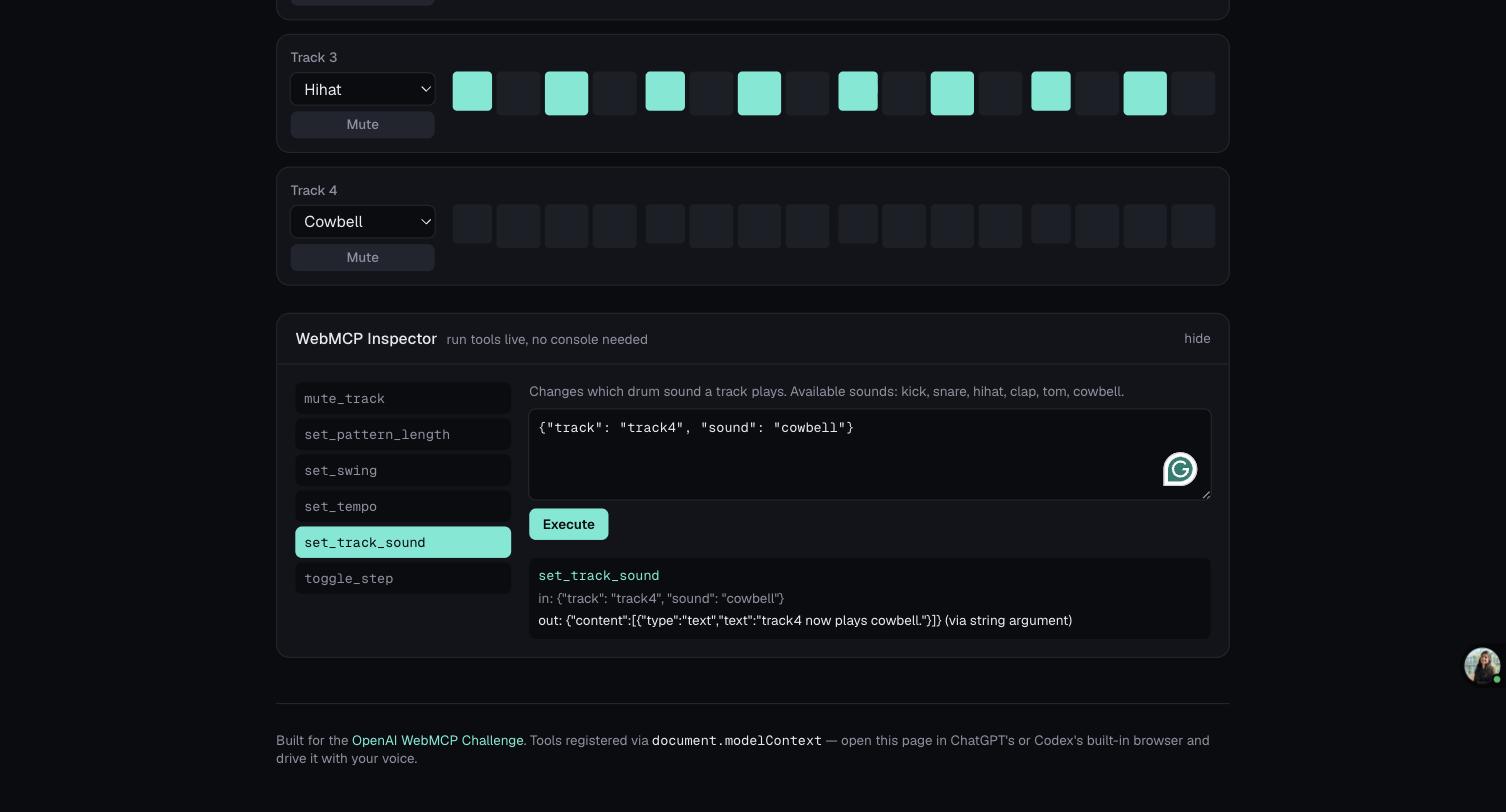
The moment that actually got me was when I opened ChatGPT and said: "Set the tempo to 124, make Track 4 a cowbell, mute Track 3." The grid on my screen lit up and rearranged itself in real time. There was no "AI mode." The square that lit up was the exact same square my mouse lights up. I built a visible tell for this on purpose: when a tool call changes something, the control flashes violet for a second, so you can actually see the agent working instead of taking my word for it. Open the live app right now and see for yourself.
I'm still not a musician, and maybe I never will be. But I made a loop tonight that I was proud of, entirely with my voice, because the website told the agent exactly how to operate it instead of leaving the agent to reverse-engineer the interface. That's the whole idea behind Pulse: when a page can describe its own capabilities, the gap between "someone who can use this" and "someone who can't" starts to shrink — for agents. For people like me.
What Pulse does
Pulse exposes six WebMCP tools directly from the browser:
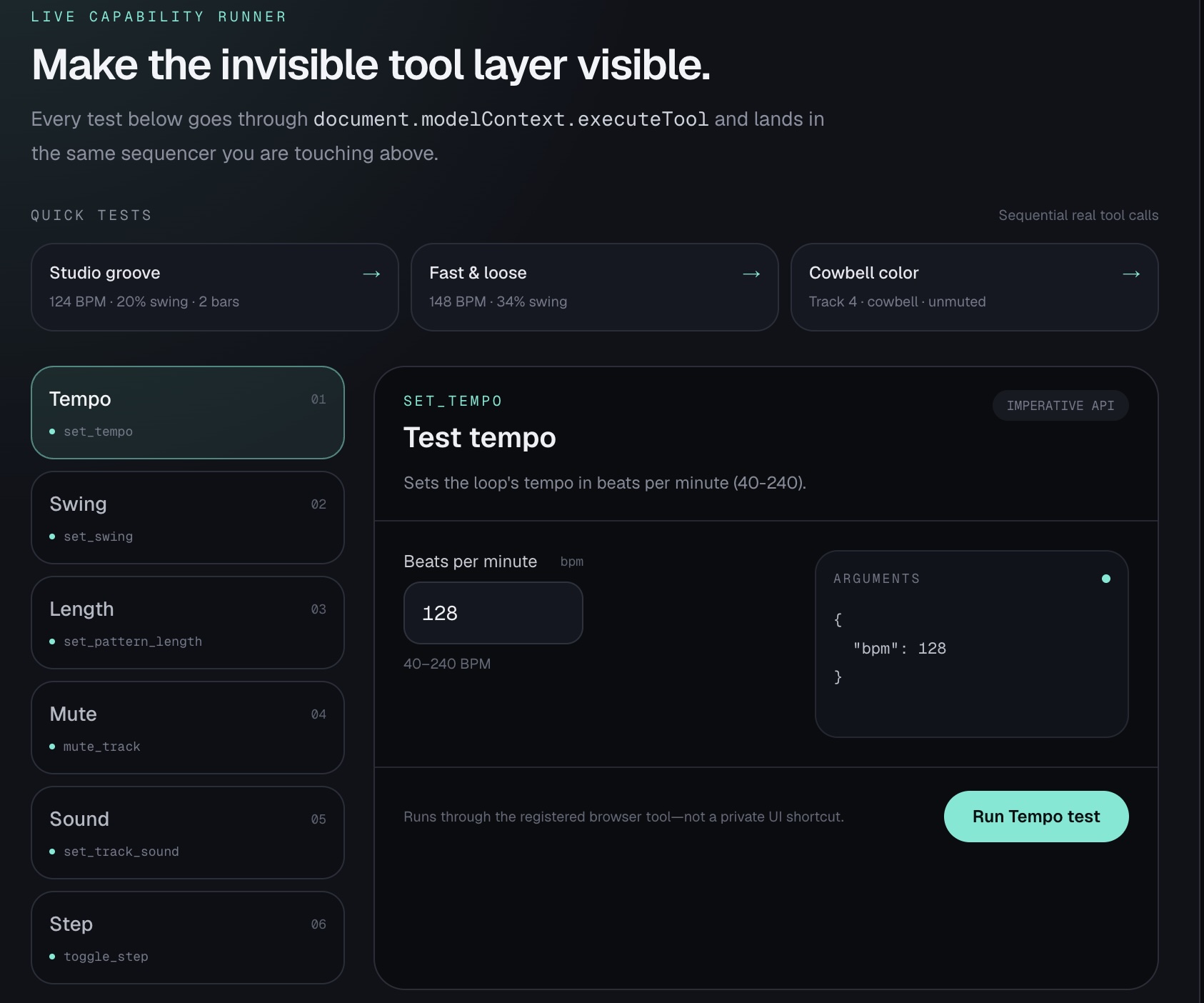
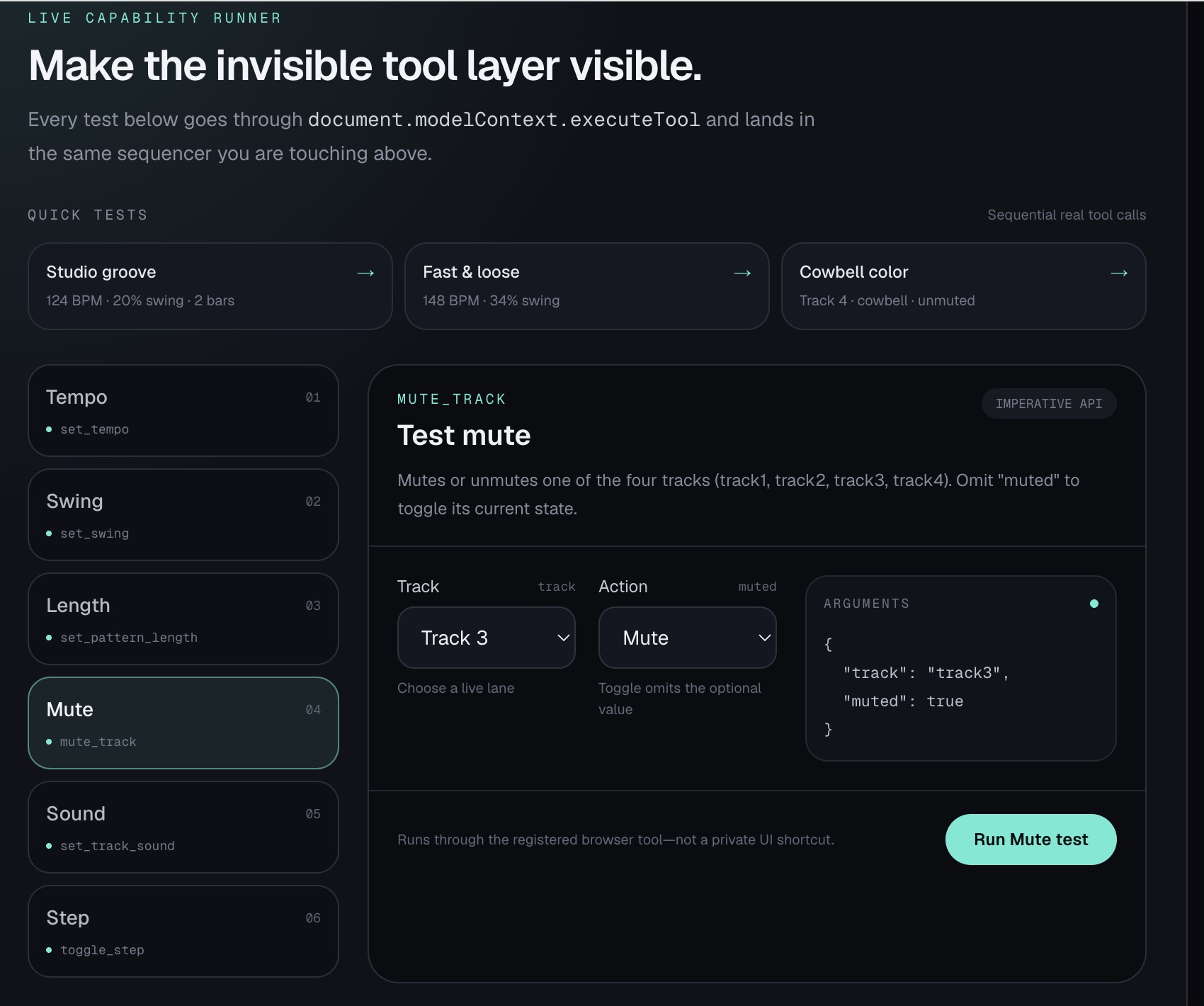
set_tempo set_swing set_pattern_length mute_track set_track_sound toggle_step
A musician can interact with the sequencer normally using the visible controls, or an AI agent can manipulate the exact same sequencer through WebMCP.
For example, I can tell ChatGPT:
“Make the pattern two bars, set the tempo to 124 BPM with 20% swing, change Track 4 to cowbell, toggle steps 4 and 12, and mute Track 3.”
The agent discovers the matching site tools, calls them, and the changes immediately appear on the live drum-machine grid.
There is no separate “AI version” of Pulse.
Why WebMCP is a strong fit
Without WebMCP, an agent controlling Pulse would have to reason about the presentation layer:
Where is the tempo control? Is this button Track 3 or Track 4? Does clicking this grid square turn a step on or off? How should a slider be manipulated?
With WebMCP, the page answers those questions itself.
Pulse exposes typed application capabilities directly from the page. The agent operates on concepts such as tempo, swing, track, sound, pattern length, and step instead of screen coordinates.
That makes the interaction more precise for the agent while preserving the visual, tactile interface for the person using the instrument.
Humans and agents working together
The most interesting thing about Pulse is that the human and the agent are not using two different systems.
Both operate on the same application state.
A person can start a loop manually, ask an agent to change the groove, continue editing with the mouse, ask for another modification, and keep playing.
The WebMCP invocation that lights up the grid follows the same state path as the click that lights it up from my mouse.
The agent is not simulating the use of Pulse. It is using Pulse through a capability surface deliberately provided by Pulse.
That is what I think matters about WebMCP beyond this demo: websites can become active participants in defining how agents interact with them.
How I implemented WebMCP
Pulse is built with Next.js, React, TypeScript, the Web Audio API, and WebMCP.
The six WebMCP tools are registered in the live browser page and execute against the same Sequencer instance used by the visible controls.
For example, the UI tempo control and the WebMCP set_tempo tool ultimately operate on the same sequencer logic.
The WebMCP layer does not proxy commands through a separate AI backend. The tools live inside the page, beside the application state they control.
The application is deployed publicly on Vercel over HTTPS and can be exercised through ChatGPT’s built-in browser or Google Chrome with WebMCP testing enabled.
Building it
The implementation process was not completely clean, and that ended up being one of the most useful parts of the project.
I initially used hand-written WebMCP registration code before discovering the official integration hook and migrating to it.
I spent real time reading Chrome’s secure-tools documentation, revisiting my tool descriptions, and learning constraints I did not even know existed when I began.
The warning that website-provided tool definitions and results are untrusted also forced me to think more carefully about the trust boundary between an agent host and a page it did not write.
Codex was my primary development partner throughout that process: helping trace the WebMCP integration, reason about the tool surface, migrate implementation details, validate schemas, debug browser behavior, and verify the final production build.
Those details are not glamorous, but they are what “the future of the open web” looked like from inside the build: not a keynote slide, but a series of small, specific decisions about what a page should expose and how much an agent should trust it.
What I learned
WebMCP changed how I think about the relationship between websites and agents.
The important abstraction is not “AI clicking websites faster.”
It is applications exposing a semantic capability layer alongside their human interface.
The visual UI remains valuable for people. The WebMCP tool surface becomes the precise interface for agents. Both operate over the same underlying application.
That feels substantially more robust than teaching increasingly powerful models to reverse-engineer every website they encounter.
Known limitations
toggle_step intentionally implements toggle semantics rather than absolute “step on” or “step off” semantics. Calling it twice therefore reverses the change. For deterministic judging or demos, refreshing Pulse before running the provided multi-step prompt gives a known starting state.
Play/Stop is also intentionally not exposed as a tool in the current version because browser audio requires an initial user gesture.
What’s next
Pulse currently exposes six musical operations, but the same architecture could support higher-level capabilities such as creating fills, saving patterns, loading presets, manipulating velocity, generating variations, or exposing reusable musical structures.
More broadly, I want to explore the same model in applications where agents currently rely heavily on UI interpretation.
Pulse is a small demonstration of a much larger idea:
When a website can tell an agent exactly what it offers, the agent no longer has to guess.
Built With
- next.js
- react
- typescript
- vercel
- web-audio-api
- webmcp


Log in or sign up for Devpost to join the conversation.