-
-
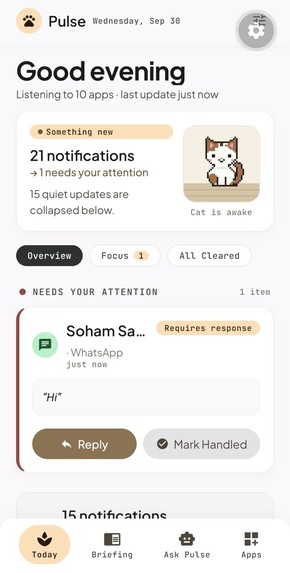
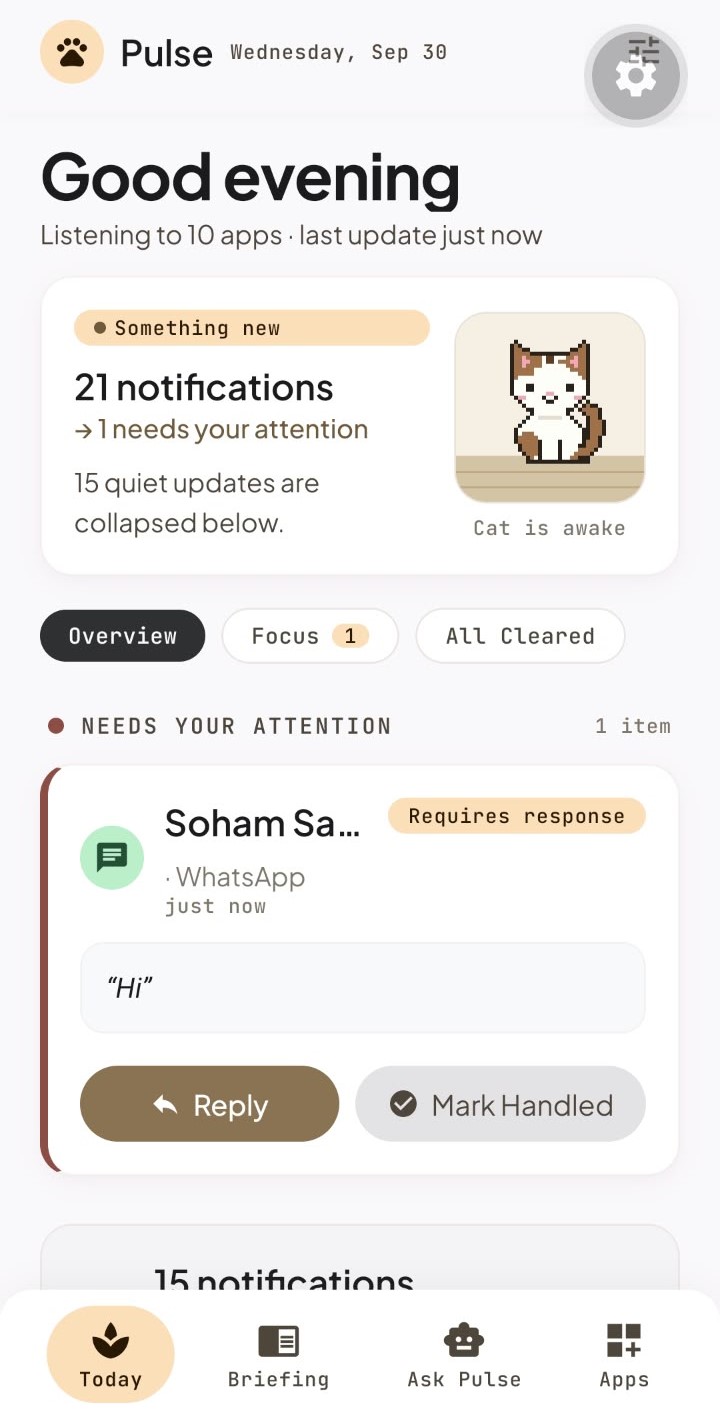
Pulse - Today Command Center
-
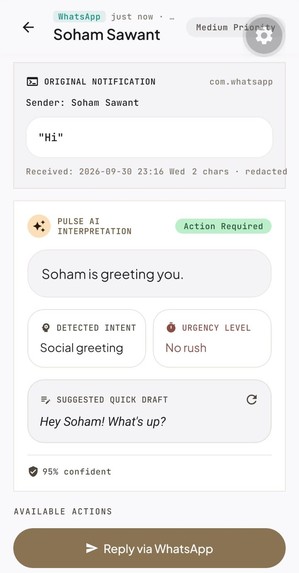
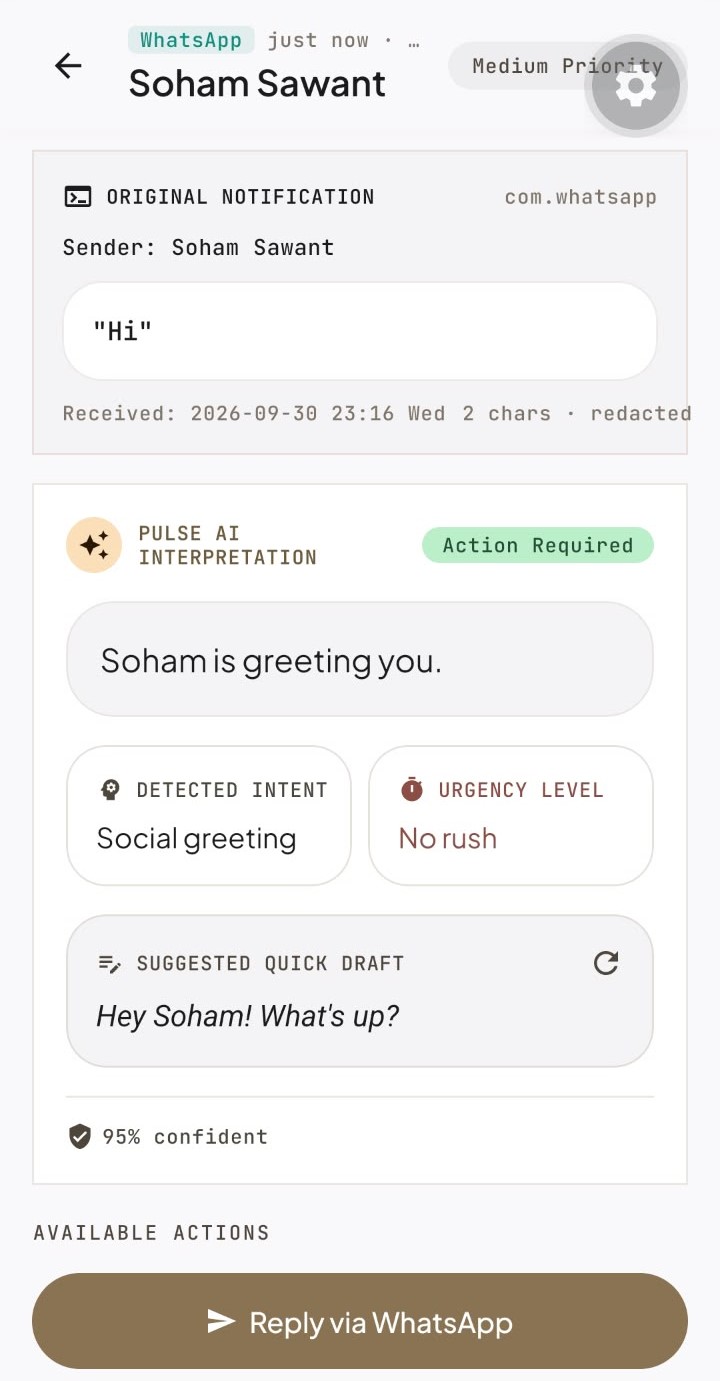
Pulse - Notification Detail & AI Synthesis
-
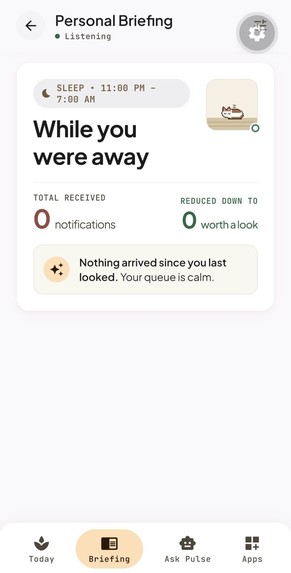
Pulse - While You Were Away Briefing
-
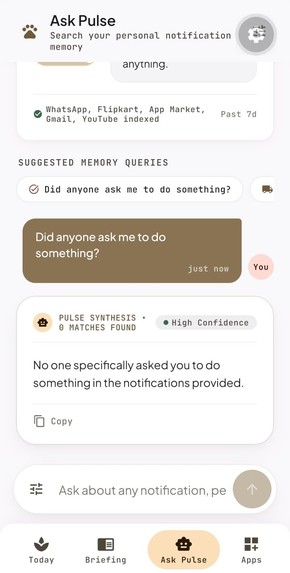
Pulse - Ask Pulse AI Memory Assistant
-
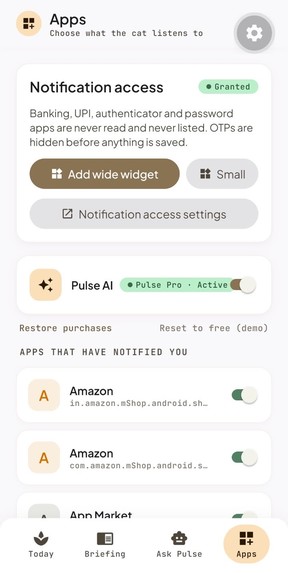
Pulse - App Settings
-
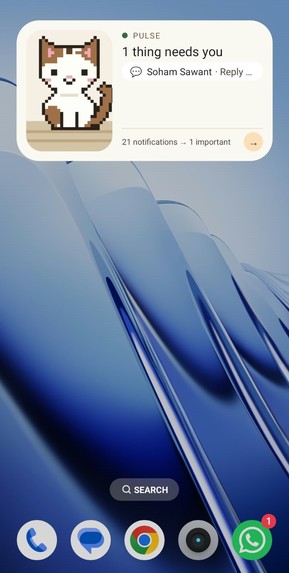
Pulse - Android Home Screen & Widgets
Inspiration
- My phone buzzes all day and almost none of it matters. Promos, group chats, delivery pings, random social alerts.
- The annoying part isn't the number. It's that everything looks equally urgent, so I end up checking all of it.
- And the one message I actually needed, like someone waiting on a reply from me, is buried somewhere in the pile.
- Most fixes either mute everything or give you yet another inbox to check.
- I wanted something quiet that leaves me alone until it's actually needed.
- A little pixel cat on my home screen seemed like the nicest way to do that. Asleep means relax. Awake means look.
What it does
Pulse is an Android app that reads your notifications, figures out which ones need you, and shows the answer through a pixel cat on your home screen.
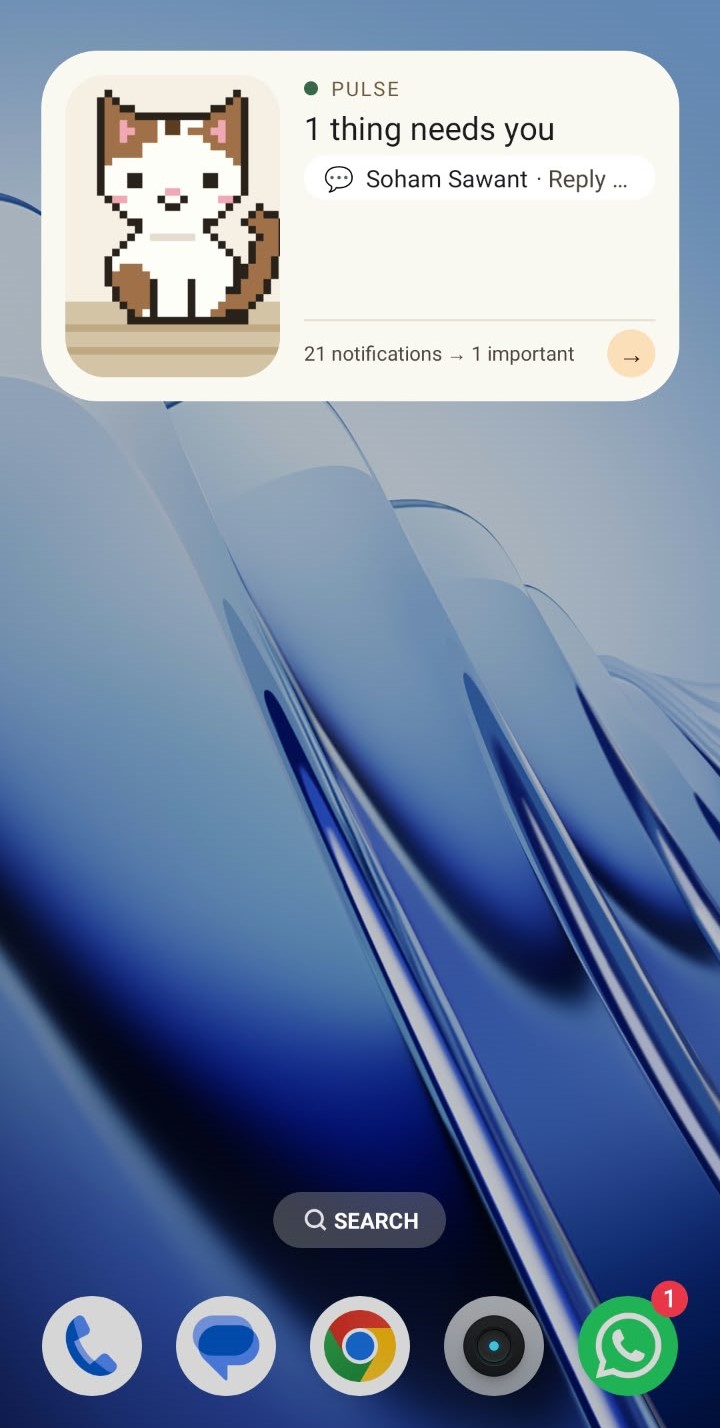
- Home-screen widgets: a small one and a wide one, both showing the cat in its room. The wide one lists who needs you and what they want. Tap a row and it opens that message.
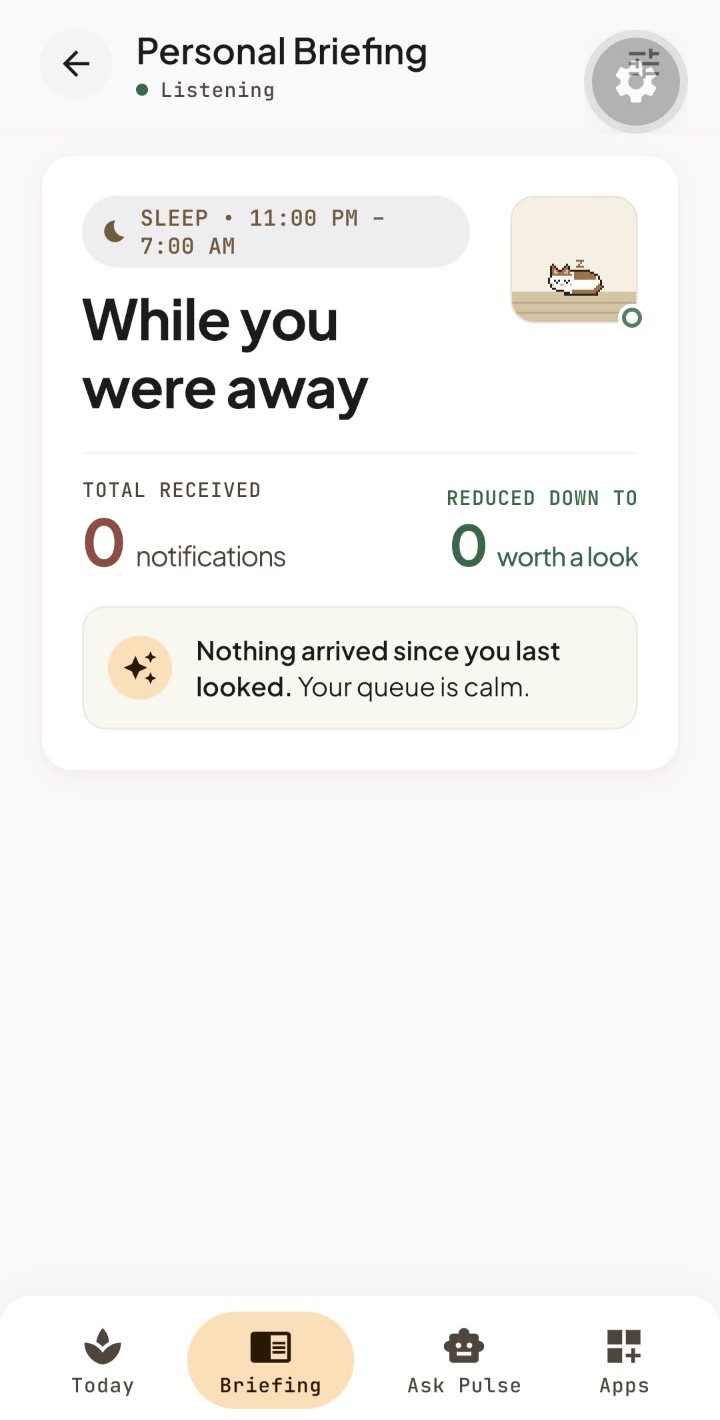
- Today and Briefing: a "while you were away" summary that sorts what you missed into People, Work, Shopping, and collapsed noise.
- Notification detail: the original message, what the AI thinks it means (intent, urgency, how sure it is), and a reply draft you can edit and send through WhatsApp.
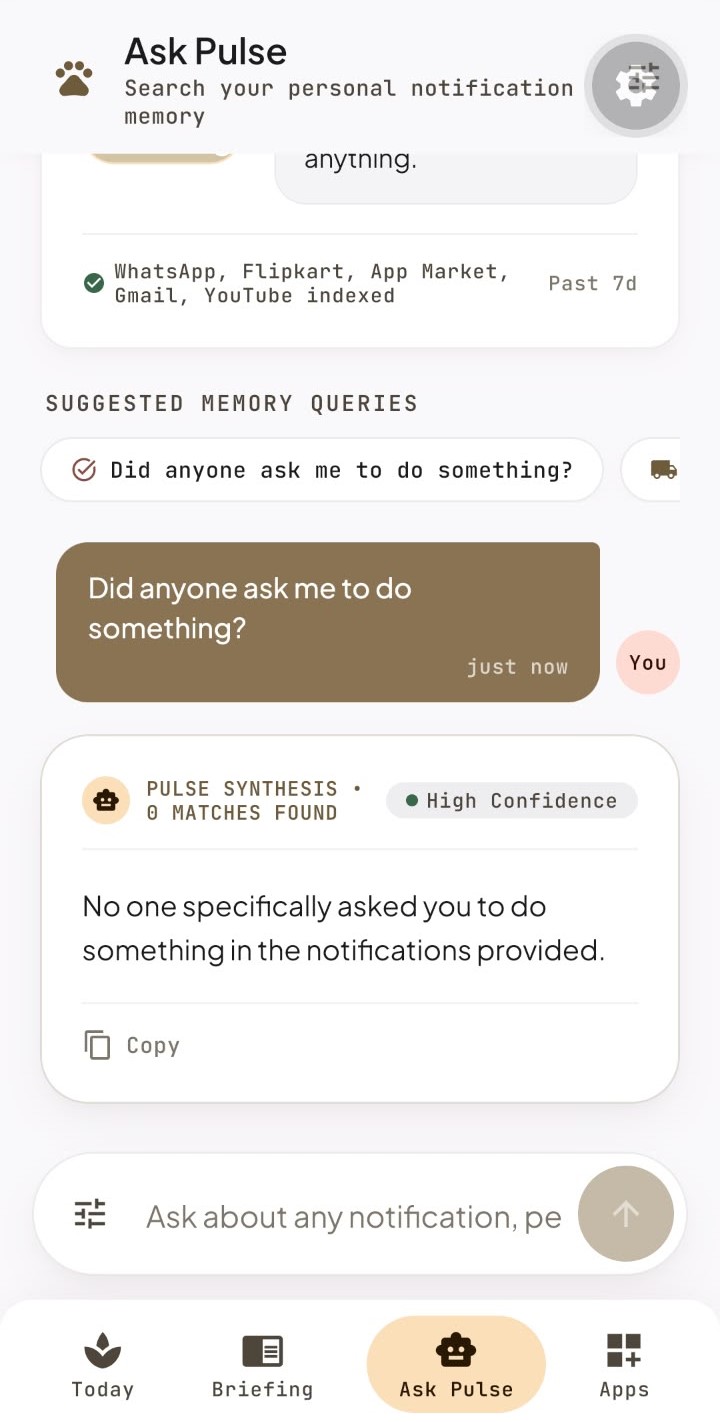
- Ask Pulse: ask questions about your last seven days of notifications and get answers with tappable sources.
- Pulse Pro (RevenueCat): the AI features are the paid part. Free users still get notification capture, grouping by app, and the cat.
- Privacy:
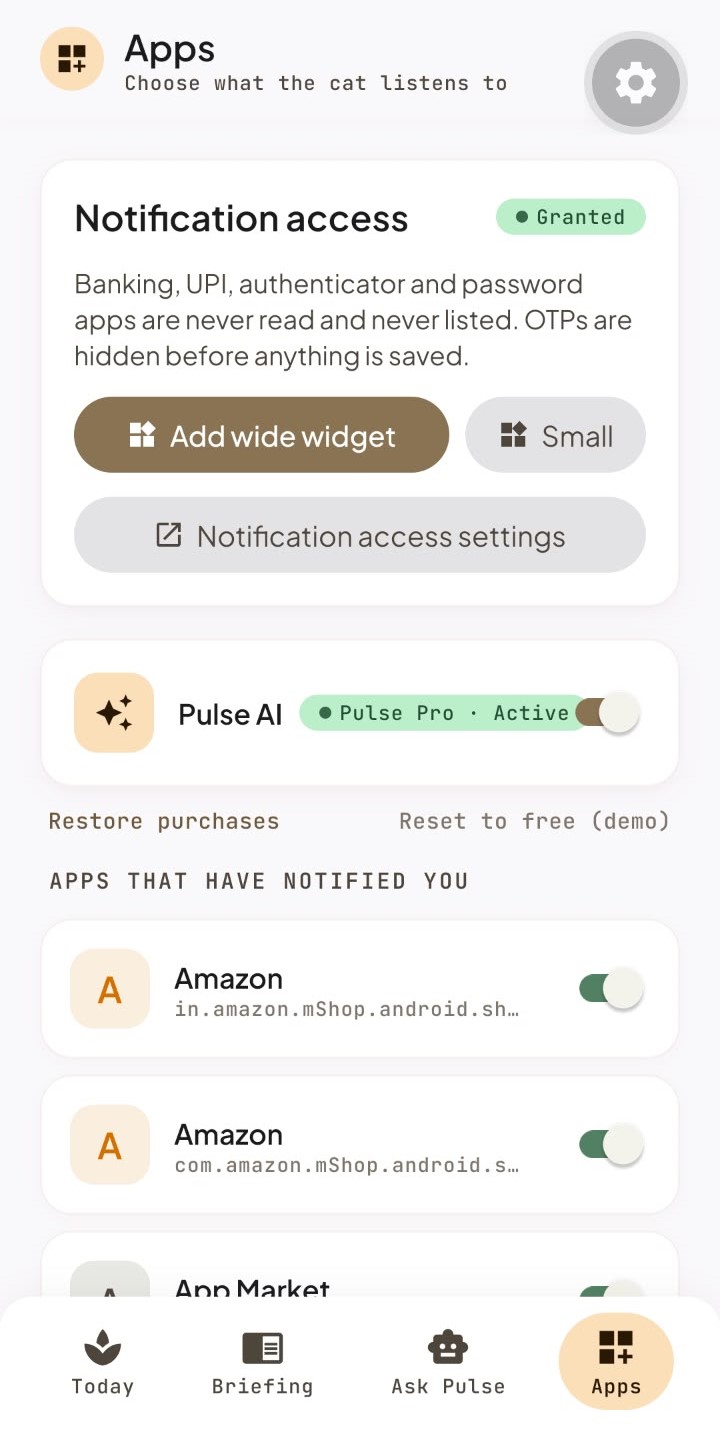
- Banking, UPI, authenticator, and password apps are never read.
- OTPs are masked before anything is saved.
- Everything stays on your phone.
How I built it
- App: Expo SDK 57 and React Native 0.86, built in the cloud with EAS. The look comes from a Stitch design, using Plus Jakarta Sans and JetBrains Mono.
- Native Android (Kotlin):
- A notification listener that keeps capturing even when Pulse is closed.
- Native home-screen widgets, so the cat's breathing, blinking, and tail sway run right on the home screen.
- Widgets redraw from saved state after a reboot.
- Storage: SQLite, all on the phone.
- AI:
- GPT-4o behind a Cloudflare Worker that holds the API key, so the key is never in the app.
- Only the app name, sender, masked text (300 characters max), and time get sent.
- The Worker rate-limits and logs nothing, and OpenAI is told not to store requests.
- Monetization: RevenueCat with a
proentitlement and apro_monthlysubscription, tested through the Test Store. It covers the paywall, purchase, entitlement check, and Restore Purchases. - Testing: 76 unit tests covering:
- Filtering and OTP masking
- Time zones (Kolkata, New York including a daylight-saving day, and Auckland)
- The rules for what counts as needing attention, and the limit on what data goes to the AI
- Sprites, widget data, and entitlements
Challenges I ran into
- Reading notifications while the app is closed. Nothing out there supported my setup, so I wrote my own. Getting it onto a real phone was a fight too. Android is (rightly) wary of apps that read notifications, so I had to work around those protections and write down the steps.
- One message counted twice. WhatsApp quietly sends an extra hidden notification with every message, so my counts were double. I filtered those out so each message counts once.
- Making the cat actually move. My first widget approach got cropped on a real phone and couldn't animate at all. I rebuilt it from scratch, and now the cat breathes and blinks on the home screen without the app running.
- A paywall that wouldn't buy. The first one opened fine, but tapping Continue did nothing. After a lot of digging through logs, I built my own paywall and made the purchase status the source of truth, so a slow update never locks out someone who paid.
- Getting the AI to behave. It sometimes made up deadlines that weren't in the message. I tightened it so it only states what the message actually says.
- The mascot. My reference art turned out to be a watermarked stock image, so I drew an original cat myself.
Accomplishments that I'm proud of
- A cat that animates natively and keeps working after a reboot, even with the app closed.
- A privacy setup I could explain to a non-technical friend without squirming.
- A full RevenueCat flow, from free user to paywall to purchase to unlocked AI, plus Restore Purchases.
- 76 tests, including weird time-zone cases like a daylight-saving day.
- An app that's still useful on the free tier, not just a paywall with a cat on it.
What I learned
- Design matters as much as features. The cat is what turns a utility into something you actually want to look at.
- Privacy works best when you decide on it at the start, not bolt it on at the end.
- Free should be useful, and paid should clearly be the AI.
- Notifications are messy. Most of the work was in the edge cases.
What's next for Pulse
- Reminders and snooze
- Automatic cleanup of notifications older than seven days
- The rest of the cat poses (alert, night, delivery, yarn, waking)
- Sleep-window and briefing settings, plus daily briefing notifications
- Switching to the Google Play RevenueCat key and getting a real store release
Built With
- android
- cloudflare-workers
- eas
- expo.io
- kotlin
- openai
- react-native
- revenuecat
- sqlite
- typescript


Log in or sign up for Devpost to join the conversation.