-
-
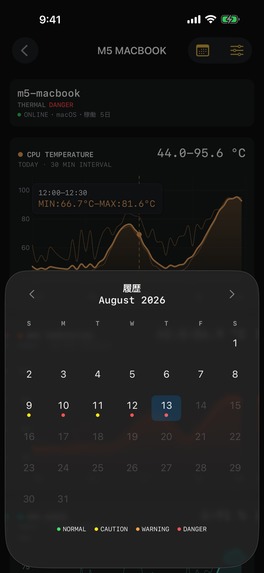
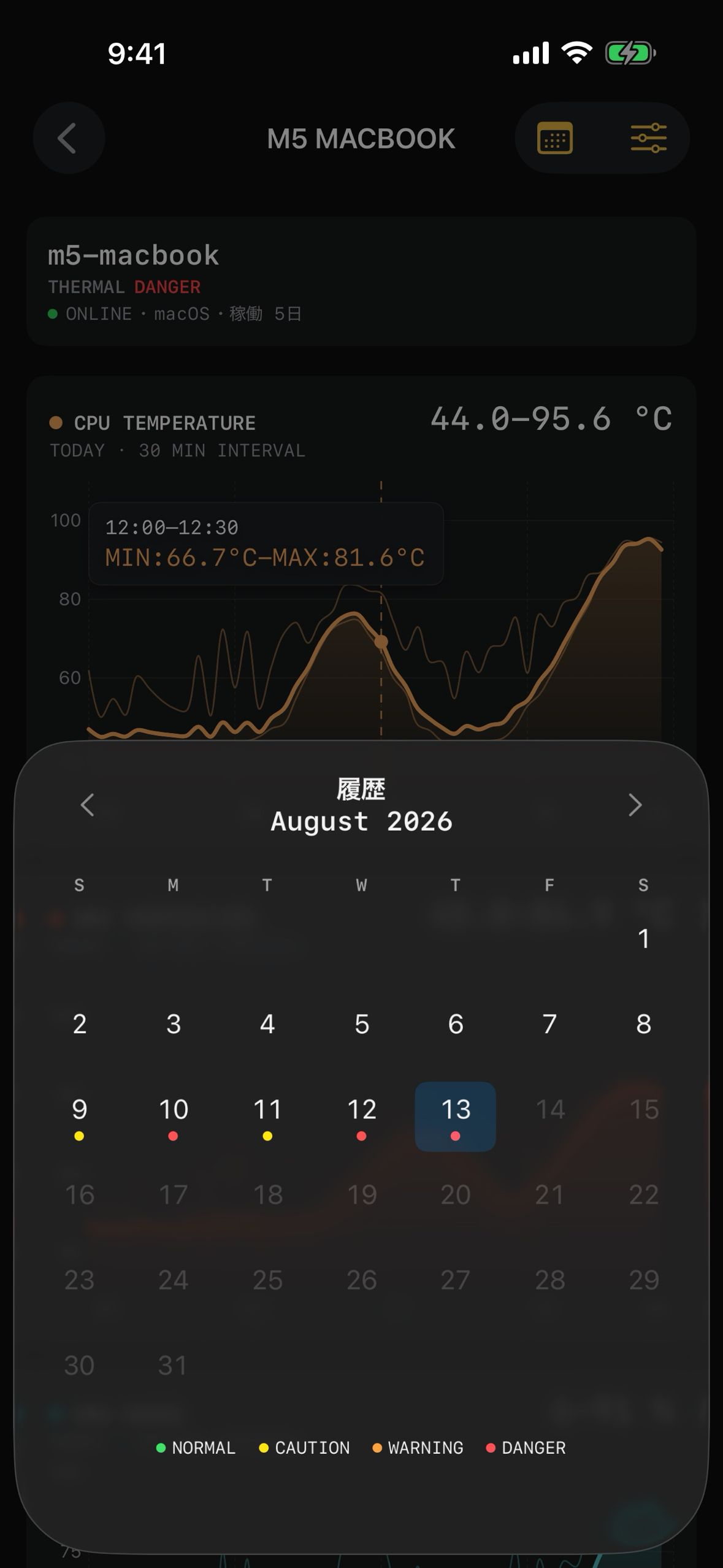
History by day (1179x2556, no device frame)
-
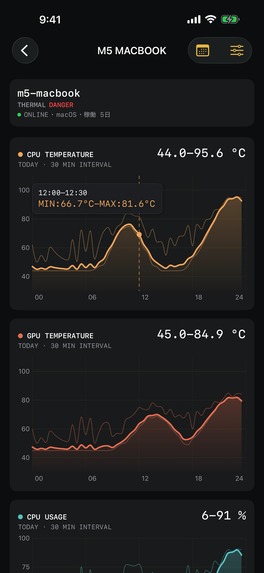
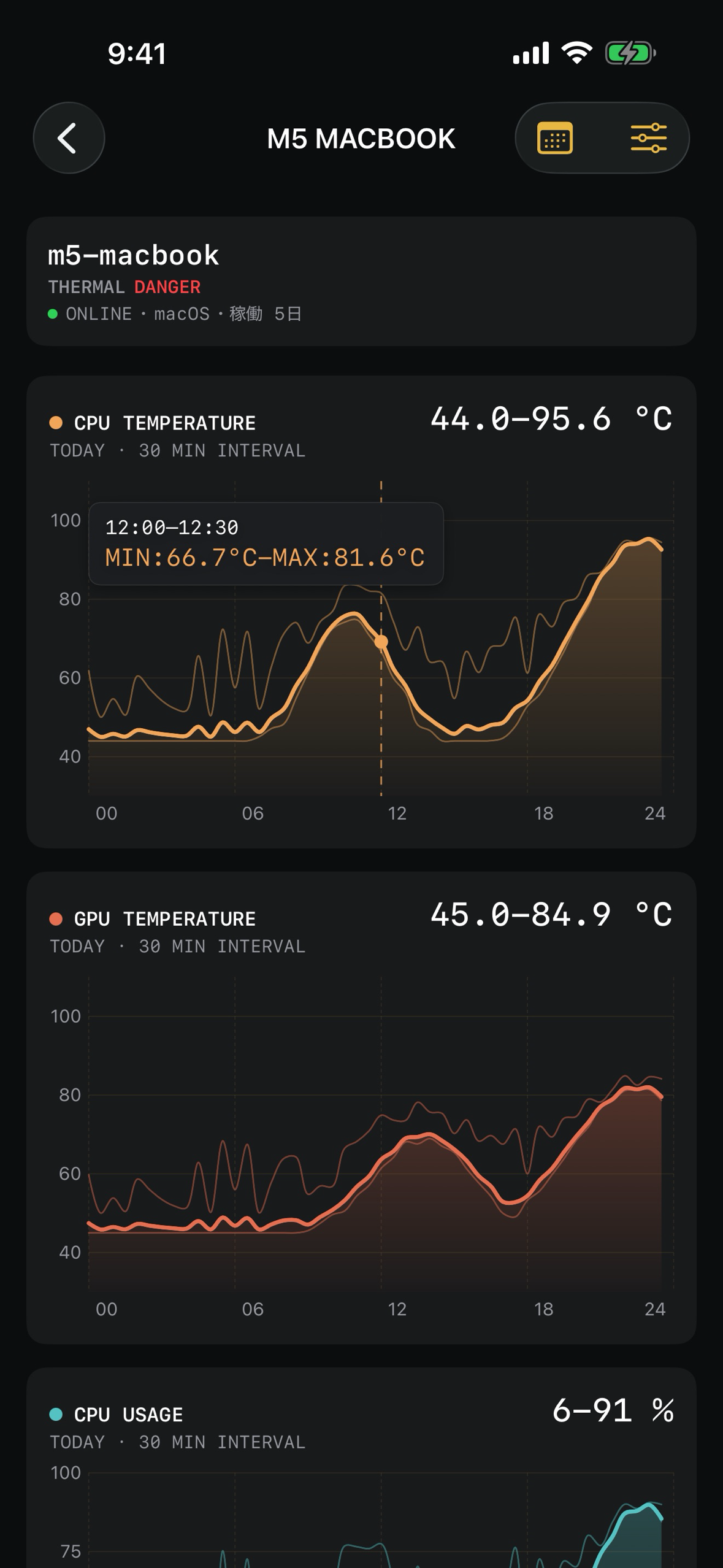
Machine detail with temperature and usage graphs (1179x2556, no device frame)
-
App icon (1024x1024)
-
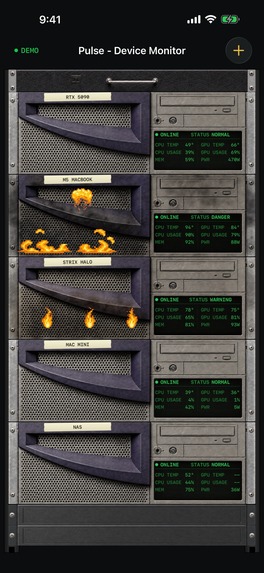
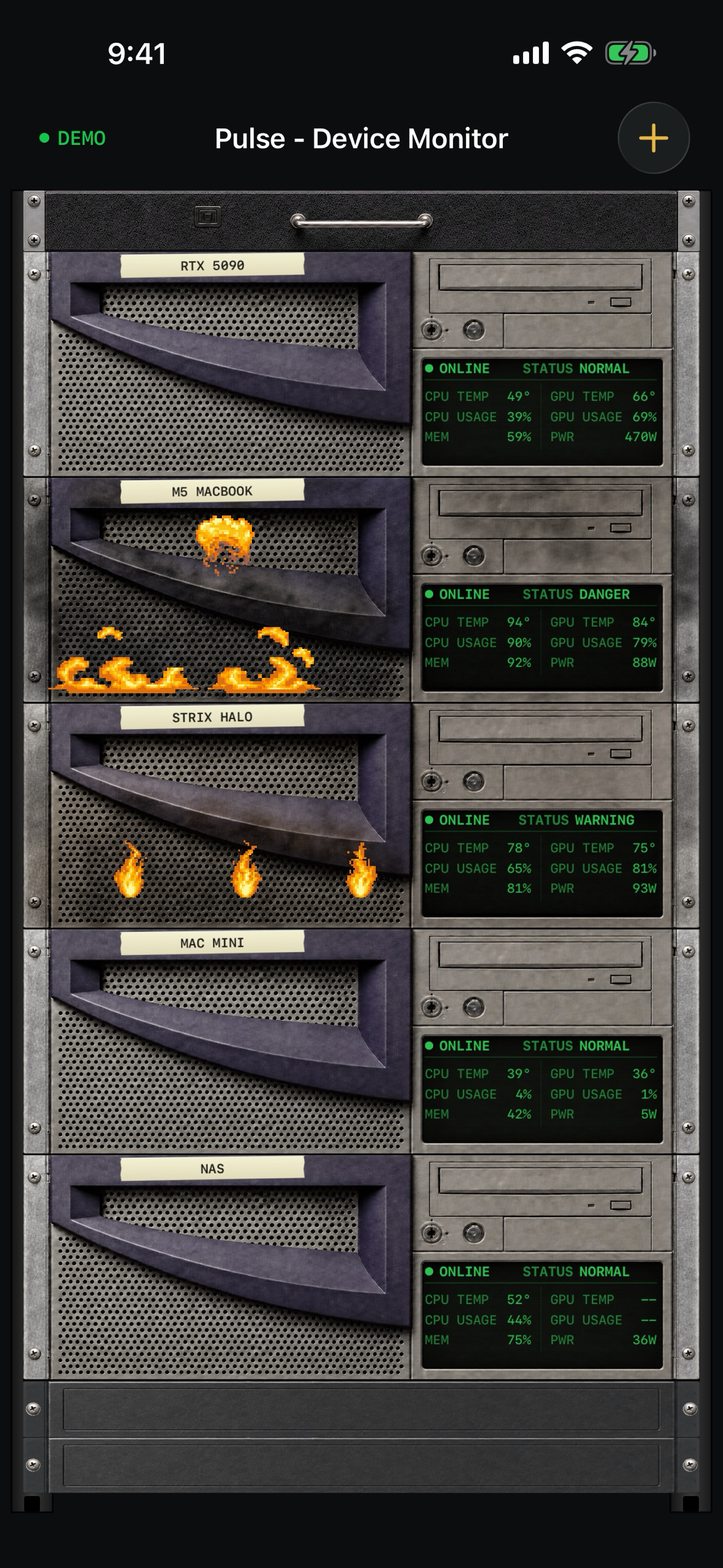
Rack view with five machines (1179x2556, no device frame)
What it is
Pulse is a device monitor for the machines you already own. It shows CPU and GPU load, temperatures, memory, power draw, fan speed and thermal state for every computer on your Tailscale network, drawn as a server rack where each machine is one rack unit. Runs on iPhone, iPad and Mac.
Why I built it
I run a few machines for local LLM inference and image generation: a Linux box with a large GPU, a Mac, a mini PC and a NAS. I wanted to glance at my phone and know which one is hot, which one is idle, and whether a long job is still running, without opening a terminal on each. Existing tools either need a cloud account or want to be a full observability stack. This one needs a Python file and a Tailscale IP.
How it works
- On each machine you run
pulse.py, a single Python script for macOS, Linux and Windows. It reads/procandhwmonon Linux,powermetricson macOS, andnvidia-smiorrocm-smifor GPUs, and serves the numbers over HTTP on port 9876. - In the app you register a display name and the machine's Tailscale IP. That is the whole setup. The app polls every 5 seconds.
- The rack view shows all machines at once. Thermal state is shown as NORMAL, CAUTION, WARNING or DANGER, and the rack face changes with it.
- Tapping a unit opens a detail view with graphs of CPU and GPU temperature, CPU, GPU and memory usage. History is aggregated every 30 minutes; a thick line is the average and thin lines are the min and max of each bucket. Drag on a graph to read the values. A calendar lets you look at past days.
- The agent also keeps 7 days of history, so the app can fill in the hours it was closed.
- Sensors a machine does not expose are shown as "--" rather than faked.
- Privacy: telemetry stays inside your own tailnet, between the app and the agent. Nothing is sent to me. There is no analytics or ad SDK. The agent only accepts connections from Tailscale addresses and localhost.
- Try it without any setup: the empty rack has a "See demo" button that loads five sample machines with full history.
Monetization with RevenueCat
Up to 4 machines are free. Registering a 5th needs a one-time purchase, Unlimited Devices ($0.99). No subscription. The purchase and the unlimited_hosts entitlement go through the RevenueCat SDK, so buying on one device unlocks iPhone, iPad and Mac under the same Apple ID.
Built with
SwiftUI and Swift Charts for the app, RevenueCat for purchases, a plain Python 3 agent with no dependencies, and Tailscale for the network. The rack faces are raster art drawn in a late-90s server-room style and animated frame by frame (the DANGER state has a fire animation along the bottom edge).
Challenges
- Making a monitoring app that has nothing to show on first launch feel alive: the demo rack solves this and doubles as the App Review path.
- Reading real sensors on three operating systems from one file without third-party packages.
- Keeping the pixel-art rack faces sharp on every device size. Each face is checked at native pixel size and the animations are verified frame by frame against reference footage.
What's next
Alerts when a machine crosses a threshold, and a Mac menu bar view.

Log in or sign up for Devpost to join the conversation.