-
-
System design
-
-
Inspiration
Developers constantly search the internet for solutions while coding—whether it's project planning documents, API documentation, recent research papers, or Stack Overflow discussions. We wanted to seamlessly integrate browser tab context into an AI code editor (Windsurf), making coding more efficient by surfacing relevant information automatically.
What it does
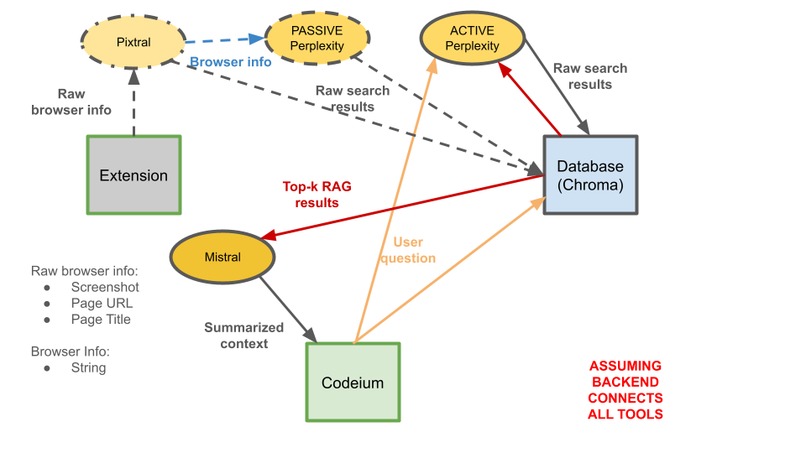
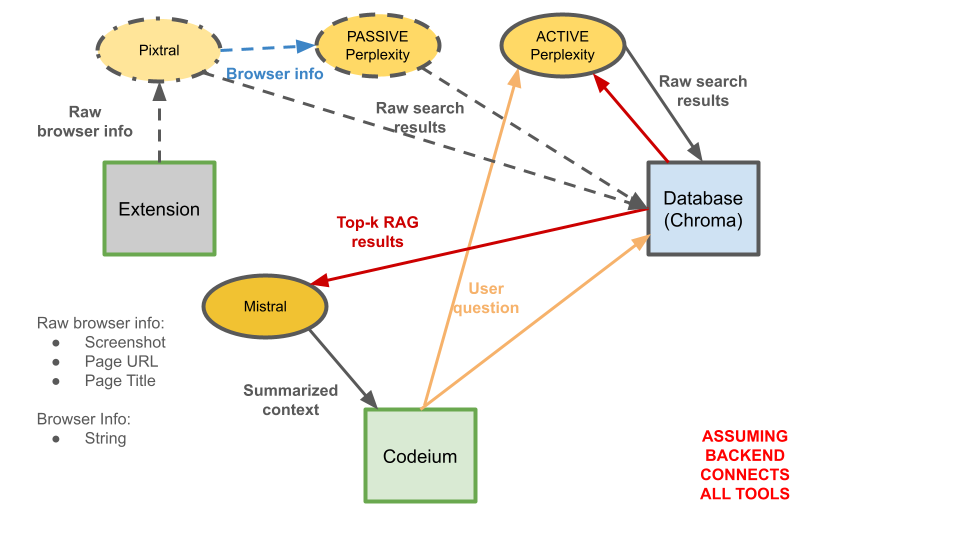
PulseAI captures browser context (screenshots, URLs, and titles), performs extra searches for adjacent topics via Perplexity, and stores & retrieves semantically relevant data using ChromaDB and Retrieval Augmented Generation (RAG) to bolster AI-assisted coding on Codeium's Windsurf-Cascade editor. We have two main workflows, a Passive Workflow for building up the browser context vector embedding ChromaDB and an Active Workflow for handling real-time user queries to the AI Code Editor.
Passive Workflow Steps:
- The Chrome extension extracts raw browser context (a screenshot of the webpage along with its title and url) when the user decides to click “Add this”.
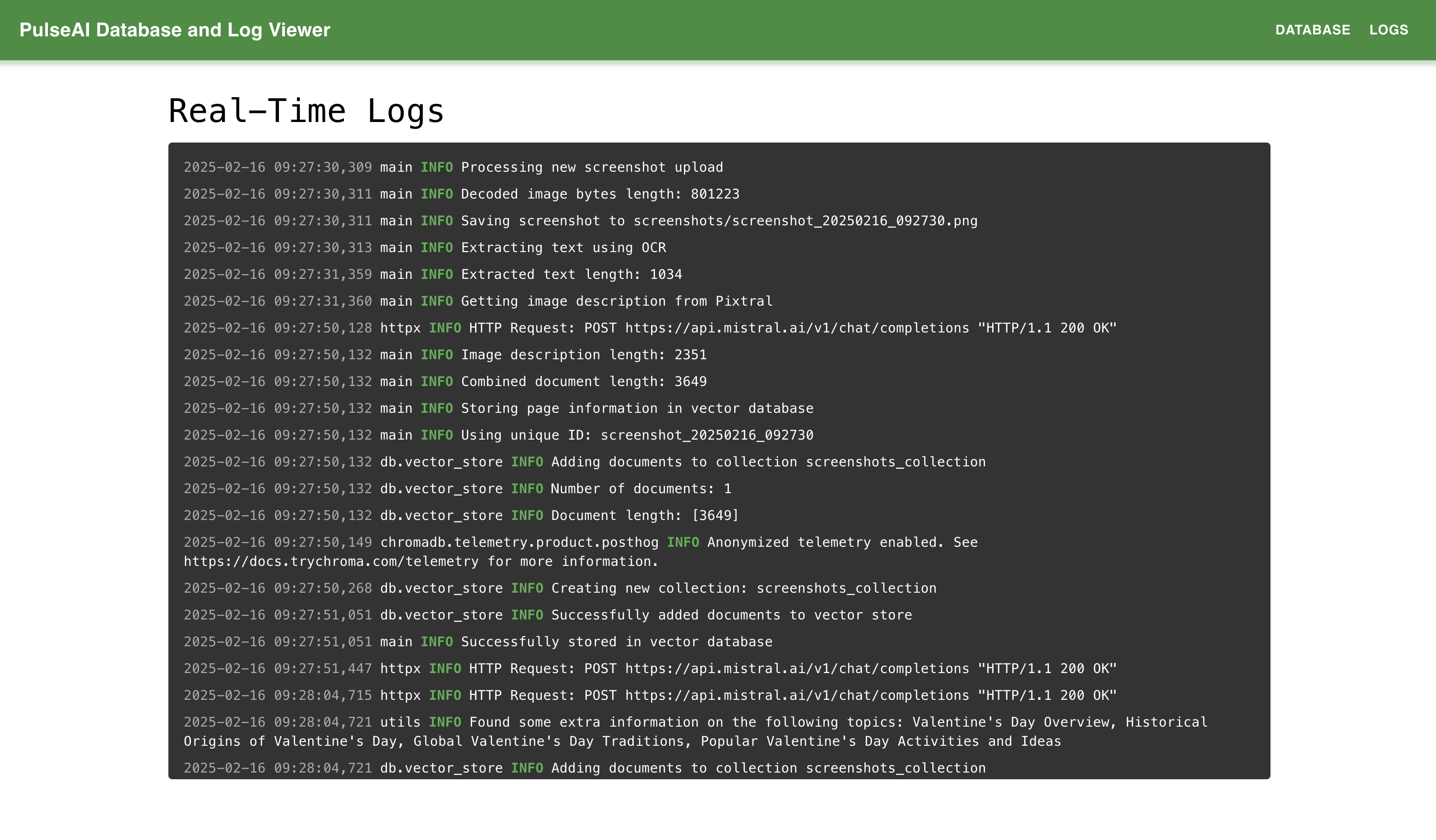
- Text is extracted using OCR and Pixtral (a multimodal Mistral model) describes any images in the raw data.
- Processed browser data is stored in ChromaDB for retrieval.
- Perplexity's Sonar API runs searches based on aforementioned browser data and user queries to preemptively retrieve other relevant information. Namely, we get the topic of the summarized context, generate similar topics, and perform searches for each of them to retrieve additional relevant contexts.
- Mistral's
ministral-8bis used for quick summarization of the previous output. We utilize structured outputs for both APIs to ensure information is presented in a consistent fashion. - ChromaDB embeds and stores search results and browser data for quick and effective retrieval. We get semantic vector embeddings here obtained from using the SentenceTransformers all-MiniLM-L6-v2 model.
Active Workflow Steps:
- The user enters a query for the AI Code Editor.
- For context for Perplexity, RAG retrieves the top-k most relevant results from ChromaDB with semantic KNN with respect to the user query. Mistral's
ministral-8bis used for quick summarization of the top-k results. - We then use Perplexity’s Sonar API to retrieve additional similar topics. These results are parsed using Mistral and embedded in the ChromaDB.
- With these new results in the table, we use RAG to again retrieve the top-k most relevant results from ChromaDB with semantic KNN with respect to the user query. Mistral's
ministral-8bis used for quick summarization of the top-k results resulting in a nice summarized context - We created a custom MCP server/tool that is called by Cascade to inject a summary into its context.
- Cascade uses the summarized context to generate more relevant tips and code completions.
Frontend
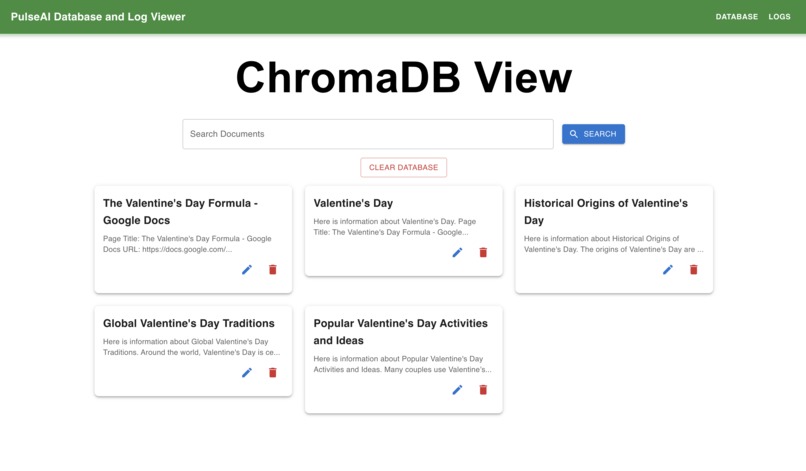
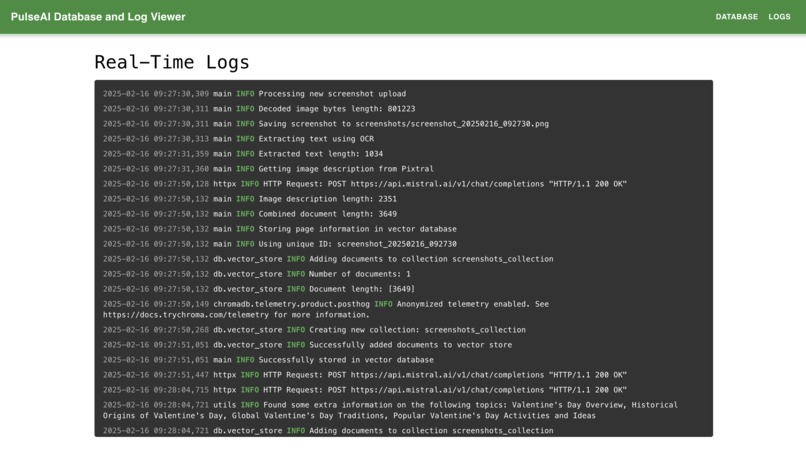
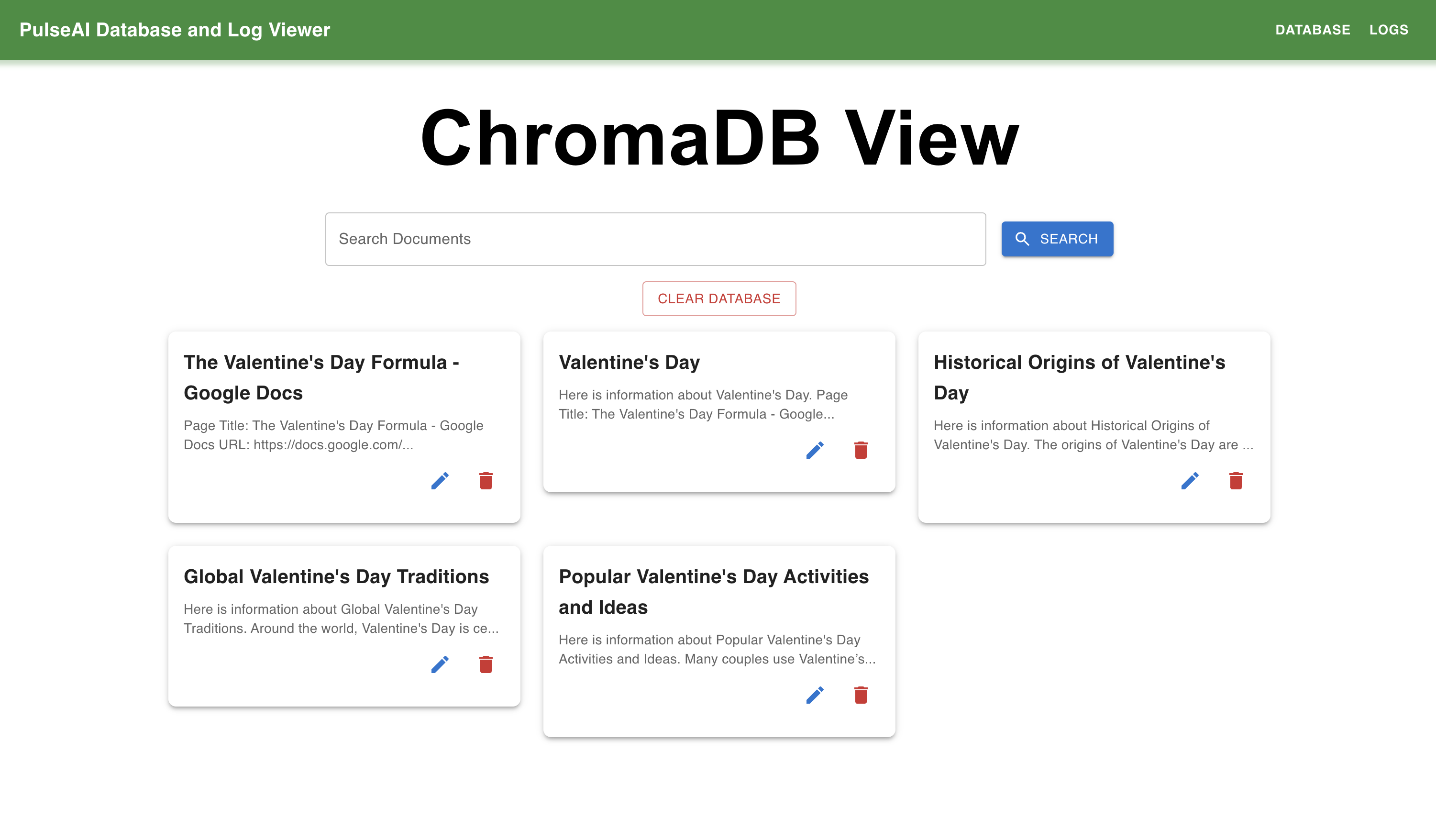
In addition to the main tool, we built a frontend where hackers can view and delete database entries, for added flexibility and control.
How we built it
We built a Chrome extension to extract browser data, an agentic backend to process our information and store it in ChromaDB, a callable tool (MCP) that is callable by Cascade, and a visualization tool that lets the user view and edit the context generation process in real-time.
Challenges we ran into
- Creating MCP tool: Learning about MCP tools, building one, and integrating it into Cascade's tool kit was something completely new to us. We had to research different potential methods of injecting dynamic context into coding assistants' contexts e.g., we were unable to find a method for Cursor. Debugging the MCP workflow for Codeium and making it fit smoothly into our pipeline took a significant amount of effort.
- Obtaining real-time browser context: We also struggled with getting real-time browser context in a usable format. We overcame this by taking advantage of Mistral’s new multimodal model Pixtral to form a pipeline to process the information and Mistral’s smaller
ministral-8bmodel to summarize it into a more efficient form.
Accomplishments that we're proud of
When we first decided on our project, we acknowledged that there were going to be several moving parts, and it's great to see that we were able to integrate them perfectly. We're also quite proud of our idea, as it expands a coding agent's ability to learn about its project outside of its IDE and at the same time minimizes context switches for the user. Furthermore, our product works almost exactly as intended and is a great proof of concept; with more work, we're confident it could be a move towards the next level of AI coding assistance.
What we learned
We learned about...
- How to make a browser extension that interacts with external servers.
- The MCP protocol, which was an introduction to how LLM tools are defined and used.
- Codeium's Windsurf/Cascade workspace and how to introduce personalized functionality.
- Perplexity's and Mistral's APIs and how to take advantage of structured outputs.
- RAG and how to use ChromaDB to retrieve semantically relevant information.
What's next for PulseAI
We aim to improve overall latency and implement a more automated browser + AI code editor experience that is even more hands-off while still respecting users' privacy.


Log in or sign up for Devpost to join the conversation.