-
-
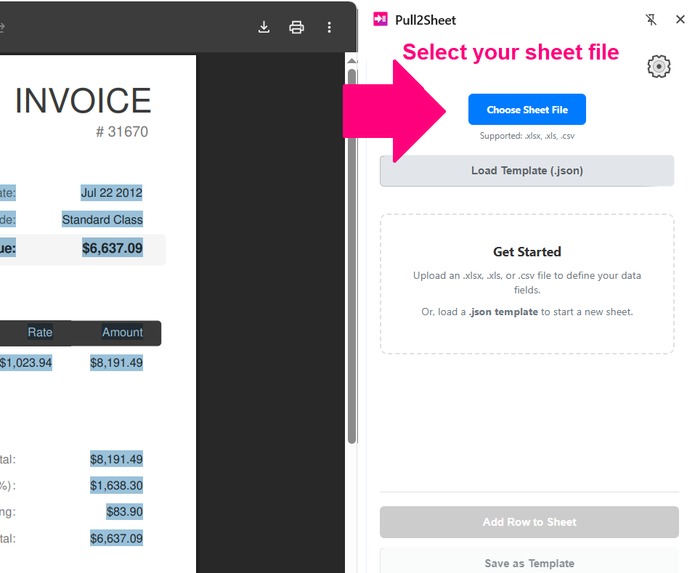
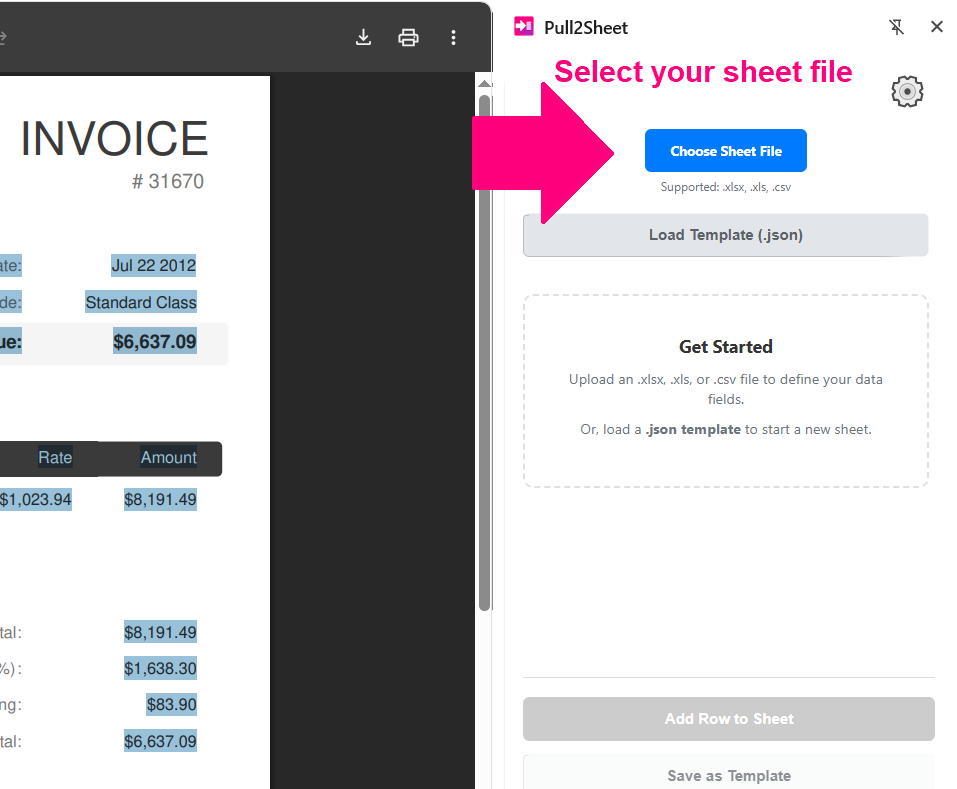
Upload your Sheet File
-
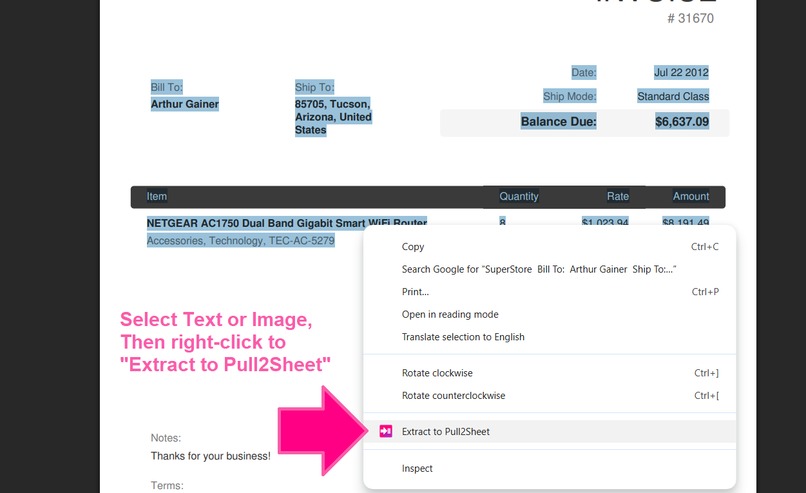
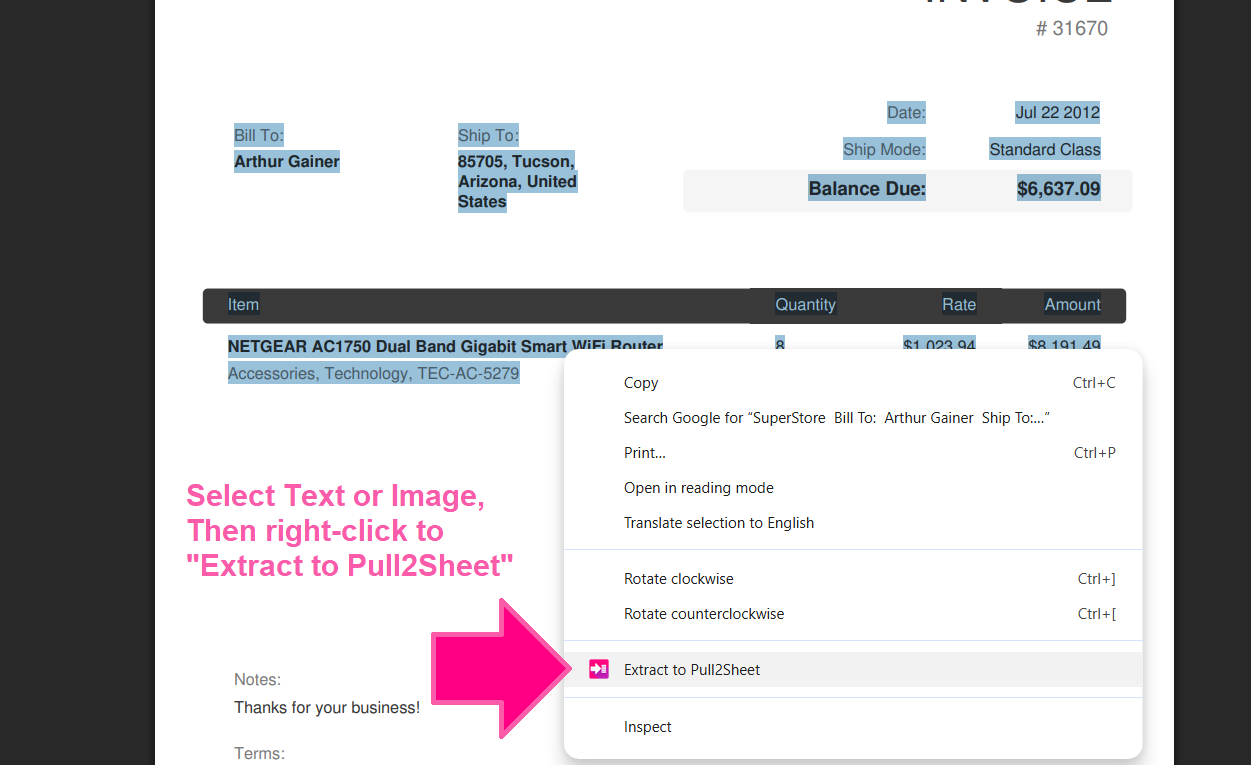
Right-click on text or image to extract data to panel
-
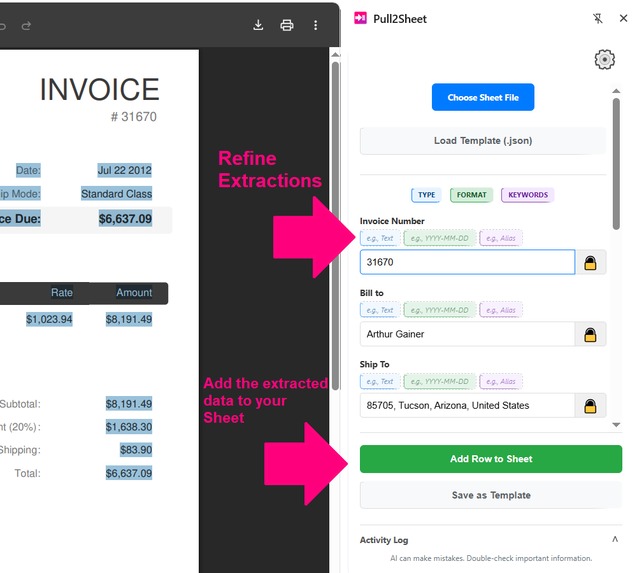
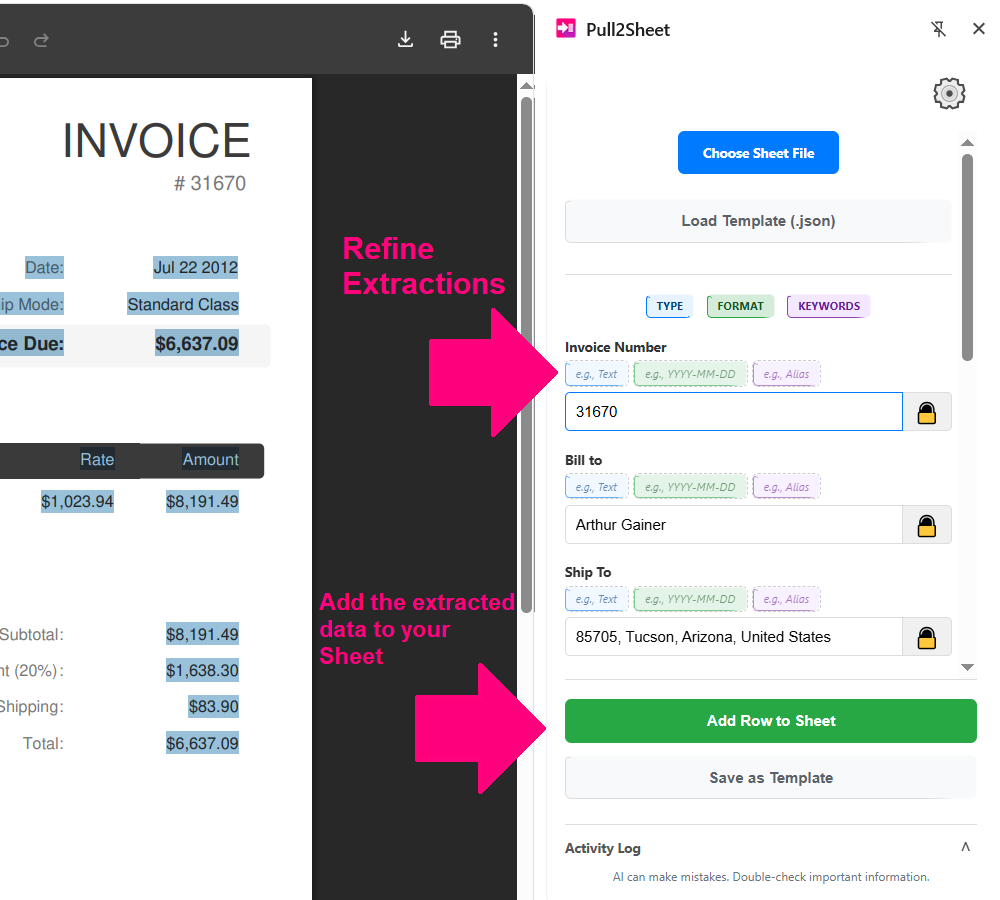
Add the extracted data row to your sheet & Refine next extractions
Inspiration
In nearly every business function, professionals spend valuable time on tedious, manual data entry. Sales teams collect lead information, finance departments process invoices, and analysts compile product lists for market research.
I personally spent countless hours highlighting text on a webpage, switching tabs, and pasting it into a spreadsheet—cell by cell. This process is not only slow but also incredibly prone to human error. This challenge is compounded in niche domains where organized data isn't available to buy or scrape. The only option is to manually browse and extract information from diverse formats, including web pages, PDFs, and images.
What It Does
Pull2Sheet bridges the gap between the unstructured web and the structured world of a spreadsheet. It was designed around three core principles:
- Intelligent: It understands the context of the data, rather than just copying and pasting raw text.
- Private: All processing happens 100% on-device. No sensitive business data or browsing history ever leaves the user's browser.
- Integrated: It works seamlessly with the tools professionals already use, supporting direct integration with
.xlsx,.xls, and.csvfiles.
How It's Built
Pull2Sheet is a modern Chrome Extension (JavaScript, HTML, CSS) built entirely on client-side technologies, with no server backend. It leverages the built-in LanguageModel API (Gemini Nano) available in Google Chrome.
- The Interface: The UI is built using the
chrome.sidePanelAPI, providing a persistent workspace to manage spreadsheet data without obstructing the main webpage. - File Handling: When a user uploads a spreadsheet, the
File APIandFileReader APIare used to read the file locally. The heavy lifting of parsing.xlsx,.xls, and.csvdata is done entirely in-browser using theSheetJS (XLSX.js)library. - The AI Core: The "magic" comes from the
LanguageModel API. When a user highlights text or right-clicks an image:- The
chrome.contextMenusAPI sends the selected data to the background script. - A carefully crafted prompt is sent to the AI model, along with the user's spreadsheet headers and keywords.
- Crucially, I leverage the model's JSON output mode. This forces the AI to return data in a clean, structured format that can be directly mapped to the spreadsheet columns.
- The
- Saving Data: As the user approves extracted data, new rows are added to the
SheetJSobject in memory. When finished,SheetJSis used again to generate a new spreadsheet file, which is downloaded directly to the user's computer.
Challenges I Ran Into
- AI Limitations: On-device models are powerful but have constraints. The "Batch Extraction" feature, for example, is limited by the model's maximum context window.
- Processing Speed: Since it is not using a cloud-based LLM, all inference relies on local hardware. This reliance on the user's device can lead to inconsistent processing speeds.
Accomplishments That I'm Proud Of
Many data scrapers assume information is already in a semi-structured layout, or they rely on cloud-based LLM APIs that can create data privacy concerns and require lengthy corporate approvals.
I'm proud that Pull2Sheet is fundamentally different. It is a privacy-first, context-customizable extraction assistant designed for the everyday business user. It empowers individuals to quickly and privately gather the niche data that makes them uniquely valuable to their teams. This distinction is what I am most proud of.
What I Learned
The Power of On-Device AI: The browser based language model technology is a complete game-changer for privacy where it is easier to setup in comparison to other off-browser local models. It opens opportunity to build incredibly powerful, intelligent applications without ever needing a server or compromising user data. This unlocks an entirely new class of "private-by-default" software.
What's Next for Pull2Sheet
I experimented with one shot extractions but it makes the model unreliable & breaks multiples time. But there I see opportunity to improve the extraction in a more efficient way opening batch extractions as well.
I'm seeking user feedback to guide future development and refine the extraction process. And currently experimenting on Batch mode to extract multiple items.

Log in or sign up for Devpost to join the conversation.