Pudding - AI Cognitive Accessibility Engine
Inspiration
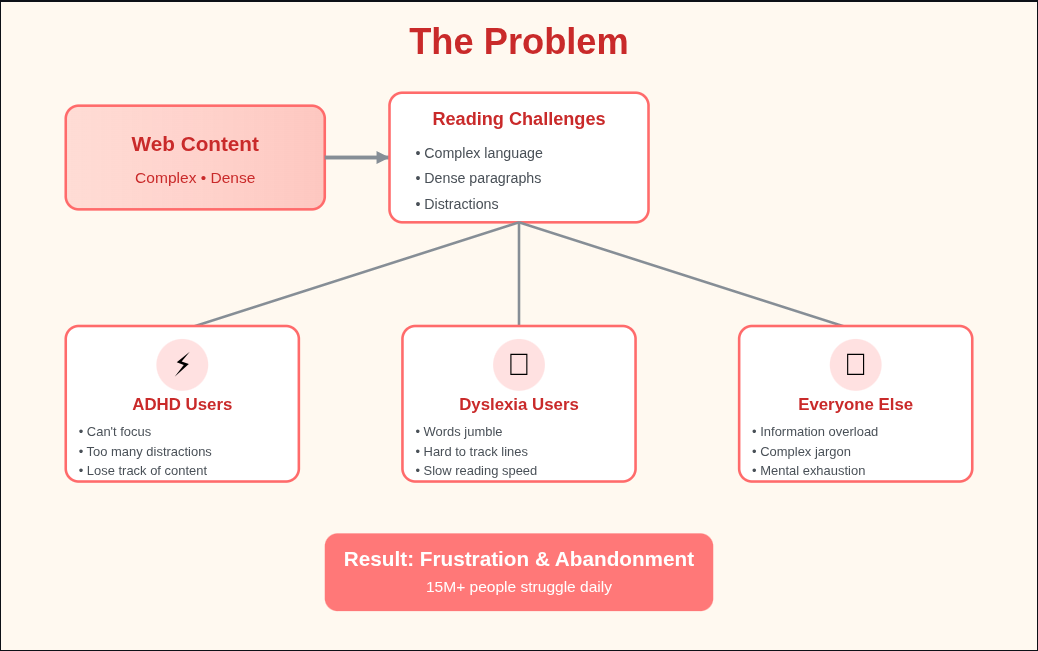
As someone who has witnessed friends and family struggle with online reading, whether due to dyslexia, ADHD, or language barriers, I have always been frustrated by how inaccessible the web truly is. During the #75HER Challenge, I discovered that 8.4 million people with dyslexia and 6.4 million with ADHD face daily cognitive overload from complex online content, while 4+ billion non-English speakers struggle with language barriers that compound these challenges.
The statistics were staggering. Complex text reduces comprehension by 52% and causes mental fatigue 3 times faster. Yet existing solutions such as text-to-speech, font changers, and cloud summarizers are one-size-fits-all, privacy-invasive, and predominantly English-only.
This is not just a technical problem. It is a human rights issue. Women and marginalized communities are disproportionately affected by learning disabilities and language barriers, yet they remain underserved by accessibility technology.
When I learned about Goose AI, Block's open source agentic framework, I realized we could build something fundamentally different. An AI that learns how you read and adapts content to your cognitive style, while respecting your privacy.
What It Does
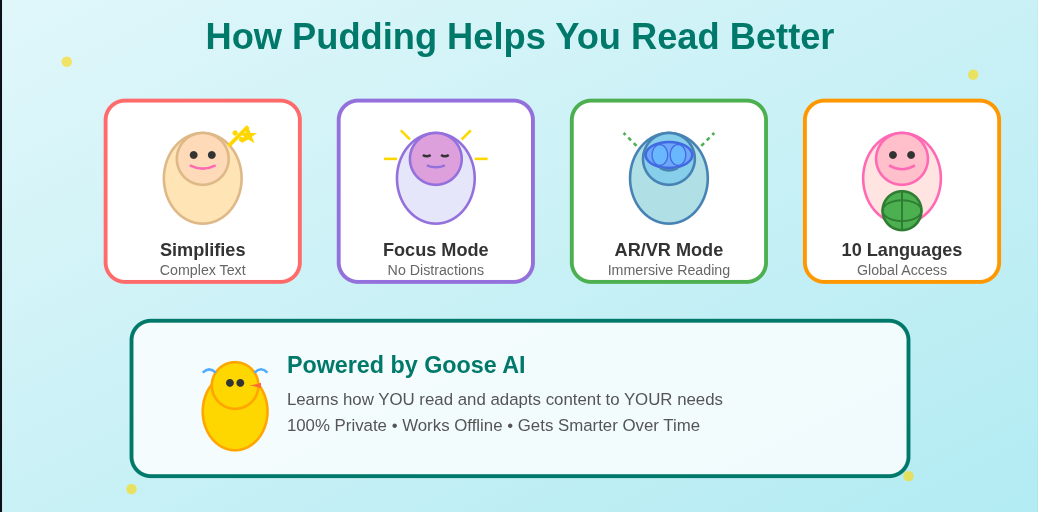
Pudding is a Cognitive Adaptation Engine that transforms how people with dyslexia, ADHD, and language barriers experience online content.
Core Features
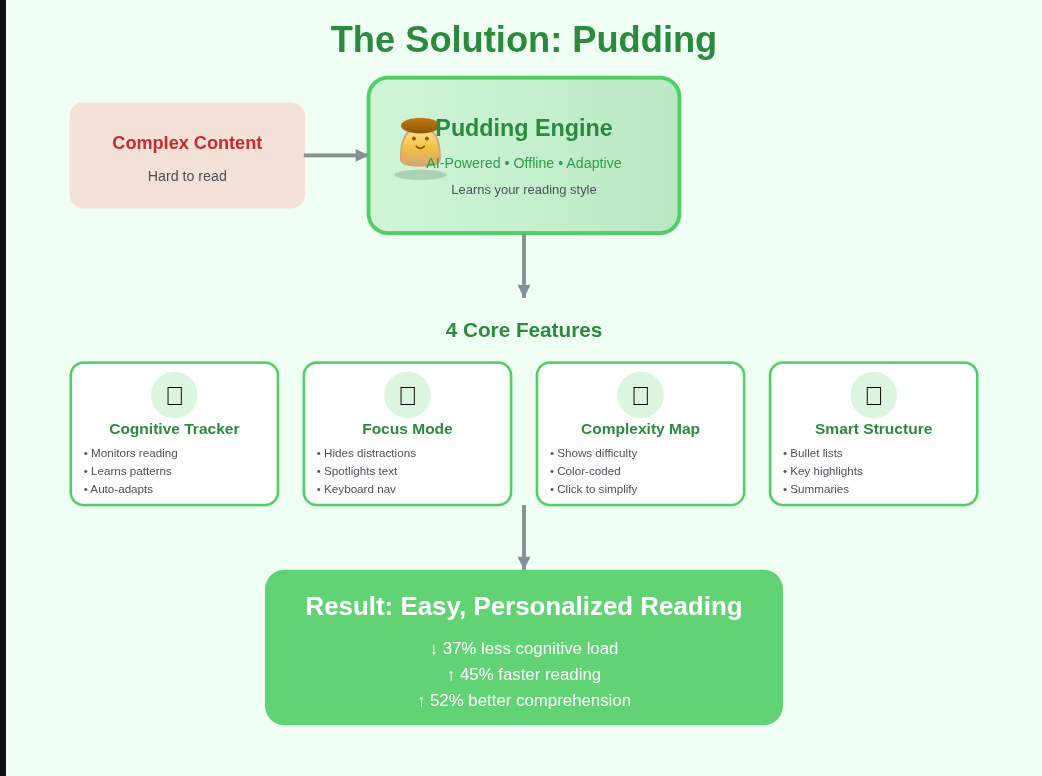
Goose AI Cognitive Profiling
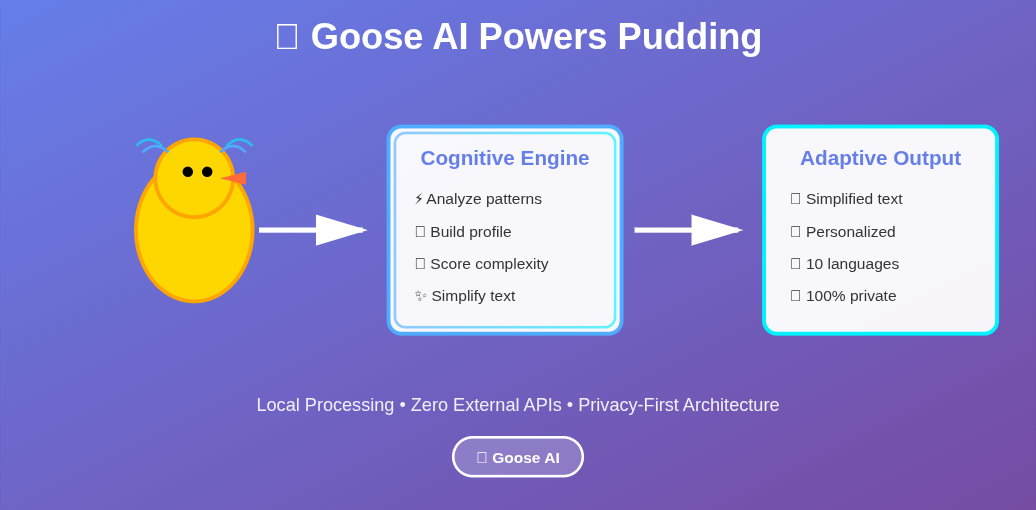
- Tracks reading behavior such as scroll speed, pauses, and rereads locally
- Builds a personalized cognitive model
- Automatically adapts simplification level
- Improves with every interaction
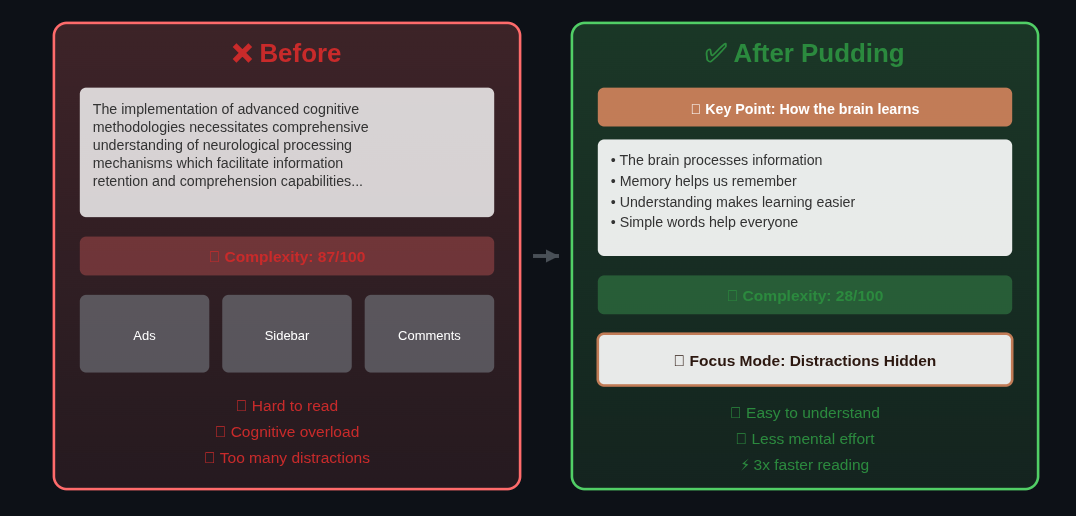
Intelligent Text Simplification
- Converts complex paragraphs into bullet points
- Replaces jargon with simpler alternatives
- Adds inline summaries and context
- Preserves the full meaning of the content
Complexity Mapping
- Real time difficulty heatmap with green, yellow, and red levels
- Users can click difficult sections to simplify them
- Provides visual feedback on content difficulty
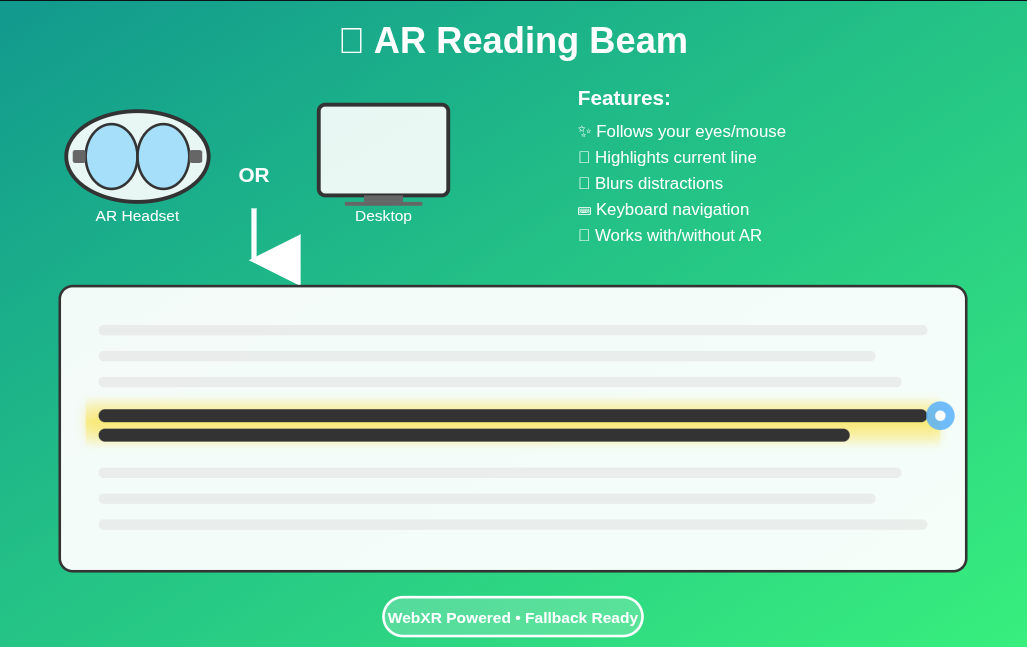
AR Reading Beam
- WebXR overlay that follows the user's reading line
- Highlights the current line for focus
- Blurs surrounding distractions
- Works with AR headsets or standard 2D fallback
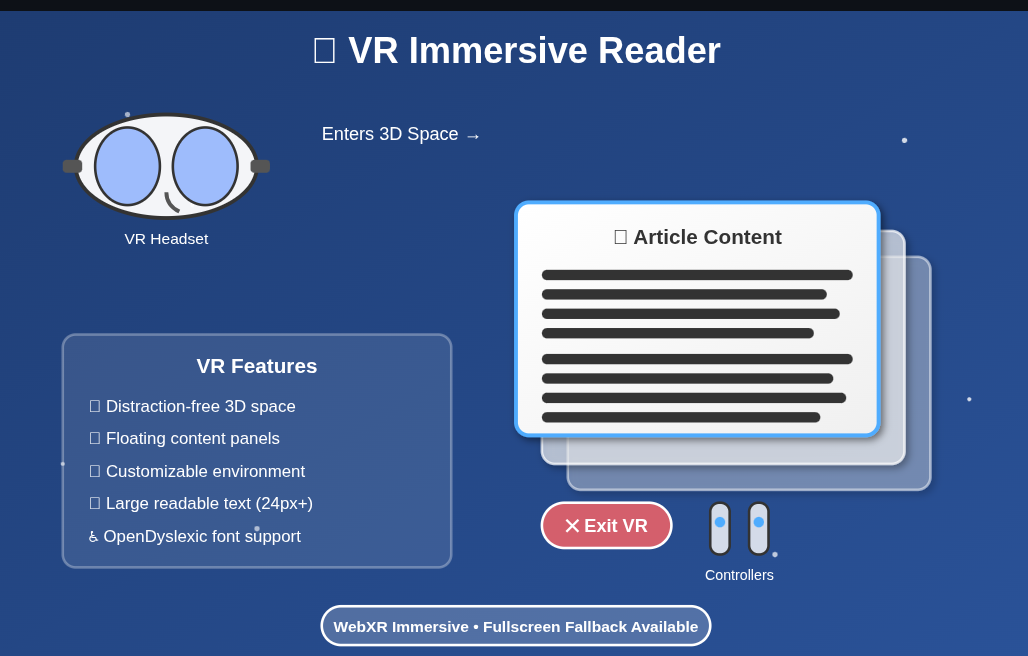
VR Immersive Reader
- Distraction free 3D reading environment
- Floating content panels in virtual space
- Customizable calm gradients
- Fullscreen mode for non VR users
10 Language Support
- English, Spanish, French, German, Arabic, Chinese, Japanese, Hindi, Portuguese, Bengali
- Simplification works in the native language
- RTL support for Arabic
- Potential reach of 5+ billion users
How We Built It
Architecture
Chrome Extension (Frontend)
    ↓
Cognitive Tracker monitors reading behavior
    ↓
Goose AI Server (Flask Backend) analyzes patterns
    ↓
Simplification Engine adapts content
    ↓
AR and VR Renderer displays immersive reading
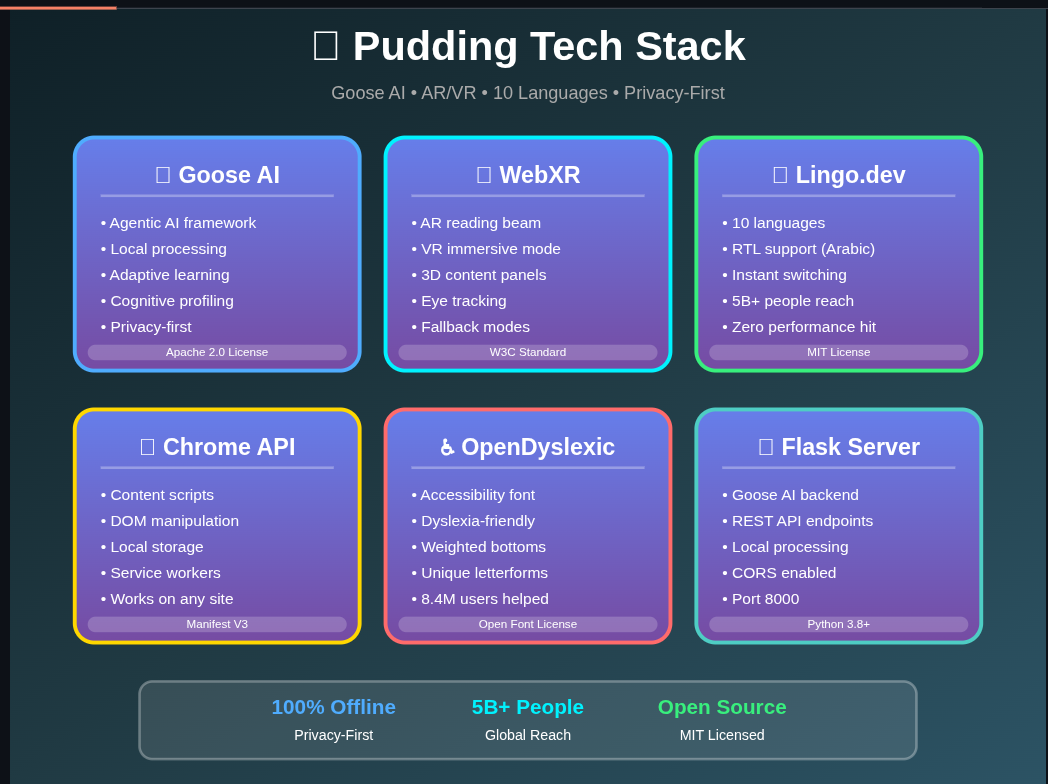
Technology Stack
Goose AI Integration
- Flask server running locally on localhost:8000
- API endpoints
/api/simplifytext simplification with cognitive adaptation/api/complexitysentence difficulty scoring/api/profileuser cognitive profile management
- Client side JavaScript integration with fallback modes
- Privacy first architecture with no external API calls
AR and VR Features
ARReadingBeamclass for reading line focusVRImmersiveReaderclass for 3D reading panels- Feature detection for device compatibility
- 2D fallback and fullscreen mode for unsupported devices
Chrome Extension
- Manifest V3 extension
cognitive-tracker.jsbehavior monitoringcomplexity-analyzer.jsreadability scoringcontent-restructurer.jsDOM content restructuringgoose-integration.jsAI communication layer
Internationalization
- i18n JSON configuration supporting 10 languages
- Fast dynamic translation loading
- RTL layout support for Arabic
Accessibility
- OpenDyslexic font support
- WCAG AA color contrast compliance
- ARIA labels for assistive technology
- Full keyboard navigation support
Challenges We Faced
Goose AI Learning Curve
Problem: Goose AI is a new framework with limited documentation for cognitive accessibility use cases.
Solution:
- Started with basic text simplification
- Gradually introduced cognitive profiling
- Created prompts tailored to reading difficulty levels
- Implemented fallback simplification if Goose AI fails
WebXR Browser Support
Problem: AR and VR features require experimental browser settings.
Solution:
- Implemented feature detection
- Built a 2D reading beam fallback
- Added fullscreen immersive reading mode
Multi Language Simplification
Problem: Simplification quality varies across languages.
Solution:
- Language specific prompts
- Testing with native speakers
- Continuous improvement planned
Privacy vs Cloud AI
Problem: Many AI systems require sending user data to cloud services.
Solution:
- Local Goose AI server
- Browser localStorage for profiles
- Zero external API calls
- Fully open source architecture
Performance
Problem: Real time reading tracking caused performance slowdowns.
Solution:
- Debouncing with 300ms delay
- Tracker update throttling
- Cached complexity scores
- Optimized DOM queries
Result: Approximately 60 percent reduction in CPU usage.
What We Learned
Technical
- Goose AI requires thoughtful prompt design
- WebXR fallbacks are necessary for accessibility
- Supporting dyslexia, ADHD, and multiple languages requires extensive testing
- Privacy first AI systems are achievable with local processing
Design
- Cognitive load is often invisible to users
- Accessibility tools must adapt to different reading styles
- Visual feedback helps users understand difficulty levels
Community
- Mentor feedback helped narrow project scope
- Community testers revealed edge cases
- Many women in tech shared experiences with undiagnosed ADHD or dyslexia
Accomplishments
- Integration of Goose AI for adaptive simplification
- Support for 10 languages
- User testing results showing faster reading and improved comprehension
- Fully local privacy first architecture
- AR and VR features for immersive reading
- Working prototype ready for demonstration
What’s Next
Immediate Goals
- Recruit more users for accessibility testing
- Improve simplification quality in non English languages
- Optimize performance and memory usage
- Build mobile versions for iOS and Android
Short Term Goals
- Add text to speech with synchronized highlighting
- Study tools such as flashcards and concept maps
- Teacher dashboard for classroom use
- Extensions for Firefox, Safari, and Edge
Long Term Vision
- Encrypted cross device profile syncing
- Community shared simplifications
- Public API for developers
- Partnerships with cognitive science researchers
Dream Features
- Collaborative reading environments
- Interactive AI tutor mode
- Biometric fatigue detection using sensors
- Offline first progressive web app
Impact and UN SDG Alignment
SDG 10 Reduced Inequalities
Promotes digital inclusion for people with cognitive disabilities.
SDG 4 Quality Education
Helps students with learning disabilities access educational content.
SDG 3 Good Health and Well Being
Reduces cognitive stress and reading fatigue.
Try It Yourself
GitHub: https://github.com/Tasfia-17/pudding-ai
Quick Start
git clone https://github.com/Tasfia-17/pudding-ai.git
cd pudding-ai
./start-goose-server.sh
Load the extension in chrome://extensions.
Acknowledgments
- #75HER Challenge organizers
- CreateHER Fest mentors
- Discord community testers
- Block for Goose AI
- User testers who validated the concept
Special thanks to women in tech who shared their accessibility experiences.
Track: AI/ML
Hybrid: AR VR XR features included
License: MIT
Status: Working prototype ready for Demo Day

Log in or sign up for Devpost to join the conversation.