-
-
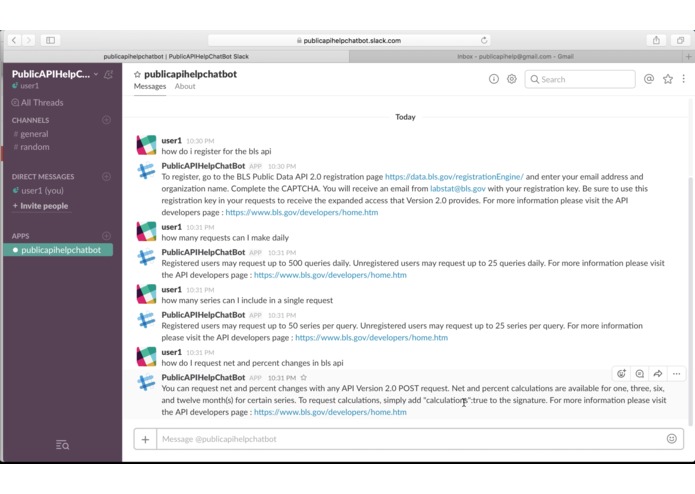
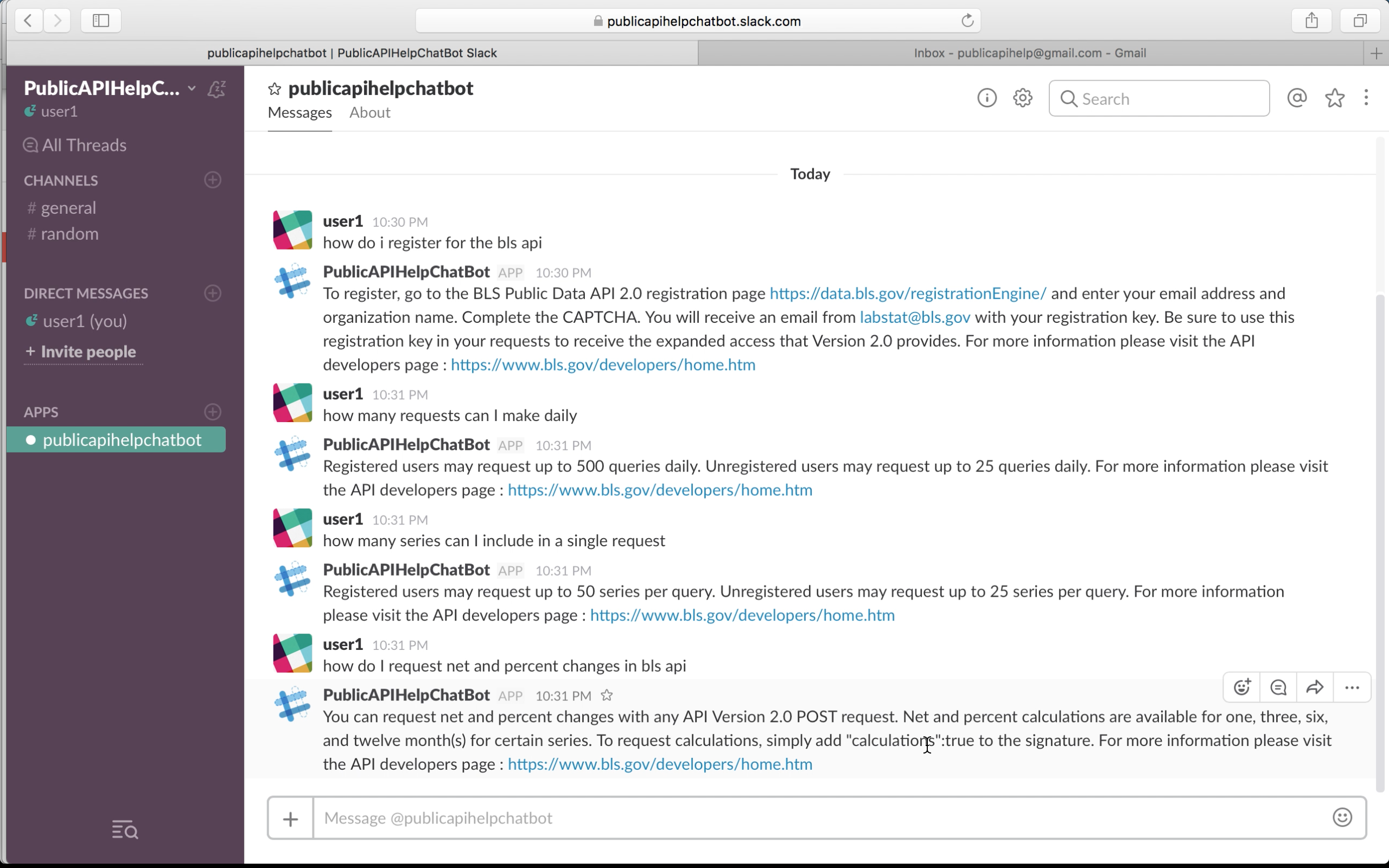
API FAQ answered by chatbot
-
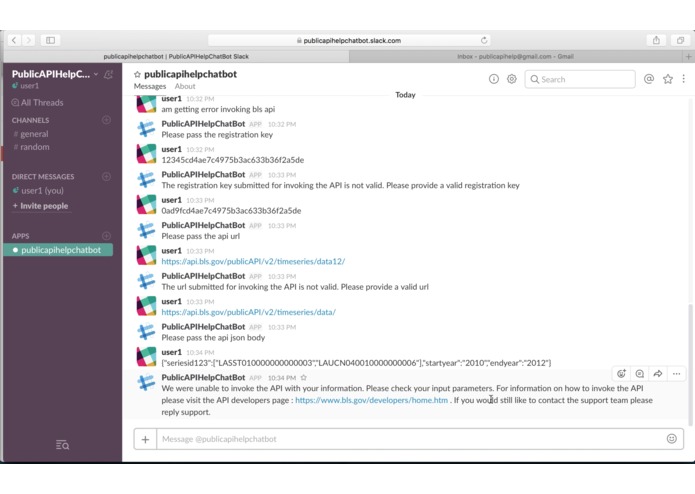
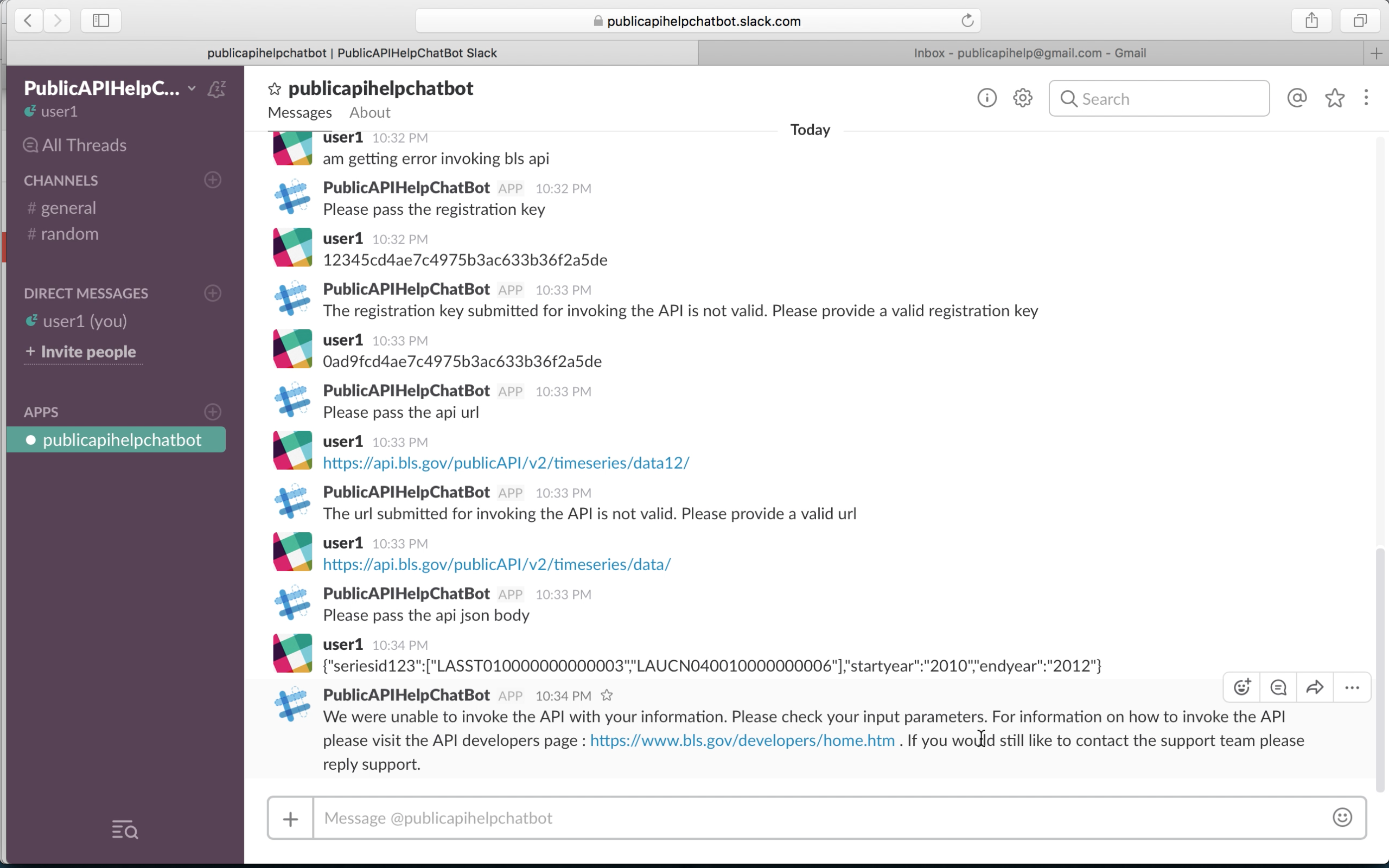
User Param Validation undertaken by chatbot
-
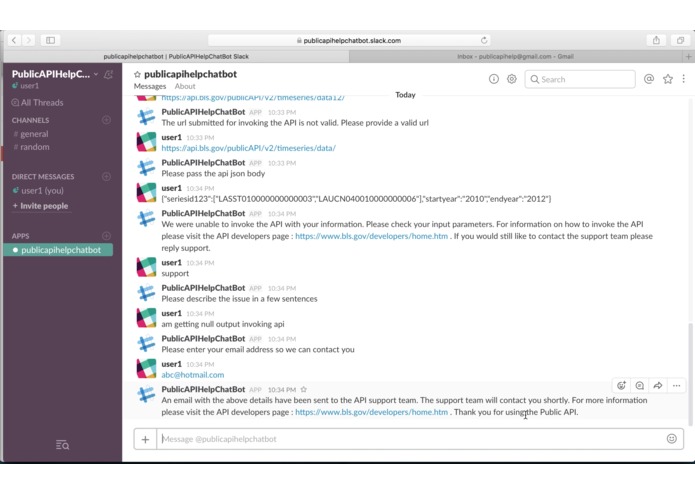
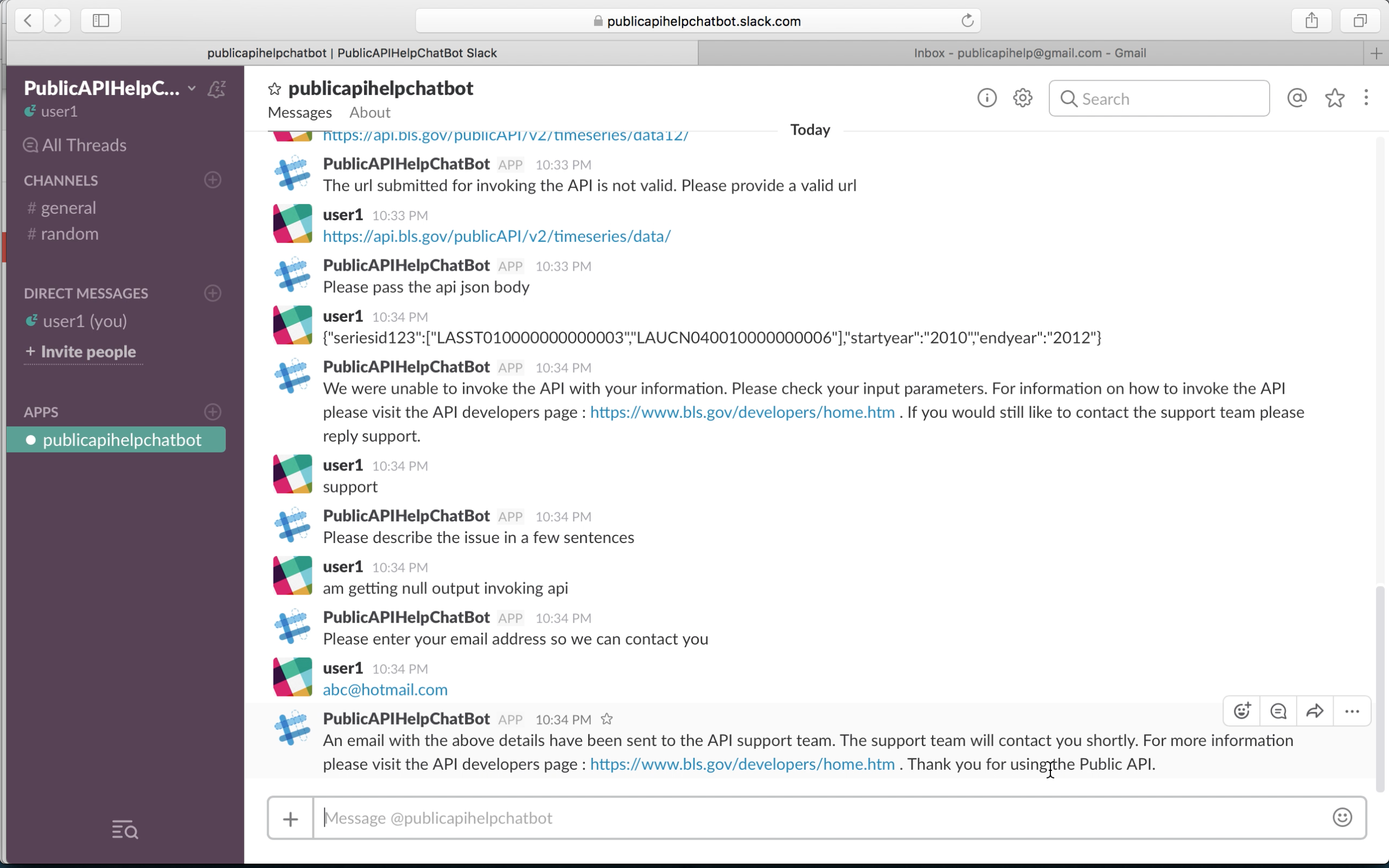
Chatbot provides option to send escalation email to support team
-
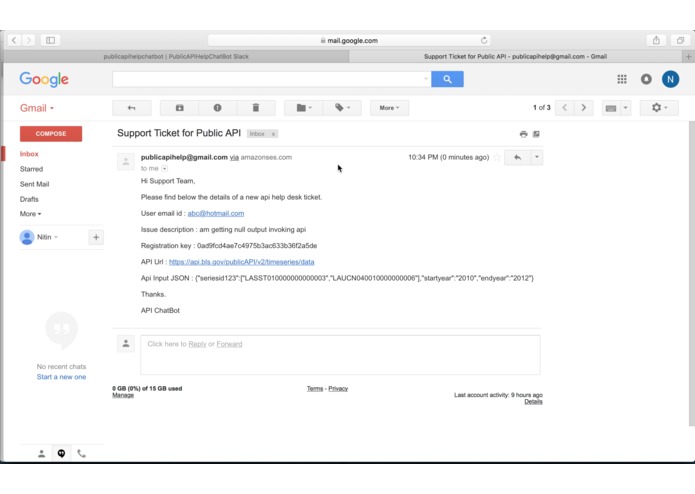
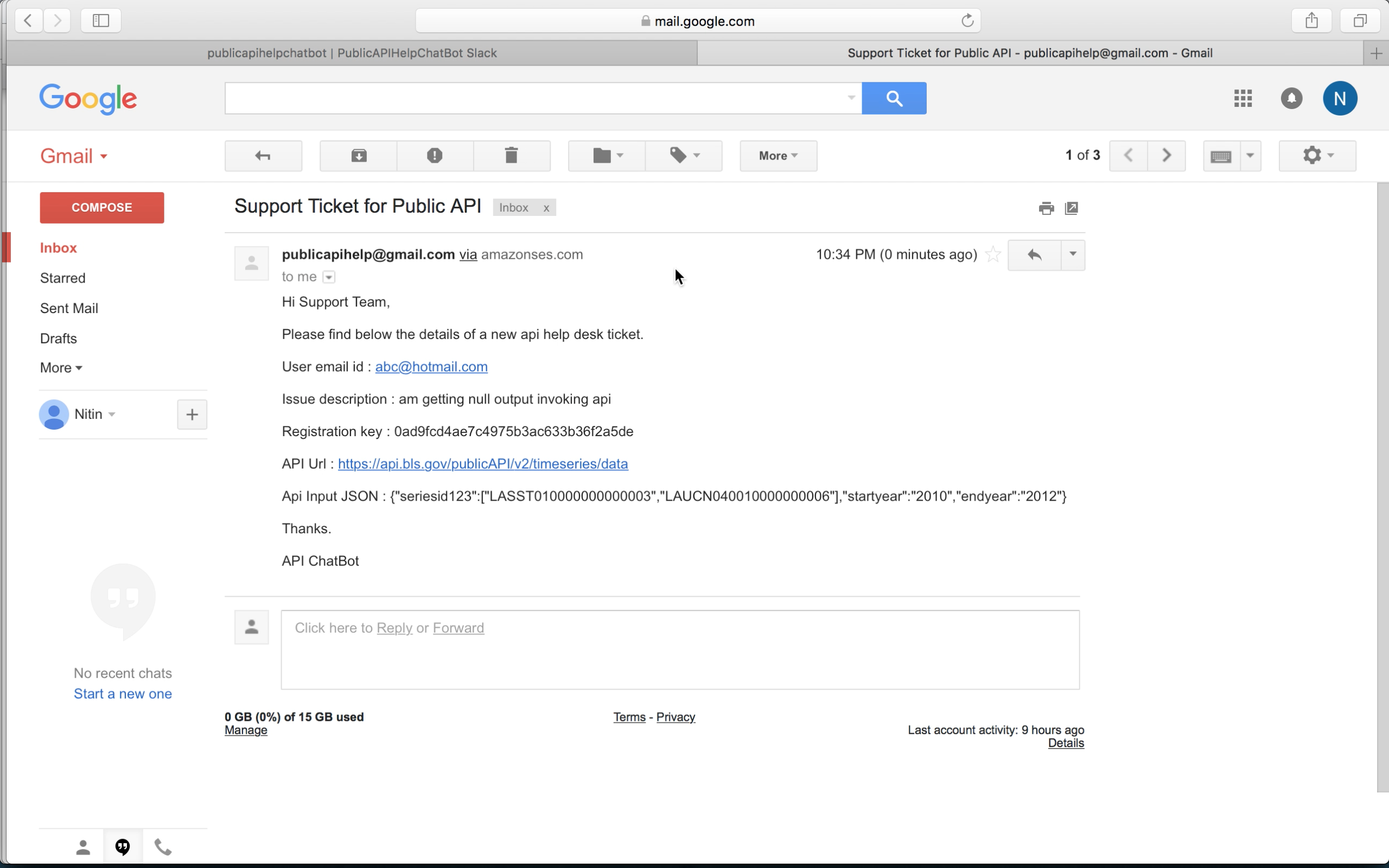
Support email sent by chatbot
Inspiration
I have worked with Public APIs for a few years now. Public APIs help in disseminating data that can be used by anyone. Being part of the development team for a Public API project we routinely get help request for API support. Generally the help support tickets inquire about FAQ's on how to consume API. Other times clients consuming API have technical issues eg: api not returning data, client code unable to call api etc. When I started playing around with AWS Lex I realized that a chatbot could be the first line of support in such situations thereby reducing the manual help desk support. Public APIs are growing rapidly and AWS Lex powered API help chatbots can immensely help in providing support.
What it does
To demonstrate the use of a Public API Help Chatbot I have created a help chatbot for the Bureau of Labor Statistics (BLS) API - https://www.bls.gov/developers/
The Chatbot provides the following services:
- Provides FAQ for the BLS API
- Validates the input parameters used for invoking the BLS API
- Invokes the BLS API using the user parameters and tries to determine any issues
- Sends an email to the Support Team (demo email id - [email protected]) with user details in the event of user requiring additional support
How I built it
I created and configured an AWS Lex Chatbot ('APIHelpBOT') by defining intents relating to FAQ's for BLS API. A specific intent ('HelpWithAPIQuery') would ask the user for various parameters used for invoking the API. A lambda function ('ChatBotHandler') implemented in java is used to validate the user parameters as well as invoke the BLS API to determine any issue. The 'ChatBotHandler' lambda function also sends out an email to the Support team in case the user wishes to escalate the issue. AWS SES service is used for sending out the email to the support team. Finally I have integrated the chatbot with Slack.
Challenges I ran into
I could not find a way in AWS Lex to capture the entire transcript of the conversation between user and the bot so that it can be included in the escalation email sent to the support team. As a result I found a work around by using session attributes to store important information as the conversation progresses instead of the entire transcript and including this in the support email.
AWS Lex slots does not provide a generic literal type that can capture random user sentences. In my case the user is asked to provide a small description of the issue that can be passed to the support team, defining a slot that can handle any random sentence has been tough.
The lex slot for capturing json input trims a part of the json leading to invalid json being passed by the bot to lambda function. So instead of using the slot value i had to use the input transcript field of bot request API to capture the json in the lambda function.
Being new to AWS there was a bit of a learning curve to get this project completed.
Accomplishments that I'm proud of
This is the first time I have worked with AWS Lex and am relatively new to Lambda. Am proud of the fact that I was able to build a working chatbot for the vision I had set myself in a short time span of few weeks.
What I learned
AWS make it very easy to quickly develop applications. As a developer I can focus on whats needs to be done (implement business logic) and worry less about how it needs to be done as various AWS services are tightly integrated and provide a very high layer of abstraction.
What's next for Public API Help Chatbot
I plan to present a demo of this Public API Help Chatbot to my department division chief and higher management, showcasing the benefits of the AWS Chatbot. The goal is to get the Public API Help Chatbot implemented for supporting our department's hosted Public API.


Log in or sign up for Devpost to join the conversation.