Inspiration
The inspiration for Ptero came from a simple but frustrating experience: having to create accounts on multiple AI platforms just to test a single prompt. Every service wanted an email, a credit card, or both. I wanted a single, clean interface where I could switch between different AI models instantly and compare their responses without any friction.
What it does
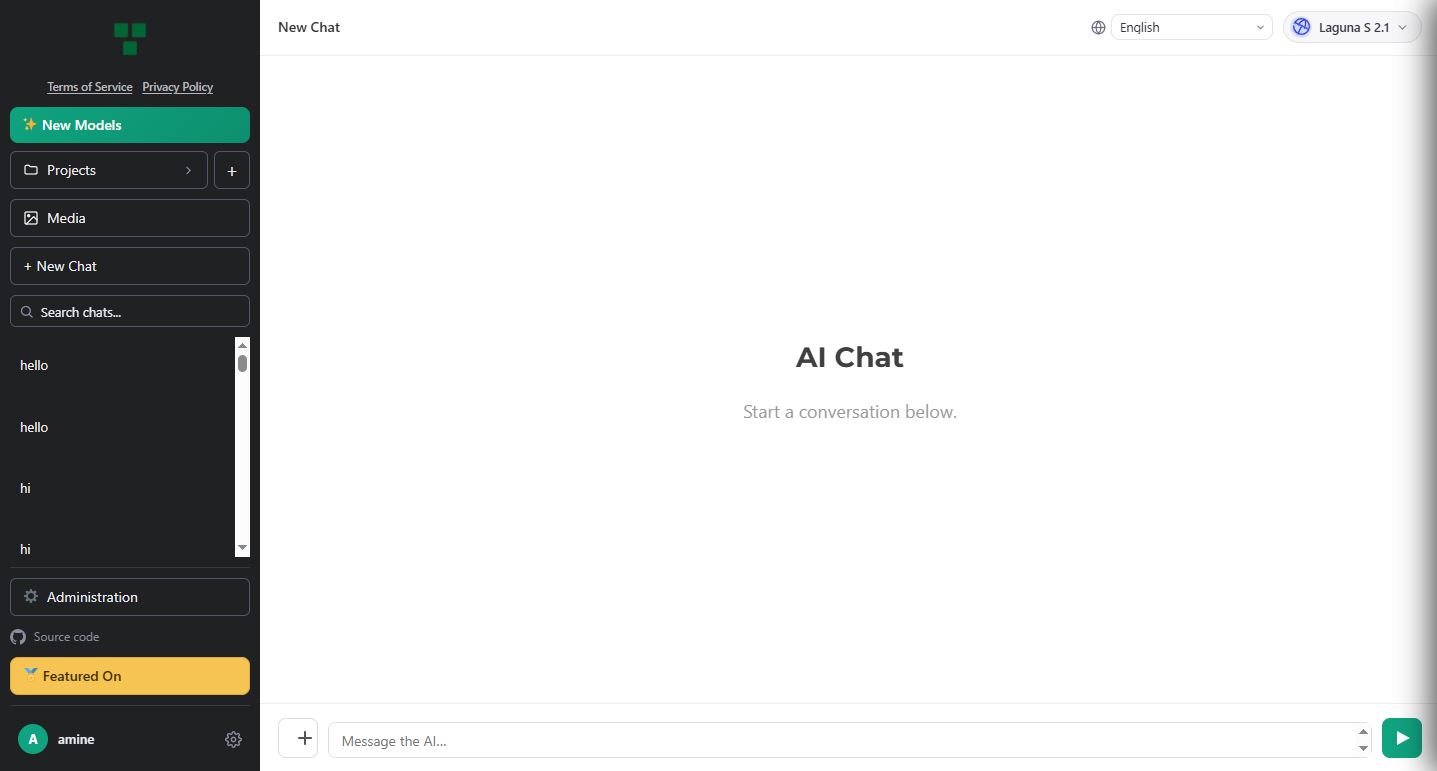
Ptero is a free AI chat platform that gives developers, students, and creators instant access to multiple powerful language models in one place. No signup required, no usage limits, and completely free. Users can switch between models with one click, compare responses, debug code, brainstorm ideas, and organize chats into projects. It includes a media library for file attachments and stores all conversations locally in the browser for privacy.
How I built it
The frontend is built with HTML, CSS, and JavaScript, with a clean, intuitive interface inspired by modern chat applications. The backend is powered by PHP and integrates with multiple AI APIs including DeepSeek V4, Llama 3.3, Qwen, MiniMax, Mistral, and more through a unified API layer. The WordPress plugin version makes it easy for any WordPress site to add AI chat functionality. Cloudflare is used for DNS, security, and performance optimization.
Challenges I ran into
The biggest challenge was building a reliable, multi-model AI chat platform while keeping it completely free and without signup. Managing rate limits across different providers, handling failover when one model is unavailable, and ensuring conversations stay private without server-side storage required careful design. The project also had to be optimized for both performance and cost to keep it sustainable as a free, non-profit service.
Accomplishments that I'm proud of
Building a fully functional AI chat platform with 40+ models that works for thousands of users without any signup or payment. The project has already been listed on major directories like Dang.ai, Product Hunt, and Launch Llama. It's now open-source with a growing community on Discord.
What I learned
I learned how to integrate multiple AI APIs efficiently, build a responsive and accessible UI, and design a system that scales without relying on paid infrastructure. I also gained experience in open-source development, community building, and launching a product from idea to live service.
What's next for Ptero
- Adding more AI models as they become available
- Improving the media library and project organization features
- Building a mobile-friendly experience
- Growing the open-source community and encouraging contributions
- Exploring optional self-hosting for users who want full control
- Continuing to keep Ptero 100% free forever
Built With
- ai
- api
- cloudflare
- css
- deepseek
- html
- javascript
- llama
- minimax
- mistral
- openai-api
- php
- qwen
- react
- rest-api
- web-app
- wordpress


Log in or sign up for Devpost to join the conversation.