-
-
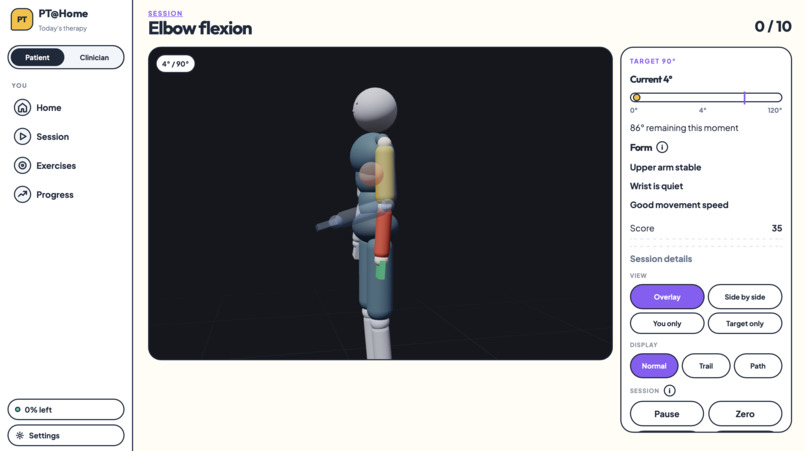
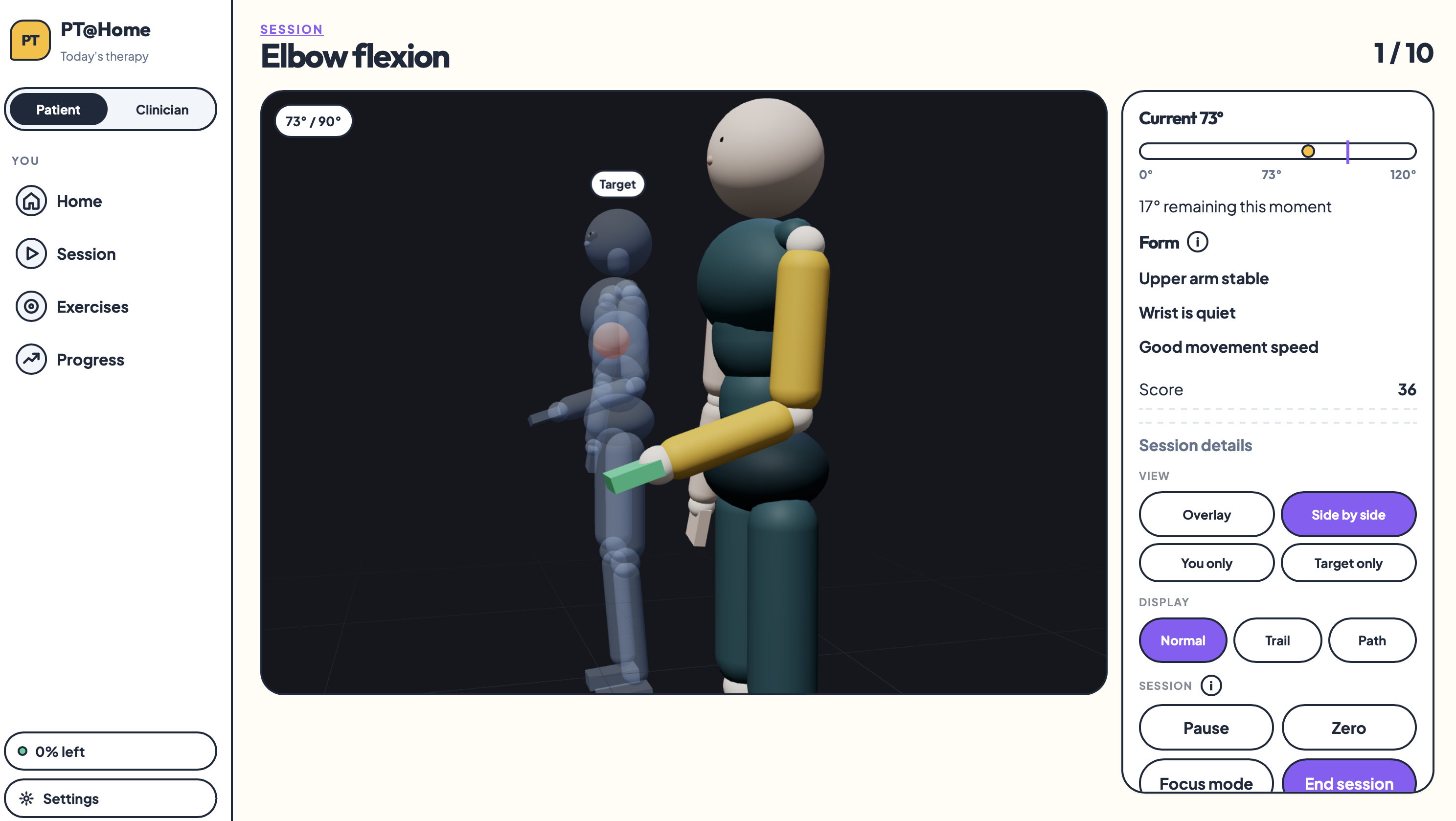
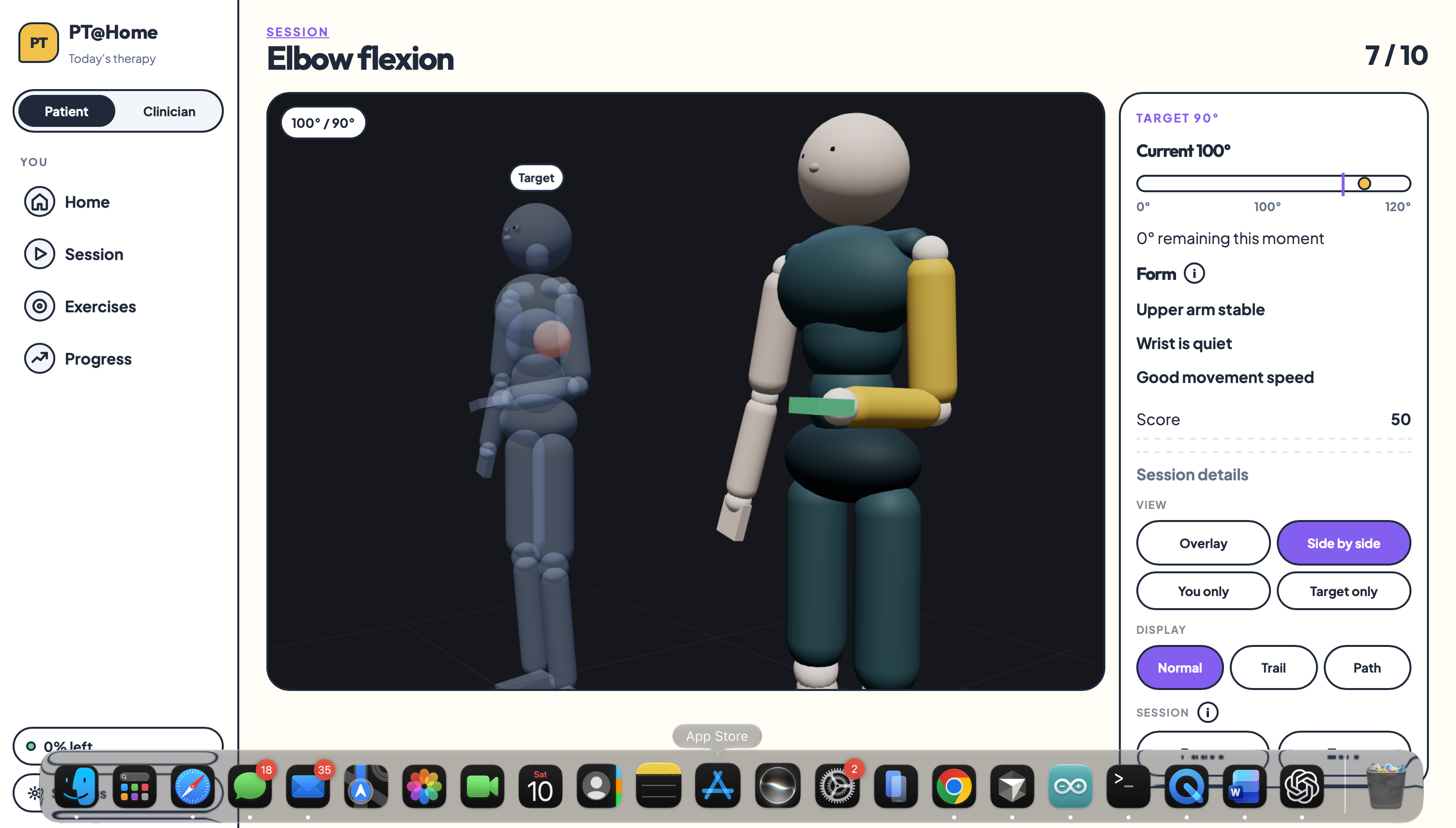
Compare your movements with the proper form
-
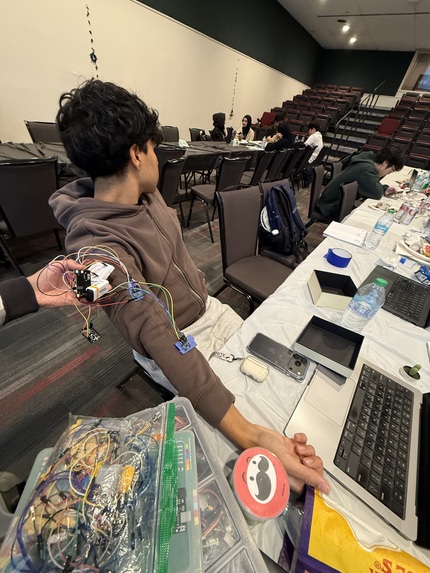
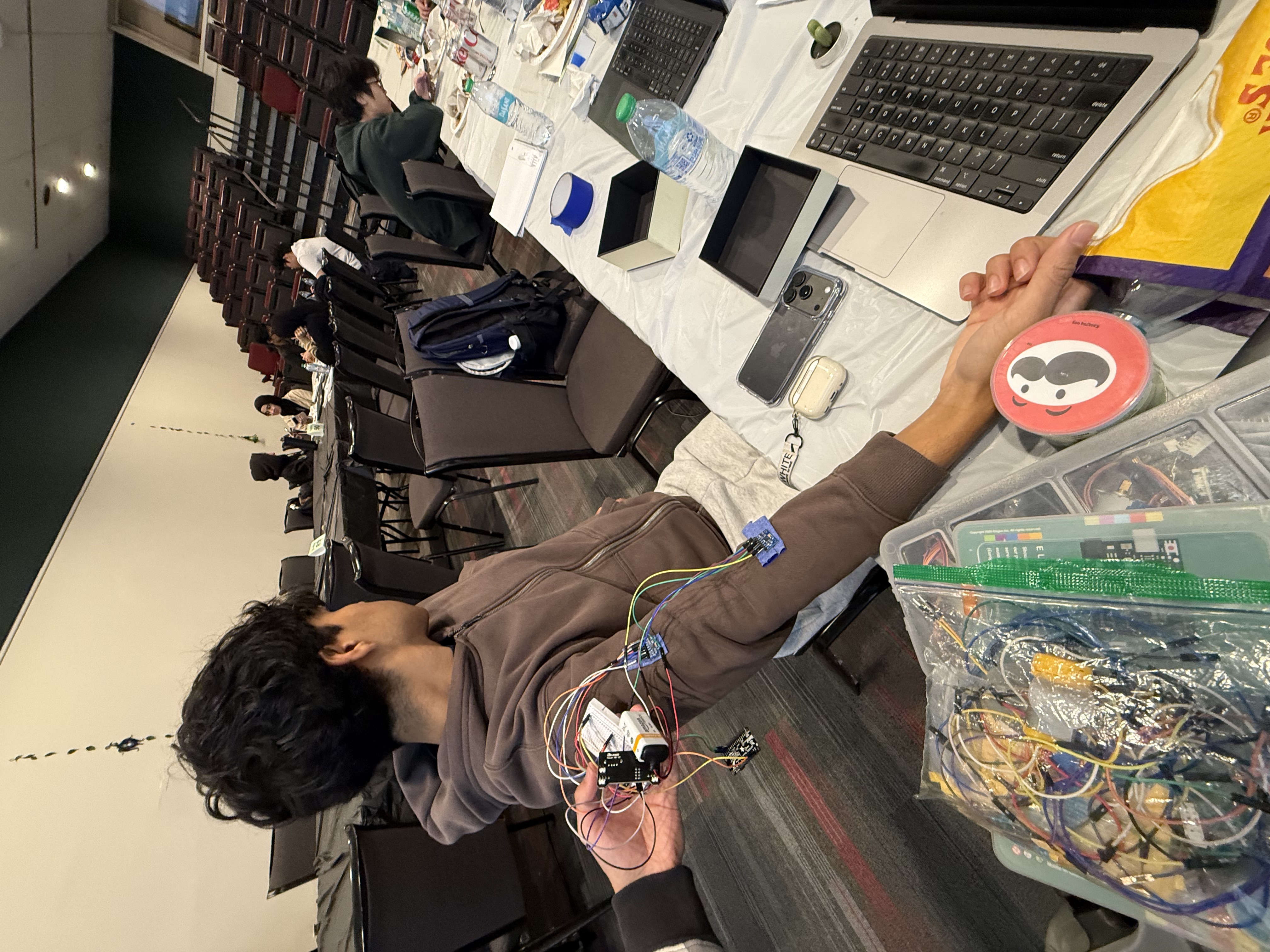
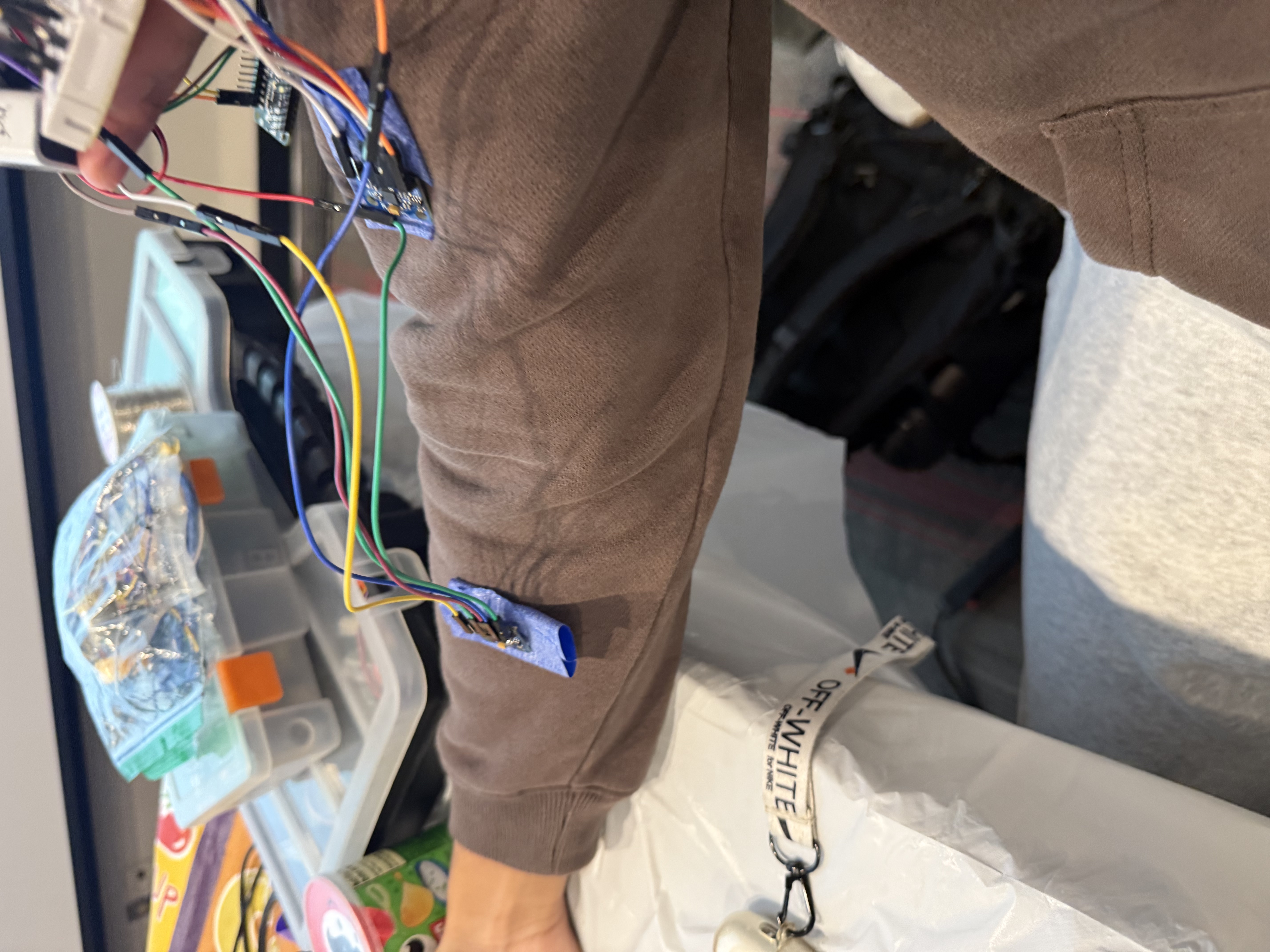
The Device
-
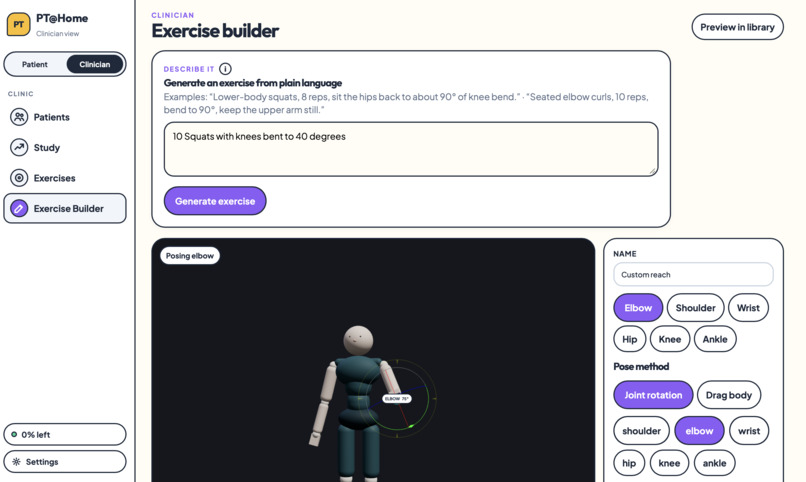
Physicians create exercises by using a simple text prompt
-
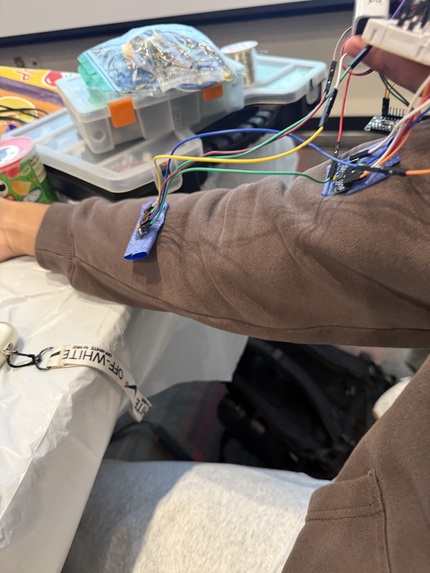
Two Attachable Nodes
-
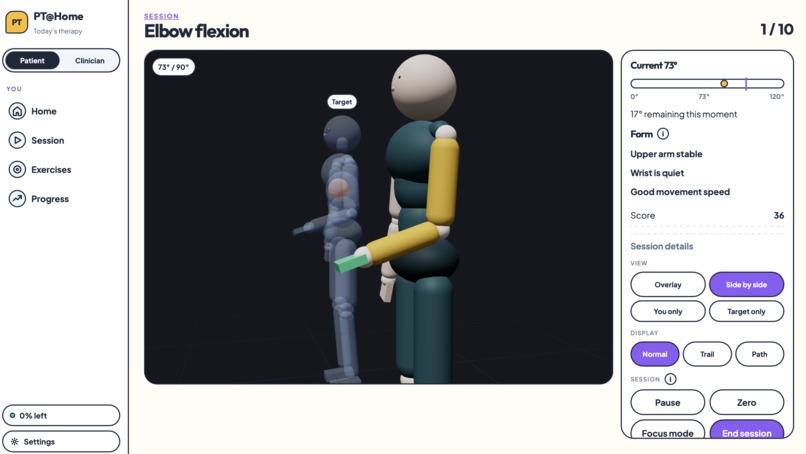
Compare your movements with the proper form
-
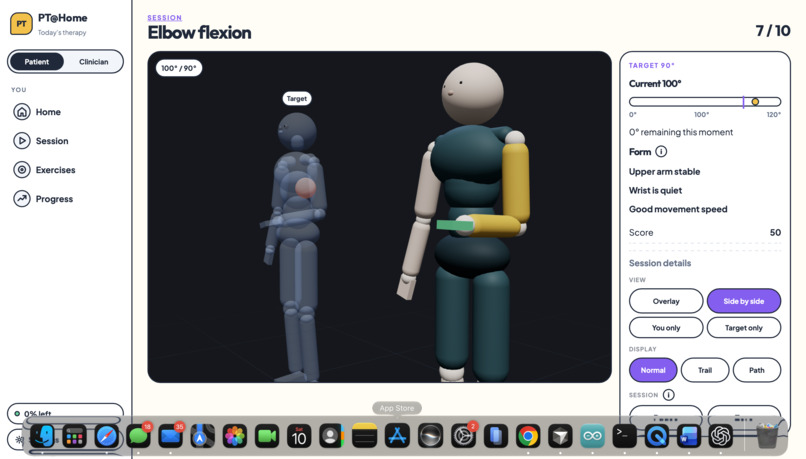
Compare your movements with the proper form
-
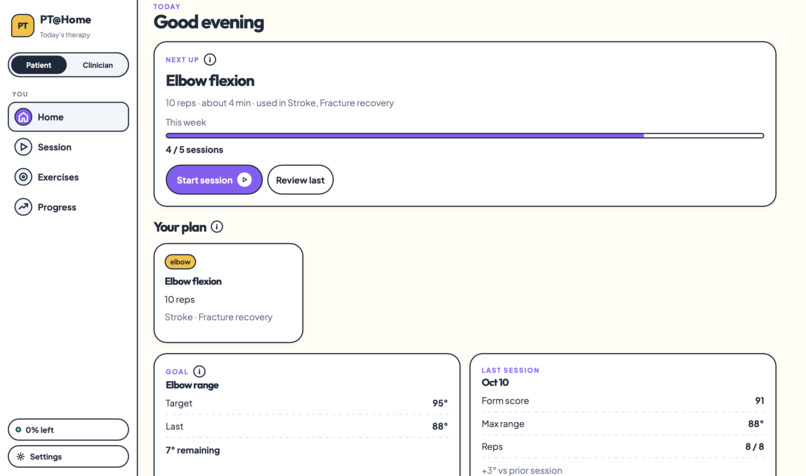
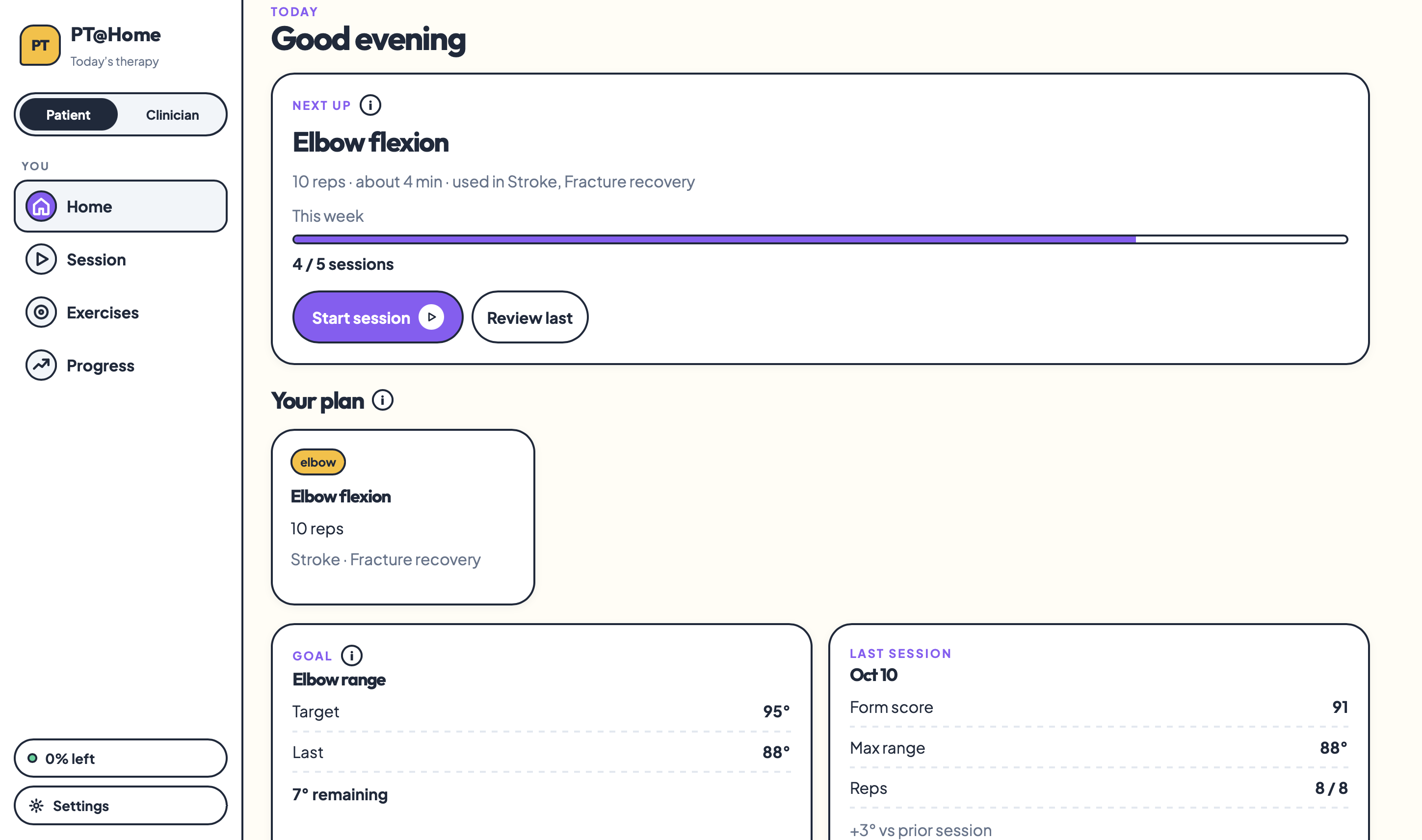
Home Page
-
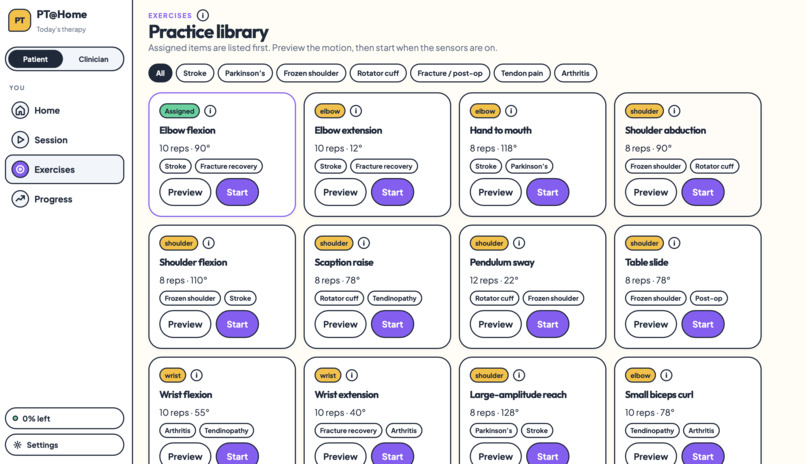
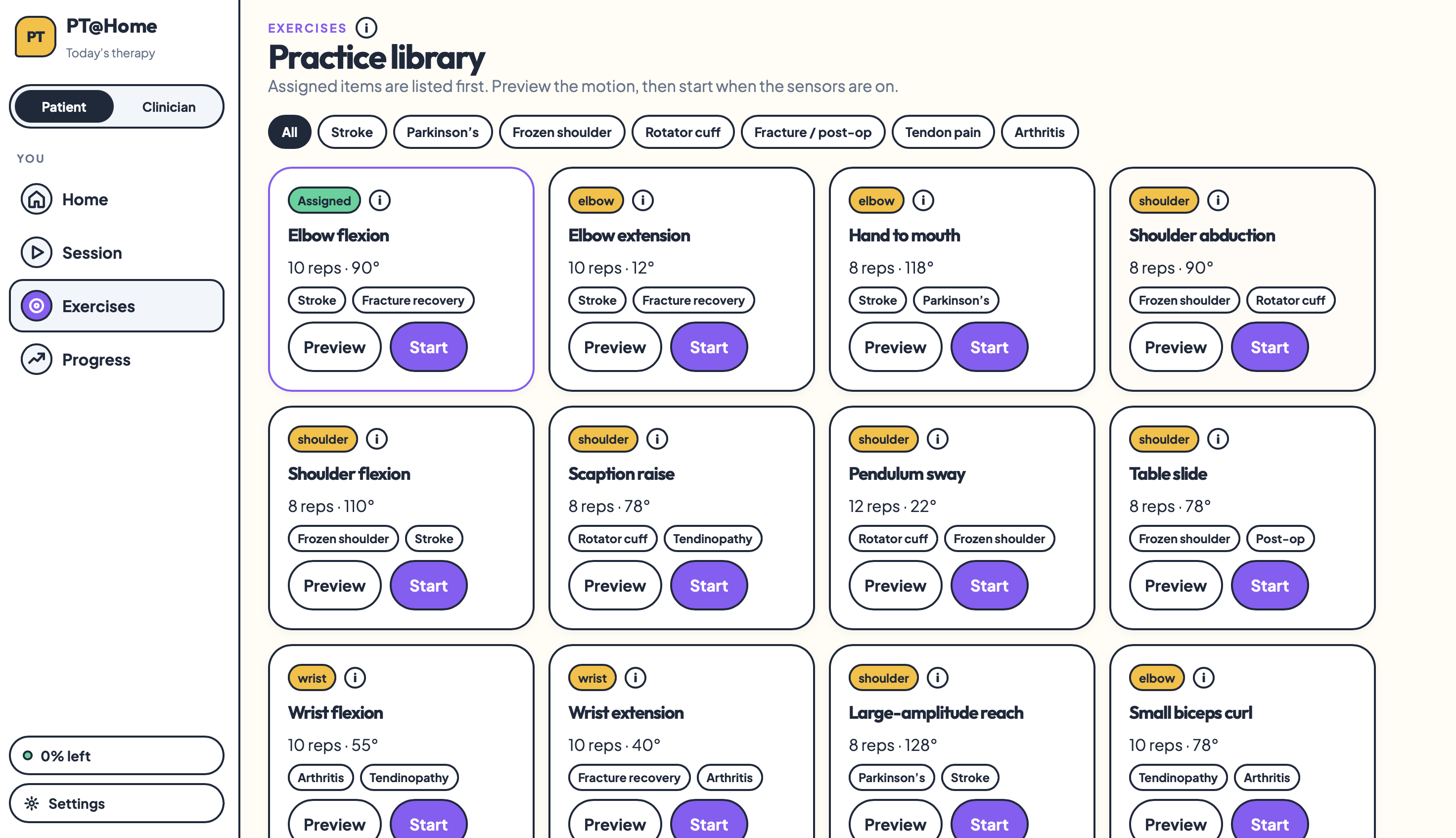
Library of preset excercises
-
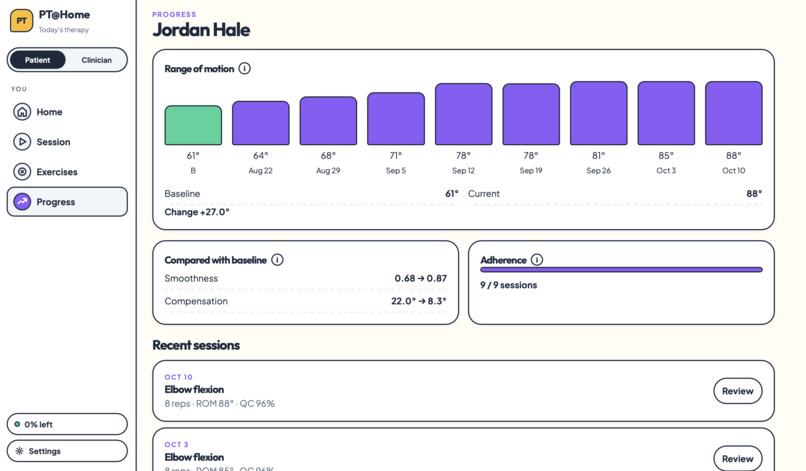
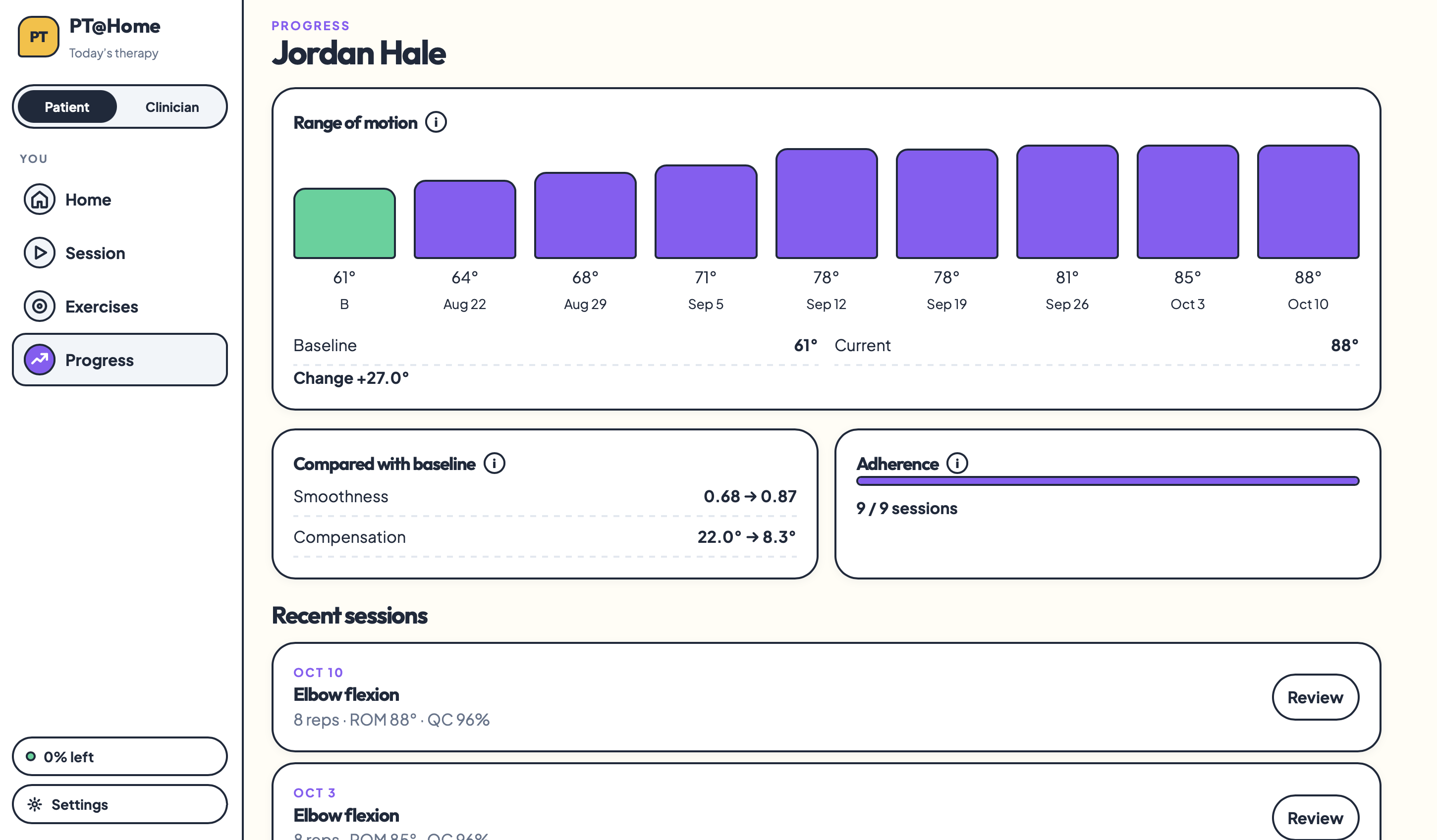
Progress over time
-
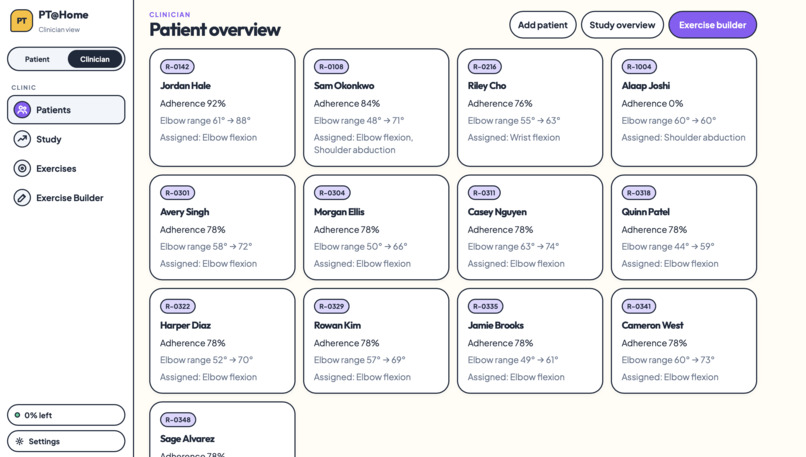
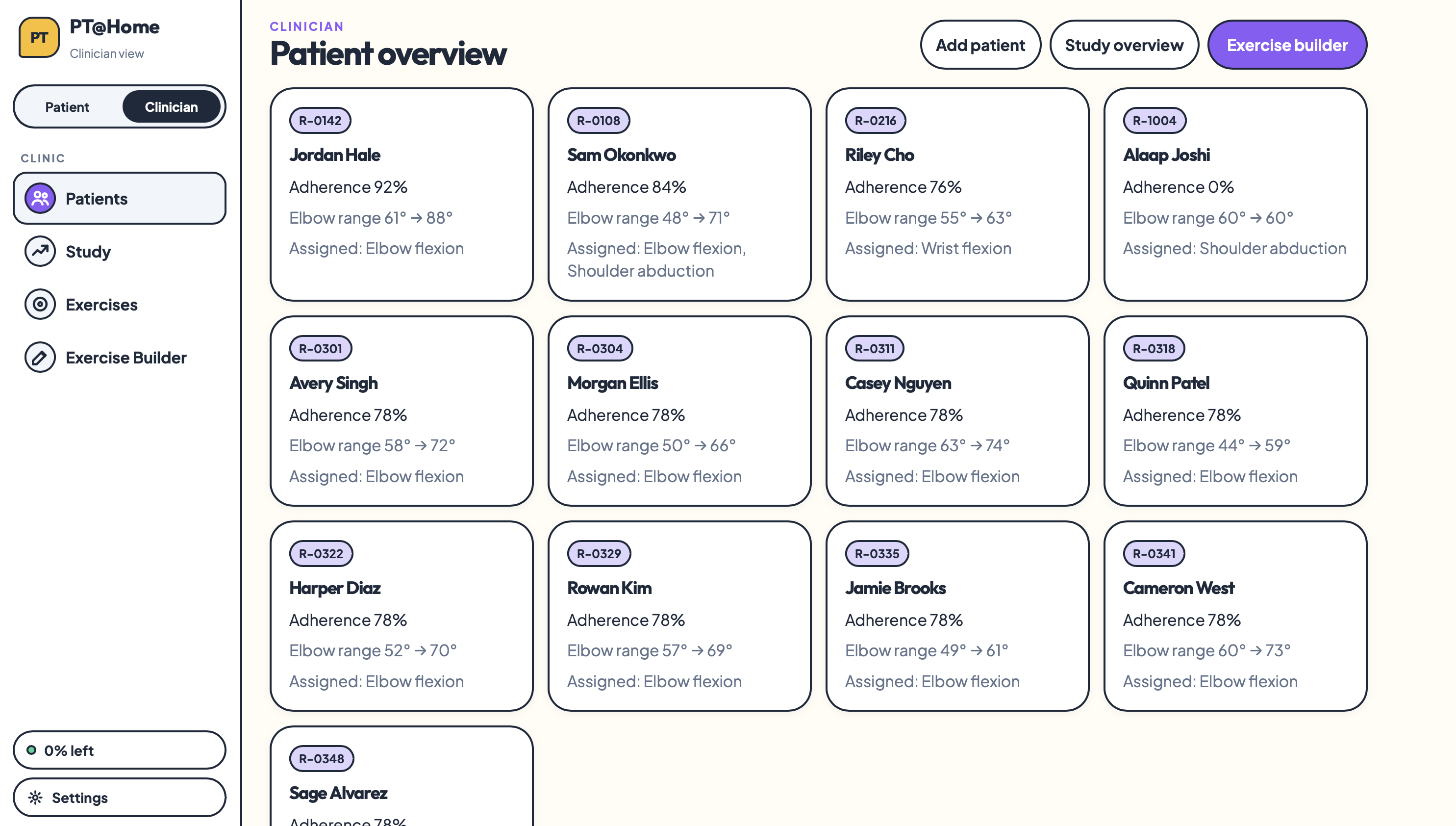
Patient overview for physicians
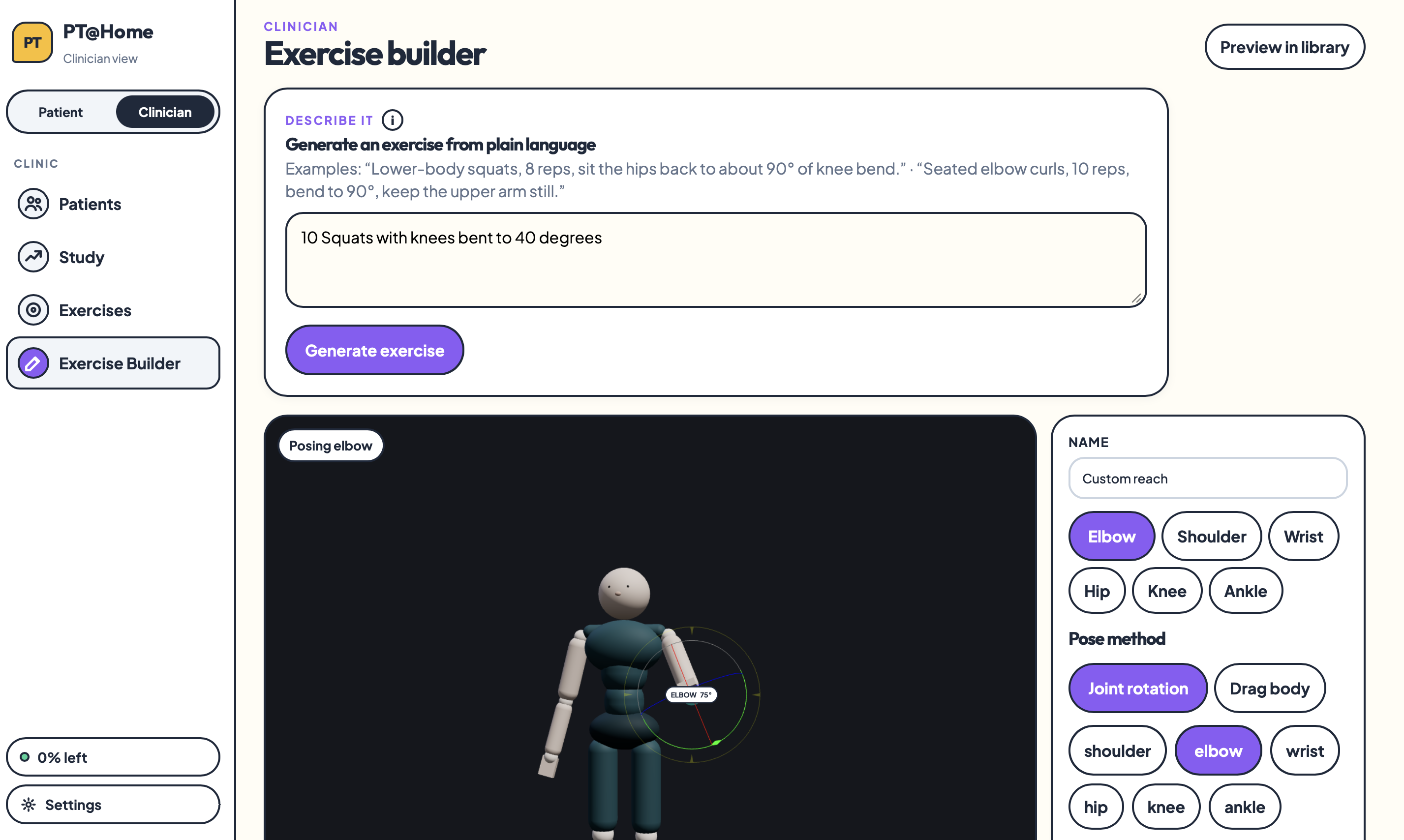
Inspiration
Physical therapy doesn’t stop when you leave the clinic, but at home, it can be hard to know if you’re doing an exercise correctly. We wanted to give patients a clearer way to follow their exercises and help therapists see what happens between appointments. That idea became PT@Home.
What it does
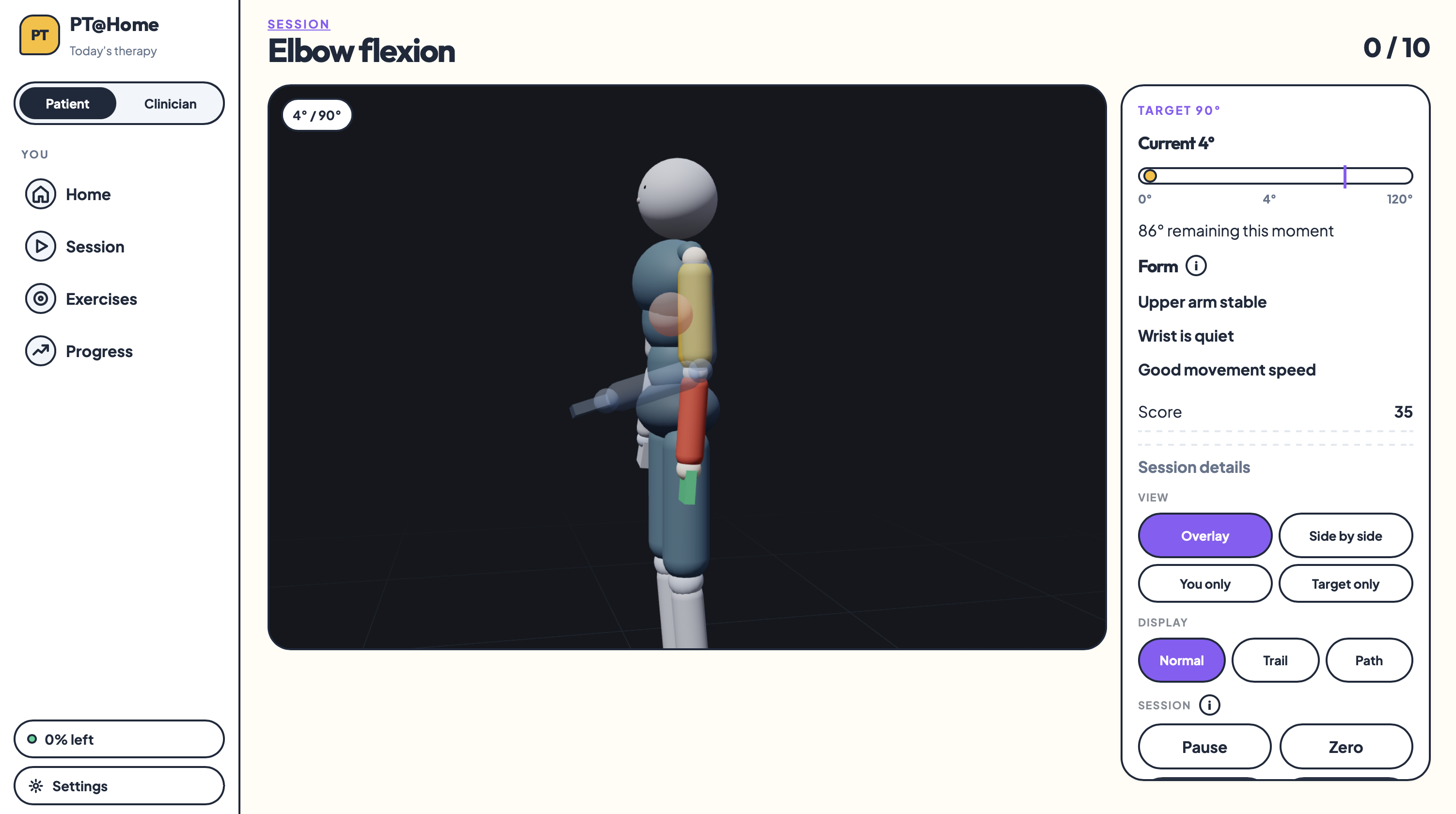
PT@Home uses two small motion sensors to control a live 3D avatar. You can compare your movements with a guided exercise and review your session afterward.
Therapists can assign exercises, replay sessions, and track changes in movement over time. A research view adds baseline comparisons, recording-quality checks, and downloadable data for exploring how movement changes between assessments.
An estimated $11.47 in hardware makes the prototype accessible to build using an existing computer. It can also support remote check-ins and reduce travel for patients who have difficulty getting to appointments.
How we built it
We connected two MPU-6050 motion sensors to an Adafruit Feather nRF52832 board. The board sends readings over Bluetooth to a Python bridge, which passes them to our React and TypeScript web app.
We built the 3D avatar using Three.js and React Three Fiber. Calibration maps the sensors’ orientation to the avatar, while the app estimates range of motion and summarizes repetitions. We also built a simulator so we could develop without constantly wearing the hardware.
For the Regeneron challenge, we added tools that organize recordings by participant, compare sessions with a baseline, flag recording problems, and export movement metrics for exploratory analysis.
Challenges we ran into
One of our biggest challenges was making the avatar move in the same direction as the person wearing the sensors because sensor placement and calibration both affected how the movement appeared.
We also ran into Bluetooth packet-size limits that disrupted streaming. Now, the hardware waits until the connection can handle the full packet before sending readings.
Accomplishments that we're proud of
We managed to tie hardware, live visualization, and session review together into a single, cohesive prototype. Watching a physical movement start at the sensors, instantly pop up on the avatar, and get saved as a reviewable recording never really got old.
Looking back, we're most proud of pushing past just a flashy live demo to actually build out proper clinician and research workflows, all while keeping the hardware surprisingly budget-friendly.
What we learned
Turns out, making an avatar move on screen is only part of the problem. If you want actionable measurements, you have to nail sensor placement, calibration, and recording stability.
Building this also showed us the difference between a proof-of-concept and a clinical tool. Our metrics and quality checks are a great starting point, but we still need to put them to the test with clinicians to see if they hold up.
What's next for PT@Home
Moving forward, our biggest priority is validating our metrics against reference measurements and putting the prototype directly in front of physical therapists for feedback. On the engineering side, we want to streamline the setup by improving sensor mounting, and test whether session summaries genuinely help clinicians review patient exercises.
We also plan to build out secure data sharing between patients and therapists, and upgrade our live tracking to support legs instead of relying on simulated demos. Beyond standard physical therapy, we see potential in clinical research—eventually helping researchers collect repeated, at-home movement metrics for studies where physical function is key (though rigorous validation will always come first).


Log in or sign up for Devpost to join the conversation.