-
-
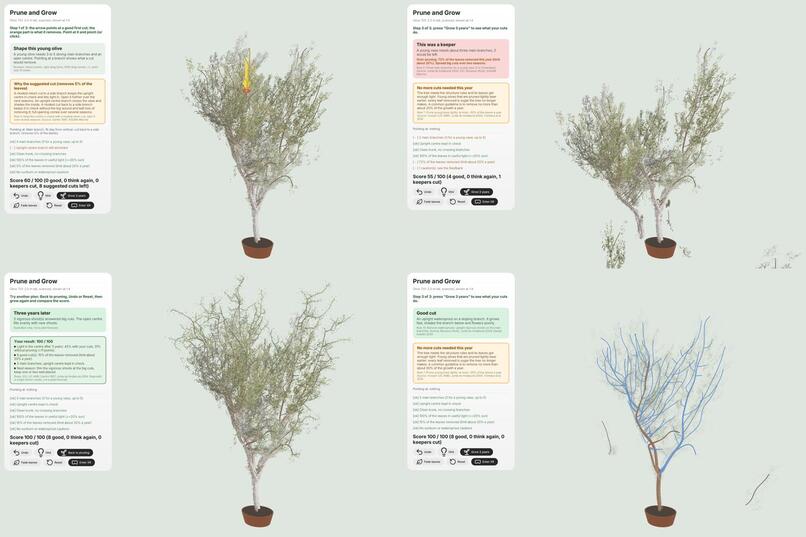
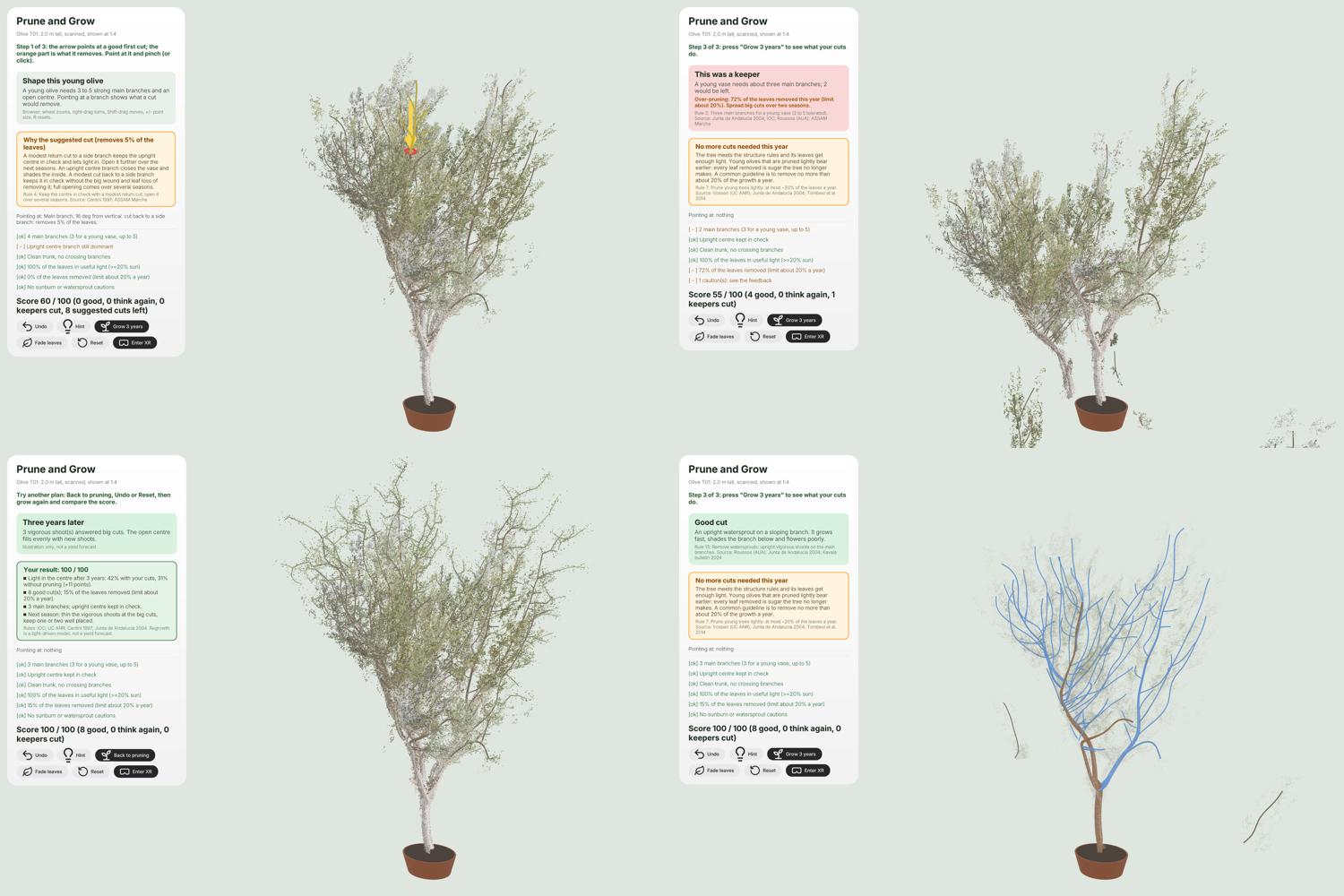
Guided pruning: a good cut and why, a bad cut flagged, 3-year regrowth with the result card, and wood (brown: scanned, blue: estimated)
-
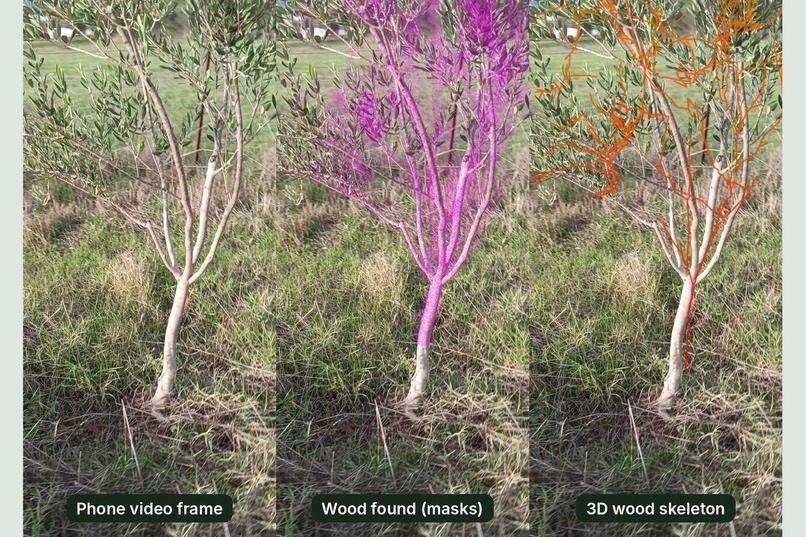
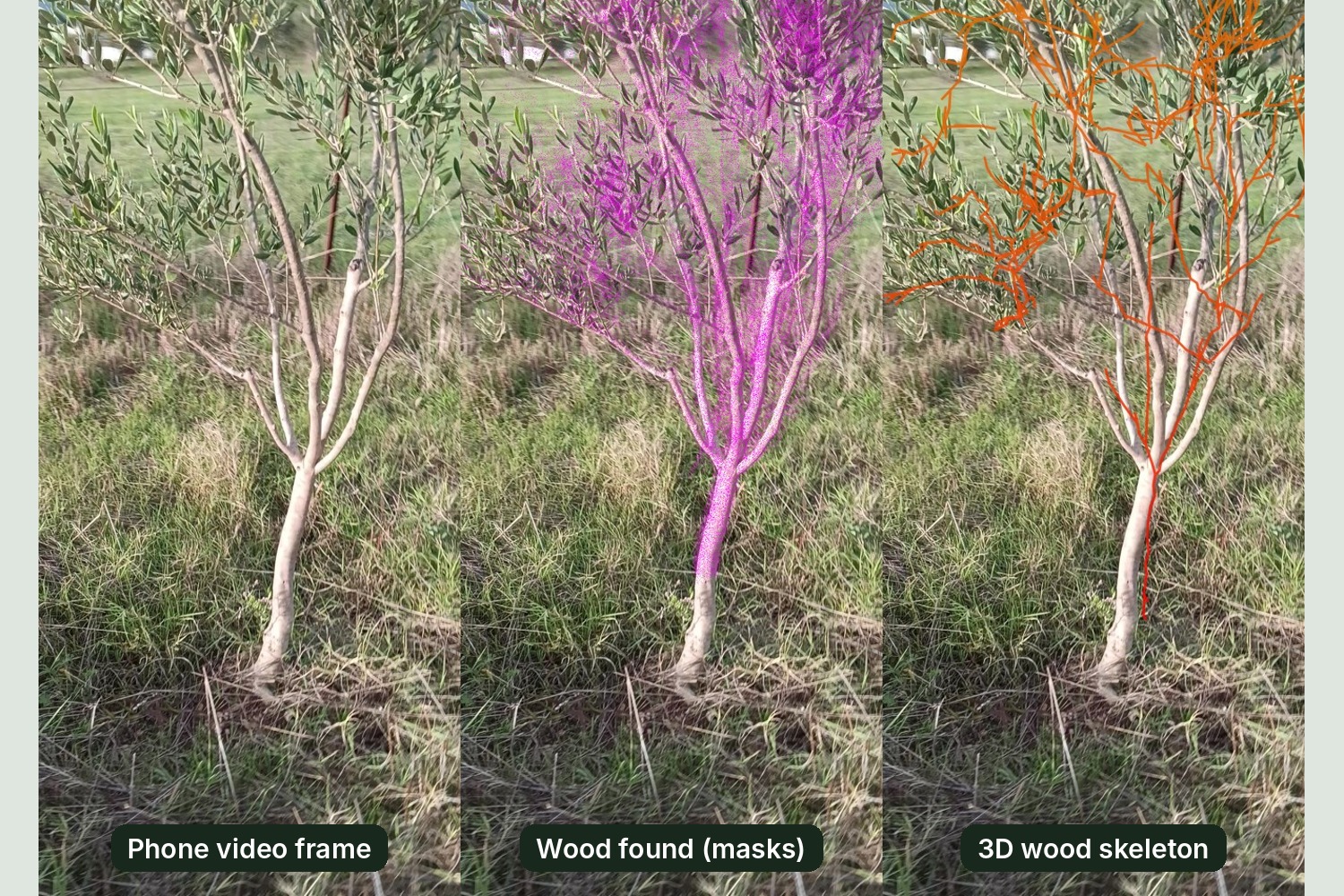
From a one-minute phone video to a 3D tree: wood found in every frame (magenta) becomes a 3D branch skeleton (orange).
-
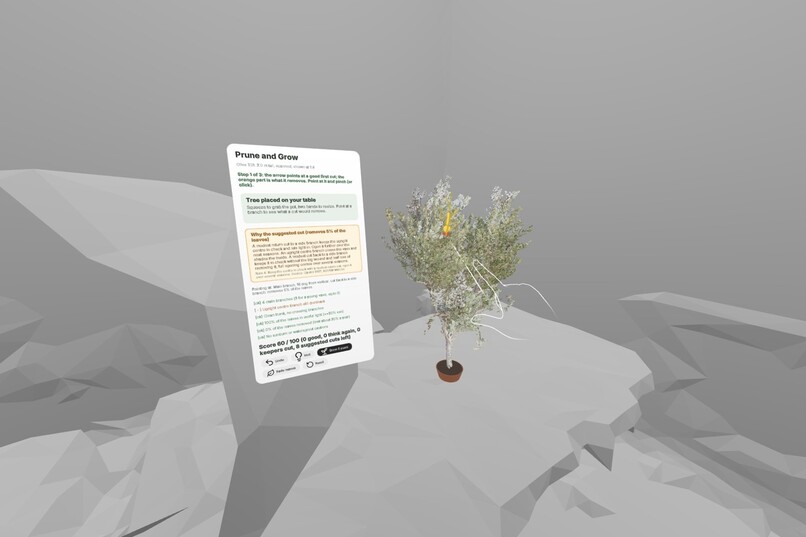
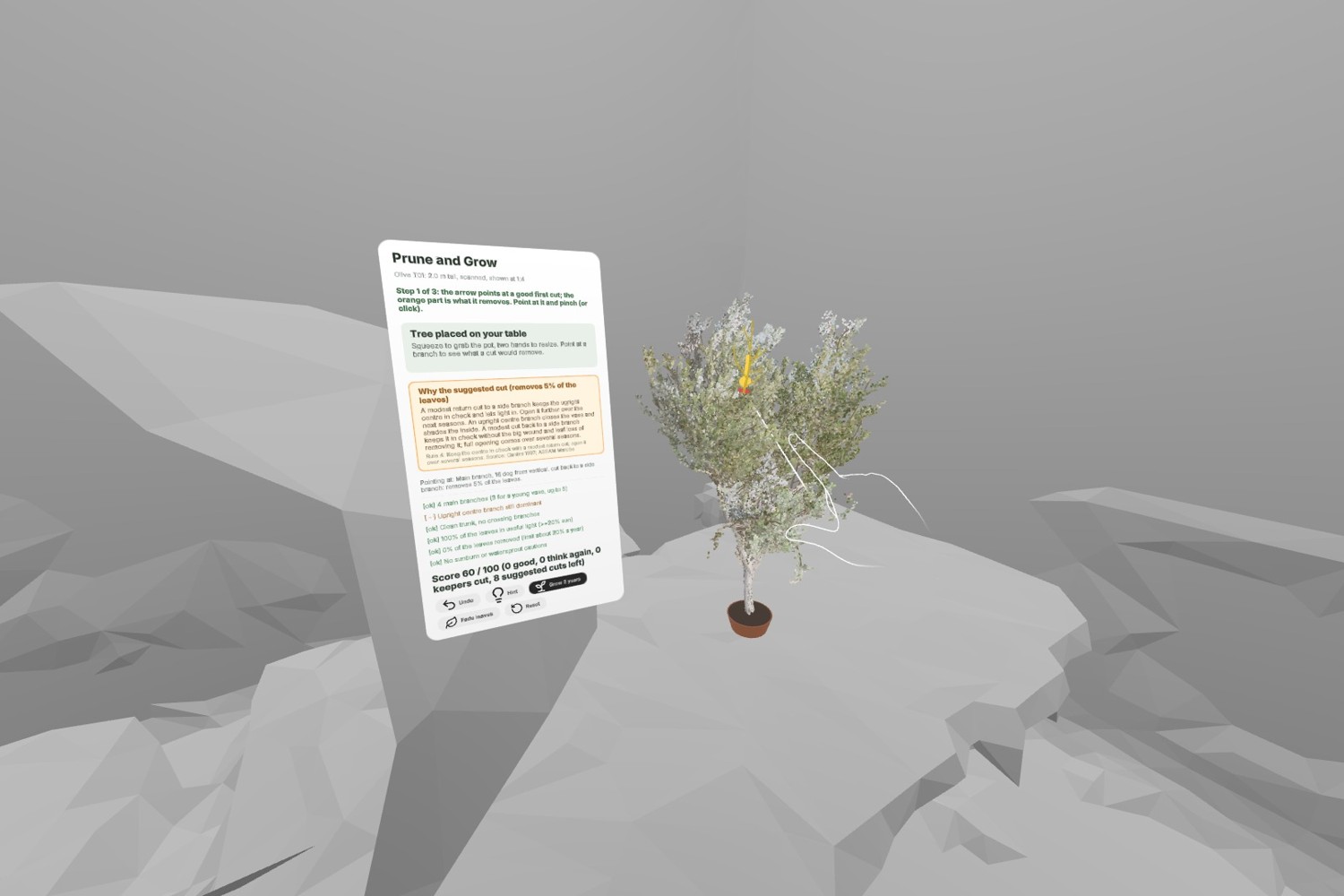
Mixed reality, hands-first: the scanned olive on a real table at 1:4, the coach card beside it, cut by point and pinch (Quest simulator)
Inspiration
Young olive trees get their shape in their first three to five years. A wrong cut, or too many, costs years of harvest, and the mistake only shows years later. Pruning is learned in the field, from manuals that disagree in the details, on trees you cannot undo. We wanted a safe place to practise on a real tree from our own grove, with the reasons behind every cut.
What it does
Prune & Grow puts a 3D scan of a real two-metre young olive on your table at one-quarter scale, in mixed reality. An arrow points at a good cut; everything that cut would remove glows orange. A side card explains why, citing the agronomic source (International Olive Council, UC ANR, Cantini 1997, Junta de Andalucía 2004 and others).
You point and pinch to cut. Every cut is judged (good, think again, or a keeper you should have left) and the plan adapts. After each cut the app re-checks the structure (three to five main branches, an upright centre kept in check, no crossing shoots), the light inside the crown, and this year's leaf budget of about 20%. It then suggests the next cut, big or small. Over-pruning, sunburn on newly exposed bark and watersprout regrowth are flagged before they happen.
Grow 3 years then fast-forwards the tree you shaped: new shoots grow towards the light from the wood you kept. A result card compares the light reaching the centre with the same tree left unpruned (42% versus 31% for the suggested plan).
Hands-first
- Point and pinch to cut: the hand ray highlights what a cut would remove (green good, orange think again, red keeper). Pointing near the arrow always picks the suggested cut, even with a twig in front.
- Scissors gesture: open the index and middle finger on a branch and close them, like secateurs.
- Grab and resize: pinch near the pot to move the tree; pinch with both hands to turn or resize it.
- Panel: pinch the coach card's buttons (Hint, Undo, Grow 3 years, Reset, Fade leaves).
- Seated-friendly: the tree is placed on the nearest real table via plane detection, within arm's reach, with the card beside it, tilted towards the eyes.
How we built it
- Scan: a one-minute phone video, filmed on 21 October 2026, turned into a point cloud with structure-from-motion. Wood was found in each frame with segmentation masks and voted into 3D. A skeleton of 92 branches was extracted, and a second, misaligned copy of the tree ("ghost branches") was detected and removed. Branches hidden inside the leaves are estimated and marked as such.
- Rules: fifteen pruning rules, each with its source, applied adaptively to the tree as it is after every cut.
- Light: a voxel light model of the crown (Beer-Lambert, olive leaf angles, the sun path at 38° N), recomputed after each cut.
- App: Meta Immersive Web SDK (WebXR, three.js, ECS systems, a UIKitML coach panel), with plane detection, hand tracking and a passthrough mixed-reality session. It is a static site, so judges simply open a link.
Challenges we ran into
The scan was the hardest part: leaves hide most of the wood, and the reconstruction produced duplicate ghost branches that had to be detected and erased. We built the app without a headset, testing every interaction in the IWSDK Meta Quest emulator, so we added a ?sim mode that lets anyone without a headset try the XR view in a browser.
What's next
- Guided pruning at the real tree: the scan aligned 1:1 to its branches, with Done and Skip for each cut, and a pruning record for next season.
- More trees and varieties scanned from the grove.
- A second season: prune the tree you grew.
Built With
- github
- hand-tracking
- meta-immersive-web-sdk
- mixed-reality
- passthrough
- plane-detection
- point-cloud
- structure-from-motion
- three.js
- typescript
- uikit
- vite
- webxr

Log in or sign up for Devpost to join the conversation.