-
-
Index1
-
Index2
-
Summary Page
Inspiration
Every AI assistant that exists today is a black box. It reads your emails, joins your meetings, drafts your messages, and you have no idea what it said, what data it accessed, or whether it had permission to do any of it. I wanted to build something where the authorization layer is the product, not an afterthought.
What it does
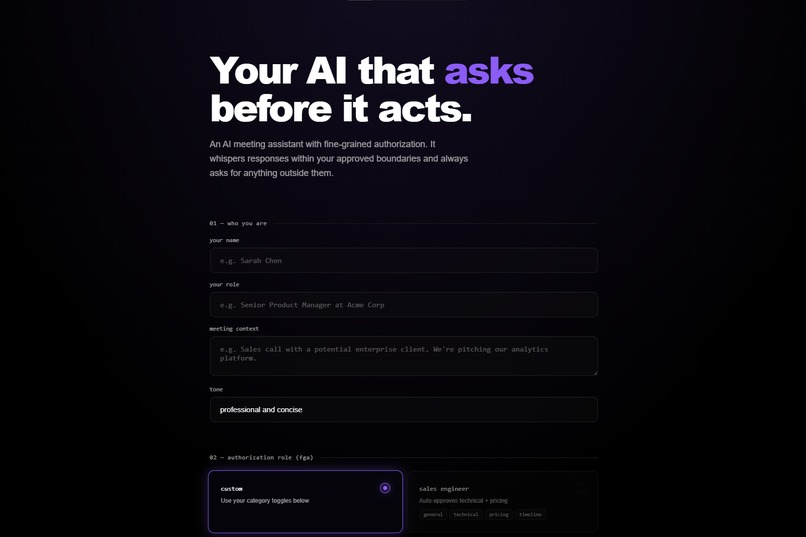
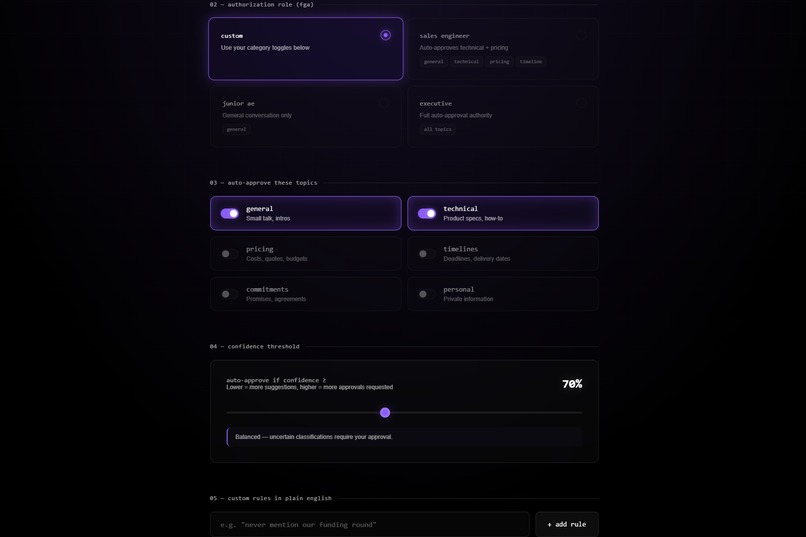
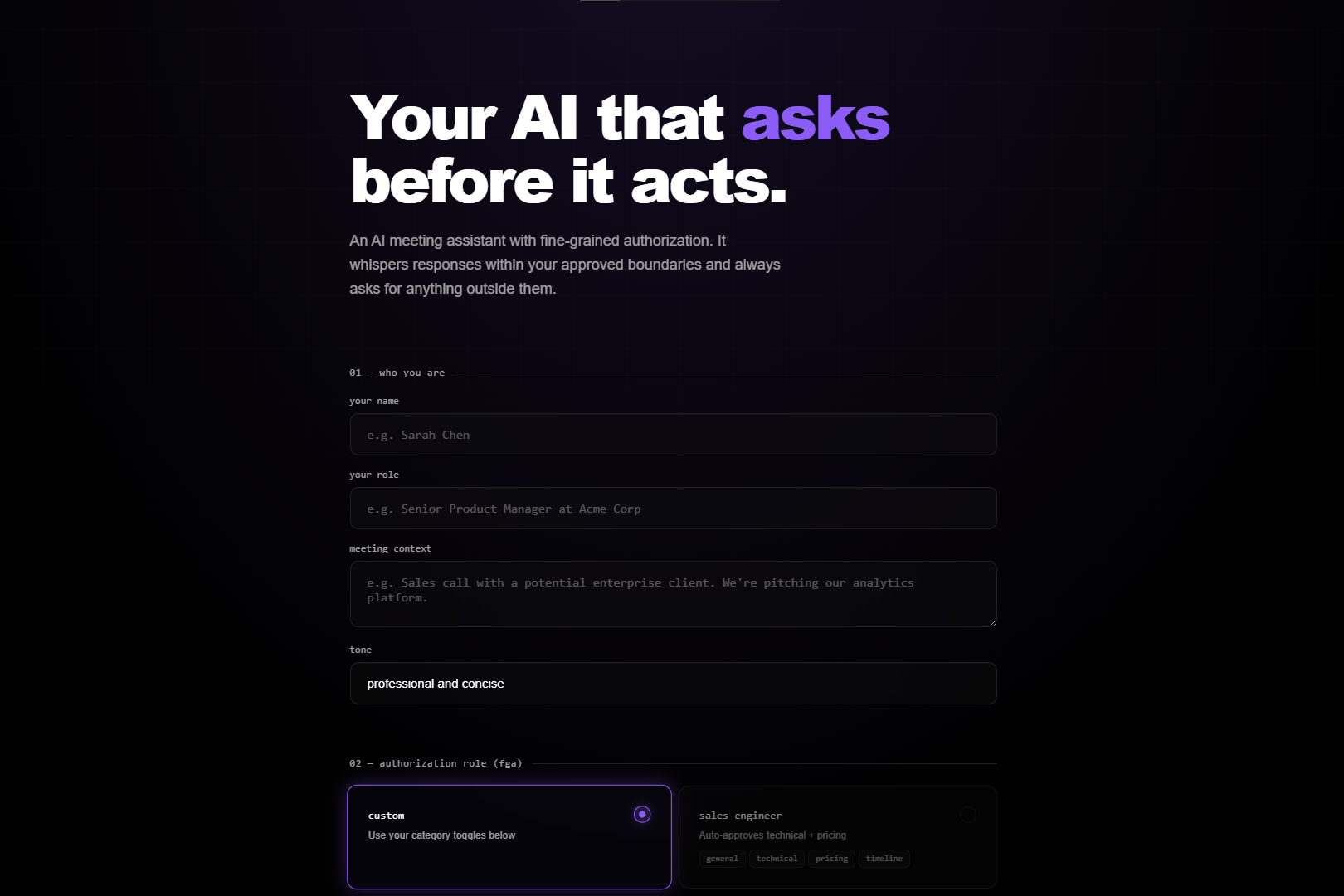
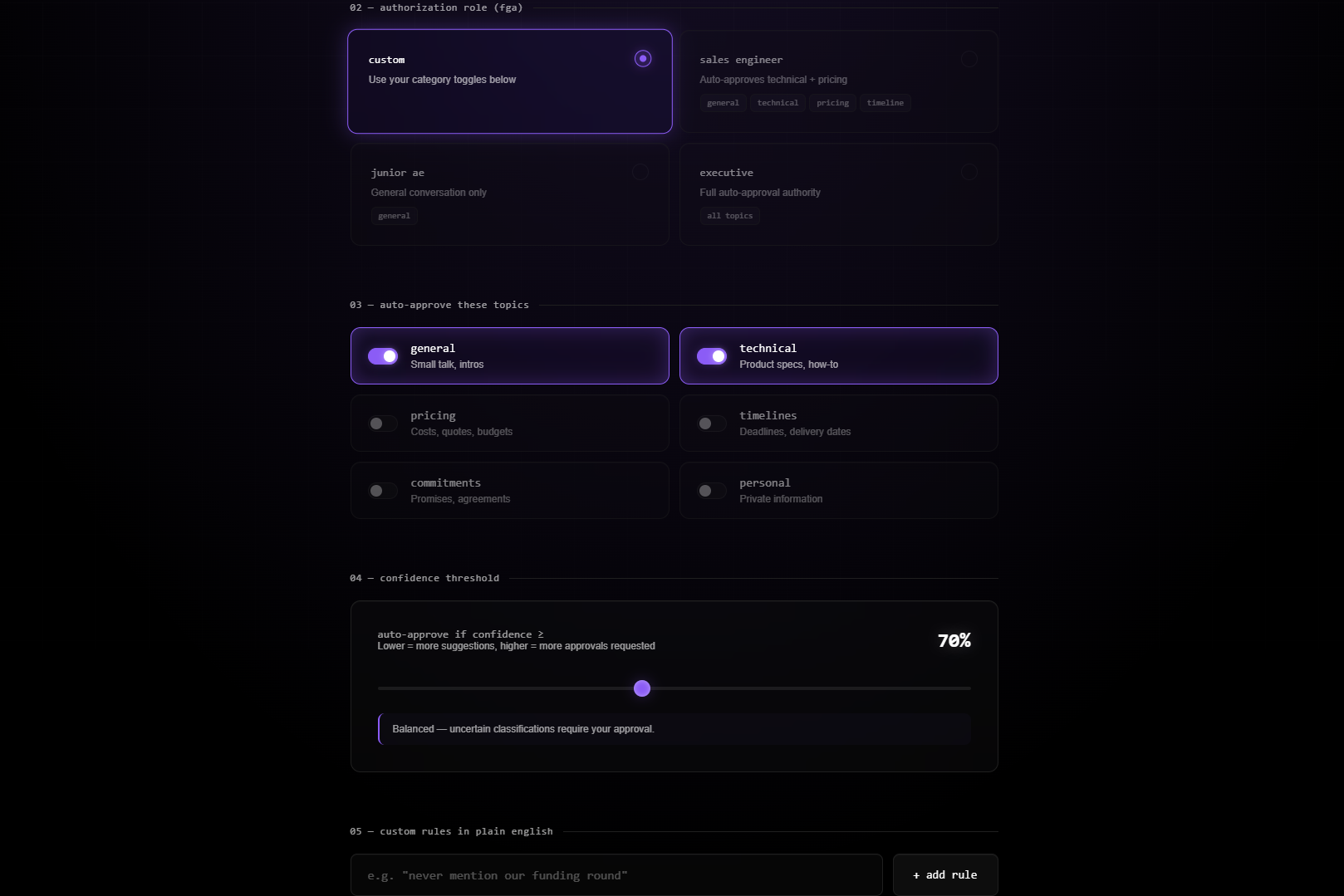
Proxy Me is a floating overlay that sits beside your meeting window and listens to the conversation. When someone asks a question, it generates a suggested response based on your role and context. But it only speaks autonomously for topics you have explicitly authorized. Everything else – pricing discussions, commitments, sensitive topics - requires your approval before a single word appears.
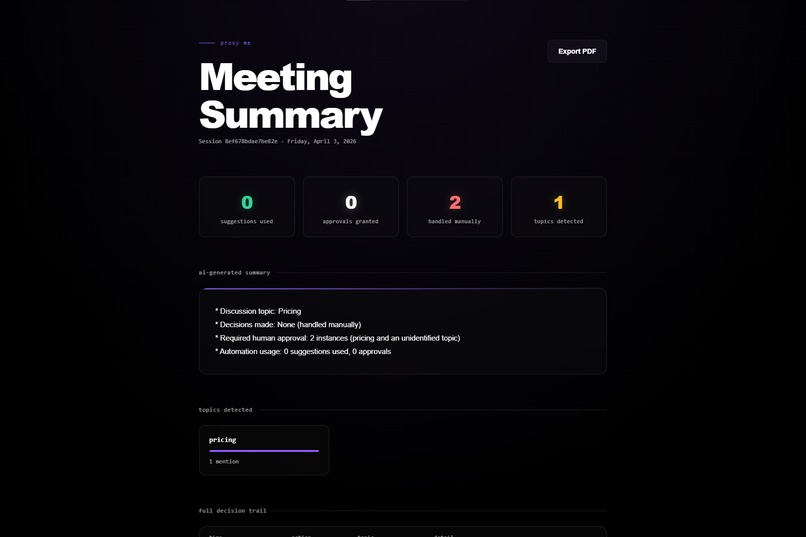
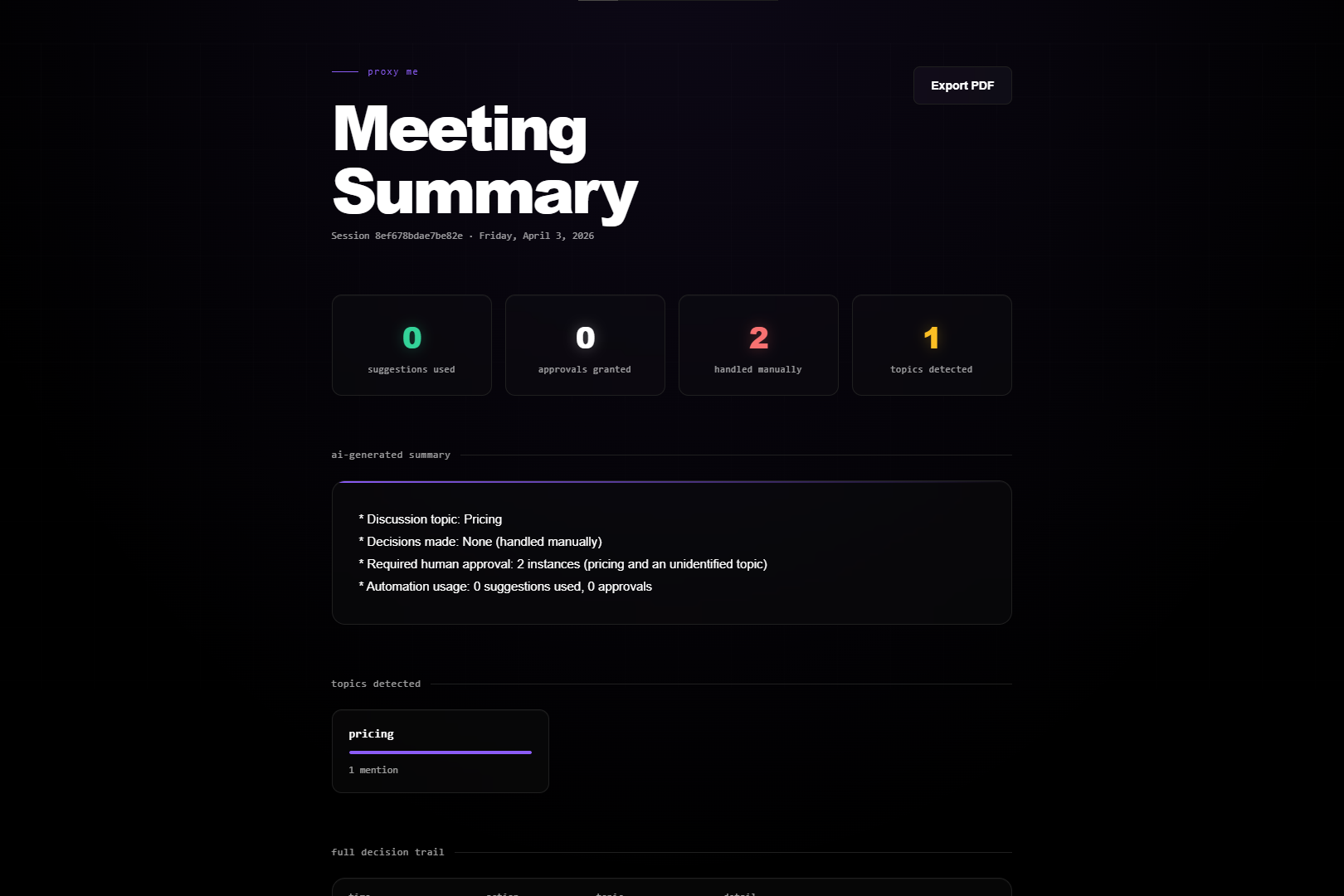
The authorization layer runs on Auth0 for AI Agents. Every transcript chunk fetches a scoped token from Token Vault before classification. FGA role permissions determine what the AI can say automatically. CIBA fires a Guardian push notification to your phone when step‑up approval is needed - the notification includes the topic and a preview of the proposed response, while the overlay shows the full text for you to approve or deny. Every decision is logged to a shareable audit trail.
How I built it
FastAPI backend with async WebSockets. The permission engine runs a three‑layer check on every transcript chunk: custom natural language rules first, then FGA role permissions, then category toggles. Each layer fires a real‑time event to the overlay’s flow ticker so you can watch the Auth0 API calls happen live. Groq runs llama‑3.3‑70b‑versatile for both classification and response generation. The frontend is Vanilla JS - no framework, just fast.
The hardest part was making CIBA work inside a persistent WebSocket. Auth0’s CIBA documentation assumes HTTP request‑response flows. Getting async approval polling to work without blocking the WebSocket handler required restructuring the entire transcript processing pipeline around asyncio tasks.
Challenges I ran into
Token Vault latency was the first wall. The first call in a session hit 340 ms. That does not sound bad until you stack it with classification and generation - suddenly you are at 1.8 seconds before a suggestion appears, which is too slow for a live conversation. Caching the management token in memory cut the cold start to under 90 ms.
The CIBA binding message has a 64‑character limit. I had to carefully truncate the topic and response preview to fit while still providing enough context for the user to make an informed decision. The overlay shows the full proposed response, so the push notification only acts as a trigger.
Scope granularity versus latency is a real tradeoff. Four Token Vault fetches per chunk was too slow. Two scopes - read:transcripts for classification and write:suggestions for generation - is the practical ceiling for real‑time use.
Accomplishments that I am proud of
Getting all three Auth0 AI Agents pillars working together in one project: Token Vault, CIBA, and FGA. Making the authorization layer visible through the real‑time flow ticker - judges can actually watch Token Vault fetches and FGA checks fire as they happen. The async CIBA approval flow inside a WebSocket that does not block new transcript chunks while waiting for phone approval.
What I learned
Auth0’s primitives are well designed for the agent use case, but the integration patterns for real‑time systems are not documented. The gap between Token Vault’s application‑layer permission checks and vault‑layer token scoping by role is where the API has the most room to grow. FGA roles should ideally constrain what tokens can be issued, not just what the application decides to do with them.
What's next for Proxy Me
Role‑scoped token issuance at the vault level, not just application‑level FGA checks. Actual third‑party service integrations - if the AI suggests sending a follow‑up on Slack, it should fetch a write:slack token from Token Vault and do it. Multi‑user sessions where each participant has their own FGA role and approval scope.
Bonus Blog Post
Token Vault in a Live WebSocket: What the Docs Don't Cover
Every Auth0 Token Vault tutorial covers the same ground. Secure credential storage. Scoped tokens. Zero trust principles. What none of them cover is what happens when you call it 10 times per minute inside a live meeting WebSocket, and why the obvious first implementation falls apart.
Proxy Me runs a permission check on every transcript chunk that comes through during a meeting. For a 30 minute call that is somewhere between 80 and 120 chunks. Each one needs to be classified. Each approved classification needs a response generated. I designed it to call Token Vault for both operations separately, with classify_transcript and generate_response each getting their own token.
The latency I didn't account for
I assumed Token Vault calls would be fast. Auth0 infrastructure, should be under 100 ms. What I actually measured: the first call in a session hit around 340 ms. After the management token was cached in memory, subsequent calls dropped to about 80 ms. That sounds fine until you stack it with everything else in the pipeline. Transcript arrives, WebSocket handler fetches from Token Vault, then waits for Groq classification, then waits for response generation. Total time before a suggestion card shows up in the overlay: 1.2 to 1.8 seconds.
The fix was straightforward once I saw the problem: cache the management token on first use and only refresh it when a 401 comes back. That cut the cold start cost from 340 ms to under 90 ms. The deeper fix was rethinking how many scopes I actually needed.
Scope granularity vs real time UX
My first version used four scopes: read:transcripts, classify:topics, write:suggestions, approve:responses. Conceptually that's the right posture. In practice, four sequential Token Vault fetches per chunk meant the conversation had already moved on by the time anything appeared. I collapsed it to two: read:transcripts for classification and write:suggestions for generation.
Scope granularity and real time UX pull in opposite directions. You want one token per atomic action for security. You want zero added latency for usability. In a meeting context, two scopes per chunk is roughly the ceiling before it starts feeling broken.
Where CIBA actually got difficult The CIBA binding_message has a 64‑character limit. I had to carefully truncate the topic and response preview to fit while still providing enough context. The overlay shows the full proposed response, so the push notification only acts as a trigger.
FGA made the setup page make sense
Adding FGA after realizing I was asking users to manually toggle topic categories before every meeting. A Sales Engineer should not have to think about whether pricing is enabled. The role should carry the permissions. Four roles, three permission layers, every decision logged to the audit trail with the layer that triggered it.
The FGA work also showed a gap in how Token Vault works. A Junior AE session should be structurally incapable of fetching a write:pricing-responses token at the vault level, not just blocked by application logic. That is where Token Vault has the most room to evolve.
Three things worth knowing before you build this
Cache the management token from the first request. Start with two scopes, not eight. Test CIBA on a real device before your deadline - the emulator and actual Guardian push notifications behave differently in ways that matter.
Built With
- asyncgroq
- asyncio
- auth0-ciba
- auth0-fga
- auth0-guardian
- auth0-token-vault
- fastapi
- llama-3.3-70b-versatile
- python
- vanilla-js
- web-speech-recognition-api
- websockets


Log in or sign up for Devpost to join the conversation.