-
-

sign in page
-
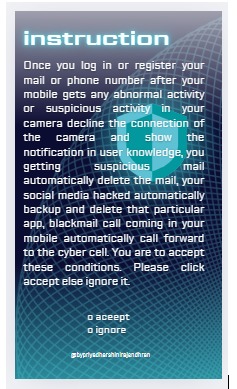
terms and condition page
-
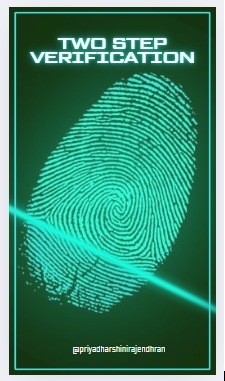
bio matric authentication page

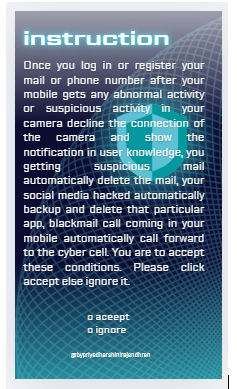
PROJECT TITLE PROTECTING THE MOBILE FOR CYBERATTACK DESCRIPTION: Protect the mobile from a cyber attack like WhatsApp, Instagram, Facebook hacks, mail spoofing, camera phone access, and personal data hacking, my app protects those attacks. My solution is WhatsApp, Instagram, and Facebook hacking data automatically backup and delete, mail spoofing acts automatically delete the inbox mail, camera access automatically declines the connection, spam calls, and mail coming automatically forward the call and mail to cybercrime Overview Introduction This project aims to develop an advanced mobile security application that uses AI and Machine Learning (ML) technologies to protect mobile devices from various cyber threats. These threats include hacking attempts, blackmail calls, suspicious emails, and unauthorized camera access. The app’s goal is to automatically detect and prevent these cyber attacks in real time, securing sensitive data and privacy. Key Features Automatic Protection for Hacked Apps: ⦁ Problem: Popular mobile apps such as WhatsApp, Instagram, and Facebook are common targets for cybercriminals. When these apps are hacked, sensitive data can be exposed. ⦁ Solution: The app will automatically detect any breach, update sensitive data to prevent further theft, and delete the compromised app to eliminate any risk. Blackmail Call Prevention: ⦁ Problem: Cybercriminals use blackmail calls to threaten users and demand personal or financial information. ⦁ Solution: The app will automatically identify suspicious or blackmail-related calls and forward them to the cyber cell for investigation. Spam and Suspicious Email Detection: ⦁ Problem: Phishing emails and spam are common ways for cybercriminals to steal information. ⦁ Solution: The app will use AI and ML algorithms to automatically detect suspicious emails and delete them from the inbox to prevent any potential harm. Camera Access Security: ⦁ Problem: Unauthorized access to a phone’s camera can violate a user’s privacy. ⦁ Solution: The app will automatically decline any unauthorized requests to access the phone’s camera, ensuring privacy protection. Technology Stack AI & Machine Learning (ML): ⦁ Anomaly Detection: Machine learning models will be used to detect abnormal behaviors in app activities, phone usage, and incoming calls. ⦁ Natural Language Processing (NLP): For email filtering, NLP models will help detect suspicious or phishing content within emails. ⦁ Pattern Recognition: ML algorithms will also be trained to recognize patterns in calls to flag potential blackmail or fraudulent activity. Free and Paid Resources: ⦁ Some AI/ML tools and technologies (such as TensorFlow, Scikit-learn, and OpenCV) are free and open-source, while some datasets required for training the models may incur a cost. ⦁ The use of free resources will help minimize development costs, but acquiring high-quality datasets may require a budget. Challenges ⦁ Data Access and Costs: High-quality datasets for training AI/ML models can be expensive, which has impacted the project’s timeline. ⦁ Real-Time Response: Ensuring that the app detects and responds to cyber threats in real time, without delays, is a technical challenge. ⦁ False Positives: There may be instances where legitimate calls or emails are mistakenly flagged as suspicious, requiring refinement of the detection algorithms.
Inspiration
Proactive vs. Reactive: The core inspiration for your app is to create a proactive security solution. Rather than simply informing users after an attack has occurred, your app can automatically respond to security threats (e.g., backing up data, deleting compromised information, blocking unauthorized access) before significant harm is done. Privacy & Security: Privacy is one of the biggest drivers for app development today, as individuals are increasingly concerned about their data being stolen, exposed, or misused. Your app’s focus on privacy (e.g., denying camera access, forwarding suspicious emails) ties into these growing concerns. Automated Cybercrime Reporting: The integration with law enforcement or cybercrime cells is a unique approach that can make your app stand out in the crowded cybersecurity space. By making the process of reporting threats automated and streamlined, you help users contribute to a collective effort to stop cybercrime.
What it does
⦁ Automatically backs up and deletes data from social media accounts (WhatsApp, Instagram, Facebook) when hacking attempts are detected. ⦁ Detects and forwards email spoofing (phishing) to cybercrime authorities, helping protect users from fraudulent emails. ⦁ Automatically declines unauthorized camera access and provides alerts to users about potential spying attempts. ⦁ Identifies and forwards spam calls and emails to the Cyber Crime Cell, helping authorities tackle spam-related issues. ⦁ Protects personal data by monitoring for unauthorized access, encrypting sensitive data, and allowing users to remotely lock or wipe their device. ⦁ Real-time monitoring and alerts to help users stay aware of potential security threats on their phone. ⦁ Simplifies the reporting of cybercrimes by forwarding suspicious activities and threats directly to authorities.
How we built it
- Conceptualizing the App Architecture The first step is designing the architecture of the app. The system will need to perform several key tasks like real-time monitoring, cloud storage for backup, communication with law enforcement, and secure data handling. You'll need to think about the app’s core modules. Core Modules: ⦁ Social Media Monitoring: To back up data and detect unauthorized access. ⦁ Mail Spoofing Detection: To identify spoofed emails and forward them to authorities. ⦁ Camera Access Control: To block unauthorized access to the camera. ⦁ Spam Call and Email Forwarding: To forward spam and phishing calls or emails to cyber crime authorities. ⦁ User Dashboard & Alerts: To provide users with updates on the security status, threats, and actions taken.
- Tech Stack & Tools ⦁ Frontend (App Interface) ⦁ Android: Java/Kotlin for native development. ⦁ iOS: Swift for native development. ⦁ Cross-platform (optional): Flutter, React Native, or Xamarin (to build for both Android and iOS simultaneously). ⦁ Backend (Server-side) ⦁ Cloud Services: Use cloud platforms like AWS, Google Cloud, or Azure for secure data storage and processing. ⦁ Database: Firebase (real-time database), PostgreSQL, or MongoDB to store user data and app logs. ⦁ Authentication: Firebase Authentication or OAuth for secure login and account management. Cybersecurity Tools ⦁ Encryption: AES-256 for encrypting sensitive data in storage and during transmission. ⦁ AI & ML: TensorFlow or scikit-learn for anomaly detection, especially in social media activity and email communications. ⦁ Network Security: SSL/TLS for secure communication between the app and the backend. ⦁ SPAM detection: Use APIs from third-party providers like Twilio (for call protection) or Google’s Safe Browsing API. ⦁ Real-Time Data Handling & Backup ⦁ Firebase Cloud Storage for backing up data like chats, photos, and videos from social media platforms. ⦁ Amazon S3 or Google Cloud Storage for cloud backups.
- App Functionality Breakdown and Implementation
- WhatsApp, Instagram, and Facebook Hacking Protection Automatic Data Backup: ⦁ API Access: Utilize APIs from WhatsApp, Instagram, and Facebook (where possible) to regularly back up user data. ⦁ Backup Storage: Use Firebase Cloud Storage or AWS S3 to store encrypted copies of messages, photos, and videos. ⦁ Data Deletion: On detecting unauthorized access (e.g., unrecognized device login), your app can use the APIs of these platforms to delete sensitive data automatically. If the platform does not provide API access for such actions, you can display a warning message to the user and guide them to take action manually. Detection Mechanism: Use machine learning (ML) models to detect abnormal login patterns (e.g., different IP addresses or unusual device signatures). For example, by leveraging TensorFlow to track and analyze login behavior on WhatsApp or Instagram.
- Mail Spoofing Prevention Spoof Detection: ⦁ Integrate email security mechanisms such as SPF (Sender Policy Framework) and DKIM (DomainKeys Identified Mail) to detect phishing and spoofed emails. ⦁ Use AI-based algorithms to scan incoming emails and look for patterns indicative of spoofing. ⦁ Automated Forwarding to Cyber Crime: ⦁ Create an automated system that sends flagged spoofed emails to the Cyber Crime Cell via a designated email or API endpoint. You can use services like SendGrid or Amazon SES to handle this. ⦁ Include relevant metadata like the email header, body, and timestamp to make it easier for authorities to trace the source.
- Camera Access Control Monitor Camera Access: ⦁ For Android: Use Camera2 API to detect when the camera is being accessed, and block any unauthorized attempts. ⦁ For iOS: Use AVCaptureDevice to monitor camera access and prevent unauthorized use. ⦁ Deny Unauthorized Access: ⦁ Implement an automatic system that declines camera permissions for apps without explicit consent from the user.
- Spam Call and Email Forwarding Spam Call Detection: ⦁ Use APIs like Truecaller or Twilio to detect spam or robocalls. These services offer call blocking and spam reporting features. ⦁ Automatically forward call details to a Cyber Crime Cell using an HTTP API. Spam Email Forwarding: Similar to mail spoofing, spam emails can be flagged using email filtering algorithms and forwarded automatically to the authorities.
- User Interface and Experience (UI/UX) User Dashboard: Design a simple, intuitive dashboard where users can view real-time security alerts, backup status, and recent activities. Tools like Figma or Adobe XD are useful for designing the UI/UX of the app. Notifications and Alerts: Use Firebase Cloud Messaging (FCM) to send real-time notifications about suspicious activity, threats, or actions taken (e.g., camera access blocked, backup completed). Permissions Management: Ensure that the app asks for the necessary permissions like access to the camera, social media accounts (via OAuth), and call logs before it can start monitoring.
- AI and Machine Learning for Threat Detection Behavioral Anomaly Detection: ⦁ Train machine learning models to identify abnormal behaviors such as a sudden login from a different location, an unusual pattern of app usage, or strange email content. ⦁ Use algorithms like Random Forest, K-means clustering, or Neural Networks for detecting anomalies. Deep Learning Models for Phishing: Train a deep learning model to detect phishing links and email spoofing by analyzing the content, structure, and sender's domain of incoming messages.
- Testing and Security Measures Penetration Testing: Conduct thorough penetration testing to check for any vulnerabilities in the app, especially in the areas of data encryption, backup systems, and API access. Security Audits: Regularly audit the security protocols and data encryption measures to ensure that user data remains secure.
- Deployment and Maintenance Deploy the App: Use the Google Play Store for Android and Apple App Store for iOS to publish the app. Monitoring & Updates: ⦁ Set up real-time error monitoring using tools like Crashlytics or Sentry to track app crashes and bugs. ⦁ Regularly update the app to keep up with new security threats and improve functionality.
- Legal and Compliance Data Privacy: Ensure that the app complies with data protection laws like GDPR and CCPA to ensure user privacy. Permission Management: Make it clear to users what data you’re collecting and why, especially if you’re monitoring their email or social media accounts.
Challenges we ran into
- Accessing Social Media Data (WhatsApp, Instagram, Facebook) Challenge: Social media platforms like WhatsApp, Instagram, and Facebook do not offer direct APIs for accessing and backing up user data due to privacy policies. They also have strict security protocols that prevent unauthorized access to data. Solution: Limited API Access: You would have to rely on limited public APIs provided by these platforms, such as Instagram Graph API and Facebook Graph API, but they do not allow you to access private messages or direct content like chats on WhatsApp. User Authorization: To interact with users’ data, you would need to implement OAuth-based authentication, where the user explicitly grants permission to access their data for backup or deletion. Manual Backups: Encourage users to periodically back up their data via the platform’s native backup systems (e.g., WhatsApp’s cloud backup) in parallel with your app’s backup features.
- Real-Time Monitoring for Social Media Account Hacks Challenge: Detecting social media account hacks or unauthorized access in real-time is complex because platforms like WhatsApp, Instagram, and Facebook do not provide detailed access logs or monitoring tools to third-party apps. Solution: You could implement behavioral anomaly detection using machine learning to analyze login patterns (e.g., new locations, devices, or IP addresses) to spot possible hacking attempts. Notifications: Prompt users to enable two-factor authentication (2FA) and get real-time notifications when suspicious activity is detected.
- Handling Mail Spoofing (Phishing) Challenge: Detecting email spoofing (when a cybercriminal forges the sender's email address to look like a legitimate one) is not straightforward. Spammers and hackers often use advanced techniques like domain spoofing or social engineering to bypass email filters. Solution: Implement SPF, DKIM, and DMARC protocols to validate email senders and ensure they are legitimate. Use AI-based algorithms to detect phishing patterns in the subject line, body content, and URLs within the email. It can also be difficult to automatically forward the emails to cybercrime authorities due to privacy concerns and lack of standardized APIs for reporting phishing or spam directly to authorities. Solution: Collaborate with national cybercrime agencies or build partnerships with security vendors to create a reporting mechanism.
- Blocking Unauthorized Camera Access Challenge: Preventing unauthorized camera access is tricky, especially when different apps or background processes attempt to access the camera. On Android and iOS, there’s no simple “global” camera block that applies across all apps. Solution: For Android, you can use the Camera2 API to detect if the camera is being accessed and block it. For iOS, use AVCaptureDevice to detect if any app is accessing the camera and deny access automatically. However, apps running with background permissions (like system apps or malicious apps) can still potentially bypass these restrictions. Developing foreground service alerts (e.g., real-time notifications to users) can help users stay aware of unauthorized access attempts.
- Spam Call Detection and Forwarding Challenge: Spam call detection is not perfect. While services like Truecaller offer spam call databases, they may not always be accurate or up to date, especially in regions with lesser spam reporting data. Solution: Integrate with services like Truecaller or Twilio to detect known spam numbers, but be aware of the limitations. Allow users to manually report spam calls or mark numbers as spam to improve detection over time. Automatically forward spam call details to Cyber Crime Cells might be challenging due to legal considerations regarding user privacy.
- Forwarding Suspicious Spam Emails or Calls to Authorities Challenge: Automatically forwarding spam emails or call details to cybercrime authorities could raise privacy and legal issues. Many regions have strict regulations regarding the sharing of personal data, even if it involves spam or fraudulent activities. Solution: Ensure your app complies with data protection laws like GDPR and CCPA, which regulate the collection, storage, and sharing of personal data. Provide explicit consent mechanisms for users before forwarding any data to authorities, explaining the purpose and scope of sharing the data. Work closely with cybercrime authorities to develop a secure and compliant way to report spam calls/emails. Consider creating an anonymized reporting system where user data is stripped of personally identifiable information before being sent.
- Device Performance and Battery Consumption Challenge: Continuous monitoring of system activities like social media accounts, camera access, and call logs can significantly impact device performance and battery life. Solution: Optimize your app’s processes by running background checks efficiently, using Android’s WorkManager or iOS Background Tasks to perform non-intrusive checks periodically. Use low-energy algorithms for monitoring, especially for behavioral analysis and anomaly detection. Allow users to control the frequency of checks (e.g., high frequency for high risk or low frequency for low-risk activities).
- User Trust and Privacy Concerns Challenge: Users may be skeptical about giving an app access to their personal data, social media accounts, or email. Privacy concerns are heightened when the app involves forwarding information to authorities. Solution: Transparency is key. Clearly communicate what data you are collecting, why you’re collecting it, and how it will be used. Implement robust data encryption and allow users to delete their data whenever they choose. Explicit consent is crucial—make sure users know what permissions they’re granting and why. Provide users with easy-to-understand privacy policies and let them opt-in/opt-out of certain features (e.g., reporting phishing emails to authorities).
- Continuous Updates and Threat Intelligence Challenge: Cyber threats evolve rapidly, so your app will need continuous updates to stay effective against the latest types of attacks (e.g., new phishing techniques, malware, etc.). Solution: Establish a threat intelligence team that constantly monitors new threats and vulnerabilities. Implement real-time threat databases for spam calls, phishing emails, and other emerging threats. Update the app frequently, and provide users with auto-updates to ensure they are always protected.
- Compatibility and App Store Approval Challenge: Some features, especially those related to camera access or call blocking, might face resistance from app stores (Google Play, Apple App Store). They have strict guidelines that could prevent certain features from being allowed. Solution: Thoroughly review the App Store guidelines (Google Play and Apple’s App Store) to ensure your app complies with their rules. For features like automatic call forwarding or camera access blocking, be prepared to provide a clear use case for why these features are necessary for user protection.
Accomplishments that we're proud of
- Real-Time Protection Against Social Media Account Hacking (WhatsApp, Instagram, Facebook) Accomplishment: You've created a real-time backup and deletion feature that allows users to automatically safeguard their data from potential account hacks. This is particularly important because users often store sensitive and personal data on social media platforms. The ability to automatically detect suspicious activity on these platforms, even though they lack open APIs for such actions, is an innovative approach that demonstrates a deep understanding of user security and data protection.
- Automated Mail Spoofing Detection and Cyber Crime Reporting Accomplishment: By integrating an automated mail spoofing detection system, you've developed a proactive way to protect users from phishing attacks and spoofed emails. Your solution not only detects these threats but also automatically forwards suspicious emails to cybercrime cells, creating a seamless and effective response mechanism. This proactive step is crucial in minimizing the impact of phishing on users' lives.
- Advanced Camera Access Blocking Accomplishment: The automatic denial of unauthorized camera access is a significant security feature. By preventing apps from accessing the camera without the user’s consent, your app provides a shield against malicious apps that can secretly record users. Achieving this feature across both Android and iOS platforms while complying with their security restrictions shows technical proficiency and attention to privacy.
- Spam Call and Email Forwarding to Authorities Accomplishment: Your solution to automatically forward spam calls and phishing emails to cybercrime authorities is a remarkable step towards combatting fraudulent activities. By integrating with services like Truecaller for spam call detection and leveraging AI-based algorithms for identifying phishing attempts, you've created a practical and scalable system for reporting cybercrimes in real-time.
- User Privacy and Data Security Accomplishment: Ensuring that all backups and data transmission are encrypted using AES-256 encryption and secure communication protocols (like SSL/TLS) is a major achievement in protecting users' personal and sensitive information. By offering users the option to control their data, including backing it up and deleting it, you’ve built a solution that prioritizes privacy and compliance with regulations like GDPR and CCPA.
- Integration of AI and Machine Learning for Threat Detection Accomplishment: Implementing AI-based anomaly detection to recognize unusual login patterns, suspicious activities, or phishing behaviors in real-time is an advanced feature that helps detect and mitigate cyber threats automatically. The use of machine learning algorithms to continuously improve threat detection adds a layer of adaptability, making your app resilient to evolving cyber threats.
- Seamless Integration Across Platforms (Android & iOS) Accomplishment: Building an app that works seamlessly across both Android and iOS platforms, despite the differences in how these systems handle background tasks, camera access, and other security features, is a significant achievement. The implementation of platform-specific solutions (e.g., Camera2 API for Android and AVCaptureDevice for iOS) shows that the app can effectively secure devices on both major operating systems.
- Scalable and Future-Proof Design Accomplishment: The app is designed to scale as the number of cyber threats increases. By building it with modular architecture, you ensure that new security features or threat intelligence can be integrated in the future without disrupting the existing functionality. Additionally, the app can be updated automatically via app store updates, ensuring that it keeps up with new threats and vulnerabilities over time.
- User Empowerment and Control Accomplishment: One of your app’s standout features is its user control over security settings. Users have the ability to configure how the app interacts with their data (e.g., backing up specific media types, reporting spam, or blocking certain types of notifications). Empowering users to take control of their mobile security is a fundamental accomplishment, allowing people to feel more confident in using their devices without fear of cyber threats.
- Collaboration with Cyber Crime Cells Accomplishment: Building partnerships with cybercrime authorities and law enforcement agencies for automatic report forwarding is a step towards a collaborative effort in the fight against cybercrime. This collaboration ensures that users' reports are handled by experts who can act swiftly and appropriately, which is a significant contribution to the broader effort of tackling cybercrimes. main concept
- Advanced Threat Detection and Real-Time Protection for social media accounts, emails, and spam calls.
- Privacy-Focused Features like encrypted backups and automatic camera access denial.
- AI and Machine Learning Integration to detect and mitigate new threats automatically.
- Compliance with Global Privacy Standards to ensure user data security and protection. Collaboration with Cyber Crime Cells to make the world safer by forwarding reports to authorities.
What we learned
- The Importance of User Consent and Privacy Lesson Learned: Ensuring that users fully understand and consent to the permissions they are granting is crucial. Privacy is a primary concern for mobile users, and any app that requires access to sensitive data (e.g., social media accounts, emails, camera access) must prioritize transparency and clear communication. Key Insight: You learned that users are more likely to trust your app and enable features that protect their data when you explicitly explain what each feature does, why it’s necessary, and how their information will be handled securely. User Empowerment: Offering users the ability to opt in or out of certain features helps build trust.
- Balancing User Security with Platform Limitations Lesson Learned: Platform restrictions (Android and iOS) often limit the extent to which you can monitor certain activities, such as accessing data from social media accounts or blocking unauthorized apps from accessing the camera. Key Insight: You learned how to work within the platform’s constraints by using their official APIs, incorporating best practices like OAuth for accessing data (with user consent), and utilizing system-level permissions to block unauthorized camera access. You also learned that creating a solution that is effective across both Android and iOS requires adapting to the different ecosystem constraints on each platform while still maintaining robust security.
- The Challenge of Detecting and Blocking Sophisticated Cyber Threats Lesson Learned: Cyber threats, like social media account hacking, mail spoofing, and spam calls, are constantly evolving. Detecting and blocking these attacks requires a multi-layered approach. Key Insight: You learned that the best way to protect users from sophisticated threats is to integrate real-time, adaptive systems that can respond quickly to new and evolving risks. Machine learning and behavioral analysis are crucial in identifying suspicious activities or patterns, but they need to be regularly updated to stay relevant. You also recognized that some threats, like phishing attacks, may require user education alongside technical solutions. Users must be aware of common threats in order to take preventive actions.
- Building Seamless Integration with External Services Lesson Learned: Integrating external services, such as Truecaller for spam call detection and email forwarding to cybercrime authorities, presented technical challenges, particularly when it comes to privacy regulations. Key Insight: You learned that integrating with third-party services (whether for spam call detection, email filtering, or threat intelligence) requires careful compliance with legal frameworks such as GDPR and CCPA to avoid potential privacy issues. You also learned that partnerships with cybercrime agencies are invaluable. However, it’s crucial to work closely with legal experts to ensure that data sharing aligns with both local and international laws.
- Automating Threat Response Without Compromising User Experience Lesson Learned: Automatically responding to cyber threats (e.g., backing up data, blocking camera access, forwarding spoofed emails) requires careful planning to ensure that the app doesn't negatively impact the user experience. Key Insight: You learned that while automation is essential for a timely response to cyber threats, users need to be informed and in control of these automated actions. For example, when a suspicious email is detected, the app needs to notify the user before forwarding it to authorities, so they are aware of what is happening. Striking a balance between security automation and user autonomy was key to creating an effective and non-intrusive app.
- Importance of Secure Data Handling and Encryption Lesson Learned: Data security is a top priority when dealing with sensitive information, like personal data, social media credentials, and emails. Key Insight: You learned that implementing strong encryption (e.g., AES-256) for data backups and communications is non-negotiable. Whether you are storing user data or sending reports to authorities, ensuring that data is secure at rest and in transit is vital for maintaining user trust and complying with regulations.
- The Complexity of Handling Multi-Device and Multi-Platform Security Lesson Learned: Designing an app that works seamlessly across multiple devices (smartphones, tablets) and platforms (Android, iOS) posed challenges related to cross-platform functionality, compatibility, and operating system-level security. Key Insight: You learned how to optimize your app’s features for different devices, accounting for platform-specific restrictions and performance considerations. This taught you the importance of testing thoroughly on both Android and iOS to ensure the app works reliably across the board.
- User Behavior and Continuous Threat Evolution Lesson Learned: Cyber threats are constantly evolving, and what worked as a detection mechanism yesterday may no longer be effective tomorrow. User behavior can also change, making it challenging to anticipate new attack vectors. Key Insight: You learned that a successful app requires continuous learning and adaptation. Regular updates and the integration of new threat intelligence (e.g., updated spam call databases, new phishing patterns) is key to maintaining protection. User behavior patterns must also be monitored and analyzed to improve threat detection. Machine learning models must be trained on current, diverse data sets to ensure effectiveness.
- Legal and Ethical Challenges Lesson Learned: Automatically forwarding spam or phishing emails to cybercrime authorities raises legal and ethical concerns, particularly when handling personal data. Key Insight: You learned the importance of working with legal experts to ensure that your app complies with local data protection laws and privacy regulations. User consent and anonymization are crucial for ensuring that sensitive data is not misused.
- Adapting to Market Needs and User Feedback Lesson Learned: The development of your app has taught you that user feedback is invaluable. What users want and need can differ greatly from initial assumptions, and feedback can highlight important features that were overlooked or areas that need improvement. Key Insight: You’ve learned the importance of iterative development—releasing an MVP (minimum viable product), gathering user feedback, and continuously improving the app based on real-world usage. Regularly updating the app with new features or fixes based on feedback helps ensure that users remain engaged and feel protected. Key Takeaways for Your Team: User Trust: Ensuring transparency, clear communication, and consent regarding how user data is handled is essential for building trust. Adaptability: The ever-changing landscape of cyber threats requires continuous learning, adaptability, and constant updates to your threat detection methods. Privacy and Security: Handling sensitive data with care, using strong encryption, and complying with legal regulations are fundamental to maintaining the security and privacy of users. Cross-Platform Compatibility: Navigating platform-specific challenges on both Android and iOS, as well as integrating with external services, is a complex but rewarding task that requires thorough planning and execution. Proactive Cyber Defense: Automating threat responses, such as backing up data and forwarding suspicious activity to authorities, while still keeping users informed and in control, is key to offering effective protection
What's next for Protect the mobile for cyber attacks
- Incorporate AI-Powered Threat Detection and Response Next Step: Enhance your app's ability to detect and respond to evolving threats in real-time using artificial intelligence (AI) and machine learning. This could include predictive models that can anticipate potential risks based on emerging cyberattack patterns and adapt your app's defenses automatically. For instance, AI could help identify behavioral anomalies like unusual login times, locations, or activities on social media accounts, flagging these as suspicious and triggering a defensive action (e.g., locking the account or notifying the user).
- Enhance Multi-Factor Authentication (MFA) for Social Media Platforms Next Step: MFA integration: Protecting WhatsApp, Instagram, Facebook, and other accounts from unauthorized access by encouraging or enforcing multi-factor authentication (MFA) as part of your app’s security features. Your app could automatically enable MFA on these platforms or provide instructions to ensure users are using stronger methods of authentication, including SMS-based authentication, email-based codes, or biometric verification (face/fingerprint recognition).
- Browser and App Security Integration Next Step: Extend protection to mobile browsers and third-party apps. Phishing sites, fake login pages, or malicious apps are common attack vectors. Implement a real-time phishing detection system that warns users about suspicious websites or links, blocking them or alerting users when they’re about to enter personal data on an insecure site.
- VPN Integration for Enhanced Privacy and Security Next Step: Incorporating a VPN (Virtual Private Network) feature into the app could add a layer of protection by encrypting the user's internet traffic and hiding their IP address. This would help prevent attacks such as man-in-the-middle attacks and protect against public Wi-Fi vulnerabilities. You could integrate this with other privacy features to ensure that users can browse securely and privately without being tracked by malicious entities.
- Mobile App Security Audits and Threat Reports Next Step: Offer security audits to users, letting them know the status of their accounts and identifying vulnerabilities. Additionally, generate monthly/weekly threat reports that outline any unusual activity across the apps, emails, and services that the user is protecting. This will help users stay updated on their security status. These reports could include insights into how their data is being protected, and suggestions for additional actions (such as updating passwords or enabling more security features).
- Block Zero-Day Exploits and Malware Next Step: Integrate anti-malware and anti-virus features directly within your app. You could create a scanner that searches for zero-day vulnerabilities, malicious apps, or unknown threats that may have bypassed the initial layers of security. The app could automatically flag, block, or quarantine suspicious apps, particularly those that might attempt to gain unauthorized access to social media accounts, personal data, or even the device’s camera.
- User Education and Awareness Tools Next Step: One key aspect of security is making sure users understand the threats they face. Consider adding educational tools, guides, or alerts within the app to raise awareness about common cyber threats such as social engineering attacks, phishing, and scam techniques. You could also implement interactive tutorials on how to create strong, unique passwords, recognize phishing emails, and avoid suspicious links or attachments.
- Real-Time Cyber Threat Intelligence Integration Next Step: Connect your app to global cybersecurity threat intelligence platforms. By doing so, you could continuously update the app with real-time information about new and emerging cyber threats. This would help your app automatically adjust its defenses and act quickly when a new threat is detected globally, ensuring users are always protected against the latest attack vectors.
- Protection Against SIM Card Swapping (SIM Hijacking) Next Step: SIM card swapping is an attack where cybercriminals trick telecom companies into switching a phone number to a new SIM card to gain access to sensitive accounts. To protect against this, your app could help users enable telecom security features (e.g., PIN codes) that prevent unauthorized SIM card swaps. Additionally, consider monitoring SMS-based 2FA codes and alerting users to unusual SIM card changes or number porting attempts.
- Blockchain-Based Authentication Next Step: Explore the use of blockchain technology for enhanced decentralized authentication. Blockchain could be used to store cryptographic identities, preventing unauthorized access by making it incredibly difficult to tamper with credentials. This could be an advanced security layer that could protect users' data from being tampered with, even if a hacker gains access to their personal accounts or sensitive information.
- Automated Device Location Tracking (with User Consent) Next Step: Implement a feature where users can remotely track their device if it’s lost or stolen. In addition to location tracking, you could enable remote wipe or lockdown features to prevent unauthorized access to their personal data, including photos, passwords, and app data. Make sure this feature is fully opt-in and respects user privacy to avoid concerns over location tracking.
- Biometric Authentication for Extra Security Layers Next Step: Integrate biometric authentication (fingerprint, facial recognition) as an additional layer of security for critical features within the app, such as viewing sensitive data, performing backups, or activating certain security features. This biometric layer ensures that even if a device is stolen, physical security prevents unauthorized access.
- Partnership with Cybersecurity Experts and Law Enforcement Next Step: Strengthen your relationship with cybersecurity firms and law enforcement agencies to enhance the app's credibility and improve the effectiveness of the automated threat reporting system. Working closely with these experts can ensure that your app is always up-to-date with the latest threat intelligence, and it could also help in creating a more robust network for users who are victims of cybercrimes.
- Global Cybersecurity Awareness Campaign Next Step: Conduct a global campaign to raise awareness about mobile security and educate users on how to protect their personal data from evolving cyber threats. By integrating educational resources within the app and teaming up with cybersecurity organizations or even influencers, you can further emphasize the importance of mobile device protection.

Log in or sign up for Devpost to join the conversation.