Inspiration
Finding a valuable opportunity online should not require gambling with money or personal information. Students and job seekers regularly encounter forwarded competition, grant, scholarship and employment messages that look legitimate but are difficult to verify. Existing scam checkers often provide an unexplained score, require users to upload information, or focus only on URLs. ProofScout was built to give users understandable evidence and concrete verification actions while keeping their data on their own device.
What it does
ProofScout provides several connected safety tools:
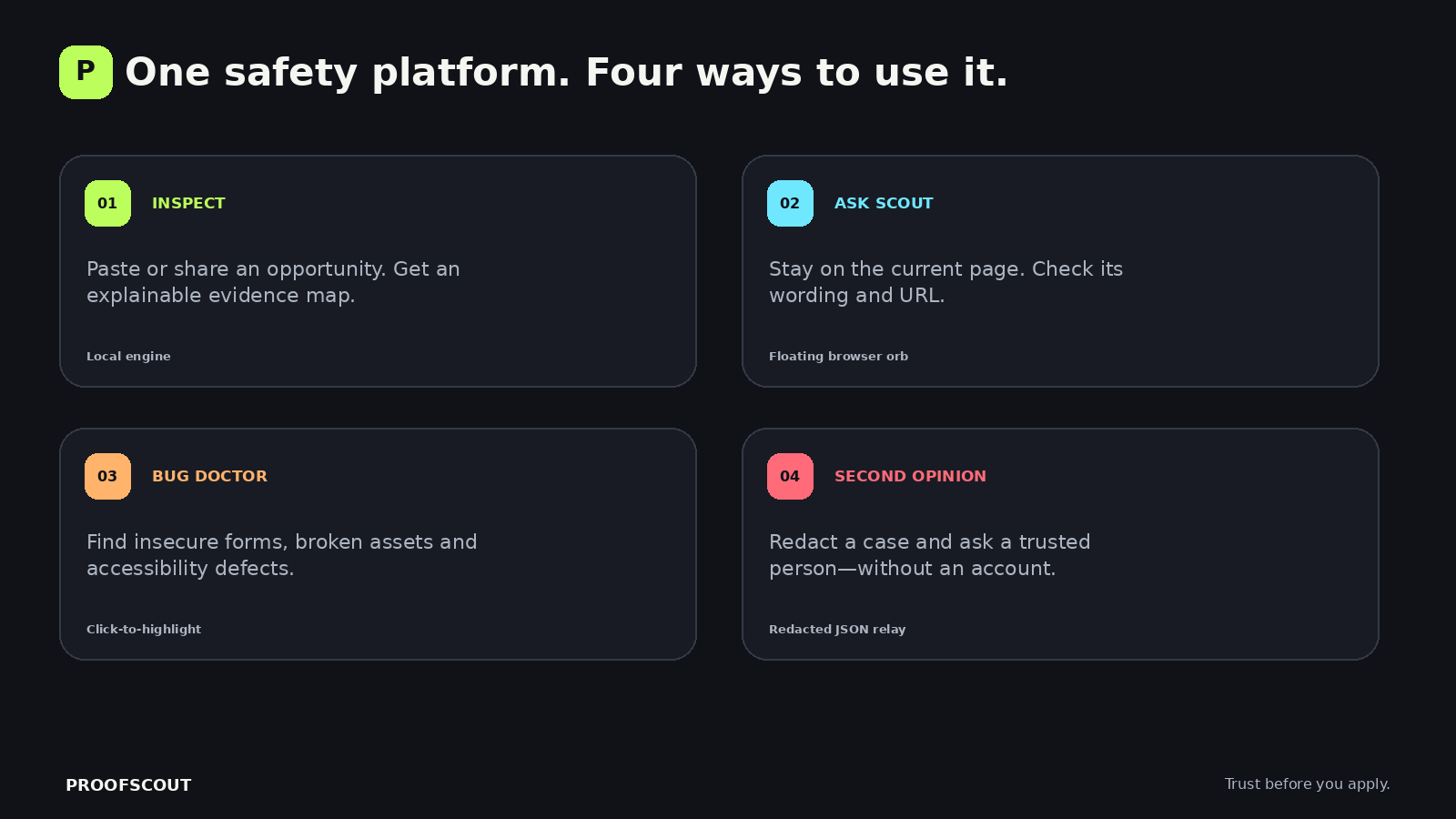
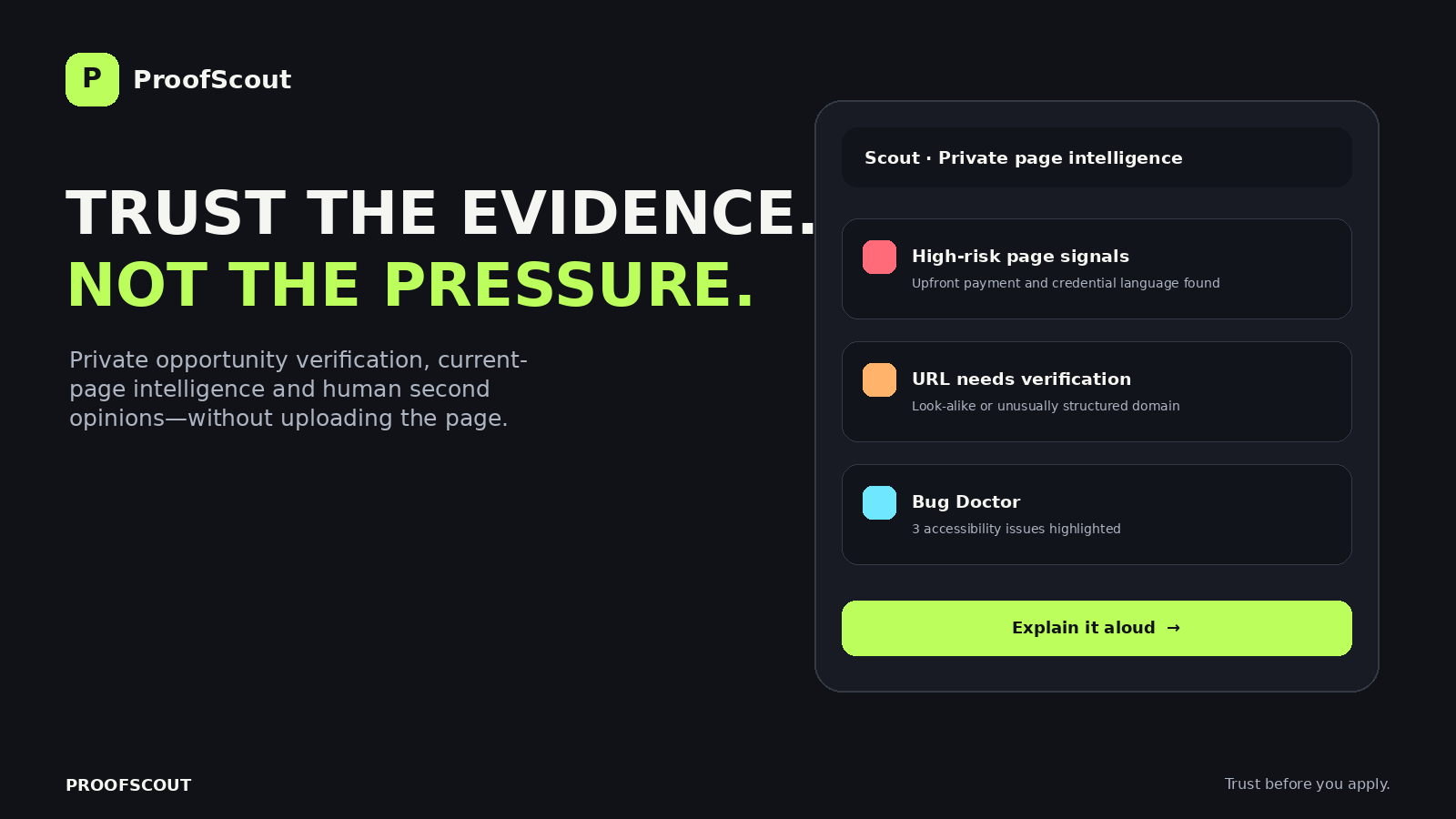
Opportunity Inspector — examines pasted or shared opportunity wording for upfront fees, prize-release payments, credential requests, artificial urgency, guaranteed outcomes, private-agent pressure and contradictory fee claims. Explainable Evidence Map — shows exactly why each signal affected the score instead of presenting a mysterious verdict. Claim Extraction — identifies prize amounts, deadlines, entry costs, participation mode, source domain and organizer contact details. Evidence Completeness — measures whether the announcement provides enough information to audit independently. Verification Request Generator — creates a neutral message users can send to an organizer without exposing passwords or sensitive financial details. Saved Evidence Locker — keeps cases locally on the device. Opportunity Comparison — compares two saved offers by risk, evidence completeness, concern count and entry cost. Private Second Opinion — automatically redacts emails, direct links, phone/account-like numbers and identifiers before exporting a case to a parent, teacher, mentor or trusted friend. Offline Reviewer Mode — lets another person review that case locally and return a structured response. Scout Browser Assistant — a floating assistant that examines the current page, checks its URL and can read findings aloud. Bug Doctor — identifies broken images, insecure forms/resources, duplicate IDs, missing labels, unnamed controls, unsafe new-tab links, heading problems, missing language metadata and mobile viewport defects. It can highlight affected elements on the page,it also identifies vulnurabilities such as xss, sql, etc. Zero-data Edition — a complete single HTML file that can run directly in Chrome after being transferred through USB, Bluetooth or local sharing. Installable PWA — supports installation and share-to-ProofScout on compatible mobile browsers. Accessible Safety Guide — includes keyboard support, reduced motion, high contrast and Hausa safety guidance.
How I built it
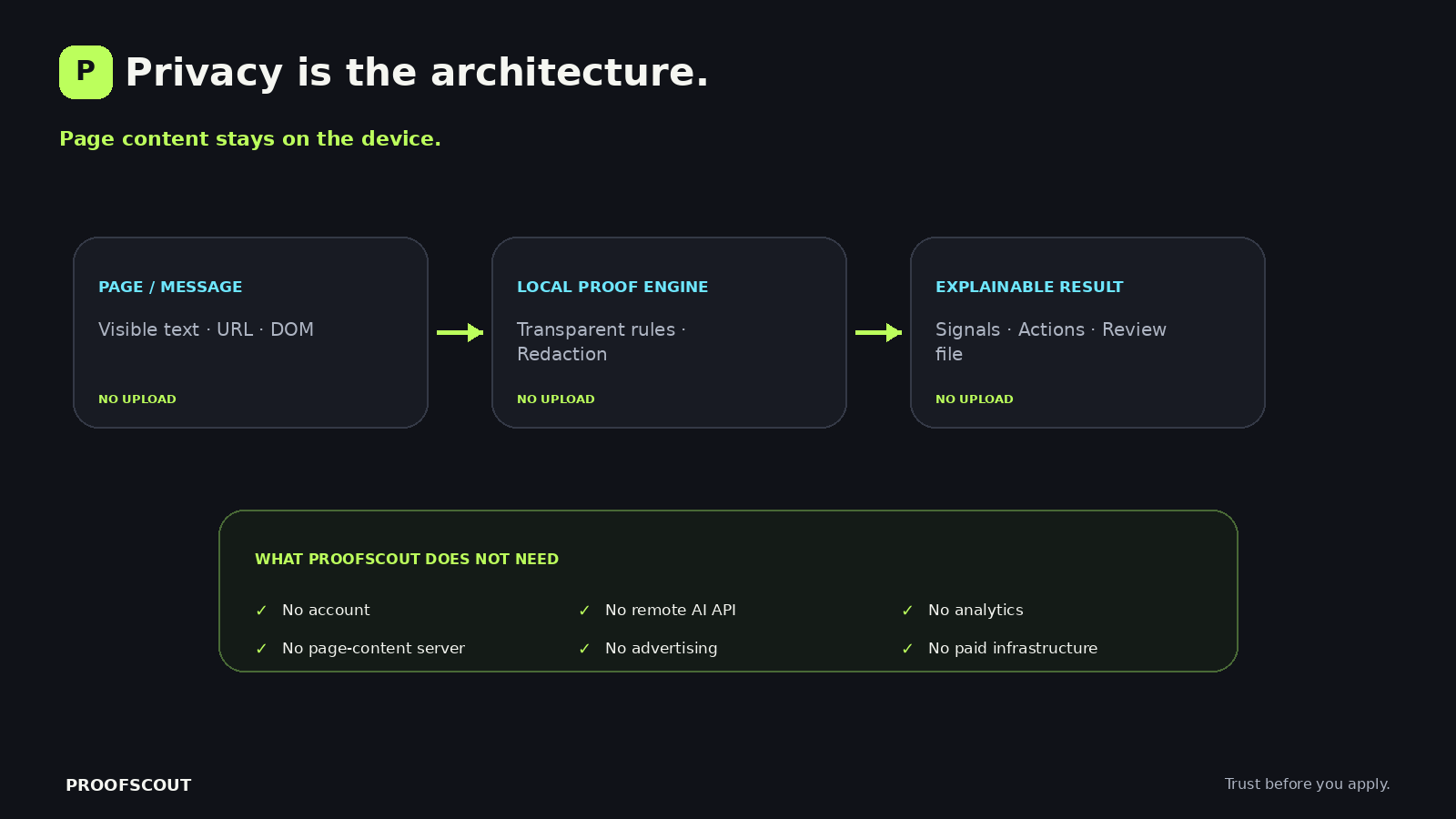
I built ProofScout as a local-first web platform using semantic HTML, responsive CSS and vanilla JavaScript. I deliberately avoided a remote backend and paid AI APIs because the pages people inspect may contain private application details, financial claims or personal information. Keeping the analysis inside the browser became one of the main architectural requirements.
I started with the opportunity-screening engine. I created a set of transparent detectors for warning signs such as upfront fees, prize-release payments, password or OTP requests, artificial urgency, guaranteed outcomes and contradictory “free entry” claims. Each detector has an understandable weight and explanation. Positive evidence, such as published rules and an explicit no-fee statement, can reduce the risk score. I then added claim extraction for deadlines, prize amounts, entry costs, participation mode, domains and organizer contacts.
For persistence, I used browser Local Storage so a user can save cases without creating an account. I implemented JSON export for evidence reports and built a comparison workspace that evaluates two saved opportunities by risk, evidence completeness, concerns and advertised cost.
To make human verification private, I designed a second-opinion file format. Before export, JavaScript redacts common emails, direct links, phone or account-like numbers and long identifiers. Another person can import the small JSON file, review it offline, record what they verified and return a structured response. This created collaboration without a central database or public user profile.
I then developed Scout, the browser companion, with Manifest V3 WebExtension content scripts. Scout adds a floating assistant to ordinary web pages and analyzes the page the user is currently viewing. URL mode checks connection type, encoded domains, raw IP addresses, misleading subdomains and unusual ports. Bug Doctor walks through the page DOM to find broken images, insecure forms and resources, duplicate IDs, unlabeled inputs, unnamed controls, unsafe new-tab links, heading problems and missing metadata. It stores references to affected elements so the assistant can highlight them directly on the page.
For spoken accessibility, I integrated the browser Speech Synthesis API. Voice commands use browser Speech Recognition only when that feature is available and fall back gracefully when it is not. I also added keyboard navigation, visible focus states, high contrast, reduced-motion support and Hausa safety guidance.
I made the core site installable as a Progressive Web App using a web manifest and service worker. The service worker caches the application shell for repeat offline use. I added the Web Share Target API so supported mobile users can share a page into ProofScout. I also generated a self-contained zero-data edition by embedding the complete CSS and JavaScript into one HTML file that can be transferred through USB, Bluetooth or local sharing and opened without a server.
For distribution, I prepared both Chrome and Firefox WebExtension packages. Mozilla’s first validation found compatibility declarations and dynamic HTML-rendering warnings. I increased the declared minimum versions, removed dynamic innerHTML, rebuilt the interface using safer DOM creation methods and submitted version 1.0.1 for review.
I used Git and GitHub to track the project, GitHub Pages for free deployment, and browser-native technology throughout so the product remains inexpensive to operate. AI-assisted coding tools helped accelerate implementation and debugging, while I directed the product concept, feature priorities, privacy decisions and competition strategy and reviewed the resulting build.
Challenges I ran into
The central challenge was balancing powerful page inspection with user privacy. A conventional implementation could send page content to a remote model, but that would create a new privacy risk. ProofScout instead uses transparent local rules and browser APIs.
Another challenge was making collaboration possible without accounts or a database. The solution was a redacted second-opinion file format that can travel through local sharing and be reviewed offline.
Browser security creates different installation requirements across platforms. ProofScout therefore supports multiple delivery formats: a standard website, installable PWA, single-file offline edition, Chrome development package and a Firefox Android add-on submitted for Mozilla review.
Mozilla’s validator also warned about dynamic HTML rendering and minimum browser declarations. The renderer was rebuilt with safe DOM construction, and the compatibility declarations were corrected.
Accomplishments that I'm proud of
•Built a complete, responsive and installable product without paid infrastructure. •Created an explainable screening engine rather than a black-box score. Added true single-file offline operation. •Designed private human collaboration without accounts. •Built a current-page browser companion with spoken findings. •Added a Bug Doctor that highlights real affected elements. •Passed Mozilla add-on validation and submitted the mobile add-on for review. •Published the source code and working web application.
What I learned
•The project demonstrated that privacy and accessibility can shape product architecture rather than being added at the end. It also showed that useful safety software should explain uncertainty: HTTPS, for example, protects a connection but does not prove the identity of an organizer. Finally, browser extension review requirements improved the project’s DOM safety and permission transparency.
What's next for Proofscout
•Add optional community-maintained verification templates for schools and nonprofit organizations. •Add digitally signed second-opinion responses while preserving offline use. •Conduct usability testing with students and job seekers. •Add an organizer-facing verification badge format backed by independently checkable evidence. •Expand Bug Doctor with authorized performance and network diagnostics. And use chrome add-on.


Log in or sign up for Devpost to join the conversation.