-
-
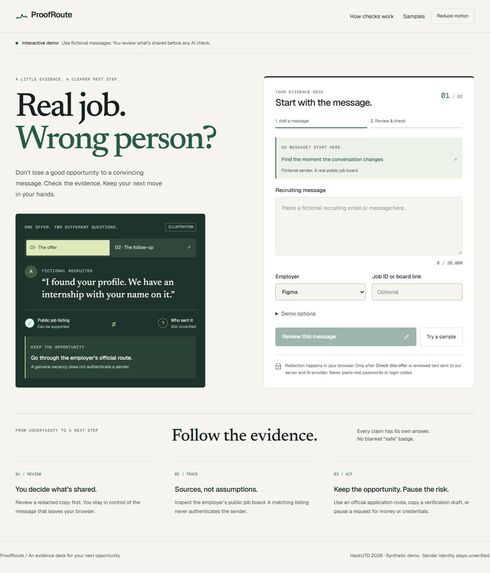
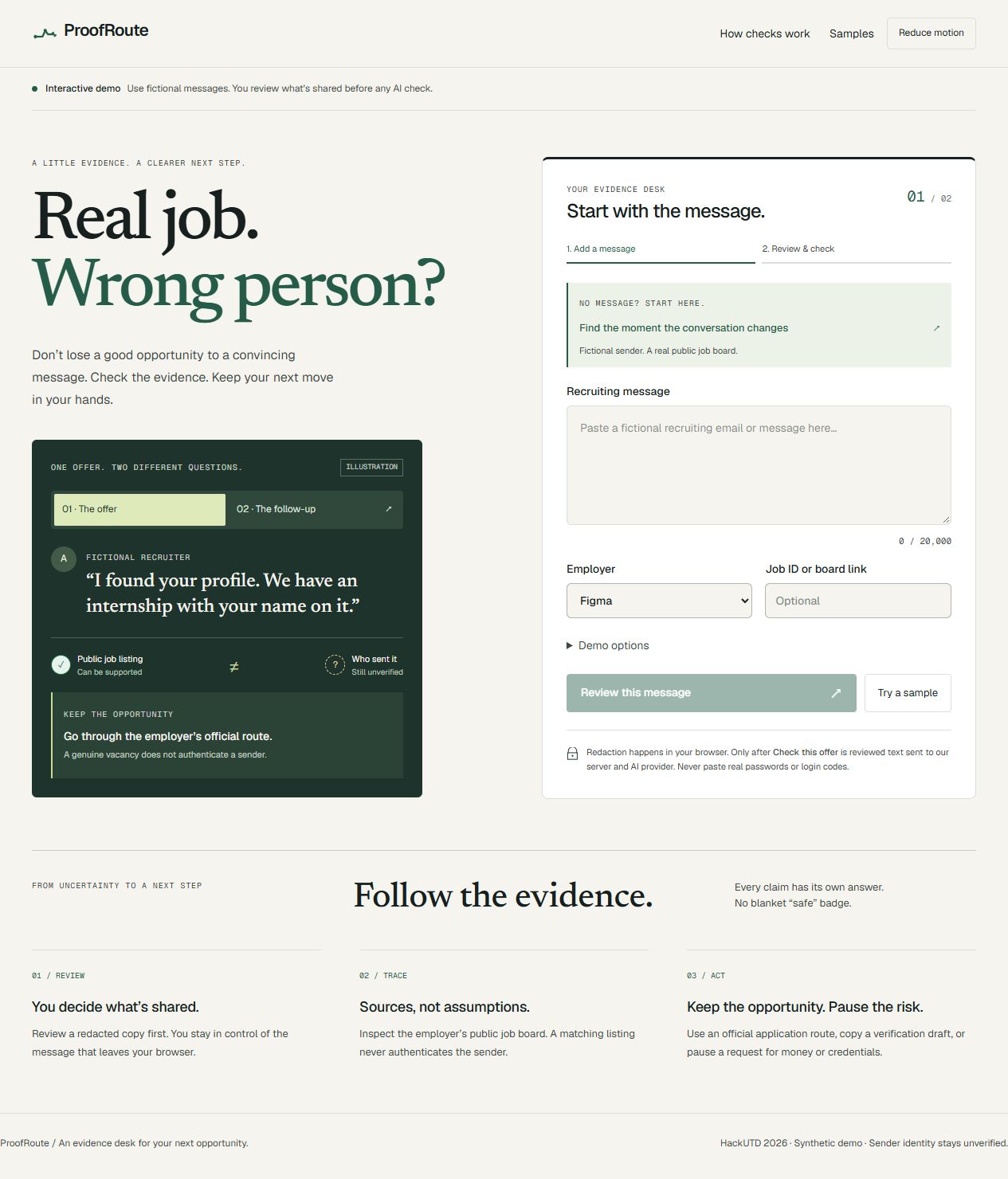
Real job. Wrong person? Review a redacted message before checking independent evidence.
-
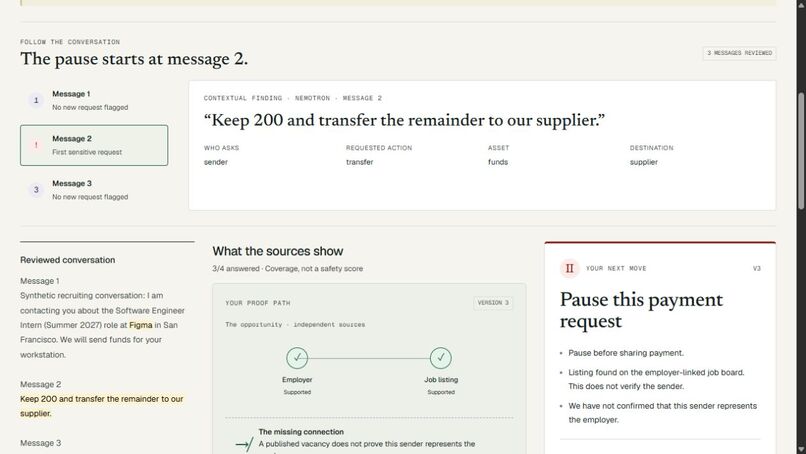
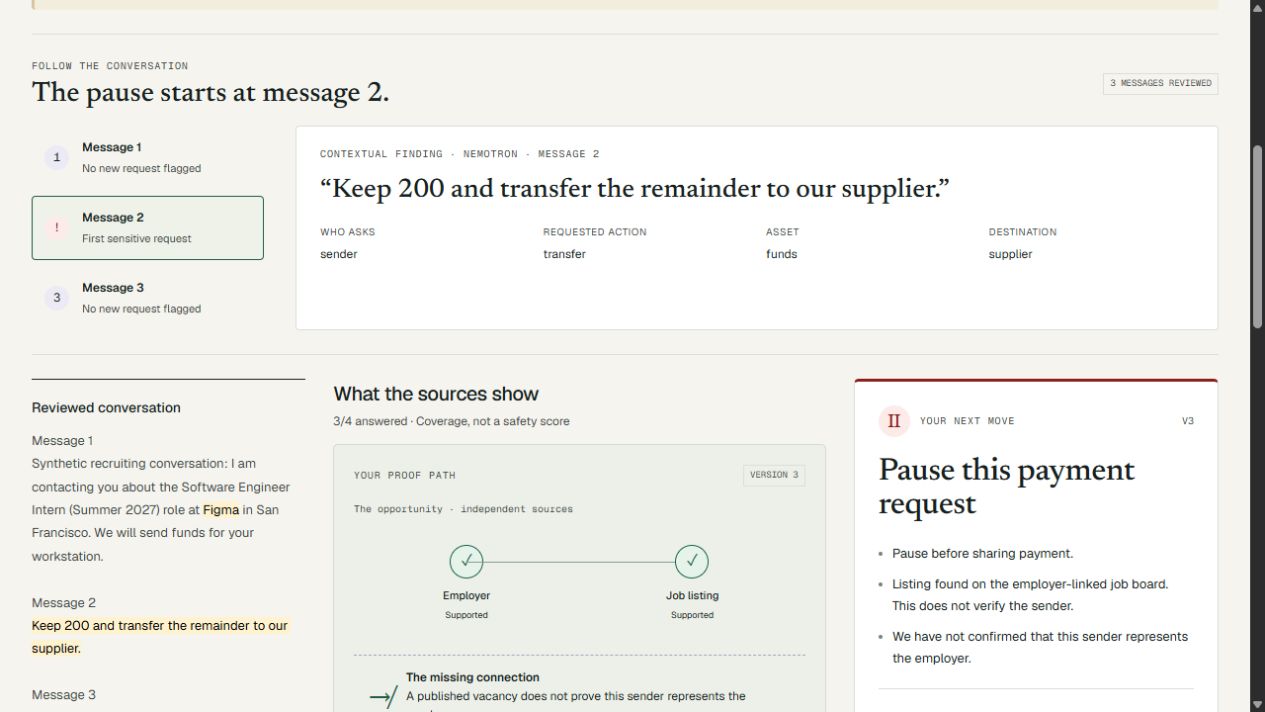
The pause starts at message 2: quote-backed conversation findings preserve the warning across later replies.
Inspiration
A real job listing does not prove that the person messaging you is a real recruiter.
From January through August 2025, I submitted more than 4,500 job applications before landing at Dropbox. During that search, I also received scam recruiting messages. ProofRoute grew out of that experience.
An internship opportunity can look convincing because the company exists, the position is publicly listed, and the conversation starts professionally. But what happens when the next message asks you to transfer money, purchase equipment, or share a login code?
We wanted to help applicants understand what the evidence actually proves—and find a safer way to pursue the opportunity.
What it does
ProofRoute turns a recruiting conversation into an inspectable, evolving evidence trail.
Users can paste a message, upload an .eml email, or import a screenshot. Screenshot text is extracted locally in the browser, and users review and redact the text before submitting it. ProofRoute checks a reviewed employer catalog and the employer’s public Greenhouse board, separates listing evidence from sender claims, and recommends a next step.
As follow-up messages arrive, ProofRoute examines the conversation, highlights sensitive requests with supporting quotes, and identifies the first message that requires a pause. A harmless later reply does not erase an earlier unresolved request.
The interactive Proof Path shows how each finding connects to its source. A screenshot evidence drawer highlights the quoted request in the original image. Sender-domain comparisons explain both positive indicators and mismatches without claiming to authenticate the sender. Users can inspect the evidence, follow an independently sourced application link, and export a redacted Markdown or JSON brief, or use Print / Save PDF for an adviser handoff.
Built-in sample loaders let judges open a fictional email or run screenshot OCR in one click. The mobile scenario starts with SMS and a switch to WhatsApp, then adds a Zelle deposit and verification-code request. A harmless third message preserves the earlier unresolved warning. An adversarial sample tests that message instructions cannot authenticate a sender, while the on-demand inspector displays the agent, source retrieval, policy gate, and any dropped model overclaims. Ordinary outreach can still receive an encouraging next step through the official application route.
Our central rule is simple: a supported listing never authenticates the sender.
How we built it
We built the frontend with React, TypeScript, Vite, and Tailwind CSS, using GSAP for transitions that help explain changes in the evidence. The backend uses Node.js, Fastify, and SQLite, with shared TypeScript contracts and Zod validation.
NVIDIA Nemotron helps interpret the conversation, extract quote-backed requests, and propose checks against external sources. When a message lacks a job ID, the workflow can search the reviewed employer’s board, identify candidate roles, and retrieve a specific listing. Ambiguous matches require a user choice.
The server controls which tools can run and which conclusions the evidence supports. External retrieval is restricted to approved sources, proposed job IDs must come from retrieved results, and extracted quotes must actually appear in the attributed message.
We deployed the application on Render, with persistent storage for versioned cases.
SpaceXSI: Cursor and Grok Bot
Cursor was our core AI coding agent for the original implementation. Codex subsequently helped refine the interface, resolve layout and focus issues, and prepare deployment and demo assets. Additional feature upgrades were developed with Gemini. NVIDIA Nemotron powers the application’s analysis.
We integrated Grok Bot Source Watch into our development workflow to check the public Figma careers page, the Greenhouse listing API, and the public job link used in our demo. The routine runs every two hours in America/Chicago. We downloaded its original seven-entry runs.jsonl: two manual checks and five later entries matching the Bot’s scheduled completion reports, from 6:06 PM CST on November 7 through 2:07 AM CST on November 8. Each check recorded the expected job ID/title and successful source responses. No source change was found, so the routine correctly stayed quiet. This helped us keep the demonstration’s independent sources current.
The original run log and execution evidence are documented. Records lack run IDs, so scheduled attribution uses matching log timestamps and Bot-exposed automation completion reports. We do not claim it detected a source change. Workflow evidence and scope.
Challenges we ran into
The hardest challenge was preventing legitimate evidence from creating false reassurance. Finding a real vacancy is useful, but it cannot establish who controls a messaging account. We had to preserve that distinction throughout the backend policy, visual design, and recommendations.
Conversation context introduced another challenge. A request such as “keep 200 and transfer the remainder to our supplier” requires more interpretation than a keyword search. We combined model-assisted extraction with quote validation and retained earlier findings across follow-ups and provider failures.
We also had to make uncertainty understandable. Missing listings, ambiguous roles, unavailable services, and fixture replay each need clear labels so users can understand the basis of a result.
Accomplishments that we’re proud of
We built a complete workflow from message review to live retrieval, evidence inspection, follow-up analysis, and export. The current build passes 38 automated tests, including local imports, screenshot quote matching, conversation retention, protective language, and source and policy boundaries.
Our favorite demonstration starts with a published internship and then adds a payment request. The listing remains supported, while the recommended action changes to a pause. The interface explains exactly which message caused that change.
In a recorded evaluation on 24 team-authored synthetic cases, the live workflow matched all 24 expected decision labels, while a prompt-only Nemotron baseline matched 17. The seven differences concerned finding the official application route; both approaches paused all eight harmful cases. These results are a small synthetic benchmark, not a real-world scam-detection rate.
What we learned
We learned that useful AI assistance depends on connecting interpretation to evidence and enforcing limits on what that evidence can prove.
We also learned that interface design is part of the reasoning system. Separating “listing supported” from “sender unresolved,” showing exact quotes, and making the next action prominent helps communicate uncertainty without leaving users stuck.
What’s next for ProofRoute
The current hackathon build supports synthetic conversations and three reviewed employers: Figma, GitLab, and Cloudflare. It does not authenticate recruiters.
Next, we want to expand the reviewed employer catalog, test the workflow with students and career advisers, and evaluate more varied conversations. Before supporting real recruiting messages, we also want stronger privacy and retention controls and broader real-world validation.
Check the offer. Trace the evidence. Take the safer next step.
Try the key examples
- Ordinary outreach: run local screenshot OCR, review the fictional message, and inspect the supported listing and official application route. Select a quote to highlight its source image.
- SMS to WhatsApp: check the initial message, add the sample follow-up, then a harmless later reply. The earlier payment/code warning stays visible.
- In that case, choose Test adversarial prompt injection and inspect the agent, sources, and policy gate. Message instructions cannot authenticate the sender.
Use fresh cases for each example. All message and sender details are fictional; public listing sources are real.
Presentation
Pitch deck — a view-only overview of the problem, product walkthrough, technical approach, and evaluation.
Built With
- cursor
- fastify
- greenhouse-api
- grok
- gsap
- node.js
- nvidia-nemotron
- react
- render
- sqlite
- tailwind-css
- typescript
- vite
- zod
