-
-
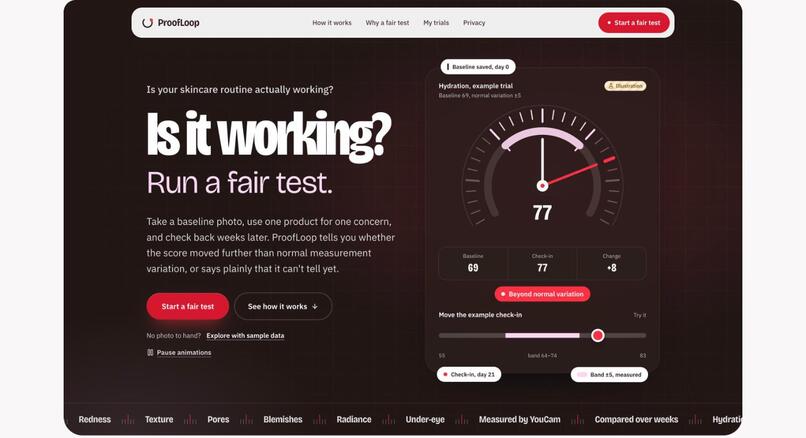
Landing page: one product, one concern, a rule fixed before the check-in. The dial is an illustration.
-
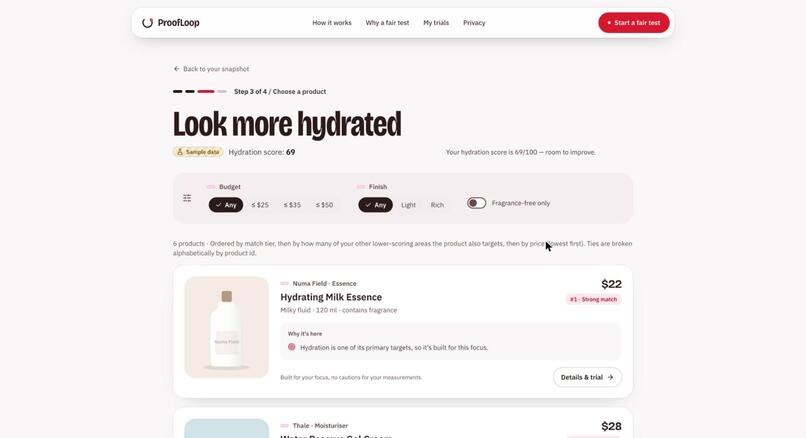
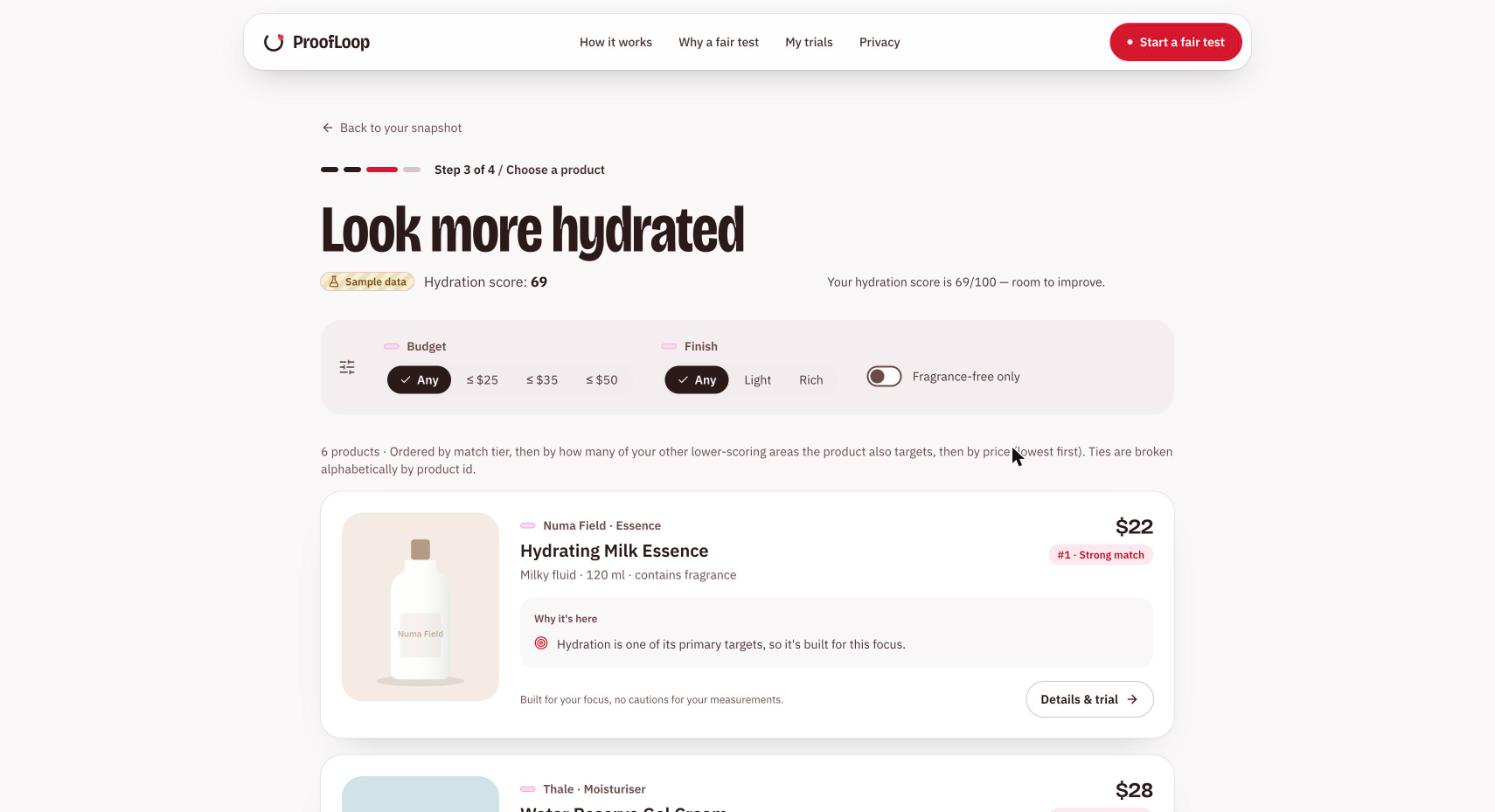
Rule-based matches with every reason shown. The catalogue is fictional sample data.
-
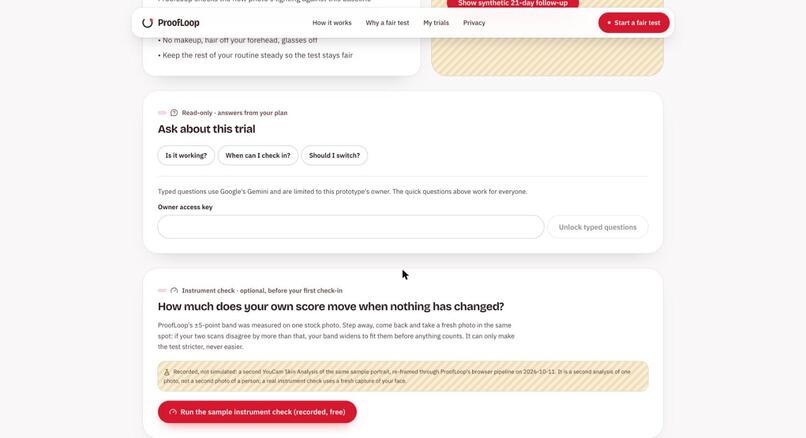
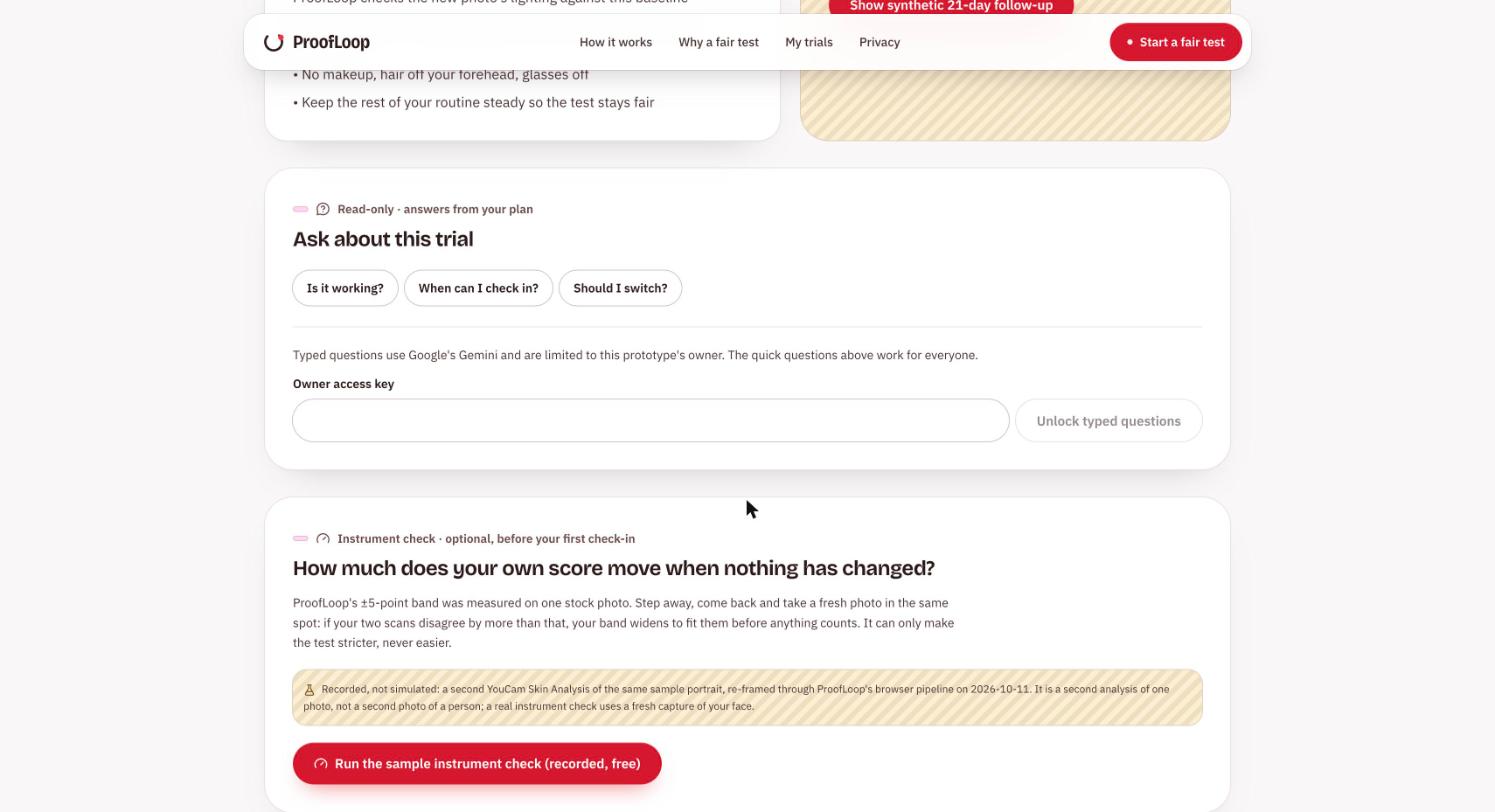
Instrument check: a second scan of unchanged skin can widen the band, never narrow it.
-
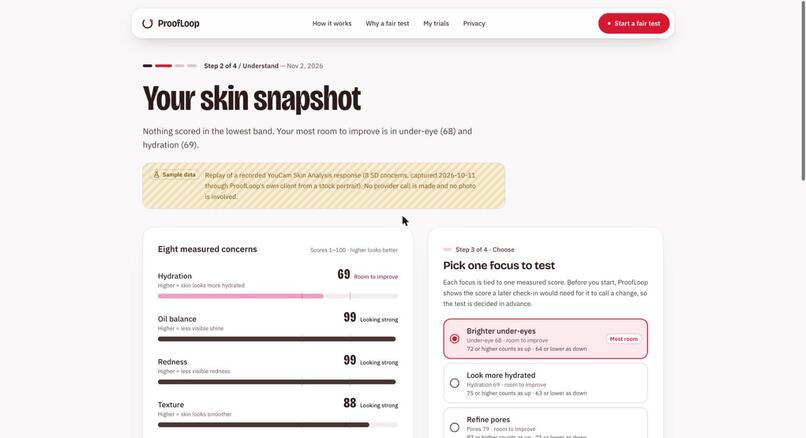
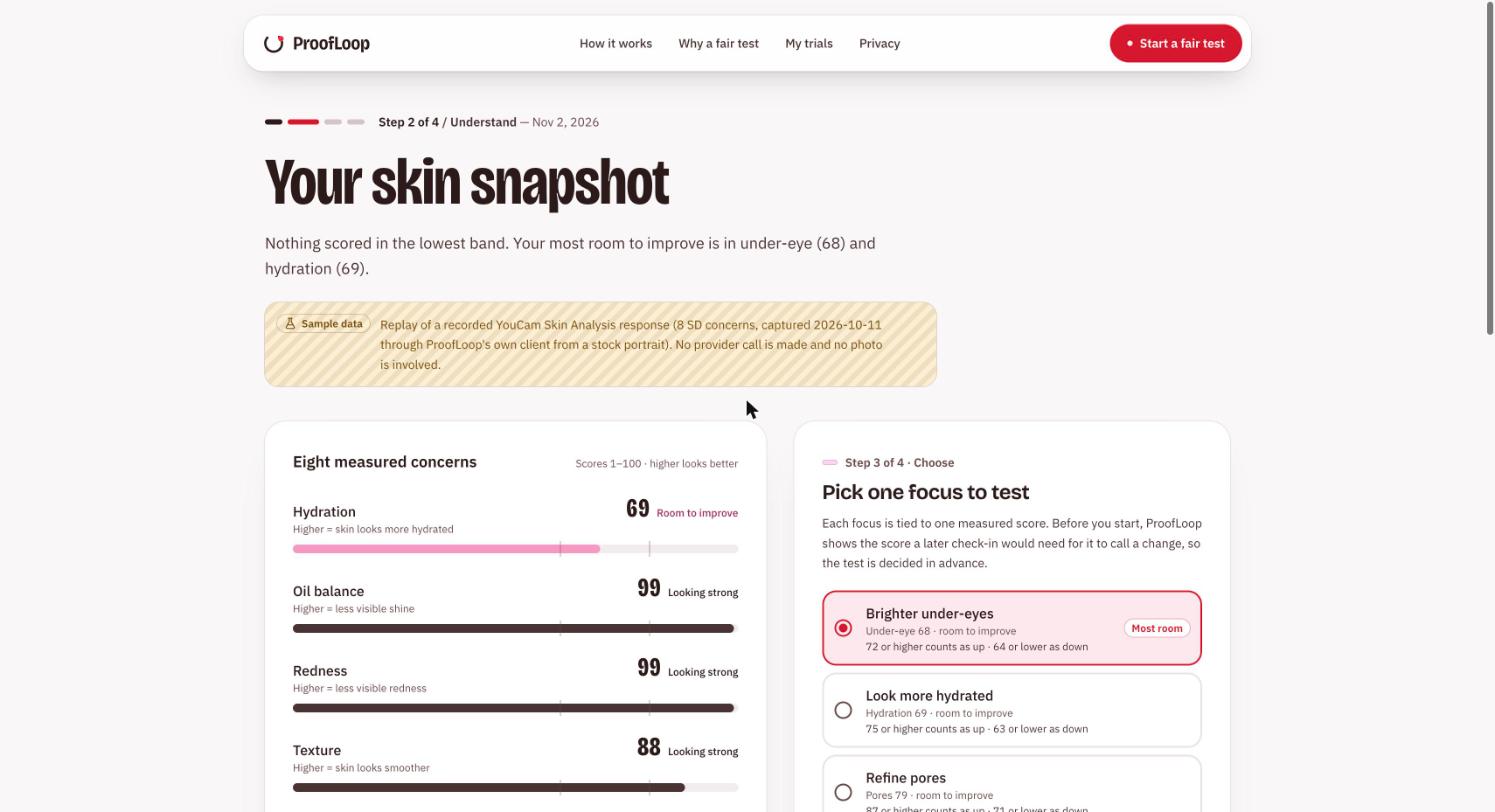
Skin snapshot: replay of a recorded YouCam Skin Analysis response (sample data), then pick one focus.
-
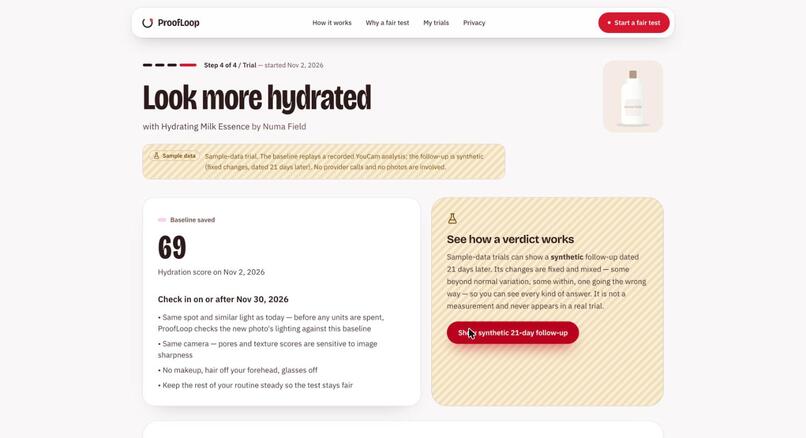
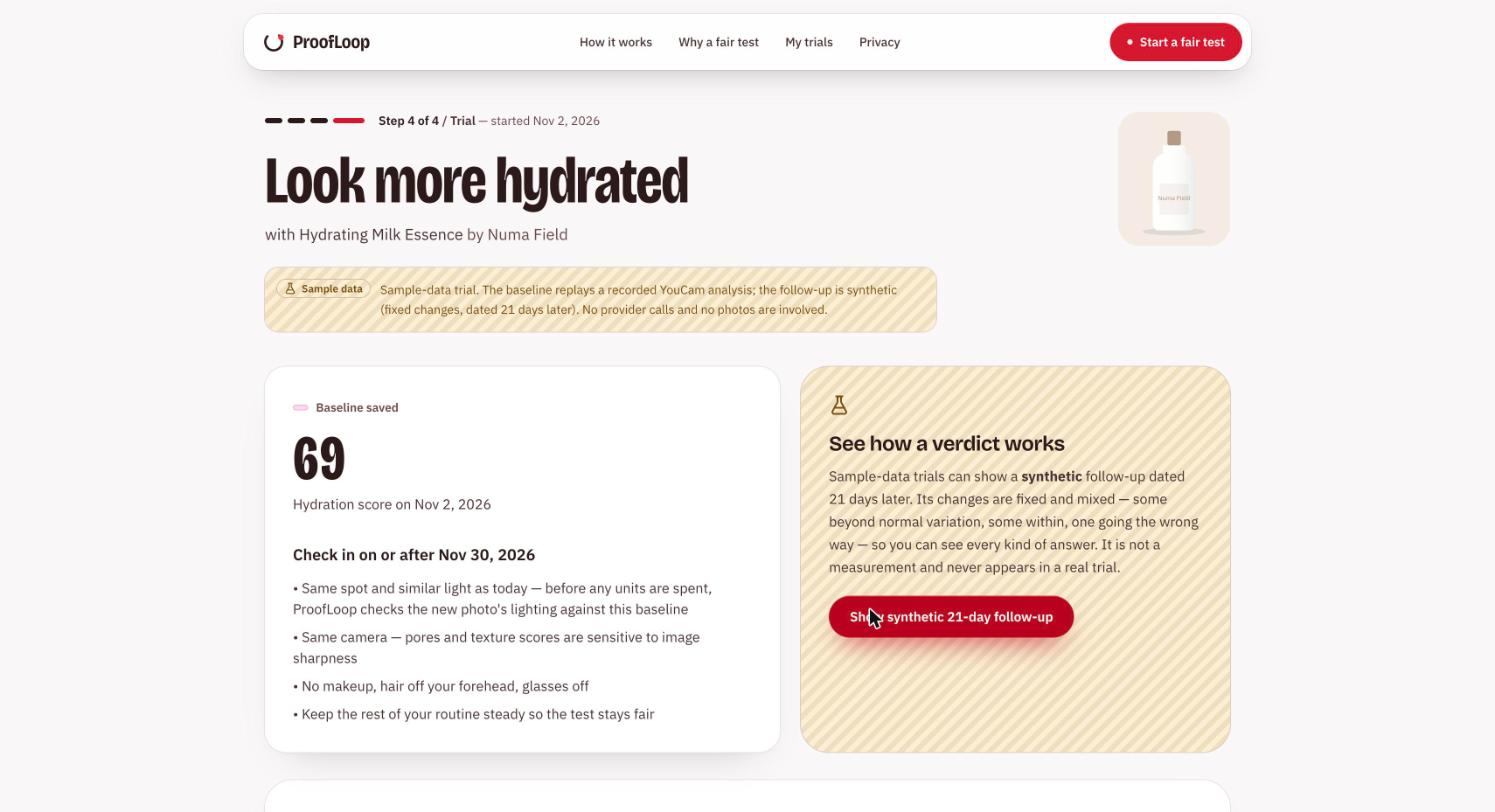
Trial started: baseline saved and check-in date fixed before any result exists (sample trial).
-
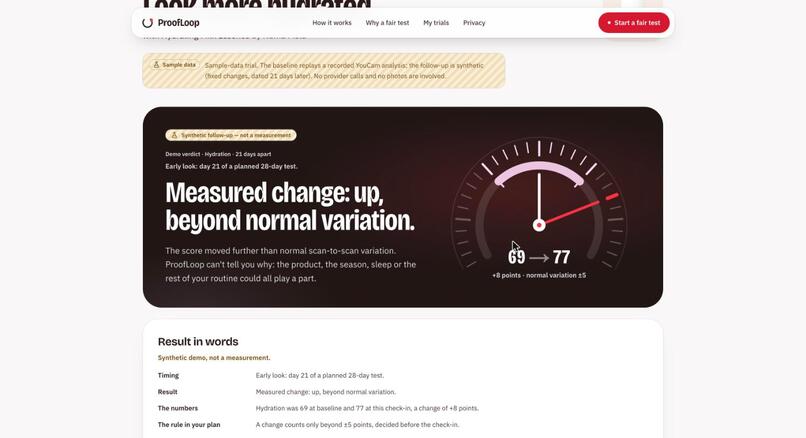
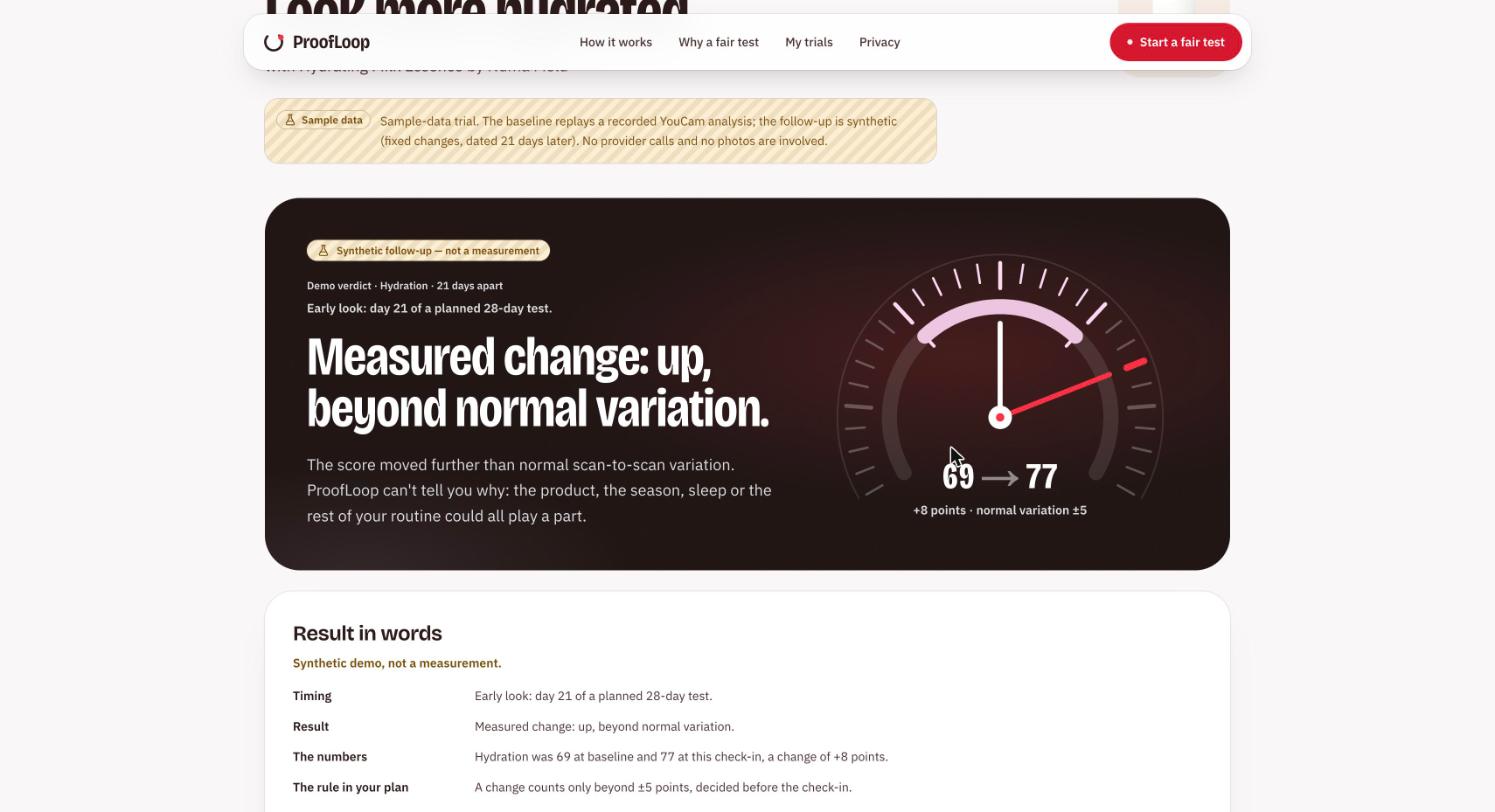
Verdict screen in sample mode. The day-21 follow-up is synthetic, labelled, not a measurement.
-
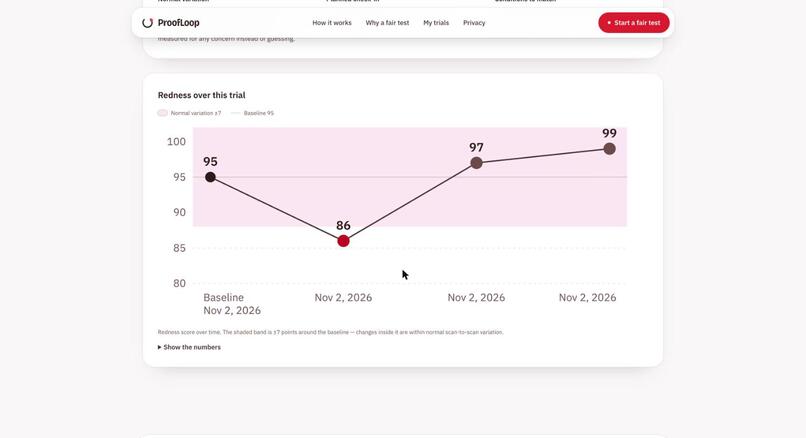
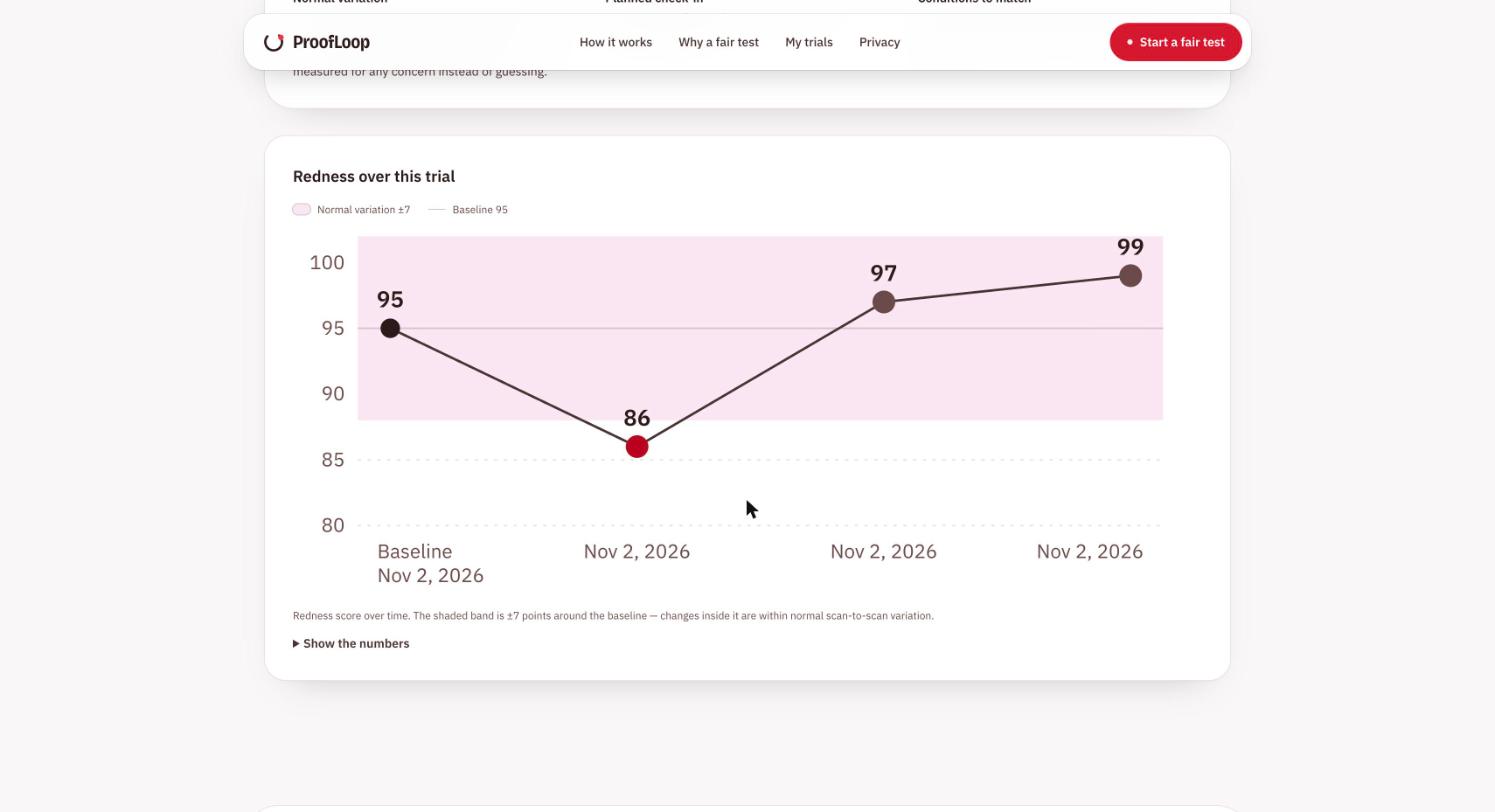
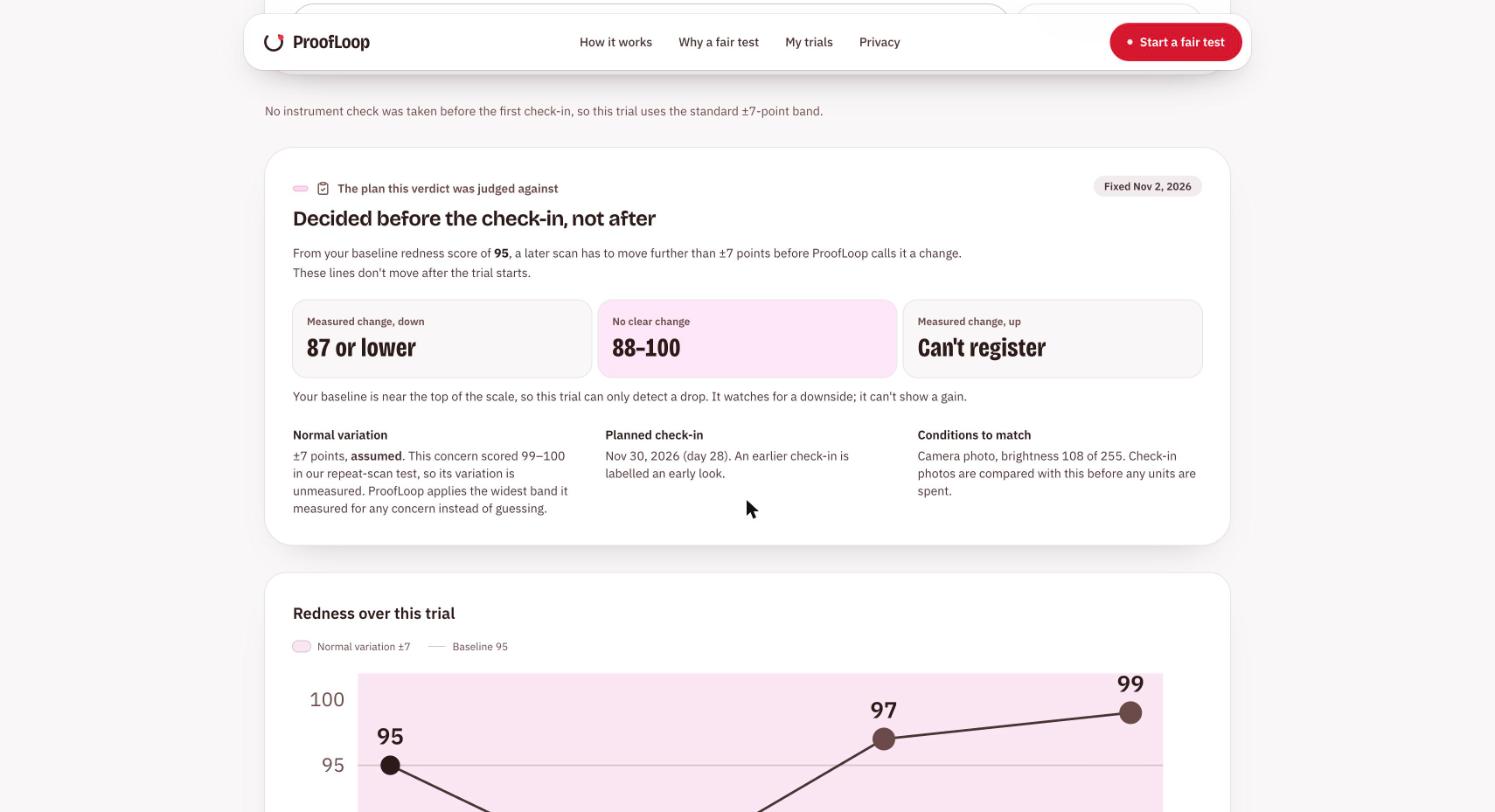
Real YouCam trial, 3 same-day check-ins: redness 95, 86, 97, 99. One dip crossed the ±7 band, then returned.
-
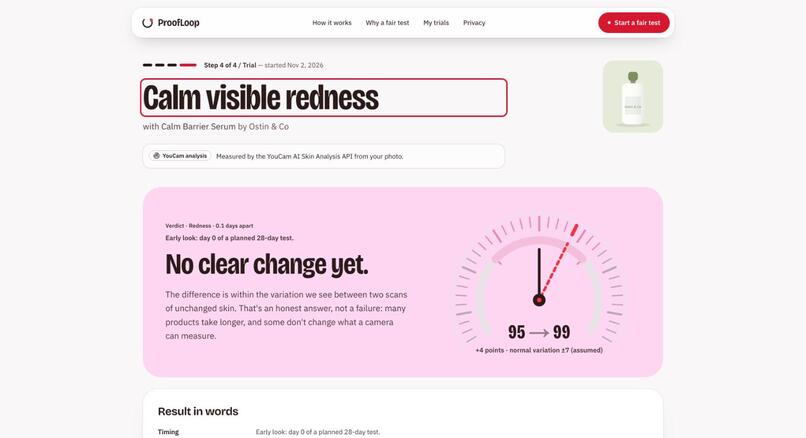
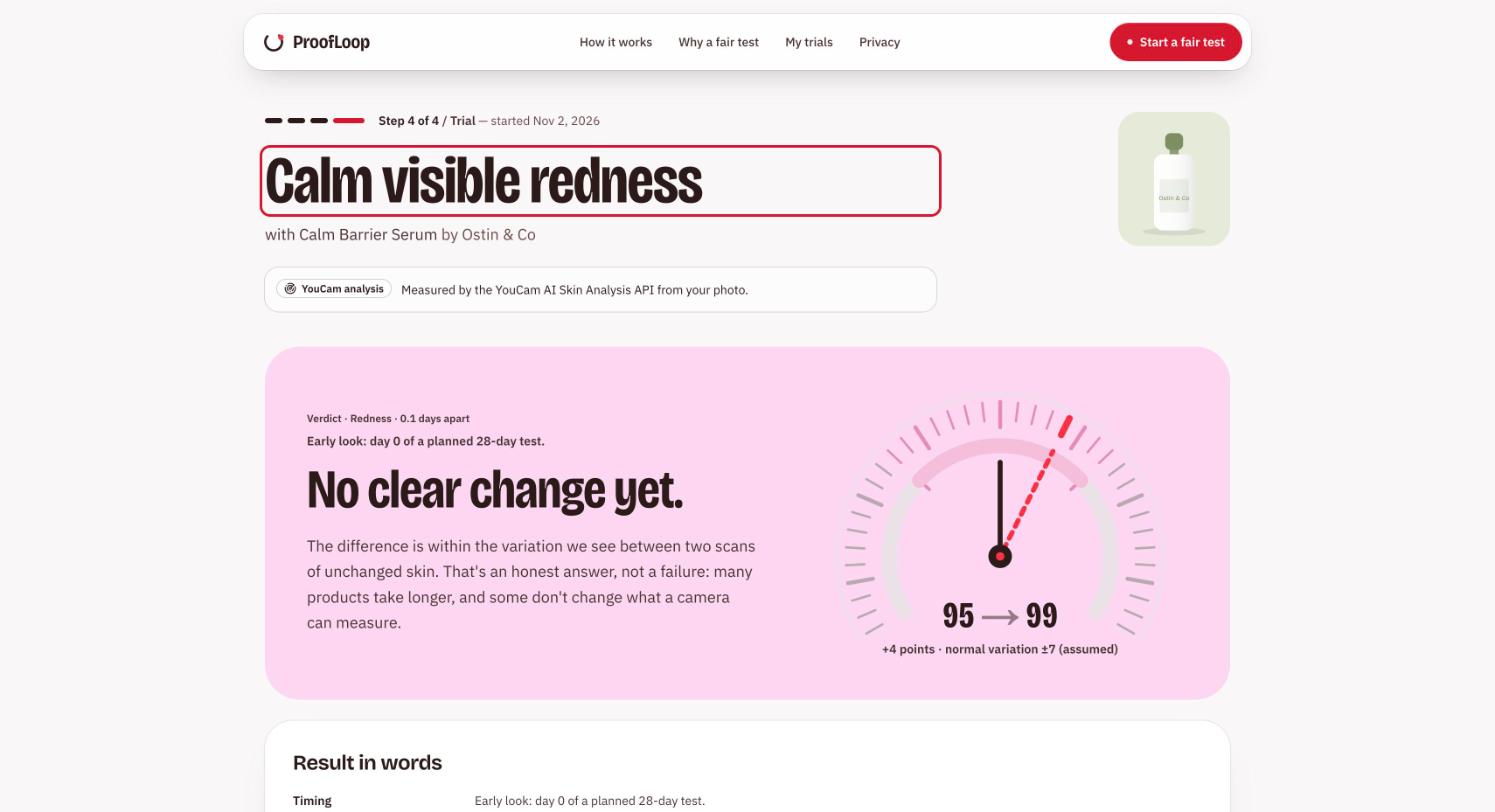
Latest check-in on a real YouCam trial: no clear change (+4, inside the ±7 assumed band), labelled an early look.
-
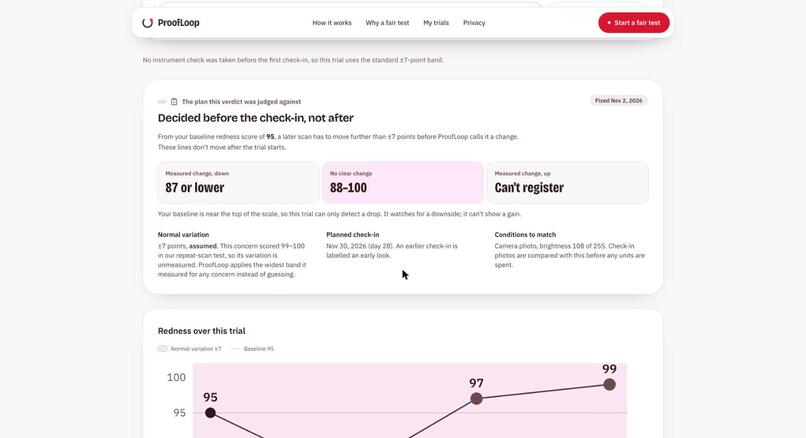
The stored plan: lines fixed when the trial began. Near the top of the scale, a gain can't register.
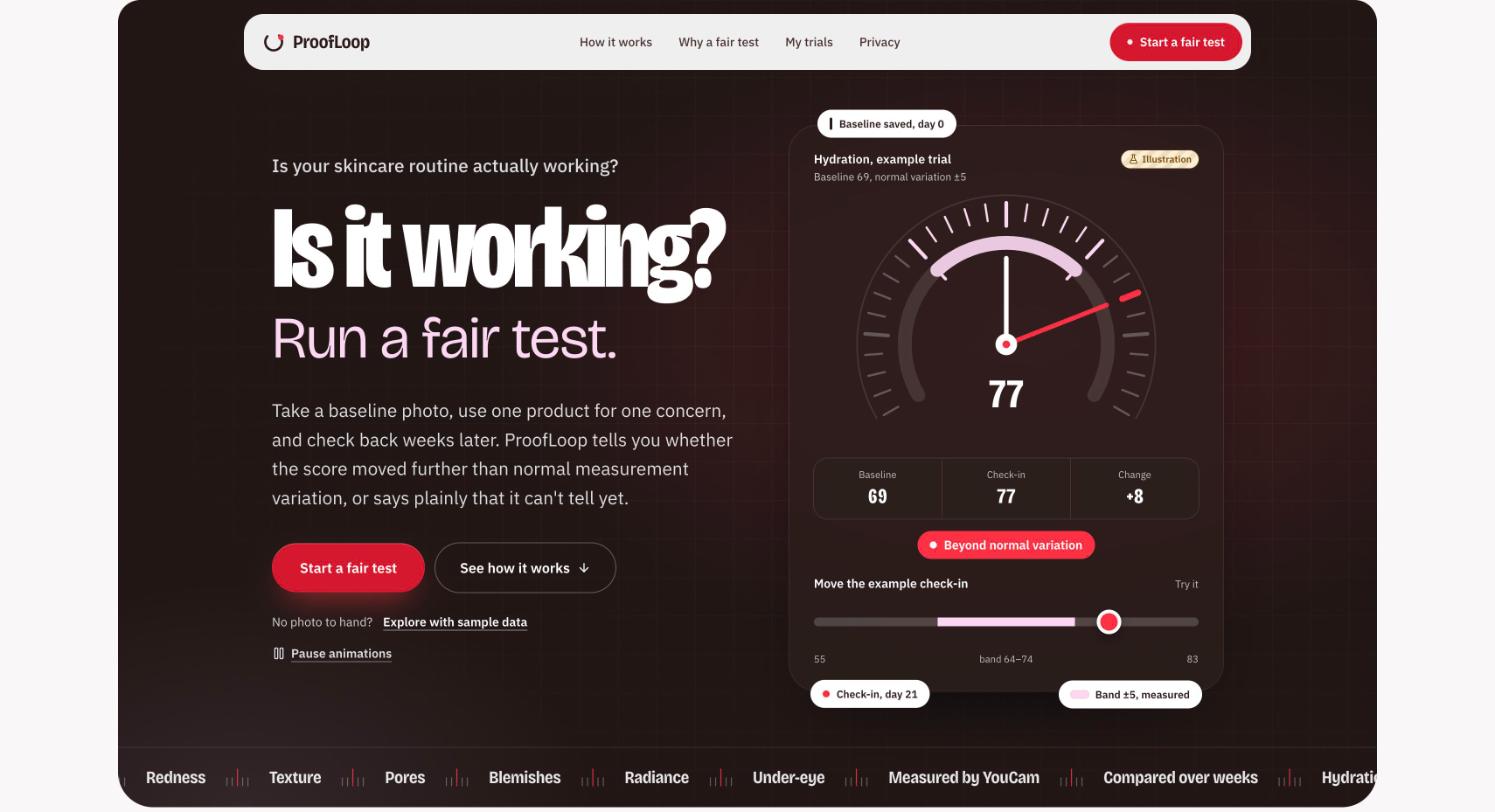
Every skin app measures your skin. ProofLoop measures the measurement first.
Inspiration
The YouCam brief describes the moment exactly: someone standing in front of a mirror, deciding whether a product is working. A skin-analysis score looks like the answer. It isn't quite.
I started by building a straightforward before-and-after flow on YouCam AI Skin Analysis. Then I scanned my own face twice with the same phone, 7.4 minutes apart (25 October 2026, two separate captures through the live API). Nothing about my skin changed, but five of the eight scores moved, and pores dropped six points (77 to 71). Light, angle and image processing all nudge a measurement.
That changed the project. If a score can move six points on unchanged skin, a four-point "improvement" after a month of a new serum proves nothing on its own. And a before-and-after comparison decides what counts only after it has seen the result, so whatever moved becomes the story. The difficult part was not getting another skin score. It was deciding, before looking, what would count.
What it does
ProofLoop runs a fair test of one skincare product: rules first, results second.
- Measure. One photo goes to YouCam AI Skin Analysis, which scores eight visible concerns (hydration, oil balance, redness, texture, pores, blemishes, radiance, under-eye) and returns a detection mask for each, drawn over the photo.
- Ask one question. You choose a single focus concern. Eight scores would be eight chances to be fooled by ordinary variation, so only the focus chosen in advance is judged. Concerns already near the top of the scale are flagged "Can't show gains" before you start.
- Choose a product. Matches come from written rules: a tier (strong, good, possible) with every reason listed, no percentage scores. An optional YouCam AI Skin Simulation preview shows what the goal could look like, labelled as a look, not a promise.
- Fix the plan. When the trial starts, the server stores the rule: the focus, the band of normal variation, the exact scores a check-in must reach to count as a change (for example "78 or more, or 66 or less") and a check-in on day 28. On screen: "Decided before the check-in, not after."
- Check the instrument on your own face (optional). A second photo taken minutes after the first. If the two disagree on your focus by more than the band allows, the band widens to fit. It never narrows, and it is sealed at the first check-in.
- Check in. Before anything is spent, ProofLoop refuses the baseline photo resubmitted (identical photos give identical scores) and compares brightness and capture method with the baseline, suggesting a retake if they differ.
- Get a verdict, including "can't tell". The server compares the check-in with the stored rule: measured change, no clear change, or inconclusive when the photos aren't comparable. Each verdict ends in one next step: keep going, finish the test, consider switching, pause and review, or retake. ProofLoop never says the product caused a change.
How I built it
YouCam's role: the measurement. All calls are server-side; the key never reaches the browser.
- File API:
POST /s2s/v2.0/file/skin-analysis, then the presignedPUTit returns. - AI Skin Analysis:
POST /s2s/v2.0/task/skin-analysis(8 SD concerns, JSON format), polled withGET .../task/skin-analysis/{task_id}. Used for the baseline, instrument check and check-in, plus the per-concern masks. - AI Skin Simulation:
POST /s2s/v2.0/task/skin-simulation, polled, for the optional goal preview. - Credit balance:
GET /s2s/v1.0/client/credit, to reconcile ProofLoop's own unit ledger.
ProofLoop's role: the interpretation. YouCam returns scores; it does not know about trials, bands or verdicts. Everything below is ProofLoop's own logic:
- The rule is stored, not just shown. Focus, band, band evidence ("measured" or "assumed") and check-in day are written to the trial row when it starts. The instrument check can only widen the band (
max(band, difference + 2)), and the first check-in seals it under aSELECT ... FOR UPDATErow lock. A later instrument check is refused with409 protocol_sealed. - Refusals happen before paid calls. Each cleaned photo gets a SHA-256 fingerprint; reusing the baseline photo is refused before any YouCam units are reserved. Units are reserved in a ledger against a deployment budget, under a PostgreSQL advisory lock, before every call. Task creation is never retried after a timeout, because it may already be billed.
- The AI explains; the server decides. The verdict is computed from stored numbers and re-derived whenever the assistant speaks. The quick questions ("Is it working?") use fixed wording. Typed questions can use Gemini, which may only return IDs of pre-approved explanations; a validator rejects softened verdicts, invented numbers, and medical or causal claims.
- Privacy. Photos are decoded, rotated, stripped of metadata and re-encoded on the server, sent to YouCam and discarded; ProofLoop never writes a photo to disk or its database. Scores sit under an anonymous session, and "Delete all my data" removes everything.
Stack: Next.js 16 and React 19 with Tailwind CSS on Vercel; FastAPI, Pydantic, SQLAlchemy and httpx on Render; PostgreSQL on Neon with Alembic migrations; Pillow for image cleaning. More than 1,300 backend tests run on SQLite and PostgreSQL, plus Playwright end-to-end tests with axe accessibility scans.
Challenges I ran into
- My first bands were too narrow. I first estimated variation from repeated analyses of a single portrait. One real phone pair then showed pores moving six points, more than that study's maximum of five. That is why a user's own second photo can widen the band but never narrow it.
- Scores at the ceiling. Oil balance, redness and blemishes read 99-100 on my test face, so their variation couldn't be measured. They use the widest measured band (±7) and are labelled "assumed" in the product.
- The AI softened a real result. An early assistant version described a measured improvement as "inside your band... inconclusive". I moved verdict authority entirely to the server; the model now only selects approved explanations.
- A double-billing race. Two simultaneous instrument-check requests could both pass validation and both be billed. A row lock fixed it, with tests.
Accomplishments that I'm proud of
- A complete live loop on the real API: analysis, masks, simulation preview, a pre-registered plan, an instrument check on a real phone, and an honest verdict.
- "No clear change" and "can't tell yet" are real answers with a next step, not failures to hide.
- A verdict the language model cannot change, with tests that try.
- Sample mode that replays a real recorded YouCam response, labelled on every screen; its follow-up check-in is synthetic and labelled so.
What I learned
A measurement is not automatically evidence. Fine detail such as pores and texture reacts to capture conditions as much as to skin, so "same camera, same light" belongs in the product, not in a footnote. And the most useful thing software can do here is commit to a rule before the result exists, then refuse to bend it.
Limitations
- Not medical. ProofLoop measures the appearance of skin in photos. It doesn't diagnose conditions, detect allergies, or say a product caused a change.
- The bands are a floor, not a validation. They come from one face and one real phone pair; three concerns use an assumed band. Proper calibration needs repeat captures from many people over several days.
- Lighting is checked by average brightness and capture method only. Evenness of light, head angle and distance aren't measured yet.
- The product catalogue is fictional sample data, created to demonstrate rule-based matching.
- The typed Gemini assistant is limited to the project owner in this prototype to control cost; the quick questions work for everyone.
What's next for ProofLoop
- Guided capture: live face-position, angle and lighting guidance matched to the baseline.
- A one-tap irritation report that always overrides "keep going".
- Allergy-aware matching where missing ingredient data shows as "couldn't check", never as safe.
- A calibration study with consenting volunteers to replace assumed bands with measured ones.
Try it
Open https://proofloop-app.vercel.app and choose Explore with sample data (no photo, no account). Pick a focus and product, start the trial, take the sample instrument check, then add the sample check-in to see a verdict. For a live scan, use Start a fair test with a well-lit, front-facing photo; live scans are limited by a unit budget.
Built With
- alembic
- axe-core
- fastapi
- gemini
- httpx
- neon
- next.js
- pillow
- playwright
- postgresql
- pydantic
- python
- react
- render
- sqlalchemy
- tailwindcss
- typescript
- vercel
- youcam-skin-analysis-api
- youcam-skin-simulation-api
