Inspiration
When I use AI for other things than coding, I find myself constantly jumping between different tabs to use different AI tools, copying and pasting text back and forth, and typing the same prompts like "correct this" or "summarize that" over and over again.
What it does
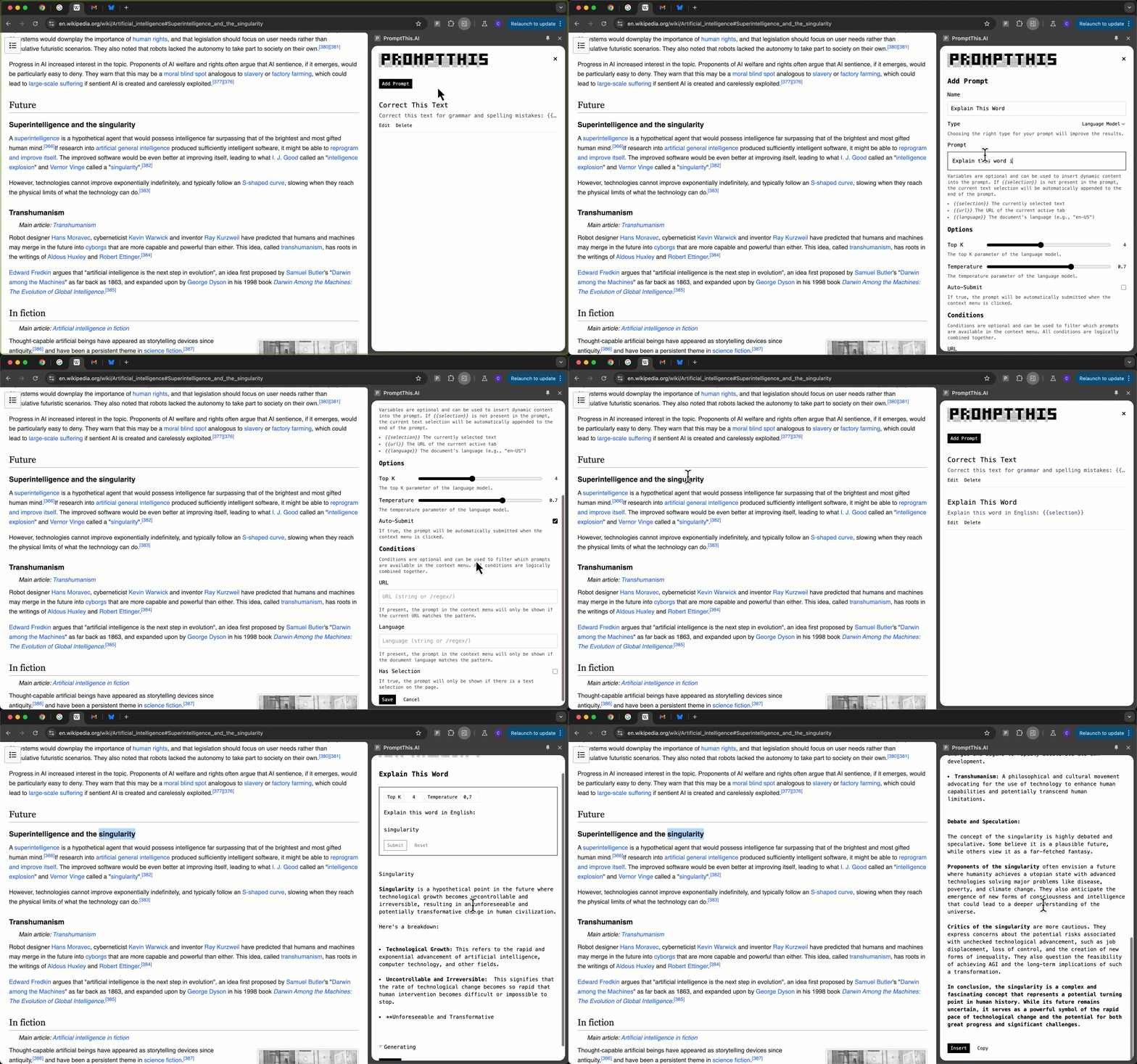
PromptThis.AI is an extension that lets you create AI tasks that appear in your browser's context menu on right-click. The tasks are highly configurable: you can add dynamic variables like selected text, current URL, or language into your prompt. With conditions, you can make tasks context-aware: for example, URL conditions let you target specific pages like Gmail or Twitter. When you right-click on a page, only tasks that match the conditions appear in the context menu.
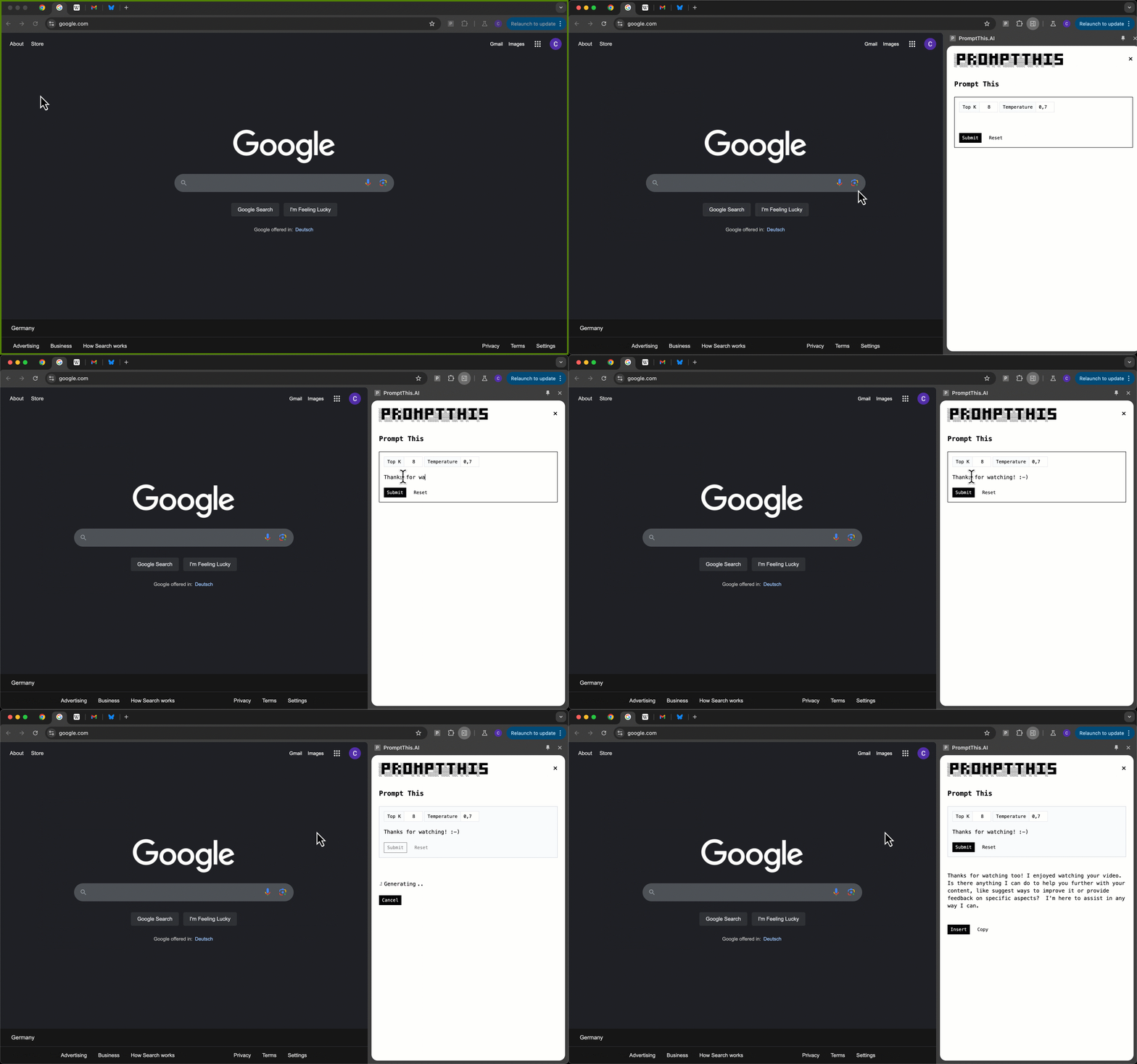
When you select a task from the context menu, it is opened in a sidepanel in the same tab next to your page. You can edit the prompt and parameters, if needed, and submit it. If you're happy with the generated result, click the insert button to copy the result right back into the page.
Examples
Here are some practical use cases for AI tasks:
Correct This Text: Quickly correct any selected text, available on any webpage.
- Name: Correct This Text
- Prompt: Correct this text for grammar and spelling mistakes:
{{selection}}
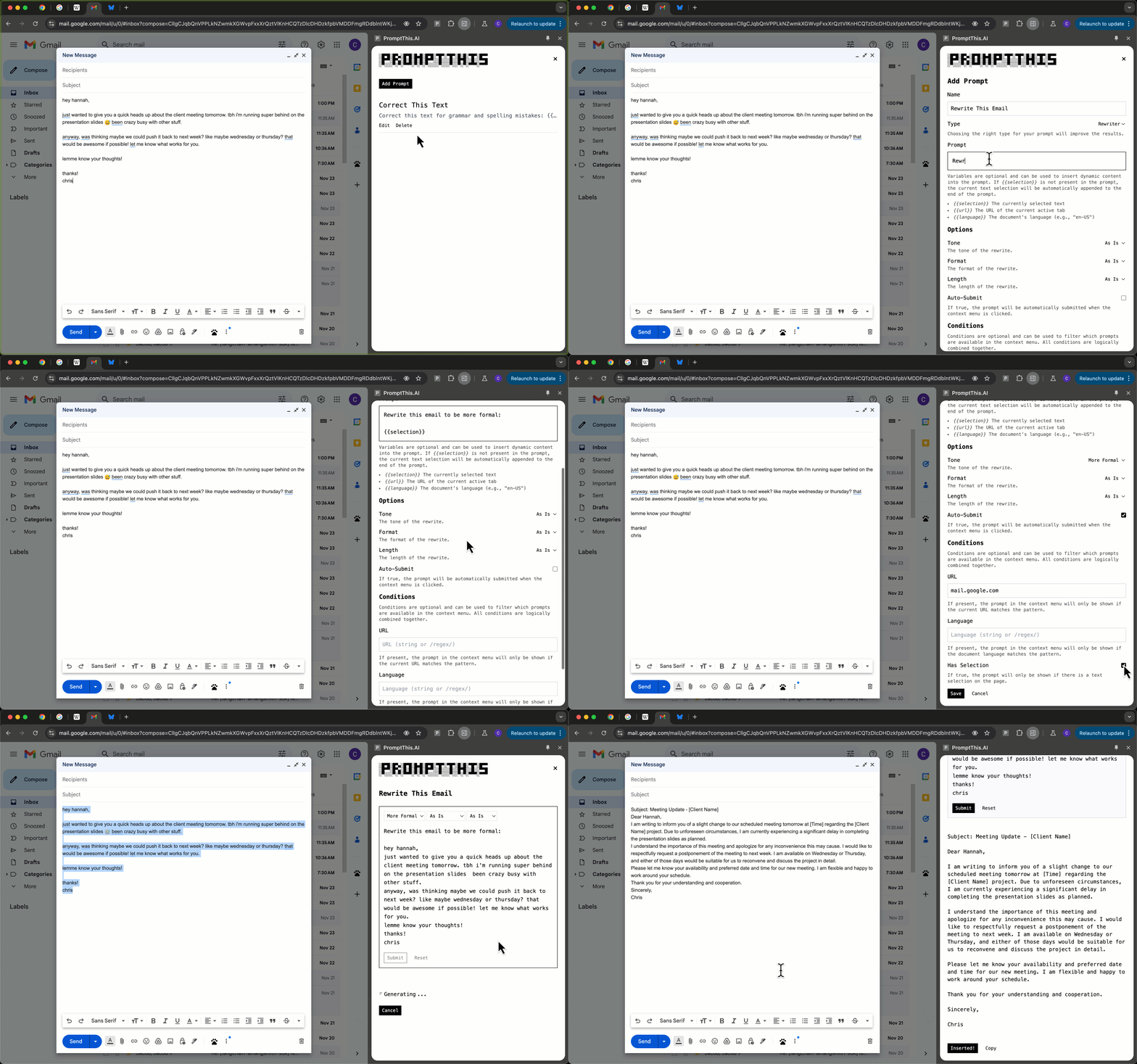
Rewrite This Email: Write an email in your own words and make it more formal before sending, available only on Gmail.
- Name: Rewrite This Email
- Prompt: Rewrite this email to be more formal:
{{selection}} - Options:
- RewriterTone:
More Formal
- RewriterTone:
- Conditions:
- URL contains
mail.google.com - HasSelection is
true
- URL contains
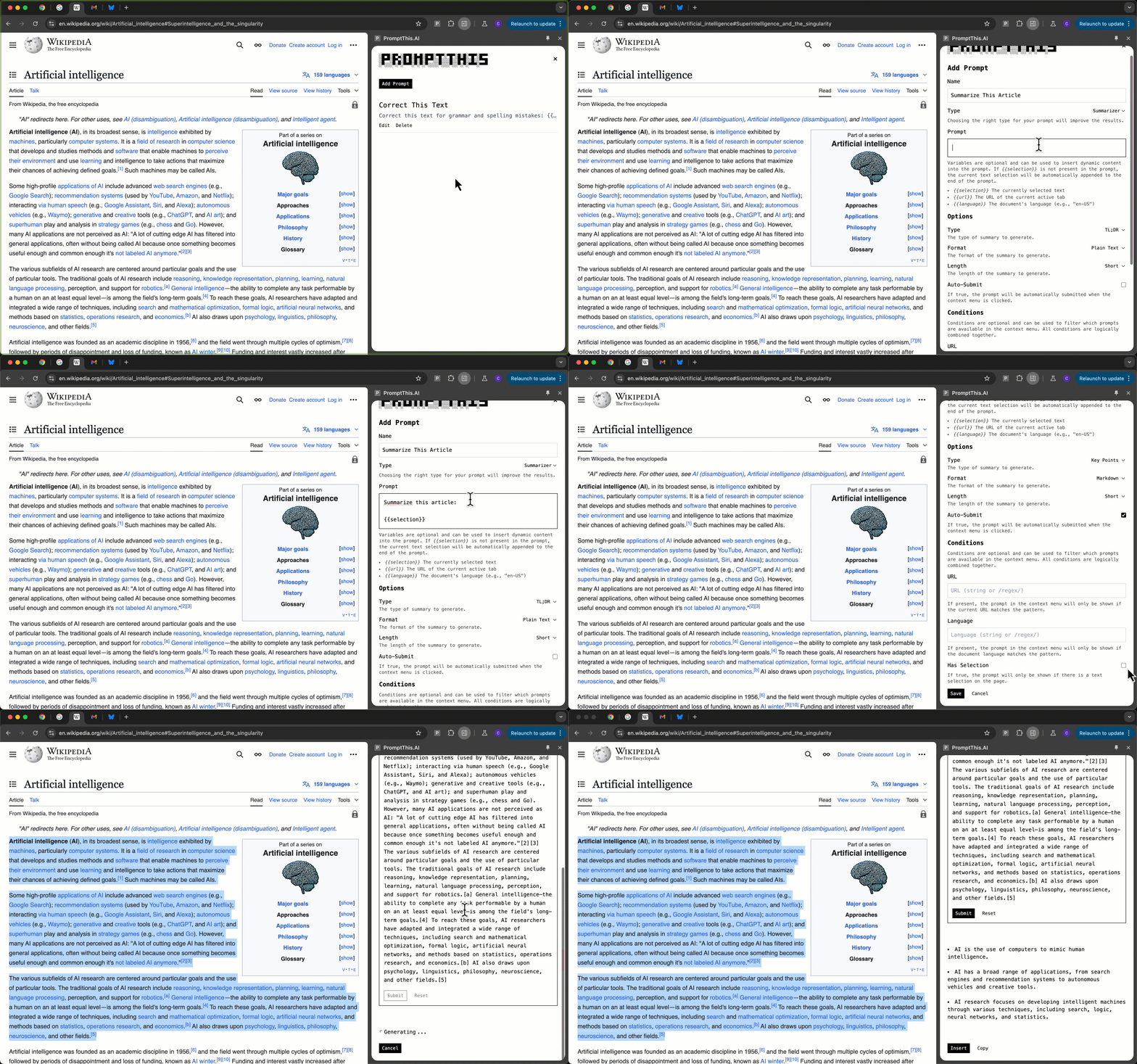
Summarize This Article: Turn any text into bullet points, available on any webpage.
- Name: Summarize This Article
- Prompt: Summarize this text in bullet points:
{{selection}} - Options:
- SummaryType:
Key Points - SummaryLength:
Short
- SummaryType:
- Conditions:
- HasSelection is
true
- HasSelection is
Explain This Word: Explain any unknown word, available only on English pages.
- Name: Explain This Word
- Prompt: Explain this word or phrase in English:
{{selection}} - Conditions:
- Language matches
/^en/ - HasSelection is
true
- Language matches
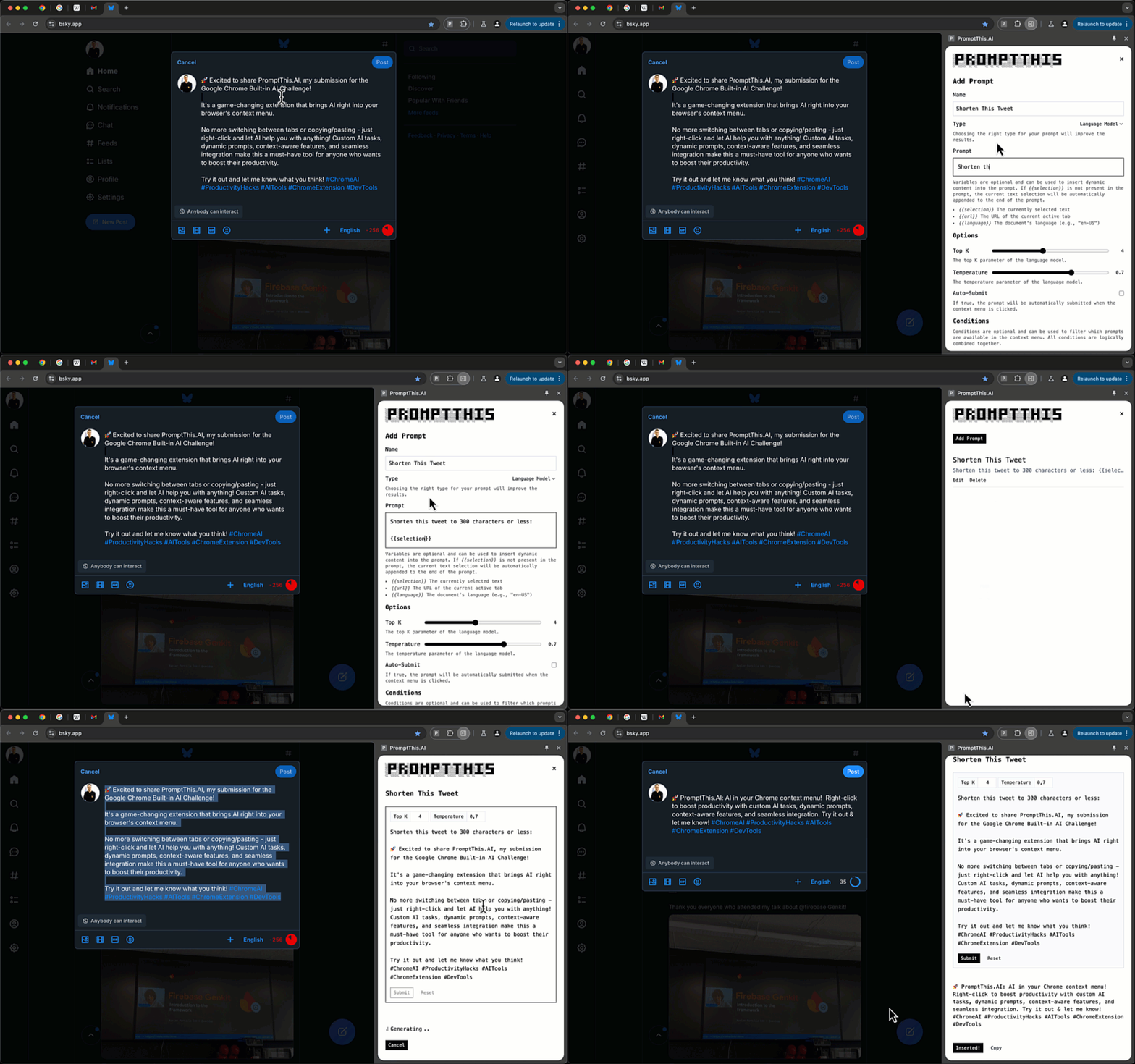
Shorten This Tweet: Shorten your tweet to 300 characters or less, available only on Twitter/X and Bluesky.
- Name: Shorten This Tweet
- Prompt: Shorten this tweet to 300 characters or less:
{{selection}} - Conditions:
- URL matches
/x\.com|bsky\.app/ - HasSelection is
true
- URL matches
How I built it
I built PromptThis.AI as a Chrome extension using Google's latest built-in AI APIs: Prompt API, Summarizer API, and Rewriter API. The extension is built with TypeScript and compiled via Rollup, and uses Chrome's SidePanel API to display the task in a sidepanel next to the webpage.
Challenges I ran into
This was my first extension, so I had no prior experience with Chrome extensions. I started with vanilla JavaScript and CSS with no build step, using JSDoc comments for basic type-safety. While I'm experienced with JavaScript, I frequently found myself in a cycle of fixing one issue only to discover I'd broken something else. So in the middle of the project, I decided to switch to TypeScript even though it took some time to get it working.
While the AI-support from the editor was helpful at the beginning, it often suggested code that was simply wrong, like suggesting Chrome APIs that didn't exist or using the wrong signatures (e.g. async instead of callback). Because I'm not familiar with the Chrome APIs, I had to read the docs and Google around to figure out why certain things didn't work.
Accomplishments that I'm proud of
PromptThis.AI is based on a real problem: how can I seamlessly integrate AI into my existing daily workflow? AI is most useful when it is available right where you need it. It should be as frictionless as possible to use it. I think PromptThis.AI is a step in the right direction. I'm proud I've built something that I will use daily and hopefully others will find it useful as well.
What I learned
As it was my first Chrome extension, I learned a lot about the structure of Chrome extensions and the available built-in APIs. If I were to start over, I would probably use a modern JavaScript framework to build the UI instead of vanilla JavaScript/TypeScript and CSS.
What's next for PromptThis.AI
While the current version already supports many use cases through customizations (conditions, options, variables), I have lots of ideas for making it even more powerful. Here are some of my ideas for new features:
Conditions
Conditions control when a task appears in the context menu on a right-clicked element:
IsEditableto check if the right-clicked element is an editable text inputIsImageto check if the right-clicked element is an imageCssSelectorto check if the right-clicked element matches a CSS selectorHasMetaTagto check if page has a meta tag with a given name and value
Options
Options control the behavior of a task when it is selected or executed:
AutoSelectto automatically select the content of the right-clicked elementAutoInsertto insert the generated text right back into the right-clicked elementAutoCopyto copy the generated text into the clipboard
Variables
Variables make prompts dynamic:
Cursorto control where the cursor is placed inside the prompt input when task is openedTextContentorHtmlContentto insert the text or html content of the right-clicked element
Use Case: 2-Click Proofreading
Imagine proofreading any text you type in a textarea, on any site, without having to select, copy, or paste anything.
Here's how these features could work together in a real-world scenario:
CssSelectorcondition liketextarea:read-writeto show the task only on editable textareasAutoSelectoption to automatically grab the textarea's content without having to select itAutoSubmitoption to execute the task immediatelyAutoInsertoption to put the corrected text right back where you started
The result? Proofreading any text with just two clicks: right-click and select the task.

Log in or sign up for Devpost to join the conversation.