PromptLift — Turn Rough Thoughts Into Perfect AI Prompts
Inspiration
Every day, millions of people use AI tools like ChatGPT, Claude, Gemini, Codex, Cursor, and other assistants.
But most users face the same problem: they type a rough prompt, get a weak answer, then spend extra time rewriting, correcting, and prompting again.
The issue is not always the AI model.
The issue is often the way we communicate with it.
A vague prompt usually creates a vague answer. An unclear prompt creates an unclear result. For many people, prompt engineering still feels like a hidden skill they were never taught.
That inspired us to build PromptLift.
The idea was simple:
What if anyone could turn a rough thought into a high-quality AI prompt instantly?
PromptLift was designed to be the missing layer between human ideas and AI output.
The core idea can be summarized as:
$$ \text{Better Prompt} = \text{Clear Context} + \text{Specific Task} + \text{Constraints} + \text{Output Format} $$
PromptLift helps users create better prompts without needing to understand prompt engineering.
What It Does
PromptLift is an AI-powered prompt enhancement platform.
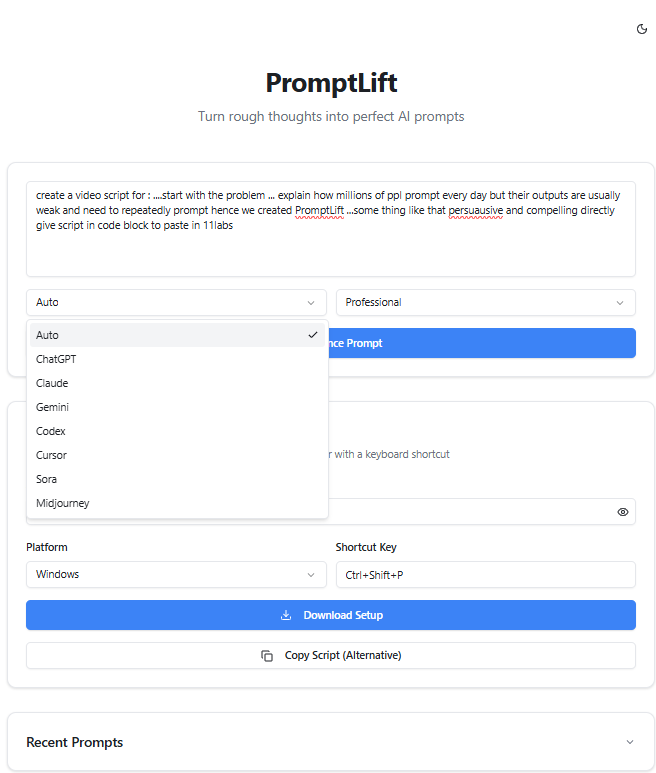
Users paste an unstructured or weak prompt, select the target use case, and PromptLift transforms it into a clear, detailed, AI-ready prompt.
It can improve prompts for:
- ChatGPT
- Claude
- Gemini
- Codex
- Cursor
- email writing
- research
- coding
- studying
- business tasks
- creative work
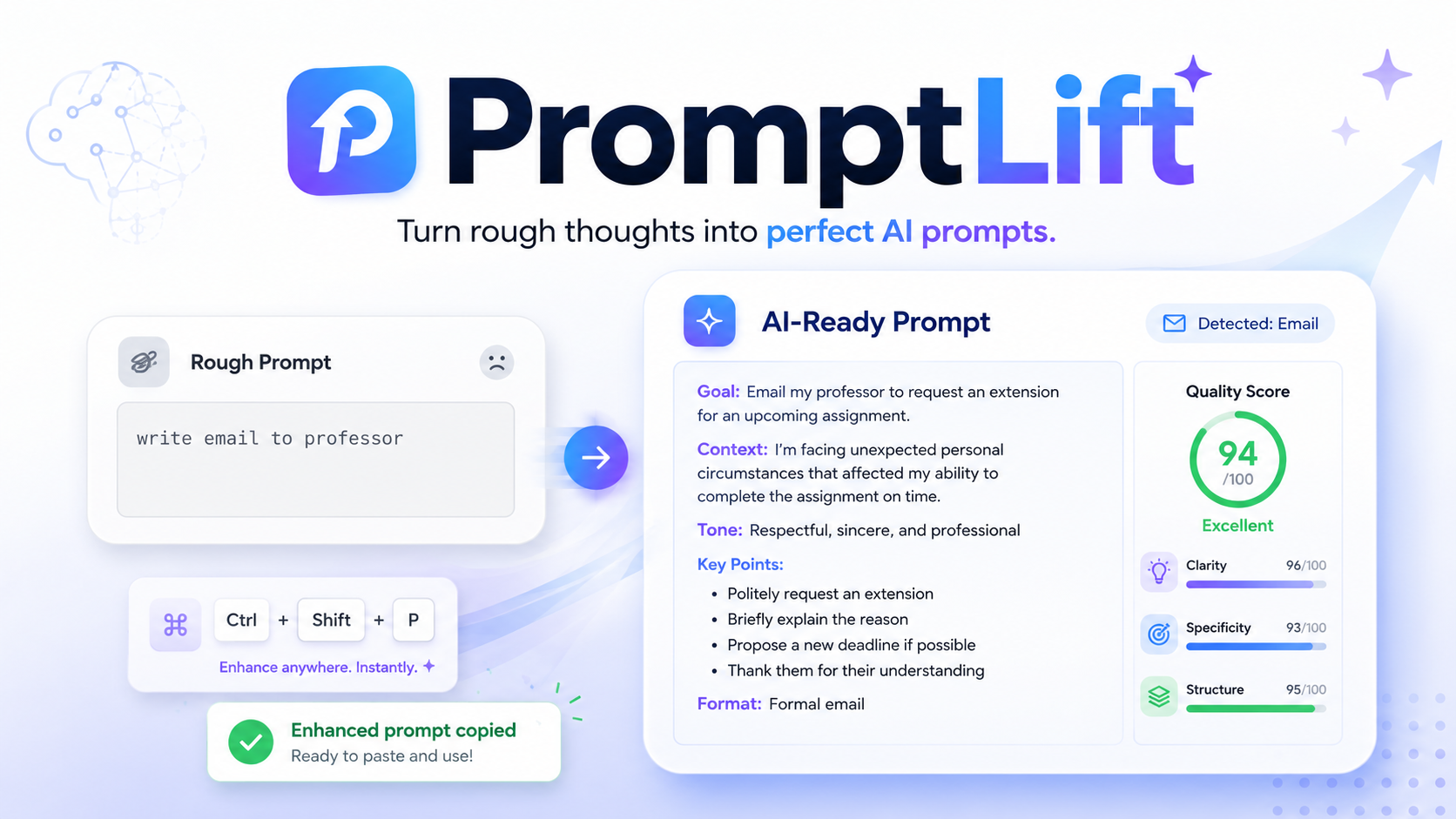
PromptLift analyzes the user’s rough input, detects the likely intent, improves the structure, adds missing context, defines constraints, and creates a stronger output format.
The app also includes:
- prompt enhancement using Gemini
- target mode selection
- tone selection
- prompt quality scoring
- copy-to-clipboard functionality
- recent prompt history
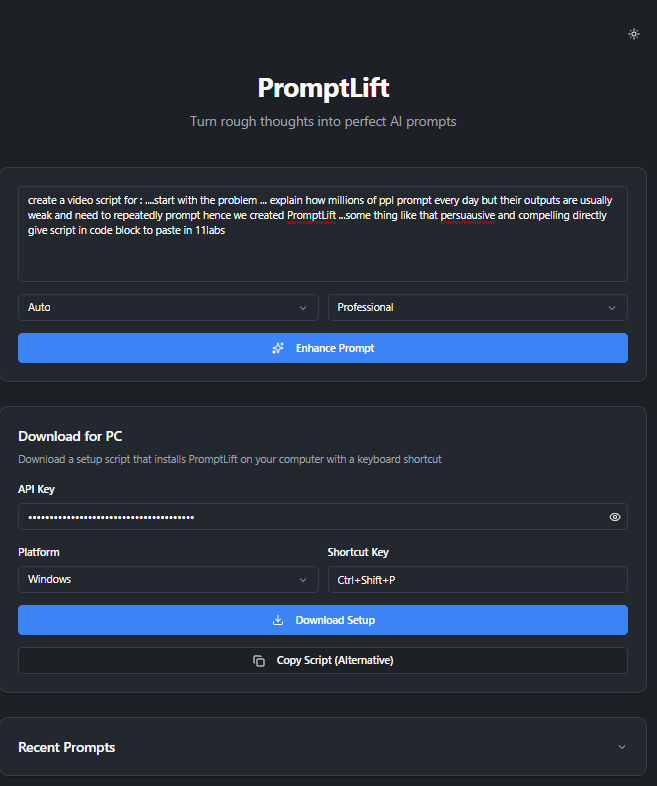
- dark mode
- shortcut setup for Windows and macOS
- downloadable local setup scripts
The goal is to reduce repeated prompting and help users get better AI outputs faster.
The Shortcut Vision
We did not want PromptLift to be only a website.
The larger vision is to make prompt enhancement available anywhere on a user’s laptop.
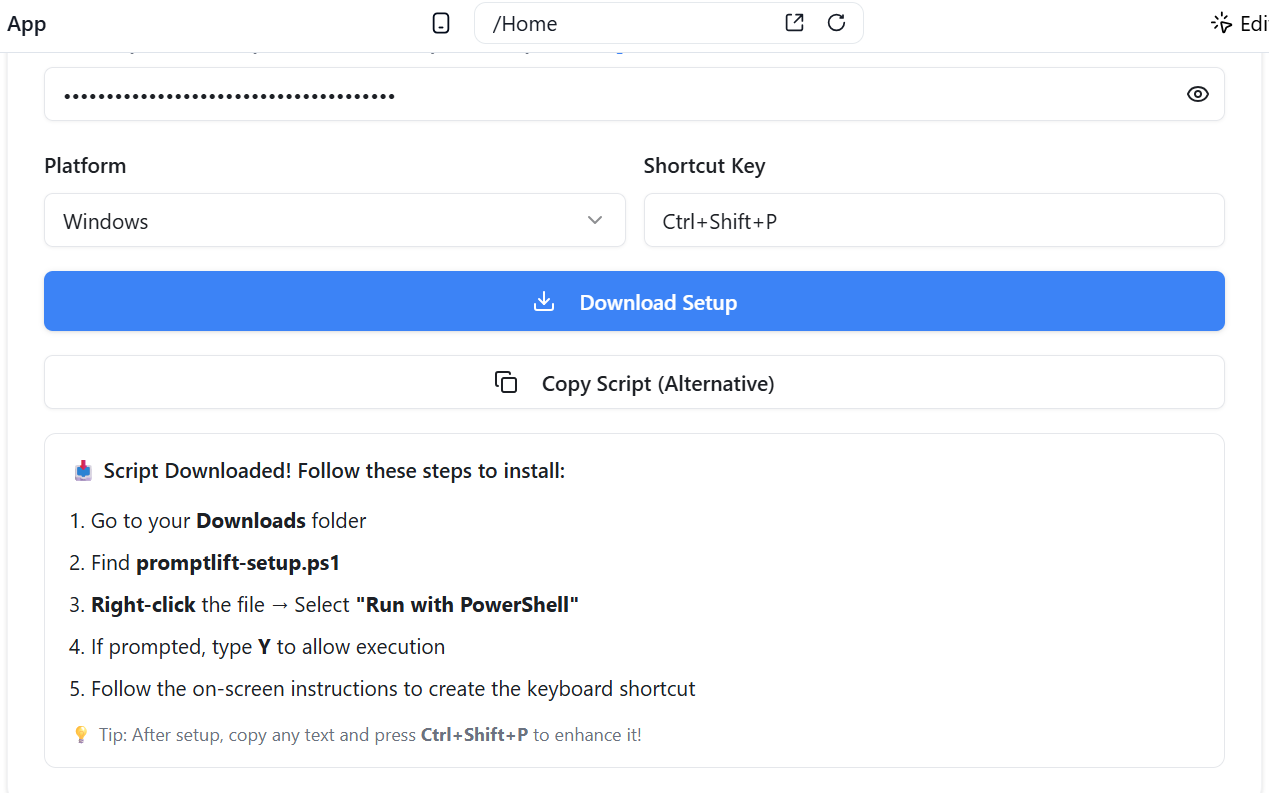
PromptLift includes a shortcut setup section where users can enter:
- their Gemini API key
- their operating system
- their preferred shortcut
- their default prompt mode
Then they can download a local setup script.
The intended workflow is:
$$ \text{Copy Rough Prompt} \rightarrow \text{Press Shortcut} \rightarrow \text{Enhance Prompt} \rightarrow \text{Copy Improved Prompt} $$
This makes PromptLift feel like a productivity layer for AI tools — similar to Grammarly, but for prompts.
How We Built It
We built PromptLift using MeDo as the main development platform.
MeDo helped us rapidly generate and iterate on the full-stack application through multi-turn prompting. We used it to create the core web interface, Gemini integration flow, prompt enhancement logic, shortcut setup section, recent prompts feature, dark mode, and downloadable setup scripts.
The project evolved through multiple iterations:
- We first generated the main prompt enhancement web app.
- We integrated Gemini for AI-powered prompt improvement.
- We simplified the interface into a cleaner Apple-like single-page experience.
- We added target mode and tone selection.
- We added prompt quality scores and copy interactions.
- We added a shortcut setup section for Windows and macOS.
- We improved the download script flow and added fallback options.
- We added recent prompts and dark mode while keeping the UI minimal.
MeDo allowed us to focus on the product experience: making the tool fast, clean, useful, and understandable.
Challenges We Faced
One of the biggest challenges was deciding how simple the product should be.
Prompt enhancement can easily become overcomplicated with too many settings, dashboards, pages, and explanations. But the real value of PromptLift is speed.
So we refactored the app into a clean single-page experience:
Paste prompt → select mode → enhance → copy result.
Another challenge was the shortcut setup.
Browsers cannot silently install or run scripts on a user’s computer for security reasons, and they should not. So we designed the setup flow to be transparent and user-controlled. Users download the script, approve permissions, and can review what it does.
We also had to improve the download experience because different browsers handle script files differently. To make the flow more reliable, we added clearer installation instructions and a copy-script fallback option.
Another challenge was Gemini response formatting. We improved the backend function so the AI response could be parsed more reliably and returned as structured prompt enhancement data.
What We Learned
We learned that productivity tools win when they remove friction.
PromptLift is not trying to teach everyone prompt engineering. It is trying to make prompt engineering invisible.
We also learned that a strong AI product is not just about adding AI. It is about designing the right interaction around AI.
The best experience is not:
“Here is another chatbot.”
It is:
“Here is one action that makes your existing workflow better.”
That is why the shortcut idea became central to PromptLift.
We also learned how useful MeDo can be for quickly moving from product idea to working prototype. Instead of spending most of our time on boilerplate, we could iterate on the actual user experience.
Why It Matters
AI is becoming part of everyday work.
Students use it to study. Developers use it to code. Founders use it to plan. Writers use it to draft. Creators use it to generate ideas.
But the quality of the output still depends heavily on the quality of the input.
PromptLift helps close that gap.
It gives users a better way to communicate with AI, without requiring them to become prompt engineering experts.
Built With
- MeDo
- Gemini API
- Supabase
- Supabase Edge Functions
- React
- TypeScript
- Tailwind CSS
- Prompt enhancement logic
- Clipboard workflow
- Windows PowerShell script generation
- macOS command script generation
- Dark mode
- Prompt history
Final Thought
PromptLift is more than a prompt enhancer.
It is a productivity layer for the AI generation.
Because most people do not need a better AI model.
They need a better way to talk to AI.
Built With
- api
- bash
- clipboard
- css
- dark
- design
- edge
- functions
- gemini
- html
- javascript
- localstorage
- medo
- mode
- postgresql
- powershell
- prompt
- react
- responsive
- supabase
- tailwind
- typescript
- vite
- web

Log in or sign up for Devpost to join the conversation.