-
-

1
-
2
-
3
-
4
-

5
-
6


Promptimize
Inspiration
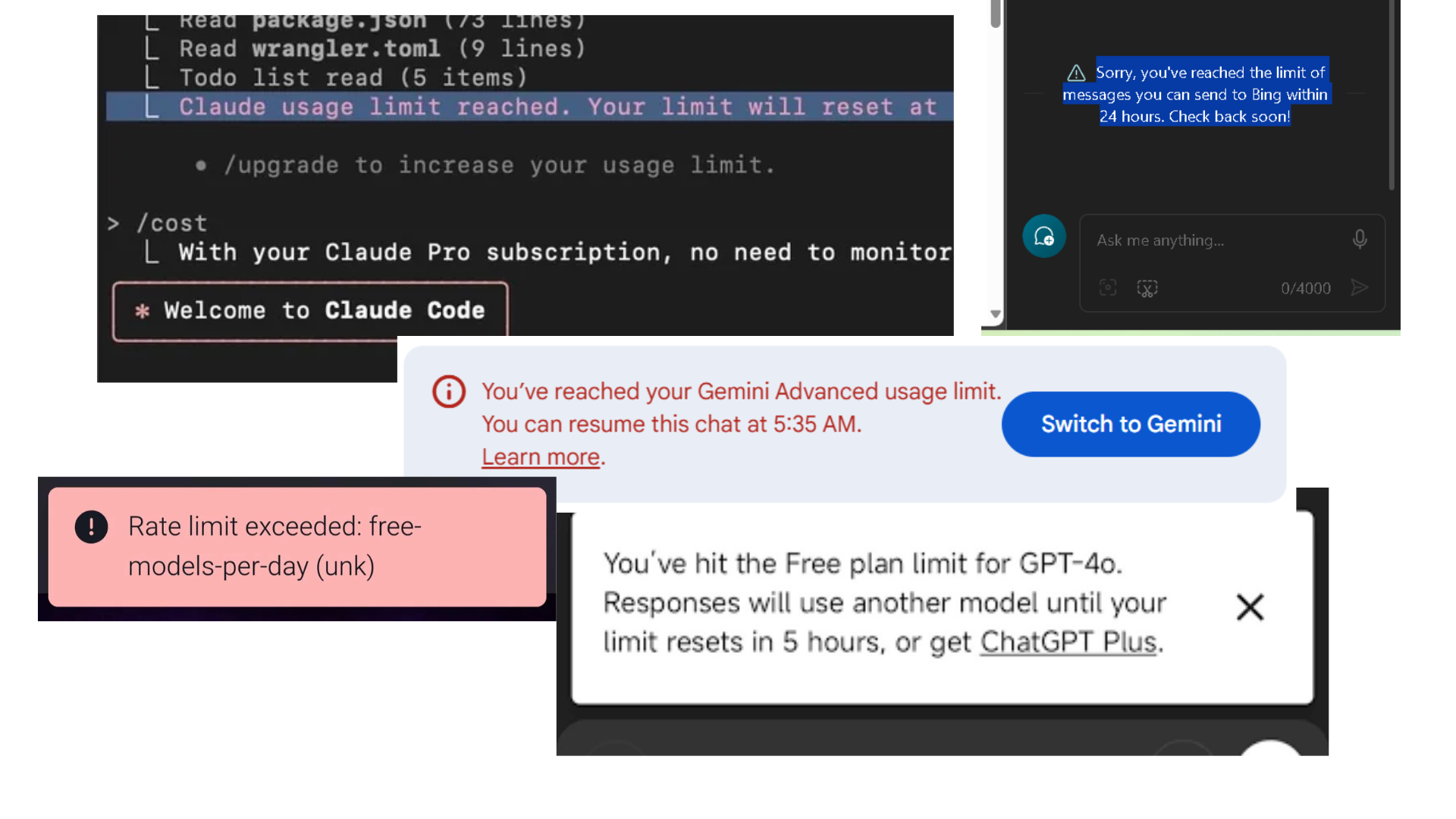
Every developer using AI tools pays a silent tax: bloated prompts.
Prompts filled with filler phrases, repeated instructions, unnecessary context, and vague wording cost just as much as useful content sometimes more. We noticed teammates writing 400-token prompts that could easily be reduced to 180 tokens. Repeated across thousands of AI calls, that wasted language turns into real cost.
The idea behind Promptimize was simple: developers already optimize database queries, bundle sizes, API calls, and cloud usage. Prompt tokens deserve the same level of visibility and control.
What We Built
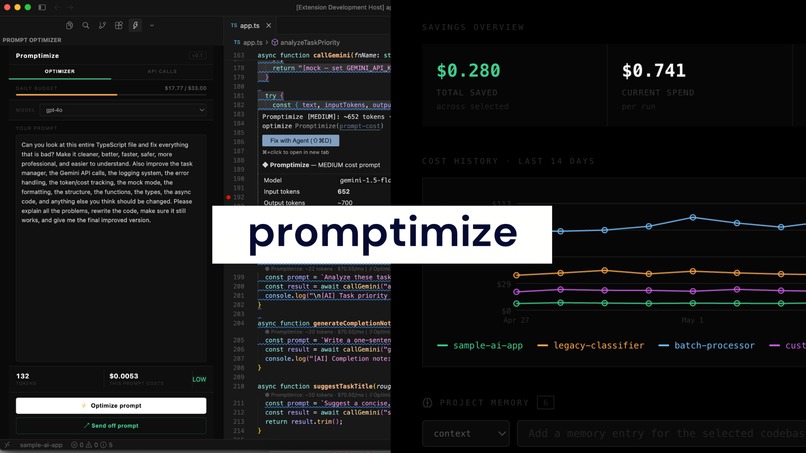
Promptimize is an all-in-one LLM budgeting extension that helps developers track, analyze, and reduce AI usage costs directly from their coding environment.
It includes a VS Code / Cursor extension that links to your CLI, and a web dashboard.
Extension
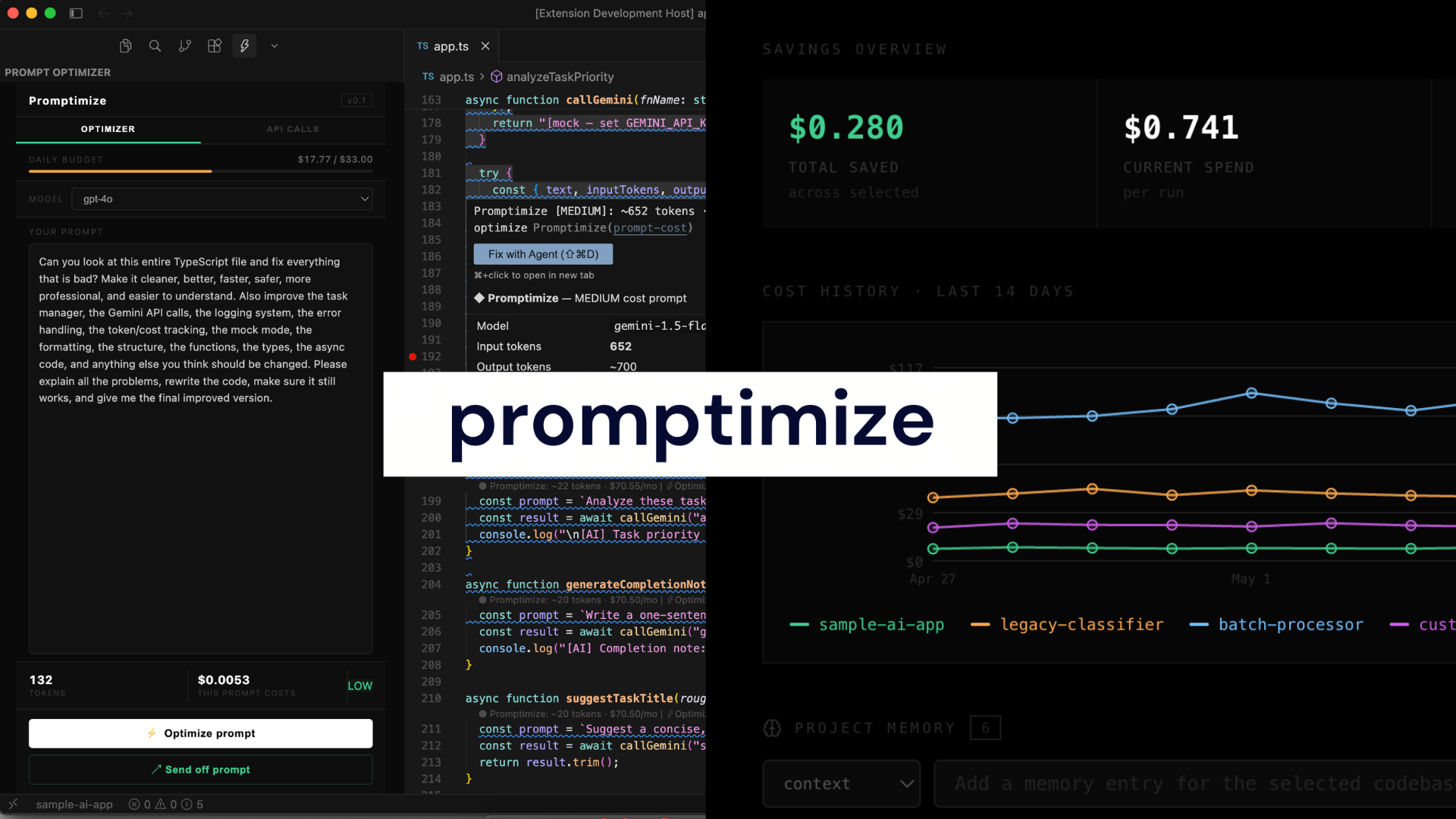
The extension gives developers real-time visibility into prompt and API usage while they work.
- Live token counting and per-call cost estimates
- Daily budget tracking based on a $1,000/month budget
- One-click prompt rewriting to reduce token usage
- API call tracking through a local
api-calls.jsonlog - Clickable API call entries that jump directly to the related function in the editor
Web Dashboard
The dashboard provides a broader view of usage across projects.
- Multi-codebase selector for filtering usage by repository
- 14-day cost history graph showing project spending trends over time
- Optimized event markers showing cost drops after prompt rewriting
- API call breakdown with severity levels and an optimization modal
- Backboard.io-powered project memory for storing codebase context, constraints, preferences, budget settings, and optimization history
- Persistent memory across the codebase lifespan, allowing Promptimize to remember past decisions, repeated prompt patterns, project-specific rules, and previous optimization choices
- Context-aware recommendations that improve over time by using stored memory instead of treating each prompt or API call as a one-off event
How We Built It
I kept the stack lightweight so Promptimize can run locally without depending on a full backend.
The extension is built with TypeScript and the VS Code Extension API. It uses WebviewViewProvider, workspace.fs, and VS Code language model support where available.
The optimizer works in two layers:
LLM-based optimization
If Cursor exposes a language model throughvscode.lm, Promptimize uses it to rewrite prompts with a structured JSON-based instruction.Rule-based optimization
If no model is available, Promptimize falls back to a deterministic TypeScript optimizer. This optimizer removes filler, simplifies verbose phrases, converts passive wording into direct instructions, and removes repeated quality directives.
The savings estimate is calculated using:
$$ \text{savings} = \frac{T_{\text{orig}} - T_{\text{opt}}}{T_{\text{orig}}} \times 100 $$
The monthly cost delta is calculated using:
$$ \text{monthly cost delta} = \frac{T_{\text{orig}} - T_{\text{opt}}}{1000000} \times P_{\text{input}} \times N_{\text{calls}} $$
where (T_{\text{orig}}) is the original token count, (T_{\text{opt}}) is the optimized token count, (P_{\text{input}}) is the model's input price per million tokens, and (N_{\text{calls}}) is the number of monthly calls.
We also built a sample TypeScript task manager that makes Gemini REST calls and logs structured entries to api-calls.json. When no API key is set, it creates realistic mock entries so the extension always has data to display.
The dashboard is built with Next.js 14, Tailwind CSS, and a plain SVG chart. To avoid hydration issues, we used deterministic seeded data instead of random values.
The seeded generator follows:
$$ s_{n+1} = (16807 \cdot s_n) \bmod (2^{31} - 1) $$
Challenges
One major challenge was avoiding hydration mismatches in the dashboard chart. At first, the 14-day cost graph used Math.random() and date formatting during render. Since the server and client generated different values, React threw hydration errors. We fixed this by using a seeded random generator and hardcoded labels so the server and client always render the same output.
Another challenge was Cursor’s inconsistent support for the VS Code Language Model API. Since vscode.lm.selectChatModels() is not always available in Cursor’s extension development environment, we built a strong rule-based fallback so Promptimize still works without external AI calls.
We also had to make token costs feel meaningful. A single call costing fractions of a cent is easy to ignore, but monthly projections can feel exaggerated without context. We solved this by showing a daily budget bar based on a $1,000/month budget, making the cost easier for developers to understand.
Finally, prompt optimization without an LLM was harder than expected. Simple regex replacements were not enough. We had to build a smarter pipeline that handles real developer prompt patterns, including filler removal, phrase simplification, repeated instruction detection, and imperative rewriting.
What We Learned
- Prompt tokens are becoming a real engineering concern.
- Developers have tools for tracking infrastructure, performance, and API usage, but very few tools help them understand how much inefficient prompting costs.
- Deterministic demo data matters because hydration errors or flickering charts can weaken a demo.
- The extension host and webview are separate JavaScript runtimes.
- File access, VS Code APIs, and Node-based logic must stay in the extension host.
- The webview behaves like a sandboxed browser frame.
- Prompt optimization is not just about making text shorter. It is about preserving intent while removing waste.
Elevator Pitch
Promptimize is an all-in-one LLM budgeting extension that helps developers track API usage, reduce prompt waste, and lower AI costs directly inside their coding workflow.
Built With
- backboard.io
- claude
- esbuild
- fastapi
- gemini
- next.js
- python
- react
- tailwind
- typescript
- vsce
- vscode.lm


Log in or sign up for Devpost to join the conversation.