-
-
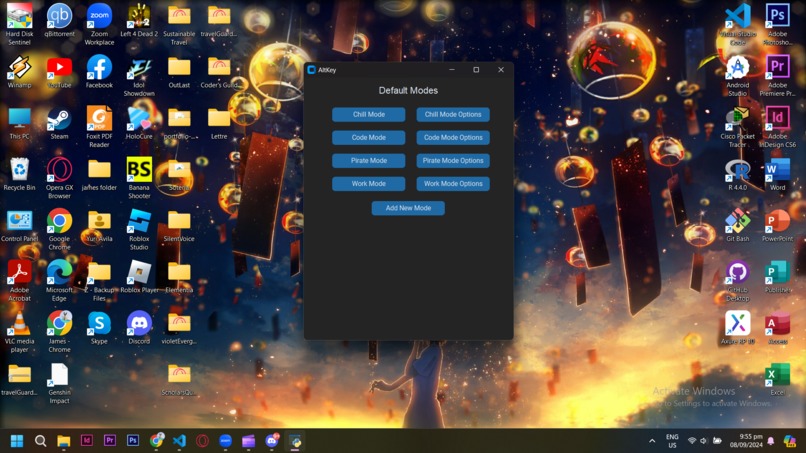
App
-
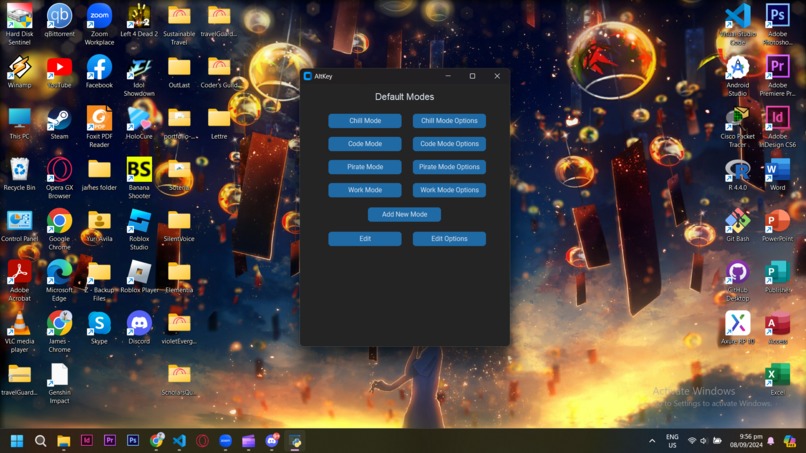
Default
-
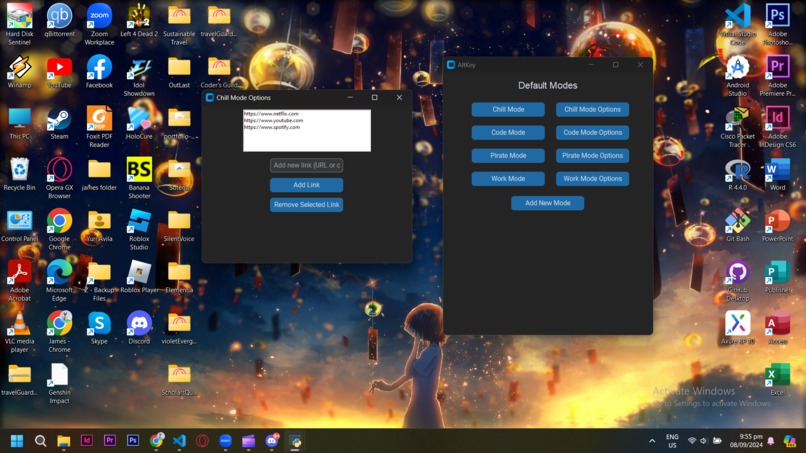
Add/Remove
-
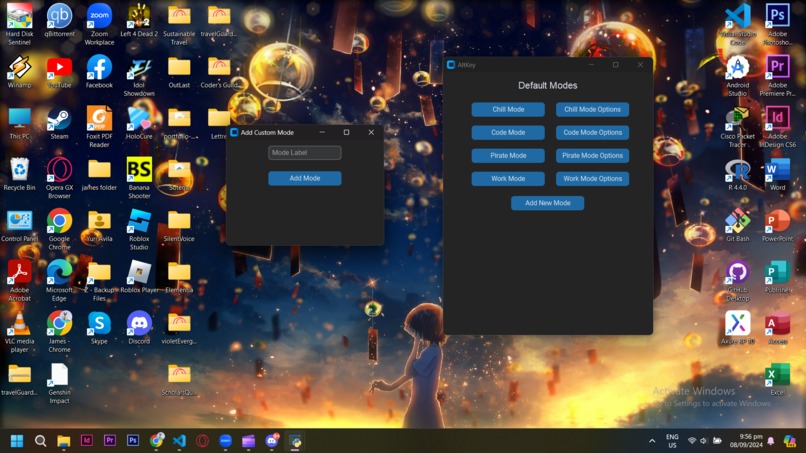
Add New Mode
-
New Add
-
All
-
Extension
-
Extension
-
Close up
-
Chrome


Inspiration
AltKey was inspired by my own laziness and irritation with the repetitive process of opening the websites each day, especially when I'm tired or just trying to get things done quickly. Every morning, I found myself wasting time navigating to the same tabs and programs. The idea of creating custom shortcuts for specific moods or tasks seemed like a natural solution to streamline my workflow.
What it does
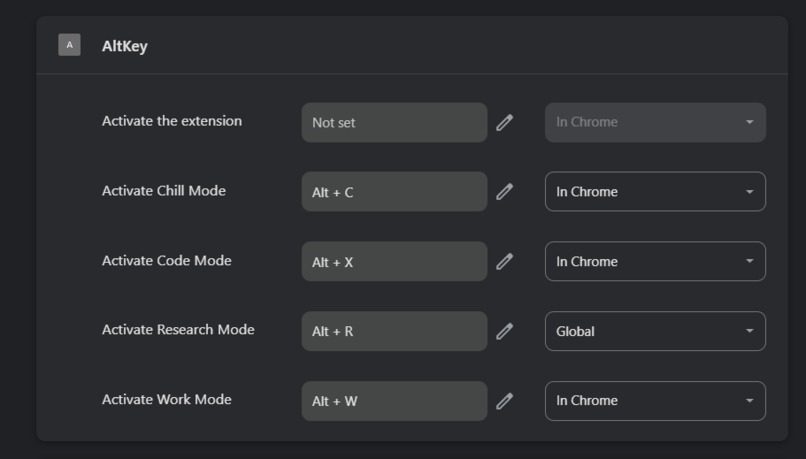
- AltKey allows users to create custom keyboard shortcuts for different "modes," such as "Work Mode" or "Chill Mode."
- Each mode can trigger a specific set of websites, reducing the need to manually open them every time.
- Users have the ability to easily add, modify, or delete these modes and shortcuts, tailoring them to their needs.
How I built it
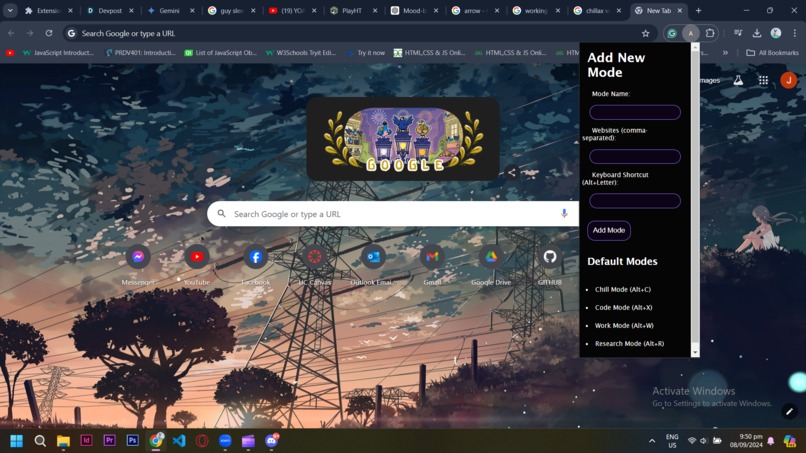
- Google Chrome Extension: Built with HTML, CSS, JavaScript, and JSON for storing user preferences and defining shortcuts.
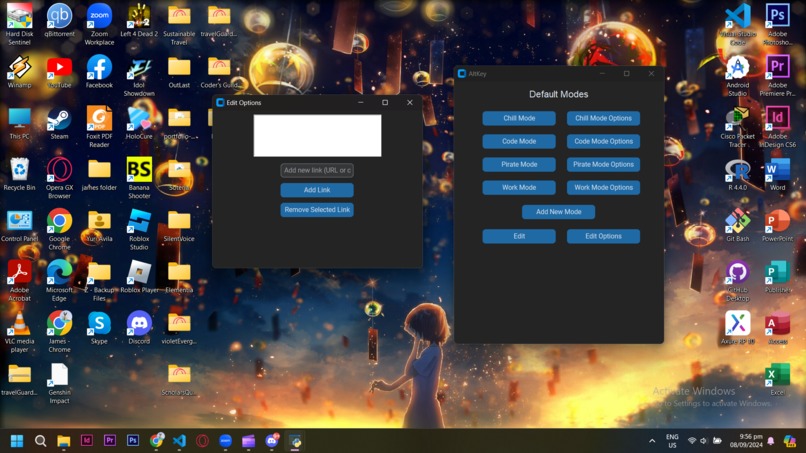
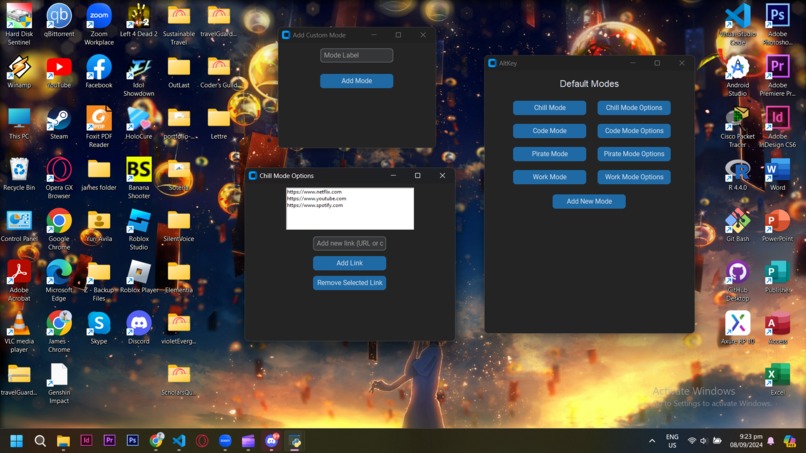
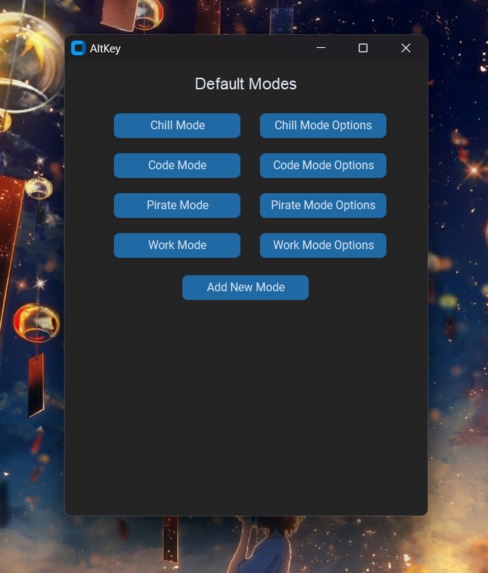
- Desktop Application: Developed in Python using libraries like Custom Tkinter for the interface and subprocess for launching external applications.
- Both the extension and app provide seamless access to shortcuts, offering flexibility across different platforms.
- Built with sheer perseverance, will, and coffee.
How to Use
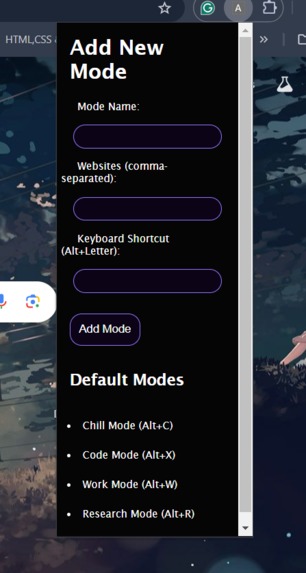
- Use Alt keys for shortcut modes. For example, Alt + C opens Chill Mode.
- To add your own mode, open the extension from the upper navigation bar.
- In the desktop app, simply press the button for the mode you want to activate, and you can also customize it.
- You can also add your own custom mode by clicking the "Add" button.
Challenges we ran into
One of the major challenges I faced was a change of concept midway through the hackathon. Initially, I wanted to create a shortcut system similar to a React snippet tool but found out that automating such functionality was restricted by many websites’ terms and conditions. This forced me to shift concepts and rethink one that still focused on reducing minor inconveniences but avoided prohibited automation. The crunch time added extra pressure because I’m writing this 2 hours before the deadline, while juggling household chores and schoolwork. I had to do everything quickly since there was a video to create and code to finish.
Accomplishments that I'm proud of
I’m proud that I was able to submit something despite the mid-hackathon change in concept. With less than 2 hours to spare, I managed to redefine the idea and make the concept work. It’s a personal achievement to overcome both technical and conceptual hurdles within a limited timeframe.
What I learned
I learned the importance of reading the terms and conditions thoroughly before pursuing an idea. It's crucial to ensure that the solution you're developing doesn’t violate any platform rules or restrictions. Additionally, I realized how vital time management is, especially in a hackathon environment where adapting on the fly can make or break your project.
What's next for AltKey
- App Integration: The next step is to extend the modes to include launching desktop applications, making the tool even more versatile for everyday use.
- Dual Action Shortcuts: I plan to improve the user experience by allowing shortcuts that can open both apps and websites simultaneously, further simplifying multitasking.
- Enhanced UI/UX: Refining the design to make it more visually appealing and user-friendly across both the web and desktop applications, ensuring accessibility and ease of use.

Log in or sign up for Devpost to join the conversation.